Managing
Stopped GroupStack
Start/Snapshot/Remove
robustack.com
Start GroupStack
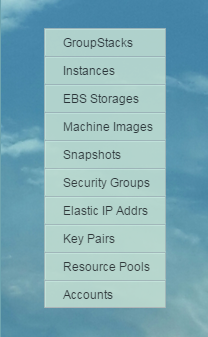
(1) Click "GroupStacks" in main menu.
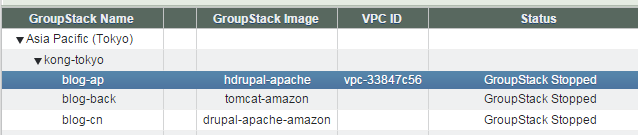
(2) Select groupstack to start
at groupstack table view.
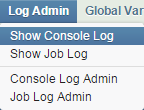
(3) Open console log view.
"Log Admin" -> "Show Console Log"
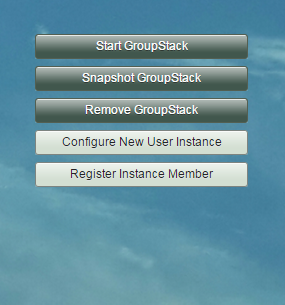
(4) Click "Start GroupStack" button.
(5) Start GroupStack workflow
1. Requests spot instances - waits until active.
2. Starts on-demand instances.
3. Waits until all instances are running.
(5) Start GroupStack workflow
4. Associates Elastic IPs to'EIP auto-associate' instances. And waits until those public DNS names resolved.
(5) Start GroupStack workflow
5. Attaches volumes for spot instances.
6. Updates /etc/hosts entries for all instances.
<Private IP address> <instance name>
...
(5) Start GroupStack workflow
7. Mounts all filesystems.
8. Runs user-defined 'Post Bash Scripts' on each instances.
(5) Start GroupStack workflow
9. Starts applications according to those groupstack-wide 'Start Orders' and 'Start App Dependencies'.
(5) Start GroupStack workflow
10. Register 'ELB auto-register' instances to Elastic Load Balancers.
(6) Start GroupStack completed.
Check if groupstack status is now "GroupStack Running"
Snapshot GroupStack
(1) Click "GroupStacks" in main menu.
(2) Select groupstack to snapshot
at groupstack table view.
(3) Open console log view.
"Log Admin" -> "Show Console Log"
(4) Click "Snapshot GroupStack" button.
(5) Enter "Group Snapshot Name".
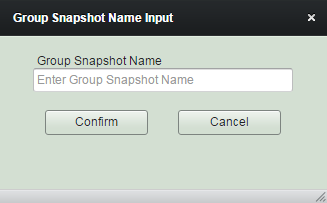
(6) Snapshot GroupStack workflow
1. Records the current status of instances and filesystems for future reference.
(6) Snapshot GroupStack workflow
2. Initiates snapshot for none-root volumes.
3. Initiates snapshot for root volumes.
4. Waits until all snapshots completed.
(7) Snapshot GroupStack completed.
Click "Snapshots" tab and check the results.
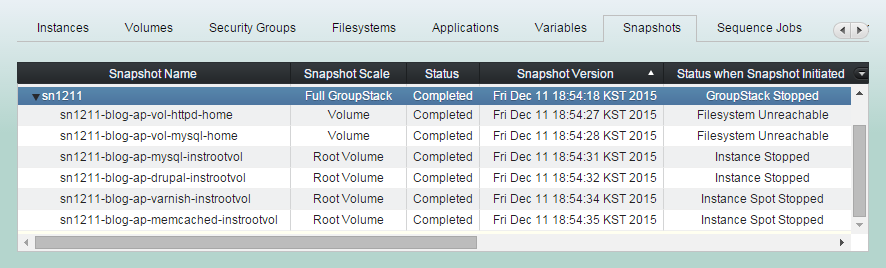
Restore GroupStack
(1) Click "GroupStacks" in main menu.
(2) Select groupstack to restore
at groupstack table view.
(3) Open console log view.
"Log Admin" -> "Show Console Log"
(4) Click "Snapshots" tab and select group snapshot to restore groupstack from.
(5) Click "Restore GroupStack" button
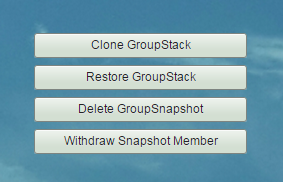
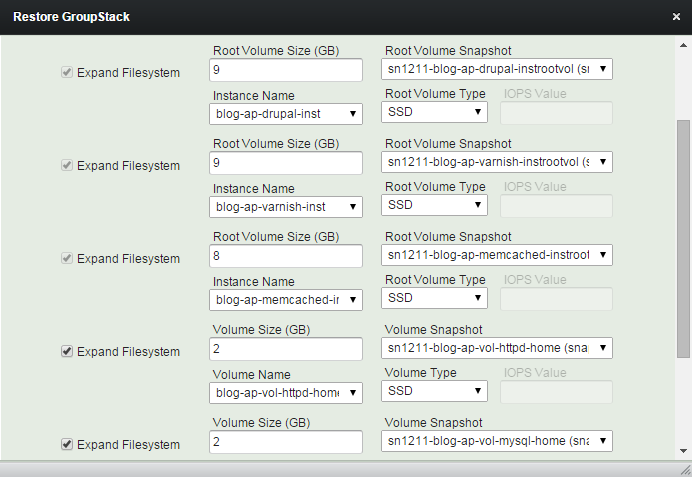
(6) Modify sizes and types of volumes and root volumes as you wish.
And click "Continue" button
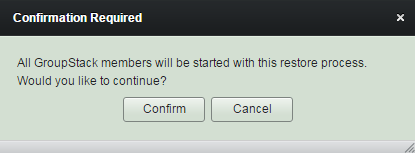
(7) Read reminder content and click "Confirm" button.
Groupstack will be started during the restore process to expand the filesystems and to finish restoring.
(8) Restore GroupStack workflow
1. Detaches all volumes including root volumes of on-demand instances.
2. Creates volumes and on-demand root volumes from snapshots with newly extended sizes and modified types.
(8) Restore GroupStack workflow
3. Creates new AMIs from root snapshot of spot instances. And applys newly edited sizes and types to the groupstack configuration.
(8) Restore GroupStack workflow
4. Waits until all volume creation completed.
5. Attaches newly created volumes and root volumes to stopped on-demand instances.
(8) Restore GroupStack workflow
6. Starts 'Start Spot Instance' workflows for all spot instances.
7. Starts 'Start Instance' workflows for all on-demand instances.
8. Waits until 'Start (Spot) Instance' workflows done.
(8) Restore GroupStack workflow
9. Attaches volumes for spot instances.
10. Grows and mounts filesystems, if needed.
11. Continues the rest of 'Start GroupStack' workflow.
(9) Restore GroupStack completed.
Remove GroupStack
Removing groupstack will just release the configuration of groupstack and leave EC2 resources intact. It will never terminate/stop EC2 instances nor remove EBS volumes. Any contents neither.
(1) Click "GroupStacks" in main menu.
(2) Select groupstack to remove
at groupstack table view.
(4) Click "Remove GroupStack" button.
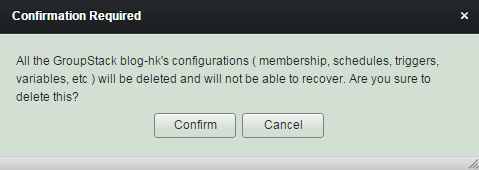
(4) Read reminders and click "Confirm".
All Sequence/Schedule/Trigger jobs will be removed together. And will NOT be recoverable.
(5) GroupStack has been removed.
Even though you removed the groupstack, all the Amazon EC2 resources would be the same and they would still be operating.
Managing Stopped GroupStack
By robustack.com
Managing Stopped GroupStack
Managing Stopped GroupStack - Start / Snapshot / Remove. Robustack is an Amazon EC2 Orchestration Platform. This slides shows how to manage a groupstack (an unit for group of EC2 instances, volumes, security groups and filesystems, applications) which is in stopped state and explains what will be going on under the hood.