Ryan Walls
@ryanwalls
Engineering Manager at Backcountry.com
While you're waiting... follow steps here:
https://github.com/ryanwalls/docker-demo
First Dip Off the
So... Docker. What do you want to know?
What is Docker?




https://docs.docker.com/userguide
Details of Docker
Basics of Docker
Container
Image
Engine
Client
Hub
Previously used LXC
Now uses https://github.com/docker/libcontainer
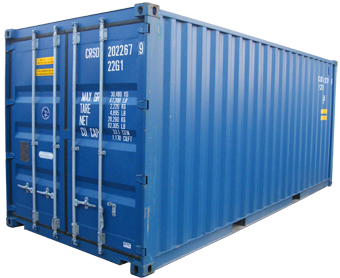
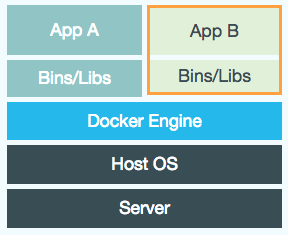
A container is a self contained execution environment that shares the kernel of the host system and which is (optionally) isolated from other containers in the system.
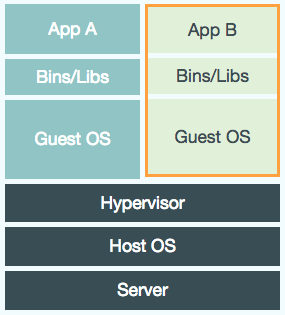
VM
Docker container
Large
Small
Consume significant CPU and memory
Basically zero memory and CPU overhead
Not easily portable between VM environments
Run in any linux environment
Hardware centric
Application centric
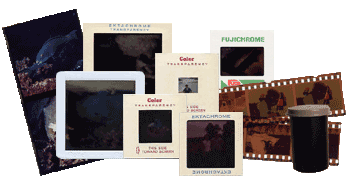
An image is the source of a docker container.
Imperfect analogy:
MyClass.java -> MyClass.class -> running instance of MyClass running in JVM
Dockerfile -> docker image -> docker container
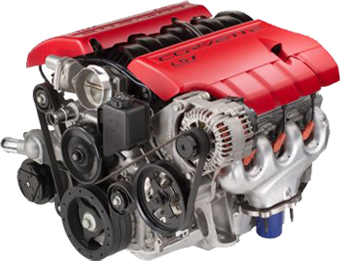
Manages containers
Start/Stop
Status
Linking
etc
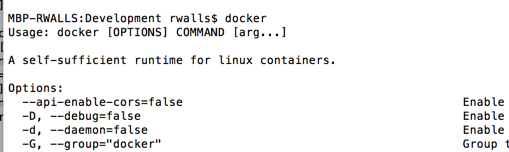
The connecting link to the docker engine (aka docker host)
Runs locally
Docker host may/may not be on local
Store ready-made docker images
Why Docker?

Let's see what it can do... then let's talk
What is Dockerizing?
Manually create
You can create a docker image by just running commands against a base image.
docker pull learn/tutorial
docker run learn/tutorial apt-get install -y ping
docker ps -l
docker commit <id from previous step> learn/ping
docker run learn/ping ping google.com
Extra credit: If you're comfortable with creating manual docker images and don't need the tutorial, try out Docker Swarm
Dockerfile
Instead of running commands and saving, can create a Dockerfile that specifies all the commands to build an image.
e.g. Dockerfile for deploying a .war that we have archived in artifactory.
FROM tutum/tomcat

ADD <Artifactory url>/my-app-0.1-SNAPSHOT.war $CATALINA_HOME/webapps/my-app.warDockerfile
Build the Dockerfile into an image and tag the image
docker build -t="myname/mytomcatapp:v1" .Create a container by running the image
docker run -t -i myname/mytomcatapp:v1Another
FROM java:8-jre

ENV CATALINA_HOME /usr/local/tomcat
ENV PATH $CATALINA_HOME/bin:$PATH
RUN mkdir -p "$CATALINA_HOME"
WORKDIR $CATALINA_HOME

# see https://www.apache.org/dist/tomcat/tomcat-8/KEYS
RUN gpg --keyserver pool.sks-keyservers.net --recv-keys 05AB33110949707C93A279E3D3EFE6B686867BA6
ENV TOMCAT_MAJOR 8
ENV TOMCAT_VERSION 8.0.18
ENV TOMCAT_TGZ_URL \
https://www.apache.org/dist/tomcat/\
tomcat-$TOMCAT_MAJOR/v$TOMCAT_VERSION/bin/apache-tomcat-$TOMCAT_VERSION.tar.gz

RUN curl -SL "$TOMCAT_TGZ_URL" -o tomcat.tar.gz \
	&& curl -SL "$TOMCAT_TGZ_URL.asc" -o tomcat.tar.gz.asc \
	&& gpg --verify tomcat.tar.gz.asc \
	&& tar -xvf tomcat.tar.gz --strip-components=1 \
	&& rm bin/*.bat \
	&& rm tomcat.tar.gz*

EXPOSE 8080
CMD ["catalina.sh", "run"]
Getting Started
Not linux so no containers
Boot2Docker to the rescue
Docker Machine
to the rescue
# Assumption: You've installed Docker and Virtualbox
# Installing docker-machine
git clone https://github.com/ryanwalls/docker-demo

cd docker-demo

cp docker-machine /usr/local/bin/

# Create a docker host
docker-machine create --driver=virtualbox dev

# (Optional) Look at some information about your machine
docker-machine inspect dev

# Set your docker client to connect to the dev machine you just created
$(docker-machine env dev)

# (Optional) Try saying hello from your dev machine
docker run busybox /bin/echo 'Hello world'
Fire up first docker container
Dev Fun
Instant CI server
docker run -i -t -d --name neo4j --cap-add=SYS_RESOURCE \
-p 7474:7474 tpires/neo4j
Try out neo4j
docker run --name myjenkins -p 8080:8080 -v /var/jenkins_home jenkinsPlay around with nginx
docker run -p 7070:80 -v \
/path/to/some/sample-static-html:/usr/share/nginx/html:ro -d nginx
How about mongo?
docker run --name my-mongo -d mongoUseful commands
# list docker machines
docker-machine ls

# get list of commands
docker-machine

# init shell for docker to connect to a given machine
$(docker-machine env <name of machine>)
# Get list of commands
docker

# Check logs
docker logs <name of container>

# Start shell inside running container
docker exec -i -t <containerIdOrName> /bin/bash
Docker Machine
Docker
Multiple Component Apps
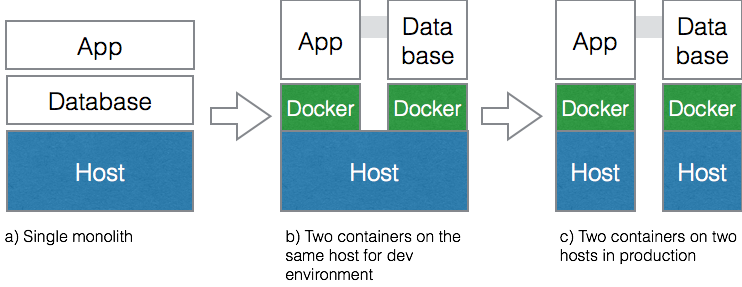
Linking with Docker
# Clone the repo
git clone https://github.com/luebken/mean.git
cd mean

# Start mongo
docker run -p 27017:27017 -d --name db mongo

# Build the Dockerfile for the UI
docker build -t mean .

# Run the UI image
docker run -p 3000:3000 --link db:db_1 mean
Using Docker Compose (fig) instead
web:
  build: .
  links:
   - db
  ports:
   - "3000:3000"
   - "35729:35729"
  volumes:
   - ./app:/home/mean/app
  environment:
   NODE_ENV: development
db:
  image: mongo:latest
  ports:
- "27017:27017"Using Docker Compose (fig) instead
# Install Docker Compose
curl -L https://github.com/docker/fig/releases/download/1.1.0-rc2/docker-compose-\
`uname -s`-`uname -m` > /usr/local/bin/docker-compose; chmod +x /usr/local/bin/docker-compose

# Run docker-compose
docker-compose up
Multiple Component Multiple Host
Apps
Lots of choices
- Docker Swarm
- Kubernetes
- Mesos
- Shipyard
- Longshoreman
- Fleet
- Rancher
- Etc, etc, etc...
It's complicated
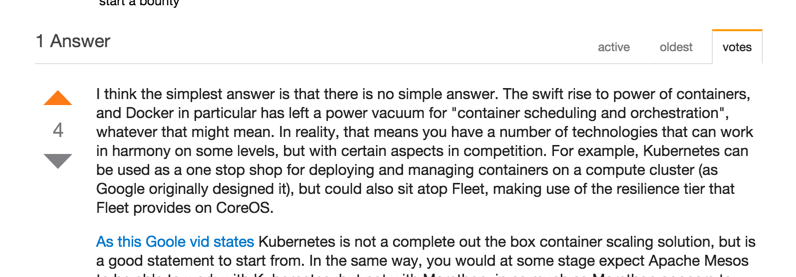
What we're trying next....
What's next for my company?
Zero to Docker
- Use docker for prototyping on local machines
- Get some applications or infrastructure into containers
- Deploy containers instead of binaries in dev, integration, prod environments
- Orchestrate deploying those containers with a fancy tool (swarm, fleet, shipyard, kubernetes, etc)
- Rinse...Repeat
Back to... why Docker?
(They will ask.)
Why Docker in Development?
- Fast prototyping
- Can easily create standalone multi-app dev environments
- Use same stack as production
- Easily spin up many machines
Why Docker in Production?
- Improved quality/stability/consistency. Configuration of app stack is versioned and committed.
- Less work for techops. Just provision bare linux machine
- Faster. Setting up applications in new server is as simple as "docker run"
- Reduce costs. Apps run in their own container, so each server could have many apps running in nearly complete isolation.
- Fast deployments. Docker uses diff file system for images. Any layers already run are cached.
More ammunition
Questions?
First Dip Off the Docker
By Ryan Walls
First Dip Off the Docker
All the cool kids are saying "Docker" in random conversation at tech companies across the world. Why should I care? What is it? How to get started? What's the long-term vision?