About Saad Abbasi








Mentor
Techkaro
NgGirls
Dawood UET
Speaker
JS Dive
JS Meetup
React KHI
Sr. Software Engineer @lucidspring/remote

Roadmap:
- Why you should learn it
- Environment uniformity
- Market demand
- Microservices
- Personal usage
- Docker Architecture (overview)
- Getting straight into Docker
- Dockerfile ?
- Basic Docker commands
- Understanding container, Image and Dockerfile
- Types of docker images (overview of Docker Hub)
- Dockerizing Node.js codebases (live)
- Volume and types
- Hooking up with Dockerized database
- Docker-Compose in action
- Migrate all individual services to Docker-Compose
- Understanding network layer
- Understanding docker-compose flags
- Adding NGINX as a reverse proxy (container to containers)
Why should I learn Docker?
- Uniformity of environment
- Market Demand
- Most important tool for Microservices
- Automation
- Great of managing multiple system-level softwares

Most Loved, Dreaded, and Wanted Platforms
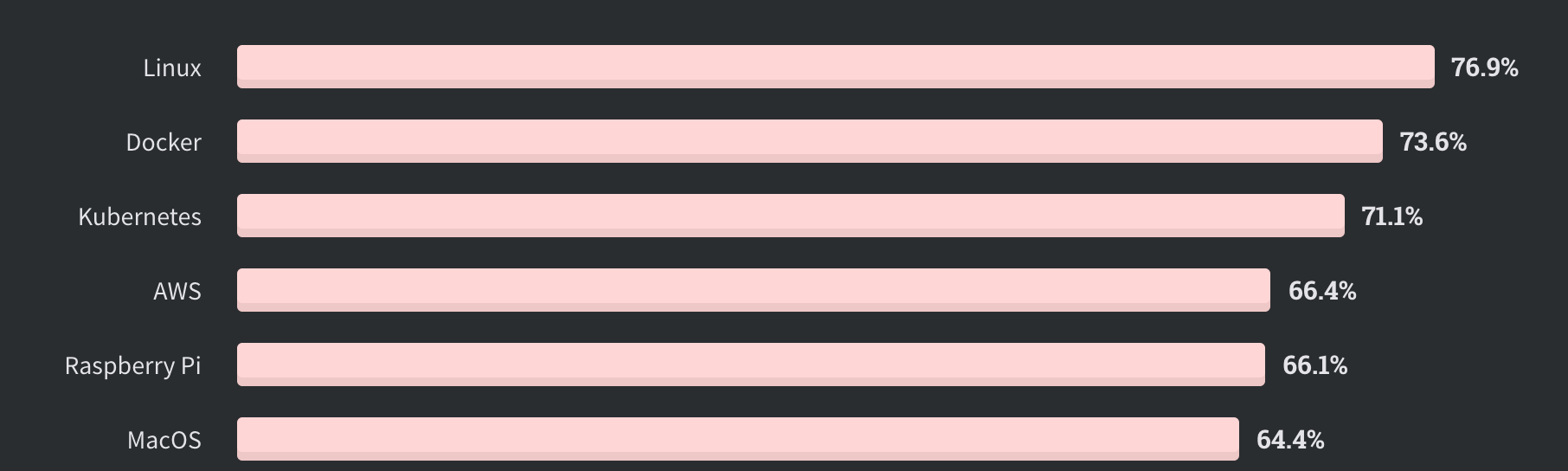
Top Platforms
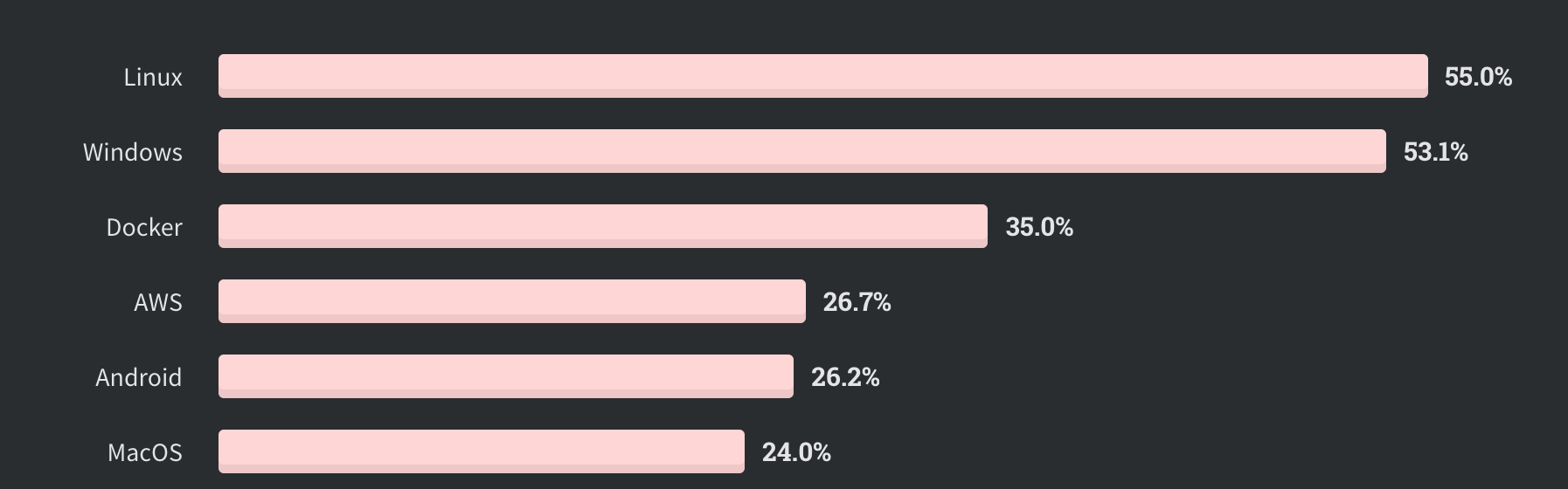
All Respondents
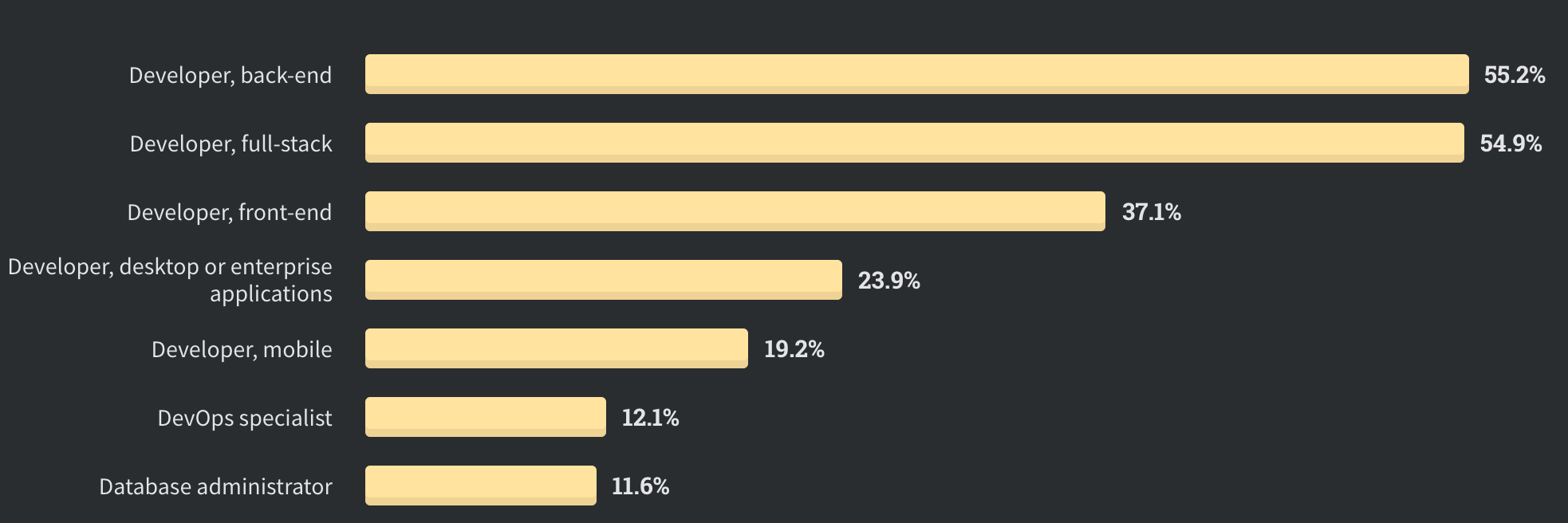
Tool for Microservices

Assets Server
API Server x3
Assets Server
Database


Reverse-Proxy

API Server x3
Docker Architecture
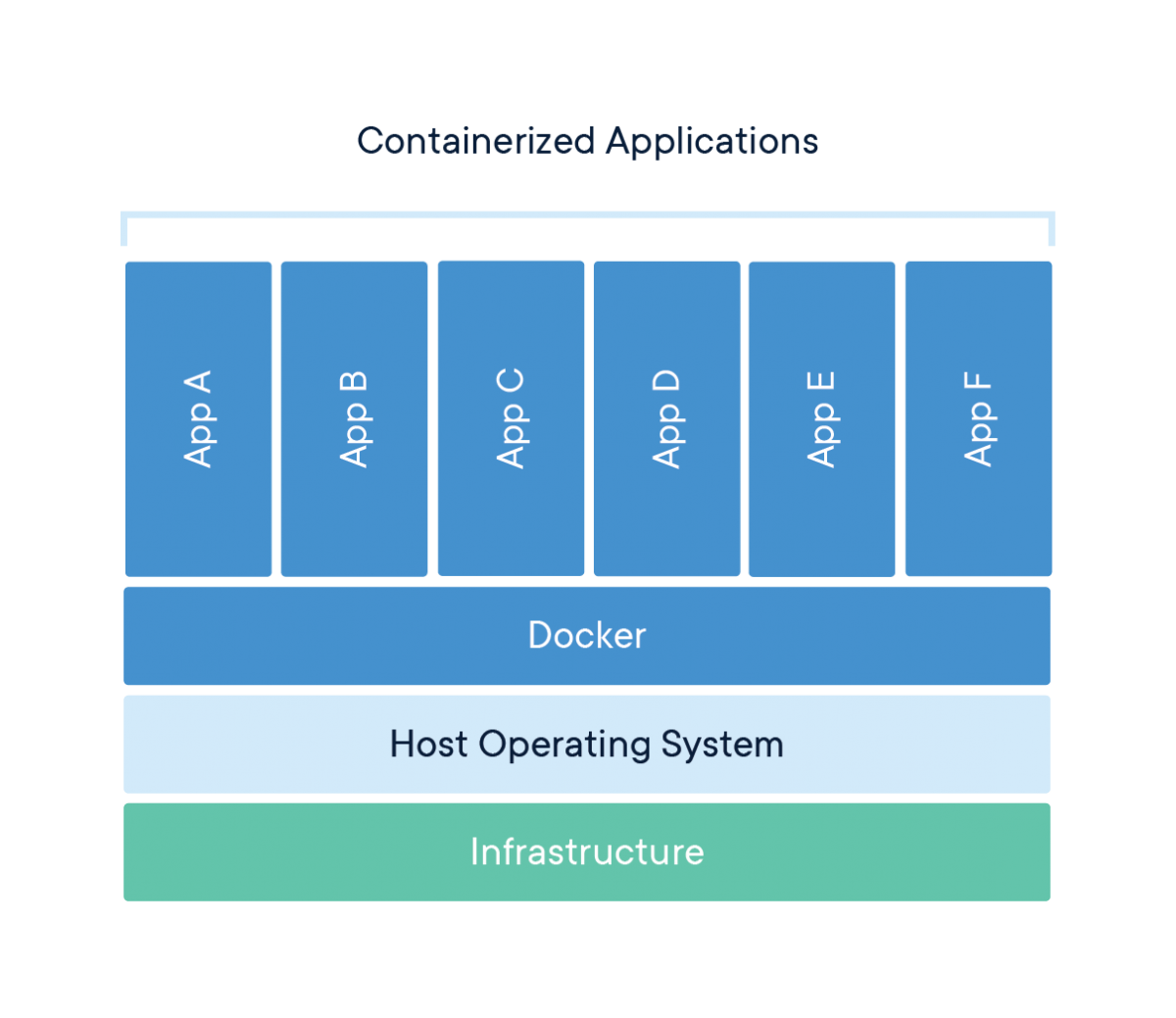
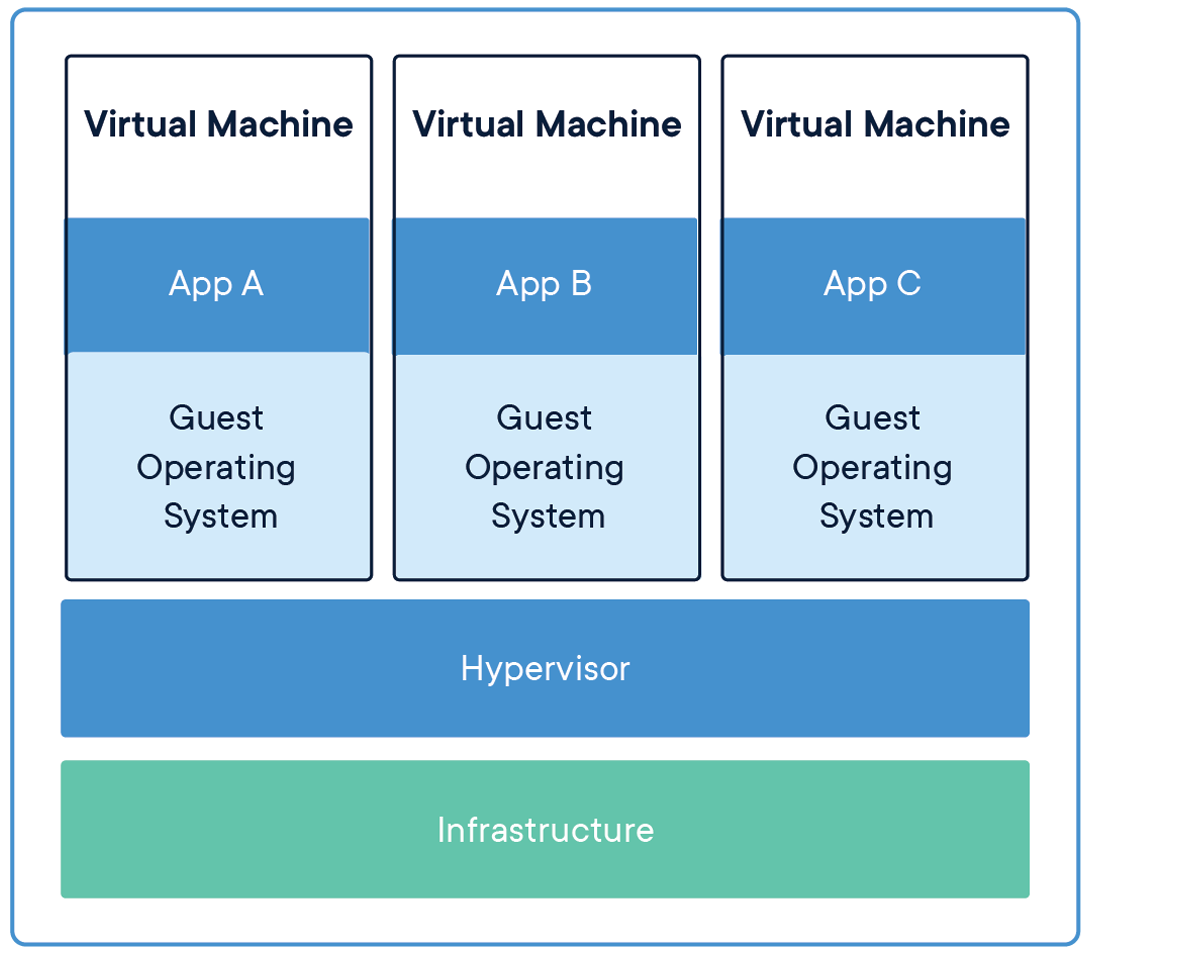
Issues with VMs:
- Every VM has an Operating System
- Every OS requires its own bandwidth, memory, and compute
- High load time
- Individual patches, updates and security checks
- Mindset of Monolith
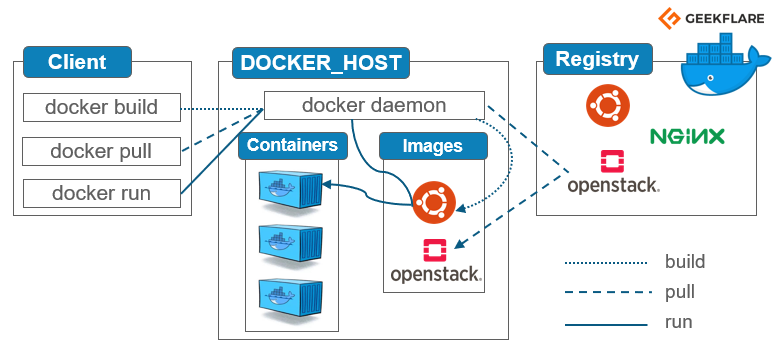
HTTP (Communication)
- Uses HTTP as communication layer
- Client could be CLI, Docker-Dashboard, VSCode Extension, etc
- Docker Daemon does the layer resource checking, caching, downloading
Getting our hands containers dirty
Host Machine
$ docker pull ubuntu:18.04
ubuntu
$ docker run -dit --name=test-container ubuntu:18.04
$ docker pull ubuntu:18.04
$ docker stop <container-id/name>
$ docker start <container-id/name>
$ docker rm <container-id/name>
$ docker exec -it <container-id/name> /bin/bash
Buzz words:
-
Container
- The image when it is ‘running.’ The standard unit for app service
-
Image
- A readonly pack of environment and sets of instructions to create/run a container
-
Dockerfile
- A snapshot of set of instructions
-
Engine
- The software that executes commands for containers. Networking and volumes are part of Engine.
-
Registry
-
Stores, distributes and manages Docker images,
-
Github for Containers
-
-
Control Plane
-
Management plane for container and cluster orchestration
-
Dockerizing Node.js Application
Networking and Types:
- Bridge Network
- Host Network
- None
Host Network
API-Module-1
172.17.0.1
DB-Service-2
172.17.0.2
:3000
:27017
None
DB-Service-2
172.17.0.2
Bridge Network
API-Module-1
DB-Service-1
API-Module-2
DB-Service-2

docker-0
172.17.0.1
172.17.0.2
172.17.0.3
172.17.0.4
Total Ports = 65,535
Database
API Server x3
API Server x3
2 Tier Architecture
Total Ports = 65,535
R.Proxy/ ALB
Database
API Server x3
API Server x3
3 Tier Architecture
NGINX
Why using NGINX at first place?
- It acts as a reverse proxy
- It can act as application-level load balancer
- Less attack surface
- Headers Transformation
- Great at serving static assets
- SSL/TLS
- Logging
Load Balancer
Assets Server
API Server x3
Assets Server
Database
Reverse-Proxy
API Server x3
R.Proxy/ ALB
Database
API Server x3
API Server x3
Database
Less attack surface
R.Proxy/ ALB
Database
API Server x3
API Server x3
Database
TLS/SSL
Docker's Workshop
By Saad Abbasi