Presentation
on
presentations
Dr. Sameer S Sahasrabudhe
Senior Project Research Scientist
Dept of CSE, IITBombay
Activity
List down the technologies you all use for creating presentations
Start typing on this link:
Outline
- Linear: Length first-breadth later
- Outline: Breadth first, length later
- Overview: Full view first, scope later
Linear
- Starts with topic 1, details of it, then topic 2, and so on
- Options available to edit the flow
Linear: Features
- Extremely popular presentation tools
- Highly user friendly
- Easily accessible
- Fully customizable, but not many users do it
-
Some prominent tools available:
- Powerpoint
- Open Office
- Libre Office presentations
Powerpoint feature: Slide sorter
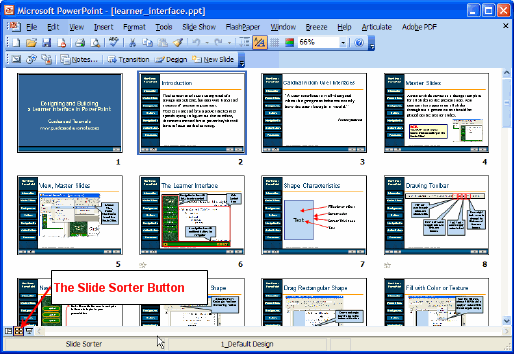
http://www.guidesandtutorials.com/image-files/ppt_08-03.gif
Outline
- Presents the topics of the presentation first (laterally)
- Then the presenter goes deeper in the topics (vertically)
- Has an option to move between the topics either ways:
- laterally or
- vertically
Outline: Features
- reveal.js presentation platform
-
One of the free user friendly app is: slides.com
-
Features:
- Full editing capabilities;
- can present from anywhere;
- cloud based;
- comes with analytics;
- incorporate html and css in the presentations
-
Features:
reveal.js: Example

https://logfc.files.wordpress.com/2015/06/reveal_example.png
Overview
- The presenter shows the overall presentation to the viewers during the presentation
- Concept of Pathway Points (decide the visual path of the presentation) instead of slides to give the visual cinematic appeal.
- These paths can be animated
Overview: Features
-
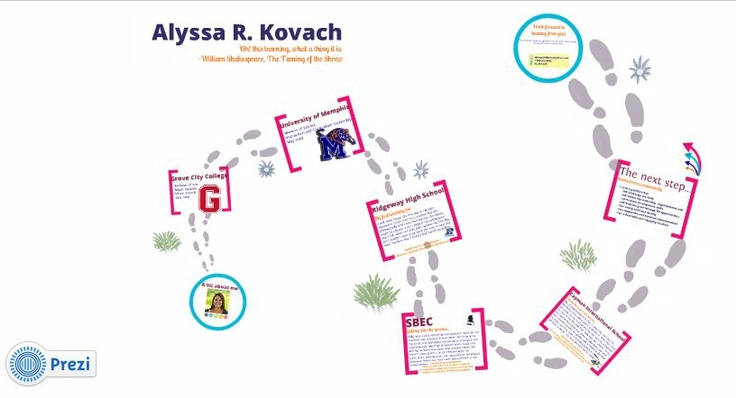
Prezi: Interactive Concept map of your presentation
- Has a steep learning curve
- Can embed all types of content
- Present from anywhere
- Share with collaborators
Prezi: Example
Some conclusions
- Form over Function
-
Both are important
- Excess attention to any one leads to chaos
- Inadequate attention to anyone results in miscommunication
Activity
- Form groups of three/four
- Select a topic of your choice
- Use the tool given to you
- Create a presentation
Later
- Share it with another group for feedback
- Discuss the pros and cons of the tool with the class
Summary
What did you gain from the sessions?
- Got introduced to new technologies
- Worked in groups
- Found multiple ways of communication!
Thanks
EMAIL: samss@it.iitb.ac.in
WEB: www.ssameers.wordpress.com
Presentation on presentations
By Sameer Sahasrabudhe
Presentation on presentations
Presentation for Mumbai University refresher course