COMP2511
25T2 Week 8
Friday 1-2pm (F13A)
Start 1:05pm
Agenda
- Admin Stuff
- Introduction to Software Architecture
- Sequence Diagrams
- C4 Models
Admin Stuff
- If you have any issues with the automarking for assignment 1, please read Sai's post on the forums/course website
- There will be an in-person sample exam in Week 10 using the exam environment.
- The aim is for you to get familiar with the exam environment, layout and format for the exam.
Software Architecture
Software Architecture
Software architecture defines the fundamental structure of a software system.
Software Architecture
Software architecture defines the fundamental structure of a software system.
- It defines how system components are structured and how they interact
Why is it important to learn software architecture?
Influences software's adaptability, scalability, performance and maintainability
Software Architecture is like designing a blueprint for a garden.

Architectural style → Overall layout of a garden
Architectural components → Grouping of like plants
Class files in components → Individual plants within a group
Gardens are influenced by weather in the same way a software architecture is influenced by changes in
technology, deployment, etc.
Sequence Diagrams
Sequence Diagrams
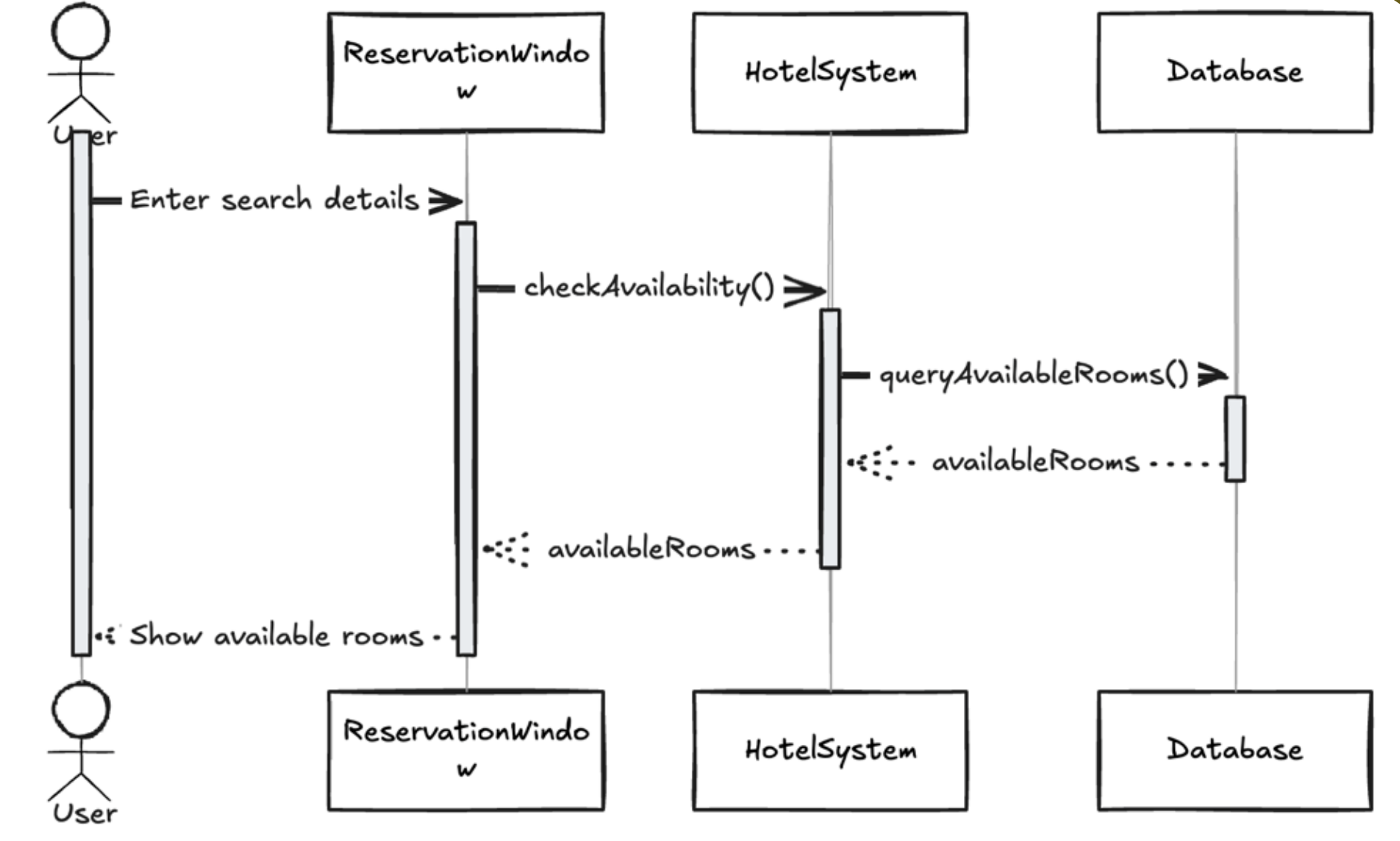
A sequence diagram is an interaction diagram showing the temporal order of interactions between objects or components to achieve a specific functionality or use case
- Show how operations are carried out through message exchanges
- Excellent for visualising the flow of control and messages over time.
Sequence Diagrams
When would you choose to use a Sequence Diagram instead of a UML Class Diagram?
- UML diagrams are when you want to show the static structure of a system including classes, attributes, methods and relationships (agg, comp, etc.)
- UML describes what the system is made of, not how it behaves over time
Structure and Key components
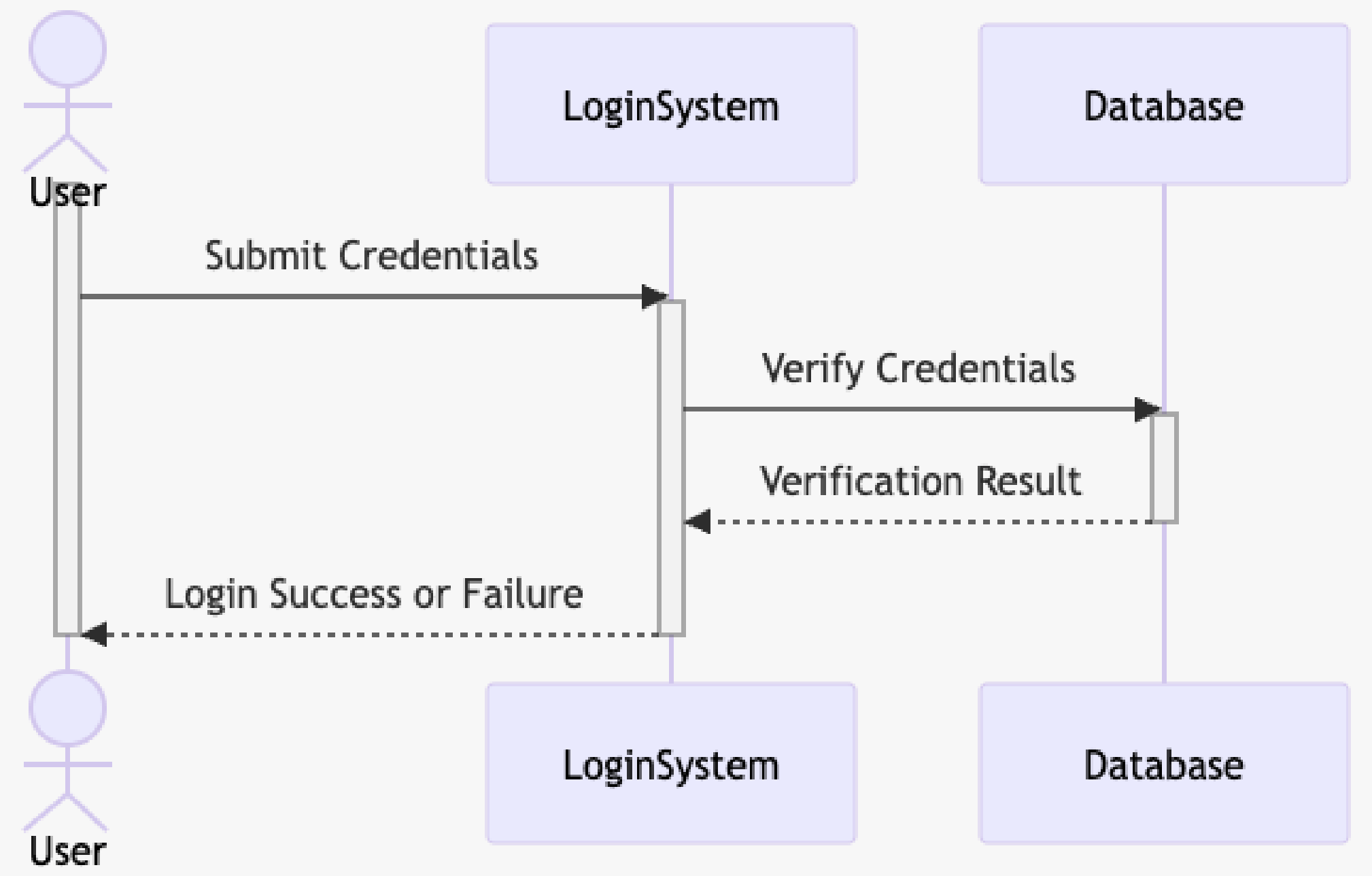
Actor: External user or system
Objects: Entities of the system
Lifelines: shows object existence during interactions
Messages: Communication between objects
Activation boxes: indicates active processing of messages

Axes in Sequence Diagrams
-
Horizontal axis represents objects
- Objects placed left to right
- The order represents the message sequence
-
Vertical axis represents time
- Time flows downward
- Sequence diagrams prioritise order, not duration
- Therefore, vertical spacing does not represent any sort of time intervals
Types of Messages
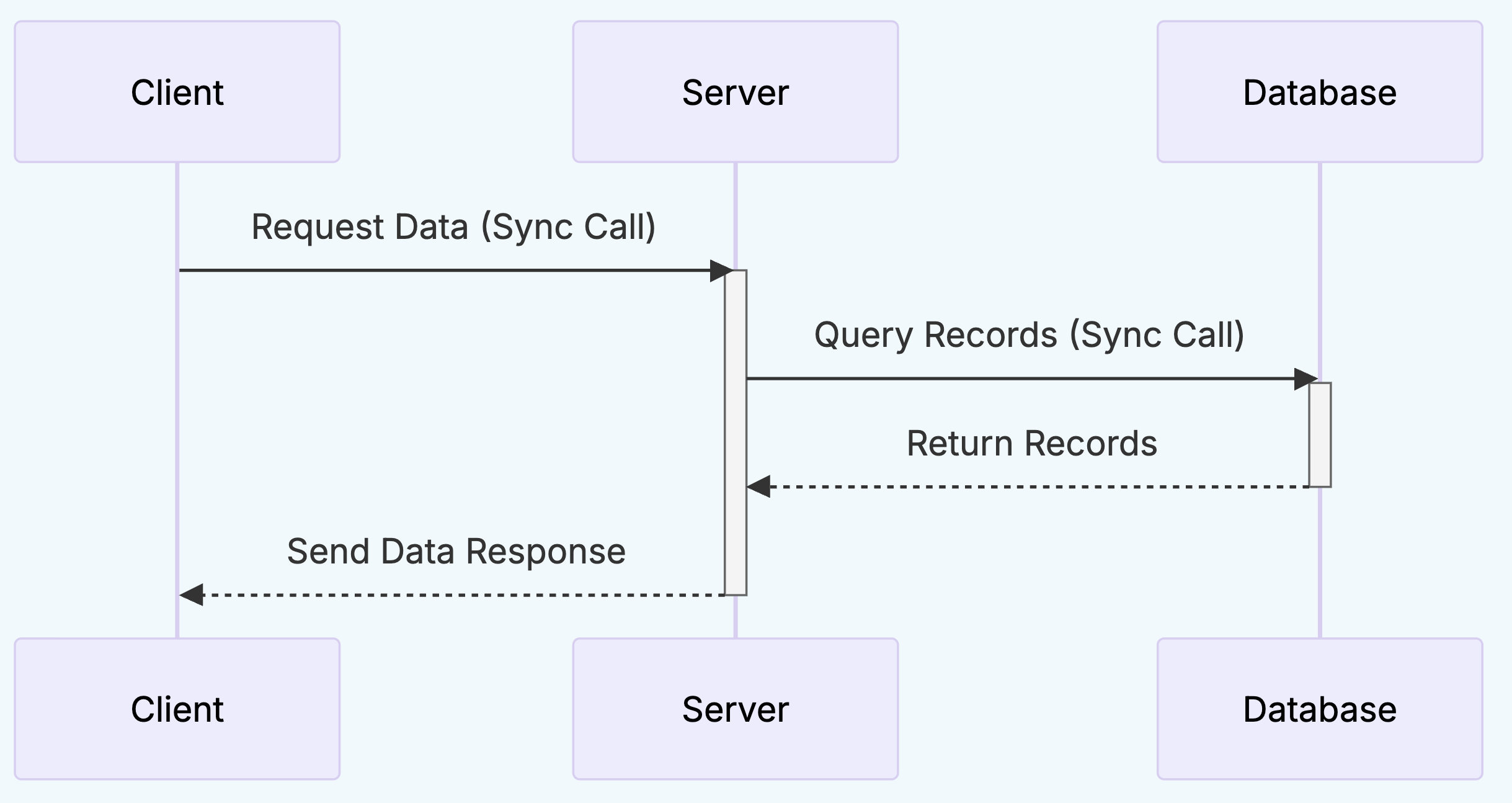
Synchronous
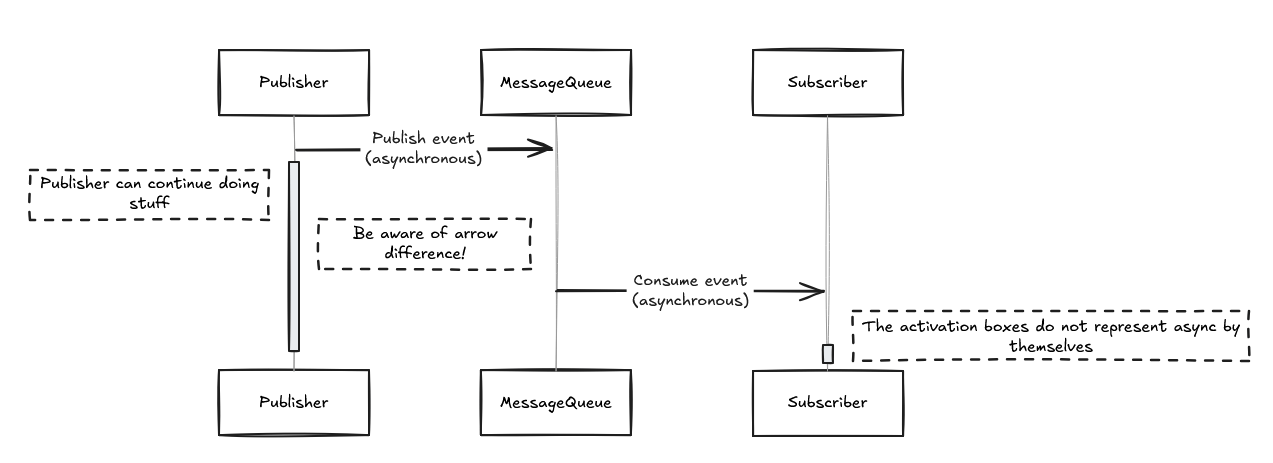
Asynchronous
Sender waits for the receiver to complete the operation and return a response before continuing its own execution
Sender does not wait for the receiver to complete the operation; it sends the message and continues its own execution

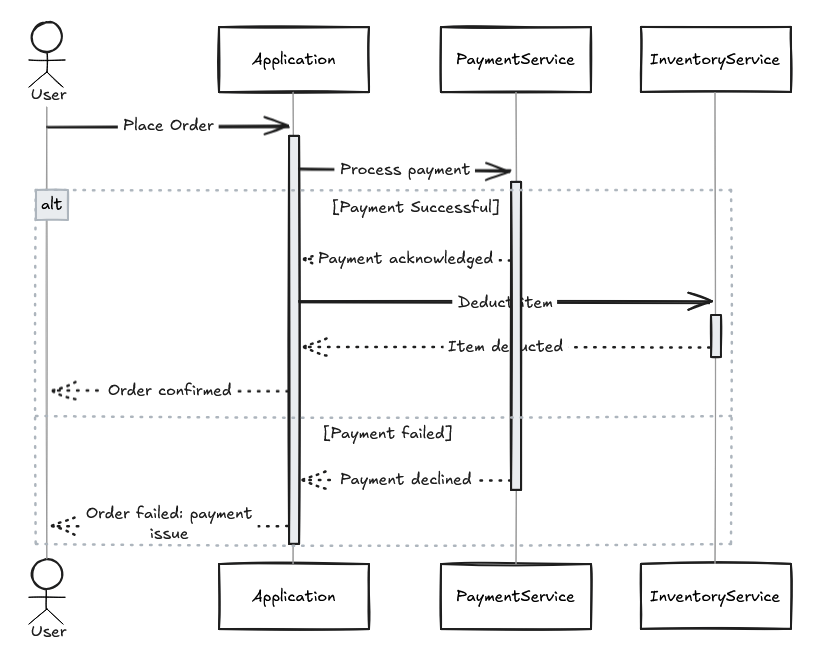
Conditional Behaviour
alt represents alternate scenarios
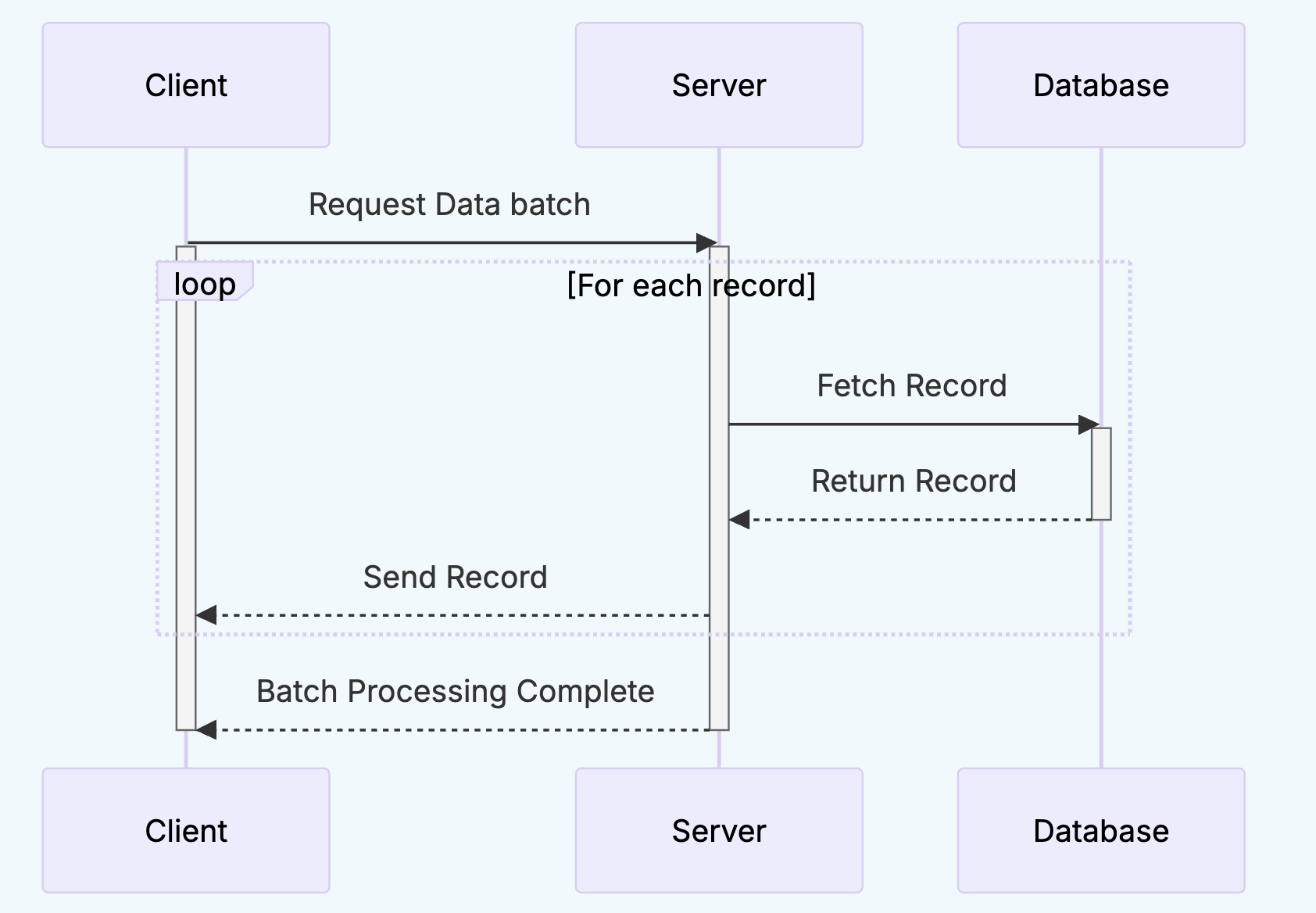
Looping Behaviour
loop represents repeated actions
Sequence Diagram Demo
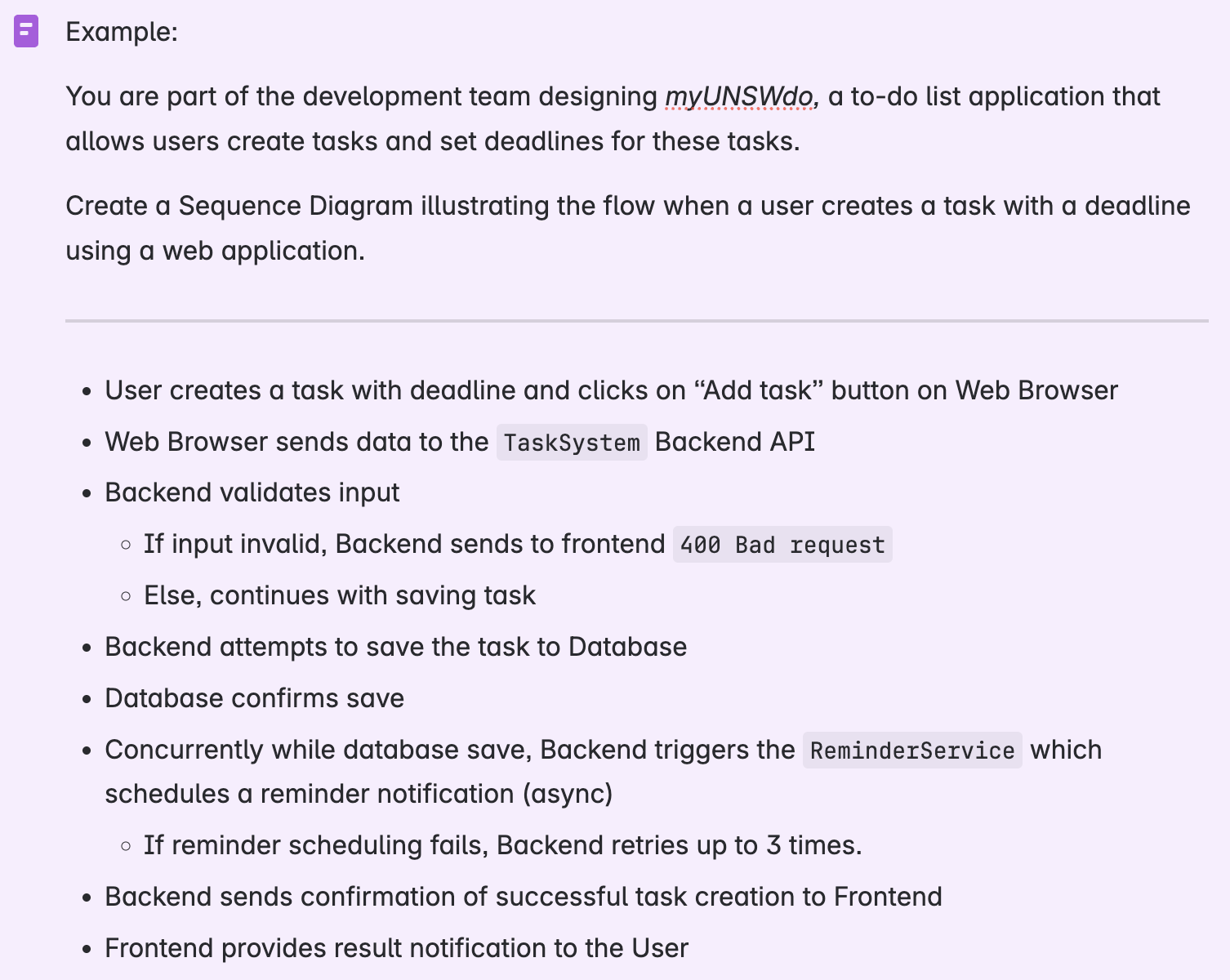
We can create our sequence diagram by through Mermaid code and/or with Excalidraw
Sequence diagrams are often criticised for becoming unreadable in complex systems. What are some techniques to manage this complexity?
- Refactor / Decompose: Break down large system into smaller more manageable diagrams
- Focus on single case: Each diagram should focus on a specific scenario or path through a use case
- Use high level messages that abstract away internal details
- Use descriptive and consistent names for lifelines, messages, and guard conditions
Useful VSCode Extensions
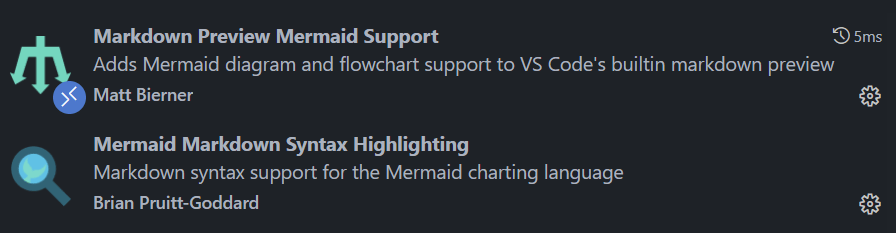
- Excalidraw is pretty good, but no syntax highlighting/tab support for indentation
- Can instead use VSCode with the following extensions:
C4 Model
C4 Model
Helps teams visualise and communicate the software architecture of a system at different levels of abstraction.
- Bridges the gap between high-level system overviews and low-level code detail, ensuring alignment between stakeholders, developers and architects
Four Core Diagrams
The C4 Model includes 4 core diagrams:
- Context
- Container
- Component
- Code
These diagrams are a way to create "maps of your code" at different levels of detail, like zooming in and out on Google Maps
Level 1: Context Diagram
Shows the system as a "box" and its interactions with users and external systems
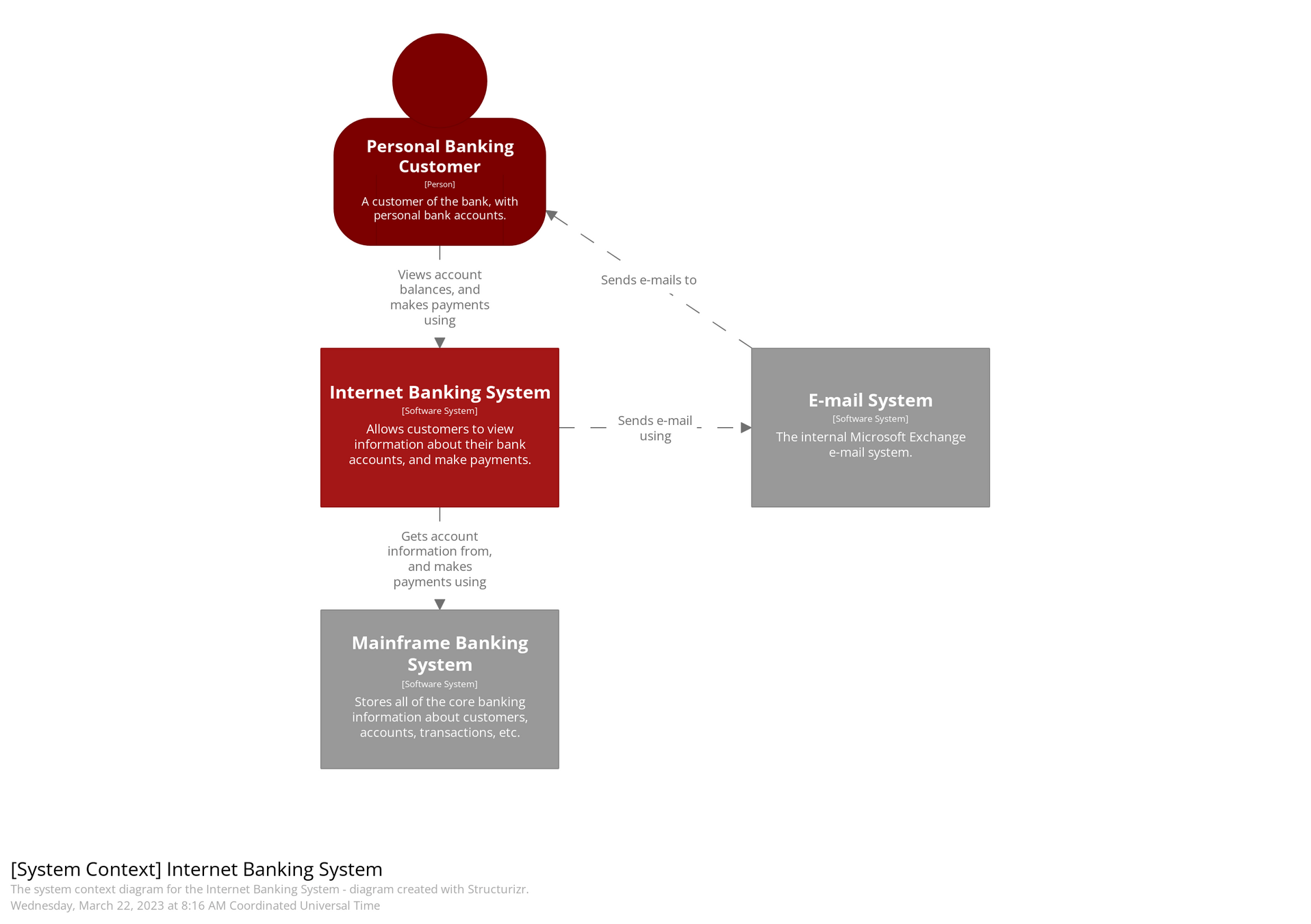

We can see the external users and systems represented as the different countries
Who is the intended audience for the Context Diagram in the C4 model?
Level 1: Context Diagram
- Non-technical stakeholders (e.g., business sponsors, product owners)
- External users or clients
- Enterprise architects
- Anyone who needs to understand what the system is, what it interacts with, and who uses it
It communicates the scope and external dependencies of the system in a simple and accessible way.
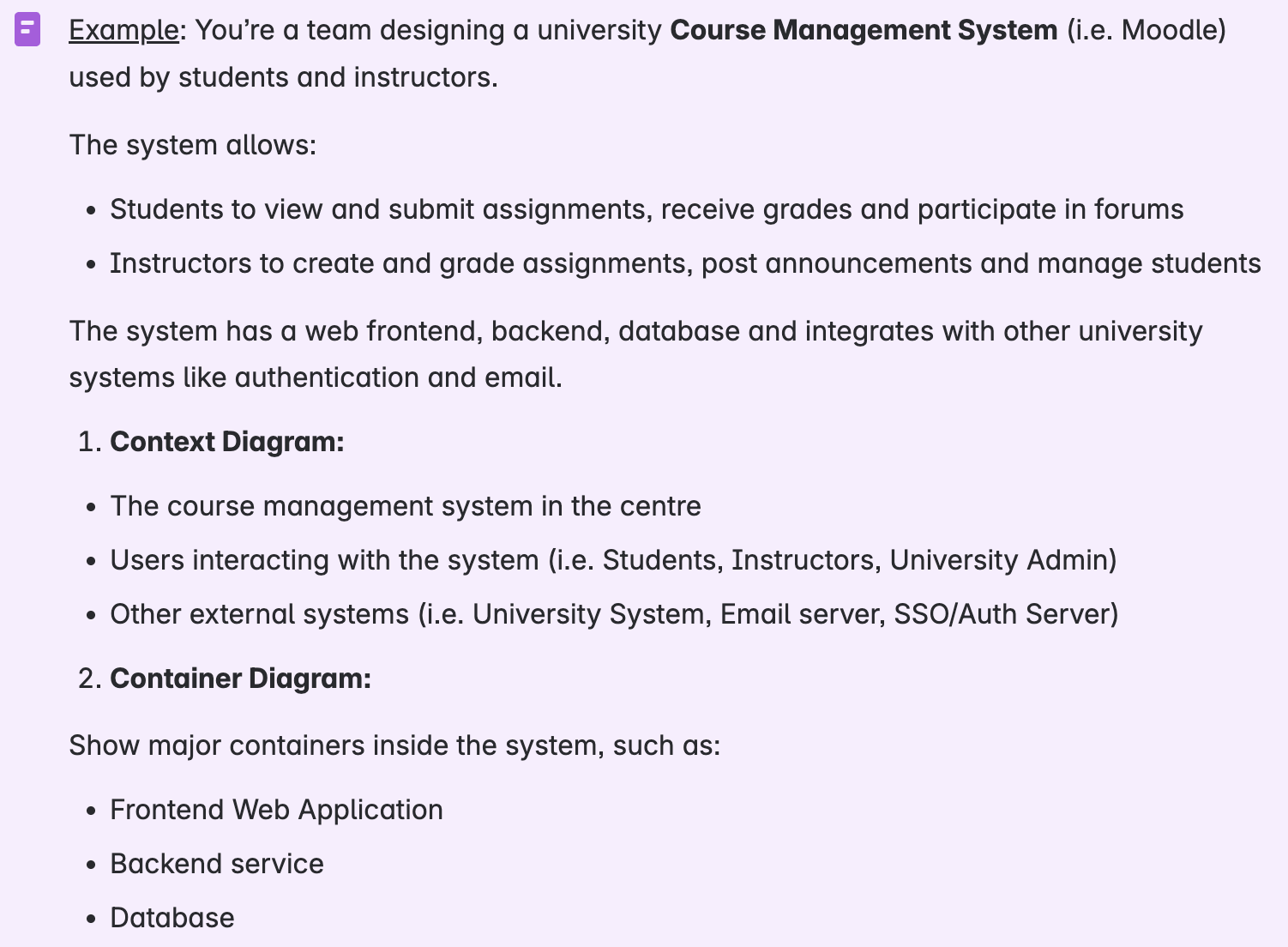
Level 2: Container Diagram
Breaks the system into containers (applications/services/databases) and shows how they interact.
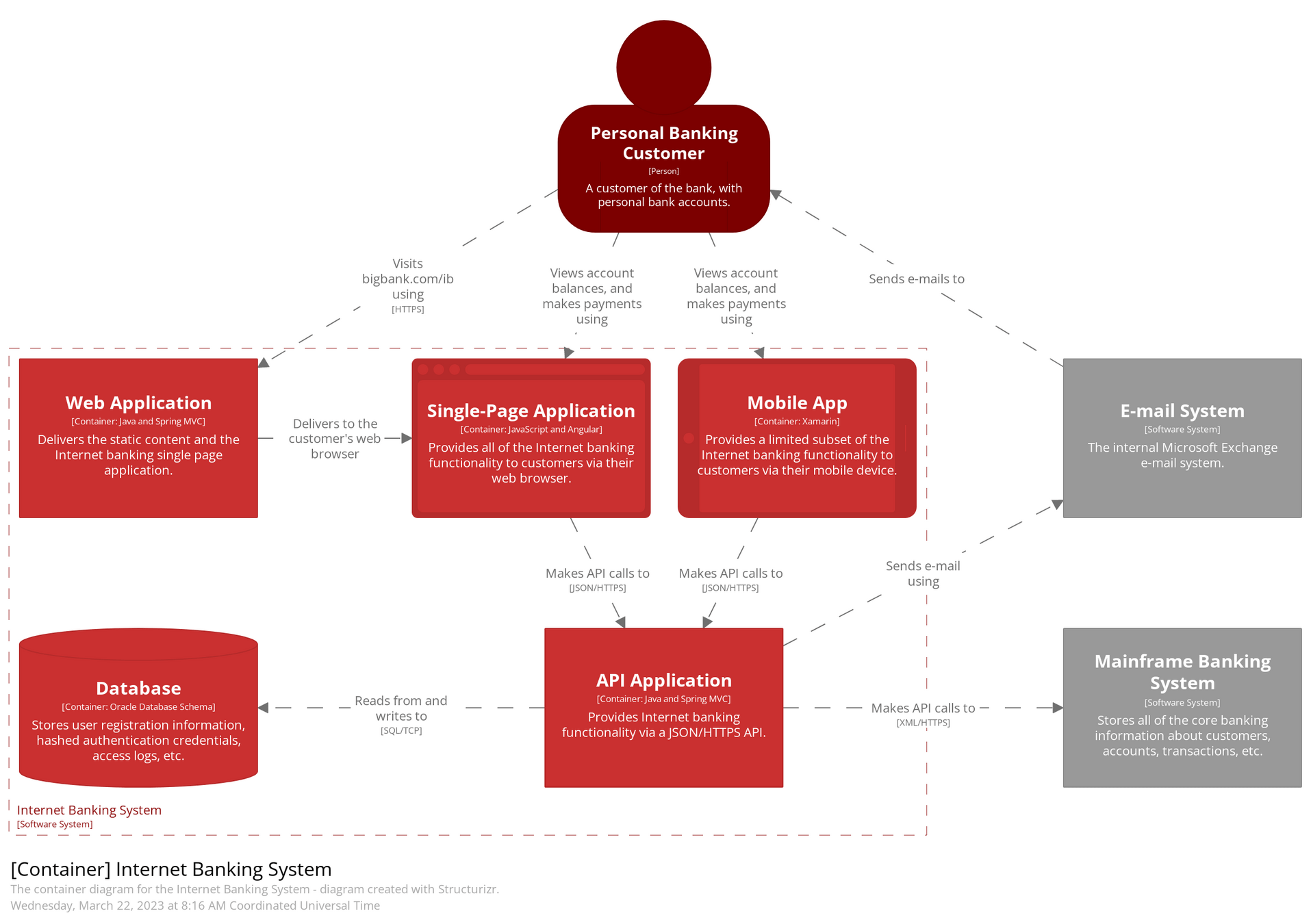

Level 2: Container Diagram
Why separate the web frontend and backend service into different containers?
- Separation of concerns: UI logic is handled in the frontend; business logic and data processing in the backend.
- Independent deployment: You can update the frontend without touching the backend and vice versa.
- Scalability: Backend and frontend can be scaled independently depending on load.
- Technology flexibility: Different teams can use the most suitable tech stacks for each (e.g., React frontend + Node.js backend).
- Security: Backend can be isolated in a secure environment, while frontend runs in browsers.
Level 3: Component Diagram
Zooms into a specific container to show its internal components and their relationships.
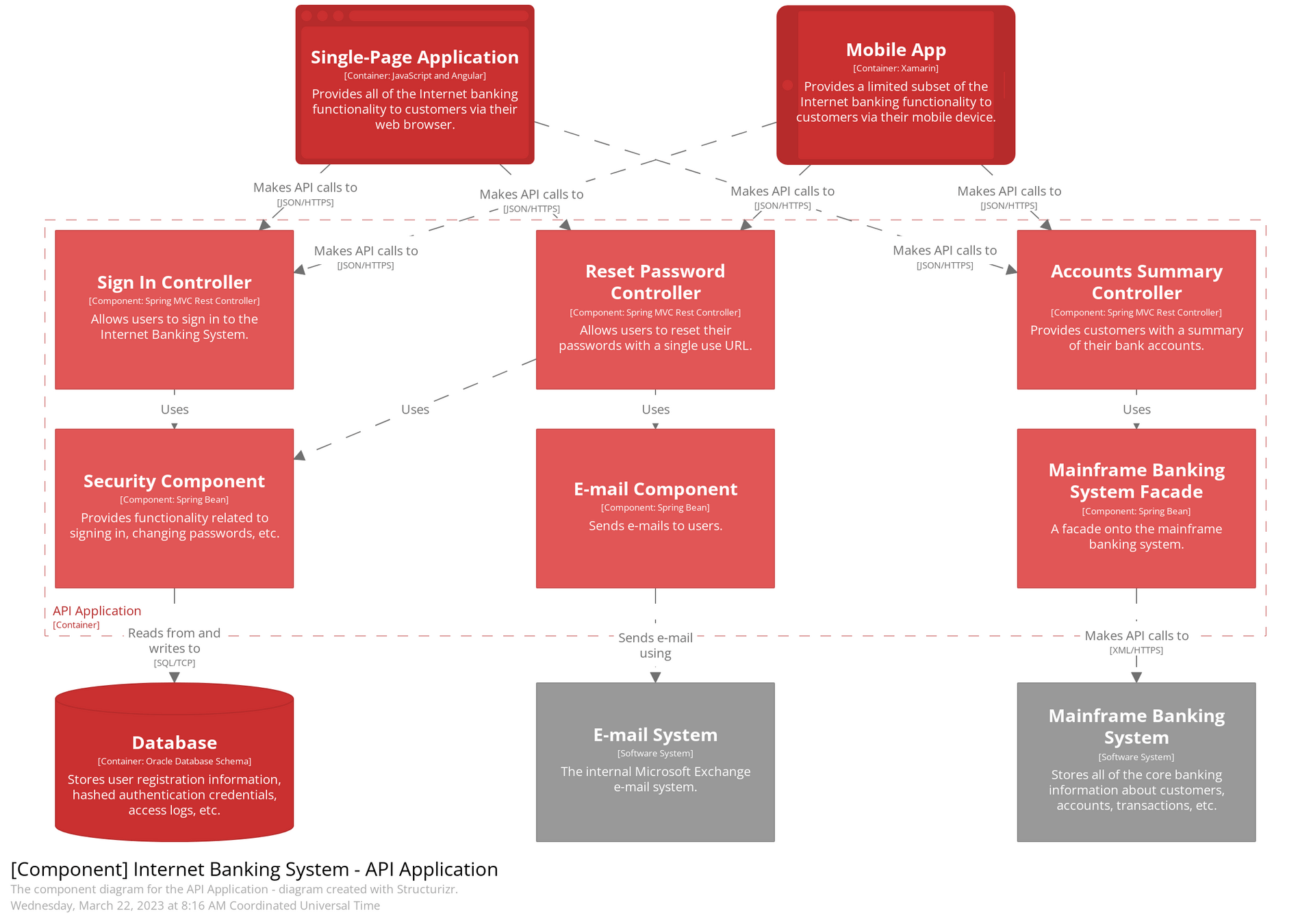

Level 3: Component Diagram
How does a Container Diagram differ from a Component Diagram?
Container
Component
- Focuses on the major deployable units (web apps, mobile apps, APIs, databases, microservices, etc.) within the system.
- Shows how containers communicate.
- Helps in deployment and infrastructure planning.
- Zooms into one container (like a backend service) and shows its internal components/modules, e.g., service classes, controllers, or data access layers.
- Useful for developers to understand internal design and division of responsibilities.
Level 4: Code (Class) Diagram
Offers a detailed view of the source code structure (e.g., classes and interfaces) within a component.
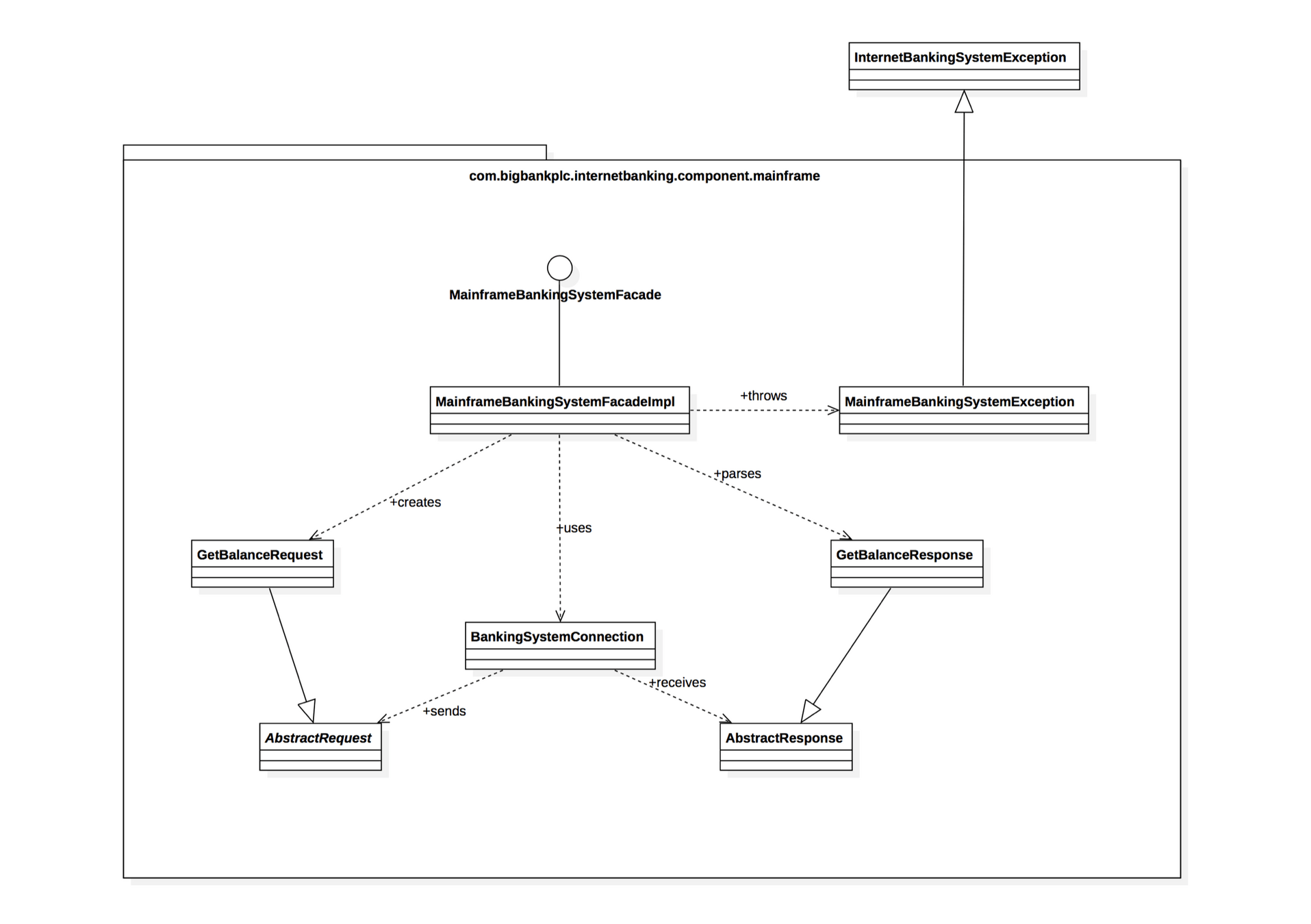
Our UML diagrams :)
C4 Model Demo on Excalidraw
Generics
* If you are interested, not part of this course
class IntegerBox {
    private Integer value;

    public void shoutValue(Integer value) {
        System.out.println(value.toString().toUpperCase + "!");
    }
}
class StringBox {
private String value;
public void shoutValue() {
System.out.println(value.toString().toUpperCase + "!");
}
}IntegerBox
StringBox
What are some design problems with this code?
class IntegerBox {
    private Integer value;

    public void shoutValue(Integer value) {
        System.out.println(value.toString().toUpperCase + "!");
    }
}
class StringBox {
private String value;
public void shoutValue() {
System.out.println(value.toString().toUpperCase + "!");
}
}IntegerBox
StringBox
What are some design problems with this code?
- Duplication of code: both classes have exact same functionality, just different types
- Scalability issues, we have to write more classes for more types
Generics
What is it?
Style of programming that allow types to be used as a parameter to methods, classes and interfaces.
Generics
What is it?
Style of programming that allow types to be used as a parameter to methods, classes and interfaces.
Why would you use it?
- Allow one implementation to work for a collection of different types
- Offer strong type checking at compile time
Generics
public class Box<T> {

    private T value;

    public Box(T value) {
        this.value = value;
    }

    public void setValue(T value) {
        this.value = value;
    }

    public T getValue() {
        return value;
    }
}
public class Box<T, S> {

    private T value1;
    private S value2;

    public Box(T value1, S value2) {
        this.value1 = value1;
        this.value2 = value2;
    }

    public void setValue(T value1, S value2) {
        this.value1 = value1;
        this.value2 = value2;
    }

    public T getValue1() {
        return value1;
    }

    public S getValue2() {
        return value2;
    }
}
Generics
Inside src/stack, there are a series of stubs for a Stack class which takes in a generic type. There are a series of tests inside StackTest.java which currently fail.
Implement the methods so that the tests pass, using an ArrayList to store the internal data structure.
Iterators vs. Iterables
Iterable
-
Iterableare objects that can be iterated over. - Provides abstraction that provides a way to get to an
Iterator
public interface Iterator<T> {
    boolean hasNext();
    T next();
    void remove();
}
Iterator
- Are the actual mechanism to iterate over elements
- Provides methods to traverse a collection and access its elements one by one.
public interface Iterable<T> {
    Iterator<T> iterator();
}
Iterator
public interface Iterator<T> {
    boolean hasNext();
    T next();
    void remove();
}-
hasNext(): Returns true if iteration has more elements after -
next():Returns next element of iteration -
remove(): Removes from the collection the last element return by the iterator
Generics
public static Integer sumStack(Stack<? extends Integer> stack);
- What does the
<? extends Type>and<? super Type>mean?
- extends: the parameterised type must be the type or subclass of the given type
- super: the parameterised type must be the type or superclass of the given type
- What is
?
-
?is called a wildcard and represents an unknown type. Provides flexibility for methods that accept a range of types
COMP2511 25T2 Tute 8
By Sam Zheng