

Sang Lê Thanh
Senior Drupal Developer
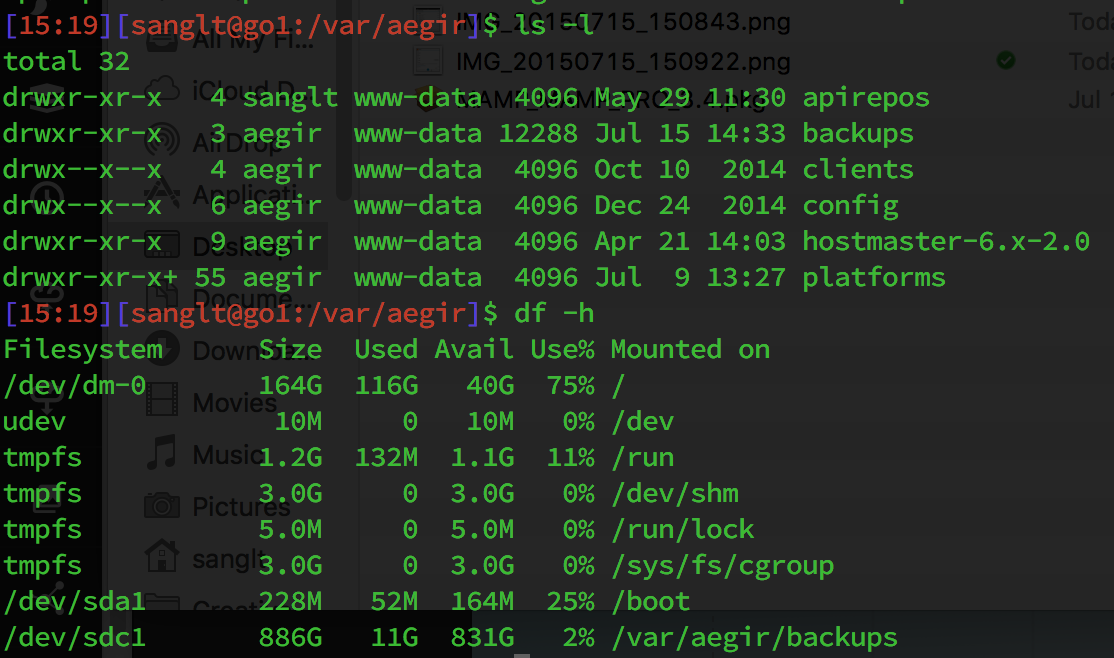
A simple description of the UNIX system, also applicable to Linux, is this:
"On a UNIX system, everything is a file; if something is not a file, it is a process."
Symbol
- regular file
d Directory: files that are lists of other files
l Link: a system to make a file or directory visible in multiple parts of the system's file tree
c Special file: the mechanism used for input and output. Most special files are in /dev
s Socket: a special file type, similar to TCP/IP sockets, providing inter-process networking protected by the file system's access control
p Named pipe: act more or less like sockets and form a way for processes to communicate with each other, without using network socket semantics
b Block device
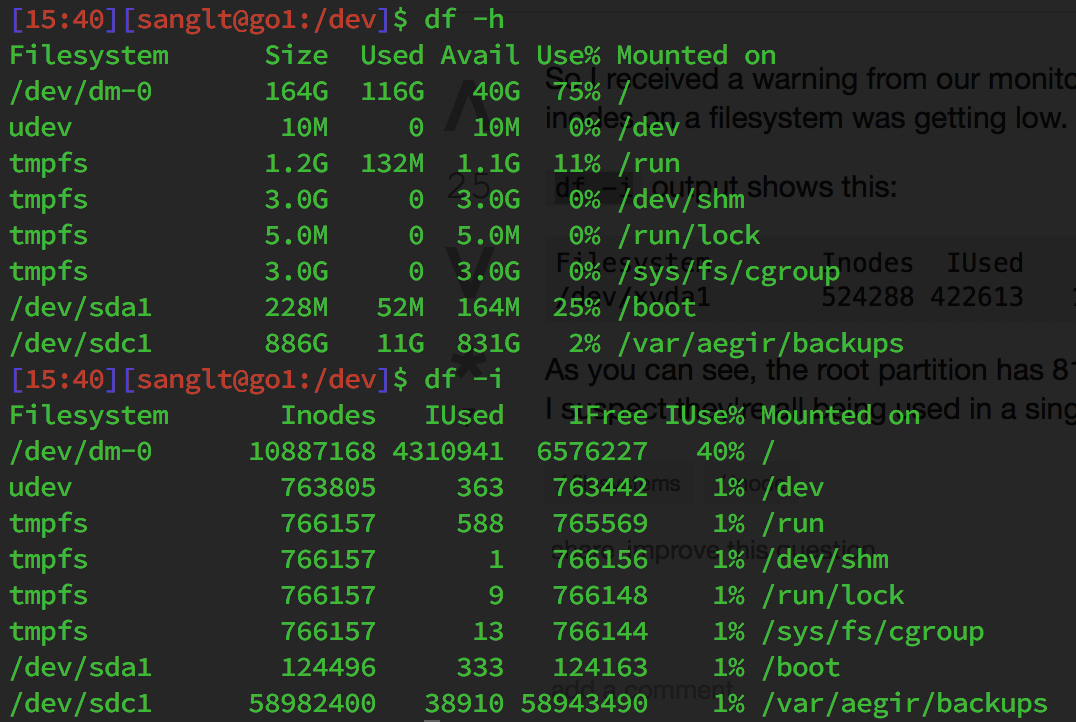
In a Unix-style file system, an index node, informally referred to as an inode, is a data structure used to represent a filesystem object, which can be one of various things including a file or a directory. Each inode stores the attributes and disk block location(s) of the filesystem object's data.[1] Filesystem object attributes may include manipulation metadata (e.g. change,[2] access, modify time), as well as owner and permission data (e.g. group-id, user-id, permissions).[3]
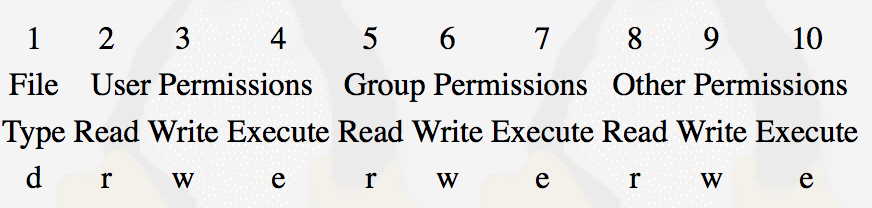
Read: The Read permission refers to a user's capability to read the contents of the file.
Write: The Write permissions refer to a user's capability to write or modify a file or directory.
Execute: The Execute permission affects a user's capability to execute a file or view the contents of a directory.
ls -l, chmod, chown
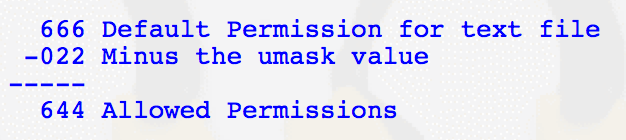
The most common umask setting is 022. The /etc/profile script is where the umask command is usually set for all users.
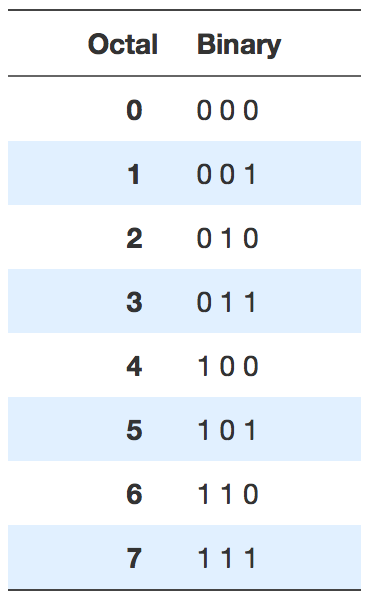
3 permissions with on/off state -> 2^3 = 8 possible combinations
r = 4, w = 2, x = 1
By Sang Lê Thanh