Javascript JumpStart Day 2
What
is a Loop?
Loops
- A generalized solution for repeating code with control over how many times the block of code is invoked.
doSomething();
doSomething();
doSomething();
doSomething();
doSomething();
doSomething();
doSomething();
doSomething();
doSomething();
doSomething();
doSomething();
doSomething();
for (var i =0; i < 8; i++) {
doSomething()
}var count = 10;
while(count > 0){
count--
doSomething();
}Creating a While-Loop
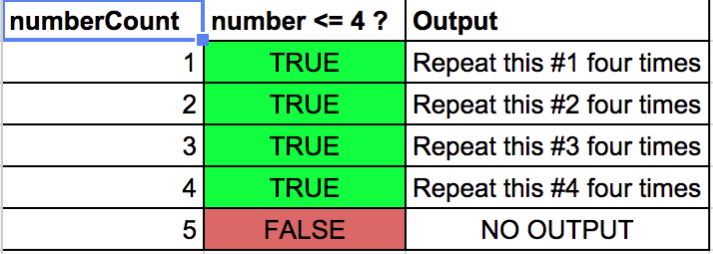
var number = 1; // Initializer
while(number <= 4){ // Conditional Expression
  // Loop Body
  console.log("Repeat this #" + number + " four times");
  number++; // Iteration (or Change)
}
Creating a For - Loop
- Initialize: Prepares and declares variables.
- Conditional Expression: Executed before each iteration. Dictates if the Loop will continue.
- Loop Body: Execution of the code in the body. Runs on every iteration.
- Iteration: Changes the state of variables used in the conditional expression.
for(var i = 0; i < 10; i++){
  console.log(i);
}
1.
2.
3.
4.
For-Loop
function upToFive(){
  for(var i = 1; i<=5; i++){
    console.log(i);
  }
}
upToFive();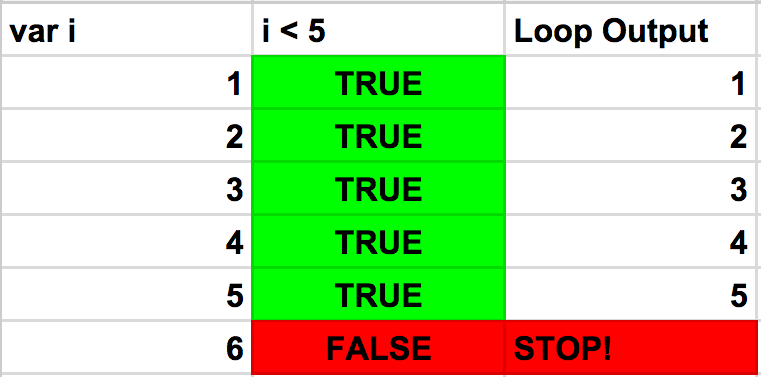
i <= 5
For vs While Loop
While Loop
The WHILE loop is normally used when you need to repeat something until a given condition is met
var badInput = true;
while(badInput){
    //ask user for input
    alert('Please Submit Valid Credentials');
    badInput = checkInput(); // returns true or false
}
For Loop
The FOR loop is normally used when you need to iterate a given amount of times
for(var i = 0; i < 100; i++){
    ...//do something for a 100 times.
}
Overall do not worry about which one to use
Begin the workshop!
Let's
Talk
Arrays
What is an Array?
- A value that stores multiple values
- Arrays are dynamic
- Can store one, or multiple values in a single array
- Zero based indexing
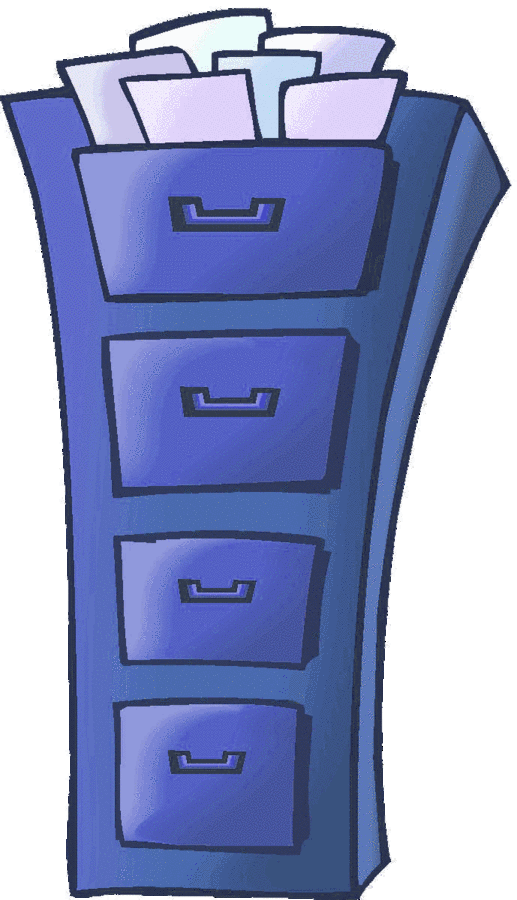
- Similar to a "List" or a Filing Cabinet
- Easy access to multiple values
var firstArray = [0,1,"two"];[55,22,"hello"]Arrays
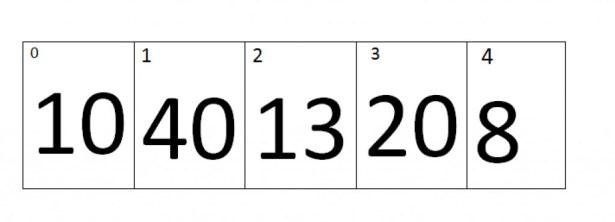
[10, 40, 13, 20, 8];
Arrays
var myArray = [0,true, 4+5, "no", undefined, null, {}];
Arrays are sequences of values
Access Indexes in Arrays using bracket notation
myArray[1]; // returns trueAn Array uses square brackets and surrounds values separated by commas
Arrays
Create a new empty array
var myArray = [];Create an array with values
var myArray = ["Go", 22];Array Methods
.length: returns the length of the array starting at the count of 1. *this is a property*
myItems.length // returns 2var myItems = ["Eggs", "Ham"];.push(item): called directly on your array and accepts an argument with a single value. The value will be added at the last index (back) of the array.
myItems.push("Chips");myItems; // ["Eggs", "Ham", "Chips"]Array Methods
- .pop(): called directly on your array and removes the last index (back) of the array.
var myItems = ["Eggs", "Ham"];myItems.pop(); // returns "Ham"- .indexOf(): called directly on your array and accepts two arguments. The first item is the value you are looking for and the second argument is what index to start at in the array. The return value is the index the value is present in the array or -1 if it isn't in the array.
myItems.indexOf("Ham", 0) // returns 1Begin
The
Workshop!
JumpStart: Day 2
By Scott D'Alessandro