Angular Framework

Introduction on creating your angular application


Seiji Villafranca
github.com/SeijiV13


Senior Developer, CoDev
Microsoft MVP
Auth0 Ambassador
Community Lead, AngularPH,
Author
seijivillafranca.com


Talks














What the hell is Angular?

Front End Framework
Single Page Application
Typescript Based
Component Based


Just some History
2010: Angular JS was born

meant for internal projects for faster development
released as an open source project for frontend web applications
Ionic supported AngularJS for Mobile
2014 - 2015: The Great Rewrite
AngularJS is left with JavaScript advancements
Switched into a totally new pattern (from Controllers to Component Based)
Angular 2+
2018 - Present
Prerequisites
npm install –g @angular/cli
https://nodejs.org/en/
Check npm verision
Check npm verision
npm -v
ng --version
Good to go?
Install Angular CLI
Install Node JS
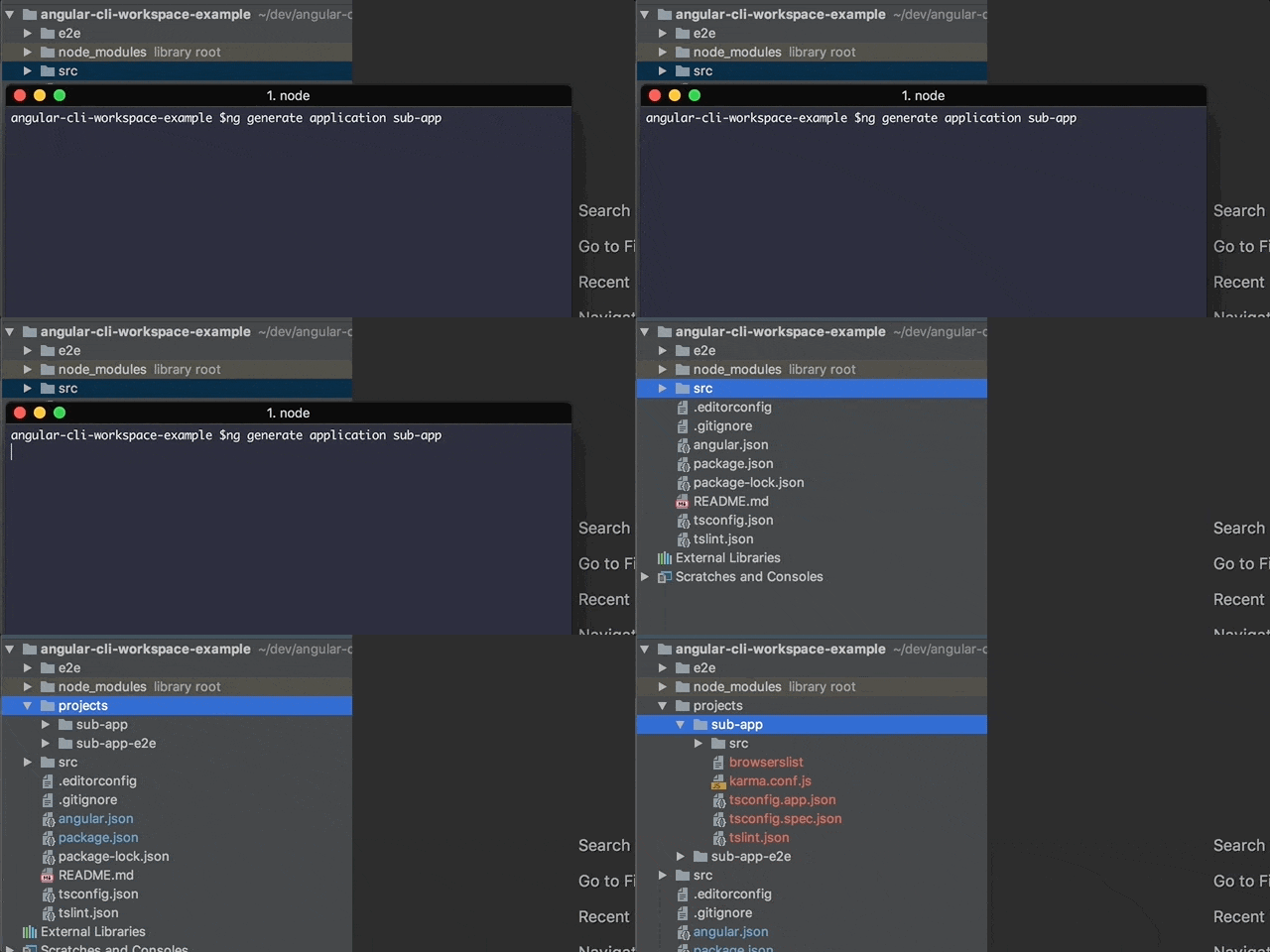
ng new <project-name>
Create your Angular Project

Angular
Module
Component
Service
Collection of Components, Services, Directives, and also Modules
Can be imported into multiple Modules
A piece of code that defines the view with custom behaviors
Cannot be imported into multiple modules
Lets think of this one as a customized HTML Element with customized attributes
Used to communicate with endpoints
Used by components by dependency injection
Can also be injected by services
Module
Component
Service
@NgModule
@Component
@Injectable
Using Angular Decorators @
@NgModule({
	declarations: [
		…components,
        directives
	],
	imports: [
		… modules
	],
	providers: [
		…services
	]
})
export class CoreModule {
}
@Component({
	selector: "app-root",
	templateUrl: "./app.component.html",
	styleUrls: ["./app.component.scss"]
})
export class AppComponent
 implements OnInit {


}
@Injectable({ providedIn: "root" })
export class AwesomeService {
}
Angular
Module
Component
Service
ng generate module <module-name>
ng generate component <component-name>
ng generate service <service-name>
Shortcut: ng g m <module-name>
Shortcut: ng g c <component-name>
Shortcut: ng g s <service-name>
@NgModule
@Component
@Injectable
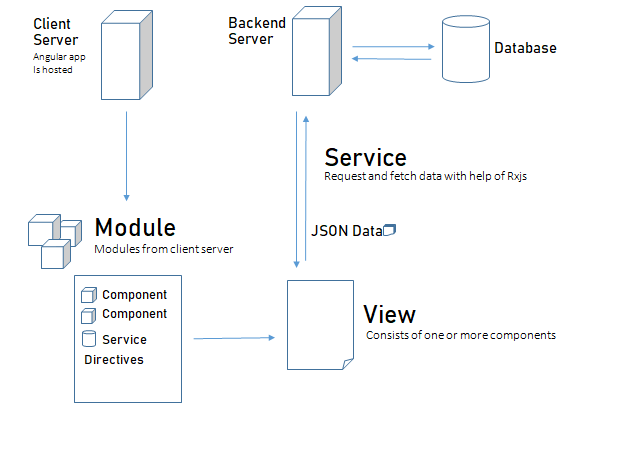
Flow
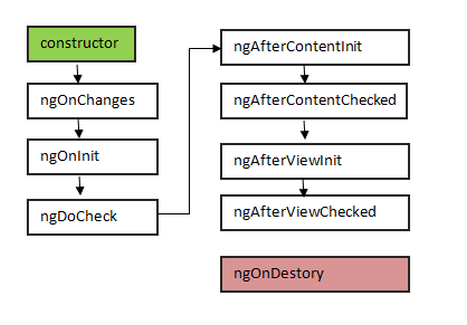
Component Life cycle hooks

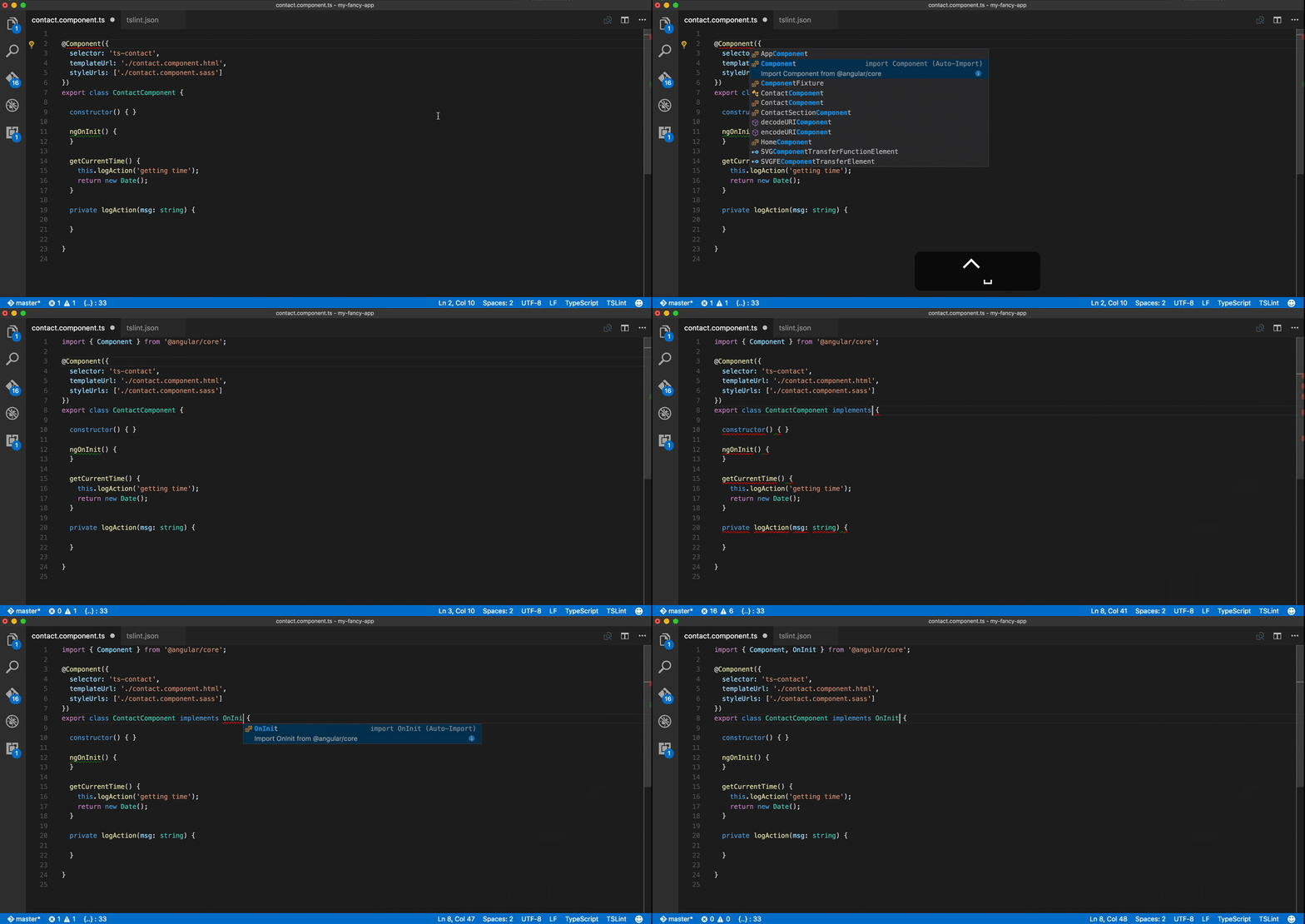
Metadatas
Configuration for the component
selector: Tag name for the component
templateUrl : Path for the html file
styleUrls: Path/s for the CSS file

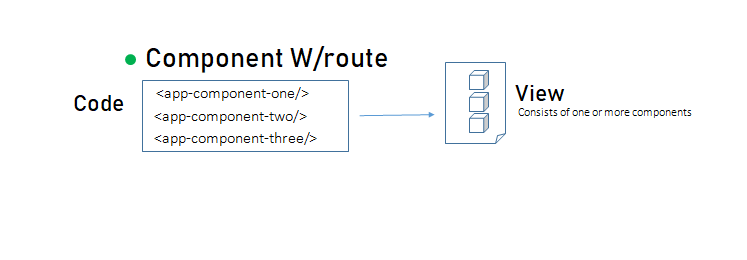
We use the selector to use components
Component Rendering

How does components communicate?
Component Interaction

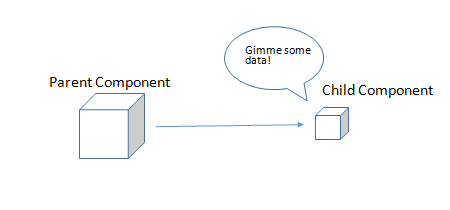
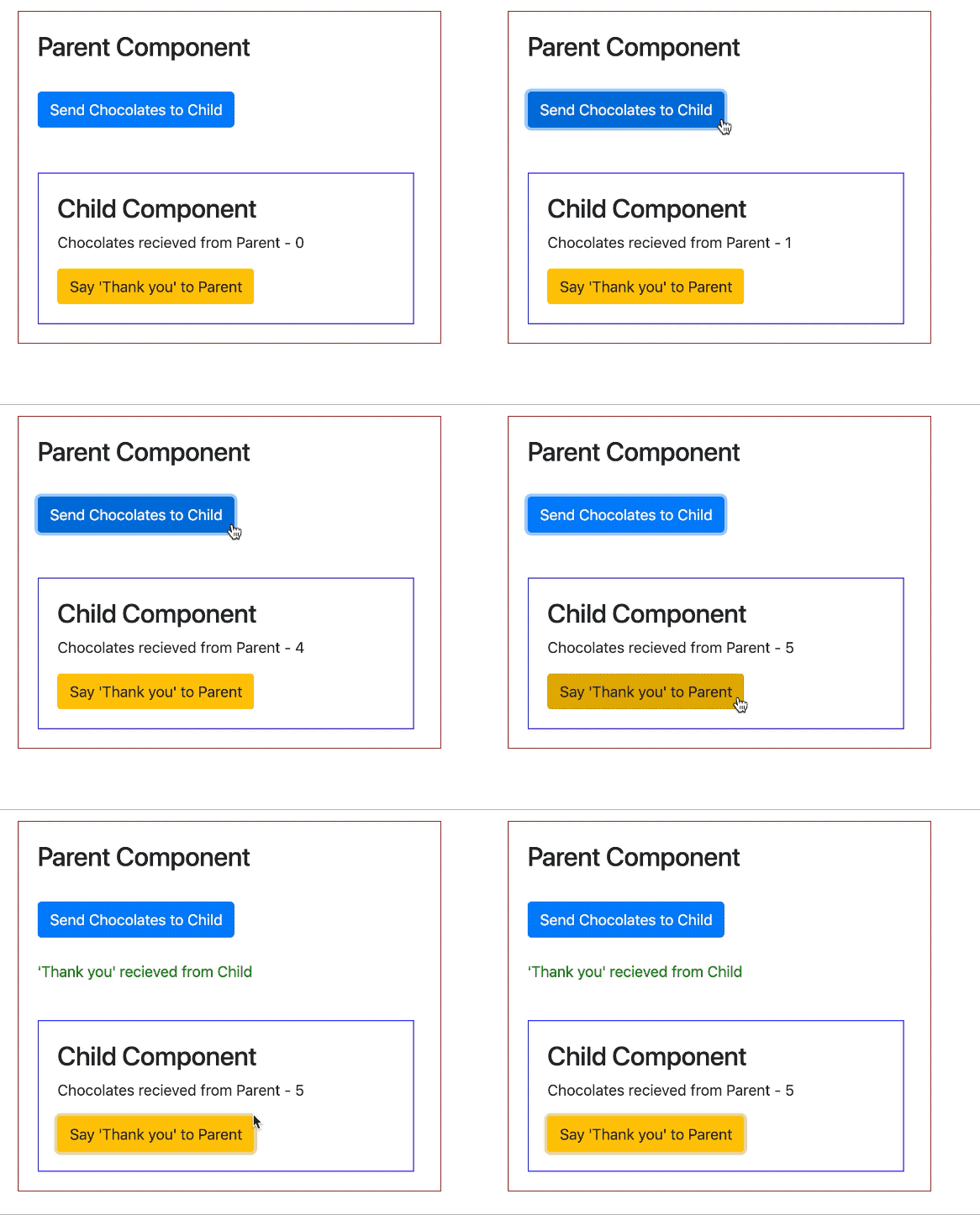
@Input and @Output Property
Component Interaction
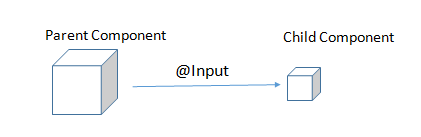
@Input decorator allows parent to pass data to child
parent.component.html
<child-component-two [chocolates]=“chocolates”/>
<button (click)=“sendChocolate()”/>
child.component.ts
parent.component.html
@Input() chocolates: number;
@Input and @Output Property
Component Interaction
@Output decorator allows child to pass to parent
parent.component.html
<child-component-two
(emitChocolates)=“getSentChocolates()”
[chocolates]=“chocolates”/>
child.component.ts
parent.component.html
@Input() chocolates: number;
@Output() emitChocolates:  new EventEmitter();
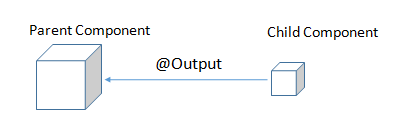
Component Interaction
Other Ways for Components to communicate
Services
Subjects
State Management



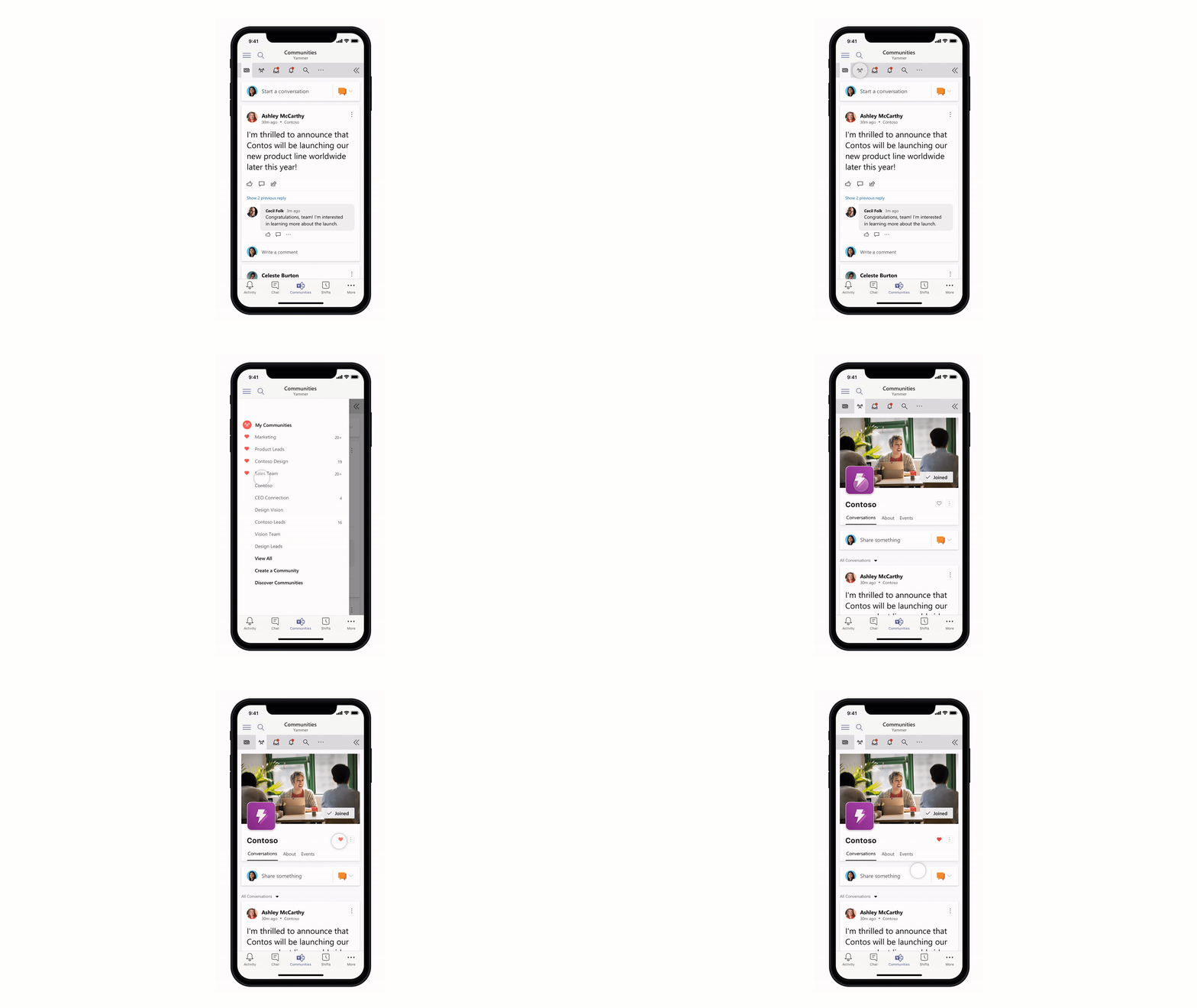
Routing
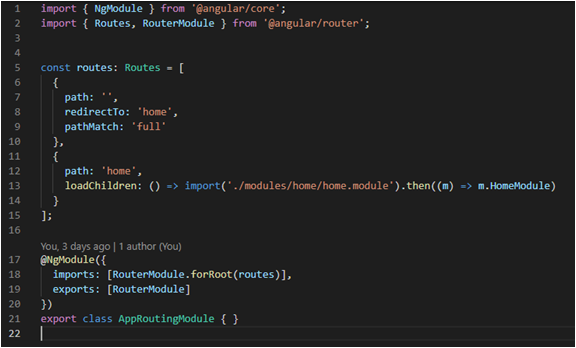
Configuring routes
Routing is also a module
Configured as a JSON data
Routing
Configuring routes
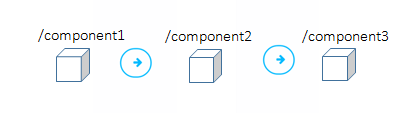
Pages are components
Does not retrieve the pages from server (Single Page Application)
Transferring from one route removes the component from DOM

Directives
Components
Structural
Attribute


Directives with a template
Changes the DOM layout
Changes the the behavior of an element, component or anaother directive
@Component({
selector: "app-root",
templateUrl: "./app.component.html",
styleUrls: ["./app.component.scss"]
})
export class AppComponent
implements OnInit
{

}
<div *ngIf="user">
   <div>{{user.firstName}}</div>
</div>


<div *nfFor="let user of users">

   <div>{{user.firstName}}

</div>
import { Directive, ElementRef,
HostListener, Input } from '@angular/core';
@Directive({selector: '[myHighlight]' })
export class HighlightDirective {
constructor(private el: ElementRef) { }
@Input() defaultColor: string;
@Input('myHighlight') highlightColor: string;
@HostListener('mouseenter') onMouseEnter() {
this.highlight(this.highlightColor ||
this.defaultColor || 'red');
}
@HostListener('mouseleave') onMouseLeave() {
this.highlight(null);
}
private highlight(color: string) {
this.el.nativeElement.style.backgroundColor = color;
}
}Create a simple blog application
What we will learn
- CLI
- Angular Architecture
- Component Interaction
- Services, Observables
- Directives
- Routes, Lazy Loading
Papunta pa lang tayo sa exciting part
Introduction to Angular
By Seiji Ralph Villafranca