Pimp
Brains are not enough.
Shadi Sharaf
Astronaut
Frontbar - Christmas edition
Level up

your AI

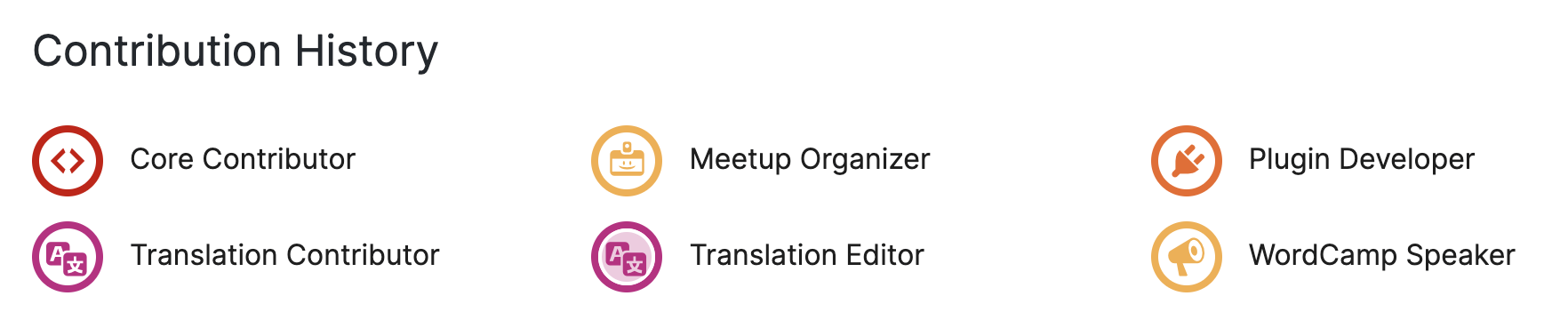
- 👷🏻♂️Senior Engineer, 20+ years in Web dev, 15'ish in WP
- 🗣️ Speak about Standards, Debugging, Performance, Testing, AI
- ✈️ Travel junkie
- 🍝 Foodie 🍣🍤🥗
- 🧑🏻💻 Agencies: XWP, Human Made, The Times.
- 📦 Projects: WP Coding Standards, Stream plugin, and others.
- 🤝 Clients: Enterprise publishers, Universities, Banks, Tech
Who am I?







https://slides.com/shadisharaf
- Learn the lang
- Hire our team
- Give them tools
- Teach them the ways
- Keep them updated
- Onboard them to our project
Agenda
Learn the lang
Step 0
Introduction
aka
An agent is an LLM model, who can do more than just talk, it can use tools to retrieve information and execute actions.
Agent
MCP (model context protocol) is the protocol for tool calling, MCP servers are tools exposed to Agents to use. Tools are simple functions.
Agent: "I need to request JIRA issue number: ZD-101"
Client/IDE: "Sure. [calls jira_mcp.fetch_jira_ticket(ZD-101)]
MCP: "jira_mcp.fetch_ticket = fn(ref) => fetch(jira.com/issues/zd-101)"
Client/IDE: "Here you go: [result]"
MCP
Context is what information the agent has at once point of time, aka the conversation.
Context is everything you have in your open chat, plus any rules the agent has at any point of time.
Good context = good output
Too much context = Attention loss / Hallucination
Context
Set of reusable / composable instructions to carry out
a series of actions autonomously.
Workflows / Commands
/jira
- Fetch the reference JIRA ticket and all its dependencies
- Cache it in .ai/jira/{ticket}-{date}.md
/jira-plan
- Ask busboy agent to `/jira {ticket}`
- Ask architect agent to `plan {ticket}`
An MCP server to keep.. memories. Save, update, and recall them as needed, based on context.
OR a simple folder on your project, aka Documentation.
Memory
You: Next time, do not add priority 10 to WordPress hook registration unless you need to change the number of arguments passed to the function.
Agent: Sure. {tool_call create_memory("...")}
Client: "memory.create_memory("...")"
MCP: "create_memory = fn(memory) => backend.add("..")"
Agent: Memory updated.
Hire your team
Step 1
Agents
aka
If you're assigned a new project, and tasked with hiring your own team, who'd you hire?
Architect
- Thinker
- Asks questions
- Detail oriented
- Writes comprehensive plans
Researcher
- Searches online for solutions to a problem
- Explores documentations and resources
- Compiles research reports and recommendations
Coder
- Sticks to standards
- Sticks to plans
- Updates documentation, writes inline docs
- Commits to DRY, YANI, KISS techniques
- Writes small, testable functions
QA engineer
- Uses Gherkin syntax to write QA steps
- Uses playwright / browser to run QA steps
- Attentive to details
- Thinks about edge cases
- Does not update code
- Happy with writing failing tests to pass it back to engineers
Code reviewer
- Dives into the code, examine relationships, traces code execution paths
- Uncovers possible bugs, unhandled exceptions, probable edge cases
- Compiles comprehensive reports, with recommendations
Why so many agents? Can't i just use one?
Short answer: Context, and speciality.
Give them tools
Step 2
MCPs
aka
What tools do you use that can be helpful to engineers to plan and code?
File system
Reads and writes to file system
Terminal
Uses the terminal to execute commands.
Memory
Semantic and lexical memory store
JIRA
Reads JIRA tickets, comments, meta information.
Updates tickets as requested.
Context7
Fetches updated documentation for any library
(from a dedicated database)
Perplexity
Researches topics online and provides detailed reports.
Playwright
Uses playwright to control your browser and browse through pages
Clicking and typing to get a job done / test workflows.
Subagents
Spins separate agents with separate contexts to run specific actions.
Notebook LM
Asks Google NotebookLM questions, returns with their answer.
Productive.io
Reads / creates time entries.
Figma
Reads Figma designs.
Can i add as much tools as I want? 😮
Short answer: No. There is a limit to how many you can expose at one time, before the agent ignores them.
Also: Context.
Teach them the ways
Step 3
Workflows
aka
What workflows do you find yourself doing over and over again?
Plan
Read JIRA tickets, comments, meta information.
Plan user stories, system design, and implementation documents.
Commit
Commits using conventional commits
Writes detailed PR description based on changes.
Pushes the branch.
Create the PR using PR template.
Address feedback
Checks GitHub PR feedback.
Plans fixing plans for high-certainty tasks.
Asks questions about unclear tasks.
Dev notes
Writes clear dev notes based on ticket AC.
Reads code and understands patterns.
QA notes
Writes clear QA notes based on ticket AC / Dev notes.
Writes in Gherkin / EARS format.
What to use for what
Optimizing
aka
Agents.md
Global behavior for ALL agents and workflows
Non-domain specific
Project-context
Agents
Generic behavior patterns (not a workflow)
Specific domain (Frontend/Backend/Research)
Specific model (think speed and cost)
Commands
Workflows, set of chained actions
Repetitive tasks
Remember, it's all about rules in text files. Optimize them for better context & quality, and faster workflows.
Ask yourself:
- Global behavior / all agents / project context: AGENTS.md
- Domain-specific rule: Agent
- Workflow / set of actions: Command
- Project/Feature/Folder specific rule: nested AGENTS.md
Action time! 🎉
Demo
aka
Tips
Okay, what's next?
- Experiment: Try, track, train, iterate.
- Onboard: Prime your agents with project context, in AGENTS.md
- Document: Keep comprehensive docs, saves time / enhances quality.
- Memory: Keep planning docs, cache JIRA tickets, keep track
- Globalize: Globalize non-project rules/agents/commands.
- Localise: Share with the team, embed into repos.
- Models: Pick the right models for agents (dump, thinking, etc). **
- Share: Learn in the open, share what works, ask questions.
- Plan: ALWAYS plan before execution, take the time.
- Test: Write tests, they're cheaper now!
- Review: ALWAYS review the code.
Final tips
Spend the effort!
Couple of hours today
saves
Couple of hours everyday
Share your team and prompts in #talk-ai
🧵 Agent: Coder
🧵Command: Planner
🧵Model review: Composer
Thank You!
Questions?

Shadi Sharaf


/shadyvb

/shadyvb
Pimp your AI
By Shadi Sharaf