C4: Session 4
Styling with CSS
Concept:
CSS Box Model
CSS Box Model
CSS Box Model
Design concept to describe how elements are rendered.
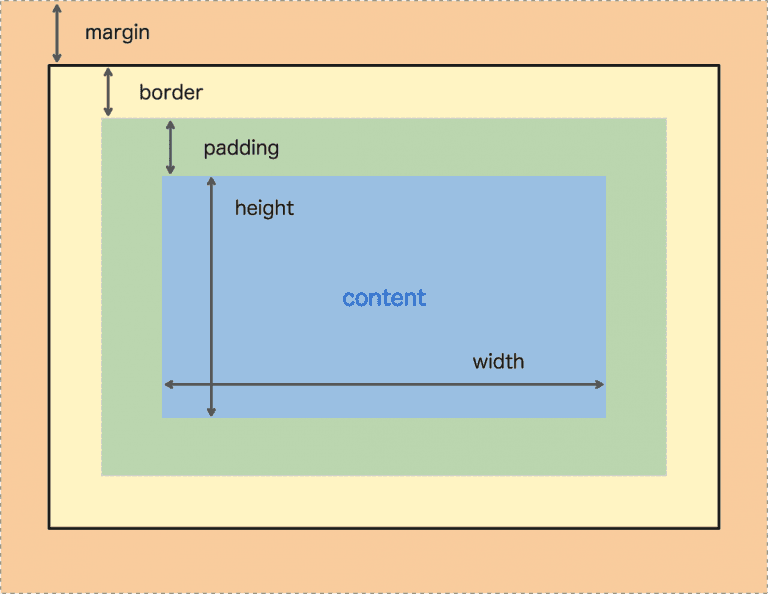
- Defines an element as a rectangular box with four areas:
- Content
- Padding
- Border
- Margin
CSS Box Model
Demo
Open up any website and inspect the elements.
CSS Box Model
Content (Blue)
- The area that contains your text or some other visual element
- By default, height and width are not specified so the area is as big as what it contains
- Using the following CSS properties, we can manipulate the dimensions of an element
-
height,min-height,max-height -
width,min-width,max-width
-
CSS Box Model
Padding (Green)
- The space between the content and the border (inner space)
- Using the following CSS properties, we can manipulate the padding of an element:
-
padding-top,padding-right,padding-bottom,padding-left - Shorthand:
padding: <top>, <right>, <bottom>, <left>padding: <top>, <horizontal>, <bottom>padding: <vertical>, <horizontal>
-
CSS Box Model
Border (Yellow)
- The outline around an element
- Using the following CSS properties, we can manipulate the border:
border-width: 2px;border-style: solid;border-color: #000000;- Shorthand:
border: <width> <style> <color>;
CSS Box Model
Margin (Orange)
- The space around an element (outer space)
- Using the following CSS properties, we can manipulate the padding of an element:
-
margin-top,margin-right,margin-bottom,margin-left - Shorthand:
margin: <top>, <right>, <bottom>, <left>margin: <top>, <horizontal>, <bottom>margin: <vertical>, <horizontal>
-
CSS Box Model
Example of a Layout
CSS Box Model
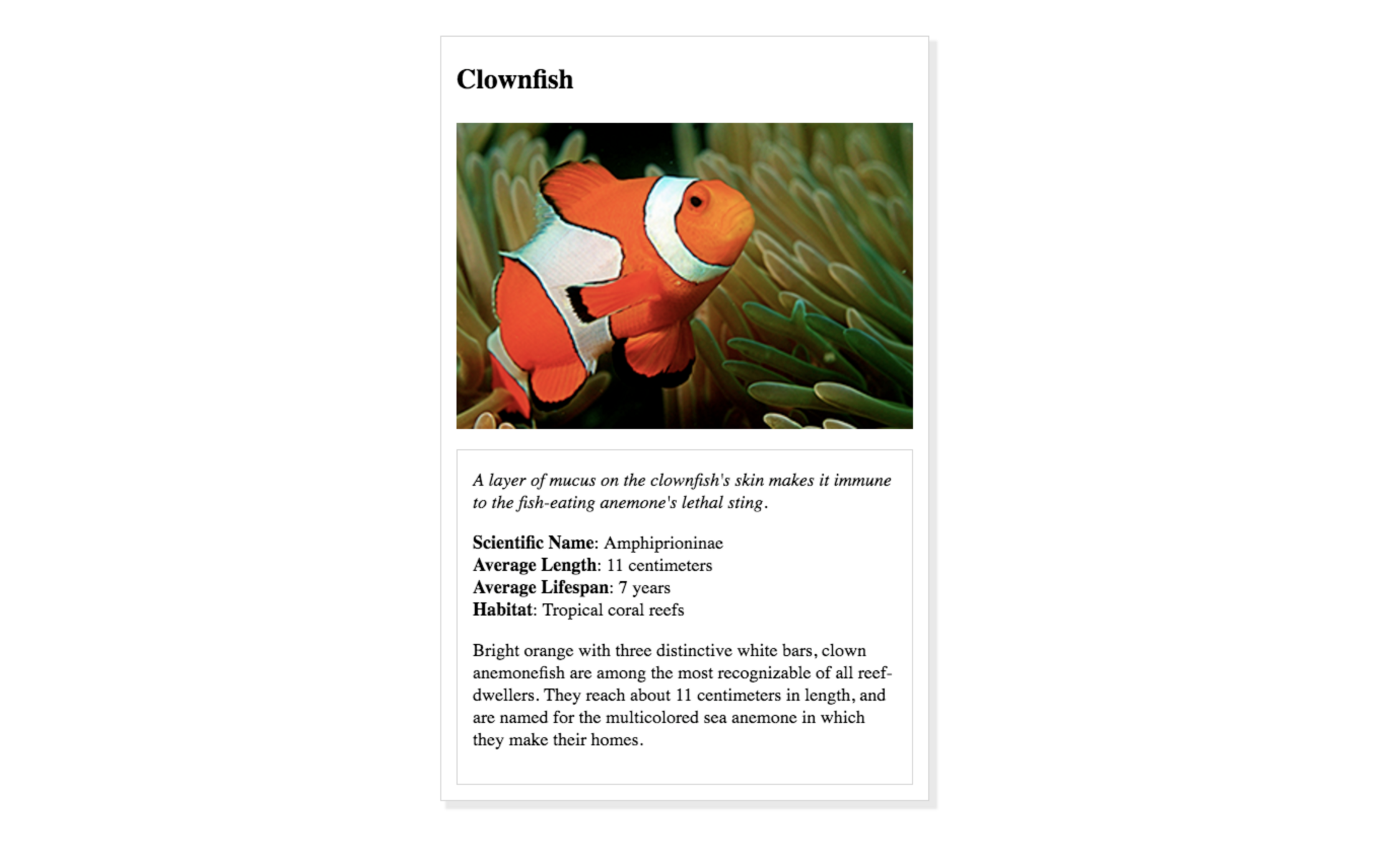
Animal Trading Card
Concept:
The div Element
The div Element
The div Element
The div element (short for "division") is a generic container that is used to group and organize other elements on a web page.
<div>
   <p>This is some text inside a div container.</p>
   <img src="example.jpg" alt="example image">
</div>
The div Element
The div Element
div elements are commonly used to create layouts for your page
- You can use CSS classes to apply styles to a
divcontainer
CSS Box Model
Animal Trading Card
Next Session
CSS Flexbox
C4-Session4
By Sharynne Azhar