

Slobodan Stojanovic
CTO of Cloud Horizon and JS Belgrade Meetup organizer. Programmer, mostly JS.
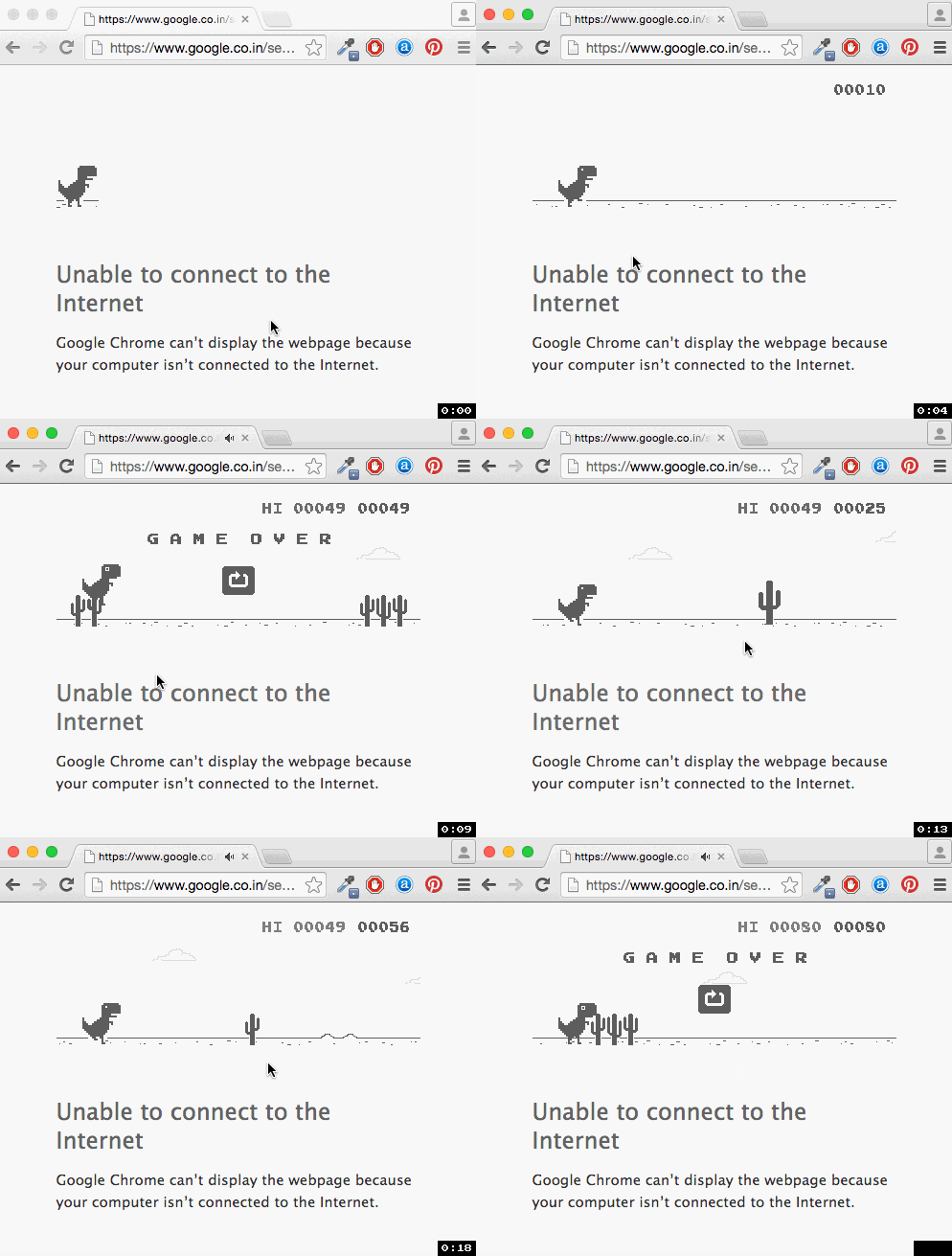
"Web" and "online" are two closely associated terms, downright synonymous to many people. So why on earth would we talk about "offline" web technologies, and what does the term even mean?
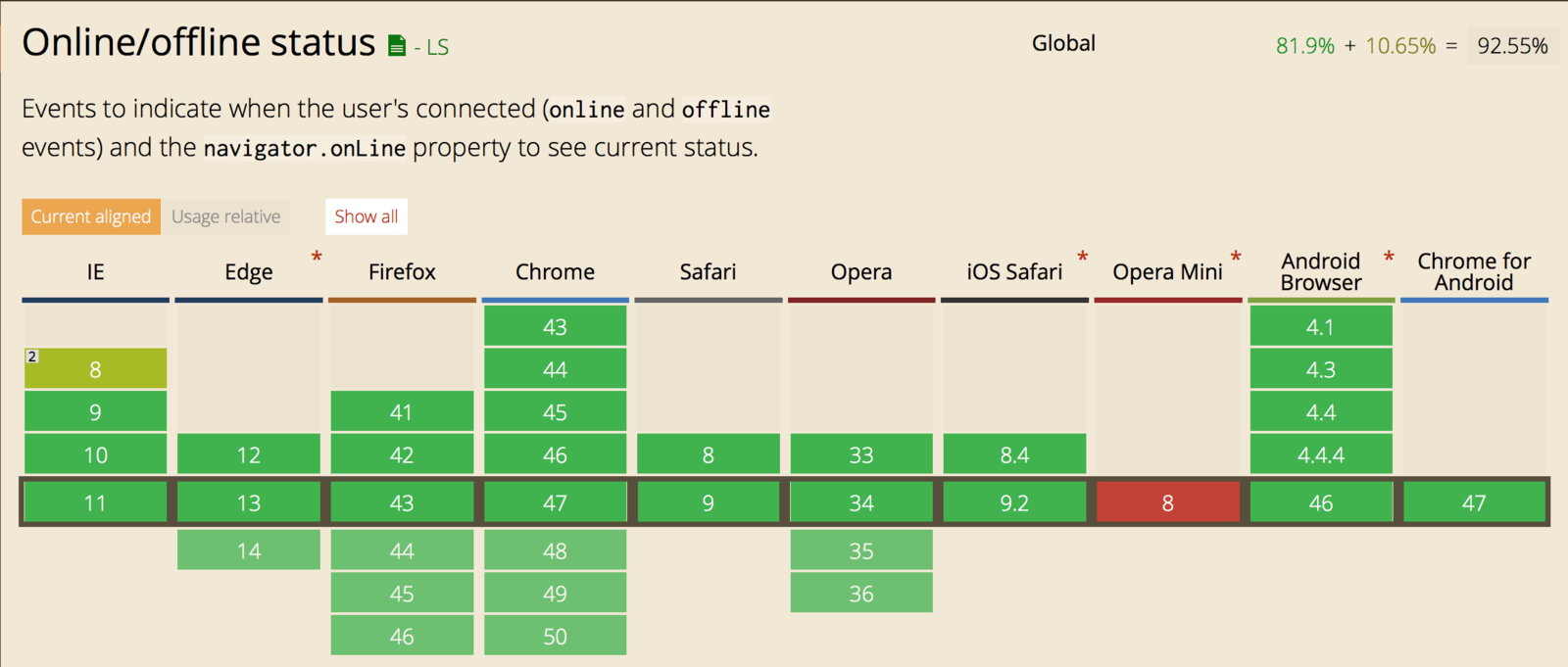
navigator.onLine
navigator.onLine is a property that maintains a true/false value (true for online, false for offline). This property is updated whenever the user switches into "Offline Mode"
"online" and "offline"
events
These two events are fired on the <body> of each page when the browser switches between online and offline mode. Additionally, the events bubble up from document.body, to document, ending at window.
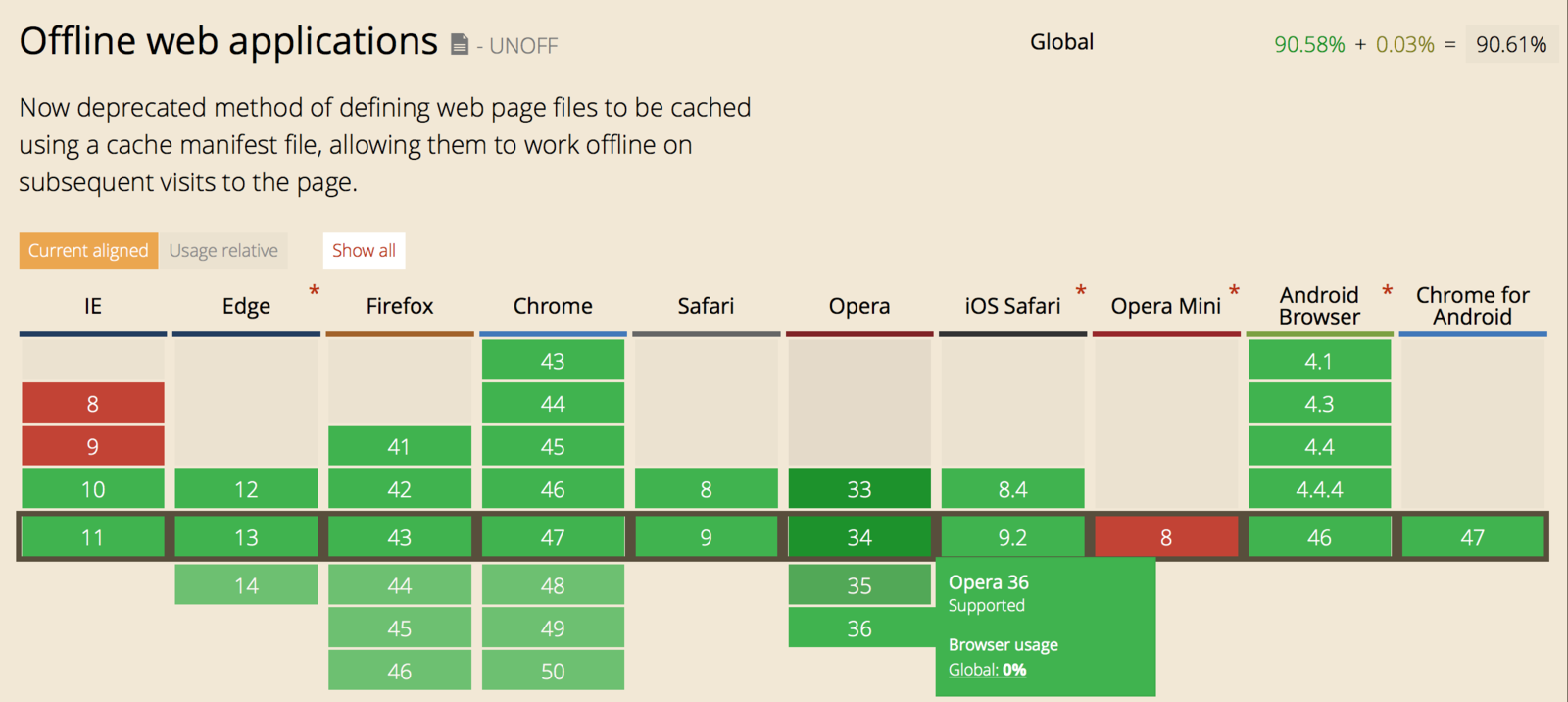
<html manifest="example.appcache">
  ...
</html>
index.html
example.appcache
CACHE MANIFEST
# v1 2015/12/26 <- This is just a comment
index.html
cache.html
style.css
image1.png

# Use from network if available
NETWORK:
/api

# Fallback content
FALLBACK:
/foo/bar fallback.html
window.applicationCache
const appCache = window.applicationCache;

switch (appCache.status) {
  case appCache.UNCACHED: // UNCACHED == 0
    return 'UNCACHED';
    break;
  case appCache.IDLE: // IDLE == 1
    return 'IDLE';
    break;
  case appCache.CHECKING: // CHECKING == 2
    return 'CHECKING';
    break;
  case appCache.DOWNLOADING: // DOWNLOADING == 3
    return 'DOWNLOADING';
    break;
  case appCache.UPDATEREADY:  // UPDATEREADY == 4
    return 'UPDATEREADY';
    break;
  case appCache.OBSOLETE: // OBSOLETE == 5
    return 'OBSOLETE';
    break;
  default:
    return 'UKNOWN CACHE STATUS';
    break;
};
events:
// Fired after the first cache of the manifest.
appCache.addEventListener('cached', handleCacheEvent, false);

// Checking for an update. Always the first event fired in the sequence.
appCache.addEventListener('checking', handleCacheEvent, false);

// An update was found. The browser is fetching resources.
appCache.addEventListener('downloading', handleCacheEvent, false);

// The manifest returns 404 or 410, the download failed,
// or the manifest changed while the download was in progress.
appCache.addEventListener('error', handleCacheError, false);

// Fired after the first download of the manifest.
appCache.addEventListener('noupdate', handleCacheEvent, false);

// Fired if the manifest file returns a 404 or 410.
// This results in the application cache being deleted.
appCache.addEventListener('obsolete', handleCacheEvent, false);

// Fired for each resource listed in the manifest as it is being fetched.
appCache.addEventListener('progress', handleCacheEvent, false);

// Fired when the manifest resources have been newly redownloaded.
appCache.addEventListener('updateready', handleCacheEvent, false);"Application Cache is a Douchebag"
Deprecated
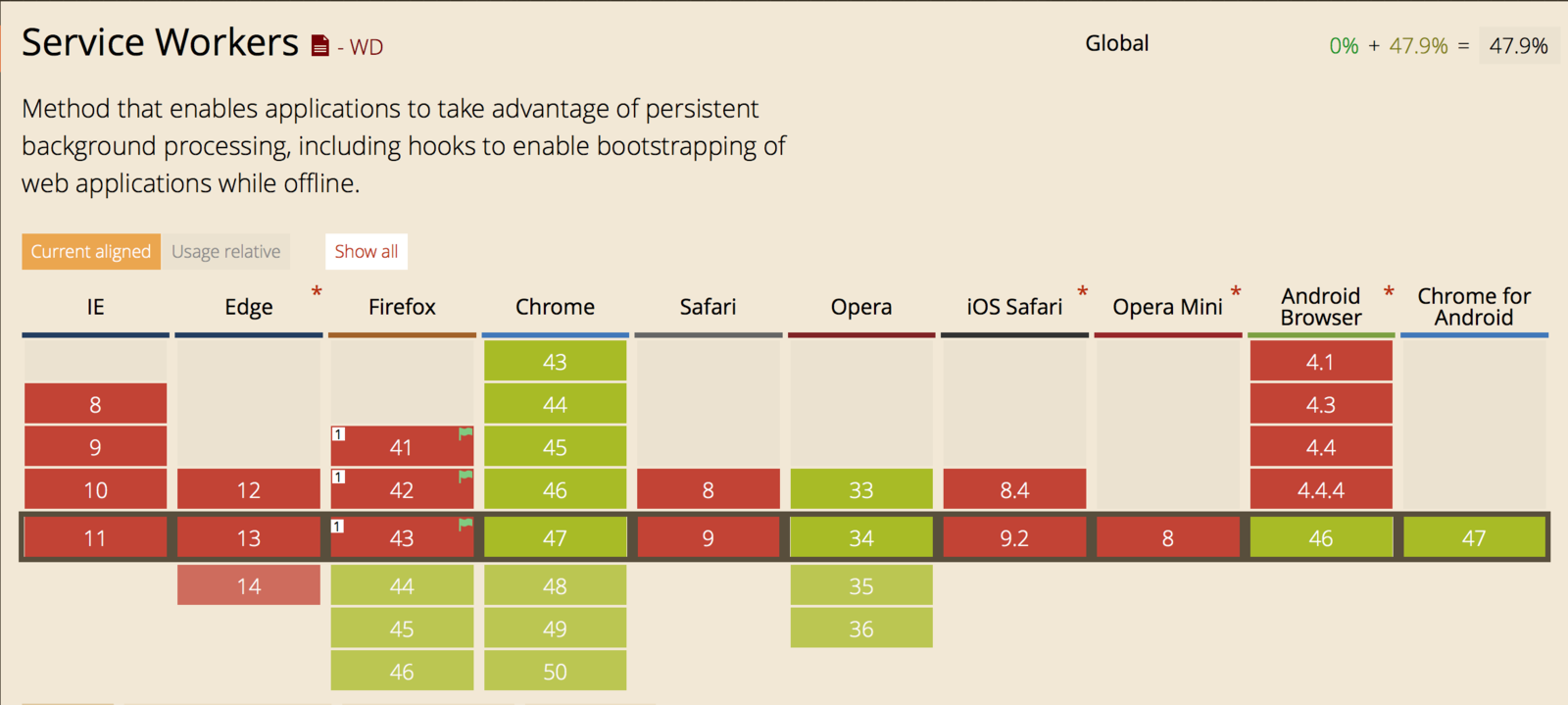
This feature has been removed from the Web standards. They recommend using Service Workers instead.
Service workers essentially act as proxy servers that sit between web applications, and the browser and network (when available.)
var CACHE_NAME = 'my-site-cache-v1';
var urlsToCache = [
  '/',
  '/styles/main.css',
  '/script/main.js'
];

self.addEventListener('install', function(event) {
  // Perform install steps
  event.waitUntil(
    caches.open(CACHE_NAME)
      .then(function(cache) {
        console.log('Opened cache');
        return cache.addAll(urlsToCache);
      })
  );
});
Cache resources
self.addEventListener('fetch', function(event) {
  event.respondWith(
    caches.match(event.request)
      .then(function(response) {
        // Cache hit - return response
        if (response) {
          return response;
        }

        return fetch(event.request);
      }
    )
  );
});
Cache requests
The localStorage property allows you to access a local Storage object. localStorageis similar to sessionStorage. The only difference is that, while data stored inlocalStorage has no expiration time, data stored in sessionStorage gets cleared when the browsing session ends—that is, when the browser is closed.
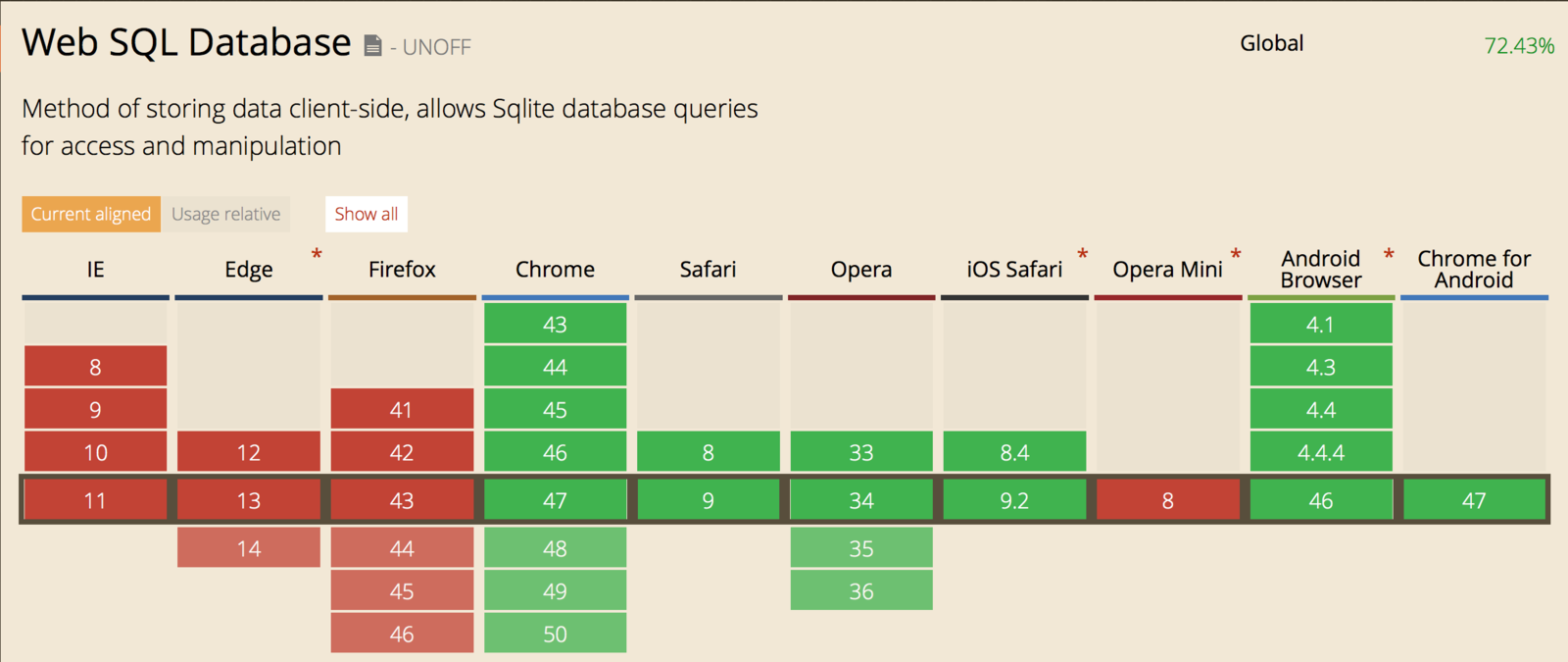
Deprecated
Since November 18, 2010, the W3C announced that Web SQL database is a deprecated specification.
By Slobodan Stojanovic