React-Redux
Huge App
Day-5-Starting-Point
복잡한 App, 여기저기서 사용되는 state.value
🤷🏾♂️
Flux Pattern
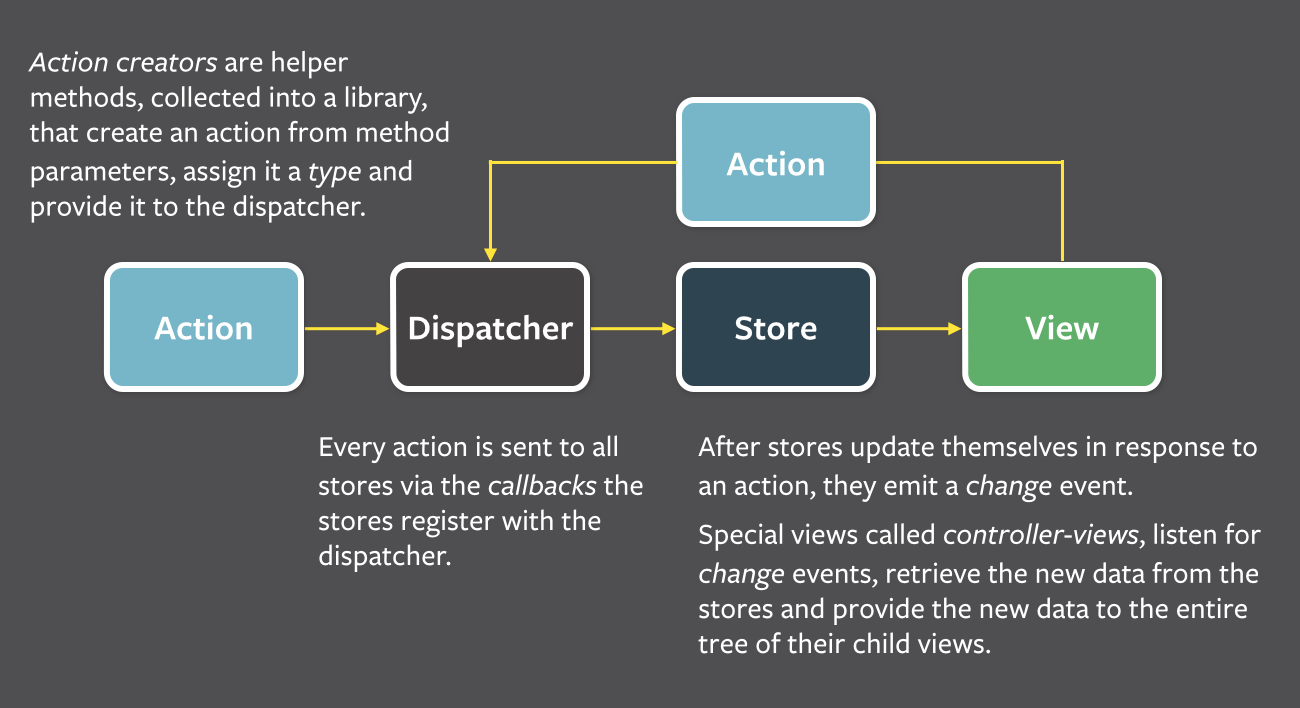
React-Redux
Flux와는 비슷하면서도 조금 다른 개념
One State, One Tree
그럼 모든 local한 state들은 필요가 없어지는 것일까요?
단순하면 단순할 수록 좋다
지금 우리가 만든 Component의 구조는
API 요청도 많았고
Lifecycle Hook도 많이 사용했고
Method도 많이 만들어 사용했고
최대한 한 군데 모아놓고 Component들은 필요한 props만 받아서 쓰는 것 🙌🏽
React의 역설
Redux 👉🏿 Reducer
Reduce(a, b) => c
HugeAppState = {
rootColor: red
}
HugeAppState.rootColor = blue
State
Reducer(HugeAppState, action) => NextHugeAppState
Reducer(state, action) => nextState
View: this.render
Store: this.state
Action: this.handleChange
Dispatcher: this.setState
장점들
- 직접 바뀔일이 없다 => 에러 발생할 여지 적다
- action이 들어올때 마다 새로운 state가 생긴다
- 기존 State들을 보존하면 => 시간 여행 가능
const state = [
  'React 복습',
  '수업내용 정리',
  '밥 먹기',
]

const reducer = (state, action) => {
  if (action.type === ADD_TODO_LIST_ITEM) {
    return {
      ...state,
      action.item,
    }
  }
}


nextState = reducer(state, { type: ADD_TODO_LIST_ITEM, data: '영화보기'})
reducer()는?
Reducer(state, action) => nextState
기존의 방식
Event 발생
=>
Handler 호출
=>
this.setState()
=>
this.render()
리덕스의 방식
Event발생(액션 발생)
=>
Handler 호출(액션 Dispatch)
=>
reducer()
=>
관련 컴포넌트들 this.render
버튼 클릭 => Action 발생
state
nextState
action = { type: 'CLICK', payload: '...' }
store.dispatch(action)
reducer(state, action)
앱
store
store는 state의 매니져
store에서 사용하는 method
getState()
dispatch()
프로덕트를 만들 수 있다
좋은 프로턱트를 만들 수 있다
실습 시간
store, getState, dispatch
actionCreators, actions
reducers, createStore
Provider, connect
mapStateToProps, mapDispatchToProps
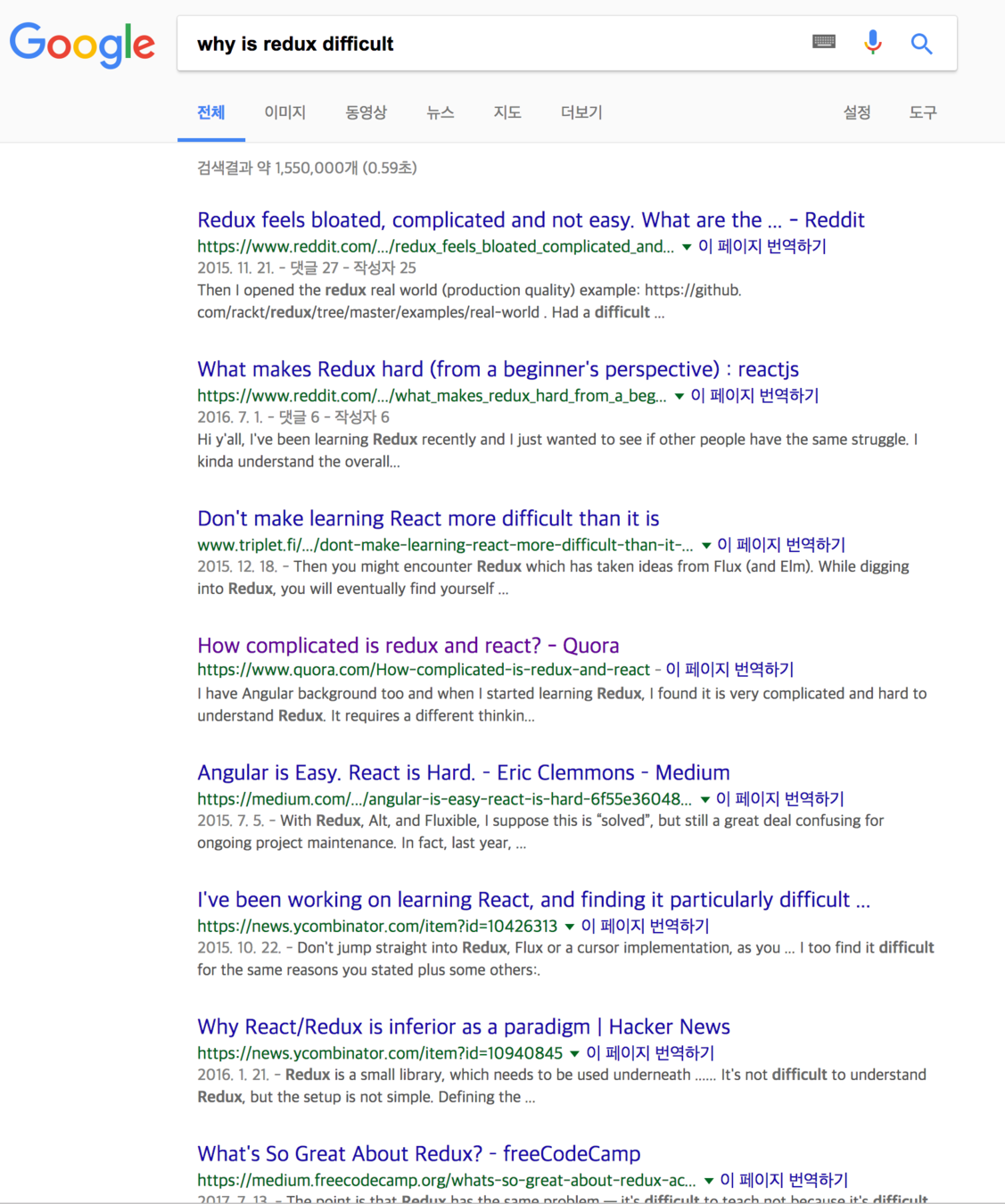
Redux Ecosystem
- Redux-Logger
- Redux-Thunk
- 그 외에도 다수
actionCreators => action
OX Quiz:
actionCreator는 한 종류의 action만 만들어야한다
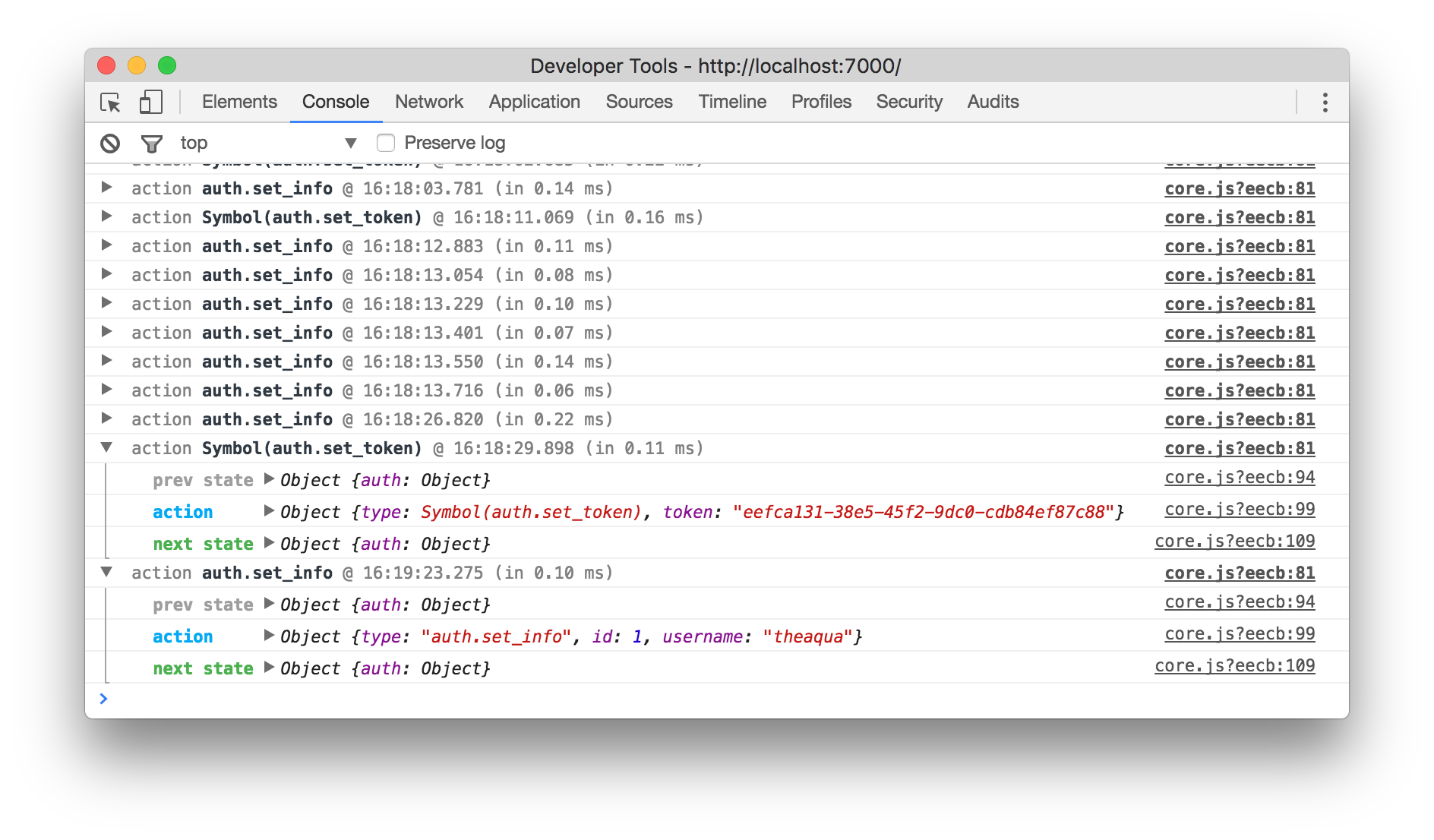
Redux Logger
- Action과 Store의 State 변화를 로깅해서 보여주는 미들웨어
비동기 actionCreator
ActionCreator: Action을 주고 싶은데 fetch가 비동기라 바로 줄수가 없네
Store: dispatch 줄테니깐 준비되면 이 dispatch로 action불러
Redux의 작동 체계를 아는 우리
nextState = reducer(currentState, action) => {
if (action.type === 'ACTION_ONE') {
return { ...state }
}
return { ...state }
}
Redux-Thunk
reducer(currentState, action) => nextState
syncAction😏 => syncAction😏 => syncAction😏 => asyncAction😲=> syncAction😏
store🤓
const asyncActionCreator = (param) => {
  return (dispatch) => {
    dispatch() // 어떤 액션?
    return fetch(param.URL)
      .then((resp) => resp.json())
      .then((responseData) => {
        dispatch(action); // 어떤 액션?
      })
      .catch((error) => {
        dispatch()  // 어떤 액션?
      })
  }
}
새로운 사실
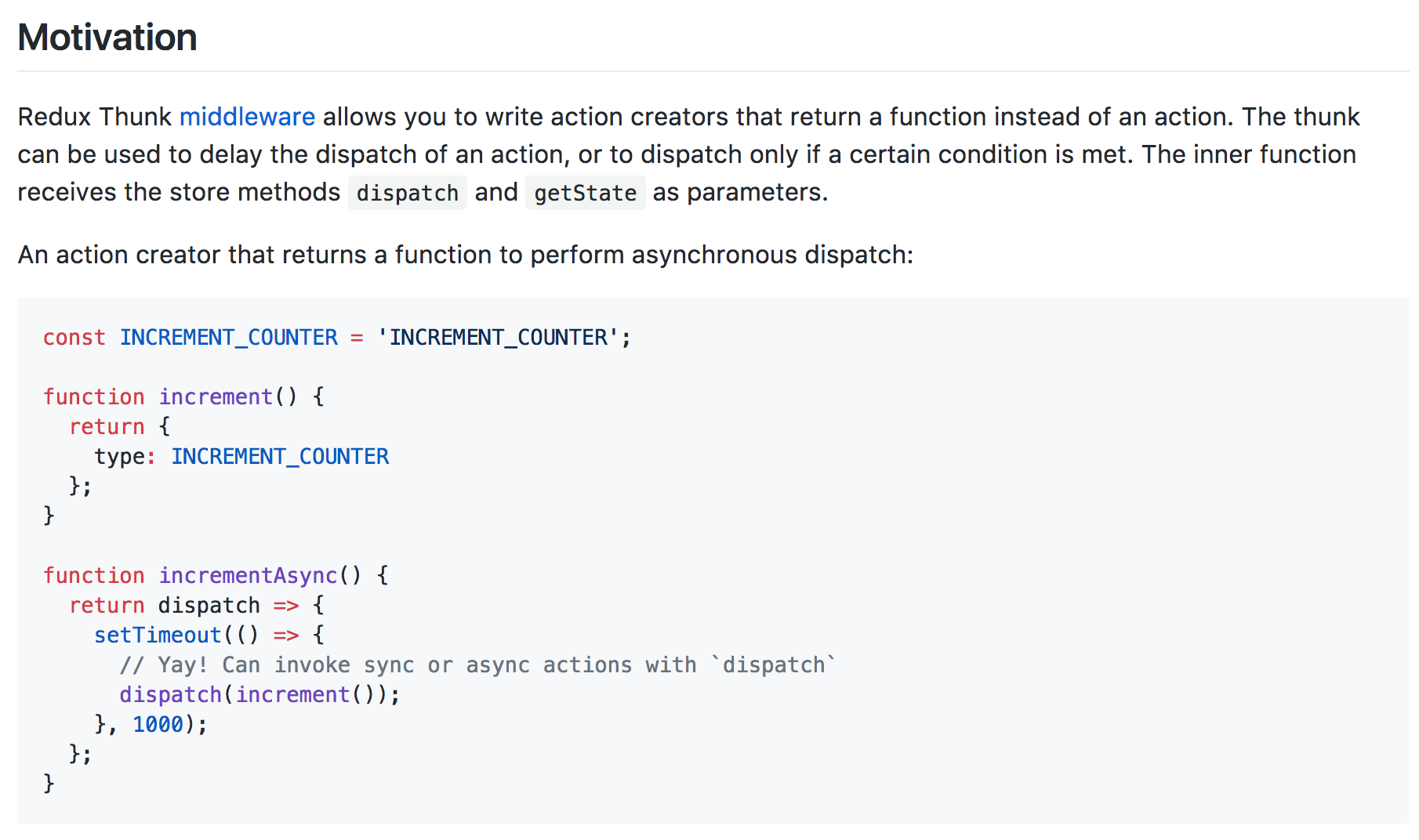
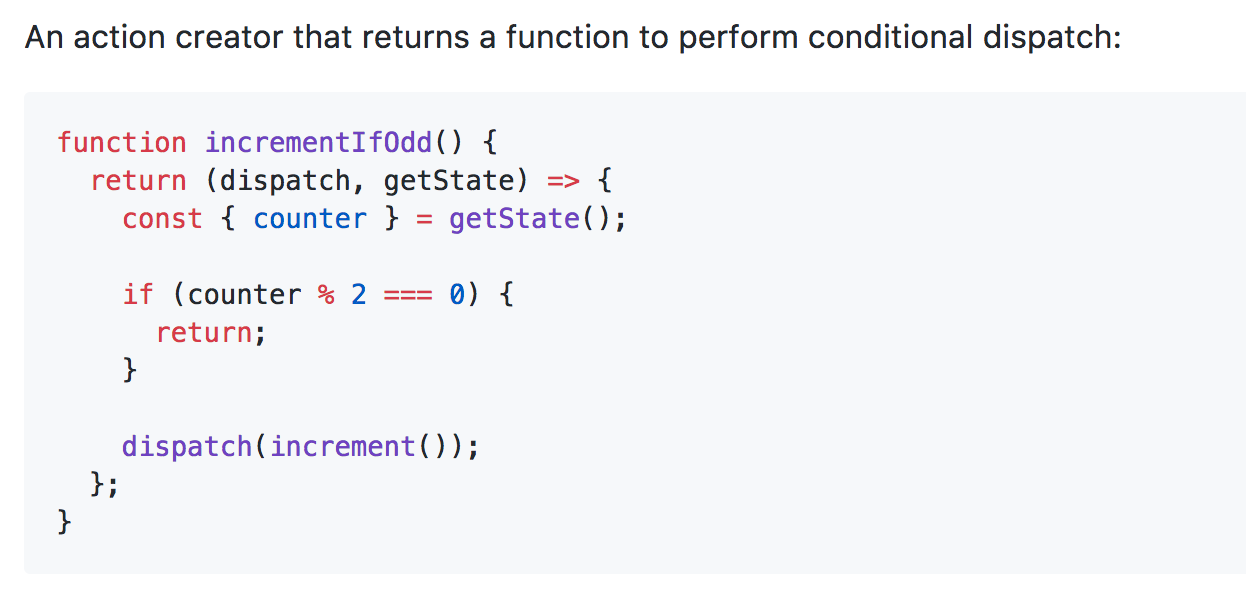
if (action is Object) {
this.dispatch(action)
} else if (action is Function) {
action(this.dispatch)
}
npm intall --save redux-logger
npm install --save redux-thunk
Redux 자체는 매우 가볍
위의 Middleware들을 추가해보겠습니다
실습
const createStoreWithMiddleware = applyMiddleware(logger, thunk, ... )(createStore)
const store = createStoreWithMiddleware(reducers)
store = createStore(reducer)
전형적인 API요청에서는 어떤 Action들이 필요할까요?
Hint: WordLists 컴포넌트에서의 예외 케이스들
Error, isLoading
우리의 WordList 페이지를 Redux State를 이용하도록 바꿔보겠습니다
Caching
GET_WORD_LIST_REQUEST
GET_WORD_LIST_SUCCESS
GET_WORD_LIST_FAILED
const store = {
  isLoading: false,
  wordLists: [],
  selectedWordList: {id: 4, title: 'abc', ...},
}

const fetchWordsFromWordListId = (id) => {
  return (dispatch) => {
    dispatch({ type: 'IS_LOADING' })
    fetch(generateURL(id))
      .then()
      .then(() => dispatch({ type: 'SUCCESS'}))
      .catch(() => dispatch({ type: 'FAIL'}))
  }
}
성능 좋은 프런트엔드
최소한의 API 요청
Testing,
Server Side Rendering,
Code Splitting,
Build / Development Mode,
Flow Type Checking,
Service Workers,
React 개발자의 고민
const store = {
  isLoading: false,
  wordLists: [],
  selectedWordList: {id: 4, title: 'abc', ...},
  cachedWordList: [],
}
const fetchWordsFromWordListId = (id) => {
  return (dispatch) => {
    if (id is in cachedWordList) {
      return dispatch({ type: 'SUCCESS'})
    } else {
      dispatch({ type: 'IS_LOADING' })
      fetch(generateURL(id))
        .then()
        .then(() => dispatch({ type: 'SUCCESS'}))
        .catch(() => dispatch({ type: 'FAIL'}))
    }
  }
}
React-Redux
By Soh Paul