JavaScript & TypeScript
Discord Bot, Advanced Web Framework, and More
About The Course
And the things you need to know

Who am I
Huey☆

Who am I
Huey☆
I'm so weak, consider teaching me? - CKEFGISC - Education × Server Management
- JavaScript & TypeScript
- Also C++, Python, Java & Lua
- I don't care
Course Content
- Basic JavaScript
- Node.js
- TypeScript
- Discord Bot
- Simple Web Design
- React
Links
Language
Discord
React
And the most important
What is Programming
What's in the computer?
What's in the computer?
This is a runable program, but, not even understandable, right?
00110001 00000000 00000000
00110001 00000001 00000001
00110011 00000001 00000010
01010001 00001011 00000010
00100010 00000010 00001000
01000011 00000001 00000000
01000001 00000001 00000001
00010000 00000010 00000000
01100010 00000000 00000000
How about this?
This is English. A lot better, but still cursed...
 Set “total” to 0.
 Set “count” to 1.
[loop]
 If “count” is equal to 10, continue at [end].
 Add “count” to “total”.
 Add 1 to “count”.
 Continue at [loop].
[end]
 Output “total”.
And here is the same program in JavaScript
That's awesome!
let total = 0, count = 1;
while (count <= 10) {
  total += count;
  count += 1;
}
console.log(total);
// → 55
Programming languages is about
making things easier, not harder
JavaScript
A simple introduction

Java?
NO
Java is another language, the tea cup thing

It's JavaScript
History
1995
Brendan Eich designed JavaScript in 10 days

History
1995
Birth

1997
ECMA-262 published, JavaScript became ECMAScript (ES1)
History
1995
Birth
1997
ES1
1998
ES2
1999
ES3
2009
ES5
2015
ES6
Later...
History
2009
ES5
2015
ES6
- Strict mode
- Array / Object
- Let / Const
- Arrow function
- Class
- Promise
- Template string
- Default parameters
- Destructuring assignment
- Import / Export
ES2016
- Pow operator
- Array +
ES2017
- Async / Await
- Object +
Later...
Pros & Cons
- Fast
- Easy to learn
- Large community
- Browser support
- A few bad syntax
Advantages
Disadvantages
Basic Syntax
Part 1

Values, Types, and Operators
Syntax: Chapter 1
Chapter Outline
- Values in computer world
- Numbers
- Arithmetic operators
- Strings
- Booleans
- Comparison operators
- Logical operators
- Empty values
Values
Everything in computer is binary
And, a single unit to store 0 or 1 is called a bit
And 1 byte = 8 bits
| 0 | 0 | 0 | 0 | 1 | 1 | 0 | 1 |
You can use a byte to represent a number
| 128 | 64 | 32 | 16 | 8 | 4 | 2 | 1 |
In this example, it's \(1 + 4 + 8 = 13\)
Values
| 0 | 0 | 0 | 0 | 1 | 1 | 0 | 1 |
You can use a byte to represent a number
| 128 | 64 | 32 | 16 | 8 | 4 | 2 | 1 |
However, it have an max value 255
which all the bits are 1
But why don't we just...
Values
| 0 | 0 | 0 | 0 | 1 | 1 | 0 | 1 |
| 128 | 64 | 32 | 16 | 8 | 4 | 2 | 1 |
But why don't we just...
| 0 | 0 | 0 | 0 | 0 | 0 | 0 | 0 |
| 32768 | 16384 | 8192 | 4096 | 2048 | 1024 | 512 | 256 |
Using 2 bytes, we can store a number up to 65535
4 bytes, 4294967295
8 bytes, 18446744073709551615
Numbers
In JavaScript, just write:
13-9.81\(\rightarrow 13\), obviously
\(\rightarrow -9.81\)
2.998e8\(\rightarrow 2.998 × 10^8 \rightarrow 299800000\)
Arithmetic
We can do math, like:
100 + 3 * 12(100 + 3) * 12\(\rightarrow 136\)
\(\rightarrow 1236\)
There's an arithmetic operator that you may not know:
314 % 100\(\rightarrow 14\), because \(314 \div 100 = 3\ ...\ 14\)
Which is called the remainder operator
Strange Numbers
There're a few numbers that are weird
And will quickly lead to the next strange number
1 / 0Infinity - 1\(\rightarrow \text{Infinity}\)
\(\rightarrow \text{Infinity}\)
*Note that Infinity is capitalized
Don't trust the Infinity value though
As it is not mathematically sound
Strange Numbers
The next strange number is:
NaNNaN stands for "Not a Number"
And it's a number, representing those meaningless numbers
Infinity - Infinity\(\rightarrow \text{NaN}\)
Strings
"Hello, world!"Use quotes to mark your text as a string
'"and
are the same
I highly recommend using the double quote
That would be a lot less problematic, trust me
Escaping Charaters
"The teacher said: "goodbye!" and left the classroom"You can't write this:
Because the character
"have special meaning
You should add a backslash (\) to escape it:
"The teacher said: \"goodbye!\" and left the classroom"Escaping Charaters
You should add a backslash (\) to escape it:
"The teacher said: \"goodbye!\" and left the classroom"There's also some special escape characters:
\n |
New line |
\t |
Tab |
\\ |
Backslash itself |
*There're other escape sequences, just not that useful
Combining Strings
You can use + to combine strings
"hello" + "world""helloworld"→
`Hello, ${20.3 * 8}`And by using template string syntax, you can easily insert things in a string
*That key (`) is above the [tab] key, to the left of the [1] key
"Hello, 162.4"→
Boolean Values
Boolean values are very simple, they have only two values,
truetrue
falseIt's like "yes" and "no" or "on" and "off"
falseand
Everything other than 0, false, NaN, empty string ""
And empty values, which we'll talk about later,
Are considered as true value
Comparison
10 == 10First of all, the ==
→ true
10 == 20→ false
But you'll find out that == is actually not strict at all
"30" == 30→ true
1 == true→ true
Comparison
But you'll find out that == is actually not strict at all
So here comes the ===
"30" === 30→ false
1 === true→ false
Always use strict comparison, trust me
Comparison
a == b |
equal |
a != b |
not equal |
a === b |
strict equal |
a !== b |
strict not equal |
a > b |
greater than |
a < b |
less than |
a >= b |
greater than or equal to |
a <= b |
less than or equal to |
Logical Operators
There're some logical operators that can handle boolean values:
a && b |
"AND", if both are true
|
a || b |
"OR", if one of them is true
|
!a |
"NOT", if the value is not true
|
And a cool thing called conditional operator:
a ? b : c→ if a is true, return b, otherwise return c
Empty Values
To represent an unknown value, we use:
undefinedIt's an empty value with no information ↑
But if you want to mark something as really no value, use:
nullIt's literally no value ↑
Auto Type Conversion
JavaScript will convert types automatically when using operators
Which is really weird
8 * null
// → 0
"5" - 1
// → 4
"5" + 1
// → 51
"five" * 2
// → NaN
0 == false
// → true
undefined == 0
// → false
null == undefined
// → true
null == 0
// → falseAuto Type Conversion
JavaScript will convert types automatically when using operators
Which is really weird
Never use these!
Chapter Summary
We looked at four types of JavaScript:
Numbers, strings, booleans, and empty values
You can combine and transform values with operators:
- Arithmetic operators (
+,-,*,/, and%) - String concatenation (
+) - Comparison (
==,!=,===,!==,<,>,<=,>=) - Logic (
&&,||,!) - Conditional operator (
?:) to pick 1 of 2 values
Program Structure I
Syntax: Chapter 2
Chapter Outline
- Expressions & statements
- Variables
- Functions
- Conditional executions
- While & do Loops
- For loops
- Breaking & continuing
Expressions & Statements
A fragment of code that produces a value is called an expression
1;
!false;
One or more expressions can form a statement
The simplest statement is just an expression with a ; after it
48763"Never"(!true) || trueBut these just produce the values, and then throw them away immediately
Variables
Imagine a library, the bookshelves is filled with bytes
That's the "memory" in computer
We can store values in memory, and access it at any time
In JavaScript, we declare variables using the keyword var
and give it a name to identify
var priceVariables
In JavaScript, we declare variables using the keyword var
and give it a name to identify
var price;And assign a value using =, this is called binding a value to a variable
price = 20;You can do both at the same time, too
var price = 20;Variables
var price = 20;var another_price = price * 2;Now that price is 20, you can write:
Then another_price is 40
Variables
If I write the following:
var price = 20;
price = 10;
Then price is 10 now
var price = 20
price = price + 2
Then price is 22 now
And if I write:
Variables
var amount = 10, price = 80;You can add , to declare multiple variable at the same time
var amount, price;By the way, If you declared a variable, but hadn't assign a value yet
undefinedThen it would be
Comments
Comments does, well, nothing
var w = 10; // after this, is a comment

var k = 20; /* insides this, is a comment */ but not here

/*
multiple line
is possible
*/
But it can shows a message to the viewer, about what the code here is doing
Log to Console
We've learned a lot, let's test it out
I have an Simple Online JavaScript Testing Website
Where you can run your JavaScript code and see what would happen
To see what's happening in computer, we simply write things to the console
So we can see the values of variables
Just write the following, put the values you want to show inside the brackets:
console.log( );Log to Console
Just write the following, put the values you want to show inside the brackets:
console.log( );For example:
Functions
A function is a piece of program wrapped in a value
They run their specific programs when we call them
To call a function, just add a () after its name
Inside the brackets, put the parameters, separated by commas
Which is the value you want to pass to the function
For instance, console.log is a standard function (system-defined)
When we call it, like console.log("hi") then "hi" is our first parameter
And will be log to the console
Functions
Just like console.log
There're some other system-defined functions to use
console.log |
Log things to console |
console.warn |
Show warnings to console |
console.error |
Print errors in console |
alert |
Pop an alert dialogue box |
confirm |
Pop a dialogue box to confirm an action |
prompt |
Dialogue box for users to input some text |
*You can't have dots in variable names, I'll explain what console.log actually is later
Functions
Some functions have return value
That usually means the result of the program
When you call prompt("What's your name?")
The return value is what the user type in the dialogue box
For example, when you call alert("hello!")
It will pop a dialogue box and return, well, nothing (undefined)
And confirm("Are you sure?")
Would return a boolean, if the user clicked "Confirm" or "Cancel"
Functions
Let's try the function prompt:
*Slides.com will suppress dialogue boxes, so click here to try it out
In this example:
- We called the function
prompt- With an parameter
"What's going on?"passed - The web page will pop up an input box with the text on it
- With an parameter
- We store the return value in a variable,
message - And we log the string to our console
var message = prompt("What's going on?");
console.log("The user said " + message);
Conditional Executions
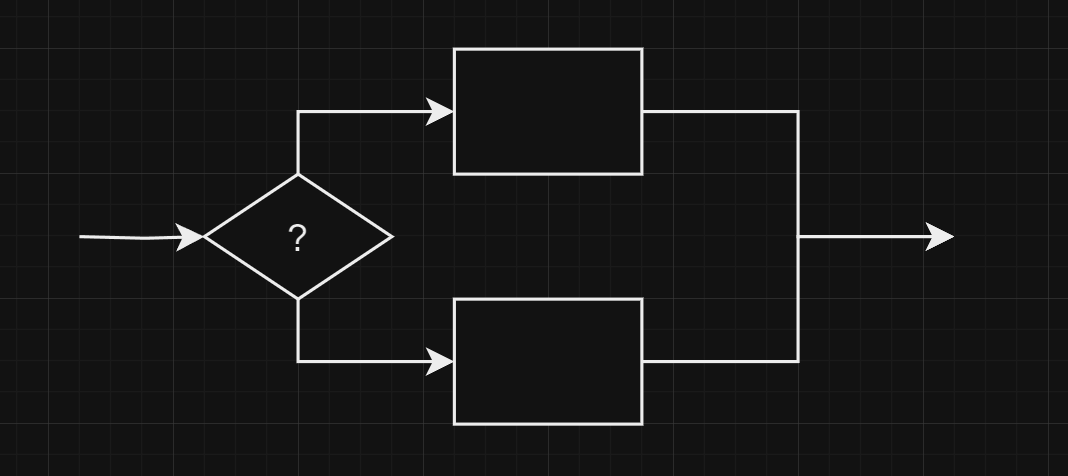
Conditional Executions
Conditional execution is created with the if keyword in JavaScript
Just put the condition in the ()
Statements to execute if the condition is true, on the other hand, put in {}
if (prompt("Did you have breakfest today? (yes/no)") === "yes") {
  console.log("The user had breakfest today!");
}Conditional Executions
You often won’t just have code that executes when a condition holds true
But also code that handles the other case
if (prompt("Did you have breakfest today? (yes/no)") === "yes") {
  console.log("The user had breakfest today!");
}
else {
  console.log("The user didn't have breakfest today!");
}
You can use the else keyword, together with if
To create two separate, alternative execution paths
While Loops
Consider a program that outputs all even numbers from 0 to 12
console.log(0);
console.log(2);
console.log(4);
console.log(6);
console.log(8);
console.log(10);
console.log(12);
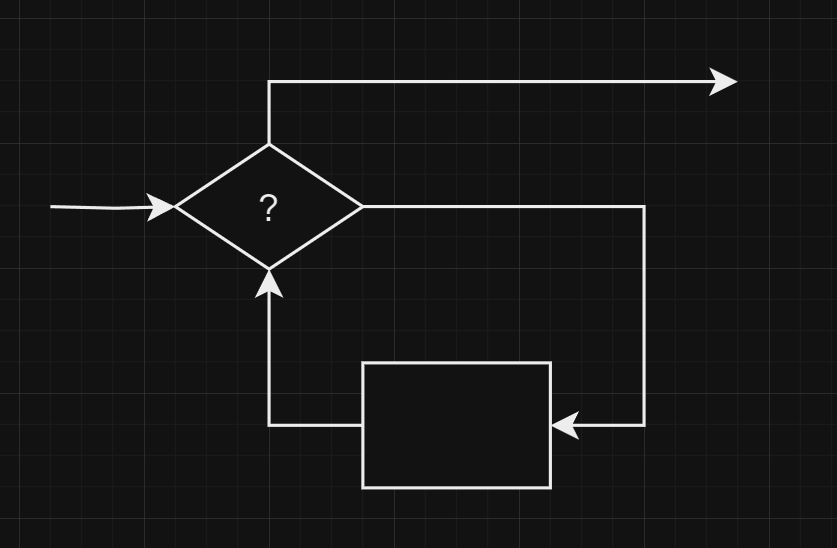
Alright, but what if we needed all even numbers less than 1000?
While Loops
Alright, but what if we needed all even numbers less than 1000?
While Loops
Alright, but what if we needed all even numbers less than 1000?
A statement starting with the keyword while creates a loop
It runs again and again as long as condition is true
While Loops
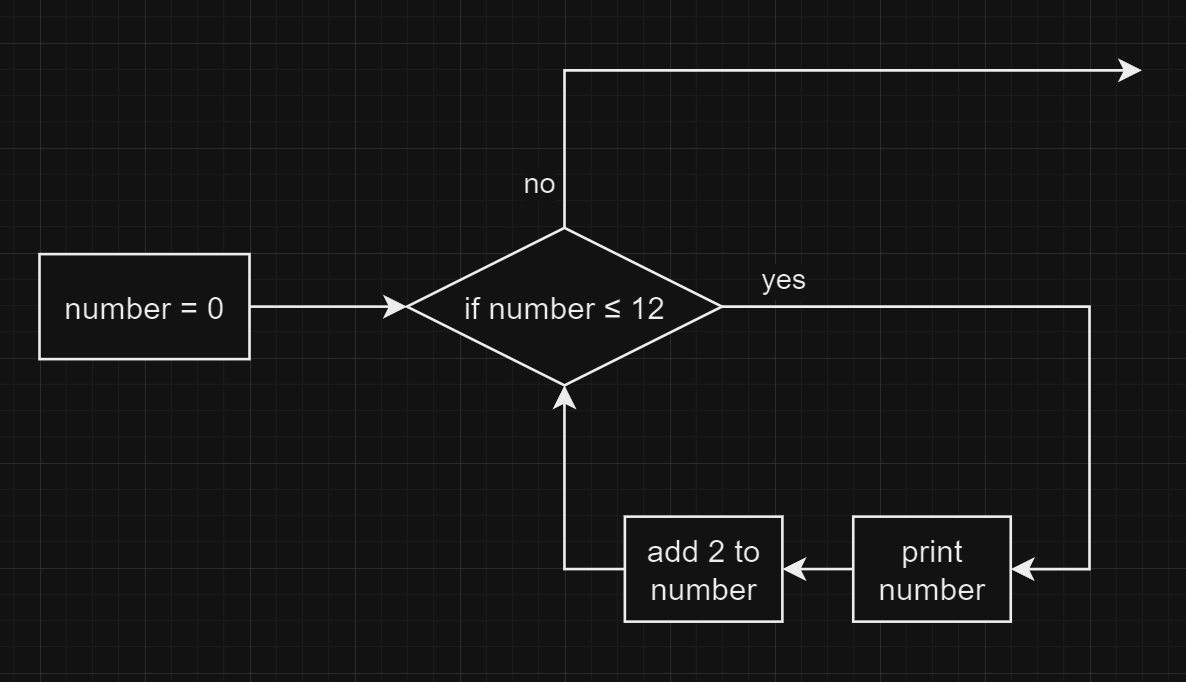
The code above will work like this:
Do Loops
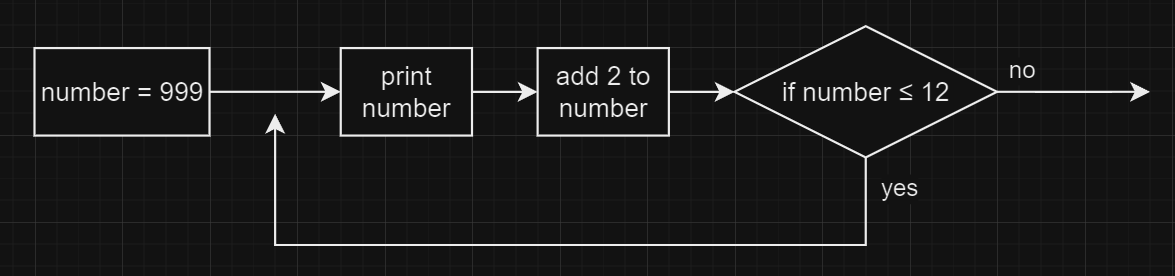
A do loop is a control structure similar to a while loop
But a do loop always executes its body at least once
And only after the first execution does it check if it should stop
Do Loops
A do loop is a control structure similar to a while loop
But a do loop always executes its body at least once
And only after the first execution does it check if it should stop
For Loops
Back to the example:
We often use this loop pattern
Creating a counter variable to track the loop process
var number = 0;
while (number <= 12) {
  console.log(number);
  number = number + 2;
}
This is where for loops come in handy
For Loops
var number = 0;
while (number <= 12) {
  console.log(number);
  number = number + 2;
}
This is where for loops come in handy
for (var i = 0; i <= 12; i = i + 2) {
  console.log(i);
}
In the () of the for loop, we have 3 statements separated by ;
- The first part initializes the loop, usually by defining a variable
- The second part checks whether the loop should continue
- The third part updates the state of the loop after every iteration
For Loops
for (A; B; C) {
  // do something
}
A;
while (B) {
// do something
C;
}- The first part initializes the loop, usually by defining a variable
- The second part checks whether the loop should continue
- The third part updates the state of the loop after every iteration
It's not entirely true, but you can imagine it works like this:
Breaking
If you want to break out of a loop before it ends
Use the statement break
for (var i = 1; i <= 20; i = i + 1) {
  if (prompt(`Do you like the number ${i}? (yes/no)`) === "yes") {
    alert(`Oh yeah, ${i}. Glad you like it!`);
    break;
  }
}
Continuing
If you want to skip this round in a loop
Use the statement continue
Chapter Summary
You now know that a program is built out of expressions & statements
We can store values in variables using var and =
And execute statements conditionally using if and else
We can create while, do and for loops to execute statements several times
We learned how to break out of a loop, or continue to the next round
There's functions for us to call, and it may return a value
Exercise A. Triangle
Prints a triangle with a custom string and size, like this:
#
##
###
####
#####Exercise B. Note
Prompt the user to enter a string and wrap it like this:
+-------------------------+
| Never gonna give you up |
+-------------------------+P.S. you can get the length of a string by writing .length after it:
Program Structures II
Syntax: Chapter 3
Chapter Outline
- Chaining if & else
- Switch
- Self assignment of variables
- Let & const
- Zero-based numbering
Omitted Curly Braces
If there's only 1 statement following an if/else/while/do/for
You can omit the curly braces, like this:
Chaining Ifs & Elses
if (score > 80) {
  console.log("Orz! Electricity God!");
}
else {
  if (score > 60) {
    console.log("You passed.");
  }
  else {
    console.log("LMAO You failed!");
  }
}
Line 5~10 is count as 1 if-else statement
Chaining Ifs & Elses
if (score > 80) {
  console.log("Orz! Electricity God!");
}
else
  if (score > 60) {
    console.log("You passed.");
  }
  else {
    console.log("LMAO You failed!");
  }
Omit the curly braces at line 4 & 11
Chaining Ifs & Elses
if (score > 80) {
  console.log("Orz! Electricity God!");
}
else if (score > 60) {
  console.log("You passed.");
}
else {
  console.log("LMAO You failed!");
}
Combine line 4 & 5
Chaining Ifs & Elses
if (score > 80) {
console.log("Orz! Electricity God!");
}
else if (score > 60) {
console.log("You passed.");
}
else {
console.log("LMAO You failed!");
}
Combine line 4 & 5
Switches
Let's see the example and you'll know
if (name === "Willy" || name === "WAH") {
  console.log("GAY!");
}
else if (name === "Huey") {
  console.log("Not gay.");
}
else {
  console.log("I don't know...");
}
Switches
Let's see the example and you'll know
switch (name) {
  case "Willy":
  case "WAH":
    console.log("GAY!");
    break;

  case "Huey":
    console.log("Not gay.");
    break;

  default:
    console.log("I don't know");
    break;
}
Switches
When the process execute the switch
It jumps to the case and then runs until a break statement
switch (name) {
  case "Willy":
  case "WAH":
    console.log("GAY!");
    break;

  case "Huey":
    console.log("Not gay.");
    break;

  default:
    console.log("I don't know");
    break;
}
Self Assignments
This is too long:
number = number + 2Write this instead:
number += 2This is too long:
number += 1Write this instead:
number++There're +=|-=|*=|/=|%=, and ++|--
Let
You can use let to declare a variable
let a = 10;What's the difference between var & let?
Const
To declare a constant variable, use const
const a = 10;It acts like let but can't be reassigned
Zero Based
We always use 0 based numbering
And if you ask me why
Don't tell me you're too blind to see - Remainder
- No more
<= - Storing array in memory
| 0 | 1 | 2 | 3 | 4 |
Length: 5
Zero Based
So if you want to print "Hello, world!" 10 times
Chapter Summary
We can omit curly braces when there's only 1 statement following
We learned how to chain ifs and elses
We know what is let and const
Do variable self-assignment using +=|-=|*=|/=|%=, and ++|--
And a switch to execute different program by matching a value
For convenience we will now use zero-based numbering
Coding Style

Coding Style
Never write code like this:
const name=prompt("What's your name?")
switch
  (name)
 {
case "WAH":
alert(
"YOU'RE GAY!"
);
      break;}
Coding Style
Please do indentation:
const name = prompt("What's your name?");
switch (name) {
  case "WAH":
    alert(
      "YOU'RE GAY!"
    );
    break;
}
Let's see some example
Variable Naming Rules
my_variable_with_long_nameBecause we can't have spaces and symbols in variable names
We usually use the following two method:
*I'll explain later about why some are first letter capitalized, some are not
Snake Case
Camel Case
myVariableWithLongNameMyCustomClassWithLongNameMy_custom_class_with_long_namePlease use the Camel Case, the underlines are cursed!
Spaces & Newlines
Nah
(535-4.34)-(8*((23*5)+8-4)+77.6-2)Yeah
(535 - 4.34) - (
  8 * ((23 * 5) + 8 - 4) + 77.6 - 2
)
if (a||(b&&c)){
// ...
}if (a || (b && c)) {
// ...
}Indentation
Nah
if (message === "hi") {
console.log("hello!");
}
Yeah
if (message === "hi") {
  console.log("hello!");
}
if (/* ... */) {
if (/* ... */) {
console.log(123);
}
}if (/* ... */) {
if (/* ... */) {
console.log(123);
}
}Switches & Cases
Nah
switch (i) {
  case 0:
  break;
  case 1:
  console.log("Woo");
  break;
}
Yeah
switch (i) {
  case 0:
    break;

  case 1:
    console.log("Woo");
    break;
}
Those are MY coding style
Of course you can have your own style
But remember, your goal is to make it easy for everyone to read
Functions
Syntax: Chapter 4
Chapter Outline
- Defining a function
- Declaration notation
- Arrow functions
- Default parameters
- Variable scopes
- Call stack
Defining a Function
Function is one of the value type, like so:
function (a, b, c) {
  console.log(a + b + c);
}
Store them in variables, of course:
let printSum = function (a, b, c) {
  console.log(a + b + c);
}
Defining a Function
Store them in variables, of course:
let printSum = function (a, b, c) {
  console.log(a + b + c);
}
And call them:
printSum(2, 6, 7);Defining a Function
Live example:
Declaration Notation
There is a slightly shorter way to create a function
function printSum(a, b, c) {
  console.log(a + b + c);
}
*This action declares the function, which can be used before declaration statement
let printSum = function (a, b, c) {
  console.log(a + b + c);
}
Returning a Value
Use the keyword return
Arrow Functions
It's a super intuitive thing
(/* params */) => /* result */It can have a normal function body too
Arrow Functions
It can have a normal function body too
(/* params */) => {
  // do something
}
Arrow Functions
When there is only one parameter name
You can omit the parentheses around the parameter list
This is sometimes very confusing though
Default Parameters
We called log with only 1 parameter, so b is undefined
But if we want the b have a default value, how?
Default Parameters
But if we want the b have a default value, how?
This works, but gets annoying if you have lots of parameters
Default Parameters
But if we want the b have a default value, how?
We can simply write:
Variable Scopes
Variables inside a function body will not affect variables outside the function
Variable Scopes
Variables inside a function body will not affect variables outside the function
This is called the scope of a variable
The part of the program in which the variable is visible and can be used
Function scope will limits parameters and all variables
Block scope will limits the variables declared by let or const
Call Stack
A call stack will keep track of its place in a script that calls multiple functions
What functions is currently being run
What? Let's see an example
Call Stack
What? Let's see an example
function greet(who) {
  console.log("Hello " + who);
}

greet("Harry");
console.log("Bye");
greet
console.log
console.log
Stack Overflow
What will happen? Stack overflow!
Stack Overflow
What will happen? Stack overflow!
chicken
egg
chicken
egg
chicken
egg
Chapter Summary
We can now define our own functions, and return a value if needed
And the arrow function, the curly braces could be omitted
Then, we learned how to assign a default value to a parameter
Know what's the scope, in which a variable can be accessed
And know what a call stack is
Exercise A. Math
Write a function to solve \(f(x) = 8x^2 + 16x + 6\)
- Use the
let f = ... - Use declaration notation
function f() ... - Use Arrow function
(...) => ...
*Pro Tip: You can use x ** 2 to represent \(x^2\)
Exercise B. Collatz Conjecture
Write a function to solve:
f(n) = \begin{cases} n/2 &\text{if\ } n \equiv 0 \\ 3n+1 & \text{if\ } n\equiv 1 \end{cases} (\text{mod\ }2)
Your function should output like this:
Exercise B. Collatz Conjecture
Your function should output like this:
17: Odd
52: Even
26: Even
13: Odd
40: Even
20: Even
10: Even
5: Odd
16: Even
8: Even
4: Even
2: Even
1: Done!
Data Structures
Syntax: Chapter 5
Chapter Outline
- Objects
- Syntax
- Properties
- Methods
- Arrays
- Syntax
- Length
Objects
Besides the basic data types
(boolean, number, string, function, undefined)
There's one other data type, Object
You can use typeof to check which type a variable is (it returns a string)
Objects
You can use typeof to check which type a variable is (it returns a string)
Objects
So what is an Object? Why is null an Object?
Anything with properties must be an instance of Object
And a property is a key (usually a string) with a value (any), like this:
"name": "Huey"{ "name": "Huey", "IQ": -Infinity }Let's talk about the definition of objects first
The syntax of a basic object is a pair of curly braces containing its properties
Objects
{ "name": "Huey", "IQ": -Infinity }The syntax of a basic object is a pair of curly braces containing its properties
You can get a property value with its key, written like: object[key]
This is called bracket notation
Omit Annoying Syntax
{ name: "Huey", IQ: -Infinity }The first thing is, frequently writing quotes are quite annoying
The square brackets are also annoying, we can also write this:
So in JavaScript, it's allowed to omit the quotes for property names
It's called dot notation
Key & Value from Variables
Let's see this example:
Note that we use the variable key as the key, but surrounded with []
otherwise it would be consider the string "key"
Object Property Shorthand
And if the key is the variable name, we don't need to write the key:
It would work the same as
let person = { name: name }The Console Object
{ log: /* ... */, warn: /* ... */, error: /* ... */ }Alright, now we know what console.log is
And log is one of console's property, which is a function
console is an object, something like this:
BUT
It's not as simple as a normal function
Methods
A function associated to the object is called a method
The biggest difference is the this keyword
Normal function:
Method:
Methods
A function associated to the object is called a method
The biggest difference is the this keyword
Note that arrow functions can't be used as a method
In & Delete
You can check if a property exists using in
In & Delete
You can check if a property exists using in
Or unset it using delete
But there're other ways, much better in my opinion, to achieve these
I'll talk about them later
Null
I haven't explain why null is an object
THAT IS A BUG
Null value is not an object, but the typeof operator somehow have this bug
Arrays
Imagine you have to store exam score of 2000 students
Of course you can define 2000 variables, but definitely not a good idea
So this is where Array comes in handy
Array is a instance of Object
Its keys are numbers, and have lots of convenient methods to use
Arrays
So this is where Array comes in handy
The syntax is as simple as a pair of square brackets
Chapter Summary
We found another data type, the object
What an object consists of is its properties: key and value pairs
use [] or . to access a property of an object's
We know what is a method of an object
And finally, arrays to store lots of stuff efficiently
To be honest, I didn’t go into detail in this chapter
The most important part is in the next part, Classes
Classes
Part 2

Class
Class: Chapter 1
Chapter Outline
- About
class - Constructors
- Methods
- Static values
- Prototype
- Extending another class
Templating Objects
If you want to template a certain type of object, you can write a function:
But if you have lots of properties and methods
The function would be very complicated and hard to read
Class
So we should use class
Class
First, we declare the class using the keyword class
class Person {

}
And without any keyword like var or let, just write your property names
class Person {
  name;
  weight;
  height;
}
Class
And without any keyword like var or let, just write your property names
class Person {
  name;
  weight;
  height;
}
You can also initialize them
class Person {
  name = "Unknown";
  weight = 50;
  height = 170;
}
Constructors
And then, use the keyword constructor to run initial tasks
class Person {
  name;
  weight;
  height;

  constructor (name, weight, height) {
    this.name = name;
    this.weight = weight;
    this.height = height;
  }
}
Initialize New Objects
Much like a function, the constructor is called when we used new
To initialize an object created with this class
let person = new Person("Huey", 50, 170)Methods
Declaring methods in a class is the same as properties
Written without the function keyword:
class Person {
  name;
  weight;
  height;

  constructor (name, weight, height) {
    this.name = name;
    this.weight = weight;
    this.height = height;
  }

  calculateBMI() {
    let heightInMeters = this.height / 100;
    return this.weight / (heightInMeters * heightInMeters);
  }
}
Demo
Static Values
class Person {
  static MAX_AGE = 120;

  age;

  constructor (age) {
    if (age > Person.MAX_AGE) {
		alert("You can't be that old!");
    }

    this.age = age;
  }
}
You can store static values, meaning they would not be any object's property, but the class itself
Static Values
You can have static methods, too
Prototype
Person.prototype.calculateBMI = function () {
  return -Infinity;
}
Though this is bad, you can modify methods outside the class declaration
The prototype is a static value of a class, containing all methods
So you can do this:
Prototype
So you can do this:
Extending Another Class
If the two classes have some common properties / methods
You can define a parent class and then the sub-classes can extends it
Extending Another Class
The super() call is to call the constructor of the parent class
Capitalization Rules
| Type | Capitalization | Example | (Color in VS Code) |
|---|---|---|---|
| Normal variables | No | sourceFile |
Light blue |
| Functions | No | generateValue |
Yellow |
| Classes | First-letter | MongoClient |
Green |
| Constant values | First letter / All | Person.MAX_AGE |
Dark blue |
In order to Identify objects and classes, we use different capitalization rules
Chapter Summary
We learned how to create our own class
And know how to declare a constructor
Which would be call when use new to create new objects
We can declare properties & methods
Of course, you can make them static, directly added to the class itself
Modifying the prototype of a class is toxic, but we still know how to do it
And at last, we learned how to extend on another class
More About Numbers
Class: Chapter 2
Chapter Outline
- Binary & hexadecimal numbers
- Number - static methods:
parseIntparseFloatisFiniteisIntegerisNaN
- Number - methods:
toFixedtoString
Binary & Hexadecimal
You can write a number in binary using the 0b prefix
Similarly, 0x is the prefix for hexadecimal numbers
The Number Constructor
Number is a system-defined class, with lots of methods to use
Of course you can do this:
That makes no sense though
So in this chapter, I'll show you some of the useful methods it provides
Parsing Strings
You can parse a integer from string by Number.parseInt(str)
let x = Number.parseInt(prompt("Enter a number"));
console.log(`It's the square root of ${x * x}`);Similarly, you can parse floating-point number, too
let x = Number.parseFloat(prompt("Enter a number"));
console.log(`It's the square root of ${x * x}`);Examination
Rounding
You can use toFixed to round a number
To a specific number of decimal places
Note that it returns a string!
To String
You can use toString(n) to turn a number into a string
Where n represents the specific numeral system
More About Strings
Class: Chapter 3
Chapter Outline
- Characters & Escape Codes
- String - static methods:
fromCodePoint
- String - properties
length[n]
- String - methods
-
charAt&codePointAt&at slice-
indexOf&lastIndexOf -
includes&startsWith&endsWith -
toLowerCase&toUpperCase split-
trim&trimStart&trimEnd -
padStart&padEnd
-
Characters
Strings are actually an array of characters
"Hello!"
-> 'H'  'e'  'l'  'l'  'o'  '!'
-> 072  101  108  108  111  033
-> 0x48 0x65 0x6C 0x6C 0x6F 0x21
And a character is stored by its unicode number
Codes for almost every character, expressed in hexadecimal
Characters
There may be character data type in other programming language
But, since it's kind of useless, JavaScript does not have character
Codes for almost every character, expressed in hexadecimal
So whenever we want to store a character
We simply just store a 1-length string
Escape Codes
These are some of the escape codes:
| Code | Output |
|---|---|
| \0 | The empty character, useless |
| \' | A single quotation mark |
| \" | A double quotation mark |
| \\ | A backslash |
| \n | Line feed |
| \r | Carriage return |
| \t | Tab |
| \uXXXX | Char from that unicode, for example, '\u004B' equals 'H'
|
String from Unicodes
Just like Number, String is another system-defined class
The first thing is String.fromCodePoint(...codes)
Length
Every string have an property, length
As the name suggests, it is the length of this string
I actually have mentioned this before
Getting a Character
Strings are much like arrays, we can use [n] to access the \(n^{\text{th}}\) character
For some reason, there's a method to do the exact same thing, charAt
Getting a Character
But a better one is at, which supports negative numbers as index
For example, -2 equals length - 2
H |
e |
l |
l |
o |
, |
w |
o |
r |
|
| 0 | 1 | 2 | 3 | 4 | 5 | 6 | 7 | 8 | 9 |
| -13 | -12 | -11 | -10 | -9 | -8 | -7 | -6 | -5 | -4 |
l |
d |
! |
|
| 10 | 11 | 12 | (13) |
| -3 | -2 | -1 | -0 |
Getting a Character
But a better one is at, which supports negative numbers as index
For example, -2 equals length - 2
Slice
slice(from, to) is another method
As the name suggests, it can slice off part of the string.
Note that any interval is left-included, right-excluded (0 based) while coding
If from is not given, default to 0, if to is not given, default to length
Search for a Sub-string
If you want to find the index of a sub-string, use indexOf(substr)
You can specify where to start looking
Search for a Sub-string
You can also search from the end, using lastIndexOf
And the most important thing, if not found, it returns -1
Including a Sub-string?
includes(substr), that's what it means literally
Don't forget the "s" though
Starting with a Sub-string?
startsWith(prefix), that's what it means literally
Don't forget the "s" though
Ending with a Sub-string?
endsWith(suffix), that's what it means literally
Don't forget the "s" though
Capitalizations
toUpperCase() & toLowerCase(), that's what it means literally
Splitting into an Array
You can split an array by a sub-string using split(separator)
Trimming
Removes the extra spaces, see the example:
Padding
Adjust string to specific length, see the example:
There's also padEnd(n, fill_str)
More About Arrays
Class: Chapter 4
Chapter Outline
- Iterable protocol
- Array - static methods:
from
- Array - properties
length[n]-
...(Spread syntax)
- Array - methods
-
at,indexOf&lastIndexOf,includes,slice(Common for iterables) -
push&pop&shift&unshift joinconcatreverse-
keys&values&entries -
find&findIndex&findLast&findLastIndex filter
-
fillsortforEachmapsplice-
reduce&reduceRight
- Destructing assignments
Iterable Protocol
If you think that it sounds really complicated, then you're right
However, you don't need to understand how it works, just use it!
So... what is it?
- You can use
into loop directly through the keys - You can use
ofto loop directly through the values
Huh?
Iterable Protocol
Huh?
Iterable Protocol
Huh?
Destructuring Assignments
The simplest way to swap two variables
Okay, imagine this situation even if the code below is kind of useless:
Destructuring Assignments
The simplest way to swap two variables
How about:
Destructuring Assignments
The simplest way to swap two variables
The Array Constructor
Though [] is very convenient to use, you can still use new Array()
But why?
The Array.from(iterable) is useful though
Common Methods
Those are common properties / methods for all iterable objects:
length[n]at-
indexOf&lastIndexOf includesslice
Spread Syntax
The spread syntax is just three dot (...)
It is used to convert an array to an array without []
... [ "how", "are", "you" ] == "how", "are", "you"
Spread Syntax
The spread syntax is just three dot (...)
You can use it to store all function parameters into an array
Push & Pop
push(items) appends the items to the end of the array
You can have more then one item to push
pop(), on the other hand, removes an item from the end of the array
Push & Pop
pop(), on the other hand, removes an item from the end of the array
It is worth noting that it will return the removed item
Shift & Unshift
shift \(\rightarrow\) pop but form the start
unshift \(\rightarrow\) push but form the start
It moves all items in the array to achieve this effect
So it's much slower than push & pop
Join
The join() is not used to join two arrays
Instead, it's used to join the elements into a string, for instance:
Concat
The join is not used to concatenate two arrays
Yes, that means to join them
Reverse
Literally, reverse() returns the array in reverse order
Keys & Values
The keys() returns the keys iterator, which can be used by for-of loops
The values() returns the values, which is completely useless
Entries
The entries() is very useful
Especially when you want both the keys and the values
it returns a iterator of [ key, value ]
Find
The find(fn) finds the first element that fn(element) returns true
For example:
Find
The find(fn) finds the first element that fn(element) returns true
It's great to have arrow functions in this moment:
Filter
The filter(fn) returns a new array containing all matched elements
Fill
Syntax: fill(value, from, to)
Sort
The sort(compareFn) sorts the array:
The compare function is strange, though
- It uses two parameters, let's say it's
a&b- If you want
ato be on the left ofb, return1 -
Want
bto be on the left ofa, return-1 - Otherwise return
0
- If you want
For Each
The forEach(fn) runs fn(element) for each element
Note that you can't break
So a for-of loop will be more useful in comparison
Map
The forEach(fn) transforms each element to fn(element)
Splice
splice(startPos, deleteCount, ...elementsToAdd)
Changes the contents of an array by
1. Removing existing elements
and / or
2. Adding new elements in place
Splice
splice(startPos, deleteCount, ...elementsToAdd)
Reduce
Given a initial value
Each element in the array modifies it
And return that value
reduce(fn, initialValue)
Reduce
reduce(fn, initialValue)
203
64
52
132
0
initialValue
Reduce
reduce(fn, initialValue)
203
64
52
132
0
+
Reduce
reduce(fn, initialValue)
64
52
132
203
Reduce
reduce(fn, initialValue)
64
52
132
203
+
Reduce
reduce(fn, initialValue)
52
132
267
Reduce
reduce(fn, initialValue)
52
132
319
Reduce
reduce(fn, initialValue)
132
451
Reduce
reduce(fn, initialValue)
451
And by the way, there's also reduceRight
Just a reversed version of reduce, from right to left
Self-modification
Here's a list of methods that will modify the array itself:
push()
pop()
shift()
unshift()
splice()
reverse()
sort()
Other methods will return other values and keep the old array
More About Objects
Class: Chapter 5
Chapter Outline
- Object - static methods:
assign
-
Object - methods:-
keys&values&entries hasOwnProperty
-
Assign
assign(target, source)
Overrides the target object with source
Keys, Values & Entries
We actually have talked about these methods in the previous chapter
Because that an Array is an instance of an Object (key-value pairs)
So, we already knew what these are!
Checking Property
hasOwnProperty(key)
Returns if the object has the property [key]
Yet you can write key in obj
Math
Class: Chapter 6
Chapter Outline
- Math - enumerators:
-
E&PI
-
-
Math - methods:abs-
floor&ceil&round - Trigonometric functions +
atan2 log-
min&max -
pow&sqrt random
- Just the \(e\) (Euler Number) and \(\pi\) (Circumference Ratio)
Math is not a class
But somehow it's capitalized
Take Absolute Value
Math.abs(n)
But to be honest, it's just something like:
let abs = (n) => n > 0 ? n : -n;Floor, Ceiling & Round
floor(n) = \(\lfloor n \rfloor\)
ceil(n) = \(\lceil n \rceil\)
round(n) = \(\lfloor n \rceil\)
Trigonometric Functions
\(\sin,\ \cos,\ \tan \rightarrow\) sin, cos, tan
\(\arcsin,\ \arccos,\ \arctan \rightarrow\) asin, acos, atan
What's more special is atan2(y, x)
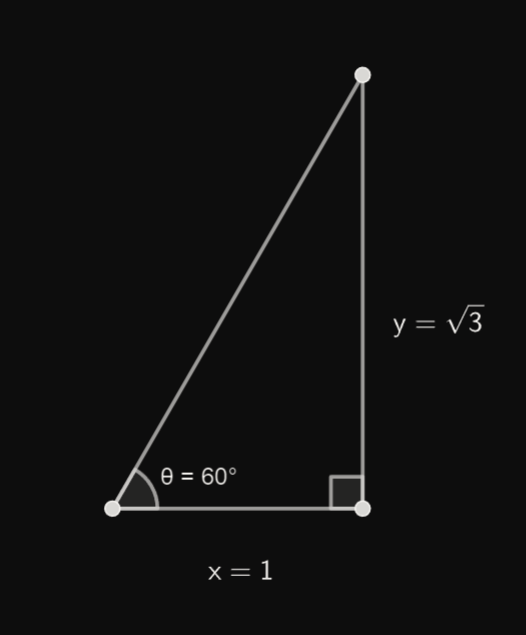
Log
log(x) = \(\ln(x)\)
Min & Max
min(...args) finds the minimum value in the argument list
max(...args), on the other hand, finds the maximum value
Pow & Square Root
pow(x, n) = \(x^n\)
sqrt(x) = \(\sqrt x\)
Random
random() generates a random number between 0 and 1
If you want to generate integer in a specific range:
Date
Class: Chapter 7
Chapter Outline
- Epoch Timestamp
- The Terms
- Date - static methods:
now
- Date - methods:
- Get & set stuff
- to-string stuff
Epoch Timestamp
The Epoch is defined as the midnight at the beginning of January 1, 1970, UTC
And Epoch Timestamp is a way to record time
By storing the number of milliseconds elapsed from The Epoch to now.
The Terms
Here are some terms to explain
| Name | Meaning | Get | Set |
|---|---|---|---|
| Time | The timestamp value (ms) | getTime |
setTime |
| Full Year | The year in Solar Calendar | getFullYear |
setFullYear |
| Month (0-based) | The month (0~11) |
getMonth |
setMonth |
| Date | The date (1~31) |
getDate |
setDate |
| Day (0-based) | The day (0~6) |
getDay |
setDay |
The Terms
Here are some terms to explain
| Name | Meaning | Get | Set |
|---|---|---|---|
| Hour | The hours | getHours |
setHours |
| Minute | The minutes | getMinutes |
setMinutes |
| Second | The seconds | getSeconds |
setSeconds |
| Millisecond | The milliseconds | getMilliseconds |
setMilliseconds |
Now
Date.now() returns the timestamp number right now
Constructing
Just use new to create a date object
new Date();
new Date(value);
new Date(dateString);
new Date(year, month, day, hour, minutes, seconds, milliseconds);
The default value is equal to Date.now()
UTC
Without the keyword UTC, the default methods return the locale values
But with UTC's, it returns the UTC values
Regular Expressions
Class: Chapter 8
Chapter Outline
- About Regular Expressions
- Basic Syntax
- Flags
- Brackets
- Special characters
- Multiple characters
- Start & end
- Ways to match
RegExp#testString#searchString#match-
RegExp#exec- Capturing Groups
- Other methods that involves Regex
String#replaceString#split
This is Way Too Complex
But truly powerful
About Regex
Regular expressions are sequences of characters
That define a search pattern
It's very useful for sub-string matching in strings
For example, let's say you want to test if a string is a Taiwan phone number
About Regex
For example, let's say you want to test if a string is a Taiwan phone number
You can write a function like this:
function isTaiwanMobilePhone(phone) {
  if (phone.length !== 10) return false;
  if (!phone.startsWith('09')) return false;
  for (let digit of phone) {
    if (Number.isNaN(Number.parseInt(digit))) {
      return false;
    }
  }
  return true;
}
About Regex
For example, let's say you want to test if a string is a Taiwan phone number
But with regex, you can simply just write:
function isTaiwanMobilePhone(phone) {
  return phone.match(/^09\d{8}$/) !== null;
}
Can't understand? Don't worry, I'll explain
Regex Literal
So basically, regex in JavaScript are surrounded by a pair of /
Like this:
/Hello/This pattern literally test for the string Hello
Flags
There're some special flags to change the behavior of a regex
| Flag | Name | Meaning |
|---|---|---|
g |
Global Search | Search for all occurances |
i |
Ignore Case | As the name says |
m |
Multi-line | Consider 1 line as 1 string to match |
s |
Single-line | Consider \n as a normal character |
Just add the flags after the regex literal: /Hello/gi
The RegExp Constructor
There's a constructor for regex, useful for dynamic pattern
new RegExp("\\d{3}", "g")Note that you need to escape the backslash again
So the above is equal to:
/\d{3}/gBasic Usage
You can use the match method of strings to see the result:
As you can see, it only matches the first Hello
To match all occurrences, use the global search flag: g
Brackets
The brackets [] have special meaning
It matches one character, chosen from those inside the brackets
For example:
You can also use A-Z, a-z, or 0-9:
Brackets
The brackets [] have special meaning
It matches one character, chosen from those inside the brackets
And ^ here means not
Special Characters
| Character | Name | Meaning |
|---|---|---|
\d |
Digits | Equivalent to [0-9]
|
\w |
Words | Equivalent to [a-zA-Z0-9_]
|
\s |
Whitespaces | Space, tab, newline, etc. |
. |
Any single character, newline + flag s
|
And \D, \W, \S is the opposite (complement set) of the uncapitalized ones
Multiple Characters
| Symbol | Count |
|---|---|
? |
Zero or one |
* |
Any, including zero |
+ |
One or more |
{n} |
|
{l, r} |
n
l \leq x \leq r
Start & End
There're two more symbols, ^ and $
/^yes/gThey represent the beginning and end of the string respectively
"yes, please""oh yes!"

Quiz
Match a discord ping like <@945933416121967423>
/<@\d+>/gMatch an email address like hackerboy0954@gmail.com
Match a phone number like 0903175834
/09\d{8}/gGo ask ChatGPT!
Methods that involve Regex
RegExp#test
RegExp.prototype.test(str):
Returns true if the pattern is found, false otherwise
String#match
String.prototype.match(regex):
Returns an array containing all matches of a pattern in a string
String#search
String.prototype.search(regex):
Returns the index of the first occurrence of the pattern, or -1 if not found
String#replace
String.prototype.replace(regex, str):
Replaces occurrences of the pattern with a replacement string
String#split
String.prototype.split(regex):
Splits a string into an array of sub-strings
Based on a specified separator (which can be a regular expression).
RegExp#exec
RegExp.prototype.exec(str)
Executes a search for a match in a specified string.
Returns an array containing the matched text and any captured groups, or null if no match is found.
When used with the global flag (g), it can be used in a loop to find all matches.
What is capturing groups?
Use parentheses () to capture sub-strings
RegExp#exec
RegExp.prototype.exec(str)
More About Operations
Class: Chapter 9
Chapter Outline
- Arithmetic Operators
-
+Plus -
-Minus -
*Multiply -
/Divide
-
-
Logical Operators-
!Not -
&&And -
||Or
-
-
Binary Operators
- ~ Not
-
&And,|Or,^Xor -
<<,>>,<<<,>>>-
Signed & unsigned values
-
- More Operators
-
??Nullish coalescing -
?.Optional chaining
-
- Operator Precedence
Plus
There's a lot of memes about operations in JavaScript, like
"5" + 5 == "55"The plus operator is functional for strings
And most of the time a string will not be a number
So of course the number here will be converted into a string
Minus
The plus operator is non-functional for strings
So the interpreter attempts to convert the string into a number
So does multiply * & divide /
Fun fact: Date objects support + - operations
Logical NOT
Are you happy going to school?
Have you ever wondered why isn't there a logical XOR operator?
!true
Logical NOT
Are you happy going to school?
Have you ever wondered why isn't there a logical XOR operator?
!trueBecause we could just
1. convert values to boolean
2. test if they're not the same
Logical NOT
First, you can convert a value into boolean using two not operators
!!valueAnd then compare them:
(!!a) != (!!b)Logical AND
Let's say we're executing A && B
function AND(A, B) {
  if (A) {
    return B;
  }
  else {
    return A;
  }
}
Parent Object Existence Check
It's useful for confirming that the parent object exists
Logical OR
Let's say we're executing A || B
function OR(A, B) {
  if (A) {
    return A;
  }
  else {
    return B;
  }
}
Assign Default Value
You can assign a default value to a variable like:
Binary Number
We mentioned a long time ago that
Numbers are stored in computers as binary bits
But the interpreter is nice, it converts values to decimals
If we still wanna see the binary values, we need to define our own function
Bitwise NOT
The ~ negates all the bits of this number's
Bitwise AND
The & compares each bit of the two numbers and produces a new number
Where each bit is set to 1 only if the corresponding bits of both numbers are 1
So what's the use?
Bitwise AND
The & compares each bit of the two numbers and produces a new number
Where each bit is set to 1 only if the corresponding bits of both numbers are 1
So what's the use?
Bitwise OR
So what's the use?
a | bBitwise OR
So what's the use?
a | bThe main use I see here is to convert numbers to integers
(just like Math.floor does)
Bitwise XOR
It's useless
a ^ bShifting
a >> na right shift by n
What does that mean?
Shifting
a >> na right shift by n
It is worth noting that
When using the right shift operator >>,
if the leftmost bit is originally 1, it will be kept 1
That means a >> n is just \(a \div 2^n\)
Shifting
a >> na right shift by n
Oh, There's also left shifting
a << na << n is \(a \times 2^n\)
Signed vs. Unsigned
Take an 8-bit integer as an example
| 0 | 0 | 1 | 1 | 0 | 0 | 1 | 0 |
Unsigned
The representable number interval is \([\ 0,\ 2^8\ )\)
However, if I changed the leftmost bit to \(-128\)
| 128 | 64 | 32 | 16 | 8 | 4 | 2 | 1 |
Signed vs. Unsigned
Take an 8-bit integer as an example
| 0 | 0 | 1 | 1 | 0 | 0 | 1 | 0 |
| -128 | 64 | 32 | 16 | 8 | 4 | 2 | 1 |
The representable number interval is \([\ -2^7,\ 2^7\ )\)
However, if I changed the leftmost bit to \(-128\)
Signed
Unsigned Shifting
It's <<< and >>>
let pb = (n) => console.log((n >>> 0).toString(2).padStart(32, "0"));Using these operators will convert the number into a unsigned number
Which is... strange and useless
Fun Fact: Bitwise Plus
You can use bitwise operations to achieve plus operations
function bitwisePlus(a, b) {
    while (b !== 0) {
        let carry = a & b;
        a = a ^ b;
        b = carry << 1;
    }
    return a;
}
Nullish Coalescing
means
a ?? ba === undefined || a === null ? b : aWhy is it useful though?
Optional Chaining
Select the child, but give up when parent does not exist
Operator Precedence
JUST USE PARENTHESES
Node
Part 3
Intro & Workspace
Node.JS: Chapter 1
Chapter Outline
- About Node.js
- Setting up coding environments
- VS Code
- How to write and run code
- Hints
- VS Code
About Node.JS
Node.JS is an app to run JavaScript code right on your computer

Setting Up Coding Environment
To write your code, you need a text editor

Definitely not this one ↗

Visual Studio Code
VIsual Studio Code is a powerful text editor
With a lot of extensions installed, you can identify it as an IDE
Hold up, what is an IDE?
IDE
Integrated Development Environment (IDE)
Any software application that provides comprehensive facilities
- Code Editor
- Syntax Highlight
- Syntax Check
- Snippets
- Code Runner & Debugger
- Project Management Tools
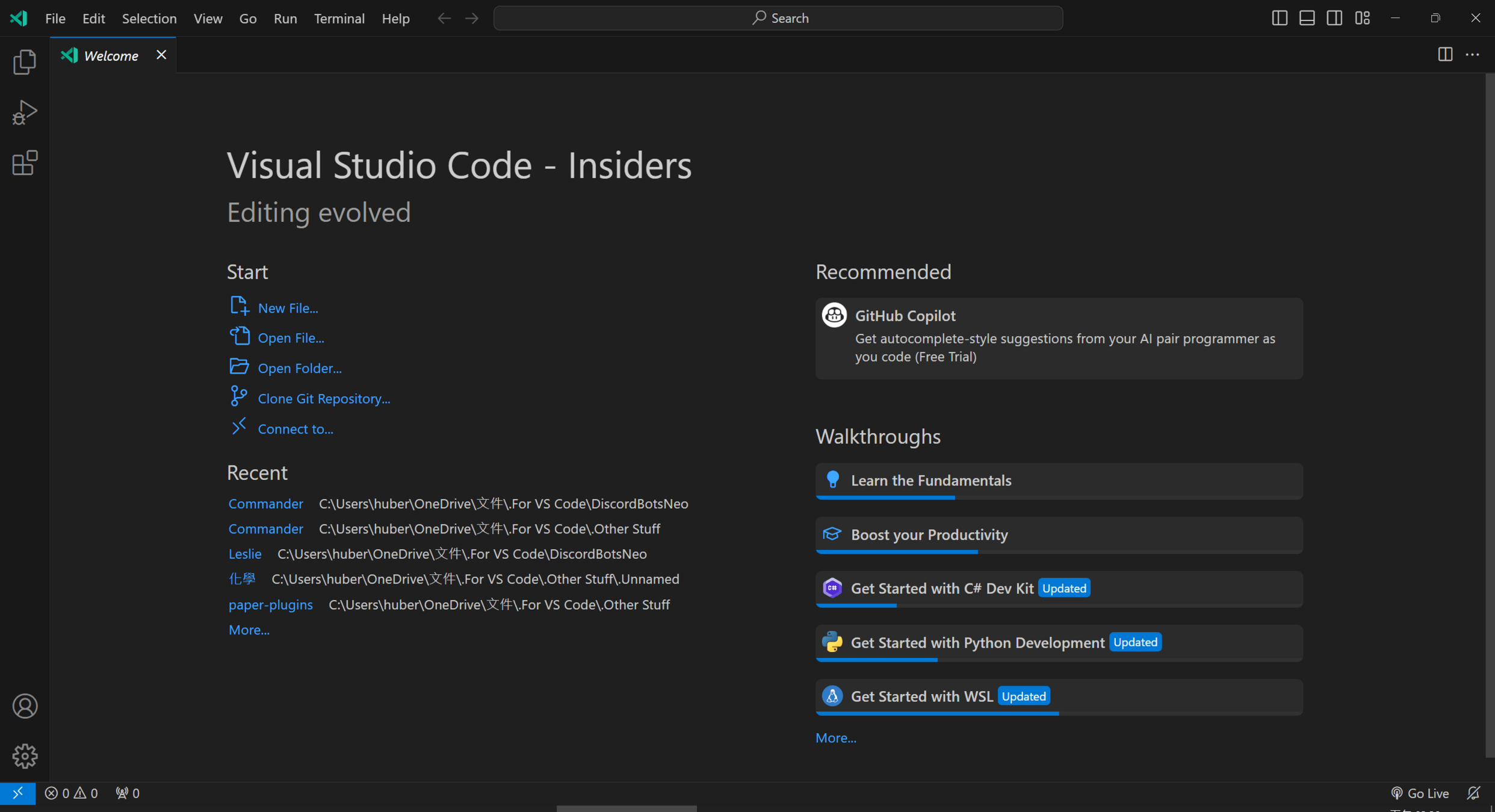
VS Code options
Project control:
- File explorer
- Run & debug
- Extensions
Opened project tabs
Panels on/off
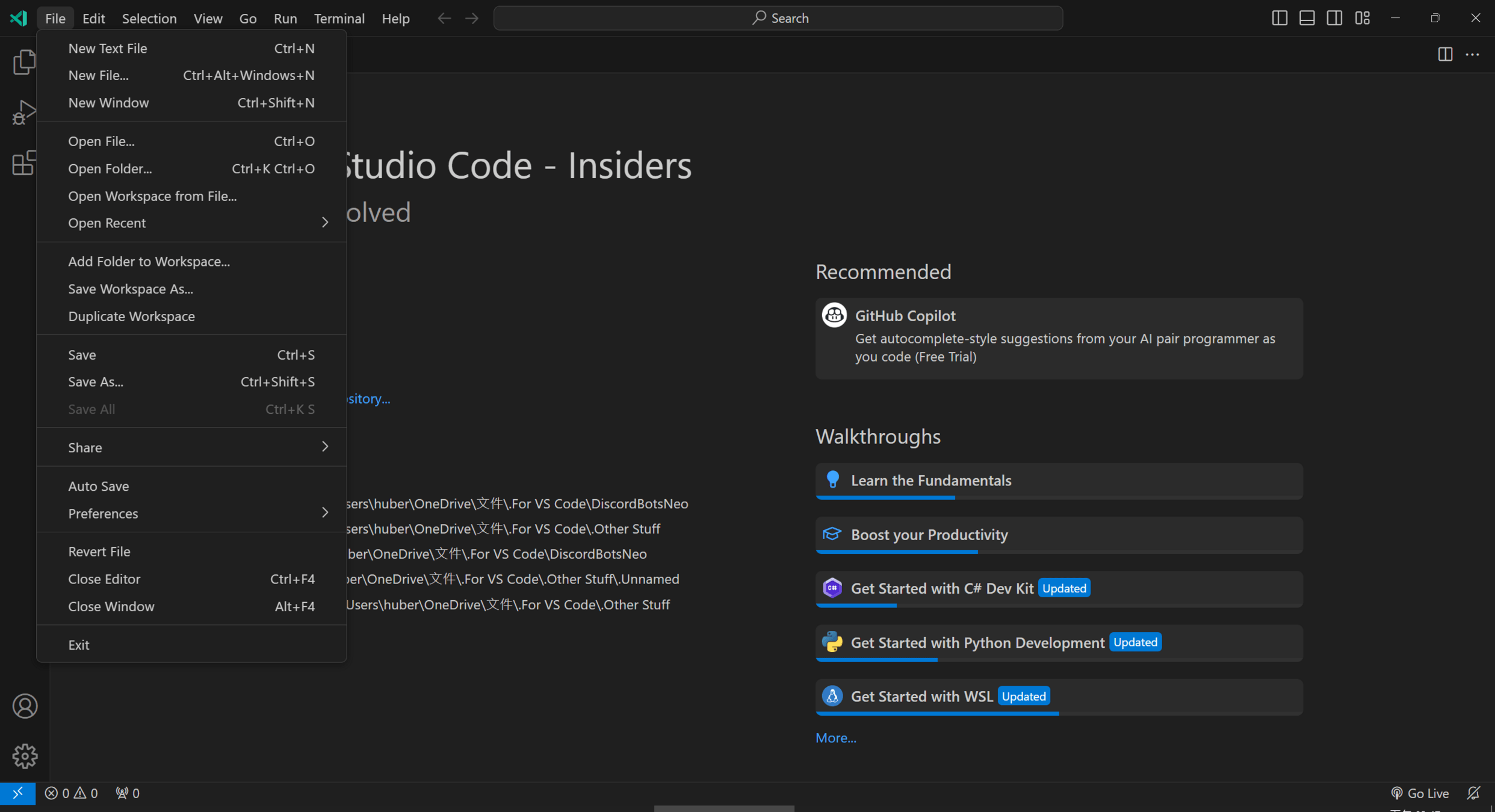
Open a folder for your project workspace
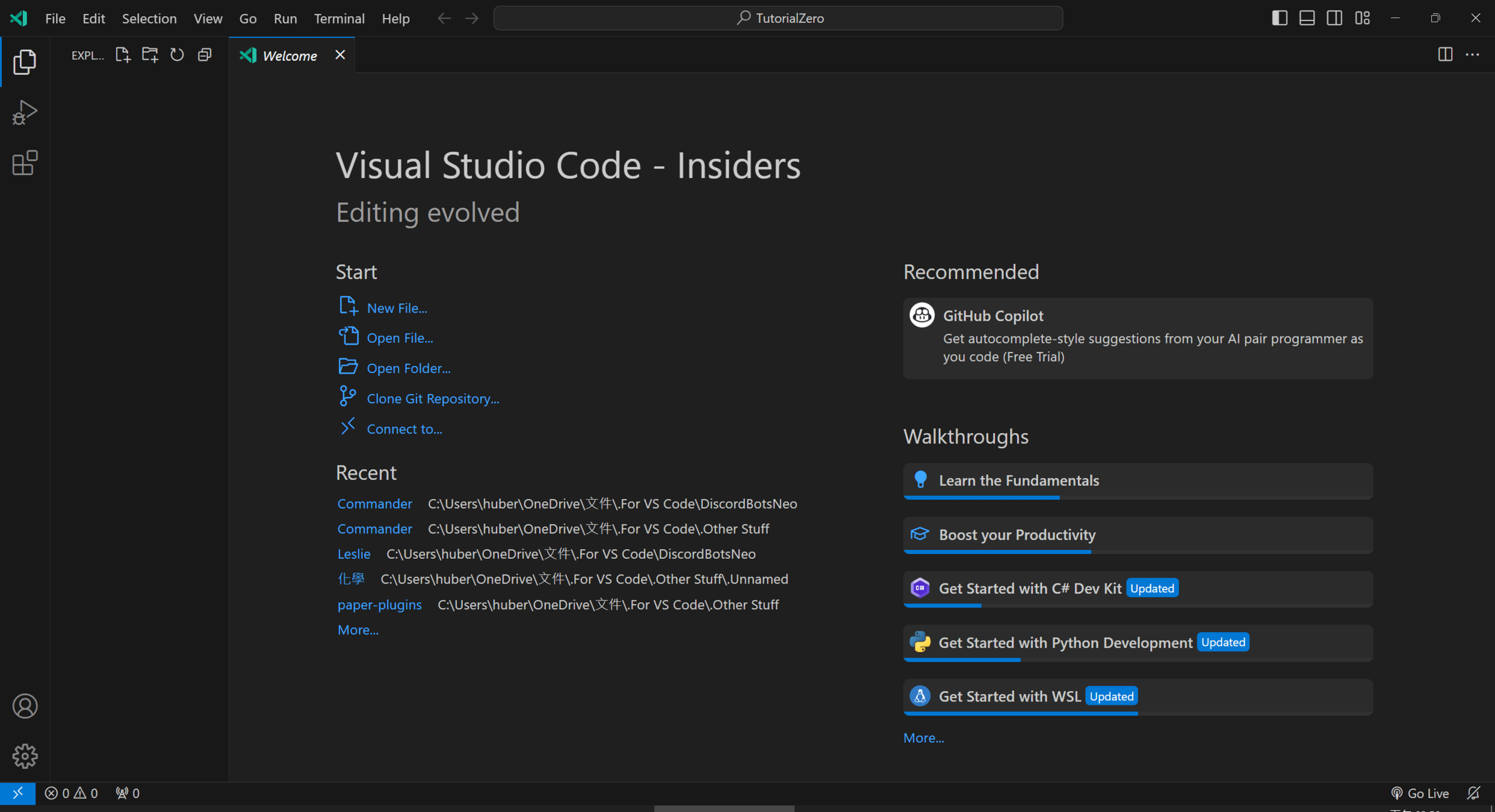
Your file tree (currently empty)
New file - New folder - Refresh - Collapse
Create a file and name it index.js
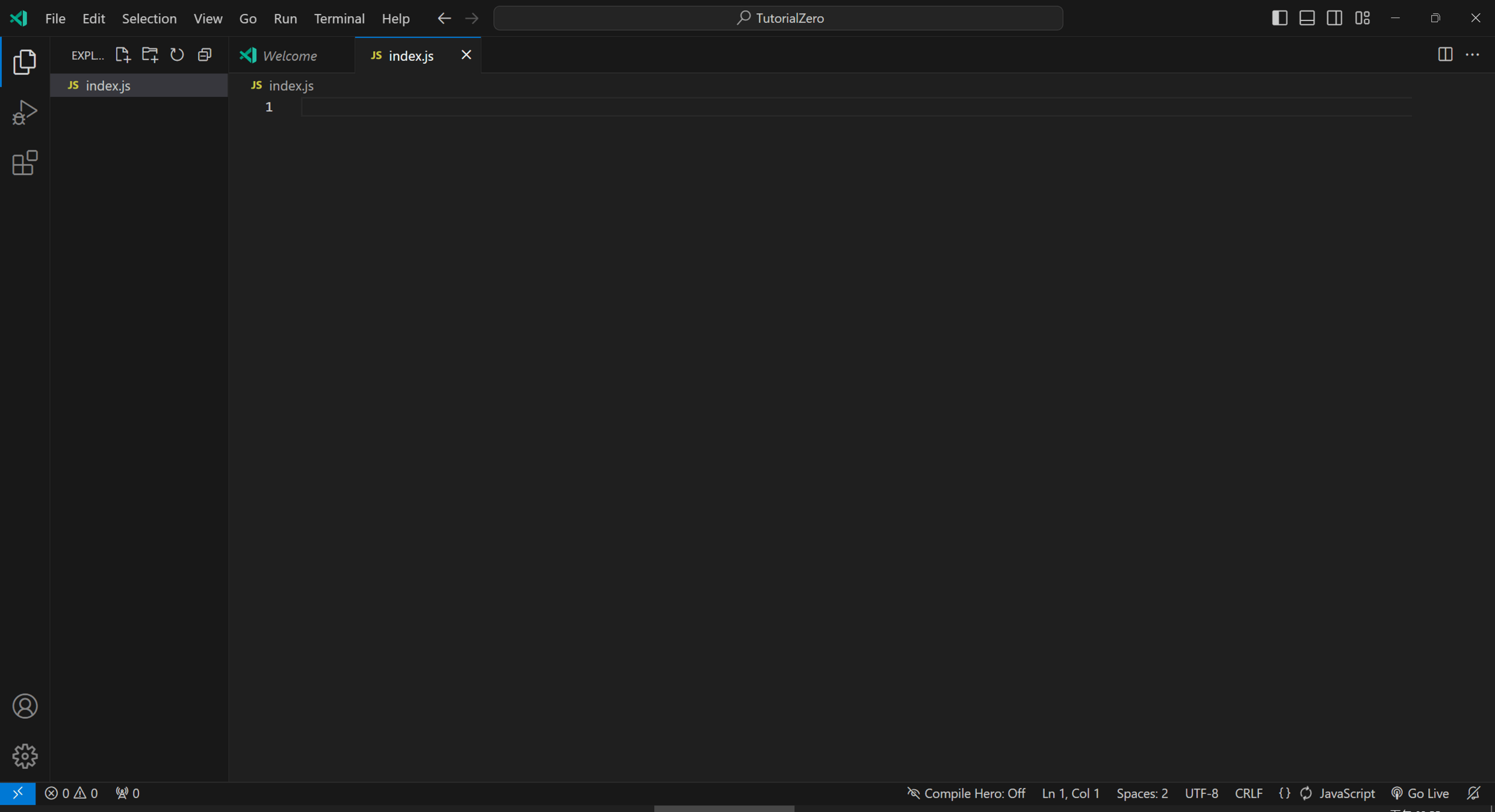
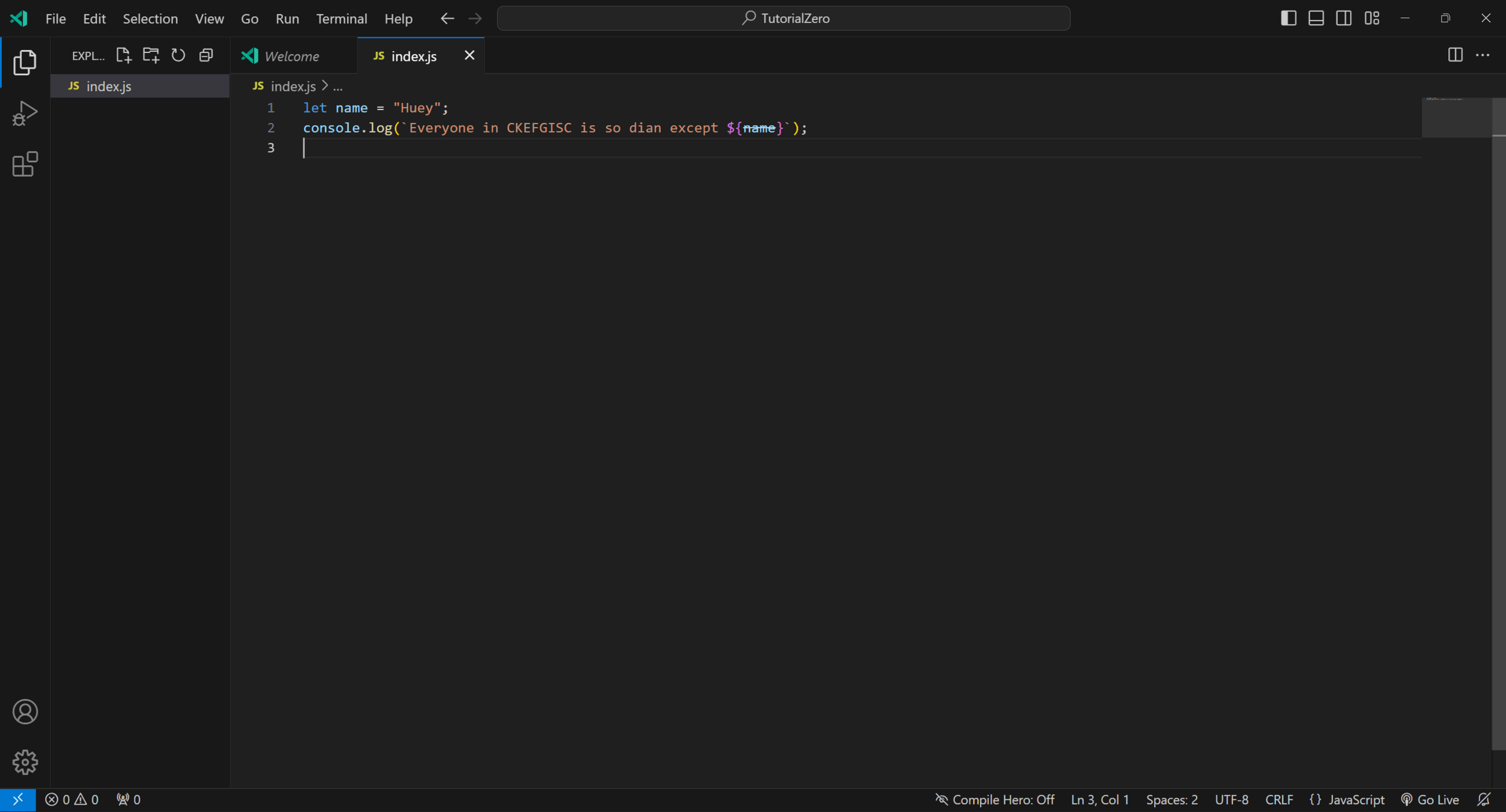
Write your code here
Code editor settings
Open bottom panel
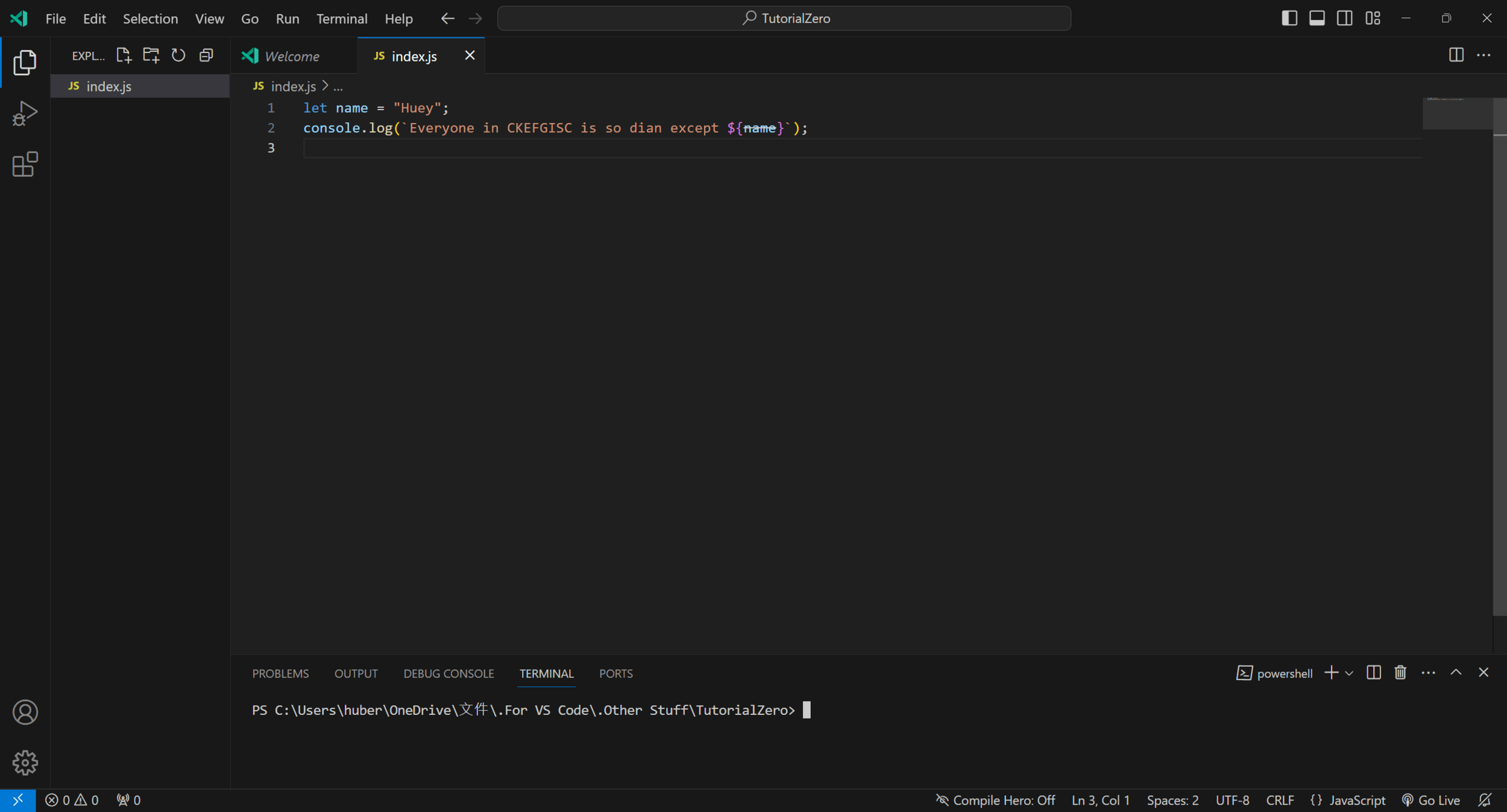
Ensure you are on the terminal tab, run node index.js
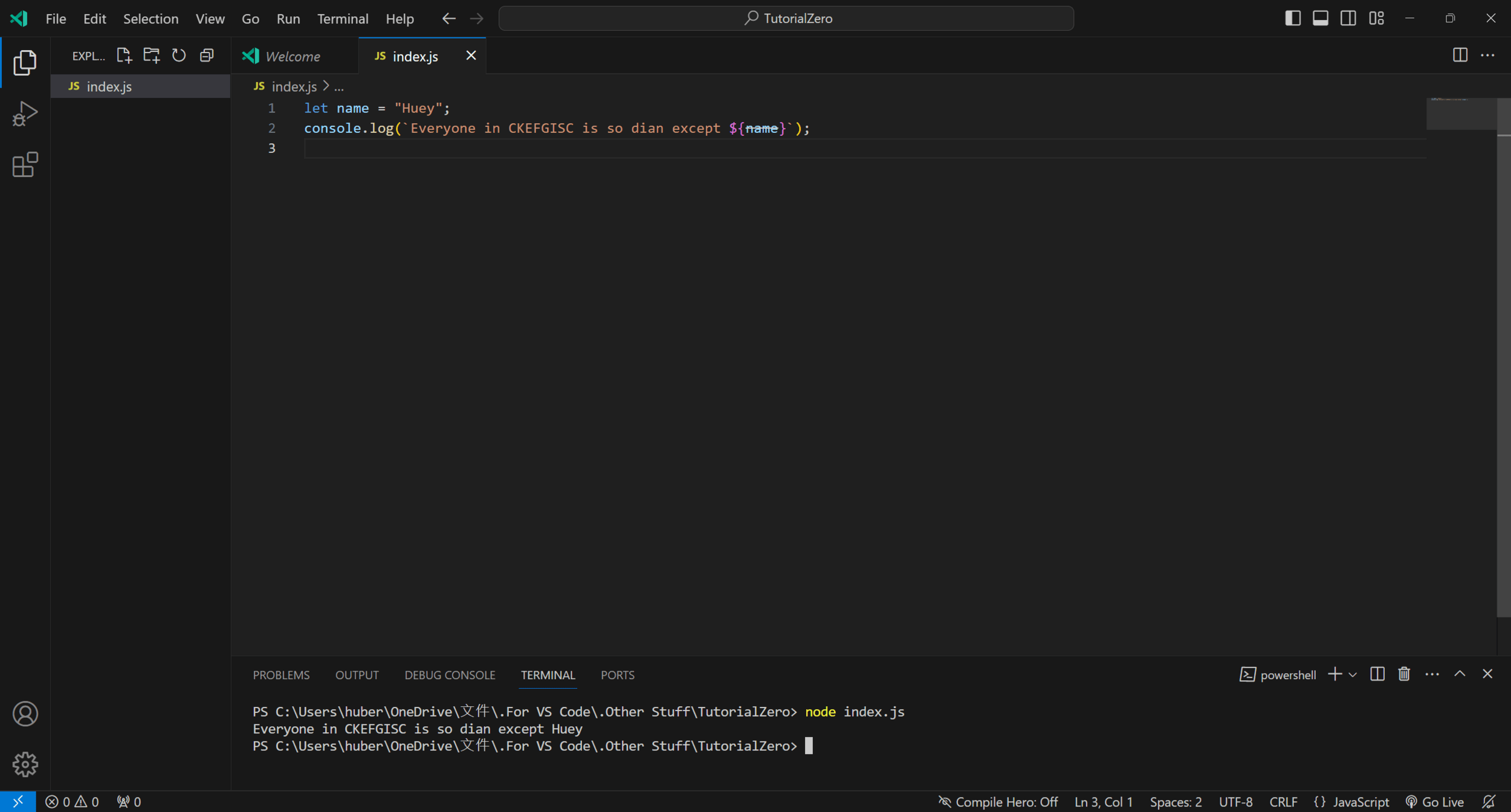
The result is shown in the console
Hints
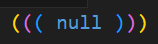

Different colors in VS Code represent different meanings of keywords
Also, paired braces / brackets / parentheses will have same colors
When you hover your mouse over a keyword
A prompt window will tell you the details of this method:
Modules
Node.JS: Chapter 2
Chapter Outline
- About Modules
- NPM
- Import / Export
- Node's Internal modules
fspath
-
Other cool modules
NPM
NPM stands for node.js pkgmakeinst
npm install <module>For example:
npm install stdioYou can find modules on npmjs.com
Package
When you use npm install, it generates 2 files & 1 folder:
package.jsonpackage-lock.jsonnode_modules
The two files are used to control the dependencies of this project
And the node_modules folder stores the downloaded script of the modules

Import / Export
To import a module, use require(moduleName)
const fs = require("node:fs");To export your own module, use module.exports = yourContent
module.exports = {
  apologize: (person) => {
    console.log(`I'm sorry, ${person.name}`);
  }
}
File System
File System (fs) is an internal module of node.js'
The basic usage is to read and write files:
const fs = require("node:fs");
fs.readFile("./test.txt", (error, data) => {
  console.log(data);
});
As you can see, readFile takes the second parameter as callback
Which is annoying when you need the data, but it haven't been loaded yet
File System
As you can see, readFile takes the second parameter as callback
Which is annoying when you need the data, but it haven't been loaded yet
So we have the "sync" version of readFile, called readFileSync
const fs = require("node:fs");
let data = fs.readFileSync("./test.txt");
console.log(data);
But note that when your file is very big, using readFileSync is dangerous
There's a much better way, we will talk about that in the next chapter
File System
List of methods:
| Name | Meaning |
|---|---|
readFileSync(path) |
Reads the file on the specific path |
writeFileSync(path, data) |
Writes data to specific file |
existSync(path) |
Checks if the file exists or not |
mkdirSync(path) |
Creates a directory |
readdir(path) |
Returns an Array of file names in a directory |
unlinkSync(path) |
Deletes the file |
Path
Path is another internal module, handles tasks related to file paths
Wait, so what is file paths?
File paths are a means of specifying the location of a file within a file system
~/Minecraft/BungeeCord/servers/Lobby/
File paths provide a hierarchical structure that allows users and programs
to navigate through directories and locate specific files
Path
There are two main types of file paths


Absolute Path
/home/user/documents/example.txtC:\Users\User\Documents\example.txtRelative Path
documents/example.txtDocuments\example.txt\begin{cases}
\\\\\\
\end{cases}
Path
Relative Path
documents/example.txtDocuments\example.txtDepends on the directory you are currently in
/home/user/documents/example.txt+
\rightarrow
/home/user/documents/example.txtFor example:
Current Directory
Relative Path
Absolute Path
Path
You can also use . and .. in paths
- Dot means this directory
./documents/example.txt
- Two dots means parent directory
../User/documents/example.txt
/home/user/../another_user/documents/secret.txt+
\rightarrow
/home/another_user/documents/secret.txtPath
List of methods:
| Name | Meaning |
|---|---|
join(...paths) |
Joins all paths together and normalize the resulting path |
resolve(...paths) |
Joins the paths and resolves into an absolute path |
normalize(path) |
Normalizes the given path, resolving .. and . segments |
dirname(path) |
Returns the directory name of a path |
basename(path) |
Returns the last portion of a path, including extension |
extname(path) |
Returns the extension (e.g. txt) of the path |
relative(A, B) |
Returns the relative path from A to B
|
Other Cool Modules
| Name | Content |
|---|---|
StdIO |
Allows you to read console input |
Jimp |
Image processing |
Axios |
Make HTTP requests |
MongoDB |
Databases |
Bcrypt |
Hashes passwords |
Chalk |
Terminal string styling |
DotEnv |
Process Environment Variables |
JSON & YAML
Node.JS: Chapter 3
JSON
JavaScript Object Notation
{
  "name": "Aleix Melon",
  "id": "E00245",
  "role": [ "Dev", "DBA" ],
  "age": 23,
  "doj": "11-12-2019",
  "married": false,
  "address": {
    "street": "32, Laham St.",
    "city": "Innsbruck",
    "country": "Austria"
  },
  "referred-by": "E0012"
}
JSON
JavaScript Object Notation
Notes:
-
You can't add comments
// that's true -
Quotes must be added for
"key"names -
You can't store functions or custom classes
JSON ↔ String
You can use the internal JSON methods
let obj = JSON.parse(`{ message: "Hello, world!" }`);
console.log(obj.message);
let str = JSON.stringify({ message: "Hello, world!" }, null, 4);
console.log(obj.message);
JSON.parse(text: string, reviver?: Function)
JSON.parse(json: any, replacer?: Function, space: number)
YAML
Yet Another Markup Language
But it's not :I
YAML Ain't a Markup Language
In order to use it, you need to install this package
const YAML = require("yaml");

console.log(YAML.stringify({
  name: "WAH",
  age: 17,
  likedGames: [ "Genshin Impact", "Blue Archive" ]
}));
YAML
const YAML = require("yaml");

console.log(YAML.stringify({
  name: "WAH",
  age: 17,
  likedGames: [ "Genshin Impact", "Blue Archive" ]
}));
name: WAH
age: 17
likedGames:
  - Genshin Impact
  - Blue Archive
YAML
# this is person.yml

# the name of this person
name: WAH
# the age of this person
age: 17
# what games does this person perfer to play?
likedGames:
  - Genshin Impact
  - Blue Archive
score:
  math: 100
  english: null # not attended
Asynchronous Programming (Old)
Node.JS: Chapter ?













做漢堡
切菜
煮肉
做漢堡
切菜
煮肉
高
麗
菜
切
好
的
菜
所
有
食
材
生
豬
肉
煮
好
的
肉
漢
堡
做漢堡
切菜
煮肉
做漢堡
切菜
煮肉
等肉和菜做好才結束!
Asynchronous Programming
Node.JS: Chapter 4
Chapter Outline
- Sync vs. Async
-
setTimeout&setInterval-
Cancelling
-
Promise-
async&await - Callbacks vs. Promises
Sync vs. Async
Synchronous
Imagine you're waiting in a queue for your turn at a store
You have to wait for the person in front of you to finish before you can proceed
Asynchronous
Now, think of ordering food at a fast-food restaurant.
You place your order, but you don't wait idly until it's ready.
Instead, you can do other things like checking your phone or chatting with friends while your order is being prepared.
When it's ready, you're notified, and you can collect it.
Sync vs. Async
Make a Hamburger
Cut Vegetables
Fry Meats
Sync vs. Async
Make a Hamburger
Cut Vegetables
Fry Meats
Timeout
Sync code:
// sync.js
console.log(1);
console.log(2);
console.log(3);
// sync.js output
1
2
3Timeout
Async code:
// async.js
console.log(1);

setTimeout(() => {
  console.log(2);
}, 3000);

console.log(3);
// async.js output
1
3
2
What does setTimeout do?
Timeout
setTimeout(func, n, ...args) delays \(n\) milliseconds
and runs func with args as parameters
// timeout.js
let say = (name, message) => {
  console.log(`${name}: ${message}`);
}

setTimeout(say, 2000, "John", "Hello!");
Timeout
setTimeout(func, n, ...args) delays \(n\) milliseconds
and runs func with args as parameters
The function is a callback
A callback function is called when specific event happens
In setTimeout, the callback function is called
when a specific time has passed
Interval
Similar to setTimeout, setInterval runs delay task
// interval.js
let i = 1;
setInterval(() => {
  console.log(i);
  i++;
}, 1000);
But will repeat until forever
*Press Ctrl + C to force end the program
Cancelling
You can store a timeout / interval in a variable
and use clearTimeout / clearInterval to cancel it any time
// clearTimeout.js
let timeout = setTimeout(() => {
  console.log("Second second!");
}, 2000);

clearTimeout(timeout);
Promise
It's a class for async programming, but its syntax is a bit complex
// promise.js
let promise = new Promise((resolve, reject) => {
  setTimeout(() => {
    resolve("Hello, world!");
  }, 2000);
});

setInterval(() => {
  console.log(promise);
}, 100);
Promise
It's a class for async programming, but its syntax is a bit complex
new Promise((resolve, reject) => /* task */);In the callback function, resolve(value) when your task is completed
And reject(reason) if you encounter any issue
Promise
And, you can use Promise#then to process the value when resolved
// promise.js
function doAsyncTask() {
  return new Promise((resolve, reject) => {
    setTimeout(() => {
      resolve("Hello world!");
    }, 2000);
  });
}

doAsyncTask().then((value) => {
  console.log(value);
});
Promise
And, you can use Promise#then to process the value when resolved
// promise.js
function doAsyncTask() {
  return new Promise((resolve, reject) => {
    setTimeout(() => {
      reject("Your IQ is too high!");
    }, 2000);
  });
}

doAsyncTask().then((value) => {
  console.log(value);
}).catch((err) => {
  console.error(err);
});
Use Promise#catch to catch the error when rejected
Async Functions / Await
There's another way to handle async task, the async function
let func = async function (/* params */) {
  // tasks
}
let func = async (/* params */) => {
// tasks
}async function func(/* params */) {
// tasks
}Async Functions / Await
There's another way to handle async task, the async function
They automatically returns a promise that handles future tasks and errors
In async functions, you can use await to wait for a promise to resolve
// asyncFunction.js
async function func() {
  return 20;
}
console.log(func());
Async Functions / Await
In async functions, you can use await to wait for a promise to resolve
// asyncFunction.js
async function func() {
  return 20;
}
async function main() {
  console.log(await func());
}

main();
Callbacks vs. Promises
With Promise API, we can avoid "callback hell"
// fsCallback.js
const fs = require("node:fs");

fs.readFile("./test.txt", (err, data) => {
  if (err) {
    console.error(err);
    return;
  }

  console.log(data.toString());
});
// fsPromise.js
const fs = require("fs");

async function main() {
  let file = await fs.promises.readFile("./test.txt");

  console.log(file.toString());
}

main();
Handling Errors
Node.JS: Chapter 5
Chapter Outline
- Creating errors
-
try&catch&finally - Catching errors in promises
Creating Errors
You an use the throw keyword to report an error
throw new Error("Your message");
throw new Error("Your message");
^

Error: Your message
    at Object.<anonymous> (C:\Users\huber\OneDrive\文件\.For VS Code\.Other Stuff\TutorialZero\error.js:1:7)
    at Module._compile (node:internal/modules/cjs/loader:1241:14)
    at Module._extensions..js (node:internal/modules/cjs/loader:1295:10)
    at Module.load (node:internal/modules/cjs/loader:1091:32)
    at Module._load (node:internal/modules/cjs/loader:938:12)
    at Function.executeUserEntryPoint [as runMain] (node:internal/modules/run_main:83:12)
    at node:internal/main/run_main_module:23:47

Node.js v20.9.0
Error Message
Stack Trace
Try, Catch & Finally
Just like this:
function dangerousWork() {
  throw new Error("I'm dead!");
}

try {
  dangerousWork();
}
catch (err /* or whatever you name it */) {
  console.log("The worker is dead!");
}
finally {
  console.log("Still need to work tomorrow :(");
}
Where finally is optional
Handling Errors in Promises
We've already knew it
async function dangerousWork() {
  throw new Error("I'm dead!");
}

dangerousWork()
  .catch(() => {
    console.log("The worker is dead!");
  })
  .finally(() => {
    console.log("Still need to work tomorrow :(");
  })
Chaining Thens
You can do something like this:
// chaining.js
new Promise((resolve, reject) => {
  resolve(21);
}).then(n => n + 1).then(n => n / 2).then(console.log);
TypeScript
A simple introduction

What is TypeScript
This is JavaScript:
function getChar(str, n) {
  return str[n];
}
// str -> ?
//   n -> ?
And this is TypeScript:
function getChar(str: string, n: number) {
  return str[n];
}
Compiling
TypeScript code is actually compiled into JavaScript code
"use strict";
Object.defineProperty(exports, "__esModule", { value: true });
function getChar(str, n) {
    return str[n];
}
function getChar(str: string, n: number) {
  return str[n];
}
Compiling
TypeScript code is actually compiled into JavaScript code
async function getChar(str: string, n: number) {
  return str[n];
}
var __awaiter = (this && this.__awaiter) || function (thisArg, _arguments, P, generator) {
    function adopt(value) { return value instanceof P ? value : new P(function (resolve) { resolve(value); }); }
    return new (P || (P = Promise))(function (resolve, reject) {
        function fulfilled(value) { try { step(generator.next(value)); } catch (e) { reject(e); } }
        function rejected(value) { try { step(generator["throw"](value)); } catch (e) { reject(e); } }
        function step(result) { result.done ? resolve(result.value) : adopt(result.value).then(fulfilled, rejected); }
        step((generator = generator.apply(thisArg, _arguments || [])).next());
    });
};
var __generator = (this && this.__generator) || function (thisArg, body) {
    var _ = { label: 0, sent: function() { if (t[0] & 1) throw t[1]; return t[1]; }, trys: [], ops: [] }, f, y, t, g;
    return g = { next: verb(0), "throw": verb(1), "return": verb(2) }, typeof Symbol === "function" && (g[Symbol.iterator] = function() { return this; }), g;
    function verb(n) { return function (v) { return step([n, v]); }; }
    function step(op) {
        if (f) throw new TypeError("Generator is already executing.");
        while (_) try {
            if (f = 1, y && (t = op[0] & 2 ? y["return"] : op[0] ? y["throw"] || ((t = y["return"]) && t.call(y), 0) : y.next) && !(t = t.call(y, op[1])).done) return t;
            if (y = 0, t) op = [op[0] & 2, t.value];
            switch (op[0]) {
                case 0: case 1: t = op; break;
                case 4: _.label++; return { value: op[1], done: false };
                case 5: _.label++; y = op[1]; op = [0]; continue;
                case 7: op = _.ops.pop(); _.trys.pop(); continue;
                default:
                    if (!(t = _.trys, t = t.length > 0 && t[t.length - 1]) && (op[0] === 6 || op[0] === 2)) { _ = 0; continue; }
                    if (op[0] === 3 && (!t || (op[1] > t[0] && op[1] < t[3]))) { _.label = op[1]; break; }
                    if (op[0] === 6 && _.label < t[1]) { _.label = t[1]; t = op; break; }
                    if (t && _.label < t[2]) { _.label = t[2]; _.ops.push(op); break; }
                    if (t[2]) _.ops.pop();
                    _.trys.pop(); continue;
            }
            op = body.call(thisArg, _);
        } catch (e) { op = [6, e]; y = 0; } finally { f = t = 0; }
        if (op[0] & 5) throw op[1]; return { value: op[0] ? op[1] : void 0, done: true };
    }
};
function getChar(str, n) {
    return __awaiter(this, void 0, void 0, function () {
        return __generator(this, function (_a) {
            return [2 /*return*/, str[n]];
        });
    });
}
Environment
npm install typescript
Installation
First, install TypeScript using npm
npm install typescriptThen, change your workspace to this structure
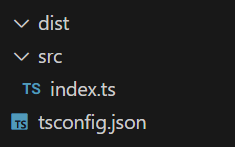
Where src is your source TS files, dist is the compiled JS files
Installation
Then, change your workspace to this structure
What does the tsconfig.json do though?
Installation
{
  "compilerOptions": {
      "module": "NodeNext",
      "moduleResolution": "NodeNext",
      "esModuleInterop": true,
      "outDir": "./dist",
      "allowJs": true,
      "target": "ES2022",
      "lib": [
          "ES2022.Object",
          "ES2021.String"
      ]
  },
  "include": [
      "./src"
  ]
}
Compiling
How to compile?
npx tscnpx is Node Package Runner, which runs specific package
And tsc is TypeScript Compiler
After compilation, you can use node ./dist/yourFileName.js
Type Declarations
let message: string = "TypeScript is cool";
Types
There're some basic data types:
number |
string |
any |
While you can use classes:
Object |
Array |
Function |
... |
Variable Type Declaration
Write the type of the variable after a colon
let a: number = 20;Now that it's declared as a number, you cannot do this:
a = "Hello, world!";Parameter Type Declaration
Almost the same:
function add(a: number, b: number) {
  return a + b;
}
But you can accept multiple types:
function func(something: number | string) {
  // ...
}
Parameter Type Declaration
Almost the same:
function add(a: number, b: number) {
  return a + b;
}
Or declare it as optional using ?:
function func(a: number, b?: number) {
  // ...
}
Custom Types
Types are highly customizable
let pair: [ string, number ] = [ "WAH", 87 ];let ping: `<@${string}>` = "<@822145956756586507>";function writeFile(path: string, options: {
writeMode: number,
failIfAlreadyExist: boolean
}) {
// ...
}let f: (str: string) => void;Custom Types & Enums
type private/public interface enum
Type
First, you can use the type keyword to store a type
type GFConfig = {
  client: {
    id: string,
    token: string,
    appId: string,
    options: dc.ClientOptions
  }
  settings: {
    command: {
      prefix: string,
      spaceWrapper: { start: string, end: string }
    }
  }
}
Type
First, you can use the type keyword to store a type
let config: GFConfig;So you can use that type later
Class
In addition to the original JavaScript's class
class MyClass {
  private num = 20;
}

let obj = new MyClass();
console.log(obj.num);
// Error!
We can now declare our member variables / methods as public or private
Anything marked as private cannot be accessed outside
Interface
An interface is much like a type
interface Person {
  name: number;
  age: number;
}

let person: Person = {
  name: "WAH",
  age: 200
}
But its syntax is more like a class
Interface
An interface is much like a type
interface Animal {
  age: number;
}

interface Pet extends Animal {
  name: string;
}

let cat: Pet = {
  name: "Poppy",
  age: 4
}
And is open to extension
Interface
An interface is much like a type
interface Animal {
  age: number;
}

class Cat implements Animal {
  age: number;

  constructor (age: number) {
    this.age = age;
  }
}

let cat = new Cat(3);
And a class can implement it
Enum
The keyword enum stands for enumeration
enum AnsiStyles {
  RESET      = "\x1B[0m",
  BRIGHT     = "\x1B[1m",
  DIM        = "\x1B[2m",
  UNDERSCORE = "\x1B[4m",
  BLINK      = "\x1B[5m",
  REVERSE    = "\x1B[7m",
  HIDDEN     = "\x1B[8m"
}
console.log(AnsiStyles.UNDERSCORE + "Hello, world!");Utility Types
You can create a type based on other types
I'm not going to talk about it
Statements
Some syntax that is TypeScript only
Import/Export
We don't use require or module.exports anymore
import fs from "node:fs";

let obj = {
  message: "Hi"
};

export obj;
Instead, use:
Importing
First method will import the default module
import fs from "node:fs";You can also import specific methods
import { existSync, readFileSync } from "node:fs";You can use the keyword as here to give it a alias
import { readFileSync as rfc } from "node:fs";Exporting
First method will export the default module
export default yourContent;You can also export specific methods
export yourContent;You can also export on declaration
export function logMessage() {
  // ...
}
Import from Files
// index.ts
import { logMessage } from "./modules/logger";
To import from a file, use the file path without extension
// modules/logger.ts
export function logMessage() {
  // ...
}
Type Casting
You can use as to cast a variable to a more specific type
let a: string | number;

// you somehow checked that it is a string

console.log(a.split(" ")); // split does not exist on type number
console.log((a as string).split(" "));
Note that you must make sure that it is that type
Or just missed the whole point of using TypeScript
Non-null Assertion
I can't give you an example right now
But you can add an ! after a value to assert it as non-null
function getSomething(): string | null {
  // ...
}

// you somehow made sure that it will not return null

console.log(getSomething().split(" ")); // getSomething() is possibly null
console.log(getSomething()!.split(" "));
Discord Bot
Part 4

Creating an Application
Discord.JS: Chapter 1
Chapter Outline
- Create a discord application
- Environment setup
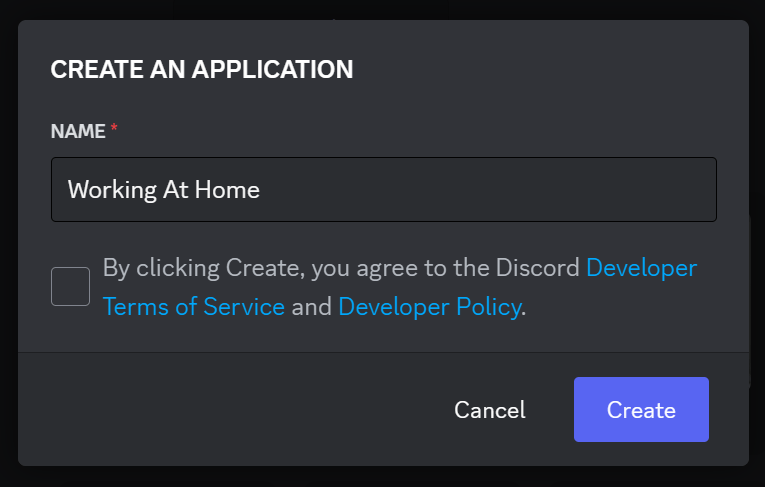

You can get the login token of your bot here
But you won't need it for now

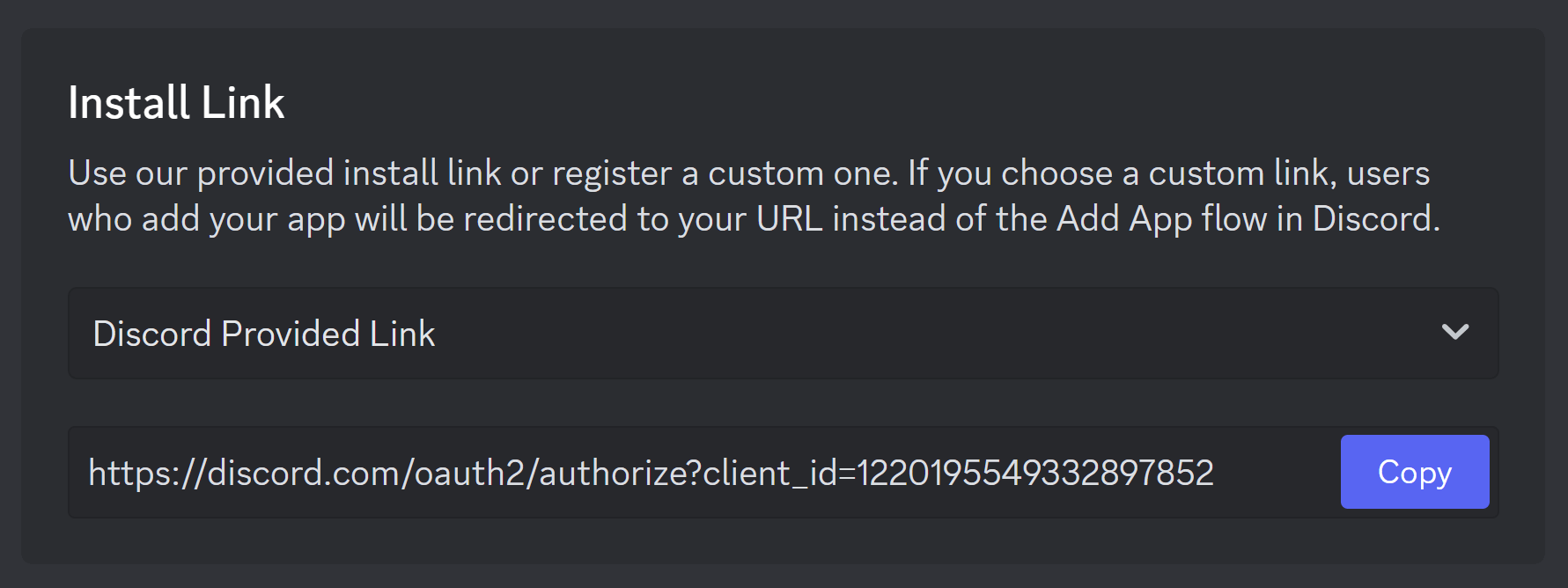
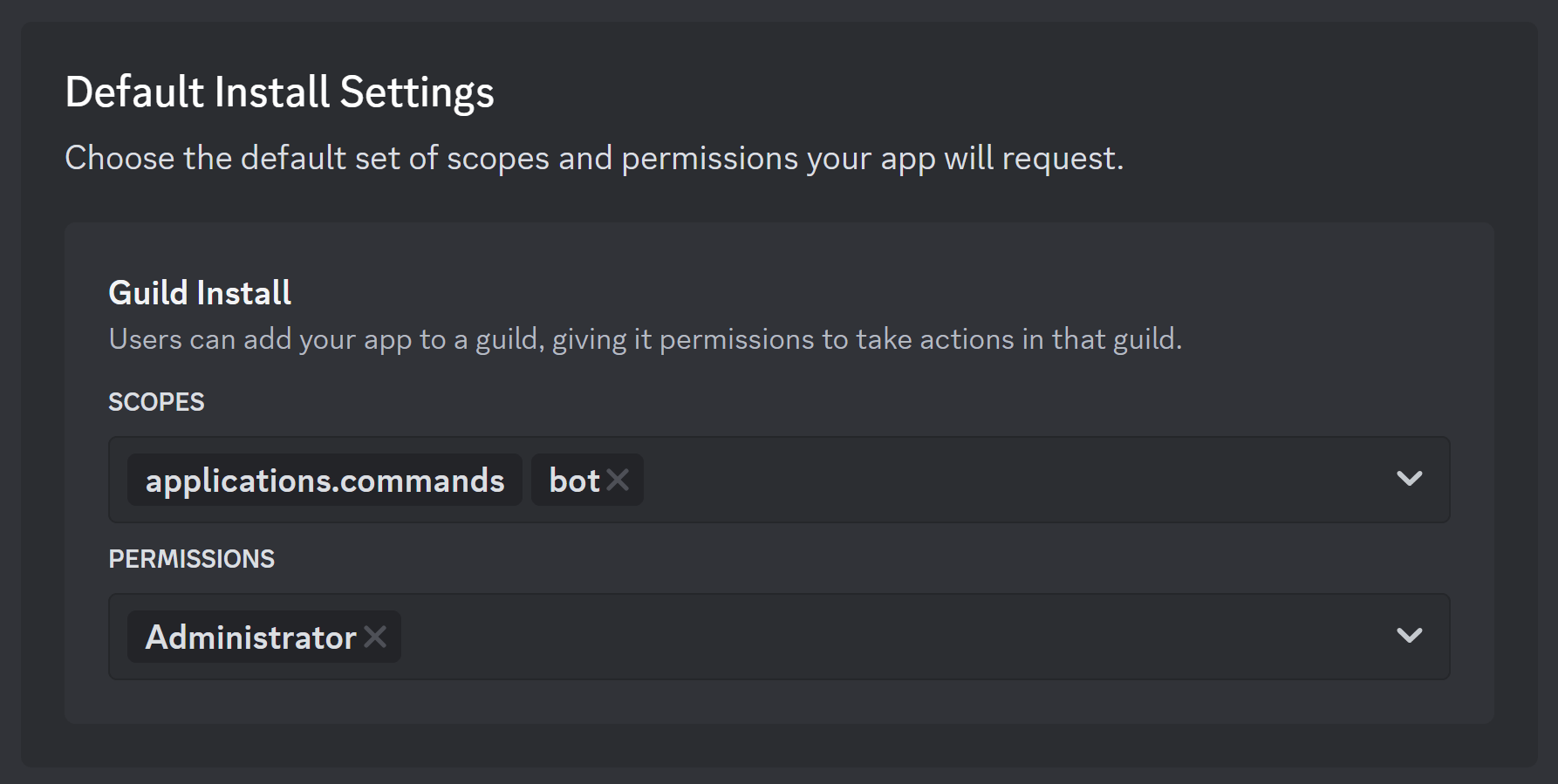
Go to the link you copied → Invite to your server

Discord API
Discord.JS: Chapter 2
Chapter Outline
- Install & import module
- Constructing a bot client
- Receive message and reply
Discord.JS
npm install discord.jsOur Code ← discord.js → Discord API
import DC from "discord.js";
Environment
For now, our environment should look like this:
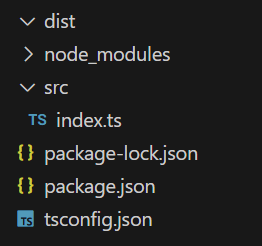
Bot Client
We need to create our bot client object
// index.ts
import DC from "discord.js";

let client = new DC.Client({
  intents: []
});

client.login(BOT_TOKEN);
The parameter of the Client constructor is the ClientOptions
We current leave it blank with no intent
Run
Just run:
npx tsc
node ./dist/index.js
Though it does nothing
Events & Prefix Commands
Discord.JS: Chapter 3
Chapter Outline
- Add event listeners
- Give responses
- prefix commands
Add Event Listeners
Using Client#on, you can listen to a event
client.on(DC.Events.MessageCreate, async (msg) => {
  console.log(msg);
});
// index.ts
import DC from "discord.js";

let client = new DC.Client({
  intents: []
});

client.on(DC.Events.ClientReady, async () => {
  console.log("Bot is ready");
});

client.on(DC.Events.MessageCreate, async (msg) => {
  console.log(msg);
});

client.login(BOT_TOKEN);
Manage Intents
Yes, your bot won't receive messages
Because it does not have the intent
You can include them using GatewayIntentsBit
let client = new DC.Client({
  intents: [
    DC.GatewayIntentBits.Guilds,
    DC.GatewayIntentBits.GuildMessages,
    DC.GatewayIntentBits.MessageContent
  ]
});
<ref *1> Message {
channelId: '1220201334339539075',
guildId: '1215559345383936030',
id: '1220219821367623690',
createdTimestamp: 1710993476002,
type: 0,
system: false,
content: 'Test',
author: User {
id: '845923211127947274',
bot: false,
system: false,
flags: UserFlagsBitField { bitfield: 64 },
username: '._hueeey_.',
globalName: '晴',
discriminator: '0',
avatar: 'f09176f8544c03d9f6e5d5a07220e858',
banner: undefined,
accentColor: undefined,
avatarDecoration: null
},
pinned: false,
tts: false,
nonce: '1220219822382514176',
embeds: [],
components: [],
attachments: Collection(0) [Map] {},
stickers: Collection(0) [Map] {},
position: null,
roleSubscriptionData: null,
resolved: null,
editedTimestamp: null,
reactions: ReactionManager { message: [Circular *1] },
mentions: MessageMentions {
everyone: false,
users: Collection(0) [Map] {},
roles: Collection(0) [Map] {},
_members: null,
_channels: null,
_parsedUsers: null,
crosspostedChannels: Collection(0) [Map] {},
repliedUser: null
},
webhookId: null,
groupActivityApplication: null,
applicationId: null,
activity: null,
flags: MessageFlagsBitField { bitfield: 0 },
reference: null,
interaction: null
}Response
Next, we'll try to give response to messages
client.on(DC.Events.MessageCreate, async (msg) => {
  if (msg.content === "hi") {
    msg.reply("hi");
  }
});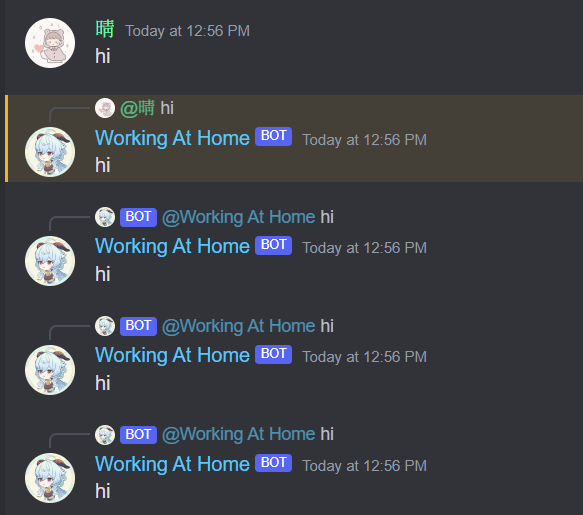
Response
Next, we'll try to give response to messages
We need to prevent it from replying to its own messages
Or go a step further, ignore all messages from any bots
We'll need the Message#author property
if (msg.author.bot) return;Response
Next, we'll try to give response to messages
We need to prevent it from replying to its own messages
Or go a step further, ignore all messages from any bots
Prefix Commands
We need a character as command prefix
to distinguish a command from a normal message
if (!msg.content.startsWith(COMMAND_PREFIX)) return;Then, we need to split the string for arguments
Don't forget to filter out empty strings to prevent mistyped spaces
let args = msg.content.slice(COMMAND_PREFIX.length).split(" ").filter(arg => arg !== "");Prefix Commands
And finally, handle different commands using a switch
const COMMAND_PREFIX = "=";

client.on(DC.Events.MessageCreate, async (msg) => {
  if (msg.author.bot) return;
  if (!msg.content.startsWith(COMMAND_PREFIX)) return;

  let args = msg.content.slice(COMMAND_PREFIX.length)
  	.split(" ").filter(arg => arg !== "");

  switch (args[0]) {
    case "ping":
      msg.reply("Pong!");
      break;
  }
});
Prefix Commands
And finally, handle different commands using a switch
Command Example: Echo
Just another example:
case "echo":
  if (!args[1]) {
    msg.reply("Error: Missing a command argument, usage: `echo <message>`");
    break;
  }

  msg.channel.send(args[1]);

  break;
Command Example: Echo
Just another example:
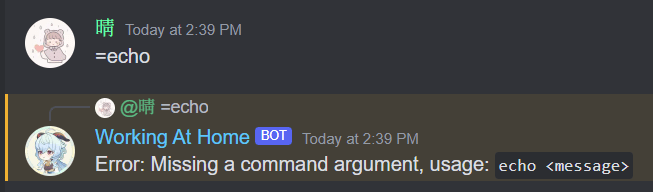
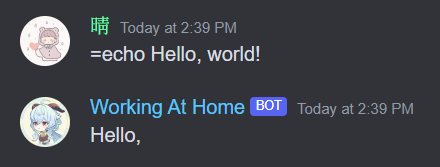
Because "world!" has been splitted into args[2]
Slash Commands
Discord.JS: Chapter 4
Chapter Outline
- Slash commands
- Listen
InteractionCreateevents - Add options
Slash Commands
Application (/) commands is discord's internal command system
await new DC.REST().setToken(BOT_TOKEN).put(
  DC.Routes.applicationCommands(client.application.id),
  { body: SLASH_COMMANDS }
);
First, you need to register your commands to discord on startup
Where SLASH_COMMANDS should be an array of JSON data
Representing the command
Slash Commands
Where SLASH_COMMANDS should be an array of JSON data
Representing the command
But we don't want to write the complex JSON data,
Discord.js have provided a builder for us
new DC.SlashCommandBuilder()
  .setName('ping')
  .setDescription('Replies with Pong!')
Slash Commands
So we've got this:
const SLASH_COMMANDS = [
  new DC.SlashCommandBuilder()
    .setName('ping')
    .setDescription('Replies with Pong!')
]

client.on(DC.Events.ClientReady, async () => {
  console.log("Bot is ready, registering commands");
  await new DC.REST().setToken(BOT_TOKEN).put(
    DC.Routes.applicationCommands(client.application.id),
    { body: SLASH_COMMANDS }
  );
  console.log("Commands registered");
});
Slash Commands
So we've got this:
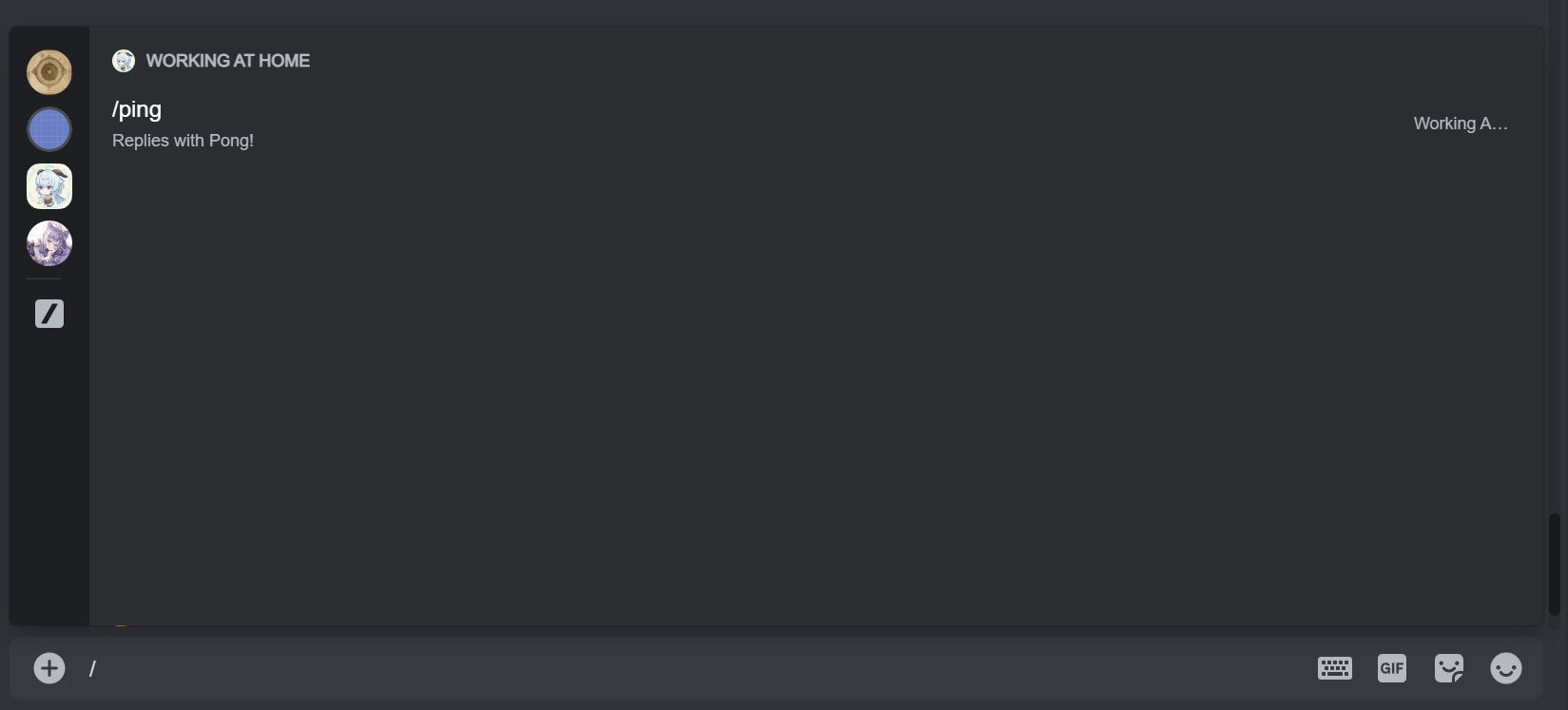
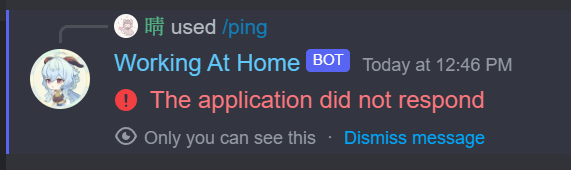
Listen to Interactions
Now, we registered our commands
Next, we need to listen to the InteractionCreate event
client.on(DC.Events.InteractionCreate, async (itr) => {
  if (!itr.isCommand()) return;

  switch (itr.commandName) {
    case "ping":
      itr.reply("Pong!");
      break;
  }
});
Listen to Interactions
Now, we registered our commands
Next, we need to listen to the InteractionCreate event

Add Options
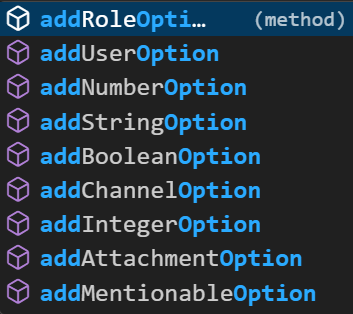
Add Options
addOption have a parameter, a function to set the option's properties
new SlashCommandBuilder()
  .setName('echo')
  .setDescription('Repeats your message')
  .addStringOption(
  	option => option
      .setName('text')
      .setDescription('The text you want to echo')
      .setRequired(true)
  );
Embeds & Components
Discord.JS: Chapter 4
Chapter Outline
- Slash commands
- Listen
InteractionCreateevents - Add options
Message Reply Option
Message#reply actually have some options
msg.reply({
  content: "test",
  embeds: [],
  components: [],
  files: []
});
Embeds
Use the EmbedBuilder provided by the API
msg.reply({
  embeds: [
    new EmbedBuilder()
    .setColor(0xeeeedd)
    .setTitle("Help Menu")
    .setDescription(/* ... */)
  ]
});
Buttons
Each message can have 5 action rows
Each action row can have 5 buttons
Buttons
msg.reply({
  components: [
    new DC.ActionRowBuilder<DC.ButtonBuilder>()
      .addComponents(
        new ButtonBuilder()
          .setStyle(DC.ButtonStyle.Secondary)
          .setEmoji("◀️")
          .setCustomId("disabled")
          .setDisabled(true),
        new ButtonBuilder()
          .setStyle(DC.ButtonStyle.Secondary)
          .setEmoji("▶️")
          .setCustomId("page_2")
      )
  ]
});
Database
Discord.JS: Chapter 5
Chapter Outline
- About databases
- SQL
- MongoDB
Database
A database is a structured collection of data that is organized and stored in a way that allows efficient retrieval, updating, and management of that data
Why not just store some JSON file or something in the disk?
- Large amount of operations on the disk is very slow
- There's tools provided by databases that makes data easy to manage
SQL
SQL, which stands for Structured Query Language
- Domain-specific language used in programming
- Designed for managing relational databases.
- Provides a standardized way of interacting with databases
SELECT first_name, last_name, email
FROM customers
WHERE country = 'USA'
ORDER BY last_name ASC;
MongoDB
MongoDB is a NoSQL database, so it uses a different query language
db.customers
  .find(
    { "country": "USA" },
    { "first_name": 1, "last_name": 1, "email": 1 }
  )
  .sort({ "last_name": 1 });
Due to time issues, this chapter temporarily ends here.
If you are interested, you can refer to resources on the Internet,
such as this article
Frontend Web
Part 5

HTML & CSS
Web: Chapter 1
Chapter Outline
- HTML
- CSS
Lots of References
Displaying a Page
HTML, or Hyper-text Markup Language,
is the standard language used to create and design web pages
It consists of a series of elements that structure the content on a webpage
<p>This is a paragraph.</p>
<element>
</element>
Open Tag
Close Tag
<element>
</element>
Open Tag
Close Tag
Text
<element>
</element>
<element>
</element>
<element>
</element>
<element>
</element>
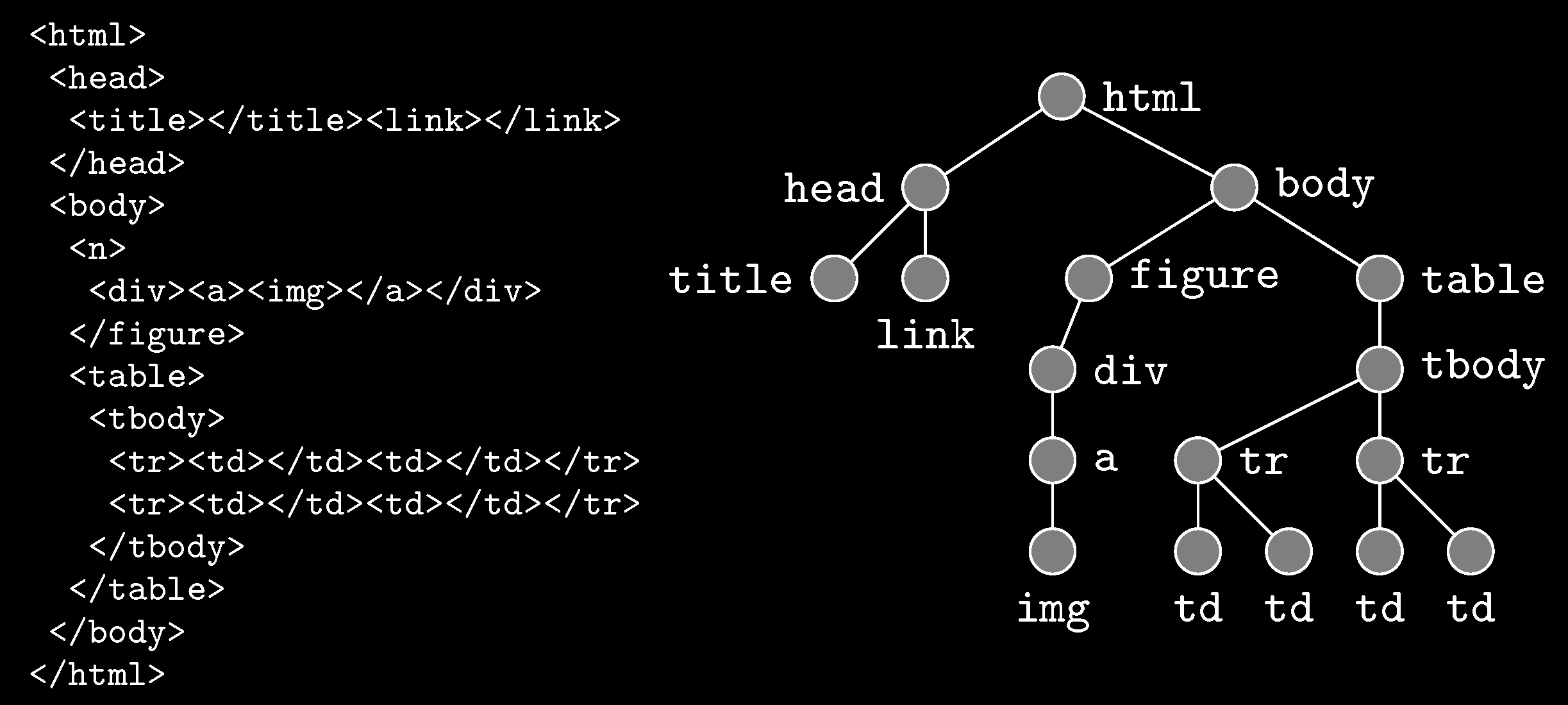
DOM Tree
Attributes
<div id="header">Header Content</div><p class="important">Important Text</p>
CSS
CSS, or Cascading Style Sheets,
is a style sheet language
used to describe the presentation of a document written in HTML
p {
    color: blue;
    font-size: 16px;
}
p {
color: blue;
font-size: 16px;
}The selector targeting all <p> elements
Properties
Values
Selectors & Properties
<!DOCTYPE html>
<html lang="en">
  <head>
    <meta charset="UTF-8">
    <meta name="viewport" content="width=device-width, initial-scale=1.0">

    <!-- Title Text -->
    <title>Example HTML</title>

    <!-- Add Icon -->
    <link rel="icon" href="favicon.ico">

    <!-- Add CSS -->
    <link rel="stylesheet" href="styles.css">
  </head>
  <body>
    <h1>Welcome to Example HTML Page</h1>
    <p>This is a sample HTML document.</p>

    <!-- Add JavaScript -->
    <script src="script.js"></script>
  </body>
</html>
PUG & SASS
Web: Chapter 2
Chapter Outline
- PUG
- SCSS
PUG
PUG simplifies and streamlines the process of writing HTML markup
by using a concise and expressive syntax
inspired by Python-like indentation rather than traditional HTML tags
<div>
    <h1>Hello, World!</h1>
    <p>Welcome to my website.</p>
</div>
div
h1 Hello, World!
p Welcome to my website.SCSS
SCSS, or Sassy CSS, is a superset of CSS
that adds powerful features and syntactic enhancements
to the standard CSS syntax
$primary-color: #007bff;

.button {
    background-color: $primary-color;
}
SCSS
nav {
    ul {
        margin: 0;
        padding: 0;
        list-style: none;

        li {
            display: inline-block;
            margin-right: 10px;

            a {
                text-decoration: none;
            }
        }
    }
}
@mixin button-styles {
border: 1px solid #ccc;
padding: 10px;
}
.button {
@include button-styles;
background-color: #007bff;
}Adding JavaScript
Web: Chapter 3
Chapter Outline
- The
windowobject - The
documentobject
Window
JavaScript in web page is based on an object called window
alert("hi");
// -> window.alert("hi");
It contains all information about this page
// Accessing the window's location
console.log(window.location.href);

// Opening a new browser window
window.open('https://www.example.com');

// Setting a timeout
window.setTimeout(() => {
    console.log('Timeout completed!');
}, 2000);
Document
The document object represents the HTML document
loaded in the browser window
// Accessing an element by its ID
const headerElement = document.querySelector('#header');

// Modifying element content
headerElement.textContent = 'Hello, World!';

// Adding an event listener
headerElement.addEventListener('click', () => {
    alert('Header clicked!');
});
Backend Server
Part 6

IP, Domains, Ports & Requests
Server: Chapter 1
Chapter Outline
- IP Addresses
- IPv4
- IPv6
- Domains
- Ports
- Requests
- How they work together
IP Addresses
IP (Internet Protocol) Address is a unique identifier
assigned to each device connected to a network
that uses the Internet Protocol for communication.
It allows devices to locate and communicate with each other.

I'm 125.228.249.66
I'm 203.64.52.132
IPv4 & IPv6
IPv4: Consists of four sets of numbers separated by periods
Each number ranges from 0 to 255
204.54.532.718
2001:0db8:85a3:0000:0000:8a2e:0370:7334
IPv6: Uses a longer format to accommodate more devices,
written as eight groups of four hexadecimal digits separated by colons
Domains
The Domain Name System (DNS) is the hierarchical system
used to translate domain names into IP addresses
When you enter a domain name into your web browser,
DNS servers are responsible for resolving that name into the corresponding IP address, enabling your browser to
locate and connect to the server hosting the website
Ports
Ports are virtual endpoints used to distinguish
different types of trafficon the same IP address
They help direct data packets to the correct application or service
running on a device
- Port
22: Used by SSH for secure shell access - Port
80: Used by HTTP for web traffic - Port
443: Used by HTTPS for secure web traffic - Port
25565: Minecraft server
Ports
- Port
22: Used by SSH for secure shell access - Port
80: Used by HTTP for web traffic - Port
443: Used by HTTPS for secure web traffic - Port
25565: Minecraft server
Note that you don't always have to use the default port
For example, you can host HTTP server on port 8000
Then you need to connect to my.server.ip:8000
Requests
Requests refer to the messages sent over the network
to perform specific actions or retrieve data
They are commonly used in the context of client-server communication

Request
Response
Client
Server
Requests
HTTP Requests, the foundation of web communication,
where a client (usually a web browser) sends a request to a server
for resources like web pages or files.
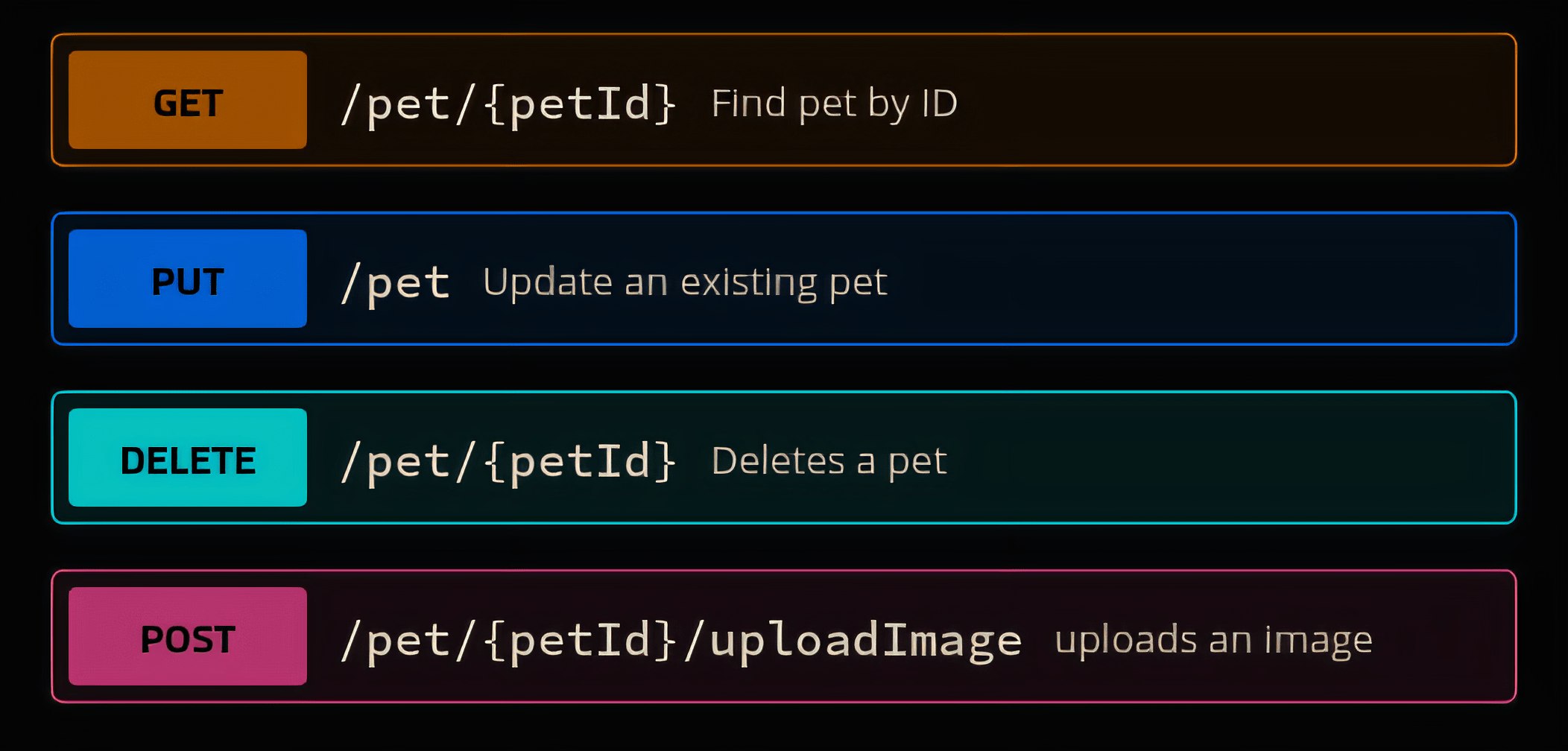
How They Work Together
-
Establishing a Connection:
A device (client) wanting to communicate with another device (server) needs to know its IP address. The client sends a request to the server's IP address, targeting a specific port where the desired service is listening -
Directing Traffic:
The server, listening on the specified port, receives the request and processes it. Each service or application on the server has a unique port number to differentiate between different types of traffic -
Responding to Requests:
The server processes the request and sends back a response to the client's IP address. The response travels through the network and reaches the client, which then processes the received data
How They Work Together
Connect to hubert.ddns.net

How They Work Together
Checking the registered domain:
hubert.ddns.net
Found IP:
125.228.249.66
How They Work Together
How They Work Together
HTTP Request to 125.228.249.66:80
How They Work Together
HTTP Request to 125.228.249.66:80
Finding service on port 80
Fetching data...
How They Work Together
Generated response:
Web page data
How They Work Together
Generated response:
Web page data
Can view the page now!
Express.js
Server: Chapter 2
Chapter Outline
- Installation
- Usage example
- Handle requests
- Send HTML
Installation
Setup script, just paste in terminal:
npm install expressmkdir src
echo $null >> src/index.ts
mkdir dist
mkdir pages
echo '{"compilerOptions":{"module":"NodeNext","moduleResolution":"NodeNext","esModuleInterop":true,"outDir":"./dist","allowJs":true,"target":"ES2022","lib":["ES2022.Object","ES2021.String"]},"include":["./src"]}' > tsconfig.json
npm install typescript
npm install express
npm install @types/express
echo DoneAn Example
Run with:
import express from "express";
const app = express();

app.get("/", async (req: express.Request, res: express.Response) => {
  res.send("Hello, world!");
});

app.listen(3000);
npx tsc; node dist/index Then go to http://127.0.0.1:3000/
Sending HTML
import express from "express";
const app = express();

import path from "node:path";

app.get("/", async (req: express.Request, res: express.Response) => {
  res.sendFile(path.resolve(__dirname, "../pages/index.html"));
});

app.listen(3000);
<!DOCTYPE html>
<html lang="en">
<head>
  <meta charset="UTF-8">
  <meta name="viewport" content="width=device-width, initial-scale=1.0">
  <title>Index Page</title>
</head>
<body>
  Hello, HTML!
</body>
</html>
User System
Server: Chapter 3
React
Part 7

Create an App
React: Chapter 1
Chapter Outline
- Introduction
- Installation
- Example
- Add a router
- Add Bootstrap
- Add headers
- Ecosystem
useState- useEffect
- Build
Introduction
-
Reusable Components: This modular approach helps in organizing and maintaining large applications.
-
Virtual DOM: When the state of a component changes, React updates the virtual DOM first, and updates only the changed parts in the actual DOM.
-
JSX Syntax: React uses JSX, a syntax extension that allows you to write HTML-like code within JavaScript. This makes the code more readable and easier to write.
React is a popular JavaScript library for building user interfaces
Installation
-
Ensure Node.js is installed: Make sure you have Node.js installed on your system. You can download it from the official website
-
Install
create-react-appglobally:
npm install -g create-react-app
3. Create a new React project with TypeScript template:
npx create-react-app . --template typescript
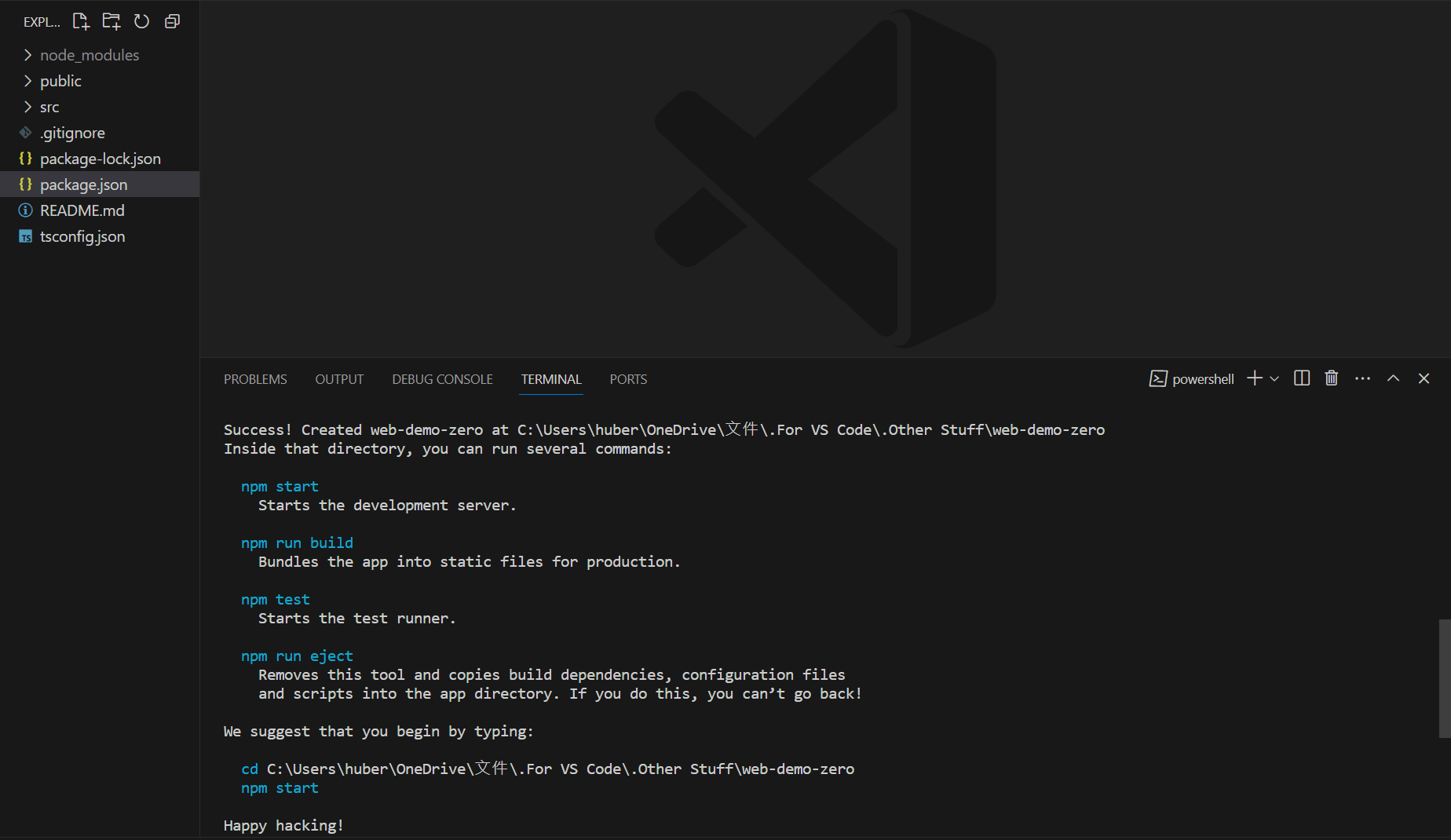
Start the App
Start the development server:
npm start
This is the default app of react
Just an example!
Press [Ctrl] + [C] in the terminal to stop the app
Sort the Directory
We don't need all the things in this example
So we'll delete the files in src, making it empty
And create index.tsx with the content:
import React from "react";
import ReactDOM from "react-dom/client";
const root = ReactDOM.createRoot(document.querySelector("#root") as HTMLDivElement);
root.render(
<React.StrictMode>
Hello, world!
</React.StrictMode>
);
Router
And you can use createBrowserRouter:
npm install react-router-dom
import { RouterProvider, createBrowserRouter } from "react-router-dom";
let indexRouter = createBrowserRouter([
{ path: "/", element: "This is index" },
{ path: "about", element: "This is about" },
{ path: "*", element: "Not found" }
]);
<RouterProvider router={indexRouter} />
And render this:
Add Bootstrap
Bootstrap is a popular front-end framework used for
designing responsive and mobile-first web pages
It provides a wide range of pre-styled components,
such as buttons, forms, modals, navigation bars, and more
npm install react-bootstrap bootstrap
And import it:
import "bootstrap/dist/css/bootstrap.min.css";
Add Components
Add a file src/components/Header.tsx and write down:
import React from "react";
import { Navbar, Container, Nav, NavDropdown, Form, FormControl, Button } from "react-bootstrap";
export default function Header(properties: React.PropsWithChildren) {
return <Navbar bg="body-tertiary" expand="lg">
<Container fluid>
<Navbar.Brand href="#">Navbar</Navbar.Brand>
<Navbar.Toggle aria-controls="navbarSupportedContent" />
<Navbar.Collapse id="navbarSupportedContent">
<Nav className="me-auto mb-2 mb-lg-0">
<Nav.Link href="#" className="active">Home</Nav.Link>
<Nav.Link href="#">Link</Nav.Link>
<NavDropdown title="Dropdown" id="navbarScrollingDropdown">
<NavDropdown.Item href="#">Action</NavDropdown.Item>
<NavDropdown.Item href="#">Another action</NavDropdown.Item>
<NavDropdown.Divider />
<NavDropdown.Item href="#">Something else here</NavDropdown.Item>
</NavDropdown>
<Nav.Link href="#" disabled>Disabled</Nav.Link>
</Nav>
<Form className="d-flex" role="search">
<FormControl
type="search"
placeholder="Search"
className="me-2"
aria-label="Search"
/>
<Button variant="outline-success" type="submit">Search</Button>
</Form>
</Navbar.Collapse>
</Container>
</Navbar>;
}
Add Components
Go back to src/index.tsx and import the header component
import Header from "./components/Header";
root.render(
<React.StrictMode>
<Header />
<RouterProvider router={indexRouter} />
</React.StrictMode>
);
And change your rendering script to the follows:
And this is how React works!
Example Homepage
import { Card, Carousel, Col, Container, Image, Row } from "react-bootstrap";

export default function Home(properties: React.PropsWithChildren) {
  return <>
    <section id="intro">
      <Carousel>
        <Carousel.Item>
          <img
            className="d-block w-100"
            src="https://via.placeholder.com/1600x800/1D1D1D/FFFFFF?text=First+Slide"
            alt="First slide"
          />
        </Carousel.Item>
        <Carousel.Item>
          <img
            className="d-block w-100"
            src="https://via.placeholder.com/1600x800/1D1D1D/FFFFFF?text=Second+Slide"
            alt="Second slide"
          />
        </Carousel.Item>
        <Carousel.Item>
          <img
            className="d-block w-100"
            src="https://via.placeholder.com/1600x800/1D1D1D/FFFFFF?text=Third+Slide"
            alt="Third slide"
          />
        </Carousel.Item>
      </Carousel>
    </section>
    <section id="about">
      <Container className="d-flex" style={{ height: 1200 }}>
        <Row className="m-auto align-items-center text-center">
          <Col xs={12} className="mb-4">
            <Image
              width={400}
              src="https://via.placeholder.com/400/1D1D1D/FFFFFF?text=Avatar"
              roundedCircle
              fluid
            />
          </Col>
          <Col xs={12}>
          <Card className="p-4 mx-auto" style={{ maxWidth: '800px' }}>
            <Card.Body>
              <Card.Title>John Doe</Card.Title>
              <Card.Text>
                Hi! I'm John Doe, a software developer with a passion for creating amazing web applications. I have experience in a variety of technologies including React, Node.js, and Python.
              </Card.Text>
              <Card.Text>
                I specialize in front-end development, crafting responsive and user-friendly interfaces. My work involves translating design concepts into functional and interactive web applications.
              </Card.Text>
              <Card.Text>
                In addition to my technical skills, I have a keen interest in the latest industry trends and best practices. I continually seek to improve my skills and stay updated with the evolving tech landscape.
              </Card.Text>
              <Card.Text>
                Outside of work, I enjoy hiking, reading, and exploring new technologies. I'm an avid learner and love to take on new challenges that push my boundaries and expand my knowledge.
              </Card.Text>
              <Card.Text>
                Feel free to connect with me on LinkedIn or check out my GitHub for more information about my projects and experience.
              </Card.Text>
            </Card.Body>
          </Card>
          </Col>
        </Row>
      </Container>
    </section>
  </>
}
import Home from "./pages/Home";
{ path: "/", element: <Home /> }Add this line to src/index.tsx
Change the router:
src/pages/Home.tsx:
Component Properties
export default function Home(properties: React.PropsWithChildren<{ text: string }>) {
  // ...
}
You can add property to your components:
In this example, our property is text, which is a string
And could be passed when we use it:
<Home text={/* ... */} />Insert Variables
You can insert variable in TSX syntax using {}
export function Test(properties: React.PropsWithChildren) {
  let number = 20;

  return <div>{number}</div>;
}
Import Stylesheets
To import a CSS stylesheet, simply write:
import "./my-style.css";To import SCSS, you need to install it first:
import "./my-style.scss";npm install sassReact.useState
It allows functional components to manage state
const [ state, setState ] = useState(initialState);
import React, { useState } from 'react';

export default function Counter () {
  const [count, setCount] = useState(0);

  return (
    <div>
      <p>You clicked {count} times</p>
      <button onClick={() => setCount(count + 1)}>
        Click me
      </button>
    </div>
  );
};
Example:
React.useEffect
It allows you to perform side effects in functional components
React.useEffect(() => {
  // handle when dependencies changes
}, [dependencies]);
The callback function is called
whenever the dependencies (must be a state) change
Build Your Project
Using npm start starts development server
To compile a production build, use:
npm run buildAnd after that, your project will be build into the build folder
Add Backend
React: Chapter 2
Chapter Outline
- Project structure
- Setup
- Nginx
- Frontend & backend servers
Project Structure
You need 2 folders, frontend and backend
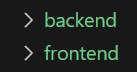
-
backendis a Express.js app, our API, which handles data fetching -
frontend, on the otherhand, is our React app, shows the page to clients
You can run the command cd <folder> to switch current folder
Setup
Open a terminal for backend server
cd backend
npm install express @types/express
echo '{"compilerOptions":{"target":"ES6","module":"commonjs","outDir":"./dist","rootDir":"./src","strict":true,"esModuleInterop":true},"include":["src"]}' > tsconfig.json
Another for frontend
cd frontend
npx create-react-app . --template typescript
Nginx
Because we need to run two apps on the same port,
we need a reverse proxy
// PUT THIS IN /etx/nginx/site-enabled/default

server {
  listen 3000;

  location /api/ {
    proxy_pass http://localhost:5000;  # Assuming your Express.js app runs on port 5000
    proxy_set_header Host $host;
    proxy_set_header X-Real-IP $remote_addr;
    proxy_set_header X-Forwarded-For $proxy_add_x_forwarded_for;
    proxy_set_header X-Forwarded-Proto $scheme;
  }

  location / {
    proxy_pass http://localhost:3001;  # Assuming your React app runs on port 3001
    proxy_set_header Host $host;
    proxy_set_header X-Real-IP $remote_addr;
    proxy_set_header X-Forwarded-For $proxy_add_x_forwarded_for;
    proxy_set_header X-Forwarded-Proto $scheme;
  }
}
Nginx is the most well-known one (for linux)
Backend Server
For example, in backend/src/index.ts:
import express from "express";

const app = express();
const port = 3660;

app.get("/api/", async (req, res) => {
  res.send("This is Express");
});

app.listen(port, async () => {
  console.log(`Server is running at http://localhost:${port}`);
});
npx tsc
node dist/index
Frontend Server
For example, in frontend/src/index.tsx:
import React from "react";
import ReactDOM from "react-dom/client";

const root = ReactDOM.createRoot(document.querySelector("#root") as HTMLElement);

root.render(
  <React.StrictMode>
    This is React
  </React.StrictMode>
);
npm startFrontend Server
You can add the following line to frontend/src/.env:
PORT=3661So that it runs on your specific port
Fetching Data
Add a file called App.tsx in frontend/src and render it
import React from "react";

export default function App() {
  let [ data, setData ] = React.useState("Fetching data, please wait...");

  fetch("/api/test/")
    .then(response => response.text())
    .then((text) => setData(text));

  return <main>
    {data}
  </main>;
}
Fetching Data
And in backend server, send some text on /api/test/
app.get("/api/test/", async (req, res) => {
  res.send("Hello, world!");
});
User System
React: Chapter 3
Chapter Outline
- Path structure
- POST requests
- Authenticating
- Password hashing
- Cookies
Thanks for Listening
JS & TS
By 晴☆
JS & TS
我不會教課.ts