JavaScript
v0.7.2 - by 晴 | 2023 建北電資
網頁小社課 - 5
我是誰
我是晴
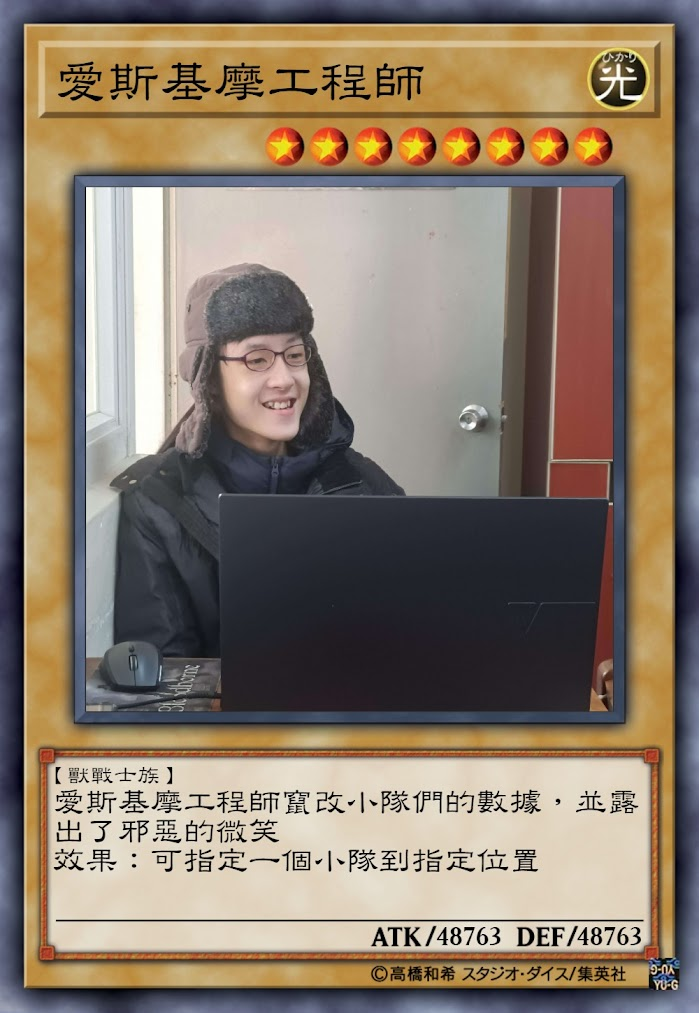
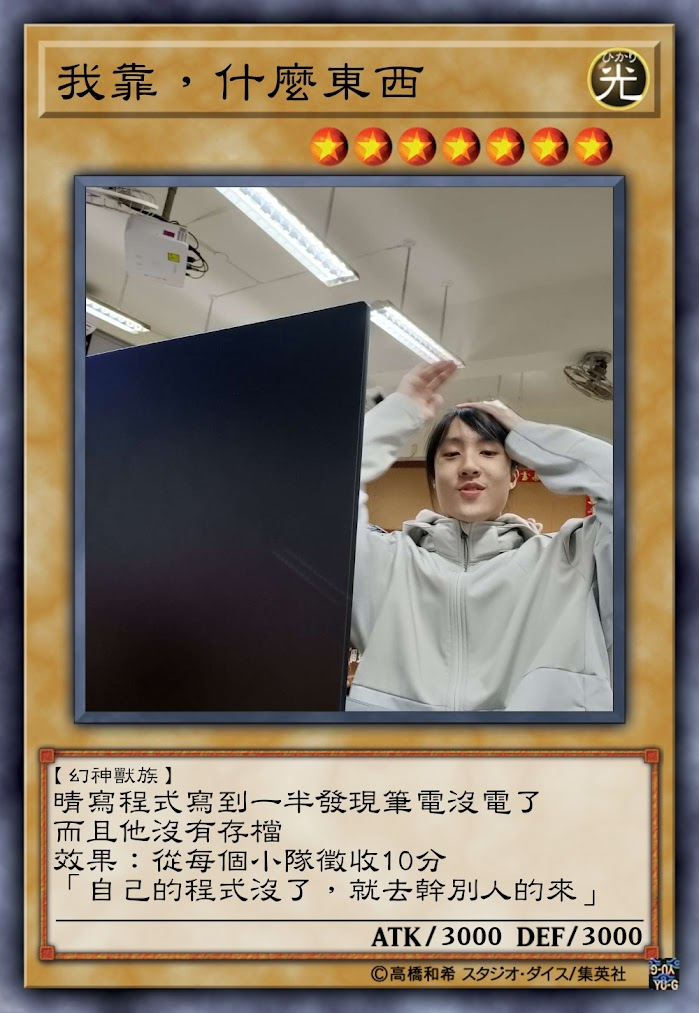
- 我的簡報燒雞了
- 什麼都用 JavaScript
- 社網負責人
- 好像會架後端伺服器
- 個人正在研究 OJ
- 我不會演算法
- 顯然 Python 是毒瘤
- 807 好電
- CjTsai 好電
- 佑佑是甲甲
HTML 複習
因為我不知道你們到底有沒有真的學會
Tags
<div>

</div>
這是一個 div,包含 open tag <div> & close tag </div> div 是 division (分割) 就是把網頁中的一塊切出來
<input />這是一個 input,他是 self-closing tag 我用的是標準寫法,但其實那條斜線不一定要加
Attributes
<div id="never" class="gonna" data-name="give"></div>這是一個 div,他的 attribute 分別為:
-
id 是 "never"
-
class 是 "gonna"
-
data-name 是 "give"
只能存字串!
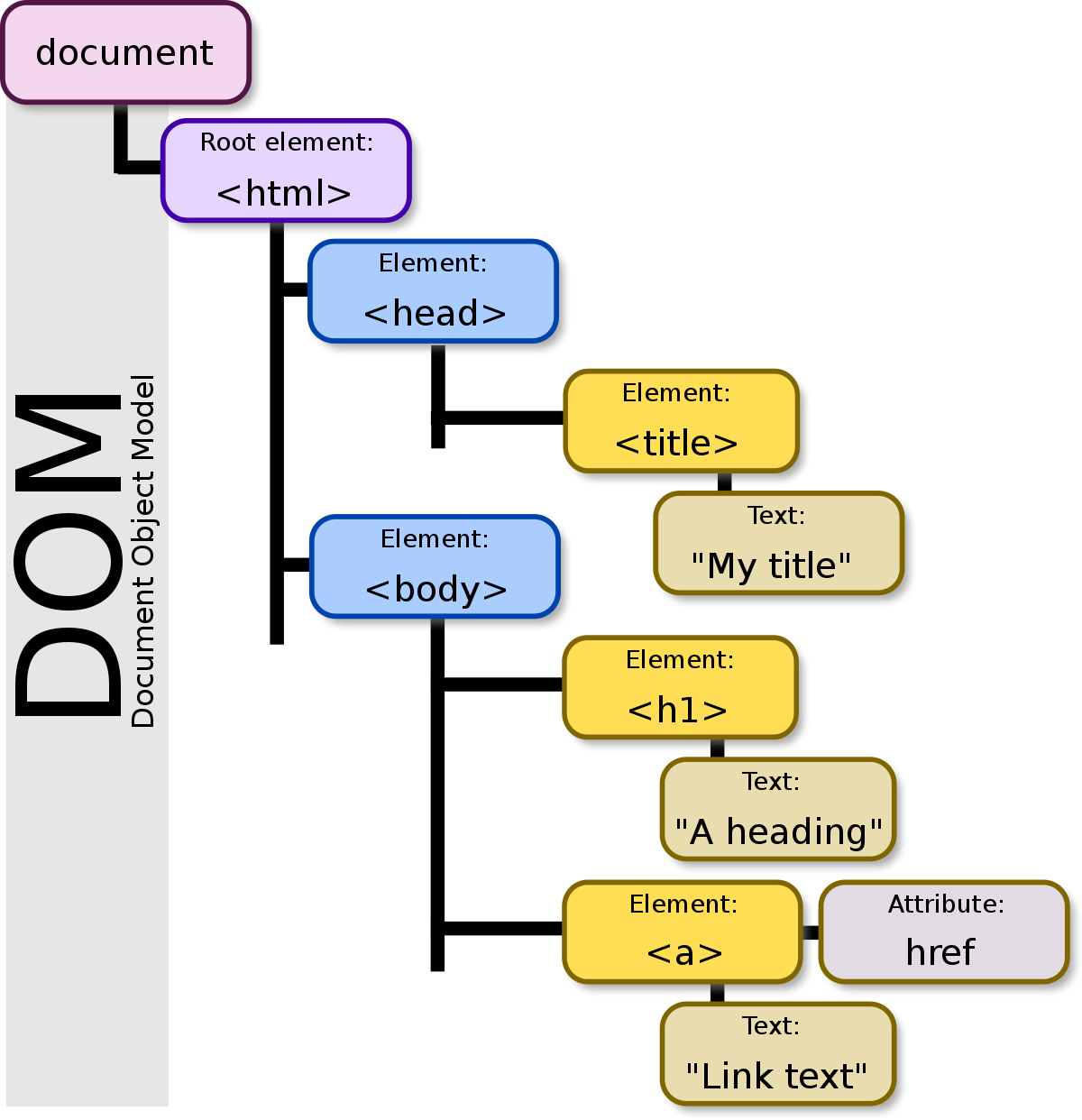
HTML 主架構
<!DOCTYPE html>
<html lang="en">
    <head>

    </head>
    <body>

    </body>
</html>
DOM
CSS 複習
還有更多東西
Importing CSS
<style>

</style>
<link rel="stylesheet" type="text/css" href="path/to/file.css">Selectors
#id
.class
*
[property=value]
:state
:state(...)
style="..." > id > class > :state > [...] > type > *
常用 States
:hover
:active
:focus
:root
:is(...)
:not(...)
:has(...)
:first-child
:last-child
Combinators
.a.b
.a > .b
.a .b
.a + .b
.a ~ .b
然後優先順序很複雜我不想講 反正就是條件越多越強
CSS Properties
selector {
  property: value;
}
.test {
width: 80px;
height: 100px;
}Shorthand Properties
就是像 border、margin、padding、animation 就是縮寫
.test {
  border-width: 2px;
  border-style: solid;
  border-color: red;
}
.test {
border: 2px solid red;
}單位
10px
10%
10em
10rem
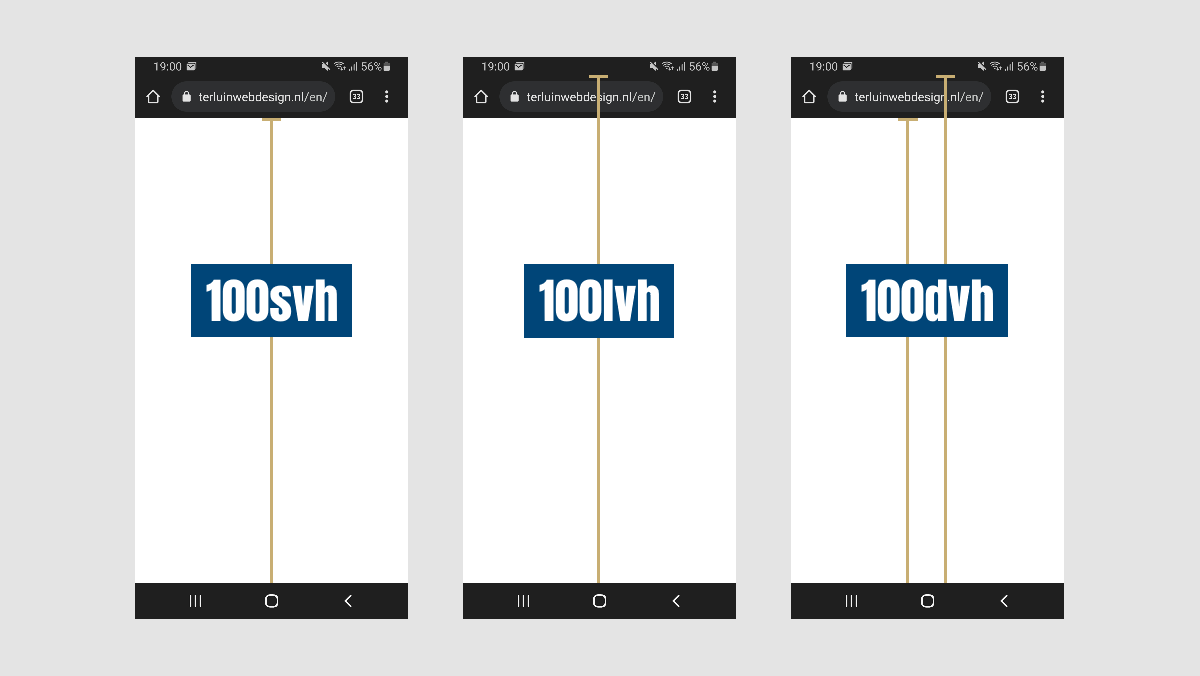
10vw
10vh
10dvw
10dvh
JavaScript
我只會講在網頁中的應用
There are only two kinds of programming languages:
── Bjarne Stroustrup, The Father of C++
those people always bitch about
and those nobody uses.
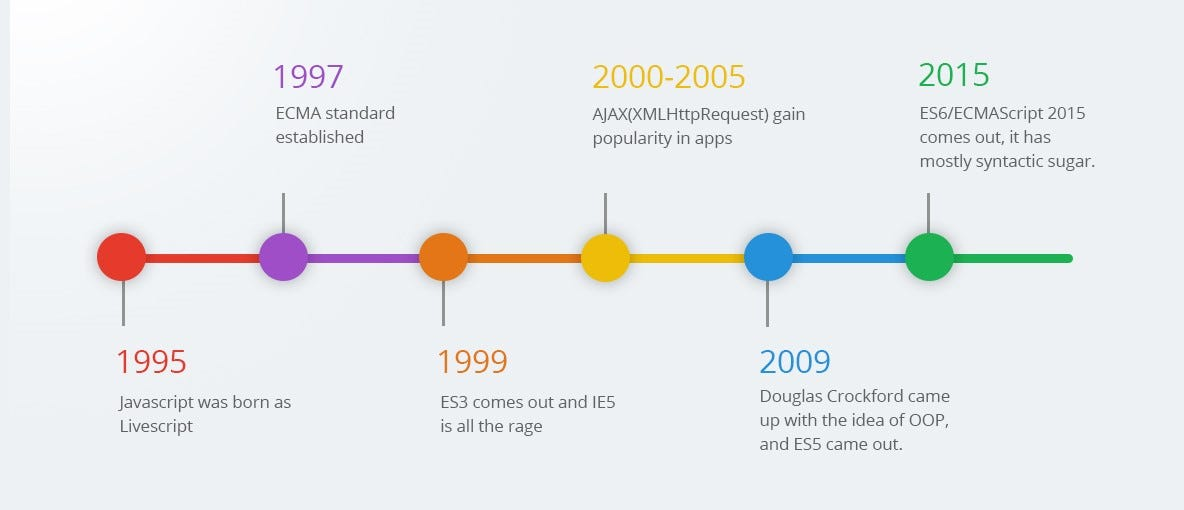
Things have changed a little since I created
── Brendan Eich, The Creator of JavaScript
JavaScript in 10 days in May 1995
Importing JavaScript
<script>

</script>
<script type="text/javascript" src="path/to/file.js"></script>Query Selector
var element = document.querySelector("p");

element.innerHTML = "python is poisonous...";
element.style["color"] = "red";
var allElements = document.querySelectorAll("p");
for (let element of allElements) {
element.innerHTML = "python is poisonous...";
element.style["color"] = "red";
}Events & Listeners
var element = document.querySelector("div");

element.addEventListener("click", () => {
  alert("hi!");
});
<div onload="alert('hi!');" />jQuery
從前有一個人他很愛錢,他想在程式碼裡放一堆 $ 符號,於是便有了 jQuery
$("p").text("Never gonna give you up!");其實 $ 是 jQuery 的簡寫,因為 jQuery 很常用卻太難打了 有點像 document.querySelectorAll 但不一樣
document.querySelectorAll("p").forEach((element) => {
  element.innerHTML = "Never gonna give you up!";
});
<script src="https://ajax.googleapis.com/ajax/libs/jquery/3.7.1/jquery.min.js"></script>然後要 import 它:
jQuery()
$(element)
$("<div>")
$("div")
$(".container > span")
$(() => {
console.log("Page loaded!");
});Demo #0
<!DOCTYPE html>
<html lang="en">
  <head>
    <script src="https://ajax.googleapis.com/ajax/libs/jquery/3.7.1/jquery.min.js"></script>
  </head>
  <body>
    <div class="test"></div>

    <script>
      $(".test")
        .text("click me!")
        .addClass("jquery-modified")
        .css("color", "red")
        .on("click", (ev) => {
          alert("hello world!");
        })
        .append(
          $("<div>")
            .text("some text with background")
            .css("background", "lightblue")
        );

      $(window).on("resize", (ev) => {
        console.log("Why are you resizing windows");
      });
    </script>
  </body>
</html>
Demo #1 - 移動的按鈕
<!DOCTYPE html>
<html lang="en">
  <head>
    <script src="https://ajax.googleapis.com/ajax/libs/jquery/3.7.1/jquery.min.js"></script>
  </head>
  <body>
    <div id="main-container">
      <div id="question-text">Are you gay?</div>
      <div id="buttons">
        <button id="yes-button">Yes</button>
        <button id="no-button">No</button>
      </div>
    </div>

    <script>
      $("html, body").css({
        "margin": "0",
        "width": "96%",
        "height": "96%"
      });

      $("#main-container").css({
        "padding": "24px",
        "font-size": "2em"
      });

      $("#question-text").css({
        "font-weight": "800",
        "margin-bottom": "1rem"
      });

      $("#yes-button").on("click", (ev) => {
        alert("Yeah, I've already known you're gay!");
      });

      $("#no-button").on("mouseover", (ev) => {
        let bodyElement = $(document.body);
        $("#no-button").css({
          "position": "absolute",
          "z-index": "8",
          "left": Math.random() * bodyElement.width()  + "px",
          "top":  Math.random() * bodyElement.height() + "px"
        })
      }).on("click", (ev) => {
        alert("Wait, why did you click 'No'? You're lying!");
      });
    </script>
  </body>
</html>
Demo #2 - 生成表格
<!DOCTYPE html>
<html lang="en">
  <head>
    <script src="https://ajax.googleapis.com/ajax/libs/jquery/3.7.1/jquery.min.js"></script>
  </head>
  <body>
    <div id="main-container">

    </div>

    <script>
      for (let y = 0; y < 9; ++y) {
        let row = $("<div>").css({
          "display": "flex"
        });

        for (let x = 0; x < 16; ++x) {
          row.append(
            $("<div>")
              .css({
                "border": "2px solid red",
                "margin": "3px",
                "width": "48px",
                "height": "48px",
                "font-size": "16px"
              })
              .text(`(${x}, ${y})`)
          );
        }

        row.appendTo("#main-container");
      }
    </script>
  </body>
</html>
問題們
確實

所以到底要放哪裡
這樣裡面不用加東西,然後 JS 寫在 path/to/file.js 裡面
<script src="path/to/file.js"></script><script>
// 程式碼寫在這邊
</script>或者這樣:
var vs. let
基本上差別在於:
var a = 10;

if (true) {
  var a = 20;
}

console.log(a);
var a = 10;
if (true) {
let a = 20;
}
console.log(a);這樣會是 20
這樣會是 10
let a = 10;
let a = 20;
這樣會出錯
var a = 10;
var a = 20;
這樣 a 最後是 20
箭頭函數
函數是一個物件,可以存在變數裡面
var func = function (傳入值) { /* 要做的事情 */ };function func(傳入值) {
// 要做的事情
} 箭頭函數就是(你可以當作)另一種函數的寫法
var func = (傳入值) => { /* 要做的事情 */ };箭頭函數
函數是一個物件,可以存在變數裡面
var func = function (傳入值) { /* 要做的事情 */ };function func(傳入值) {
// 要做的事情
} 箭頭函數就是(你可以當作)另一種函數的寫法
var func = (傳入值) => { /* 要做的事情 */ };通常這樣寫是放在 Callback 欄位
$("#my-button").on("click", (ev) => {
  // 被按的時候要做的事情
});
HTMLElement vs. jQuery
HTMLElement 是 JavaScript 內建的一個代表 HTML 元素的物件
超級難用,所以我們不要用他
jQuery 物件是 jQuery 幫你定義的物件
有許多比原版好用很多的方法
var element = $("#id");var element = document.querySelector("#id");下課
這堂課教得東西好少 哈哈
下課
這堂課教得東西好少 哈哈
Web - JS
By 晴☆