Responsive Images
& Background Images feat. lazy loading

What is
Image Lazy Loading?
Image Lazy Loading
It means loading the images on demand while user scrolls down the page.
if user does not scroll all the way down, images placed at the bottom of the page will not be loaded.
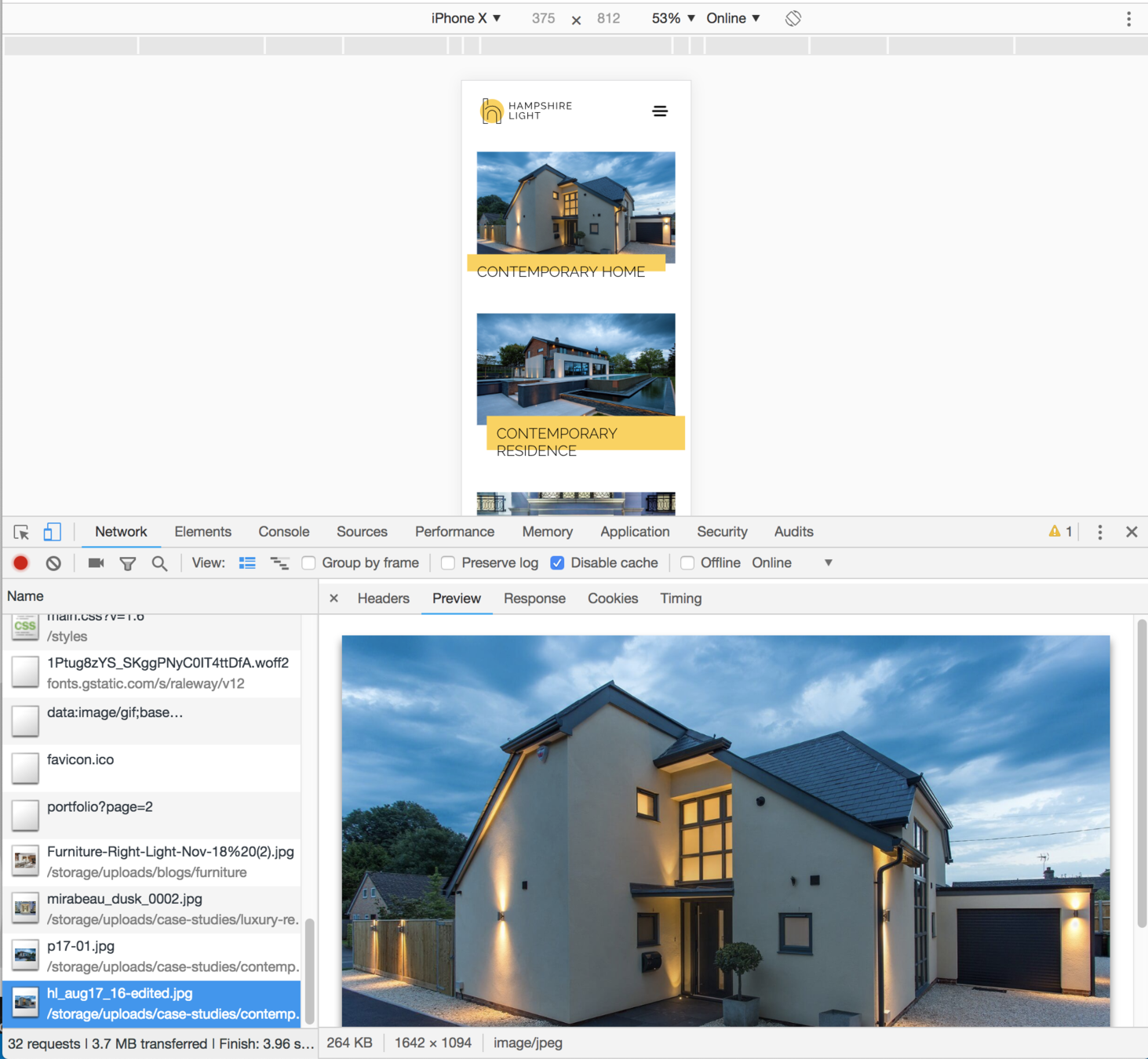
Demo
What is it for?
1. It does not block page rendering
2. Faster loading
3. Better UX
4. Savings in bandwidth
How does it work?
<img
class="lazy"
data-src="image.jpg"
alt>
with some JS...

Triggers on...
window.addEventListener('scroll', function() {
});
window.addEventListener('resize', function() {
});
looking for element with class .lazy
Then...
<img
class="lazy"
data-src="image.jpg"
alt>
<img
class="lazy "
src="image.jpg"
alt>
There are a lot of other options to lazy load...
Background Image Lazy Loading
<div
class="lazy"
data-bg="image-url.jpg">
</div>
<div
class="lazy"
style="background-image: url(image-url.jpg)">
</div>
What are Responsive Images and Responsive Background Images?
Responsive Images
<picture>
<source srcset="small.jpg" media="(max-width: 480px)">
<source srcset="medium.jpg" media="(min-width: 481px) and (max-width: 767px)">
<source srcset="large.jpg" media="(min-width: 768px)">
<img src="small.jpg" alt>
</picture>
Responsive Background Images
<div class="some-bg"></div>
@media screen and (max-width: 640px) {
.some-bg {
background-image: url('small.jpg');
}
}
@media screen and (min-width: 641px) {
.some-bg {
background-image: url('medium.jpg');
}
}
OK... but how to lazy load them?
Lazy Load of Responsive Image
<picture>
<source data-srcset="small.jpg" media="(max-width: 480px)">
<source data-srcset="medium.jpg" media="(min-width: 481px) and (max-width: 767px)">
<source data-srcset="large.jpg" media="(min-width: 768px)">
<img class="lazy" data-src="small.jpg" alt>
</picture>
Lazy Load of Background Images
<div class="some-bg"></div>
?
<div class="some-bg" data-src="url.jpg"></div>
jQuery Lazy Load does not support this...

Let's start...
2019
Do I need jQuery?
Intersection Observer API
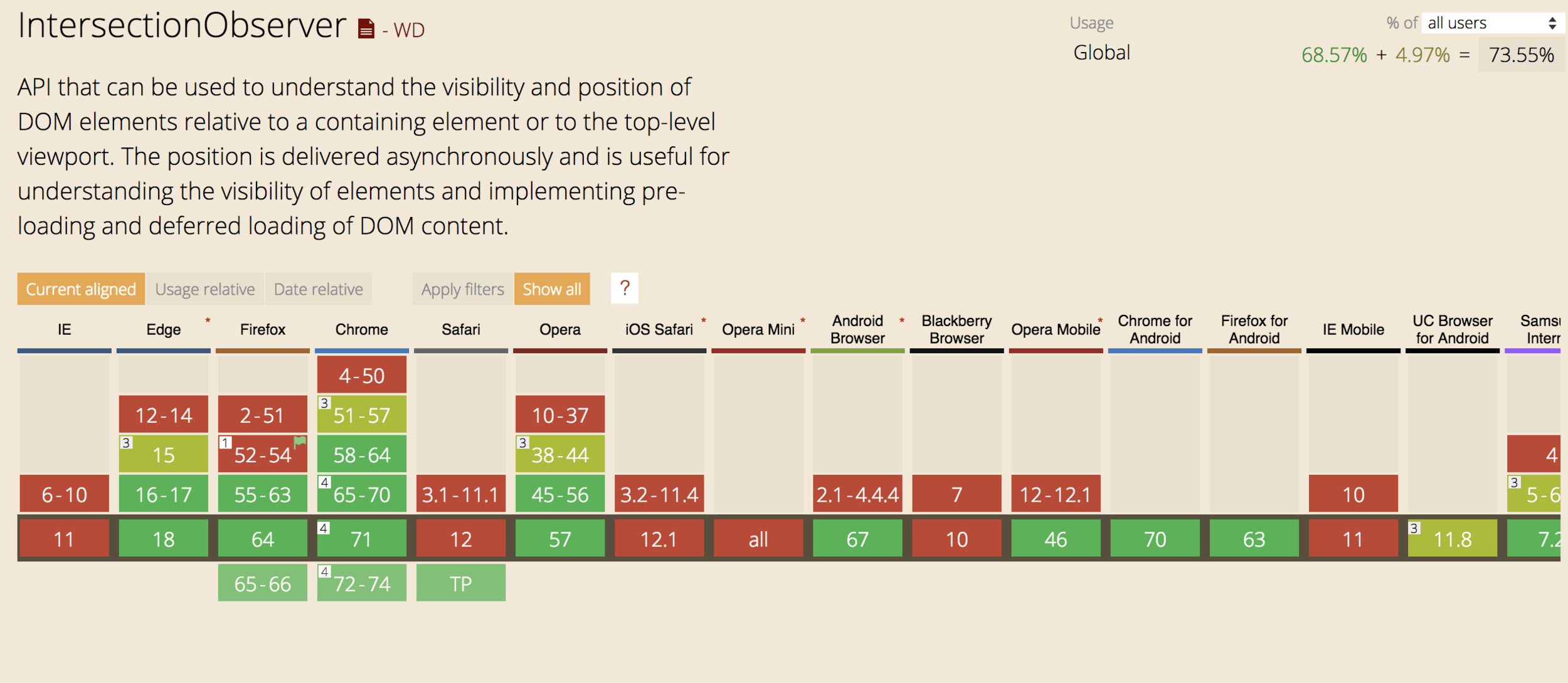
Intersection Observer API

Ready solution based on Intersection Observer:
https://github.com/verlok/lazyload
demo time
http://devstage.co.uk/lazy-loading/lazy-load.html
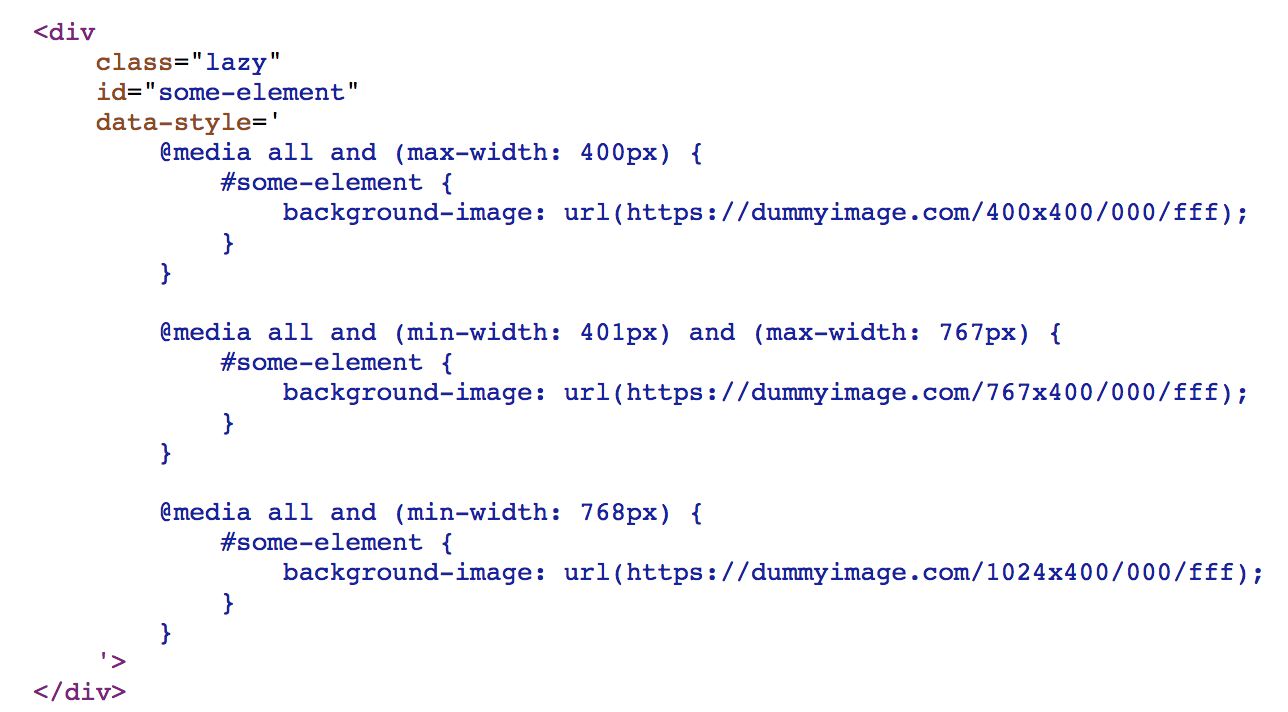
Solution for the responsive bg image with lazy loading
With some JS...

Result while scrolling to .lazy elements
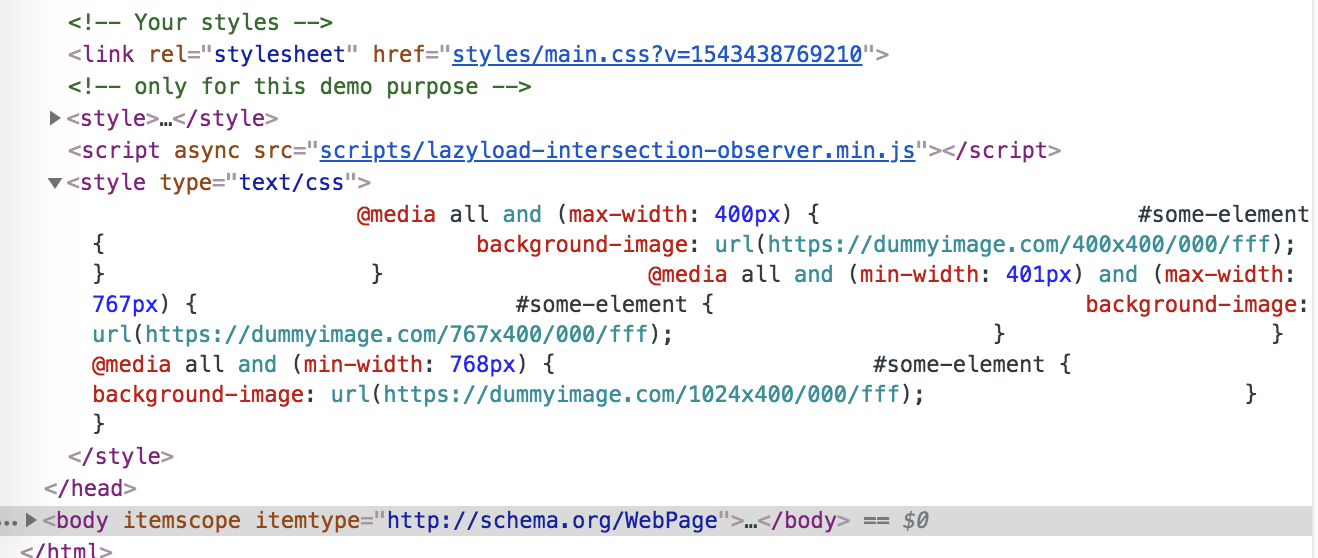
Background Images with Lazy Loading is the reality
Responsive Images & Background Images
should be a standard on every website!
Images & Background Image Lazy Loading
should be a standard on every website!
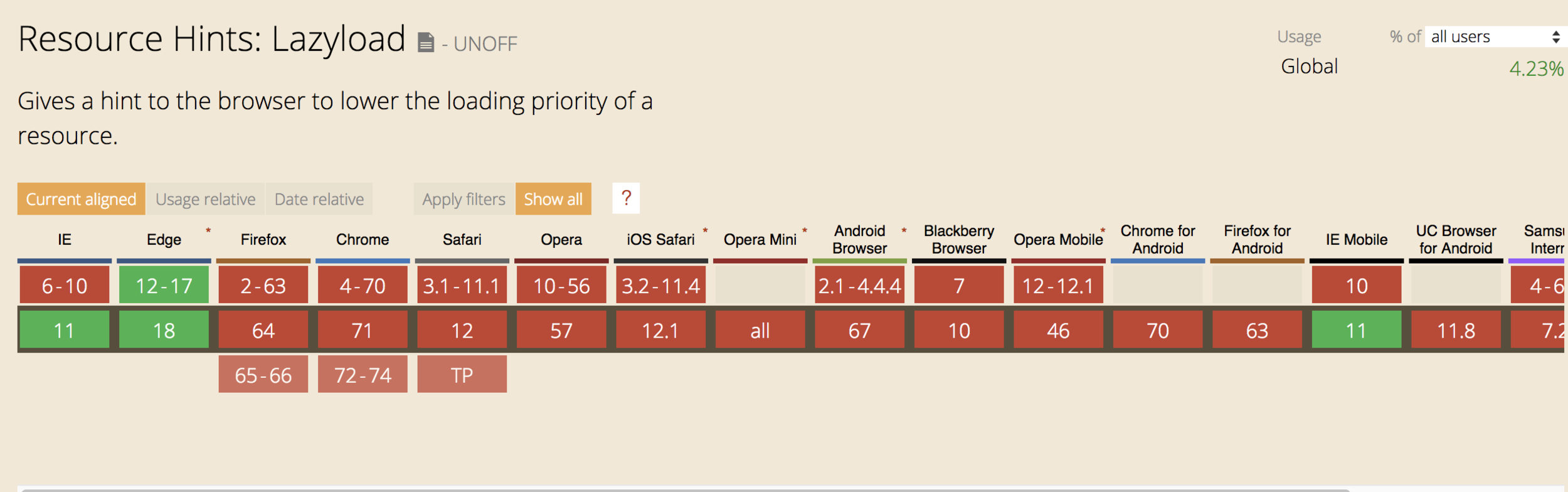
Future
<img
src="image.jpg"
lazyload
alt>
Fully native support?

Lazy Loading and Content Reflow issues
1. Wrap image with a layer and set fixed dimensions
2. Set inline empty image with same ratio
Ratio
<img
src="data:image/svg+xml,%3Csvg xmlns='http://www.w3.org/2000/svg' viewBox='0 0 3 2'%3E%3C/svg%3E"
data-src="image.jpg"
alt>
SEO
Lazy loaded images are fully indexable!
Thanks!
Image Lazy Loading / responsive images & responsive background images
By studiosidekicks