Understand
Provisioned Concurrency for
AWS Lambda
Artem Arkhipov, Full Stack Web Expert at Techmagic

We love AWS Lambda for:
- Pay-as-you-go pricing model
- Burst scaling
- Faster development & TTM
- No infrastructure maintenance
What we wished during 5 years:
- Monitoring/debug tools
- Local development
- Cope with cold starts
- Better packaging and deployment
- Longer execution and workflows





sls plugins

from 5 to 15 min
warming approaches
provisioned concurrency
How AWS Lambda works?
Container
Container 2
Container n
Container Lifecycle
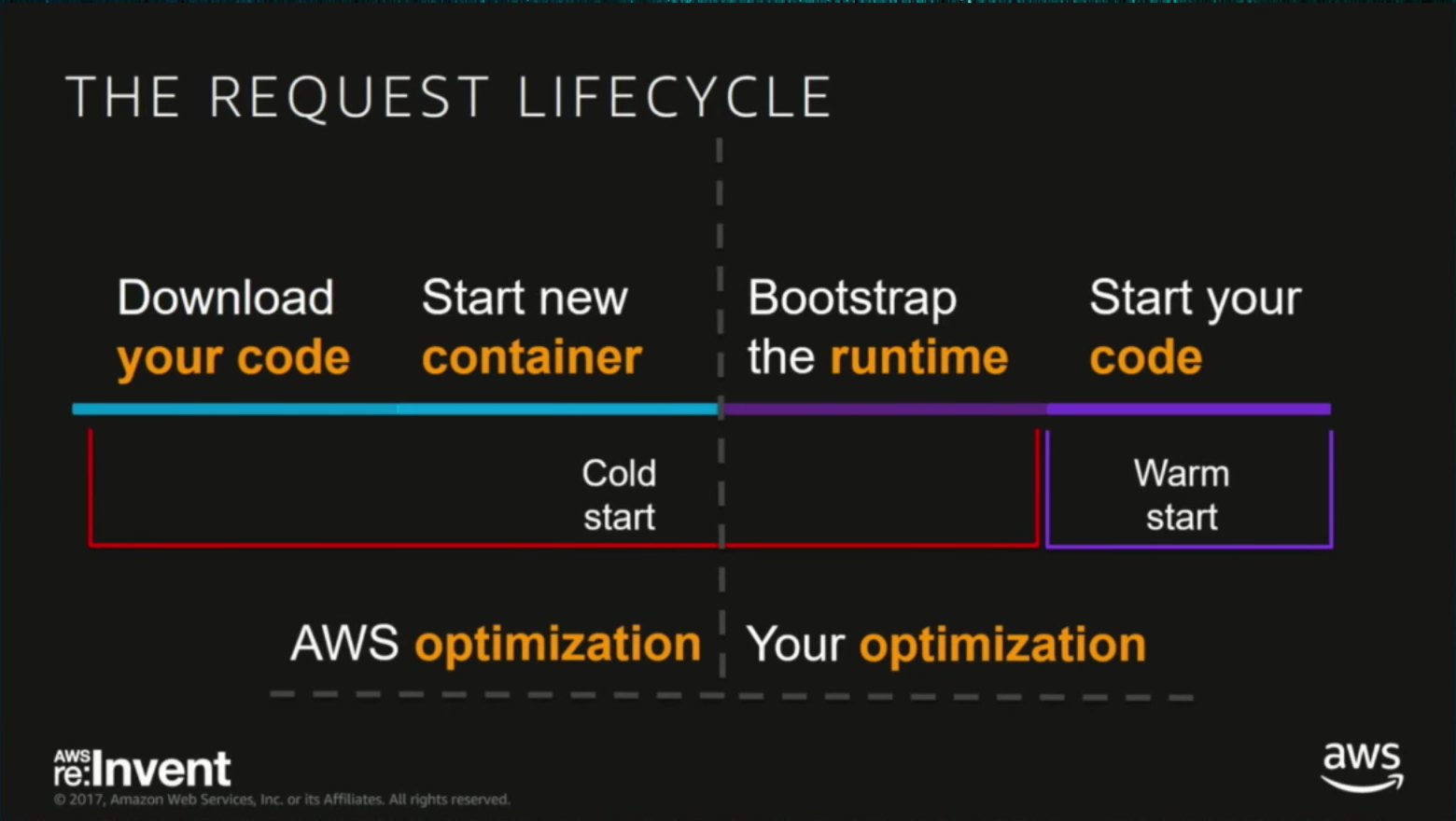
Screenshot from Re:Invent (2017) Video
Initialize
Code
Code
Code
Language and Cold Start Correlation
Lower is better

Initialisation Time
Cold Start depends on:
- Function's language
- Initialization code / out of handler
- VPC affiliation
- Package Size
- Memory allocation
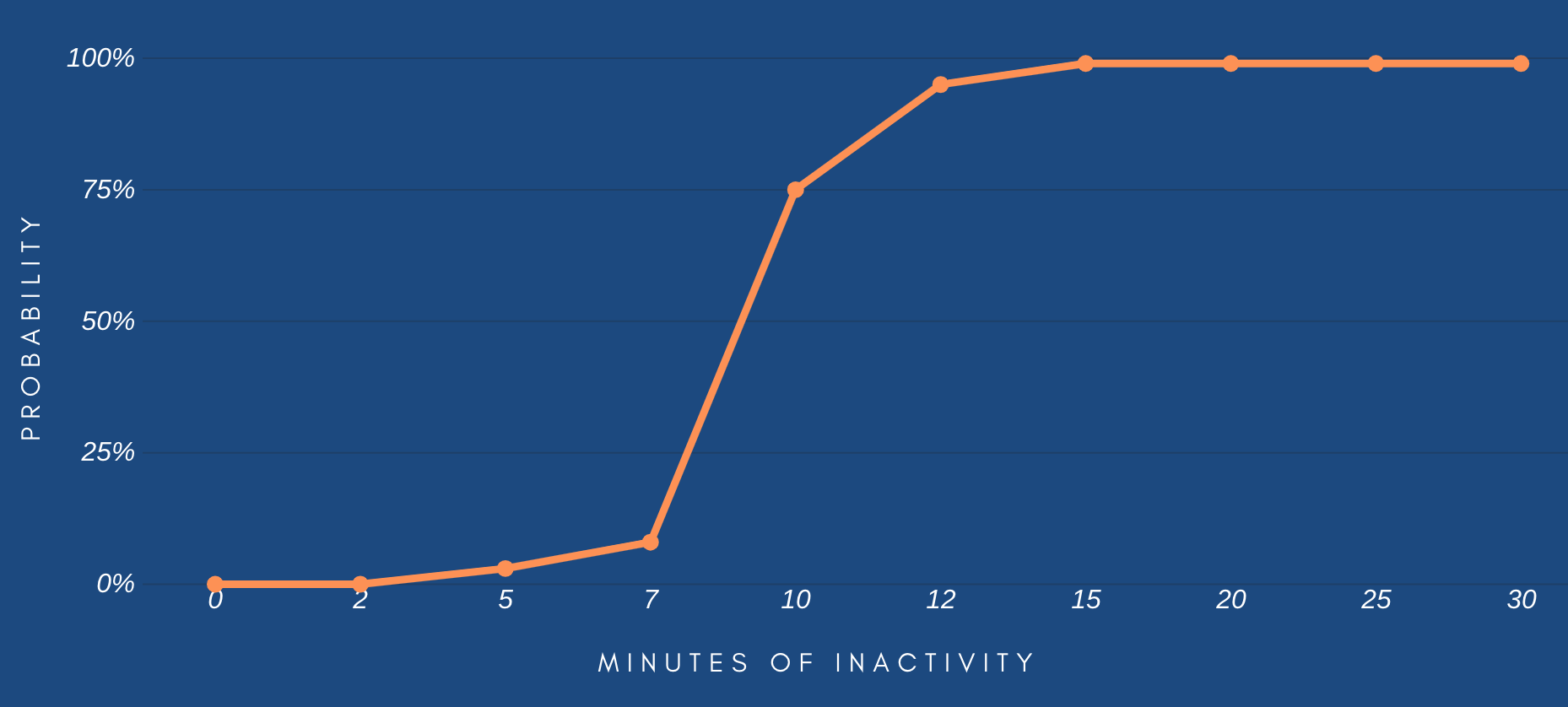
Probability of Container to be destroyed
data source: investigation by Mikhail Shilkov (mikhail.io)
Serverless developers:

AWS Lambda:
*keeps containers alive for ~10 minutes of inactivity*
Let's call it every 5-10 minutes
Classic Solution
module.exports.handler = async (event) => {
  if (event.isWarmUp) return;

  // do the job here
};
The Simplest Approach
javascript


{ "isWarmUp": true }
every 6 mins
Container
1 X
constantly
exports.handler = async (event) => {
  // if a warming event
  if (event.isWarmUp) {
    if (event.concurrency) {
      // run N parallel calls to the same LF
    }
    await new Promise(r => setTimeout(r, 75));
    return 'done';
  }

  // main job code
}
More Parallel Containers
javascript
{ "isWarmUp": true, concurrency: 5 }
every 6 mins

call itself 5 times in parallel and add a short delay
Old style warm-up possible with:
- Code own solution considering main principles
- External packages
- External service (lol)
- Serverless plugin
npm serverless-plugin-warmup
npm lambda-warmer
const warmer = require('lambda-warmer');
exports.handler = async (event) => {
  if (await warmer(event)) return;
  // main job
}
AWS Lambda
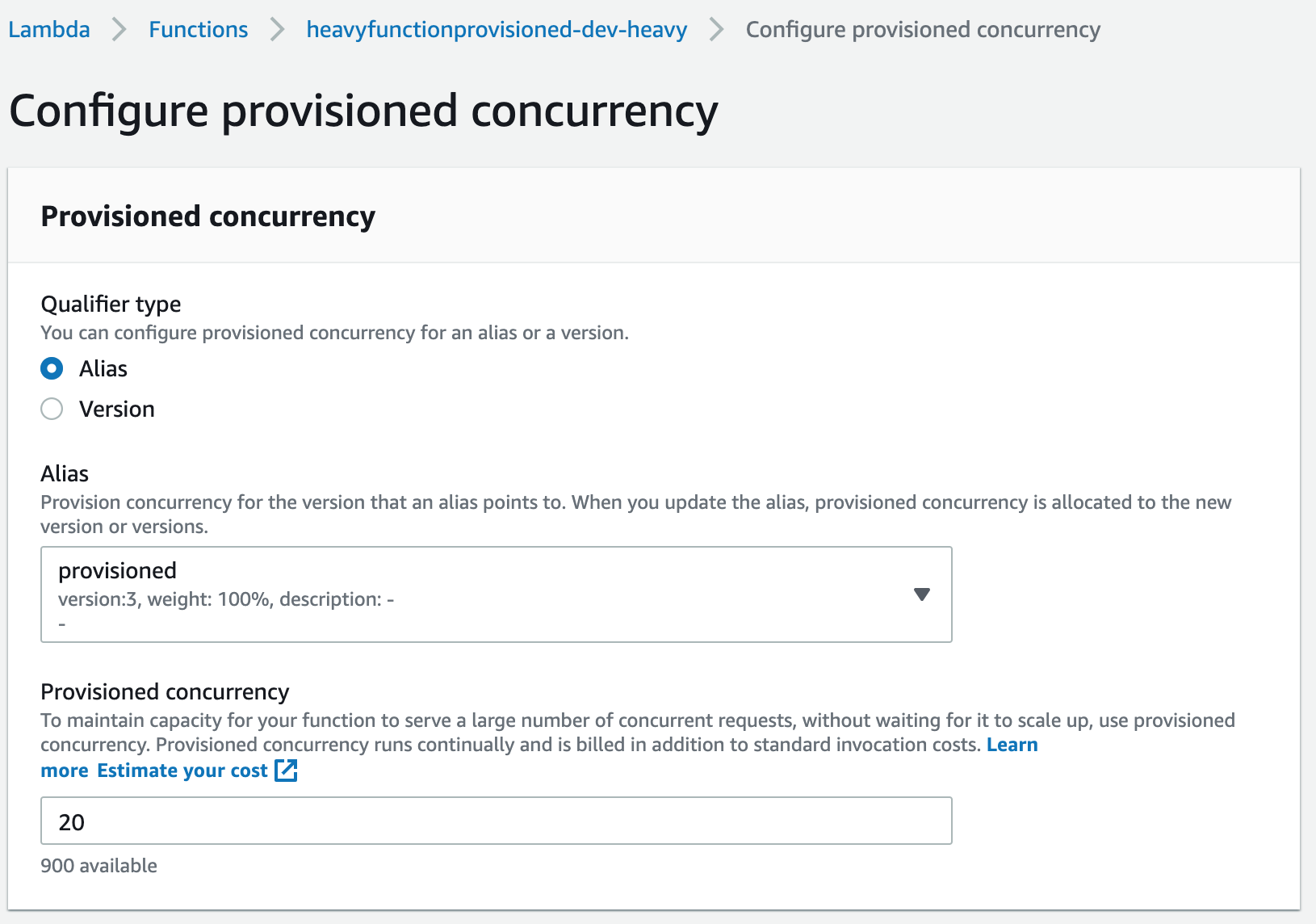
Provisioned Concurrency
It does literally the same.
It keeps warm containers for the function.

Text
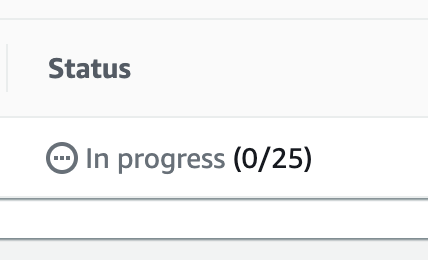
~ 2 - 5 mins
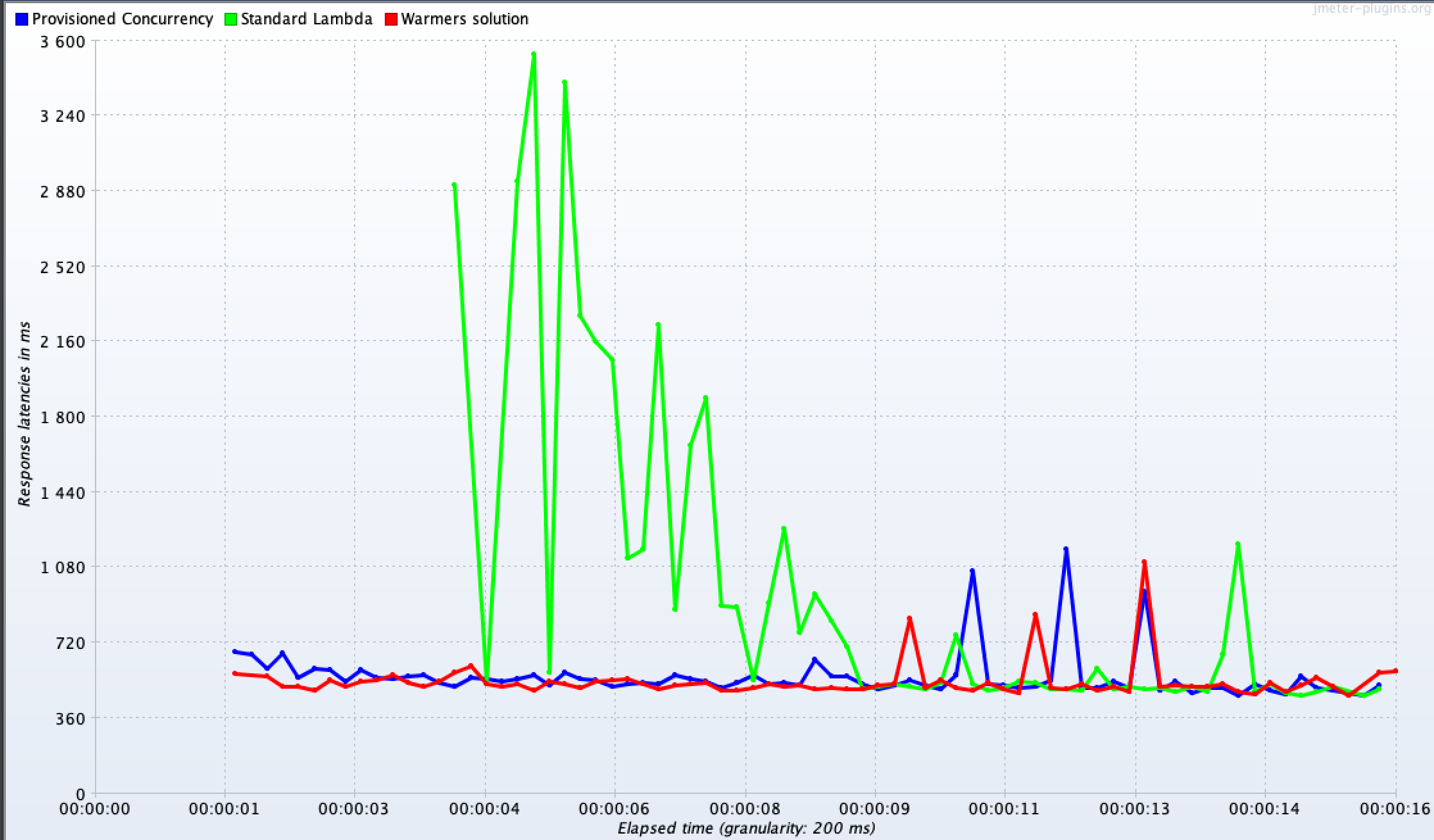
Let's Test It
- Standard, warm-up and provisioned approaches
- Heavy initialization job (one-time)
- Simulate load spike to 500 req in ~15 seconds
- ~200MB package size
const job = fs.readFileSync('./9MB_FILE.txt').toString().split('');

module.exports.handler = async (event) => {
  await new Promise(r => setTimeout(r, 450)); // main job delay
  return { statusCode: 200, body: {}};
}
javascript
| Standard AWS Lambda (1 GB/s) | Provisioned Concurrency (1 GB/s) | |
|---|---|---|
| Requests | 0.2 $ / 1 million | 0.2 $ / 1 million |
| Execution Duration | 0.000016667 $ | 0.000010841 $ |
| Provisioning | 0 | 0.000004646 $ |
Pricing
1 h Idle Time (total)
1 h Exec Time (100% util)
0
0.0167 $ / h x 1 concurrency
0.06 $ / h
0.0057 $ / h
0.167 $ / h x 10 concurrency

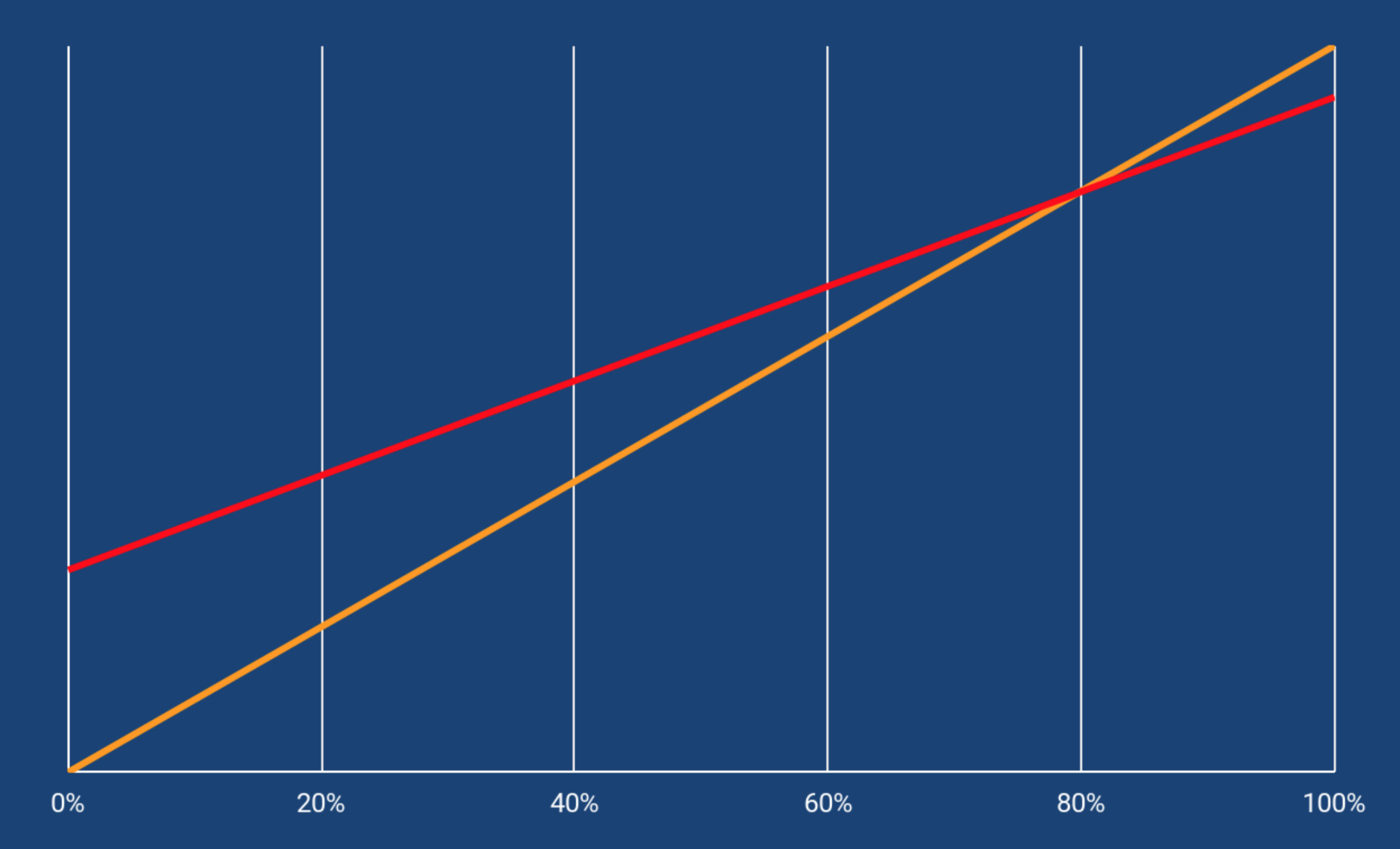
Utilization %
COST
Standard
Provisioned Concurrency
You should never enable provisioned concurrency carefreely
You should never enable provisioned concurrency carefreely
Old solution:
Example:
1 Lambda
1GB memory
10 concurrency
1 month
10 short invocations (100ms)
Per each 6 minutes (10 / hour)
24 hours, 30 days
(0.000016667/10) * 10 * 10 * 24 * 30 =
0.12 $
Provisioned Concurrency:
10 containers
0.000004646 $ / second
24 hours, 30 days
0.000004646 * 10 * 3600 * 24 * 30 =
120.4 $
0.000016667 * 10 * 10 * 24 * 30 =
1.20 $
1 sec per inv

T3.Med
116 $

T3.Med
T3.Med
Provisioned concurrency feature has a great potential, but at the moment it suits quite specific use cases and is not a "silver bullet".
Provisioned concurrency
- Official and reliable feature from AWS
- Cost-effective in case of high utilization
- Can provide scale to huge amount of containers
- Integration with AWS Auto-Scaling
When to use
Provisioned Concurrency
Regular, predictable
high load spikes
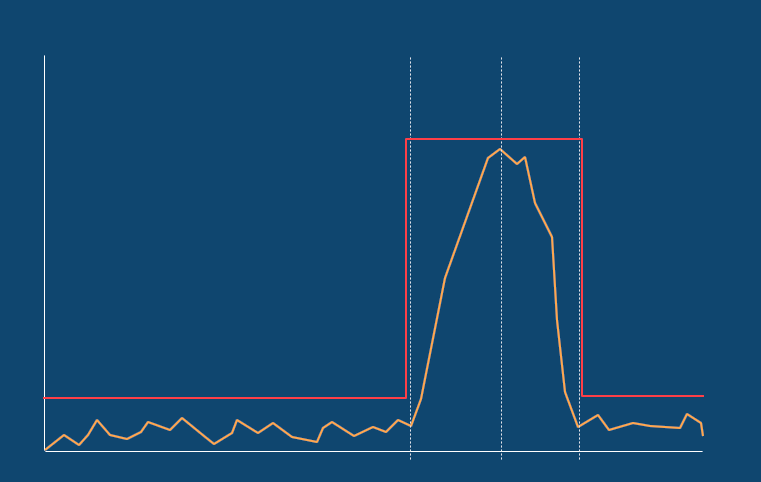
provisioned concurrency
250
concurrency
17:30
19:00
Reporting time
20
Scheduled provisioning
lambda warmer
250
concurrency
17:30
19:00
Reporting time
20
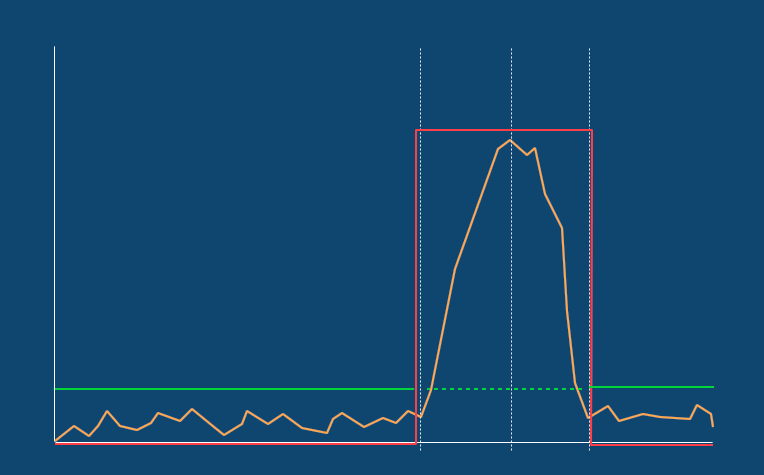
provisioned
You can combine the approaches
Scheduled provisioning
Scheduled provisioning
AWS Auto-Scaling, via CLI
AWS CLI

$ aws –region eu-west-1 application-autoscaling put-scheduled-action
  –service-namespace lambda –scheduled-action-name MyScheduledProvision1
  –resource-id function:report-lambda:provision
  –scalable-dimension lambda:function:ProvisionedConcurrency
  –scalable-target-action MinCapacity=250,MaxCapacity=250
  –schedule “at(2020-02-20T17:25:00)”
With a separate scheduled Lambda and AWS SDK
let lambda = new AWS.Lambda();
let params = {
  FunctionName: 'report-lambda',
  ProvisionedConcurrentExecutions: 250,
  Qualifier: 'provision'
};

lambda.putProvisionedConcurrencyConfig(params, function(err, data) {
  if (err) console.log(err, err.stack);
  else     console.log(data);
});
command line
javascript
Provisioning according to utilization
AWS Auto-Scaling, via CLI
AWS CLI

$ aws –region eu-west-1 application-autoscaling put-scaling-policy
  –service-namespace lambda
  –scalable-dimension lambda:function:ProvisionedConcurrency
  –resource-id function:report-function:alias
  –policy-name UtilTestPolicy –policy-type TargetTrackingScaling
  –target-tracking-scaling-policy-configuration file://config.json
command line
{
“TargetValue”: 0.75,
“PredefinedMetricSpecification”: {
	“PredefinedMetricType”: “LambdaProvisionedConcurrencyUtilization”,
  	...
 }
}
config.json
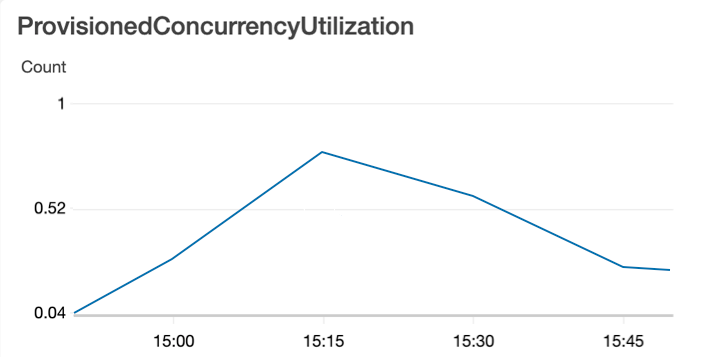
trigger increasing concurrency
Provisioning according to utilization
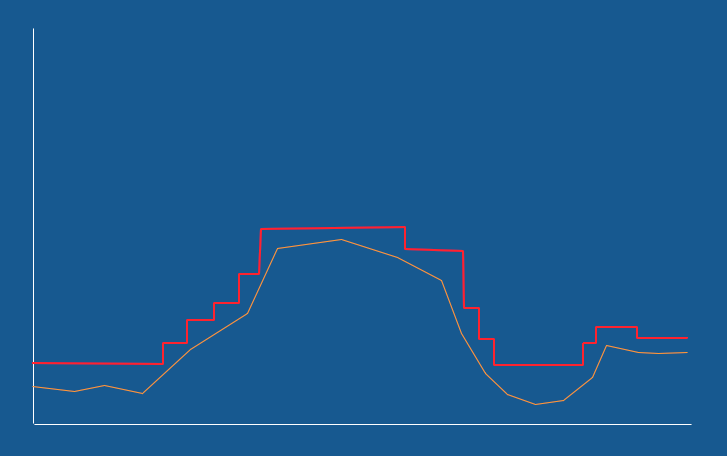
provisioned
Time
Wavy and smooth load changes + AWS autoscaling
13:45
14:00
14:15
At the moment of preparing this presentation, January 2020
There are some issues with this approach.
Utilization autoscaling works in not effective way and going to be fixed
What we learned today
- Always-on provisioned concurrency is very expensive
- Warmers are still in the game
- Provisioned concurrency needs smart approach
- It may work for really high-load systems
- It may work if cold start's impact to the business is more expensive than enabling the feature
installs amount of serverless-plugin-warmup increased by 30% during last two months
"Make the “prewarmer” events 15% more expensive than a regular Lambda invocation if need be, to cover the overhead of scheduling or whatever other magic is happening. But don’t take away my scale-to-zero billing model. That’s what I came to Lambda for in the first place."
Forrest Brazeal, Cloud Architect & AWS Serverless Hero


Artem Arkhipov, Web Development Expert at Techmagic
ar.arkhipov@gmail.co
skype: tamango92
twitter: ar_arkhipov
Cheers!

AWS Lambda - Provisioned Concurrency in Details
By Artem Arkhipov
AWS Lambda - Provisioned Concurrency in Details
What are the cold starts? Should we cope with them and how? What is "provisioned concurrency" feature? Is it always worth to use this feature?