Terraform: An Overview & Introduction
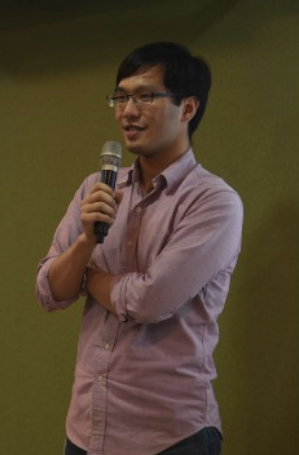
David Chou


Golang Taipei
Streaming Meetup
david74.chou @ facebook
david74.chou @ medium
david7482 @ github
What is Infrastructure as Code?
Infrastructure as Code (IaC)
The Process of Managing and Provisioning Computer Data Centers Through Machine-Readable Definition Files
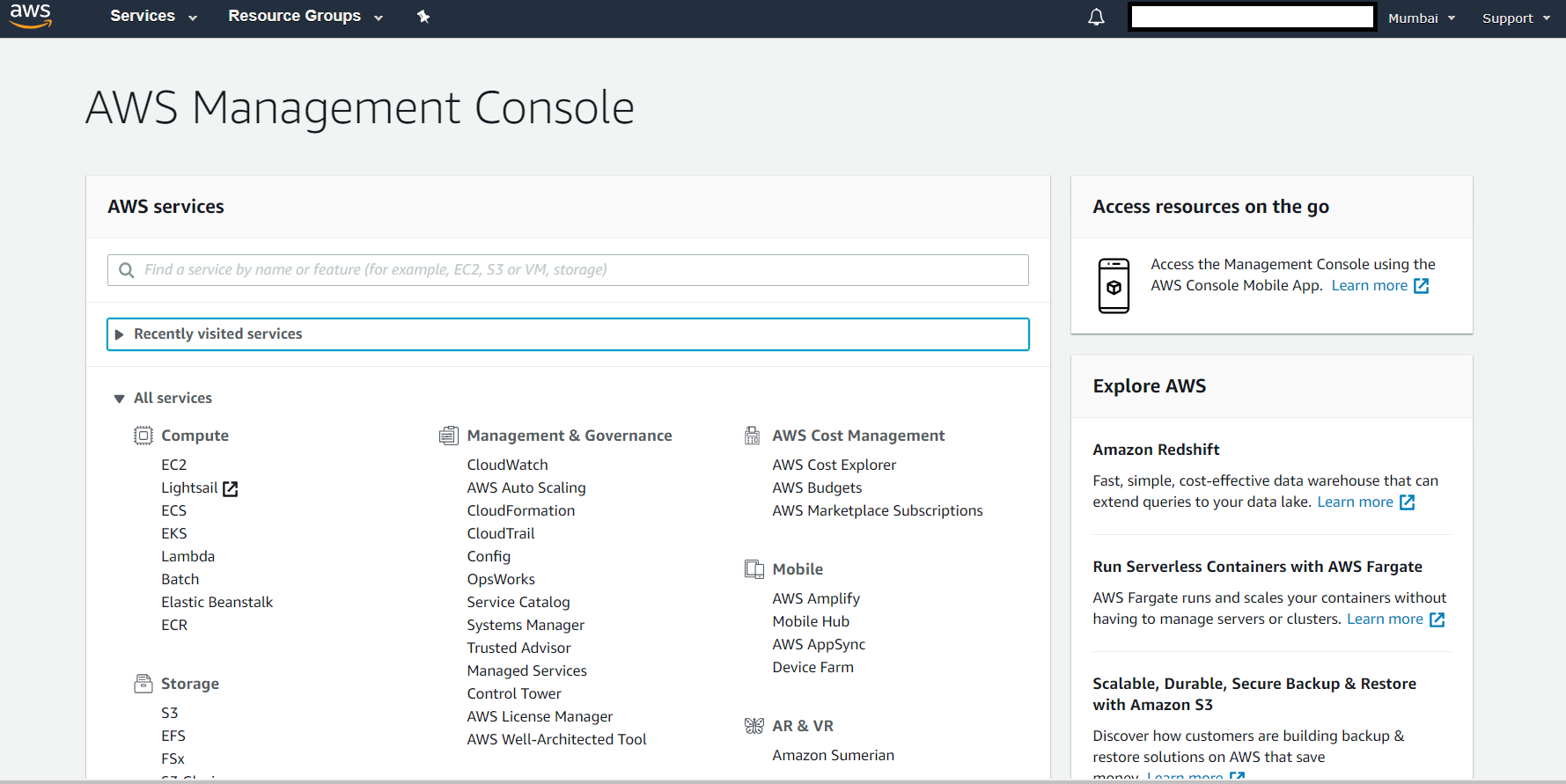

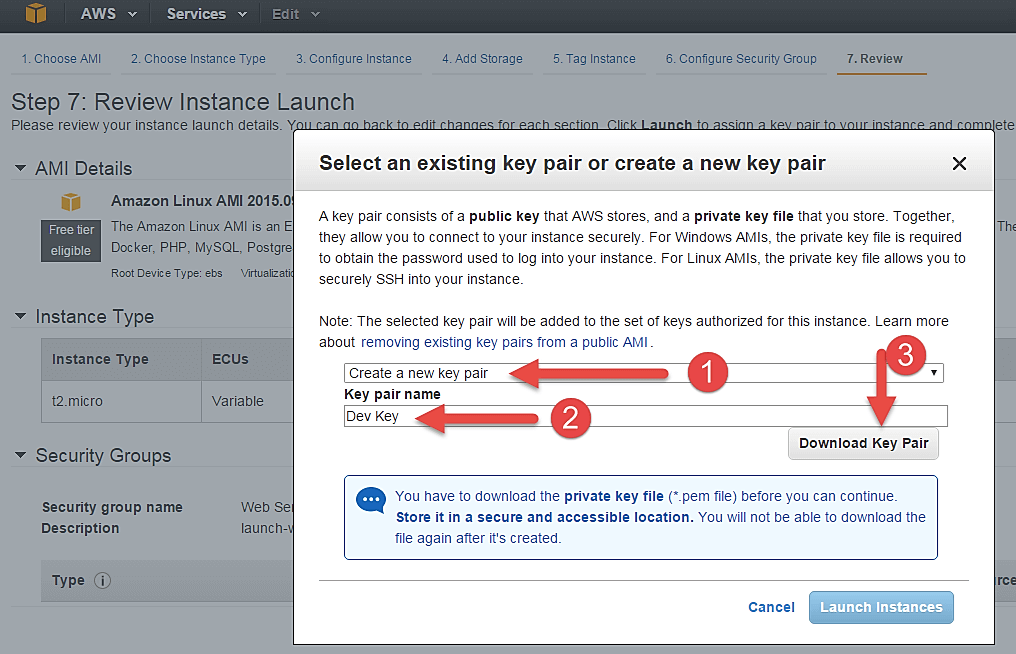
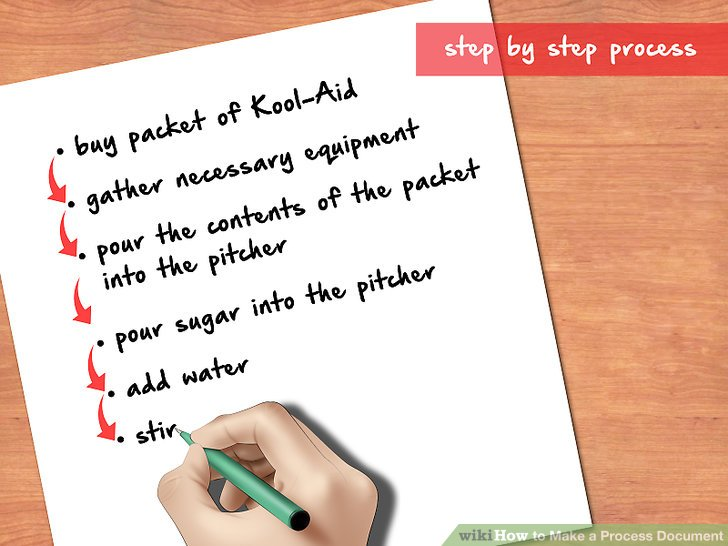
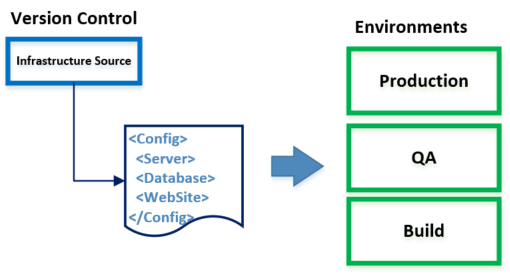
Record cloud resource with IaC tool, not document !
What is Terraform?
Terraform is an open source tool for managing Infrastructure as Code
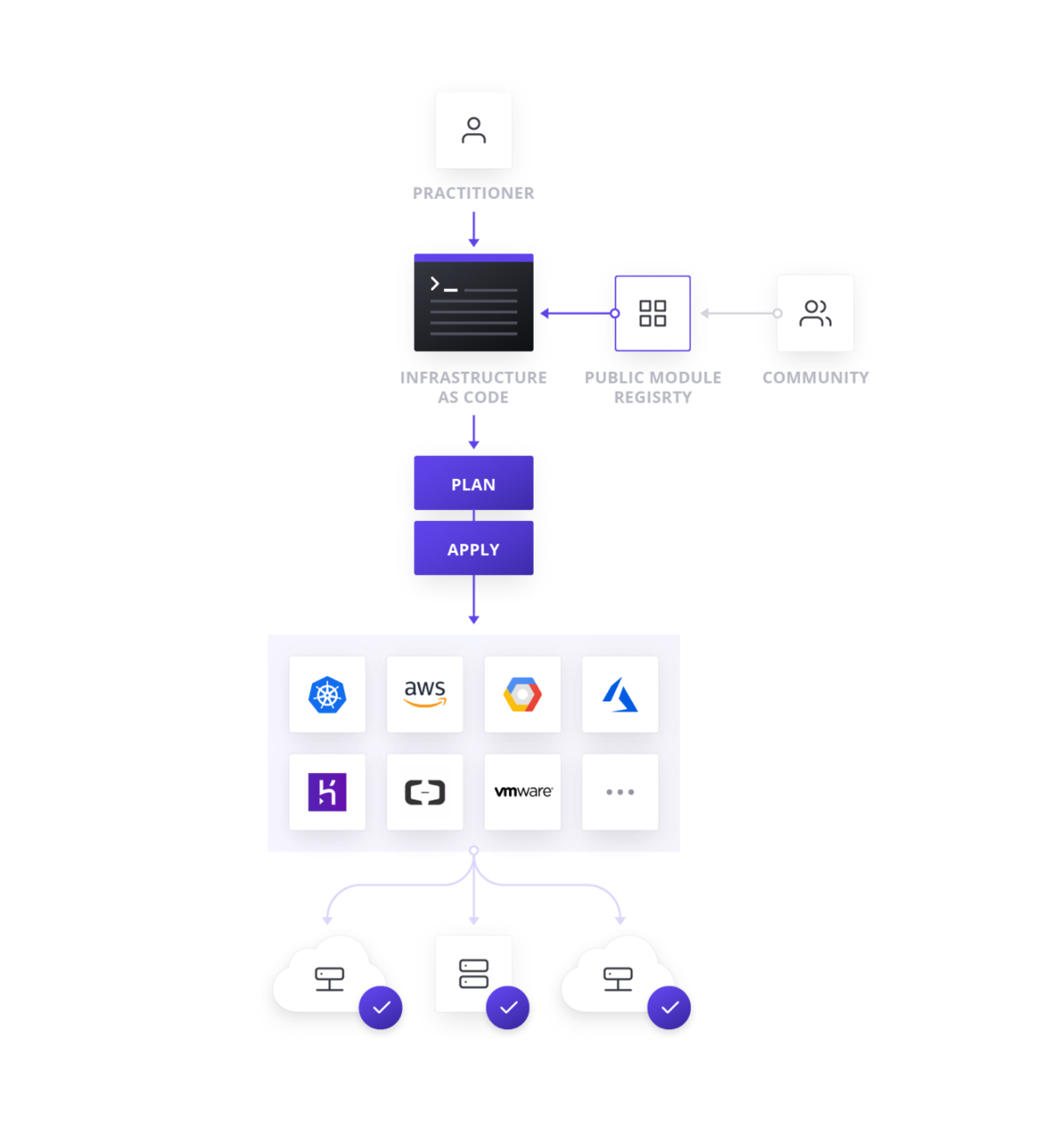
Terraform facts
- Developed by HashiCorp
- Opensource
- Golang
- HCL syntax
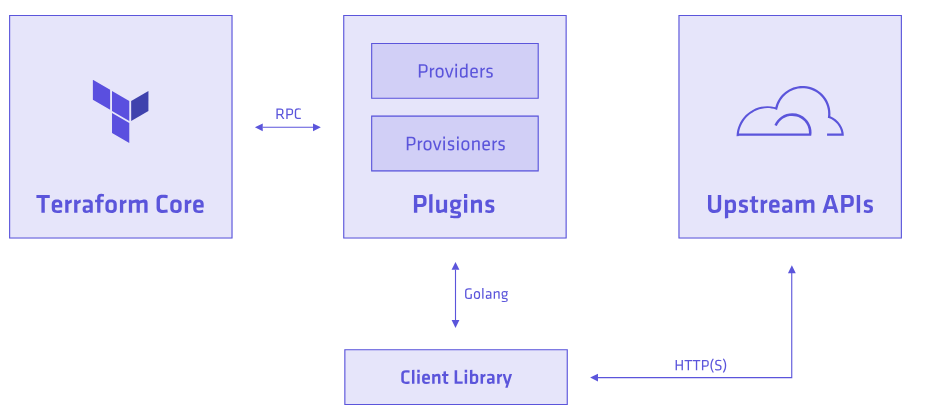
Core & Plugins
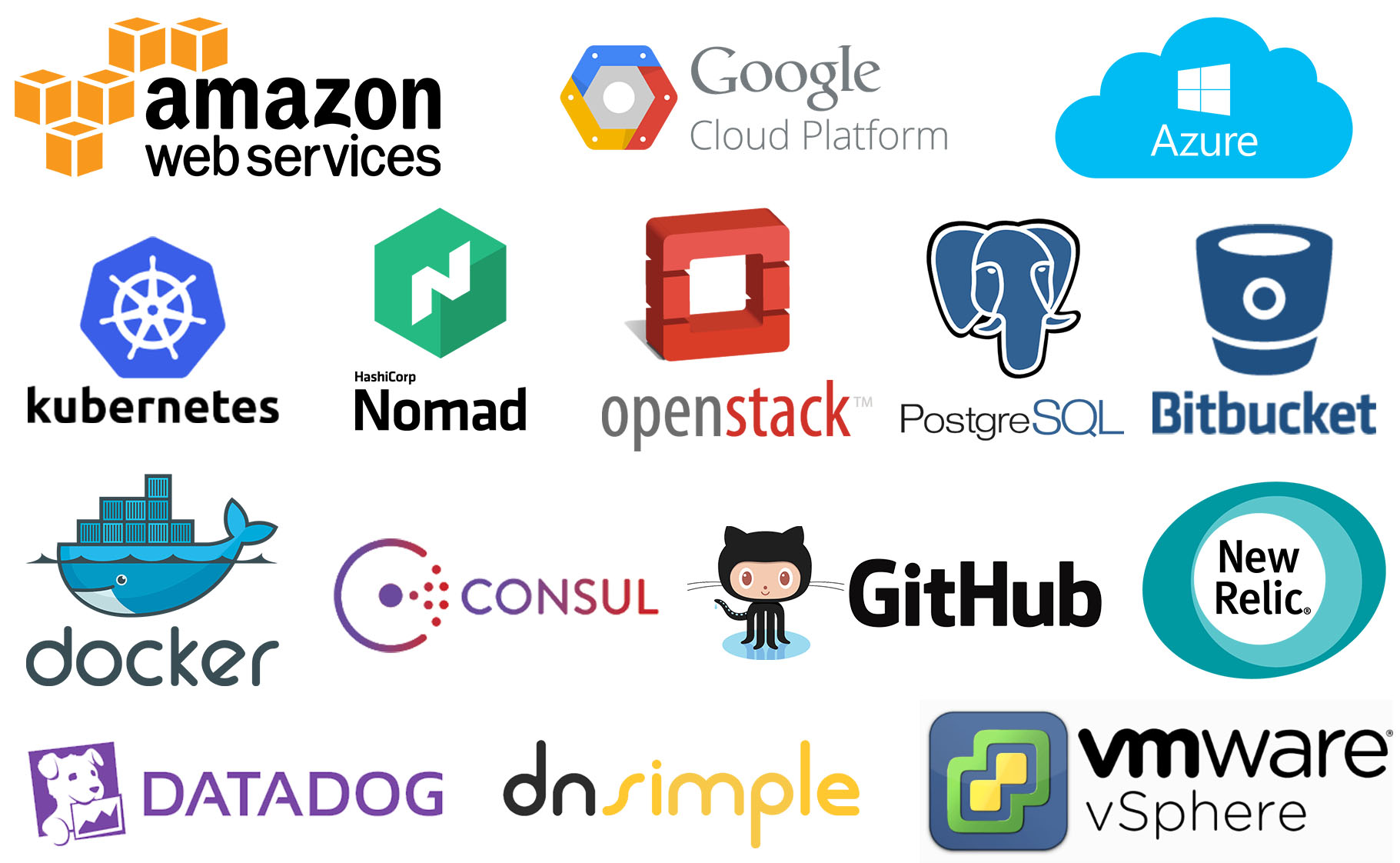
and more...
HCL
A structured configuration language that is both human and machine friendly, and specifically targeted towards DevOps tools, etc.
#An AMI
variable "ami" {
  description = "the AMI to use"
}

/* A multi
   line comment. */
resource "aws_instance" "web" {
  ami               = "${var.ami}"
  count             = 2
  source_dest_check = false

  connection {
    user = "root"
  }
}
Terraform command
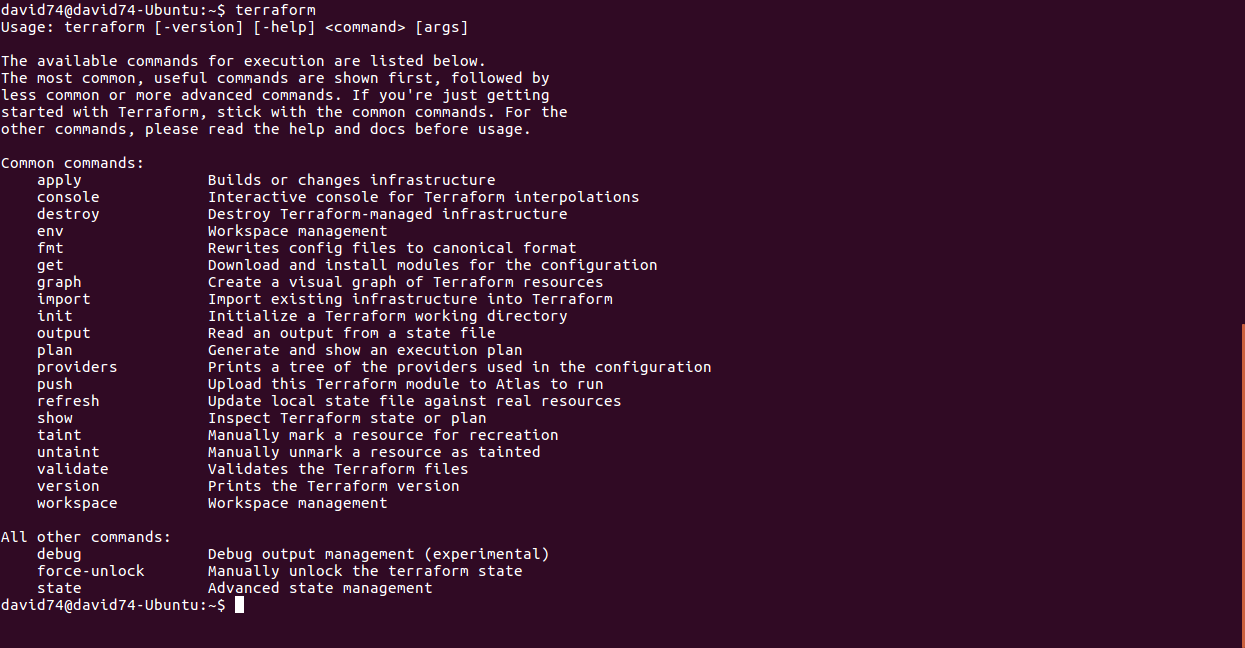
Hello Terraform
Terraform
Cloudformation
provider "aws" {
  #Set AWS_ACCESS_KEY_ID
  #AWS_SECRET_ACCESS_KEY env vars
  region = "us-west-2"
}

resource "aws_s3_bucket" "my-cool-bucket" {
  bucket = "my-cool-bucket"
  acl    = "public-read"
}
{
"Resources" : {
"my-cool-bucket" : {
"Type" : "AWS::S3::Bucket",
"Properties" : {
"AccessControl" : "PublicRead"
}
}
}
}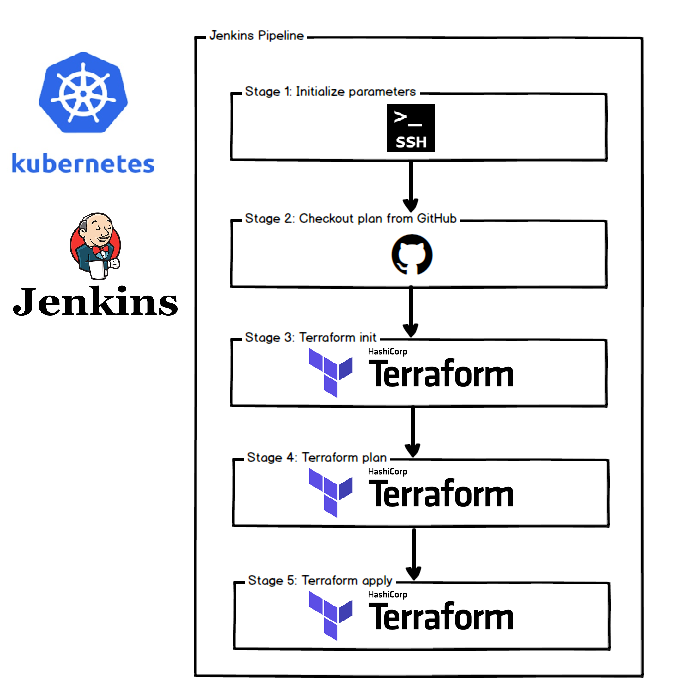
Terraform flow
$ terraform init
To initialize a working directory containing Terraform configuration files
$ terraform plan
Terraform performs a refresh, then determines what actions are necessary to achieve the desired state specified in the configuration files.
$ terraform apply
Apply the changes required to reach the desired state of the configuration
Let's terraform a S3 bucket
main.tf
#Configure aws with a default region
provider "aws" {
  region = "us-east-1"
}

/*Create a demo s3 bucket*/
resource "aws_s3_bucket" "umbocv-demo-bucket" {
  bucket = "umbocv-demo-bucket"

  tags {
    Name = "umbocv-demo-bucket"
    Environment = "internal"
    Purpose = "demo"
  }
}
Terraform plan
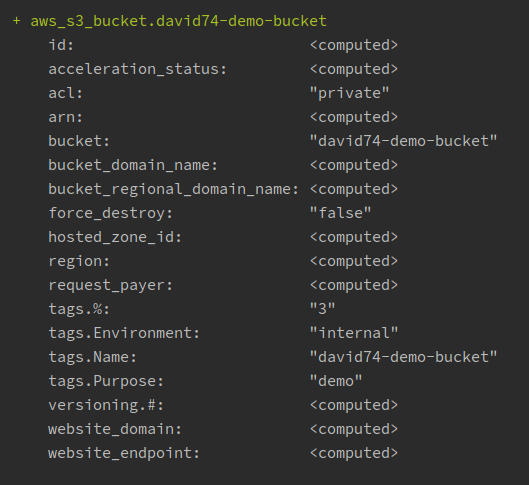
Terraform apply
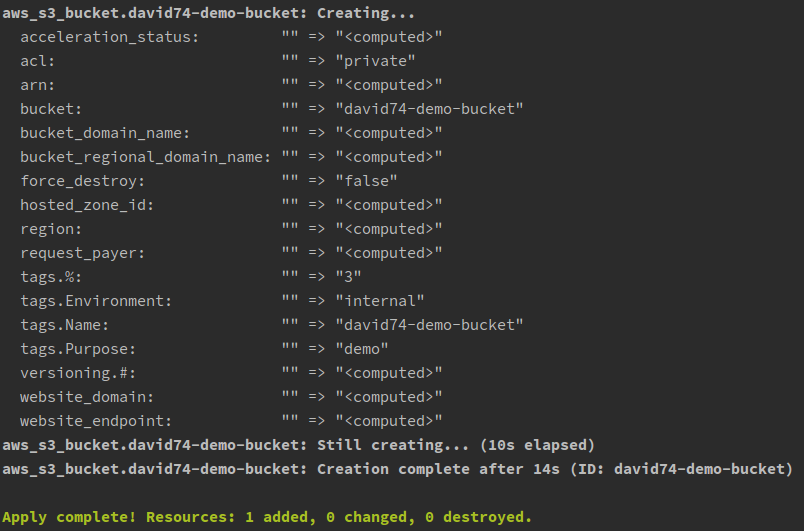
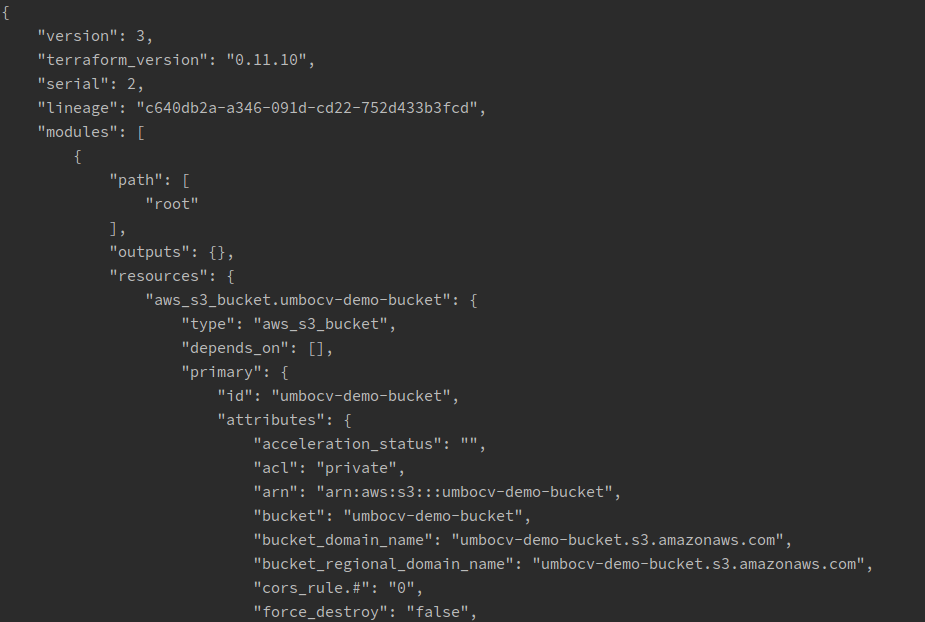
terraform.tfstate
Let's terraform an EC2 with EIP
variables.tf
main.tf
provider "aws" {
  region = "${var.region}"
}

resource "aws_instance" "helloworld" {
  ami           = "${lookup(var.ami, var.region)}"
  instance_type = "t2.micro"
}

resource "aws_eip" "ip" {
  instance = "${aws_instance.helloworld.id}"
}
variable "region" {
default = "ap-northeast-1"
}
variable "ami" {
type = "map"
default = {
"ap-northeast-1" = "ami-044c1940d801a38d6"
"us-east-1" = "ami-015a7a34dba7c99d6"
}
}
Terraform plan
+ aws_eip.ip
    id:                                               <computed>
    instance:                                    "${aws_instance.helloworld.id}"
    network_interface:                   <computed>
    vpc:                                            <computed>

+ aws_instance.helloworld
    id:                                               <computed>
    ami:                                            "ami-044c1940d801a38d6"
    arn:                                             <computed>
    associate_public_ip_address:  <computed>
Let's terraform a VPC
Public and Private multi-AZs VPC with NAT gateway and S3 endpoints
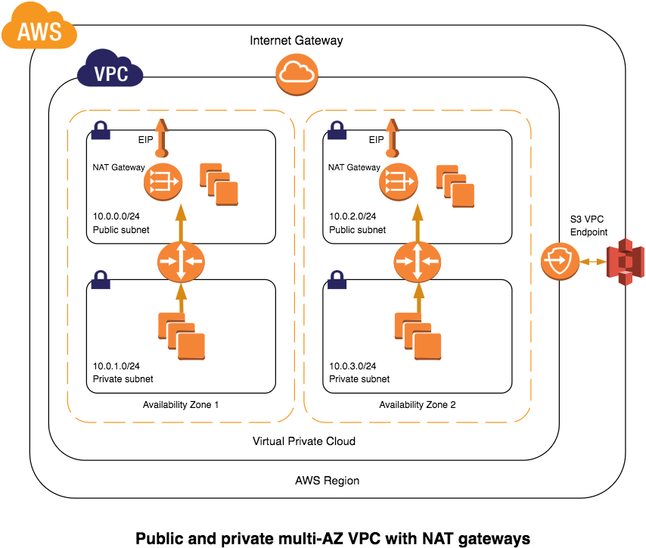
- CIDR
- Subnets
- Internet gateway
- NAT gateway
- Routing tables
- S3 endpoints
variables.tf
apne1.tfvars
usea1.tfvars
variable "region" {
  default = "ap-northeast-1"
}

variable "name" {
  default = ""
}

variable "tags" {
  type    = "map"
  default = {}
}

variable "cidr" {
  default = "0.0.0.0/0"
}

variable "azs" {
  type    = "list"
  default = []
}

variable "public_subnets" {
  type    = "list"
  default = []
}

variable "private_subnets" {
  type    = "list"
  default = []
}
region = "ap-northeast-1"
name = "david74-vpc"
tags = {
  "Environment" = "internal"
  "Purpose" = "test"
}
cidr = "10.0.0.0/16"
azs = ["ap-northeast-1a", "ap-northeast-1c"]
public_subnets = ["10.0.0.0/24", "10.0.1.0/24"]
private_subnets = ["10.0.10.0/24", "10.0.11.0/24"]
region = "us-east-1"
name = "david74-vpc"
tags = {
"Environment" = "internal"
"Purpose" = "test"
}
cidr = "10.1.0.0/16"
azs = ["us-east-1a", "us-east-1b"]
public_subnets = ["10.1.0.0/24", "10.1.1.0/24"]
private_subnets = ["10.1.10.0/24", "10.1.11.0/24"]#VPC
resource "aws_vpc" "main" {
cidr_block = "${var.cidr}"
enable_dns_support = true
enable_dns_hostnames = true
tags = "${merge(map("Name", format("%s", var.name)), var.tags)}"
}
/*
tags = {
"Name" = "david74-vpc"
"Environment" = "internal"
"Purpose" = "test"
}
*/#Internet gateway
resource "aws_internet_gateway" "igw" {
vpc_id = "${aws_vpc.main.id}"
tags = "${merge(map("Name", format("%s", var.name)), var.tags)}"
}Create VPC
Create Internet Gateway
#NAT gateway
resource "aws_eip" "nat" {
  vpc = true
  depends_on = ["aws_internet_gateway.igw"]

  tags = "${merge(map("Name", format("%s-nat", var.name)), var.tags)}"
}

resource "aws_nat_gateway" "ngw" {
  allocation_id = "${aws_eip.nat.id}"
  subnet_id      = "${aws_subnet.public.0.id}"

  tags = "${merge(map("Name", format("%s", var.name)), var.tags)}"
}
Create NAT Gateway
/* Private subnet */
resource "aws_subnet" "private" {
  count = "${length(var.azs)}"

  vpc_id                   = "${aws_vpc.main.id}"
  availability_zone = "${element(var.azs, count.index)}"
  cidr_block             = "${element(var.private_subnets, count.index)}"
  map_public_ip_on_launch = false

  tags = "${merge(map("Name", format("%s-private-%s", var.name, element(var.azs, count.index))), var.tags)}"
}

/* Public subnet */
resource "aws_subnet" "public" {
  count = "${length(var.azs)}"

  vpc_id                    = "${aws_vpc.main.id}"
  availability_zone  = "${element(var.azs, count.index)}"
  cidr_block              = "${element(var.public_subnets, count.index)}"
  map_public_ip_on_launch = true

  tags = "${merge(map("Name", format("%s-public-%s", var.name, element(var.azs, count.index))), var.tags)}"
}
azs = ["ap-northeast-1a", "ap-northeast-1c"]
public_subnets = ["10.0.0.0/24", "10.0.1.0/24"]
private_subnets = ["10.0.10.0/24", "10.0.11.0/24"]Create Subnets
#Public route tables
resource "aws_route_table" "public" {
  vpc_id = "${aws_vpc.main.id}"

  route {
    cidr_block = "0.0.0.0/0"
    gateway_id = "${aws_internet_gateway.igw.id}"
  }

  tags = "${merge(map("Name", format("%s-public", var.name)), var.tags)}"
}

resource "aws_route_table_association" "public" {
  count = "${length(var.azs)}"

  subnet_id      = "${element(aws_subnet.public.*.id, count.index)}"
  route_table_id = "${aws_route_table.public.id}"
}
Create Route Tables
$ terraform apply -var-file=apne1.tfvars
What if we have multiple regions to provision?
$ terraform workspace new apne1
$ terraform apply -var-file=apne1.tfvars
$ terraform workspace new uses1
$ terraform apply -var-file=uses1.tfvars
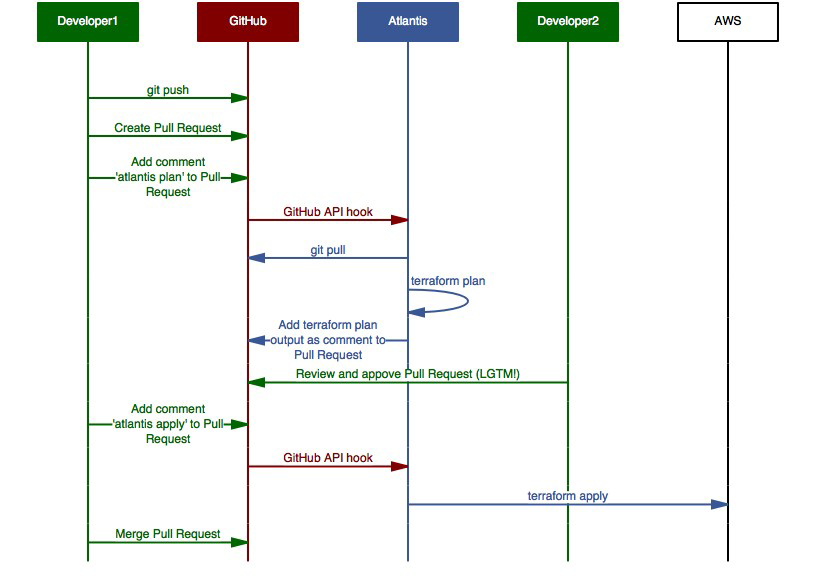
Teamwork on Terraform?
Terraform Remote Backend
- By default, .tfstate file stores on local disk
- Save .tfstate file to a remote backend
- Easier for state sharing and team work
- CI/CD
S3 Remote Backend
terraform {
  backend "s3" {
    region                    = "us-west-2"
    bucket                   = "david74-terraform-remote-state-storage"
    key                         = "terraform.tfstate"
    dynamodb_table  = "terraform-state-lock-dynamo"
    encrypt                  = true
    workspace_key_prefix = "david74-demo"
  }
}
Advanced topics
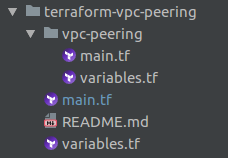
Terraform module
- Code re-usability
- Self-contained module
- Terraform Registry
provider "aws" {
  region  = "${var.requester_region}"
  profile = "${var.requester_aws_profile}"
}

module "vpc_peering" {
  source = "./vpc-peering"

  allow_remote_vpc_dns_resolution = "${var.allow_remote_vpc_dns_resolution}"

  # Requester Data
  requester_vpc_id = "${var.requester_vpc_id}"

  # Accepter Data
  accepter_aws_profile = "${var.accepter_aws_profile}"
  accepter_region      = "${var.accepter_region}"
  accepter_vpc_id      = "${var.accepter_vpc_id}"
}
Terraform import
- Bring existing resources under terraform management
- Major difference with AWS Cloudformation
resource "aws_instance" "temp" {
  /* ... */
}
$ terraform import aws_instance.temp i-abcd1234
Terraform State Mircomanagement
Terraform State Mircomanagement
$ terraform state show ADDRESS
$ terraform state mv SRC DEST
$ terraform state rm ADDRESS
Everything as Code,
but how to test?

Terratest is a Go library that makes it easier to write automated tests for your infrastructure code.
Recap

Any Question?


Terraform: An Overview & Introduction
By Ting-Li Chou