Simulated
parallax blur
Taylor Wrobel
What does parallax blur mean?
Parallax
The effect whereby the position or direction of an object appears to differ when viewed from different positions.

Sites Using the parallax effect
Distance effects motion
Objects closer appear to move more
Objects further away seemingly move less

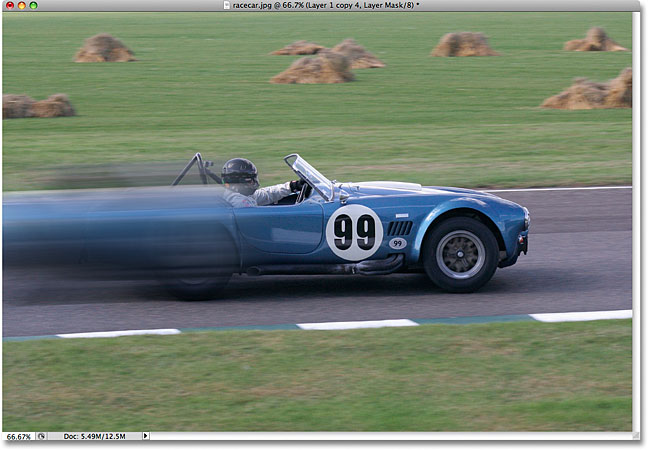
Traditional Motion Blur
Assumes Constant Motion Across Scene

Can be layered and blended to give hybrid effect
General Algorithm
Generate a raster line, using Bresenham's algorithm

General Algorithm
Center line at pixel center, extending in both directions
Take pixel values for every pixel that would be filled
Average pixel values to get blurred image
(Essentially a long, skinny, blur convolution)
My approach
Use depth information to influence intensity of motion blur
Nearer object blur more, further objects blur less
Blurs over each other still appear relatively correct
Test Image
Used image from computer graphics, because of high quality depth map.


Image with Normal Motion Blur
Angle: 50 degrees, Blur Distance: 150px

Approach Number One
"Naive approach"
Same as linear motion blur
Impact of pixels adjusted by blur weight
Still blurs over full distance, just counts some pixels less
NAIVE APPROACH Artifact

Problems
Abrupt cut-off on background blur
Foreground images still have sharp edge, despite being more blurred


Approach number Two
Look at center pixel's original weight
If sample'd pixel's weight is higher and within blur distance, blur
Otherwise, leave the pixel be
Idea being to allow the foreground to blur over the background
Weight Comparison Artifact

Problems
Sharp edge on ground still exists
Blur happens smoothly until edge is approached
Edge Blur Issue
When blurring near edge, center pixel lies on background
As blur occurs, background pixels are sharper, and don't get counted
One background pixel vs 75+ foreground pixels
Background overpowered, foreground seems solid
Approach Number 3
Look at the line of pixels being sampled, and their weight
If they blur far enough to overlay, count as usual
If not, recount the same pixel you are at
Idea being to offset the foreground overpowering the background
Third Approach Artifact

Considerably Better
Background still "crisp", even through blurred foreground
Foreground depths blur more seamlessly

A few Issues remain


Both caused by integer rounding, in blur difference calculation
Using floating point proved too slow to be practical
A Few More Artifacts
Flower
Actual photograph
Hand created depth map


Artifacts
Angle: 330 degrees, Distance: 20px
Linear Blur Parallax Blur


Difference

Chess
CGI
Many layers of objects


Artifacts
Angle: 80 degrees, Distance: 25px
Linear Blur Parallax Blur


Difference

Demo Time!!!
parallax blur
By twrobel