Working with AI Agents
Context is Everything
Principle: The quality of the output from the agents depends on few factors. The ones you can influence are context and capability.
-
Use a smarter model
-
Give it the right context
What I do:
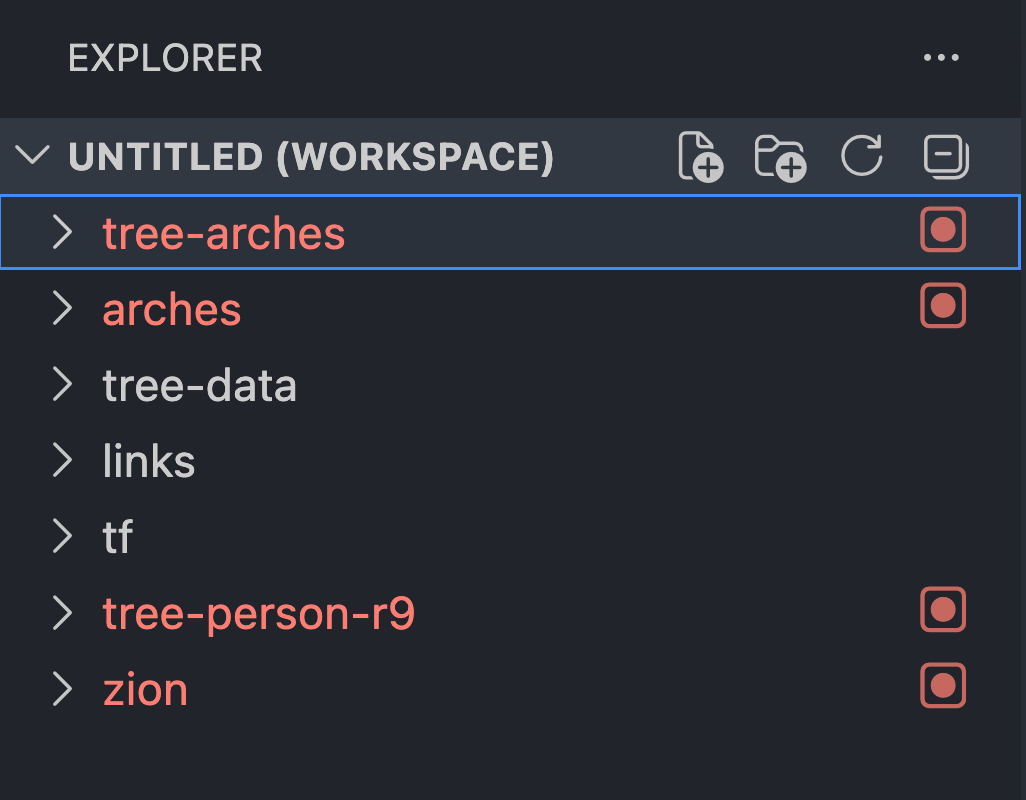
- Multi-repo workspaces — I open all related repos in one VS Code workspace (7 repos in my current setup: tree-arches, arches, tree-data, links, tf, tree-person-r9, zion). The agent can trace imports, contracts, and patterns across repos without me explaining them.
- AGENTS.md / CLAUDE.md files — I write instruction files in each repo that teach the agent the repo's conventions, build commands, and architecture. Every future session starts with better context.
Think of the Agent as a Teammate
Newly hired senior engineer from 2 years ago
Principle: Reason about what the agent knows and doesn't know, just as you would when delegating to another developer.
What I do:
- I think about what information it has access to and what it doesn't
- I consider what it's capable of vs. what's outside its reach
- I give it "onboarding docs" (AGENTS.md) just like I'd onboard a person
- I treat it as a senior dev who reads fast but doesn't know our codebase yet
Think about how it was made

"search the web" = "get latest info not in your vectors"
"use rovo" = "search confluence to get familysearch specific answers"
"use context7" = "follow the api for the version I'm on for x npm module"
Brain Dump → Agent Asks Questions → Structured Plan
Principle: Start with unstructured thoughts. Let the agent probe gaps. Crystallize into a structured document.
What I do:
- Start talking — dump all my thoughts about the problem, even if the plan isn't fully formed
- Ask the agent to ask me questions to fill in the gaps
- For bigger projects, have it produce a plan document that captures architecture and tracks progress
Search Instead of Parse (Needle in a Haystack)
Principle: AI is excellent at searching through massive amounts of information and returning a precise answer. Use it as a search engine across your codebase, docs, and internal knowledge bases.
Examples
- "What is a 6:1 person ID?"
- "How do I set up an ark route in my blueprint?"
- "How many frontier apps are there?"
- "How many frontier apps depend on @fs/snow <=1.14.2?"
- "How many endpoints does tree-data have?"
Copilot on github.com
Principle: You don't need to clone a repo or set up a workspace to understand it. GitHub Copilot on github.com lets you point it at any repo and ask questions about the codebase directly.
When to use it:
- Exploring an unfamiliar repo before pulling it down
- Asking "how does X work in this codebase?" without reading every file
- Understanding a dependency's internals or API patterns
- Reviewing PRs with full repo context
Working with AI Agents — Presentation Notes
By Tyler Graf