SERVERSIDE
Vaidas Mikalauskas
DEV@DATADOG
- Deploying application
- Sharing environment
- Monitoring
Project
# setup
Minimal project
- Execution env
- Database
- HTTP server
- Frontend + Backend
- Cache
To setup project:
- Install required software
- Modify configuration
- Deploy project
- Run commands to initialise application
Dependencies have
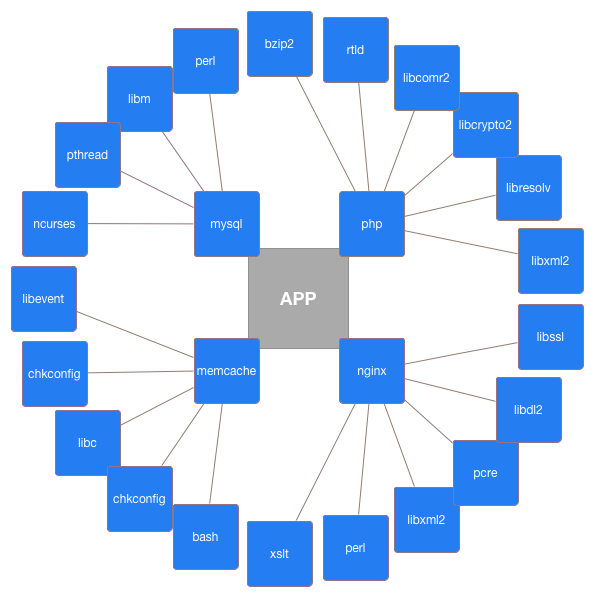
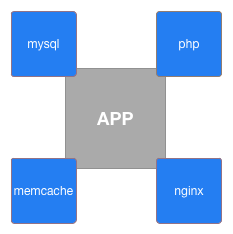
dependencies
Real world web application
# application services
- Frontend / Backend / API / etc...
- Database replication
- Cache server
- Load balancing
- Mailing service
- Queue / Messaging service
- Session storage
- Deployment
Project components
# toolset
- Package manager // Bower, NPM, Composer, etc...
- JS/CSS building // SASS, LESS, CoffeScript...
- Execution environment // PHP, Ruby, Python, NodeJS, etc...
- Caching // memcached, redis, etc...
- Monitoring // sentry, logstash, statsd, collectd, graphite...
- Queues // beanstalk, redis, etc...
- Building // Grunt/gulp, Jenkins, phing, etc...
- Database sever
Project deployment
# environments
Development
1 per developer
Production
depends on project
Additional servers
staging
testing
backup
monitoring
deployment
...
Server
1 server
1 OS instance
1 application
1 server
1 OS instance
1 application
1 server
1 OS instance
1 application
Infrastructure
Hypervisor
OS
Frontend
PHP/nginx
OS
Database
MySQL
OS
Monitoring
Python/NodeJs
OS
API
Ruby/Unicorn
OS
Backend
PHP/nginx
OS
CDN
nginx/NodeJs
Sample infrastructure
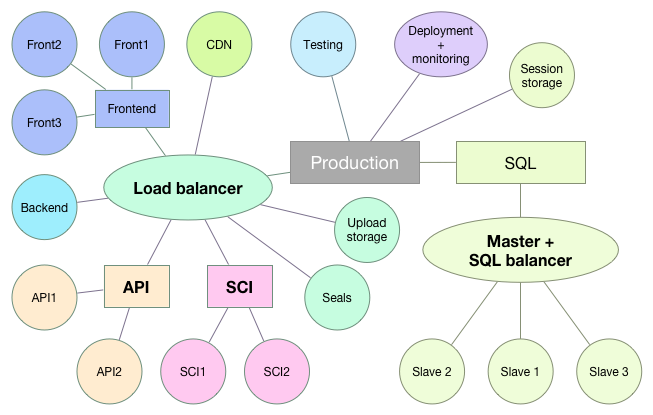
# servers
Configurations needed:
Configuratios = Steps X Application X Server
Example:
50 steps
2 developers
production + testing
application + backend
= 400
Current project:
~70 steps per configuration
4 developers
16 production servers + testing + staging
11 applications
~ 10000
Environment
# nightmare
Environment differences
- Hardware
- OS (Windows/Linux/OS X)
- x86 / x86_64
- OS version/distribution
- Installed software
- Configuration
Adapt for everything
- Hard to implement
- Constant adoption for changing environments
- Code complexity
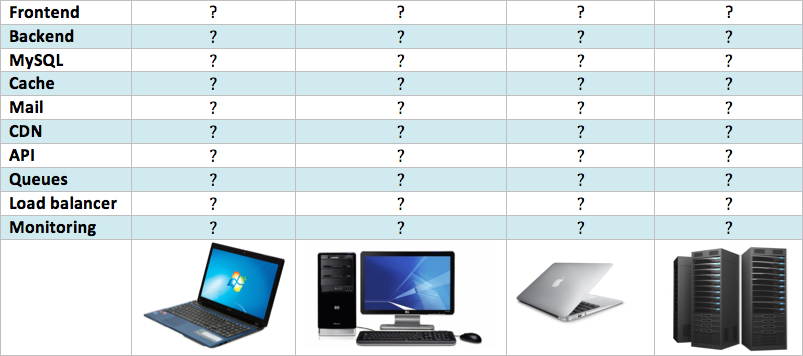
Matrix of hell
Virtualization
- Same OS and version
- Same installed software
- Same configuration
- Configurable hardware features
Other benefits
- Reusable, distributable boxes
- Snapshots
- Runs on any OS
- No extra software installation
- Conflicting configurations
Drawbacks
- Resource hungry
- Slower
- Hard to share
- Need for manual configuration
Sharing Virtual image
# vagrant
- Requirements change
- Instance needs manual update
- Repackaging needed after change
- Every instance updated separately
Sharing OS instance
Vagrant
- Share single file instead of instance
- Support for all Linux / OS X / Windows
- VirtualBox or VMware
- Easy sharing
- Many boxes to choose from
- Supports for provisioning
Automation
# provisioning
Provisioning
Automated process of configuring servers
Provisioners
- Ansible
- Chef
- Puppet
- Other
Inventory
- Comunication
- Server location
- Server roles
Recipe
- Install software
- Change configuration
- Create files
- Ensure system state
Running provisioner
- On initialization
- Manual
- Push (on schedule)
- Pull (on schedule)
Rolling updates
- For duplicated services only
- Sequence:
- Remove from pool
- Run provisioner
- Check state
- Put back to pool
- Continue with next
Tips & tricks
- Use version control
- Use recipes for everything
- Don't update image, update recipe
- Share recipe, not image
- Provision production
- Keep organized
- Use --dry-run for testing
Advanced virtualization
# virtual inception
Virtualization
- Whole-system (vmware, virtualbox, etc..)
- OS level
in virtual machine
Linux containers + Docker
- Process isolation
- No need to create virtual machines
- Easy image sharing
- One image for one purpose
- No overhead
- Fast
Monitoring
# stats
Monitor your server
- Disk space
- CPU utilization
- Trafic
- DB activity
But don't forget users
- Collect user events:
- Logins / unsuccessful logins
- Registrations
- Purchases
- Other important actions
- Errors
Collect metrics
- Application
- statsd
- metricsd
- bucky
- Server/services:
- collectd
- diamond
- many others
- Logs:
- logstash
- fluentd
Aggregate data
- Graphite
- Carbon
- Logstash
Analyze data
- Grafana
- Giraffe
- Kibana
Receive alerts
- Seyren
- Cabot
- RearView
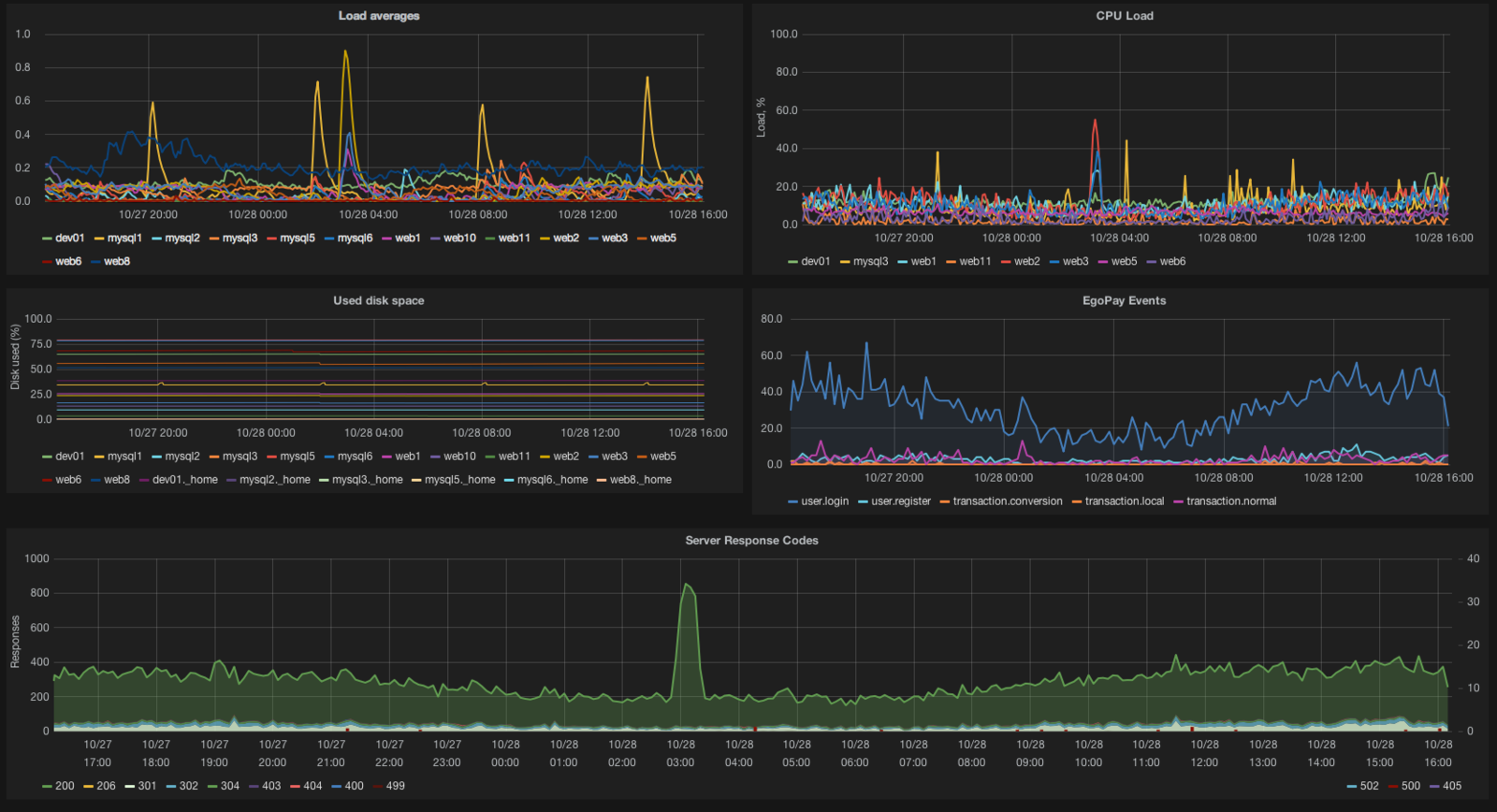
Or use what's
- New Relic
- DataDog
- LogicMonitor
already there
Monitoring is not about
- Get alerts
- Have stats on display
- Explain why things happen
beautiful graphs
Q&A
Thank you
https://slides.com/vaidasmikalauskas/serverside-ktu
Copy of Serverside-KTU
By Vaidas Mikalauskas