How to handle complex animations in React Native?
How to handle complex animations in React Native?
- Why?
- Challenges!
- Demonstration </>
Why?
- Enhances the UX of our app
- Gives an immersive experience to our user
- Increases our user engagement
- Attracts attention to important elements and functions
- Helps identify connections between components
- Give feedback to users so they know what’s happening
Challenges!
- Animations are quite overwhelming at first
- Quite complex and difficult to maintain 60FPS
- JS vs. Native thread w/ Business Logic
- Supporting device of all dimensions
- Phobia of learning a new API()
Phobia of the new API()
import {Animated} from 'react-native';

const opacity = new Animated.Value(0);

Animated.timing(opacity, {
  toValue: 1,
  delay: 500,
  duration:2000,
  useNativeDriver:true,
}).start();

<Animated.View style={{opacity}}>
  <Text>Took 2 seconds to fade me in!</Text>
</Animated.View>
Parallel Animations
import {Animated} from 'react-native';

const opacity = new Animated.Value(0);
const translateY = new Animated.Value(-100);

Animated.parallel([
  Animated.timing(opacity, {
    toValue: 1,
    duration: 2000,
    useNativeDriver: true,
  }),
  Animated.timing(translateY, {
    toValue: 0,
    duration: 2000,
    useNativeDriver: true,
  }),
]).start();

<Animated.View style={{opacity, transform: [{translateY}],}}>
  <Text>Slide down and and fade in!</Text>
</Animated.View>
Animation Sequence
import {Animated} from 'react-native';

const opacity = new Animated.Value(0);
const translateY = new Animated.Value(-100);

Animated.sequence([
  Animated.timing(opacity, {
    toValue: 1,
    useNativeDriver: true,
  }),
  Animated.delay(1000),
  Animated.timing(translateY, {
    toValue: 0,
    useNativeDriver: true,
  }),
]).start();

<Animated.View style={{opacity, transform: [{translateY}],}}>
  <Text>Slide down and and fade in!</Text>
</Animated.View>
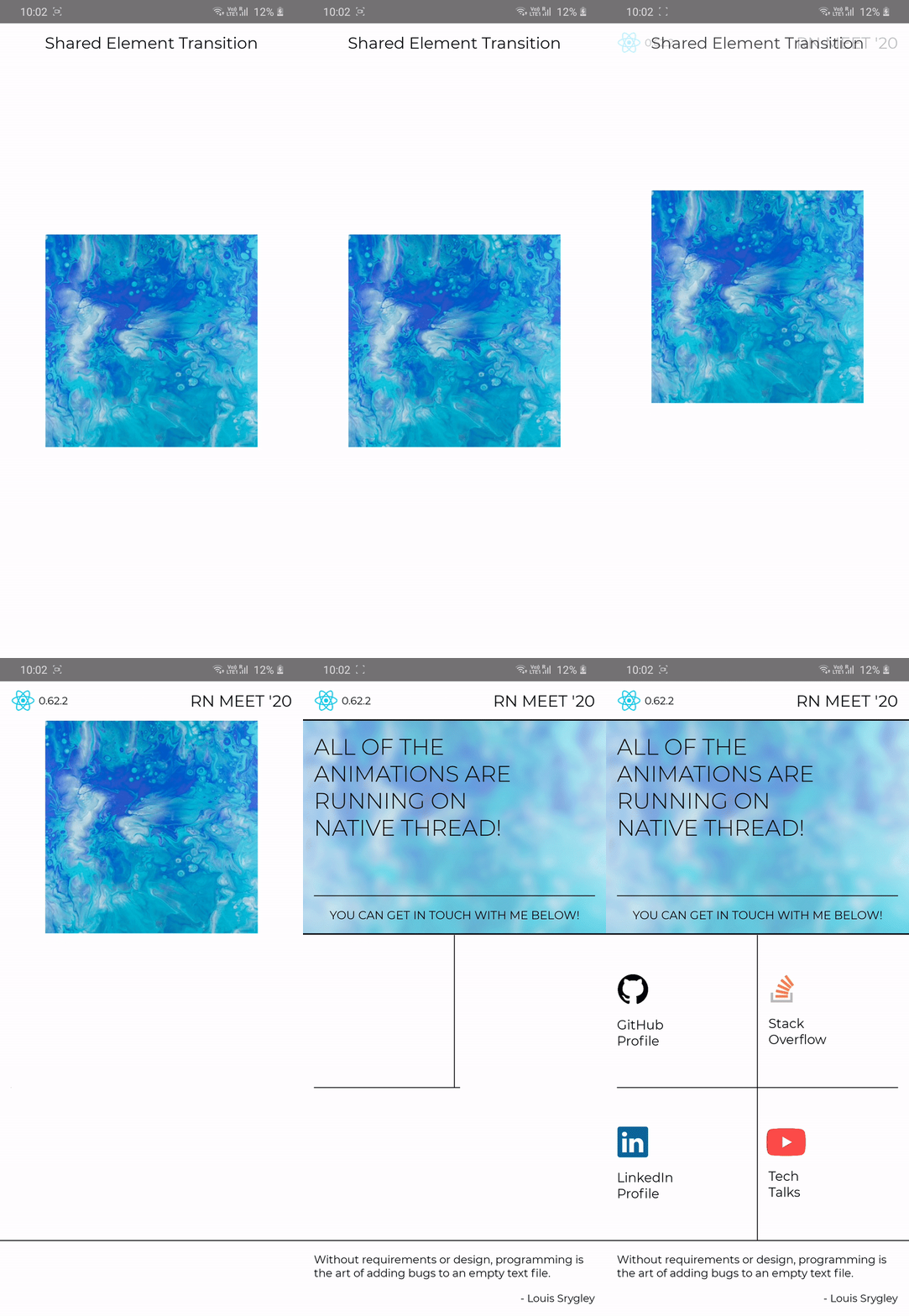
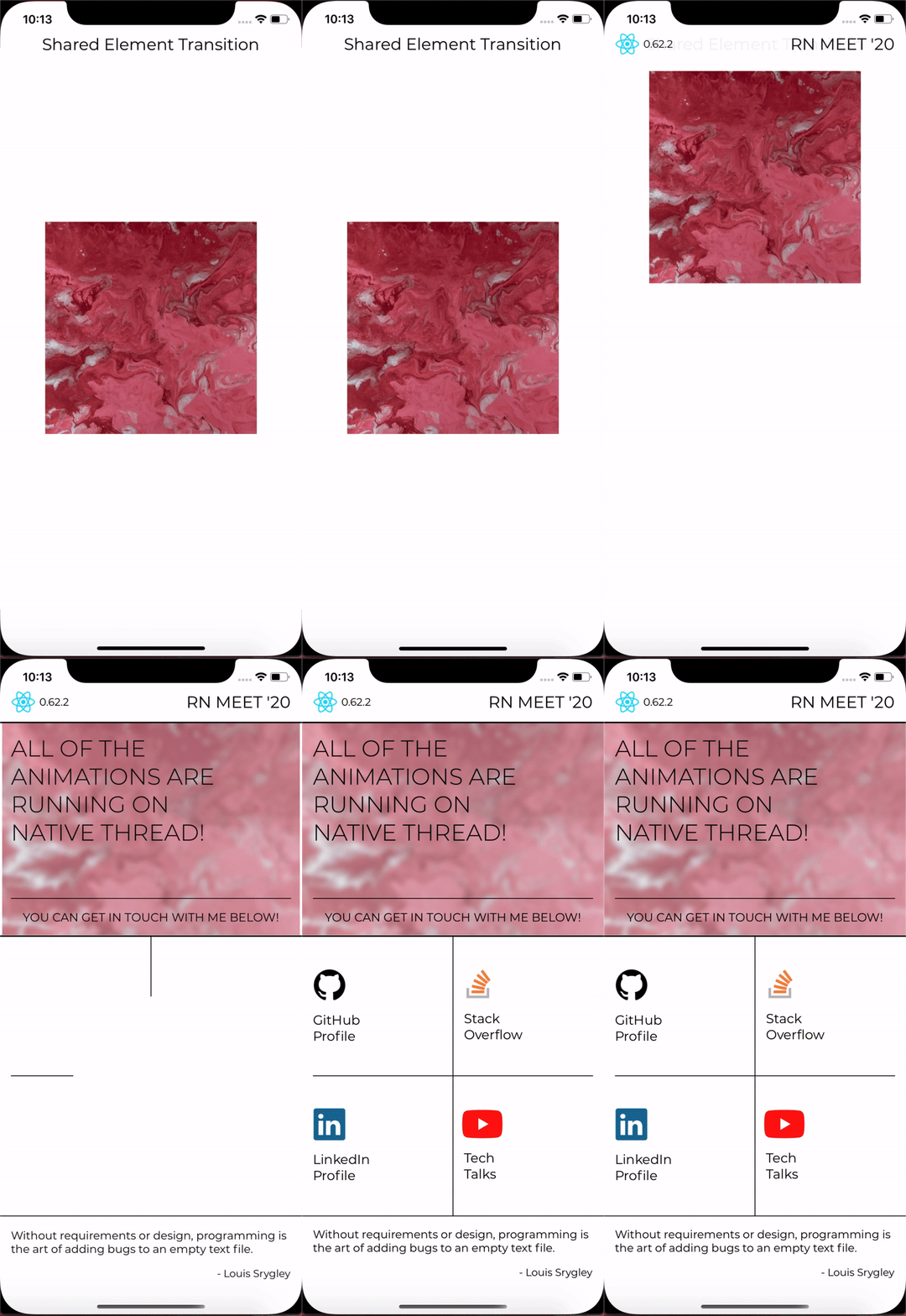
Demonstration </>
Demonstration </>
Splash Screen Structure
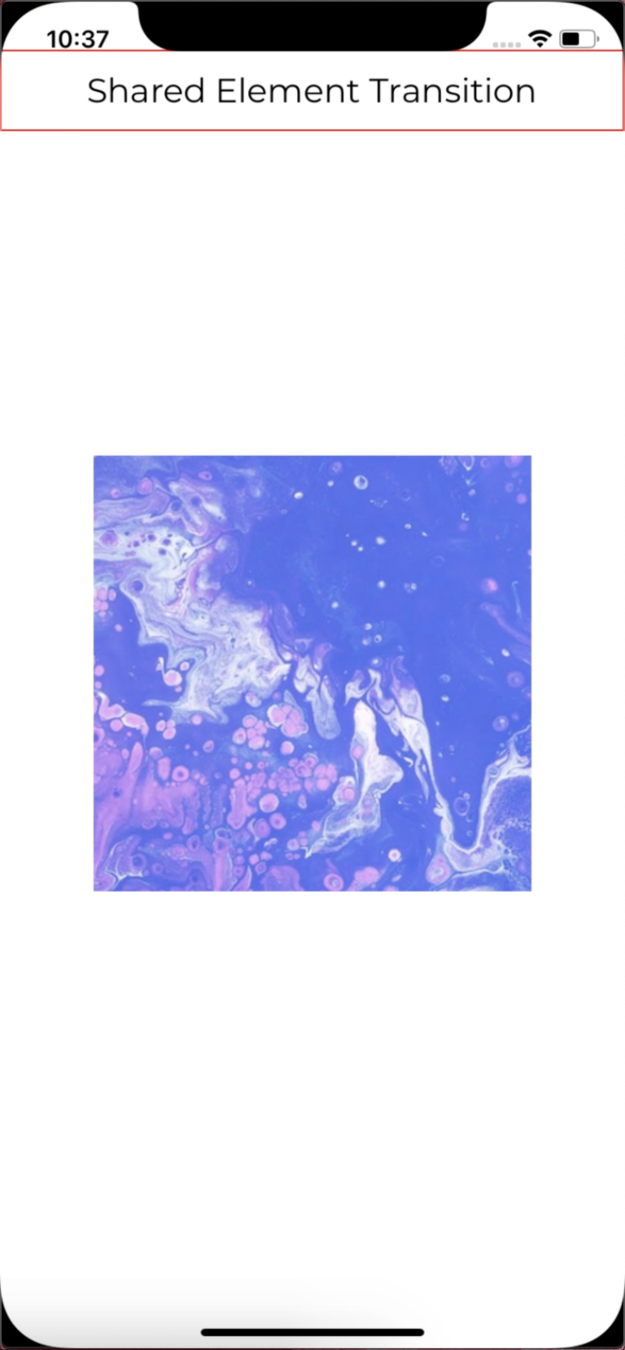
const {
  top: paddingTop,
  bottom: paddingBottom,
} = useSafeArea();

useEffect(() => {
  setRandomImage(
    Math.floor(Math.random() * Math.floor(images.length)),
  );
}, []);

<View
  style={[
    styles.container,
    {paddingTop, paddingBottom}
  ]}

  onLayout={({nativeEvent}) => {
    const {height} = nativeEvent.layout;
    const CONTAINER_TOP_Y = (height - IMAGE_HEIGHT) / 2;

    setTranslateValue(-(CONTAINER_TOP_Y - HEADER_HEIGHT - paddingTop));
  }}
>
  <Animated.View
    style={[
      {paddingTop},
      styles.splashHeader,
    ]}
  />

  <Animated.View
    style={[
      styles.homeHeader,
      {opacity, paddingTop}
    ]}
  />

  <Animated.Image
    source={images[randomImage]}
    style={[styles.splashImage, {transform: [{translateY}]}]}
  />
</View>
Splash Screen Breakdown
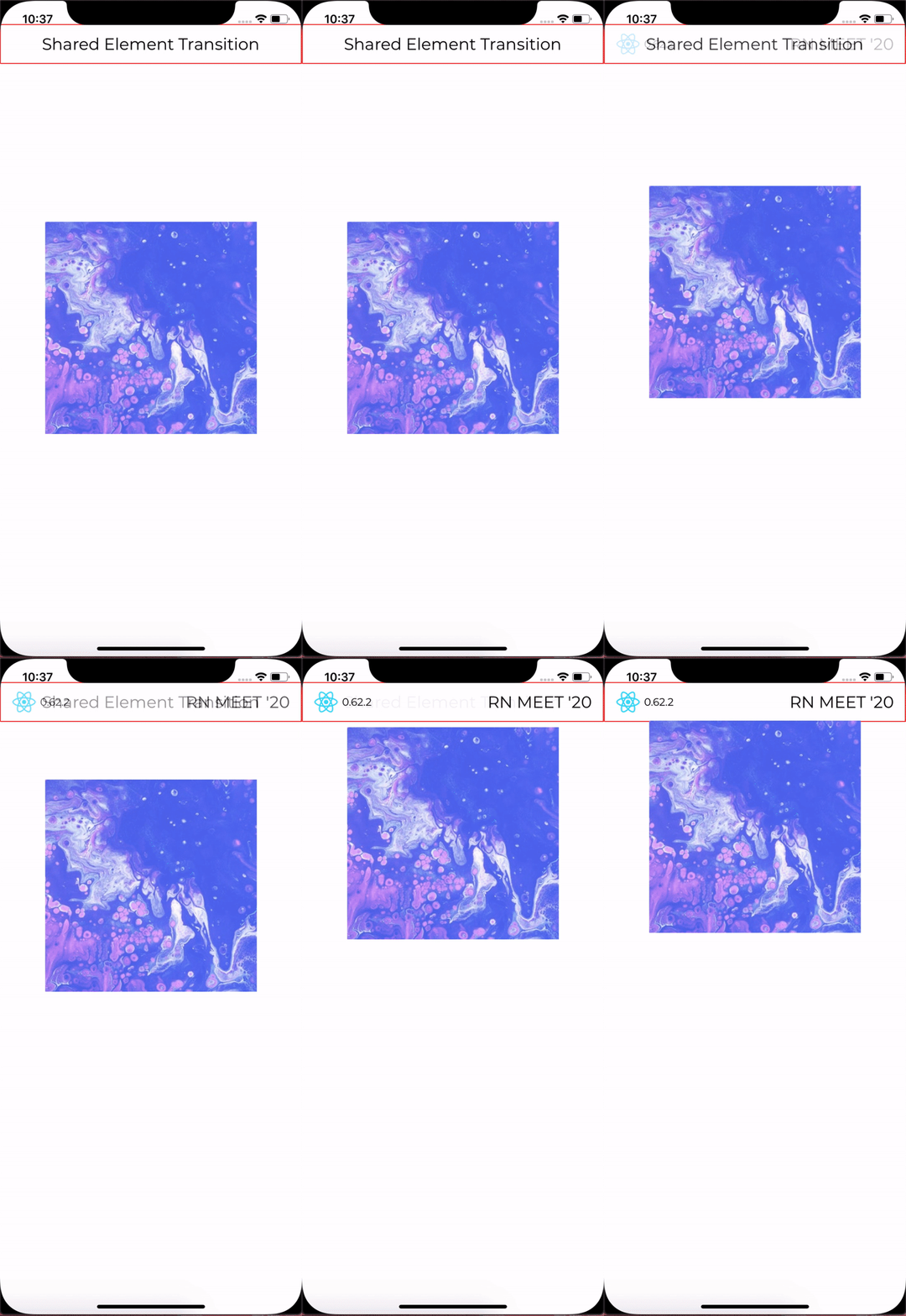
Animated.parallel([
  Animated.timing(opacity, {
    toValue: 1,
    useNativeDriver,
  }),
  Animated.timing(translateY, {
    toValue: translatevalue,
    useNativeDriver,
  }),
]).start(() => navigation.navigate('Home', {splashImage}));
Home Image Structure
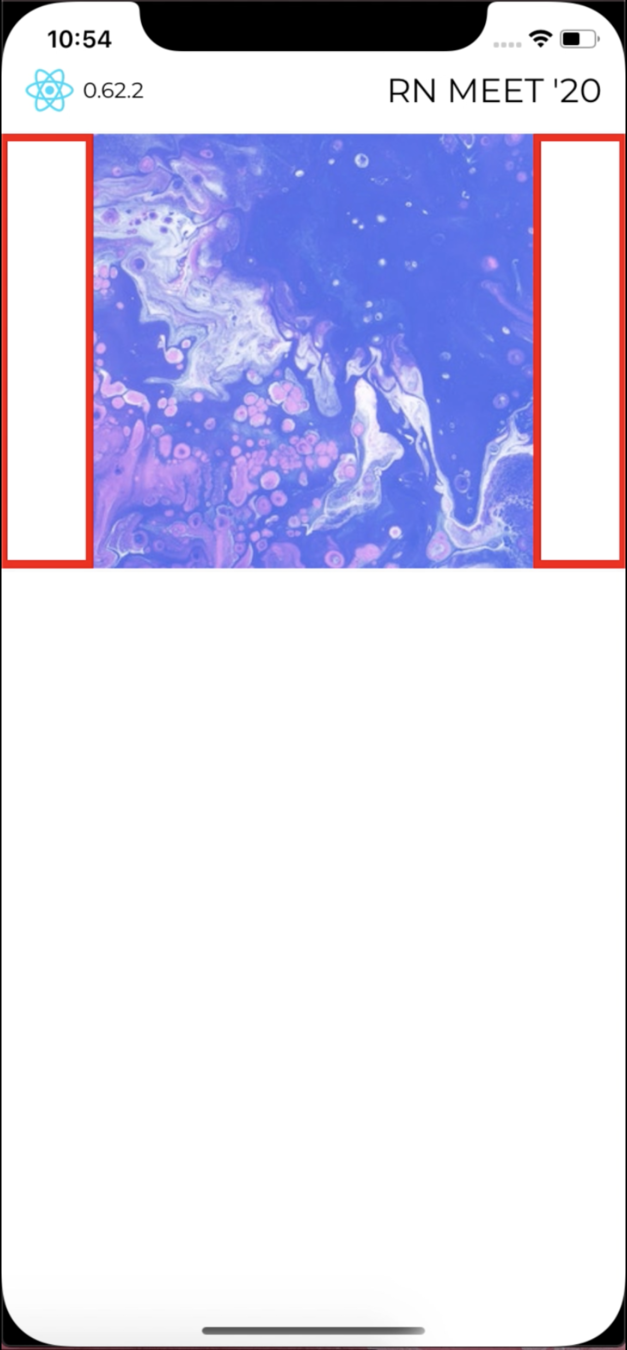
<Animated.View style={[styles.border, {opacity}]} />

<Image
  style={[styles.splashImage]}
  source={splashScreenImages[splashImage]}
/>

<Animated.View style={[styles.border, {opacity}]} />

// PSEUDO_IMAGE_BORDER = (DEVICE_WIDTH - IMAGE_WIDTH) / 2;
{showAbsolute && (
  <Animated.View
    style={[
      styles.leftAbsolute,
      {transform: [{translateX: translateXLeft}]},
    ]}
  />
)}

// PSEUDO_IMAGE_BORDER = (DEVICE_WIDTH - IMAGE_WIDTH) / 2;
{showAbsolute && (
  <Animated.View
    style={[
      styles.rightAbsolute,
      {transform: [{translateX: translateXRight}]},
    ]}
  />
)}
Home Image Breakdown #1
Animated.parallel([
  Animated.timing(opacity, {
    toValue: 1,
    useNativeDriver,
  }),
  Animated.timing(translateXLeft, {
    toValue: -PSEUDO_IMAGE_BORDER,
    useNativeDriver,
  }),
  Animated.timing(translateXRight, {
    toValue: PSEUDO_IMAGE_BORDER,
    useNativeDriver,
  }),
]).start(() => setShowAbsolute(false));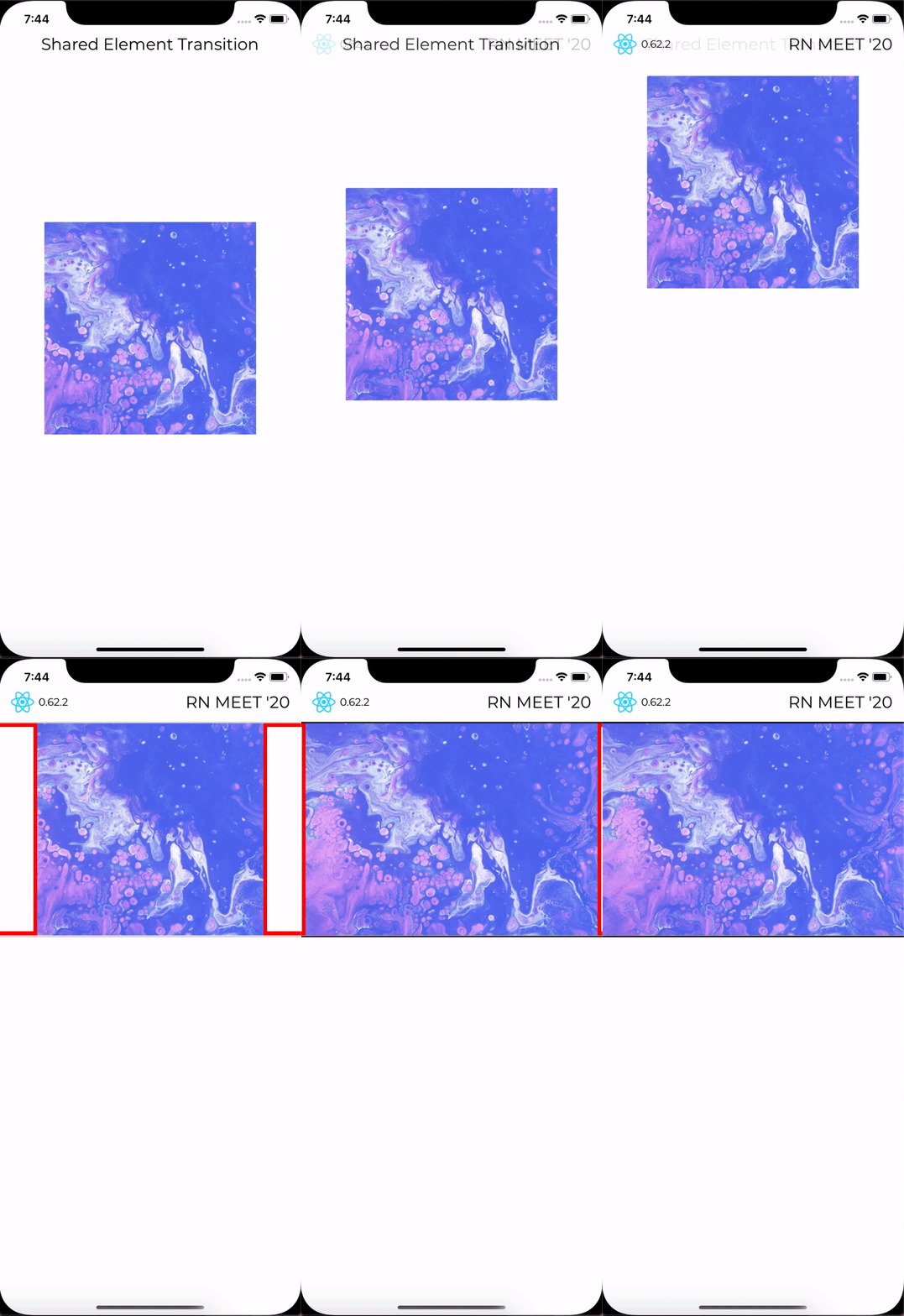
Home Image Breakdown #2
<Animated.View
  style={[
    styles.bgWhite,
    StyleSheet.absoluteFill,
    {opacity: overlayOpacity},
  ]}
/>

Animated.parallel([
  ...opacity,
  ...translateXLeft,
  ...translateXRight,

  Animated.timing(overlayOpacity, {
    toValue: 0.4,
    useNativeDriver,
  }),
]).start(() => setShowAbsolute(false));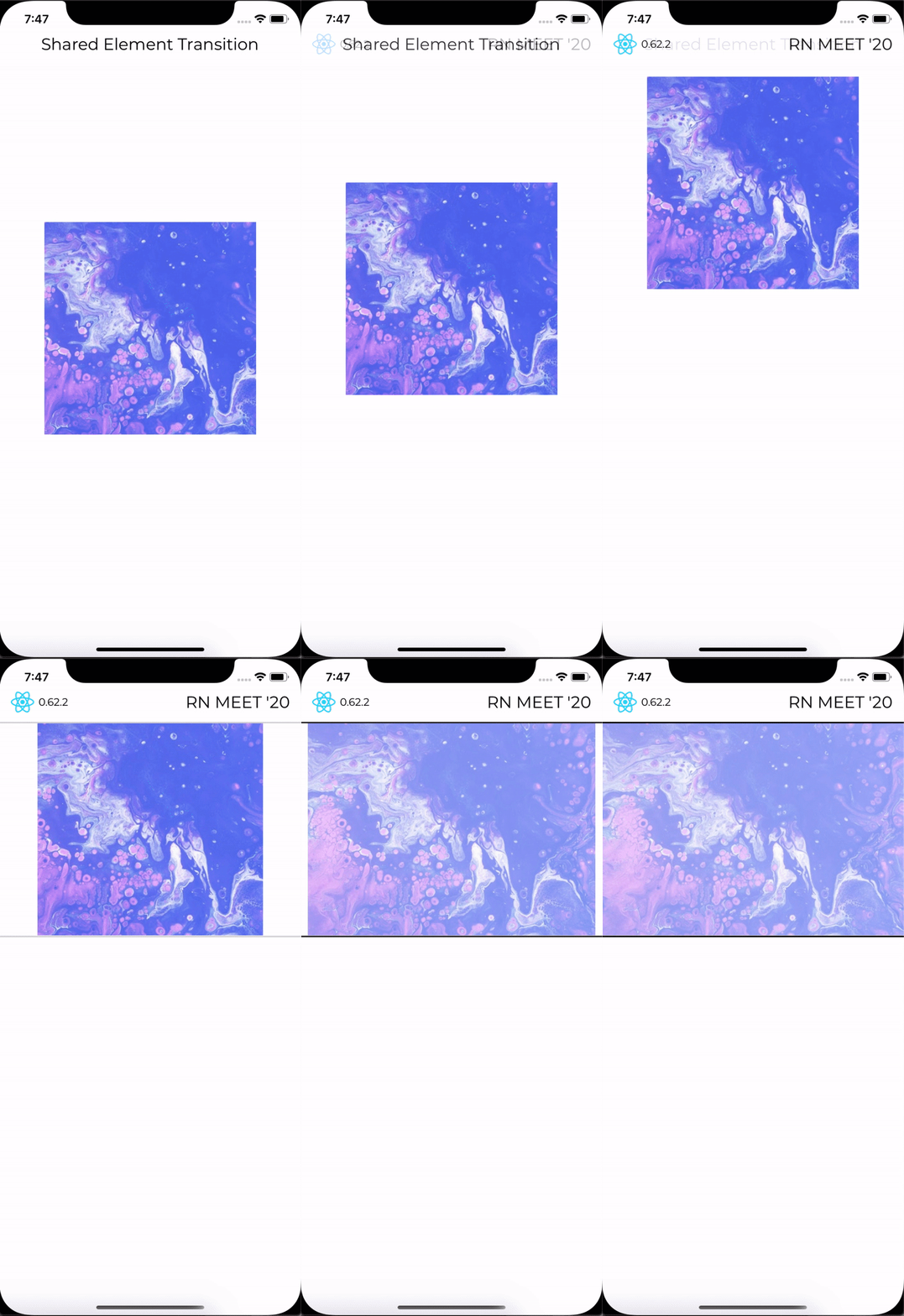
Home Image Breakdown #3
<Animated.Image
  source={splashScreenImages[splashImage]}
  blurRadius={Platform.OS === 'ios' ? 10 : 2}
  style={[
   styles.splashImage,
   StyleSheet.absoluteFill, {opacity},
  ]}
/>

Animated.parallel([
  ...opacity,
  ...translateXLeft,
  ...translateXRight,
  ...overlayOpacity,
]).start(() => setShowAbsolute(false));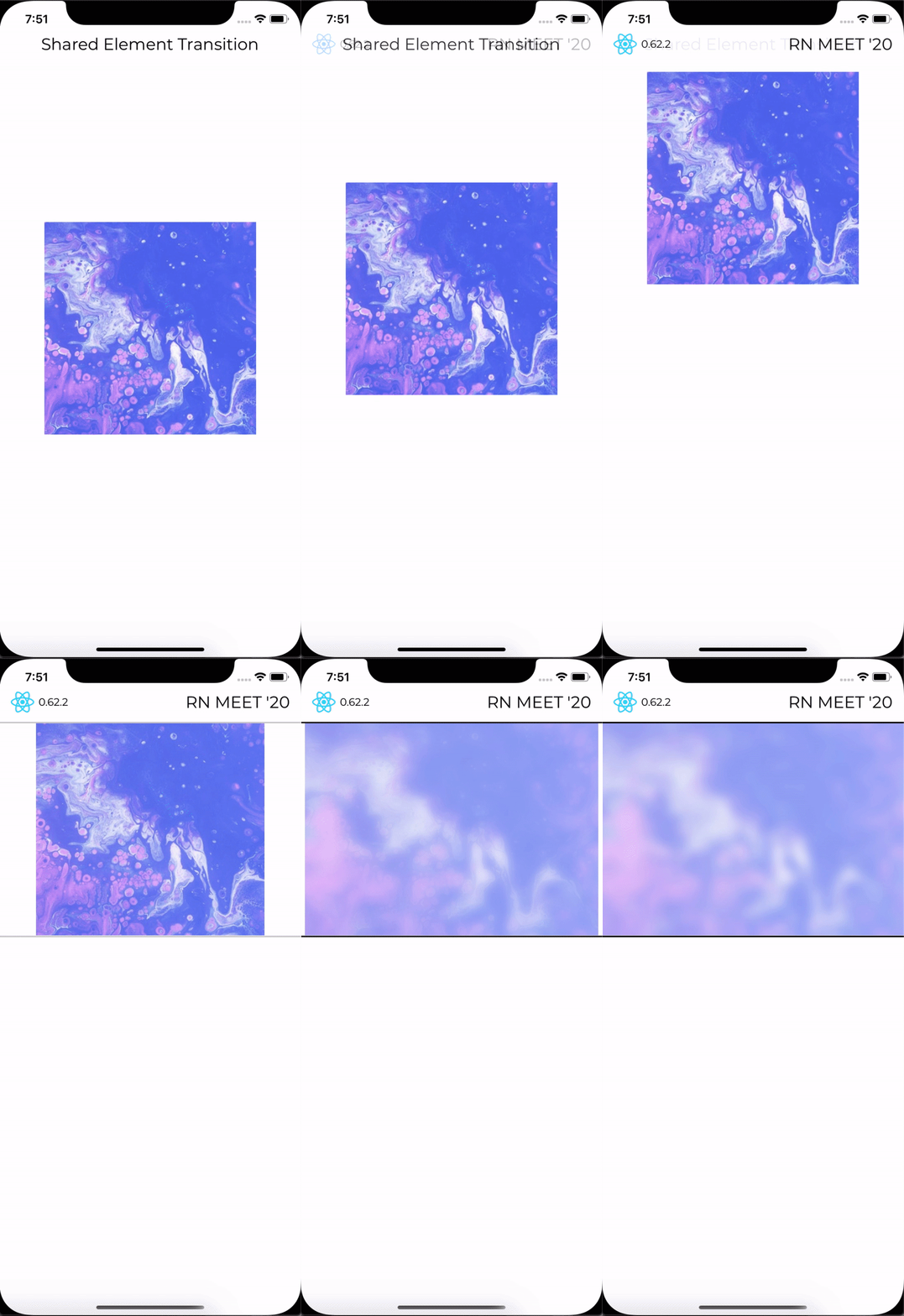
Home Image Breakdown #4
<Animated.View
  style={[
    {opacity},
    StyleSheet.absoluteFill,
    styles.headingContainer,
  ]}
>
  <Text style={styles.heading}>
    ALL OF THE{'\n'}ANIMATIONS ARE{'\n'}RUNNING ON{'\n'}NATIVE THREAD!
  </Text>

  <View style={[styles.getInTouchContainer]}>
    <Text style={[commonStyles.MontserratRegular, styles.getInTouch]}>
      YOU CAN GET IN TOUCH WITH ME BELOW!
    </Text>
  </View>
</Animated.View>

Animated.parallel([
  ...opacity,
  ...translateXLeft,
  ...translateXRight,
  ...overlayOpacity,
]).start(() => setShowAbsolute(false));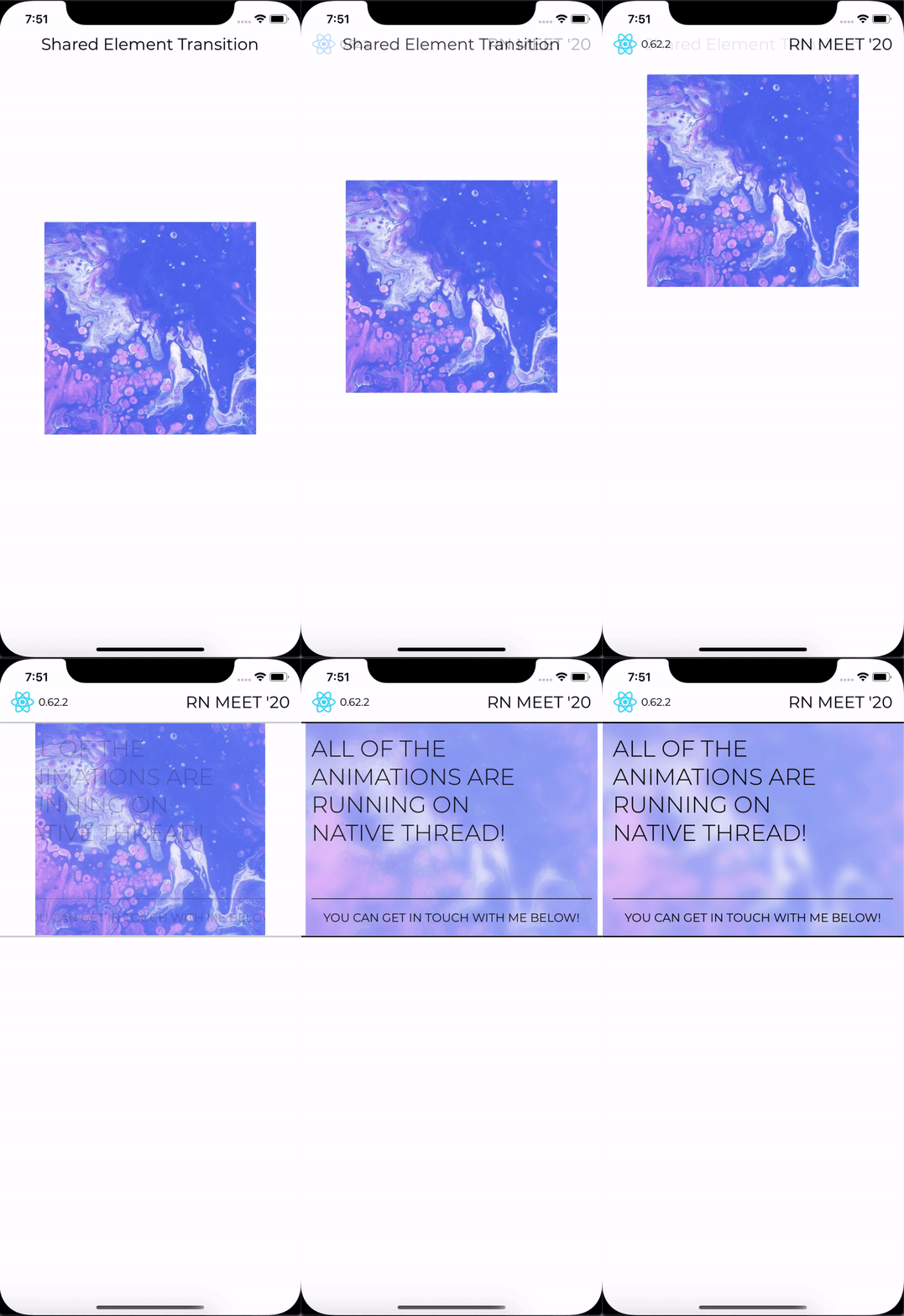
Home Buttons Structure
<View
  style={[
    styles.flex1,
    styles.flexRow
  ]}
  onLayout={({nativeEvent}) => {
  const {height} = nativeEvent.layout;

  setAnimate(true)
  translateY.setValue(-height);
  }}
>
// const translateX = new Animated.Value(DEVICE_WIDTH);
  <Animated.View
    style={[
      styles.horizontalBorder,
      {transform: [{translateX}]}
    ]}
  />

  <View style={[styles.leftWhiteBorder]} />

  <View style={styles.flex1}>
//  const translateY = new Animated.Value(0);
    <Animated.View
      style={[
        styles.verticalBorder,
        {transform: [{translateY}]}
      ]}
    />

    {BUTTONS.map((row) => (
      <Animated.View
        style={[
          {opacity}
          styles.flex1,
          commonStyles.flexRow,
        ]}
      >
      // buttons
      </Animated.View>
    ))}
  </View>

  <View style={[styles.rightWhiteBorder]} />
</View>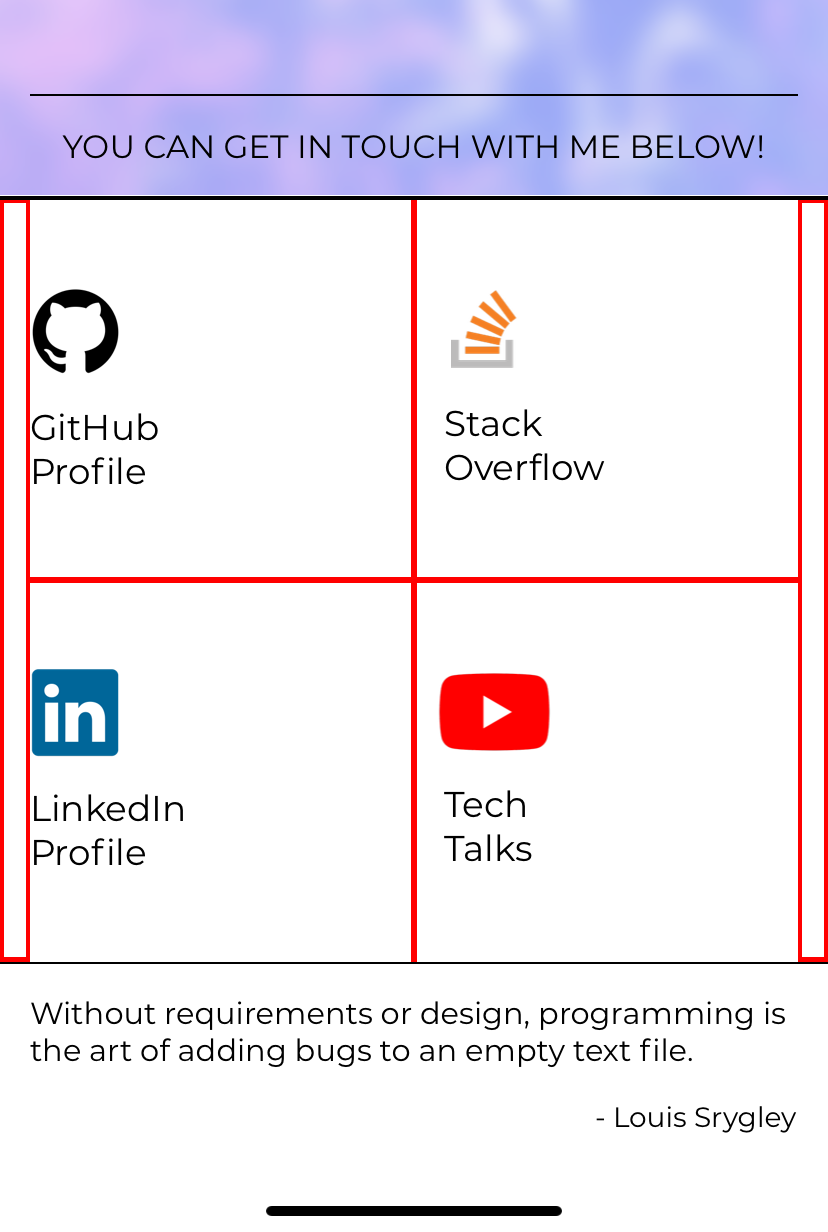
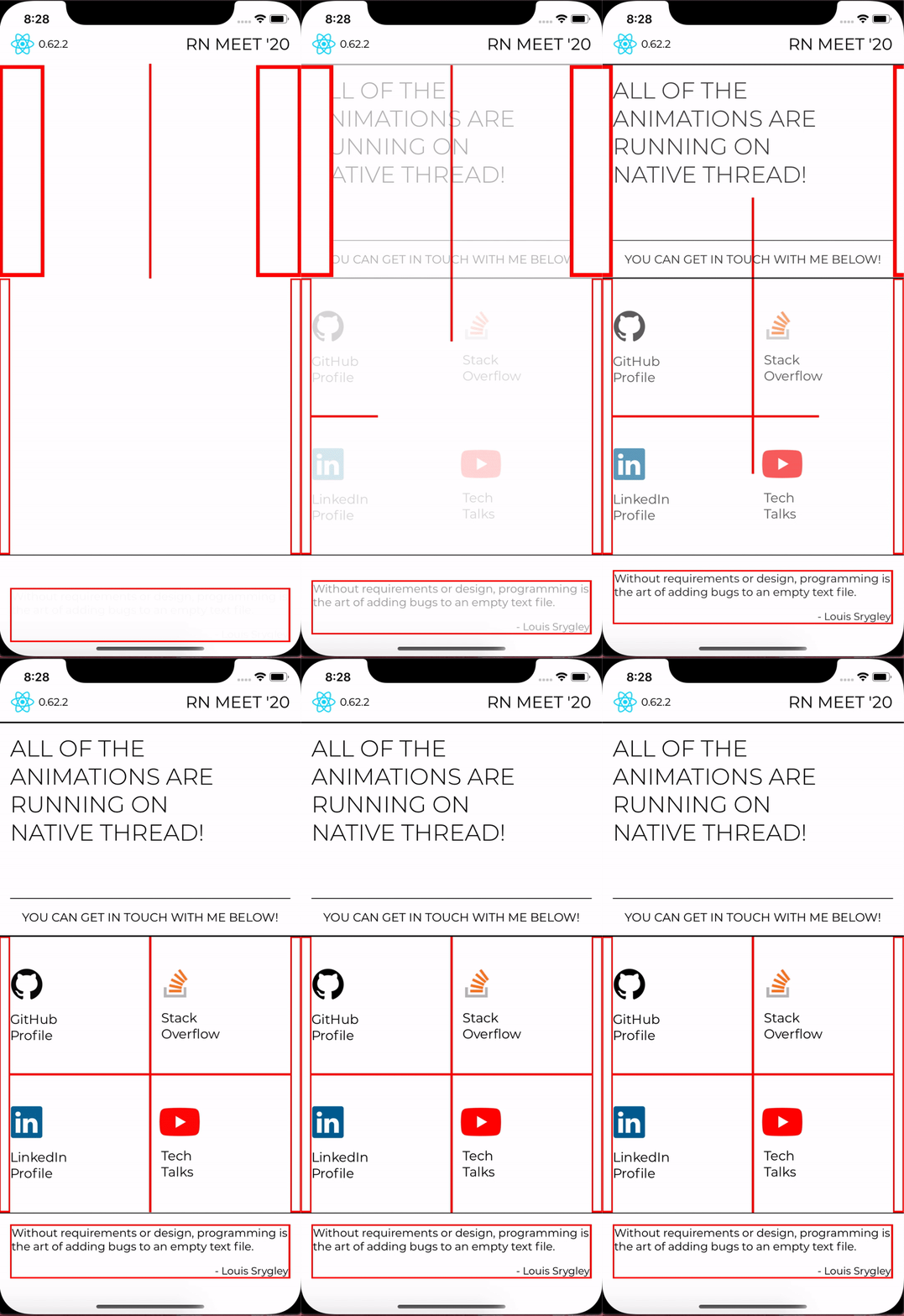
Home Buttons Breakdown
const opacity = new Animated.Value(0);

if (animate) {
  Animated.parallel([
    Animated.timing(opacity, {
      toValue: 1,
      delay: 250,
      useNativeDriver,
    }),
    Animated.timing(translateY, {
      toValue: 0,
      useNativeDriver,
    }),
    Animated.timing(translateX, {
      toValue: 0,
      useNativeDriver,
    }),
  ]).start();
}
ULIMTATE GOAL
- No frame drops
- Achieve butter smooth 60 FPS animations without writing any native code!
- Responsive App design + animations
setInterval(() => {
  for (var i = 0; i < 5e8; i++) {}
}, 1000);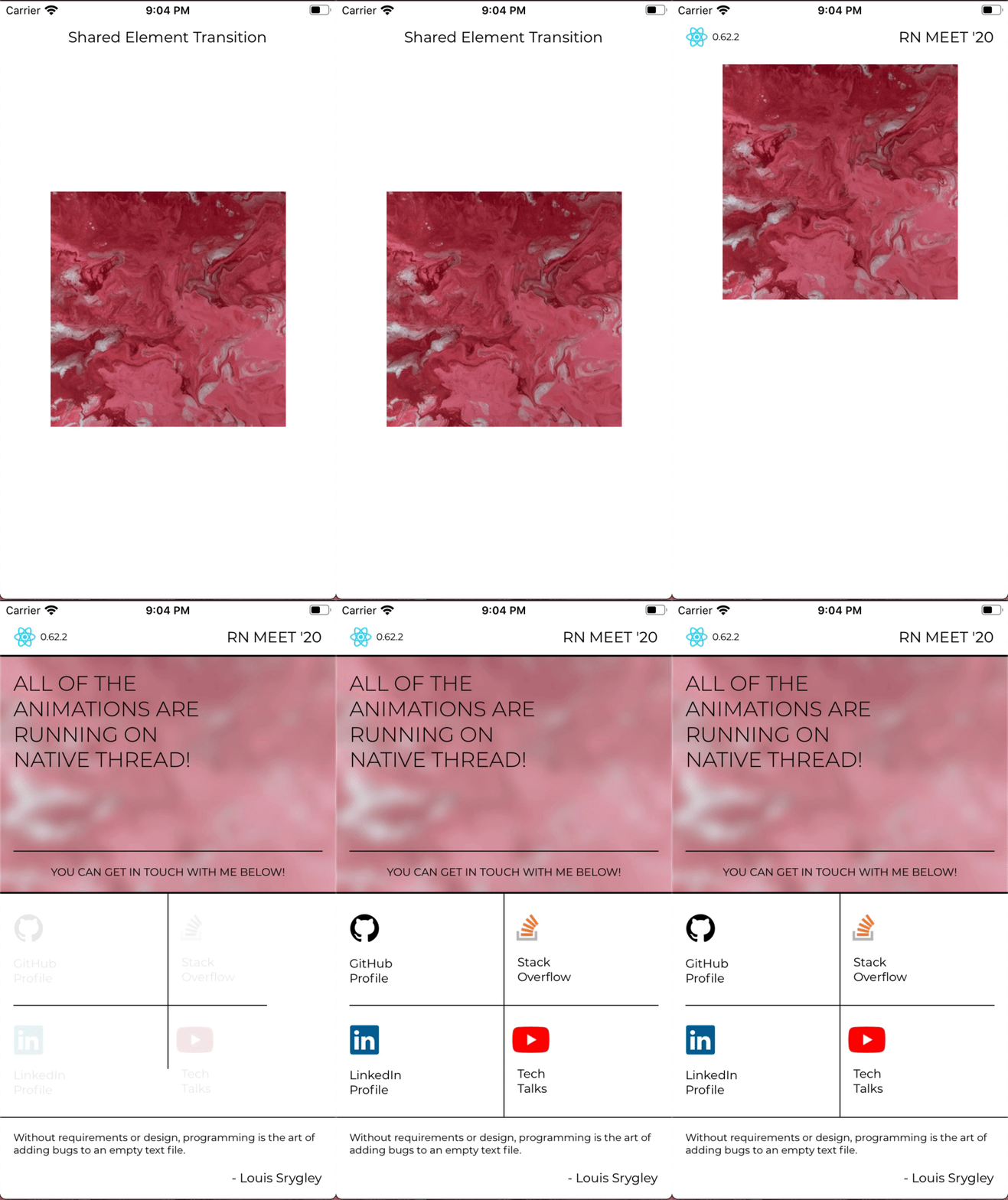
ANY QUESTIONS?

Thank you very much!

vinaysharma14
Handling complex animations in React Native
By Vinay Sharma