async
https://github.com/caolan/async
Amith Nambiar
- Collections
-
Control Flow
- Utility functions
Why async?
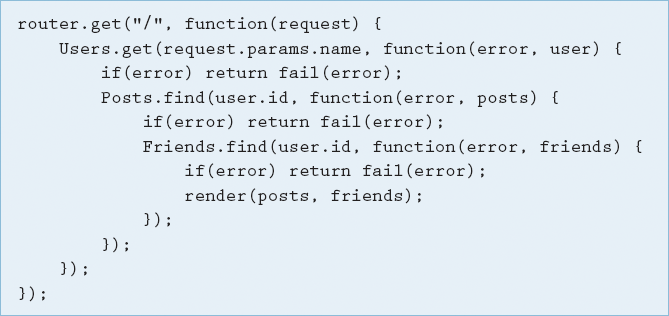
- async can help avoid this deep nesting of function calls.
- It has many utility functions which work on collections.
Deep nesting of functions within callbacks.
async is a utility module which provides
straight-forward, powerful functions for working with asynchronous JavaScript.
All these functions assume you follow the node.js convention of providing a single callback as the last argument of your async function.
function downloadFile(url, callback) {// download filecallback(err, filedata);}
Around 20 functions that include the usual
'functional' suspects (map, reduce,filter)
as well as some common patterns for
asynchronous control flow
"callback hell" example
nonasyncexample.js
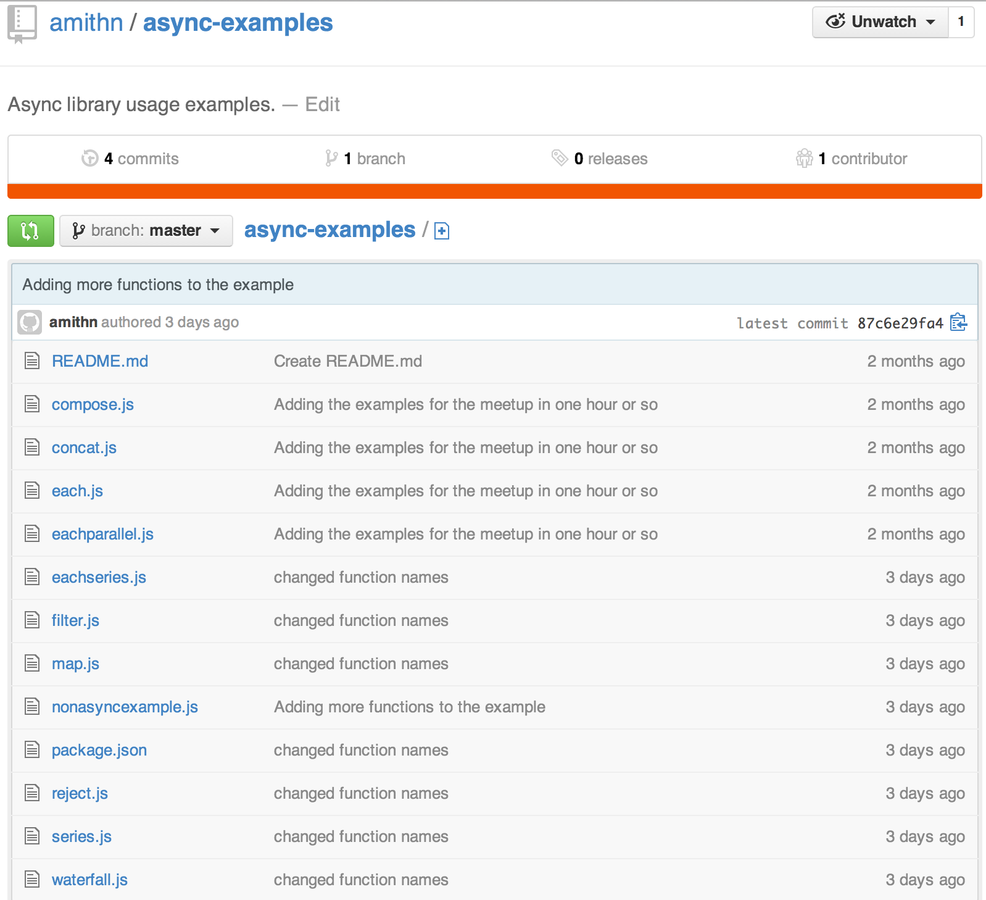
See the library in action with the rest of the slides @ https://github.com/amithn/async-examples
async.each(array, iterator, callback)
- Applies an iterator function to each item in an array, in parallel. Iterators might not complete in order.
- The iterator is called with an item from the list and a callback for when it has finished.
-
If the iterator passes an error to this callback, the main
callback is immediately called with the error.
async.eachSeries(array, iterator, callback)
- Same as async.each() except for Iterators will complete in order.
async.map(array, iterator, callback)
- Produces a new array of values by mapping each value in the given array through
the iterator function.
- The iterators are executed in parallel.
-
The results of the transform are in the final callback.
variations :
-
async.mapSeries(array, iterator, callback);
-
async.mapLimit(array, limit, iterator, callback);
- Produces a new array of values by mapping each value in the given array through the iterator function.
- The iterators are executed in parallel.
-
The results of the transform are in the final callback.
variations :
-
async.mapSeries(array, iterator, callback);
-
async.mapLimit(array, limit, iterator, callback);
- Same as async.each() except for you can limit the number of *parallel executions.
- limit - The maximum number of iterators to run at any time.
async.filter(array, filter, callback)
- Produces a new array of values which pass the truth test function (filter).
- Callback accepts a single argument true/false.
- The results available as an array with the "values" which passed the test.
- Produces a new array of values which pass the truth test function (filter).
- Callback accepts a single argument true/false.
- The results available as an array with the "values" which passed the test.
async.detect(array, iterator, callback) returns first value which passed the testasync.sortBy(array, iterator, callback) returns sorted results
async.some(array, iterator, callback) returns true if any element passes the test
async.every(array, iterator, callback) returns true if all values pass the test.async.concat(array, iterator, callback) *concat the results
async.reject(array, filter, callback)
- Produces a new array of values which fail the truth test function (filter).
- Callback accepts a single argument true/false.
- The results available as an array with the "values" which failed the test.
- Produces a new array of values which fail the truth test function (filter).
- Callback accepts a single argument true/false.
- The results available as an array with the "values" which failed the test.
Control Flow functions.
series
waterfall
compose
async.series(tasks, callback)
- Run an array of functions in series, each one running once the previous
function has completed
- Once the tasks have completed,
the results are passed to the final callback as an array.
async.parallel(tasks, callback);
async.parallelLimit(tasks, limit callback);
async.waterfall(tasks, callback)
- Runs an array of functions in series, each passing their results to the next in the array.
async.compose(fn1, fn2, fn3...)
- Runs an array of functions in series, each passing their results to the next in the array.
Questions?
- async library - https://github.com/caolan/async
- Examples - https://github.com/amithn/async-examples
Async
By Amith Nambiar
Async
An introduction to the async library