AWDP-Fix
Tools
FTP
FTP
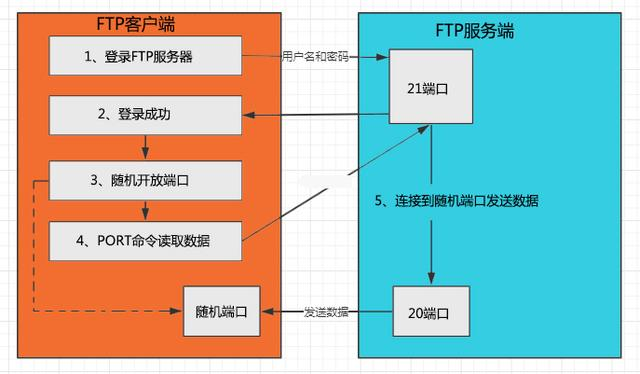
FTP是TCP/IP协议组中的协议之一,TP协议由两个部分组成:FTP服务器(用来存储文件) FTP客户端(用户可以使用FTP客户端通过FTP协议访问位于FTP服务器上的资源)
默认情况下FTP协议使用TCP端口中的20和21这两个端口。21端口用于传输控制信息,而是否使用20作为传输数据的端口与FTP使用的传输模式有关,如果采用被动模式则具体使用哪个端口要服务器端和客户端协商决定。FTP传输模式分为以下两种:主动模式(Port) 被动模式(Passive)
SFTP
SFTP是SSH File Transfer Protocol的缩写,安全文件传送协议。SFTP与FTP有着几乎一样的语法和功能。SFTP为SSH的其中一部分,是一种传输档案至 Blogger 伺服器的安全方式。其实在SSH软件包中,已经包含了一个叫作SFTP的安全文件信息传输子系统,SFTP本身没有单独的守护进程,它必须使用sshd守护进程(端口号默认是22)来完成相应的连接和答复操作,所以从某种意义上来说,SFTP并不像一个服务器程序,而更像是一个客户端程序。

FTP Client
- XFTP https://www.xshell.com/zh/xftp/
- FileZilla https://filezilla-project.org/Bullet Three
- Windows Explorer

创建patch

https://www.runoob.com/linux/linux-comm-tar.html
tar 是用来建立,还原备份文件的工具程序,它可以加入,解开备份文件内的文件。
c: 创建
z: 使用gzip压缩
v: 输出内容
f: 指定文件
In Server
- 解压缩
- 执行
- check
- exp
可能会遇到如下错误:
- 解析包超时:检查文件格式是否符合tar.gz
- 利用成功:没有patch好
- 检查失败:应用修复错误
tar -xzvf fix.tar.gz
chmod +x update.sh
./update.sh
python3 check.py target
python3 exp.py target
Tip
- 文件名
- 文件格式
- 文件内容
- 权限
权限

www-data 权限!!!
Tools
IDE
IDEA/Pycharm

VS Code

IDE
支持远程
支持Linux/Windows
推荐 VS Code + WSL/SSH
+所需要的环境

Tools
Environments
Languages
- PHP
- Python
- Java
- NodeJS
PHP
- phpStudy https://xp.cn
Windows下最好的PHP环境
- Docker+Container
Docker Desktop + LAMP
- Debian虚拟机直接装
因为有多版本需求,所以做好用phpstudy或者是容器

扩展:php5 和 php7 的区别
https://paper.seebug.org/846/
Java
- VS Code + SDKMan!
- IDEA
- 自己装
优先考虑IDEA
1.8 11 17

Python
- VS Code + pyenv
- Pycharm
windows下版本切换很麻烦
推荐Linux pyenv
https://github.com/pyenv/pyenv

Golang
- VS Code + Go
- GoLand
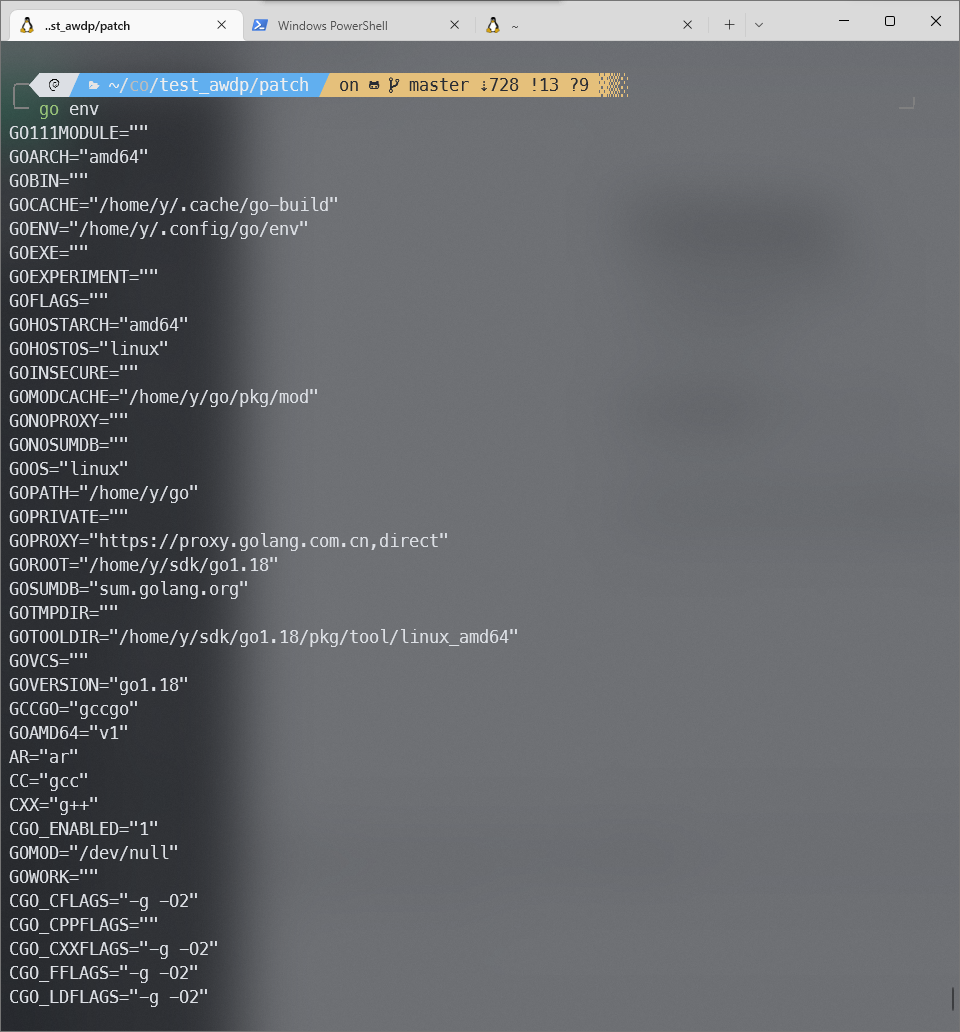
至少需要1.18,1.16
go get golang.org/dl/go1.18@latest
NodeJS
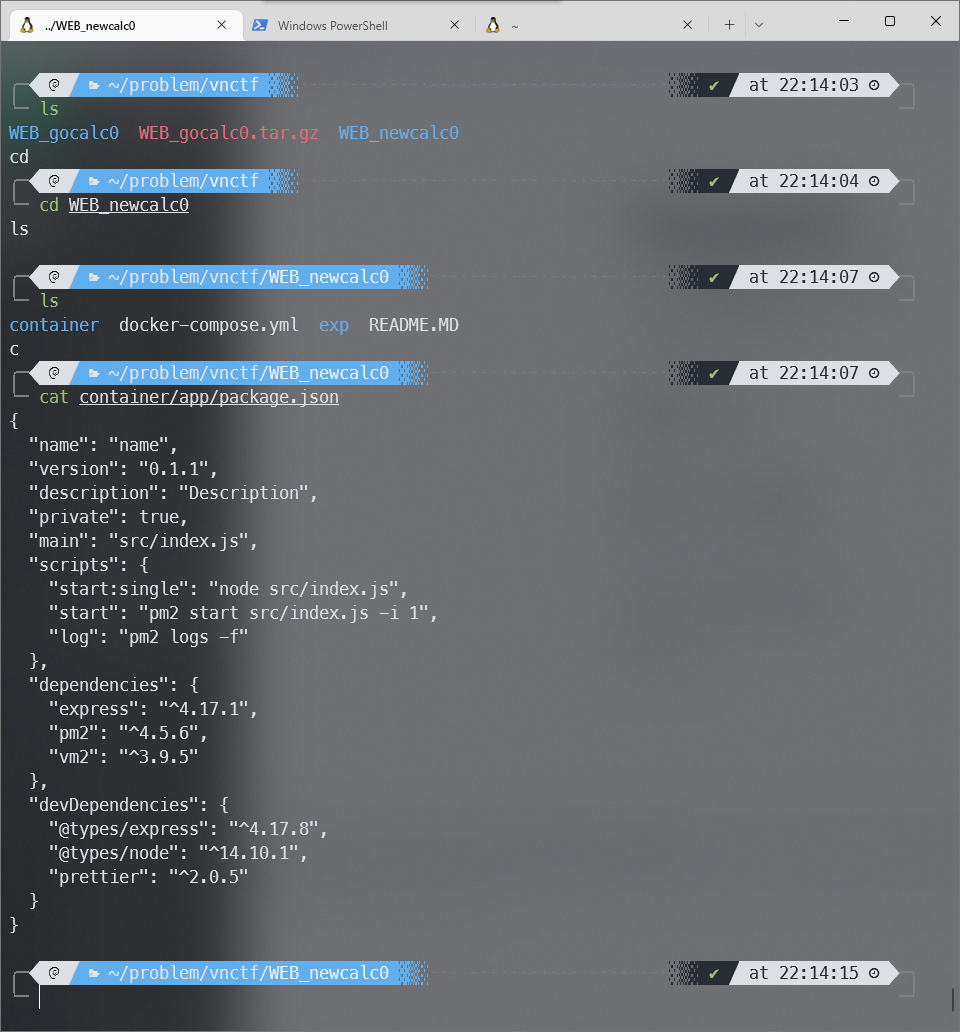
- VS Code + Linux
- WebStorm
推荐Linux
版本:无所谓
npm install -g n
n lts
Patch
Basic
Find
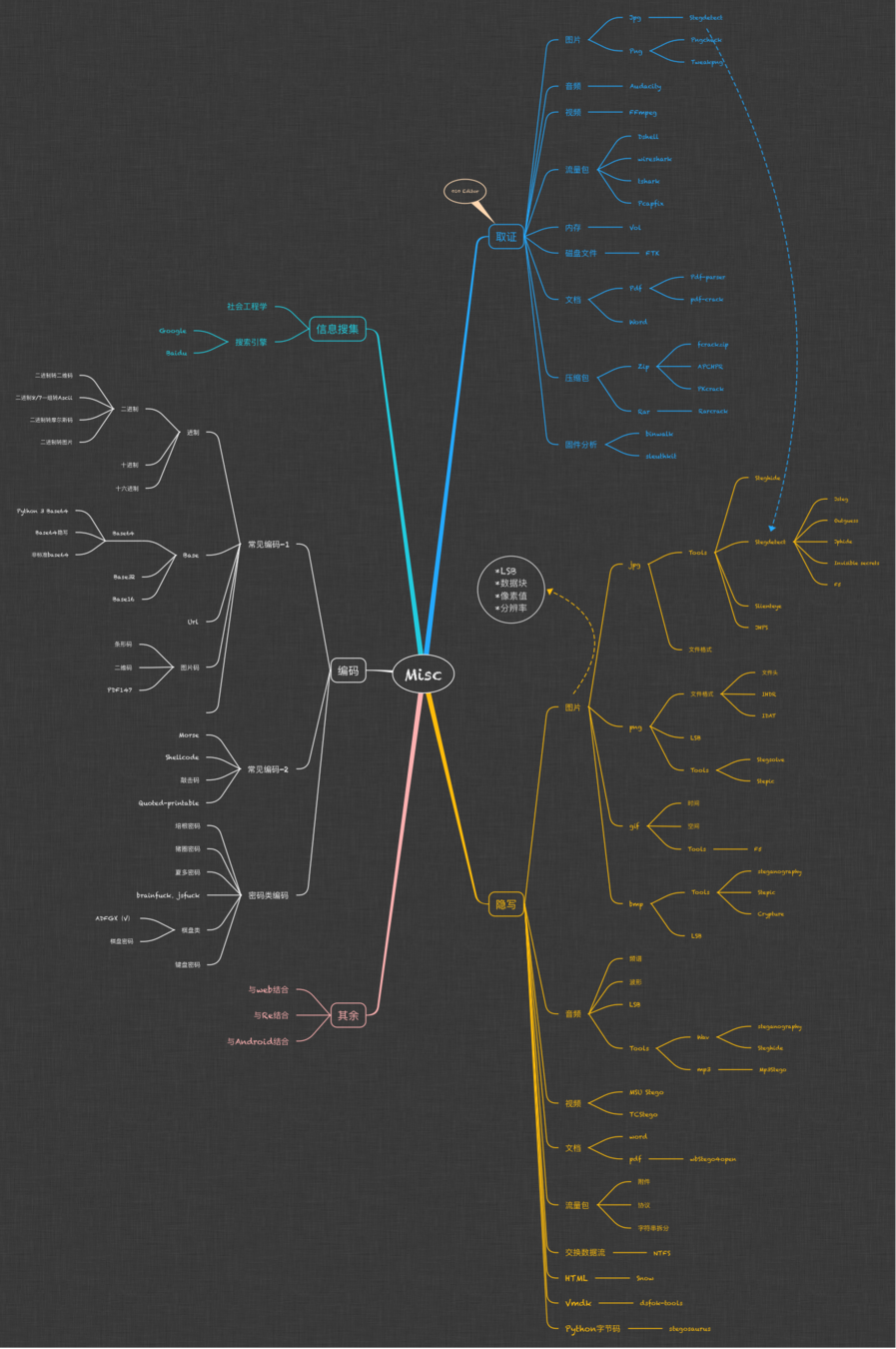
如何找到漏洞点
1. 自己之前打的
2. 敏感位置
3. 全修一遍
4. 入口处加全局过滤
SQL注入
使用现有函数/escape
mysqli::real_escape_string
mysqli_real_escape_string
$sql = "SELECT * FROM users WHERE id=?"; // SQL with parameters
$stmt = $conn->prepare($sql);
$stmt->bind_param("i", $id);
$stmt->execute();
$result = $stmt->get_result(); // get the mysqli result
$user = $result->fetch_assoc(); // fetch data


addslashes(string)

addslashes() // 函数返回在预定义字符之前添加反斜杠的字符串。
// 预定义字符是:单引号(')双引号(")反斜杠(\)NULL
mycursor.execute("SELECT name FROM workers WHERE symbol=?", (name,)) 文件上传
- 后缀名白名单
- 目录限制
- 大小限制
- 内容限制
包含/SSRF
- 格式
- Prefix/Suffix
- 地址检查
- 内容检查
- open_basedir
命令执行
- 黑名单
- Escape(escapeshellcmd,escapeshellarg)
- 内置函数(subprocess.check_output)
文件上传
if (
	($_FILES["Up10defile"]["type"]=="image/gif")&&
    (substr($_FILES["Up10defile"]["name"], strrpos($_FILES["Up10defile"]["name"], '.')+1))=='gif')&&
    ($_FILES["file"]["size"]<1024000
){

} else{
	die();
}

// 强制给上传的文件添加后缀名

if (file_exists("upload_file/" . $_FILES["Up10defile"]["name"])) {
	echo $_FILES["Up10defile"]["name"] . " already exists. ";
} else {
	move_uploaded_file($_FILES["Up10defile"]["tmp_name"], "upload_file/" .$_FILES["Up10defile"]["name"].".gif");
    echo "Stored in: " . "upload_file/" . $_FILES["Up10defile"]["name"].".gif";
 }
文件包含
<?php
$filename = $_GET['filename'];
$pattern = "\/|\.\.\/|\.\/|etc|var|php|jpg|jpeg|png|bmp|gif";
if (preg_match("/" . $pattern . "/is", $filename) == 1) {
  echo "die00000000000000000000000000000";
  die();
}
include($filename);
allow_url_fopen = off  (是否允许打开远程文件)
allow_url_include = off(是否允许include/require远程文件)
反序列化
- 黑名单
- Trick
反序列化其实是存在争议的,因为反序列化这个功能本身的存在就是一种漏洞,理论上直接删除才是正确的做法。
但是由于Checker的问题,导致必须保留反序列化功能的同时,避免RCE
$data = unserialize($foo, ["allowed_classes" => false]);
// 将除 MyClass 和 MyClass2 之外的所有对象都转换为 __PHP_Incomplete_Class 对象
$data = unserialize($foo, ["allowed_classes" => ["MyClass", "MyClass2"]);
// 默认情况下所有的类都是可接受的,等同于省略第二个参数
$data = unserialize($foo, ["allowed_classes" => true]);
Java 反序列化
-
类的白名单校验机制
对所有传入的反序列化对象,在反序列化过程开始前,对类型名称做一个检查,不符合白名单的类不进行反序列化操作。
-
禁止 JVM 执行外部命令 Runtime.exec
Java 一般来说安全性问题较少,出现的一些问题大部分是利用反射,最终用Runtime.exec(String cmd)函数来执行外部命令的。
SecurityManager originalSecurityManager = System.getSecurityManager();
if (originalSecurityManager == null) {
// 创建自己的SecurityManager
	SecurityManager sm = new SecurityManager() {
		private void check(Permission perm) {
            // 禁止exec
            if (perm instanceof java.io.FilePermission) {
                String actions = perm.getActions();
                if (actions != null && actions.contains("execute")) {
                    throw new SecurityException("execute denied!");
                }
            }
            // 禁止设置新的SecurityManager,保护自己
            if (perm instanceof java.lang.RuntimePermission) {
                String name = perm.getName();
                if (name != null && name.contains("setSecurityManager")) {
                    throw new SecurityException("System.setSecurityManager denied!");
                }
            }
        }
        @Override
        public void checkPermission(Permission perm) {
        	check(perm);
        }
        @Override
        public void checkPermission(Permission perm, Object context) {
        	check(perm);
        }
	};
	System.setSecurityManager(sm);
}
XXE
libxml_disable_entity_loader(true); DocumentBuilderFactory dbf = DocumentBuilderFactory.newInstance();
dbf.setExpandEntityReferences(false);from lxml import etree
xmlData = etree.parse(xmlSource,etree.XMLParser(resolve_entities=False))Patch
Trick
黑名单
preg_match — Perform a regular expression match
preg_match(
string $pattern,
string $subject,
array &$matches = null,
int $flags = 0,
int $offset = 0
): int|false

黑名单
- XSS
/\'|http|\"|\`|cookie|<|>|script/i
- RCE
/openlog|syslog|readlink|symlink|popepassthru|stream_socket_server|scandir|assert|pcntl_exec|fwrite|curl|system|eval|assert|flag|passthru|exec|chroot|chgrp|chown|shell_exec|proc_open|proc_get_status|popen|ini_alter|ini_restore/i
/eval|assert|passthru|pcntl_exec|exec|system|escapeshellcmd|popen|chroot|scandir|chgrp|chown|shell_exec|proc_open|proc_get_status|ob_start/i
黑名单
- SQL
/regexp|from|count|procedure|and|ascii|substr|substring|left|right|union|if|case|pow|exp|order|sleep|benchmark|into|load|outfile|dumpfile|load_file|join|show|select|update|set|concat|delete|alter|insert|create|union|or|drop|not|for|join|is|between|group_concat|like|where|user|ascii|greatest|mid|substr|left|right|char|hex|ord|case|limit|conv|table|mysql_history|flag|count|rpad|\&|\*|\.|-/i
黑名单
- SSTI
blacklist = ['_','import','getattr','os','class','subclasses','mro','request','args','eval','if','for',' subprocess','file','open','popen','builtins','compile','execfile','from_pyfile','config','local','self','item','getitem','getattribute','func_globals']
def waf(content):
	for i in blacklist:
    	if i in content:
        	return False
    return True
直接加disable_functions
disable_functions=fileatime,filectime,file_exists,file_get_contents,file_put_content,filegroup,fileinode,filemtime,fileowner,fileperms,is_dir,is_executable,is_file,is_link,is_readable,is_writable,is_writeable,fopen,readfile,unlink,parse_ini_file,file,copy,stat,serialize,unserialize,__construct,__destruct,__toString,__sleep,__wakeup,__get,__set,__isset,__unset,__invoke
全局依赖
PHPCMS V9 \phpcms\base.php
PHPWIND8.7 \data\sql_config.php
DEDECMS5.7 \data\common.inc.php
DiscuzX2 \config\config_global.php
Wordpress \wp-config.php
Metinfo \include\head.php
php.ini:
# Automatically add files before or after any PHP document.
auto_prepend_file = 360_safe3.php路径;
例题
pop_chain
直接黑名单对应类
或者过滤system等方法
AWDP-Fix
By yoshino-s