HTML & CSS
Review
How to link css?
<!DOCTYPE html>
<html lang="en">
<head>
    <meta charset="UTF-8">
    <meta name="viewport" content="width=device-width, initial-scale=1.0">
    <title>宣誠電腦到府維修</title>
    <link rel="stylesheet" href="navgition.css">
    <link rel="stylesheet" href="banner.css">
    <link rel="stylesheet" href="text.css">
</head>
<link rel="stylesheet" href="~~~">
# It's better to write this in <head>
id & class
<div class="workplace">- id : Use "#" , This attribute must be unique within the HTML document.
- classes : Use "." , Multiple HTML elements can share the same class.
.workplace {
    left: 100px;
    top: -211px;
    border: thick double black;
    width: 240px;
    padding: 10px;
    position: relative;
    line-height: 20px;
    padding-left: 20px;
    font-weight: bold;
}
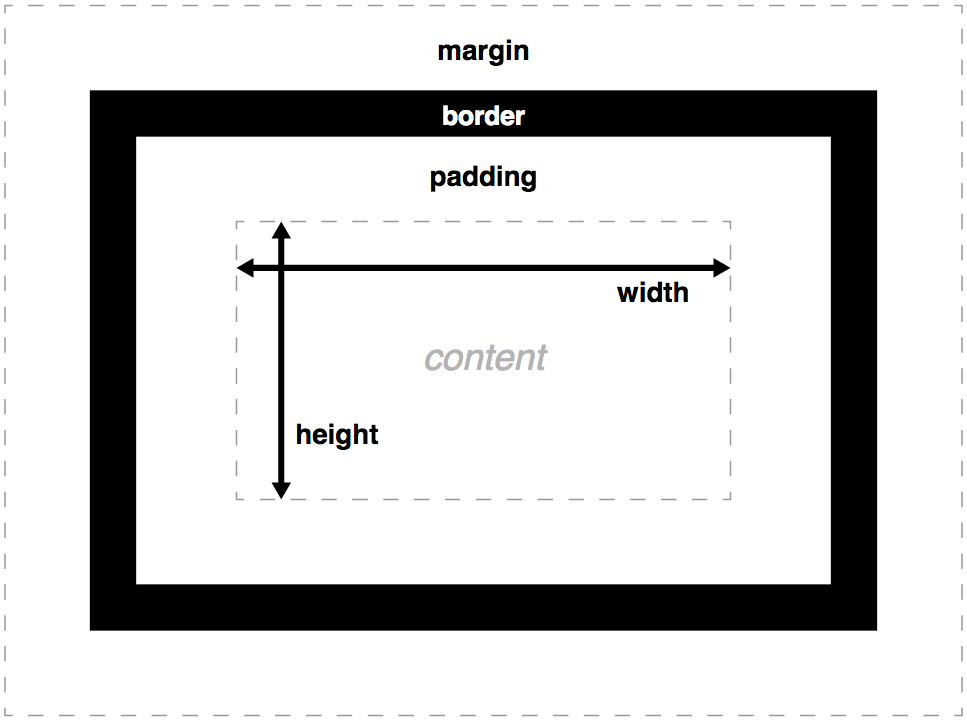
Box model
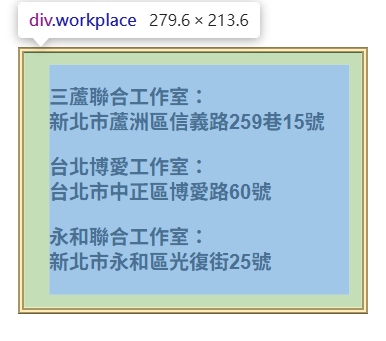
<div class="workplace">
    <p>三蘆聯合工作室:<br>新北市蘆洲區信義路259巷15號</br></p>
    <p>台北博愛工作室:<br>台北市中正區博愛路60號</br></p>
    <p>永和聯合工作室:<br>新北市永和區光復街25號</br></p>
</div>
.workplace {
left: 100px;
top: -211px;
border: thick double black;
width: 240px;
padding: 10px;
position: relative;
line-height: 20px;
padding-left: 20px;
font-weight: bold;
}# Practical tips:
How to turn to the inspection?
Shift + Ctrl + C
border-radius
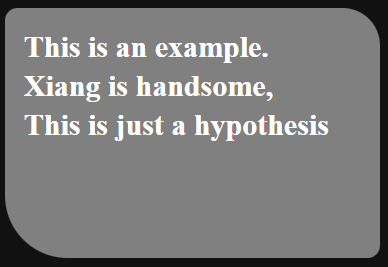
<body>
    <div id="radius">
        <div>
            <h2>This is an example. <br>Xiang is handsome, <br>This is just a hypothesis </h2>
        </div>
    </div>
</body>
#radius {
width: 300px;
height: 200px;
background-color: gray;
border-radius: 10px 30px 10px 50px;
}
h2 {
color: White;
padding-top: 15px;
padding-left: 15px;
line-height: 1.3;
}
body {
background-color: rgb(17,17,17);
}
#Start at top-left
and it is clockwise.
# You can also try ~%
border-decorations
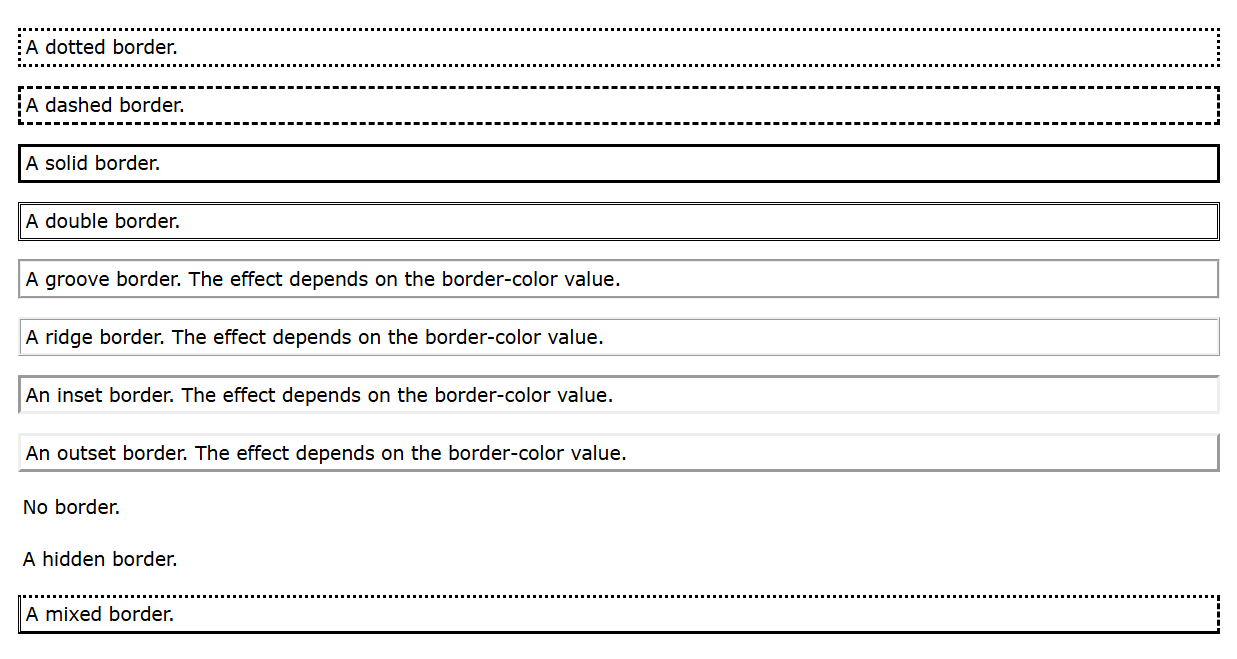
Borders' frame can be set different style.
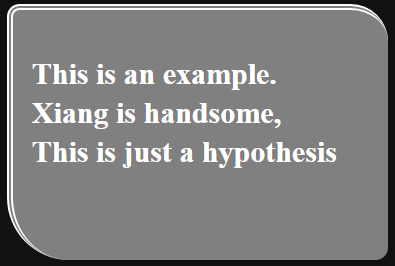
#radius {
    width: 300px;
    height: 200px;
    background-color: gray;
    border-radius: 10px  30px 10px 50px;
    border-top: double 5px white;
    border-left: double 5px white;
}- border-width
- border-color
Color
rgba
rgba (red, green, blue, alpha)
transparant
HEX
#rrggbb
HUE
hsl(hue, saturation, lightness)
# hue: 0~360
#saturation: percentage
#lightness: percentage
Attribute
text-align
- left
- center
- right
- start
- end
- justify
# justify means to align text with the right and left side of the parent element.
Justify-content
Opacity
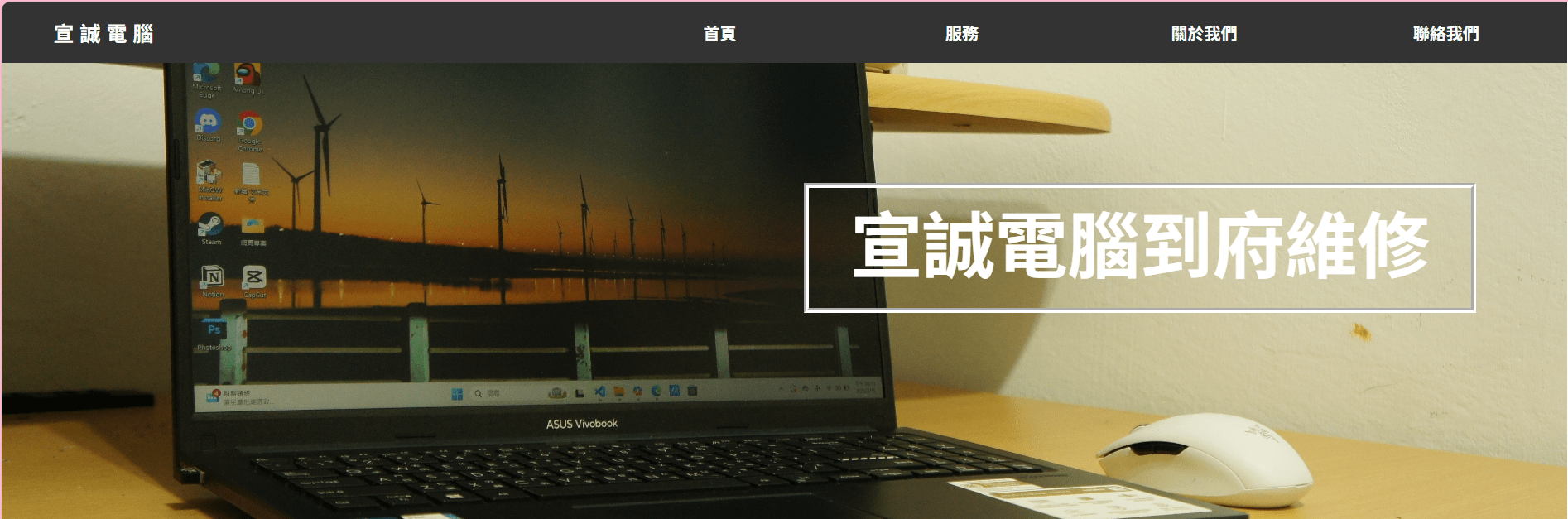
This property takes a value to 0.0 ~ 1.0
The lower the value , the more the tansparnt.

opacity: 1;opacity: 0.5;Position
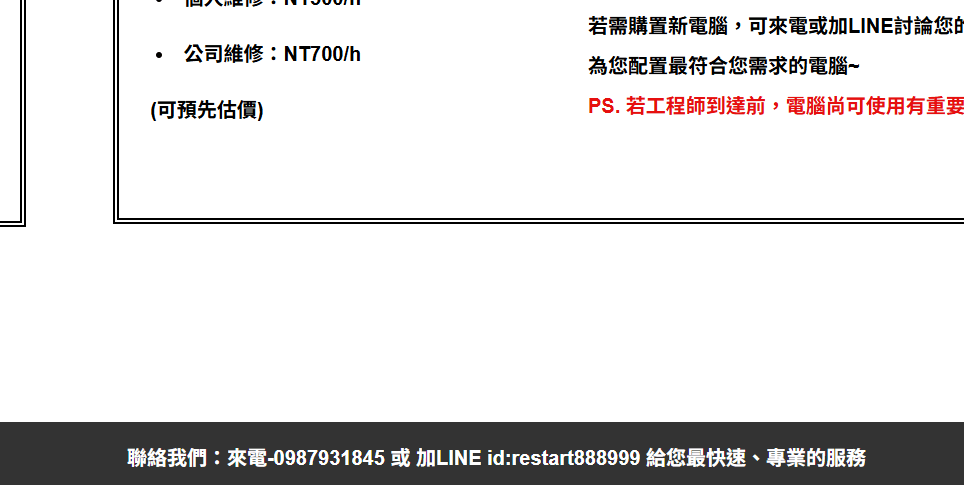
<div class="under">
    <p>聯絡我們:來電-0987931845 或 加LINE id:restart888999 給您最快速、專業的服務</p>
</div>
.under {
background-color: #333;
color: white;
position: fixed;
bottom:0px;
width: 100%;
text-align: center;
font-weight: bold;
}- static : Always positioned according to the normal flow of the page.
- fixed : Always stays in the same place even if the page is scrolled.
- relative : Other content will not be adjusted to fit into any gap left by the element.
- absolute : If an absolute positioned element has no positioned ancestors, it uses the document body, and moves along with page scrolling.
- sticky : Depending on the scroll position. It is positioned relative until a given offset position is met in the viewport - then it "sticks" in place.
!important
<!DOCTYPE html>
<html>
<head>
<style>
#myid {
  background-color: blue;
}

.myclass {
  background-color: gray;
}

p {
  background-color: red !important;
}
</style>
</head>
<body>

<p>This is some text in a paragraph.</p>

<p class="myclass">This is some text in a paragraph.</p>

<p id="myid">This is some text in a paragraph.</p>

</body>
</html>
Use this attribute ,it can override ALL previous styling rules for that specific property on that element.
#Q: What these texts background color would be?
Pseudo-class
hover
:hover pseudo-class is used to select elements when you mouse over them.
<ul>
    <li><a href="#home" >首頁</a></li>
    <li><a href="#services">服務</a></li>
    <li><a href="#about">關於我們</a></li>
    <li><a href="#contact">聯絡我們</a></li>
</ul>
nav ul li a:hover {
background-color: #111;
}
# <a href="(link)"> ~ </a> can turn to the page linked
active
:active pseudo-class is most used on <a> and <button> elements. A link becomes activated when the user clicks on it.
nav ul li a:hover {
    background-color: #111;
}
nav ul li a:active {
color: yellow;
}
Pratical Attribute
line-height:
HTML & CSS
By 零壹ZeroOne