






Luciano Adonis
I prefer writing, but a good presentation can be more valuable and stylish.
Chapter 1: Work with style or else
cmd + shift + dcmd + d## Oh My Zsh ### https://gist.github.com/cce0307abc1385bc6cdc3671eb3f5821.git
export ZSH=$HOME/.oh-my-zsh
ZSH_THEME="gnzh" # "bureau"
ZSH_DISABLE_COMPFIX=true
plugins=(
git # https://kapeli.com/cheat_sheets/Oh-My-Zsh_Git.docset/Contents/Resources/Documents/index
ssh-agent # https://github.com/ohmyzsh/ohmyzsh/tree/master/plugins/ssh-agent
brew
asdf
sublime # 'st' to open files and 'stt' for current directory
themes # 'theme' sets a random theme or defines one if passed
direnv # The plugin does wonders
fzf # Along with the prefix command, makes the reverse search great again
zsh-autosuggestions
zsh-syntax-highlighting # Colors to make life better
web-search # Use in conjuntion with 'google' to open a search on your default browser
jsontools # Add different JSON tools, but add '| pp_json' to format JSON outputs
kubectl # Useful aliasses like just "k" for kubectl
encode64 # e64 d64 for you know what
)
alias ez="vi ~/.zshrc" # ZSH configuration edit
alias sz="source ~/.zshrc" # ZSH configuration reload
### Git ###
alias random-commit=$(echo "$(echo $(wget whatthecommit.com -q -O -) | tr -d '\n' | sed -e 's/.*<p>\(.*\)<\/p>.*/\1/' | awk '{split($0,a,"</p>"); print a[1]}')")
gac(){
commit=${*:-"Changes"}
git add . && git commit -m $commit .
}
### macOS ###
export EDITOR=vim
export LC_ALL=en_US.UTF-8
export LANG=en_US.UTF-8
export LDFLAGS="-L/usr/local/opt/openssl/lib"
export CPPFLAGS="-I/usr/local/opt/openssl/include"
### Brew configurations ###
alias bu="brew update && brew upgrade && brew cleanup && brew cleanup git"
alias brew-deps="curl https://gist.githubusercontent.com/LucianoAdonis/43a43e5b80515abb828ceb1d3dca2258/raw > Brewfile ; brew bundle install"
alias zsh-sync="curl https://gist.githubusercontent.com/LucianoAdonis/cce0307abc1385bc6cdc3671eb3f5821/raw > ~/.zshrc"
### GENERAL PURPOSE SHORTCUTS ###
alias dl="cd ~/Downloads"
alias dt="cd ~/Desktop"
alias p="cd ~/Documents/Projects"
### Solutions ###
alias new-key="ssh-keygen -t rsa -b 4096 -o -a 100 -f"
alias pip-reqs="pip3 install -r requirements.txt"
### Scripts ###
alias youtube-dl-audio="youtube-dl -f 'bestaudio[ext=m4a]' --output '%(title)s.%(ext)s' --extract-audio --audio-format mp3 --ignore-errors"
saml(){
if [ -n "$1" ]
then
echo "$1"
else
echo "Specify a command"
fi
}
### Work related ###
alias kx=kubectx
alias kn=kubens
alias gpod="k get pod"
alias gpods="k get pod -o wide"
alias dpod="k describe pod"
alias delpod="k delete pod"
alias canary="k describe canary"
alias logs="k logs -f"
alias iwannasleep="k delete pod --all -n" # For certain cases
ksh(){
kubectl exec -it $1 -- bash
}
### Plugin's specific ###
zstyle :omz:plugins:ssh-agent identities {ehq,disney}
### Move this under your own volution ###
export PATH=/opt/homebrew/bin:$PATH
source $ZSH/oh-my-zsh.sh
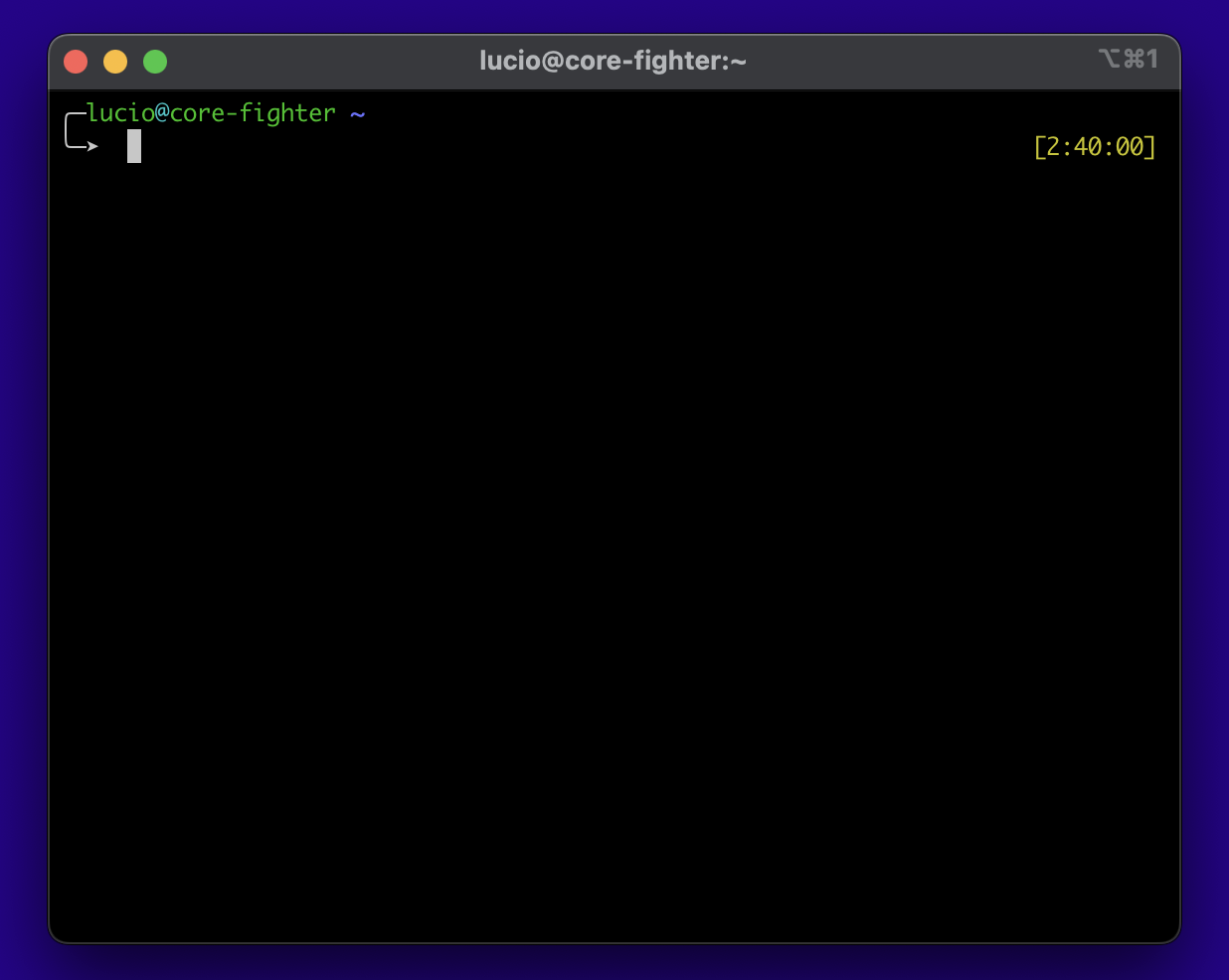
RPROMPT="%{$fg[yellow]%}[%D{%L:%M:%S}]"scutil --set HostName core-fighter## Oh My Zsh ### https://gist.github.com/cce0307abc1385bc6cdc3671eb3f5821.git
export ZSH=$HOME/.oh-my-zsh
ZSH_THEME="gnzh" # "bureau"
ZSH_DISABLE_COMPFIX=true
plugins=(
# (...) Lot's of things here
)
alias ez="vi ~/.zshrc" # ZSH configuration edit
alias sz="source ~/.zshrc" # ZSH configuration reload
# (...)
### Move this under your own volution ###
export PATH=/opt/homebrew/bin:$PATH
source $ZSH/oh-my-zsh.sh
RPROMPT="%{$fg[yellow]%}[%D{%L:%M:%S}]"# (...)
plugins=(
git # https://kapeli.com/cheat_sheets/Oh-My-Zsh_Git.docset/Contents/Resources/Documents/index
# (...) Lot's of things here
)
# (...)# (...)
gac(){
commit=${*:-"Changes"}
git add . && git commit -m $commit .
}
# (...)# Syntax Highlighting
git clone https://github.com/zsh-users/zsh-syntax-highlighting.git ${ZSH_CUSTOM:-~/.oh-my-zsh/custom}/plugins/zsh-syntax-highlighting
git clone https://github.com/zsh-users/zsh-autosuggestions ${ZSH_CUSTOM:-~/.oh-my-zsh/custom}/plugins/zsh-autosuggestionsbrew install fzf# ~/.zshrc
# (...)
plugins=(
# (...)
fzf
)
# (...)# ~/.zshrc
# (...)
plugins=(
# (...)
zsh-autosuggestions
zsh-syntax-highlighting
)
# (...)
# Get your own brewfile with "brew bundle dump"
# curl https://gist.githubusercontent.com/LucianoAdonis/43a43e5b80515abb828ceb1d3dca2258/raw > Brewfile ; brew bundle install

# Directory to install
cask_args appdir: '/Applications'

# Core
brew 'zsh'
brew 'git'
brew 'fzf'
brew 'direnv'
cask 'rar'
brew 'wget'
brew 'curl'
brew 'gpg'
brew 'coreutils'


# brew 'git-crypt'
# brew 'subversion'

# ZSH Plugins
# brew 'zsh-autosuggestions'          # Clone this to avoid putting it on the configurations
# brew 'zsh-syntax-highlighting'      # Clone this to avoid putting it on the configurations

# Troubleshooting tools
brew 'htop'
brew 'watch'

# brew 'tree'
# brew 'telnet'
# brew 'tmate'
# brew 'tmux'
# brew 'mtr'
# brew 'inetutils'

# Coding
brew 'asdf' # Replaces 'go' 'dep' 'rbenv' 'pyenv'
brew 'pipx'
brew 'jq'
cask 'visual-studio-code'
cask 'sublime-text'
# cask 'arduino'
cask 'bitwarden'

# Quality of life
cask 'vlc'
cask 'folx'
cask 'rectangle'
cask 'clipy'
cask 'quitter'
# cask 'workspaces' # Paid, not really useful if you have an M1
# cask 'alt-tab'    # Witch (paid) is similar and allows you to go into tabs
# cask tomatobar

# cask 'cleanmymac'
# cask 'stremio' # Popcorn Time (YTS) Plugin is the way to go

cask 'send-to-kindle'
# cask 'google-chrome'
# cask 'iterm2'
# cask 'm-cli' # Facilitates macOS changes from console

# Lifehacks
# cask 'monitorcontrol' # https://github.com/MonitorControl/MonitorControl

# Virtualization
cask 'docker'
cask 'parallels'
# minikube # Local EKS for quick tests, run minikube config set driver docker before doing the start

# cask 'vagrant'
# cask 'virtualbox'

# Infrastructure packages
brew 'awscli'
tap 'aws/tap'
brew 'aws-sam-cli'
brew 'kubectl'
# cask 'google-cloud-sdk'
# cask 'secure-pipes'

# Company specific packages
brew 'kubectx'
tap 'warrensbox/tap'
brew 'tfswitch'
tap 'weaveworks/tap'
brew 'eksctl'

# tap 'johanhaleby/tap'
# brew 'kubetail'
brew 'helm'
brew 'velero'
# cask 'google-cloud-sdk'
# brew 'chef-workstation:0.12'
# cask 'microsoft-remote-desktop'
# cask 'microsoft-office'
# cask 'microsoft-outlook'
# cask "microsoft-teams"
# brew 'gimme-aws-creds'
# brew 'subversion'
# brew 'cli53' # Useful for pulling configurations from R53
# tap "heroku/brew"
# brew "heroku/brew/heroku"

# Lints and documentation tools
brew 'shfmt'
brew 'automake'
brew 'tfsec'
brew 'terraform-docs'
# brew 'yamllint'
# brew 'jsonlint' # Can be replaced with ZSH Plugin

# Communication packages
cask 'slack'
cask 'meetingbar'
cask 'mutify' # Paid, mute.me is the alternative
# cask 'discord'
# cask 'webex-meeting'
# cask 'zoom-us'

# Specific reasons

brew 'youtube-dl'
brew 'ffmpeg' # Dependency of youtube-dl to convert video to music file, also installs a lot of dependencies
brew 'speedtest-cli'

# brew 'httrack' # Downloads websites with all files
# brew 'httpie' # Looks cools, don't recall using it
# brew 'siege' # HTTP regression testing# Core
brew 'zsh'
brew 'git'
brew 'fzf'
brew 'direnv'
cask 'rar'
brew 'wget'
brew 'curl'
brew 'gpg'
brew 'coreutils'
# (...)
# Troubleshooting tools
brew 'htop'
brew 'watch'
# brew 'tree'
# brew 'telnet'
# brew 'tmate'
# brew 'tmux'
# brew 'mtr'
brew 'inetutils'
# Coding
brew 'asdf' # Replaces 'go' 'dep' 'rbenv' 'pyenv'
brew 'pipx'
brew 'jq'
cask 'visual-studio-code'
cask 'sublime-text'
# cask 'arduino'
cask 'bitwarden'
By Luciano Adonis