




Web Media

CRI300 • Week 5

Images via Giphy

Project #2 – Professional Web Pressence

  • 10% of final grade
  • Due week 6 (after reading week)
  • 5 slots available for critique
  • Website with blog for a business, idea, or product
  • Holistic approach (as a whole)
  • Citations using links or APA for offline content
  • Artists' write-up should be available on site

Project #4 – Final Project

  • 30% of final grade
  • Due week 11
  • 10-20 slots available for critique (week 11/12)
  • Expand upon previous projects (choose one)
    • Poster Campaign: 3+ posters of similar visual style
    • Motion Graphics: 60-seconds total (1+ videos)
    • Website: Fully branded, 10-15s HD video, 2+ banner ads
  • 300-word statement

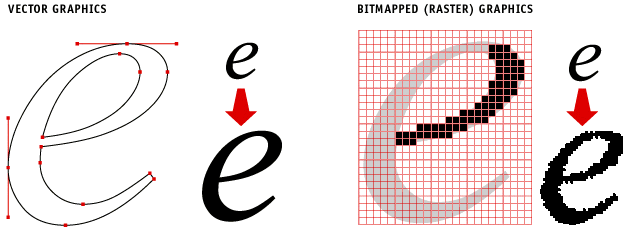
Vector vs raster

Graphics on the web

  • Both are supported by modern browsers
  • Raster Formats: JPG, PNG, GIF
  • Vector Formats:
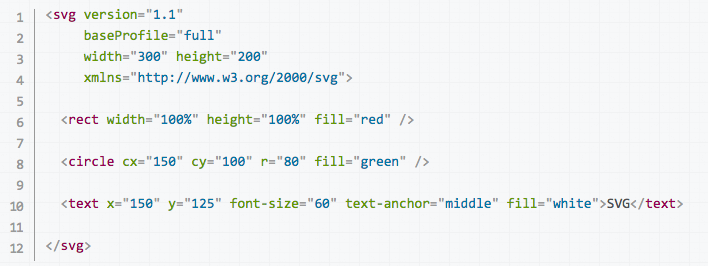
    • Scalable Vector Graphics (SVG)
    • Can also be programmed/generated
      • HTML5 Canvas
      • SVG
      • WebGL (Web Graphics Language)

Image formats

  • JPG: Joint Photographic Experts Group)
    • Photographs & realistic artwork
    • Smooth colour variations
    • Algorithmic compression (gradients)
    • Not for sharp graphics
  • GIF: Graphics Interchange Format
    • Uses colour table (limited to 256 colours)
    • Limited animations abilities
    • Transparency support

Image formats

PNG: Portable Network Graphics

  • PNG-8
    • Similar to GIF
    • 8-bits of data per pixel
    • Max 256 colours in table
  • PNG-24
    • Lossless
    • Alpha channel support
    • High-quality, but large files
    • Often used for transparent photos placed on mixed colour backgrounds (layering on web pages)

Image formats

SVG: Scalable Vector Graphics

  • 1999: 2D vector graphics format for the web
  • Can be used as an alternative filetype to Illustrator*
  • Open-source
  • Minor support for raster and text
  • Styled using CSS
  • Interactivity added using JavaScript
  • Coordinates set in pixels and scaled up

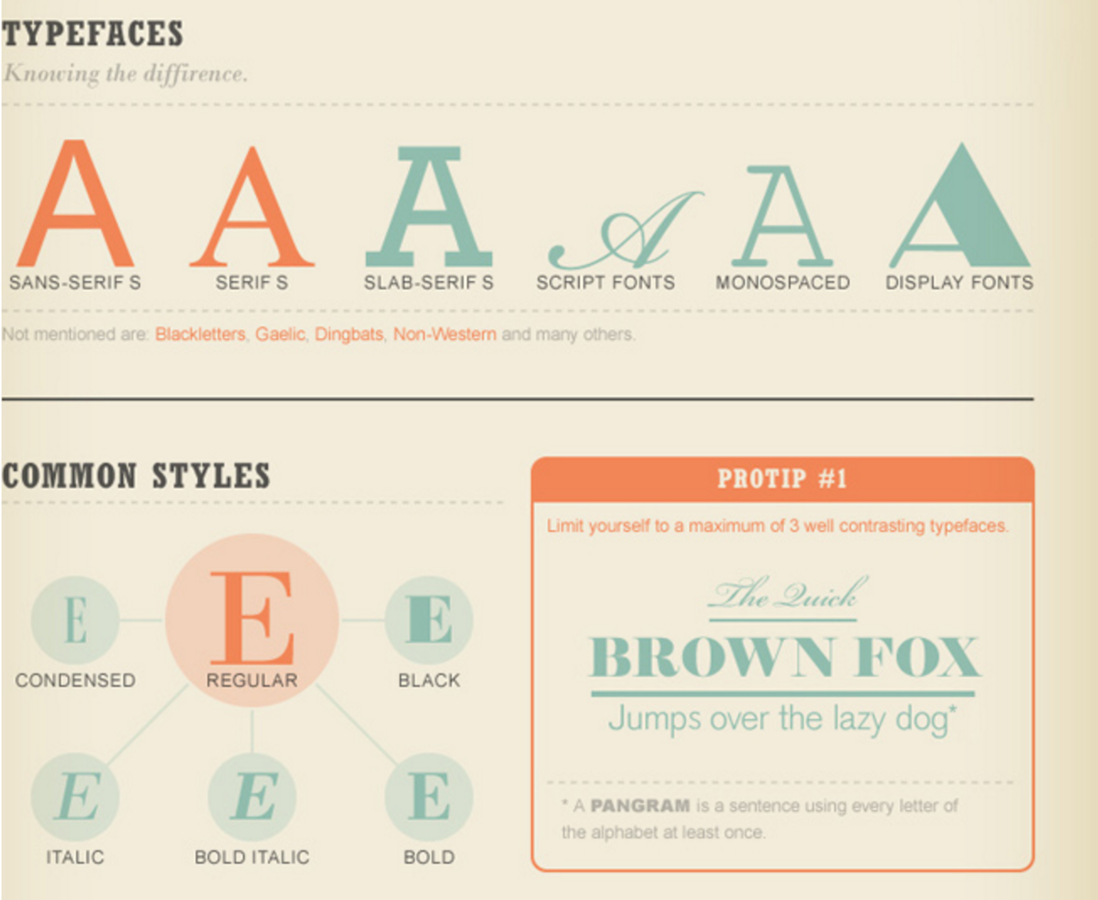
Typography for the web

  • Tim Berners-Lee left browsers responsible for style
  • Style inconsistencies and little control over appearance
  • Website administrators focused on style content
  • Lack of standardization and font choices
  • CSS did not exist, just HTML properties

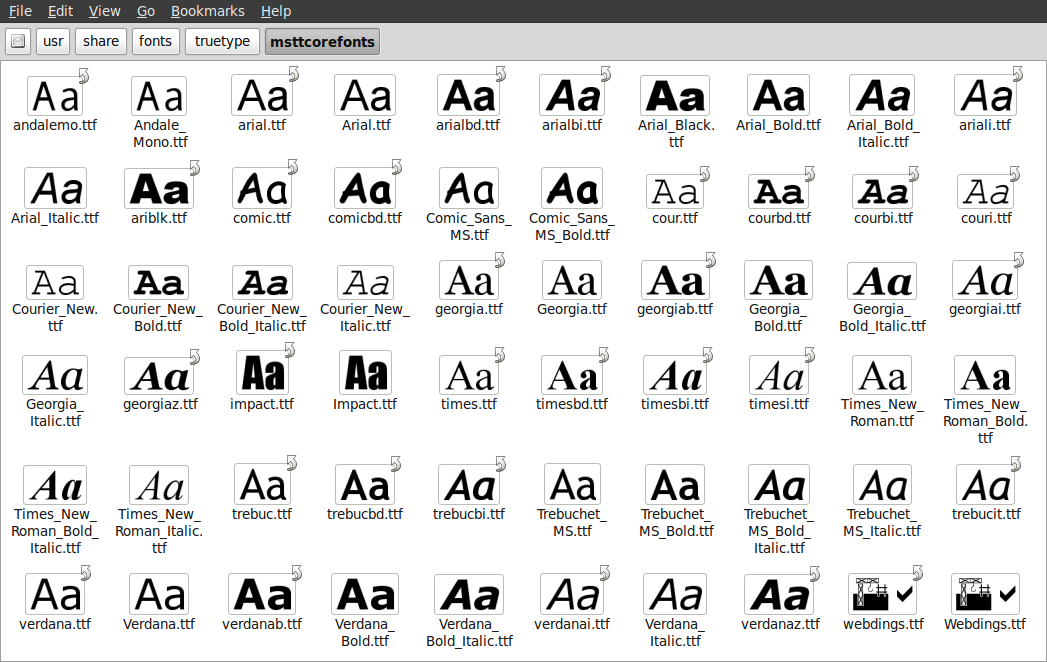
Microsoft core fonts

  • 1996: Standard suite of fonts for the Internet
  • Goal: To ensure consistency online
    • High legibility
    • Convey tone using font variations
    • Multi-language / internationalization support
  • Available for MacOS, but not mobile platforms
  • Terminated in 2002 but fonts are still available

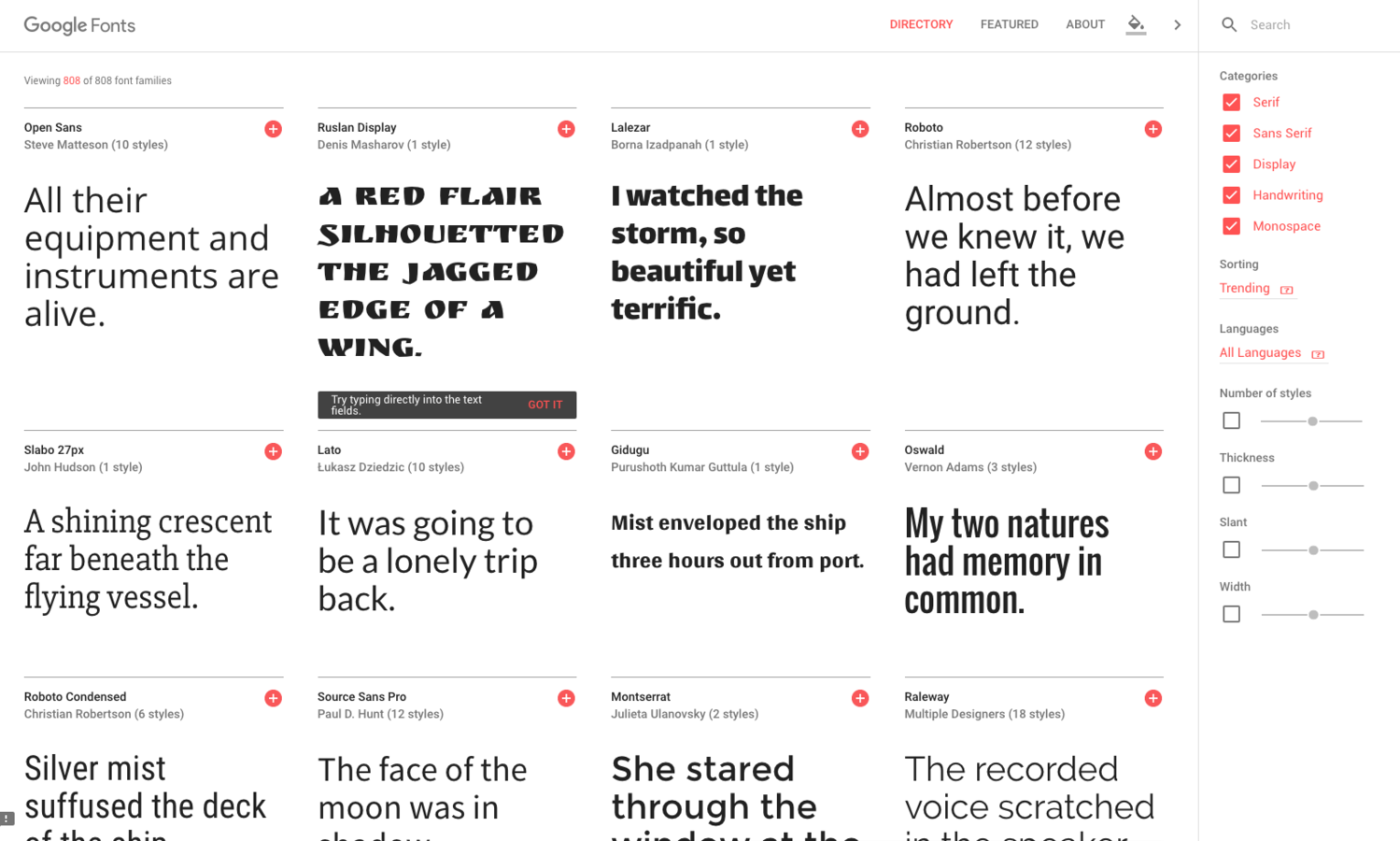
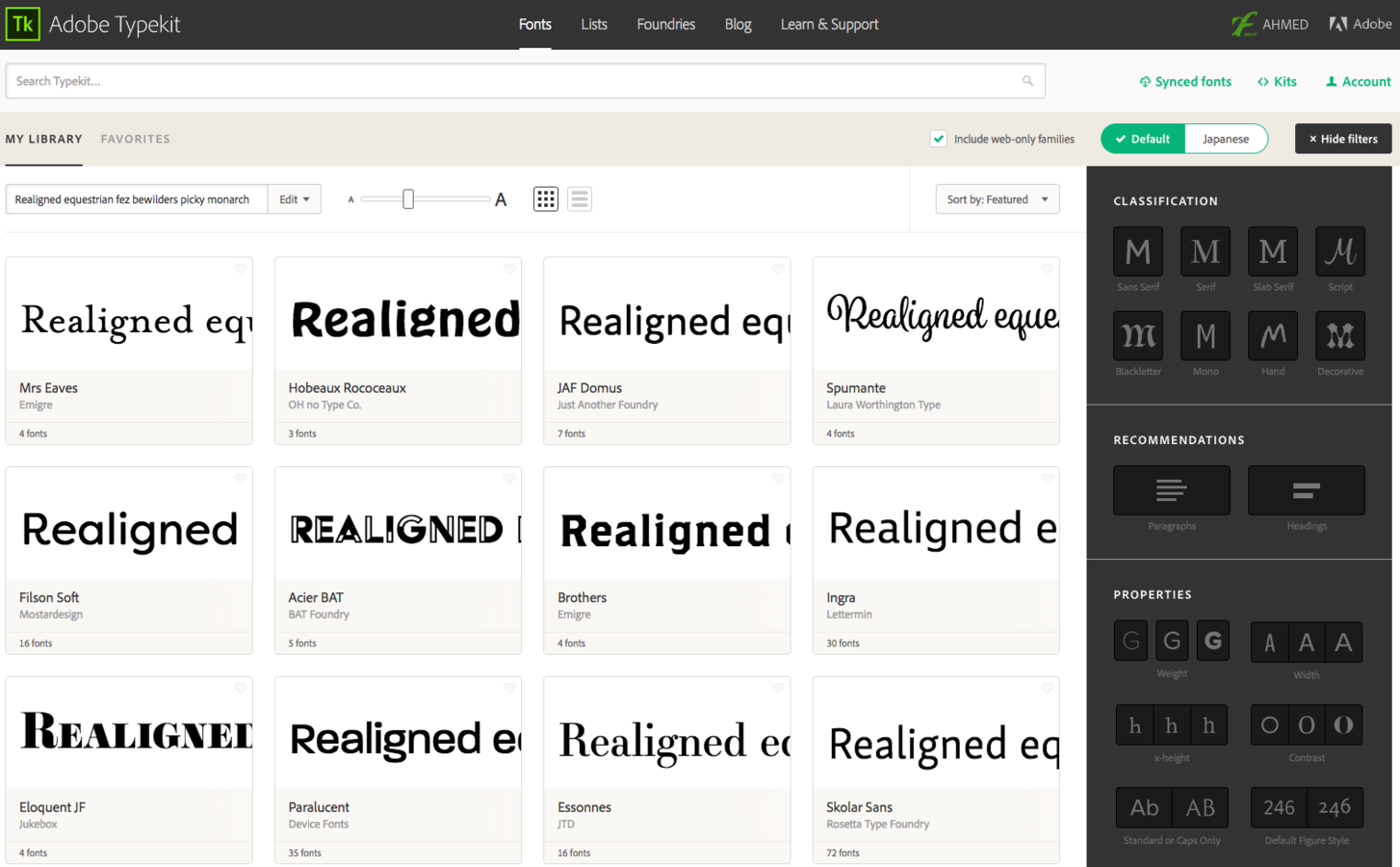
External font support

  • Used to rely on local fonts
  • Hosted fonts emerged to overcome missing fonts
  • Different technologies (browser dictated)
    • EOT: Embedded Open Type – Microsoft
    • OTF: Open Type Font – Apple
    • SVG: Scalable Vector Graphic – W3C
    • WOFF*: Web Open Font Format – W3C
  • Gray legal area: need to read ToS

Font
Embedding
Services

Online
Video

Online video technologies

  • Allows users to upload video clips for streaming
  • Commonly associated with YouTube & Vimeo
  • Upload file to platform and embed video player
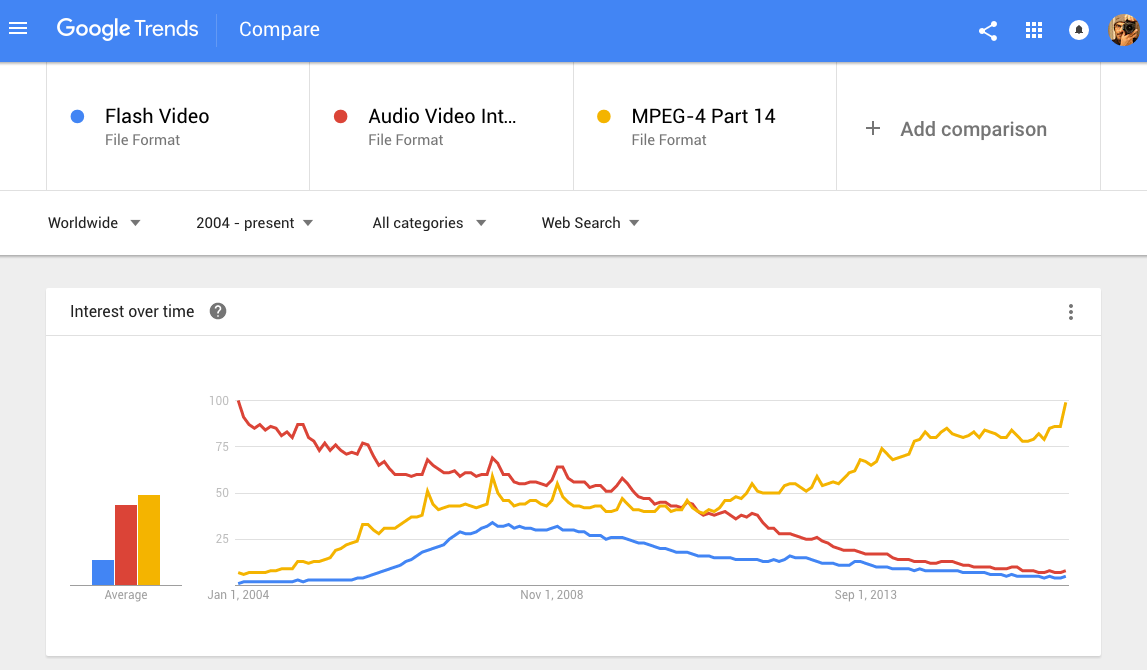
  • Streaming wasn't always an option
    • Difficult & proprietary technologies
    • Download & play method
    • Flash & RealPlayer helped alleviate problem
    • Bandwidth costs were high
    • Connection speeds were slow

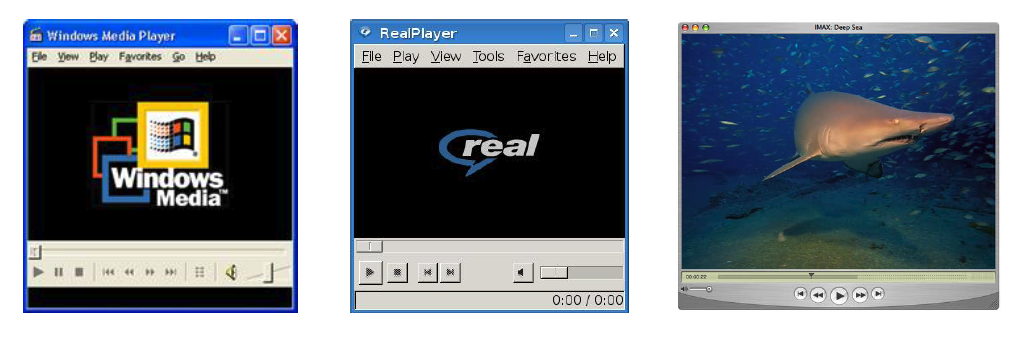
Video players & Codecs

  • Microsoft: ActiveMovie >> Windows Media Player
  • RealNetworks: RealPlayer
  • Apple: QuickTime
  • Each had different codec (encoder/decoder)
  • Poor video/audio quality
  • Required users to have all 3 applications

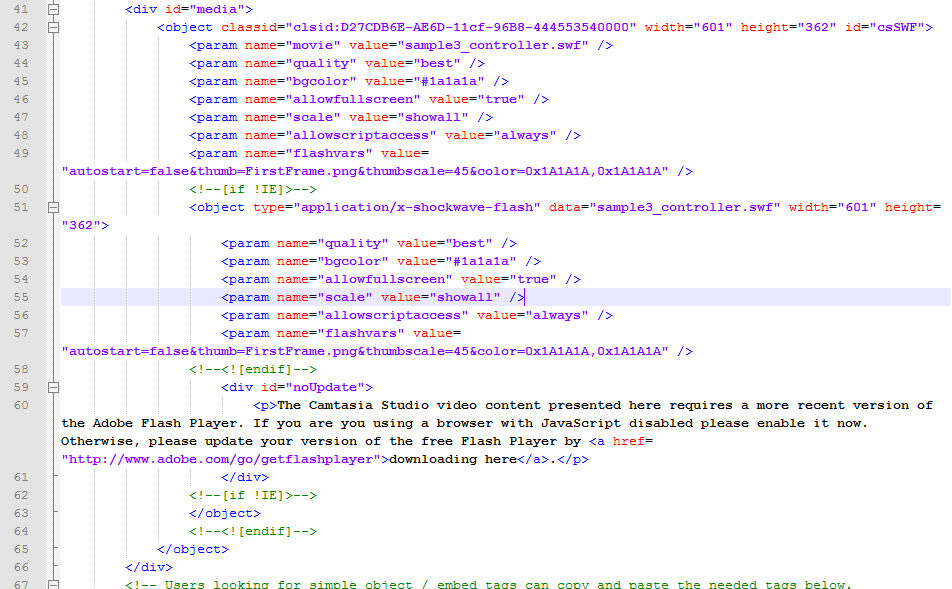
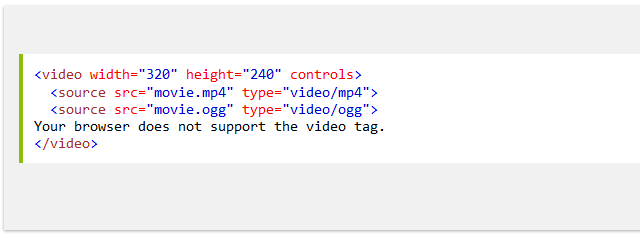
Embedded video code example

Adobe Flash

  • Needed rich media support in a codec
    • Multiplatform
    • Used initially by YouTube & Vimeo in 2005
  • SWF: Shockwave Flash, 2002 with video support
  • FLV: Flash Video, 2003, streaming video support

HTML5 Video

  • Video support part for latest spec
  • Browsers/OS have embedded codecs
  • No reliance on plugins
  • No support for older browsers
    • Use fallbacks
    • Multiple file-formats within embed
    • OGG, MP4 (H.264), WebM  (VP8/9)
  • Major video platforms offer Flash & HTML5

Embedded video code example

apple vs flash

Security

Speed

Bugs

Closed

Creative freedom

Developer support

Competition

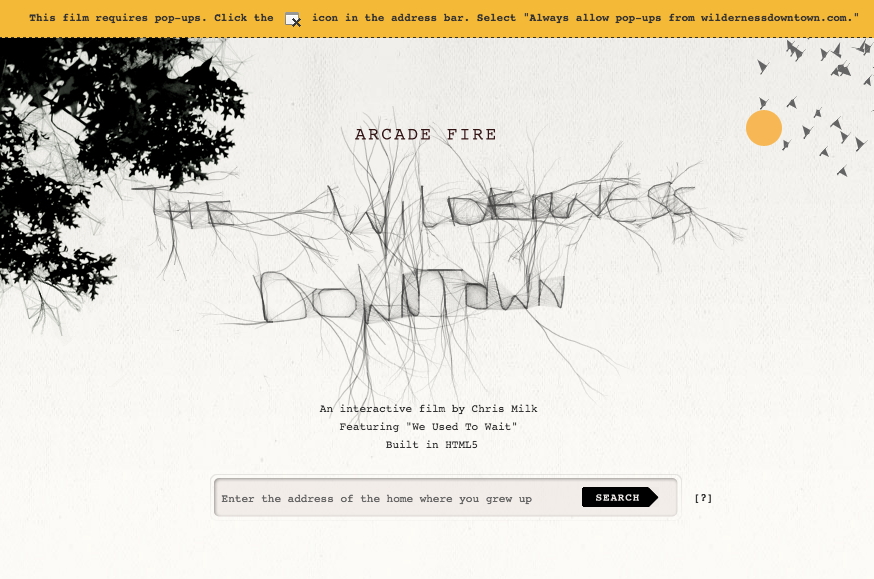
The Wilderness Downtown • 2010: Chris Milk • Arcade Fire, "The Suburbs"

Accessibility
Semantics
Optimization

Accessibility online

  • Universality > Accommodation
  • Empower those with limited mobility, vision, and hearing
  • Mobile devices
  • Legal obligations
    • AODA: Accessibility for Ontarians w/ Disabilities Act
    • W3C Recommendations (A, AA, AAA)
  • Code features
    • Alternative text & title attributes
    • Semantic code & structure

Semantics

Linguistics: Language that conveys meaning of content
Online: Code that describes its contents

  • Converts unstructured content
  • Enables interpretation/categorization


Web of data that can be processed by machine

– Tim Berners-Lee

SEO

  • Analyze & optimize
  • Improving content = better rankings
  • Natural/organic results
  • Other considerations
    • Inbound/outbound links
    • Keywords & density
    • Meta tags*
    • Loading speed & security

sEO

  • PageRank
    • Checks links & content for relevance
    • Higher ranks = more visits
  • Canonical URL
  • Update frequency
  • Algorithm is closed-source
  • Personalization

White hat vs black hat

  • White Hat SEO: legitimate methods
  • Black Hat SEO:
    • Deceptive techniques
    • Gaming the algorithm
    • Hidden text
    • Keyword stuffing
    • Redirects
    • Spam

Analytics

  • Measuring web traffic
  • Google Analytics is the leading platform
    • Free for up to 50 sites
    • Segmentation, targeting, goals
  • Add JavaScript code to website
  • Can be disabled by user
  • Most servers come with traffic tracking capabilities

Mashups

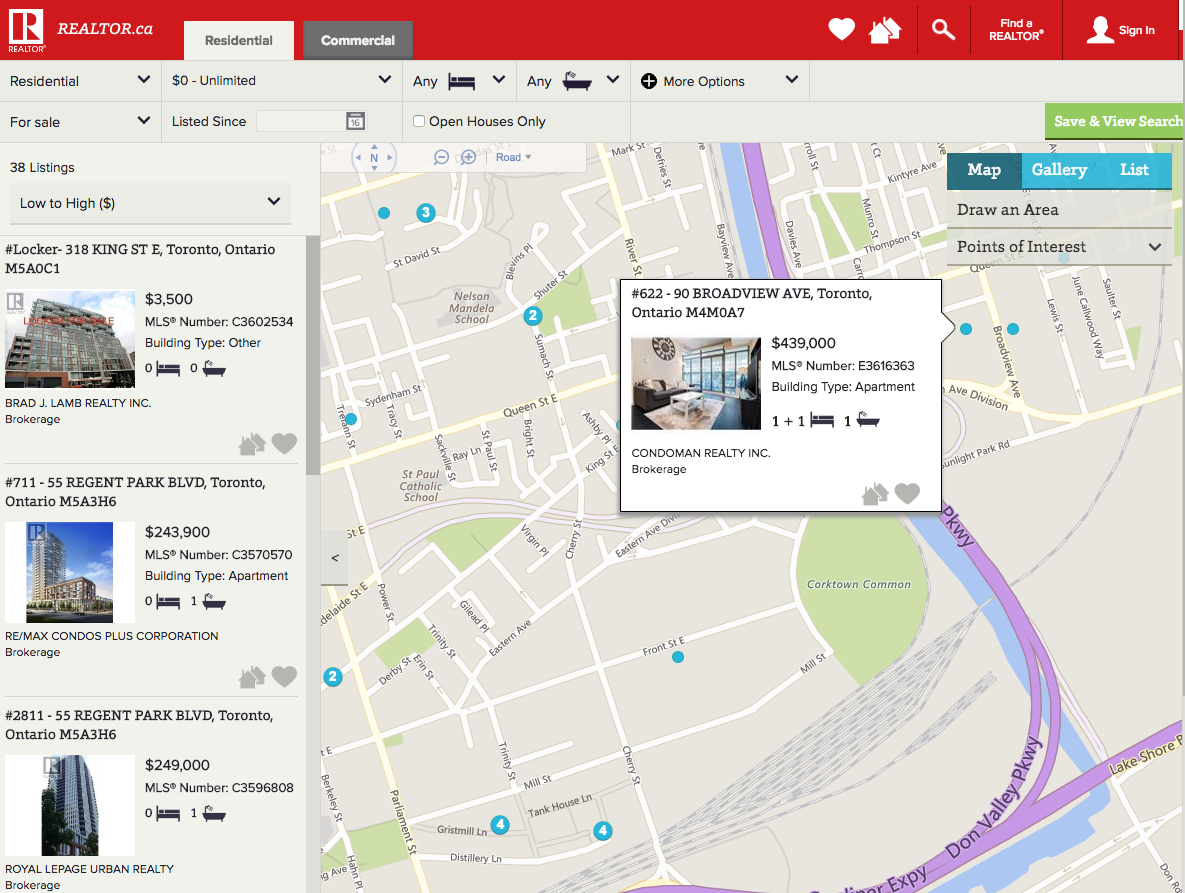
Use of data, presentation, or functionality from multiple sources and combines them to form a new service.

Tutorial

  • HTML, CSS, JavaScript
  • Inspecting websites
  • WordPress CSS Editor plugin

CRI300 - Week 5: Web Media

By Am Sagarwala

CRI300 - Week 5: Web Media

Image formats, video formats, accessibility, SEO, analytics, and embedding content

  • 959