GrC 339
Web Design + Production


Week 1 • Production Planning

⚠️ Disclaimer ⚠️

This presentation contains disclaimers!

⚠️ Disclaimer ⚠️

This presentation contains looped animations.

Please notify me if you may have issues with strobing animations or experience enlightenment.

⚠️ Disclaimer ⚠️

Disclaimers should be included if I followed UX best practices, right? 🙃

OK Zoomer

Getting Going with Zoom

  • Participation panel, raise your hand
  • Confirm your comprehension
  • Camera on if you want
  • Mic off as much as possible (I may mute you)

First website in 1998

Digital experience manager

VDP, workflow automation

Master of Digital Media


The Approach

Cons & Pros

You've got a new prof...

Course Learning Outcomes

  1. To use advanced HTML and CSS to prototype and implement web sites.
     
  2. To build responsive and responsible websites, according to the most current and best practices in the field.
     
  3. To apply design principles to web development.
     
  4. To research and compare different solutions in the field of web development.

Assessment

Item Weight
Class Project 45%
Tutorials (5) 20%
Journal Entries (5) 20%
Quizzes (2) 10%
Participation 5%

Cash-money?

Grading

Process > Product

What's in an A?

Tactics to stay on top

Coding is a skill

Class Project

  • A full website from start to finish
  • Scope out an opportunity
  • Journey > Final Product
  • 45% of your overall mark

Class Project

Deliverables

  • 5% Wireframes
  • 10% Mockup
  • 5% Code: Navigation
  • 5% Code: Page Layout
  • 5% Code: Responsive Layout
  • 5% Deployment
  • 10% Final submission

Assignments

Journals

  • Bi-weekly (every 2 weeks)
  • Project and course progress
  • Challenges
  • Goals (project or personal)
  • Support needs
  • Sharing articles, findings, ideas
  • Feedback

4% x 5 = 20% of final grade

Tutorials

  • Self-curated
  • May provide a bank of options
  • Use weekly topics or go beyond
  • Opportunity to customize your learning
  • Sharing with your peers via Discussions
  • Review your experience

4% x 5 = 20% of final grade

Quizzes

  • 2 @ 5% each
  • Accessibility and Responsive Layouts
  • No code to be written, just interpreted
  • Mostly multiple choice
  • Open book
  • Testing concepts
  • 10-20 questions

Participation

This Week

  • Introduce yourself (discussion board)
  • Skills Survey
  • Install VS Code
  • Refresher on HTML + CSS
  • Learn about the production process

Iteration

Production Process

  1. Branding considerations
  2. Wireframe
  3. Mockup
  4. Prototype
  5. Code
  6. Content

Branding

Activity

  • Breakout into groups
  • Search for branding guidelines


  1. Observe what sections/guidance is provided
  2. Make note of anything that might be missing
  3. Does it provide sufficient instructions for web?

Set the Stage

  • Who are you creating for?
  • What do they do?
  • What is their userbase comprised of?

Planning the design

Adjectives

  • Helps direct your design
  • Speeds up decision making
     
  • Come up with ~3 adjectives for your app/company
  • Think of how each adjective is visually represented
  • What colours support your adjectives?


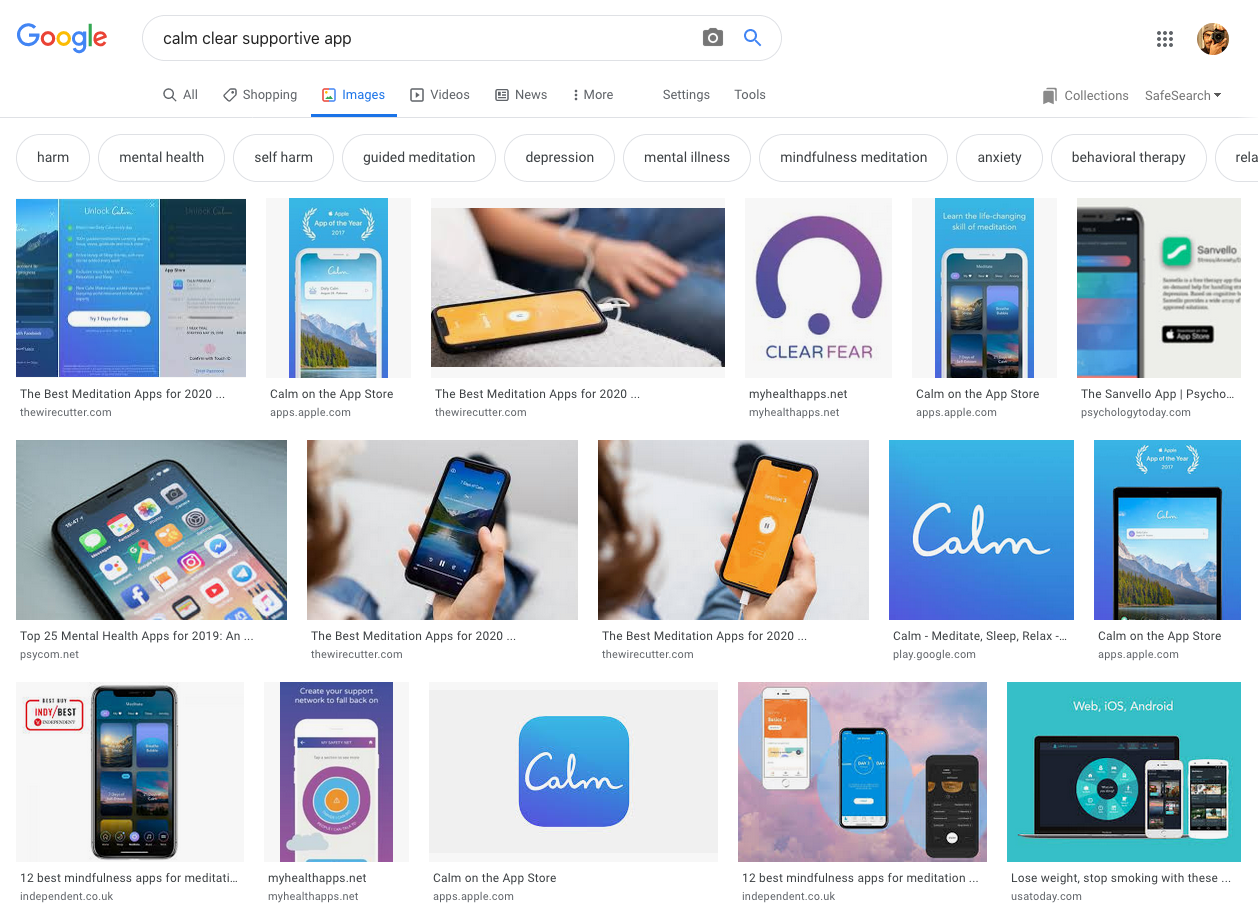
Example: calm, clear, supportive

Three
Words

Research

Remix
Reach

Calm / Clear / Supportive

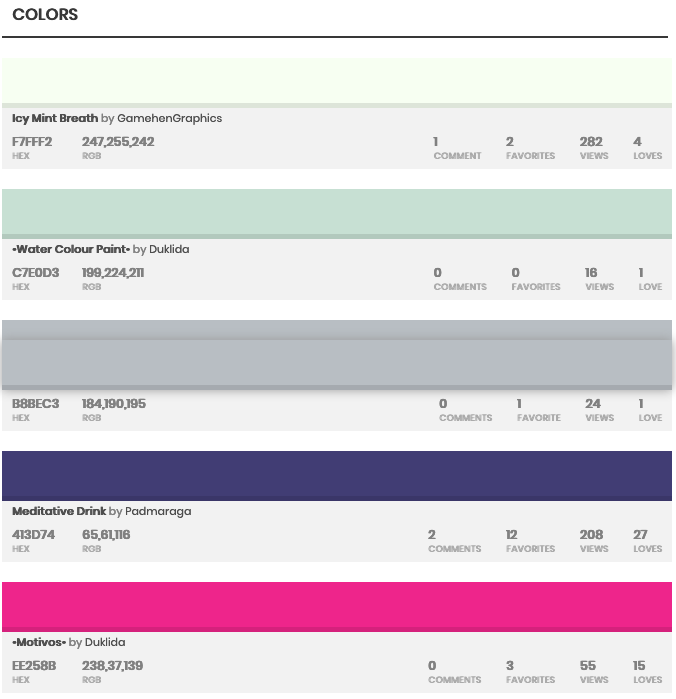
Colour Palette

What brand(s) already represent your adjectives?


An Image search of each term:

Calm // Clear // Supportive

Wireframes

Wireframes

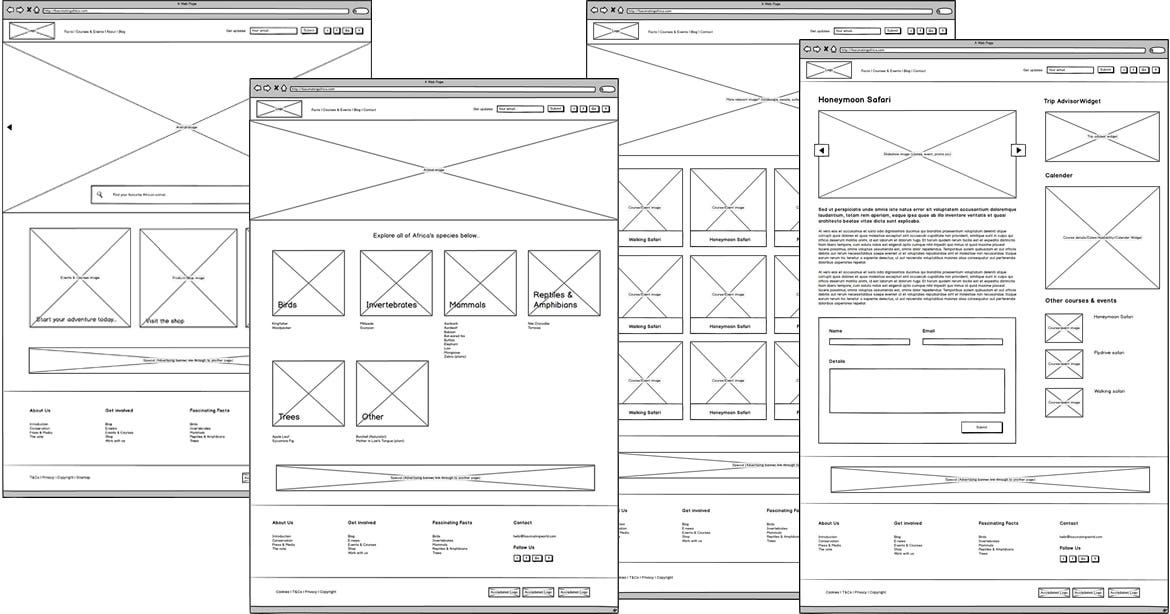
Wireframe Example

Source: Robert Smith

Getting Started

  • Choose one page or step
  • What content and features belong?
  • Limit the number of features per step
    (split big steps into a few smaller ones)
    • Chat screen
    • Login form
    • Create claim (many sub steps?)
    • Payout
  • Choose 2-3 steps to wireframe

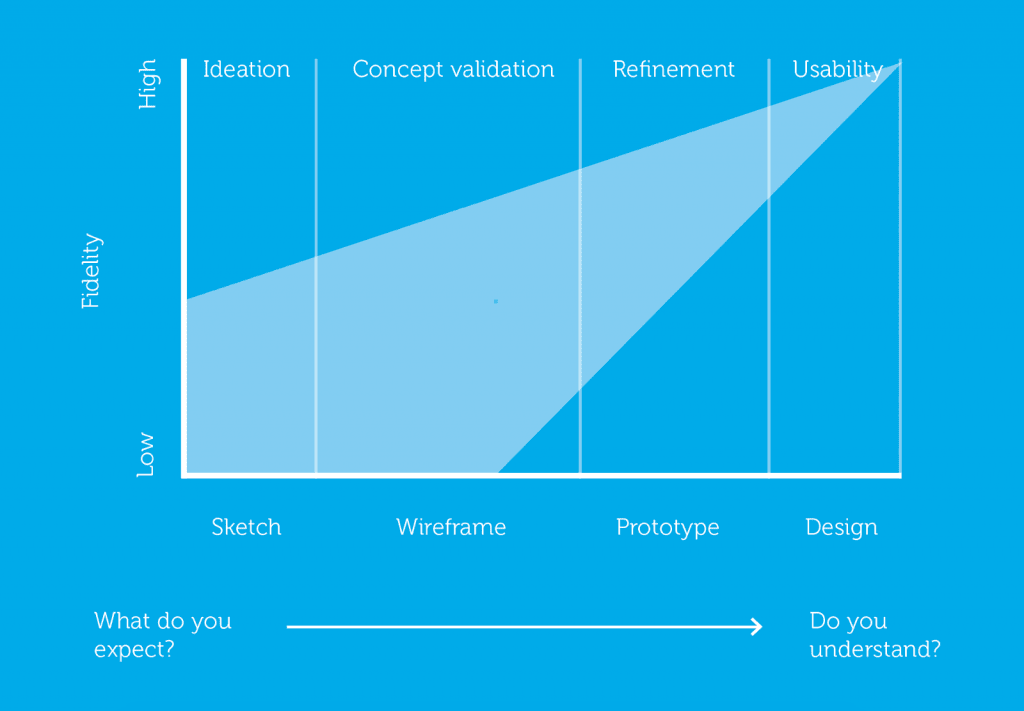
Wireframing Benefits

  • Shows just enough to make sense
  • Extremely fast to generate
  • Nothing special needed
  • Allows for rapid iteration
  • Helps reveal what supporting content is needed

Wireframe Example

Small Claims App

Mockups

Design Patterns

  • Design pattern = established practice
  • Use existing patterns to speed up design decisions
  • Keeps the UI familiar to the user
     

Resources

Material Design

UI Patterns

styleguides.io

Images

  • Use stock photos and illustrations to get going
  • Can get you close to a finished appearance
  • Try to use colour scheme for cohesion
     

Resources

PlaceIMG

Pexels

UnSplash

CompFight

Interface Libraries (UI Kits)

  • For a native or targeted look
  • Use Android or iOS accordingly
  • Lots available for free, software might be required
  • Wireframing software usually includes templates
     

Resources

MarvelInvision

iOS 8 UI Kit

Icons

  • Simplifies the interface
  • May be familiar or alienating (think of your users)
  • Could be used for your logo (until something better can be designed)

Resources

thenounproject.org

fontawesome.com

icofont.com

fontello.com

Interactive Prototype

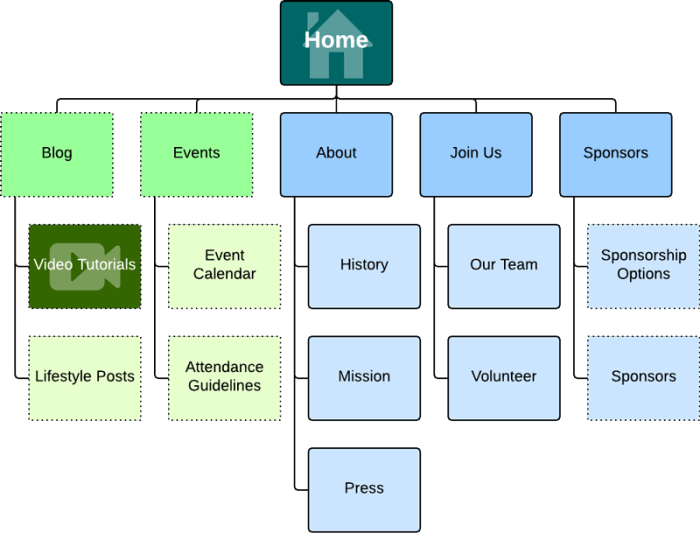
Interaction Map

About

Sign Up >> Login >> Account

Create claim

Provide evidence

Serve them

Result / Payout

Q&A

sagarwala@ryerson.ca

GrC 339 Week 1

By Am Sagarwala

GrC 339 Week 1

  • 877