GrC 339
Web Design + Production


Week 6 • Optimization

This Week

  • Tutorial Review #4
  • Navigation Code due Sunday
  • Outputting to next generation image formats
  • Page optimization techniques
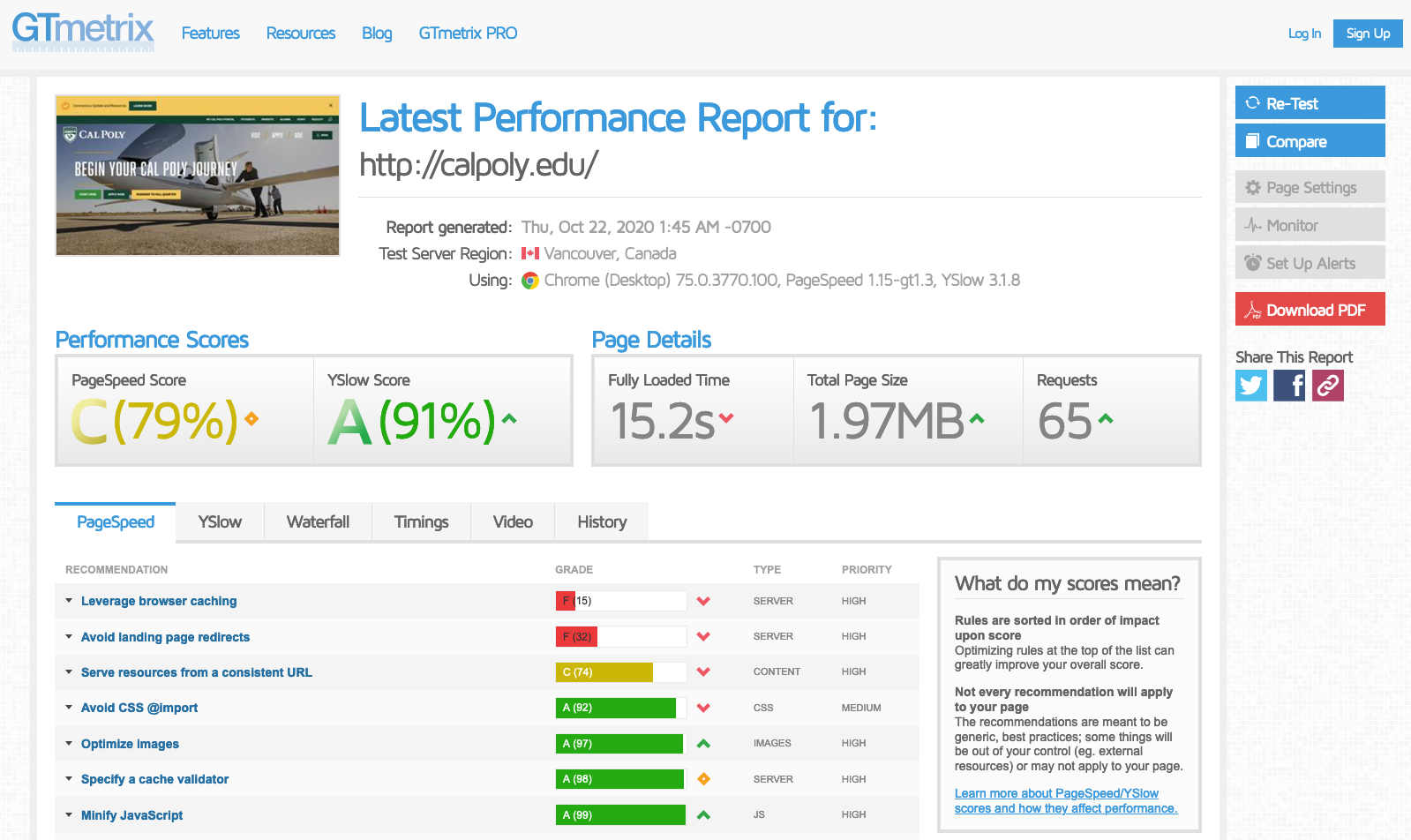
  • Measuring page speed
  • Lab: Coding navigation and image alternates

Navigation Code

  • Use of semantic tags (1 mark)
    • Header, nav, and list tags incorporated.
    • Tags are applied logically and correctly structured.
  • Appropriate use of CSS to select classes
    and tags
    (2 marks)
    • Additional classes are not applied when they are not needed.
    • Code is DRY (Don't Repeat Yourself).
    • Selectors and properties are appropriately crafted.
    • Classes are used for scoping according to the DOM.

Navigation Code

  • Breakpoints are implemented based on common mobile and/or table sizes (1 mark)
    • One or more breakpoints properly applied.
    • Menu adapts as expected to mobile and desktop views.
  • Submission (1 mark)
    • CodePen or similar platform used to provide a single link.
    • Inline comments are used to explain code and actual links (no placeholders and real file names are used).

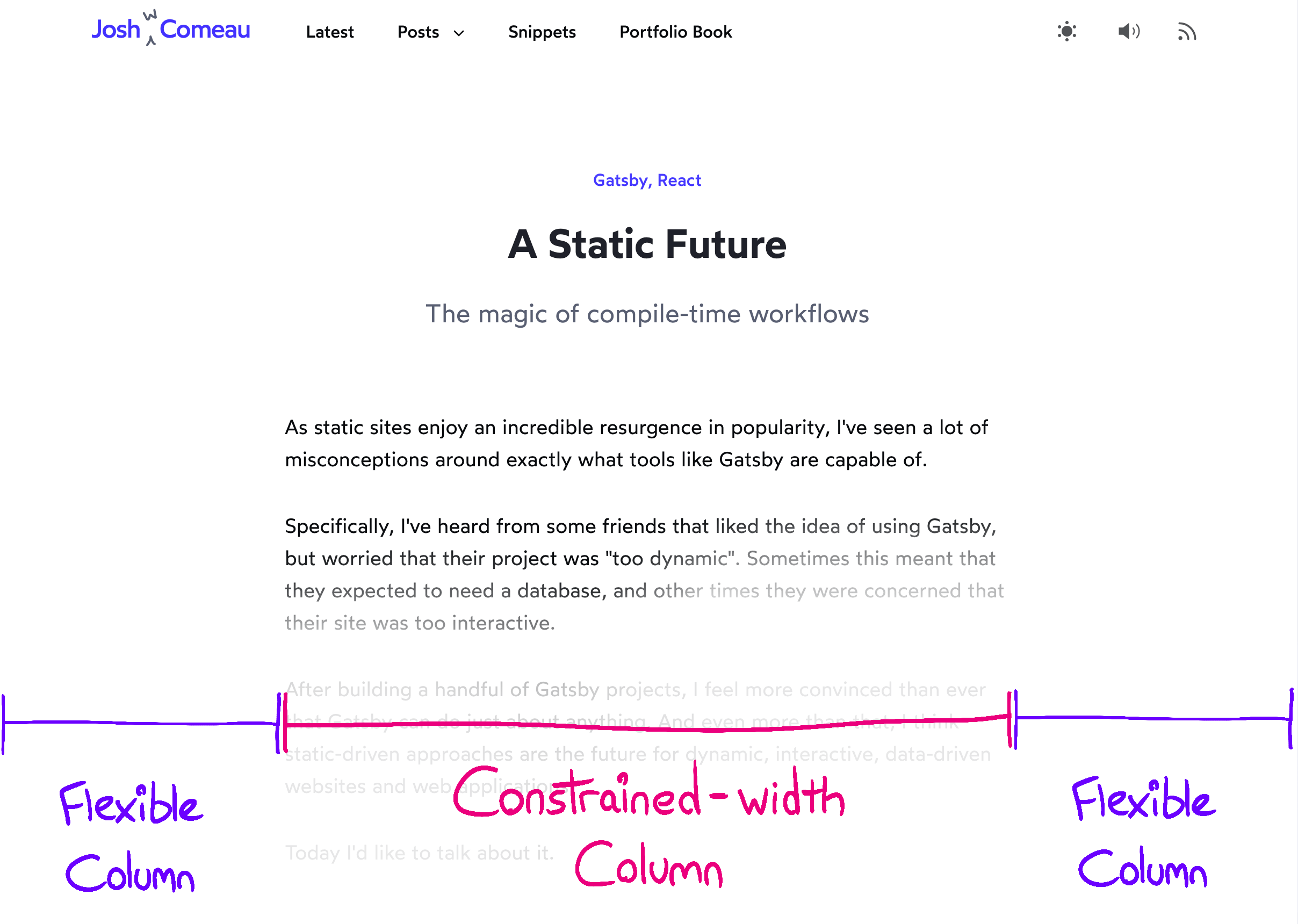
Full Bleed CSS Grid

Full Bleed CSS Grid

.wrapper {
  display: grid;
  grid-template-columns:
    1fr
    min(65ch, 100%)
    1fr;
}
.wrapper > * {
  grid-column: 2;
}
.full-bleed {
  width: 100%;
  grid-column: 1 / 4;
}

Next Gen Image Formats


See Canvas post for exercise details

View the Spreadsheet

Exercise

  1. GIF
  2. PNG-8
  3. PNG-24
  4. JPEG
  5. SVG
  6. WebP
  7. AVIF
  8. JPEG XL
  9. BGP
  10. FLIF
  • Scalability: is it a vector format?
  • Color support: number of colors available (256, 16.7 million, etc.)
  • Alpha channel support
  • Transparency support
  • Lossless support
  • Expected compression savings
  • Compression algorithm
  • Browser support: caniuse.com
  • Export support from Photoshop/Illustrator/Sketch
  • Online conversion tools
  • Corporate support (endorsements, funding, etc.)
  • Mobile features: can we use it for burst, HDR, and live photos?

Common Formats

  • GIF, PNG-8, PNG-24, JPEG

Upcoming Formats

  • SVG
  • WebP
  • AVIF
  • JPEG XL
  • BGP, FLIF?

SVG

  • XML structure, plain text
  • Ideal for simple vectors
  • Logos and basic objects
  • Complex vectors = large file sizes
  • Flat images with scalability
  • SVGZ employs ZIP compression
  • Widely supported

WebP

  • Google created, slow adoption
  • 20%+ compression benefit over PNG + JPEG
  • Lossless support
  • Alpha channel support
  • Majority support as of mid-2020
  • Questionable quality at high compression levels
  • SEO score?

avif

  • Based on AV1 video format
  • Better compression than WebP generally
  • Lossless support
  • Alpha channel support
  • HDR support
  • Poor support (Chrome & Firefox* only)
  • Best visual quality, especially text overlays
  • Some concern with processing
  • Endorsed by Netflix & Cloudflare
  • Lots of mobile features (burst, live photos, etc)

JPEG XL

  • ISO standard (18181)
  • HDR support
  • High compression
  • Lossless support
  • Alpha channel
  • Open-source & royalty-free

FLIF & BGP

  • FLIF: Free Lossless Image Format
  • Smallest lossless format according to FLIF benchmarks
  • 17-74% compression savings
  • Poly-fill to support for now
  • BGP: Better Portable Graphics
  • HDR support and alternate color-spaces
  • Best for JPEG-style graphics
  • Best for systems with access to dedicated graphics cards
  • Poly-fill to support for now

Creating a Pipeline

Several challenges associated with using formats:

  1. Browser support
  2. Processing expectations
  3. Exporting to multiple formats
  4. Extra coding and testing
  5. Increased deployment time

Creating a Pipeline

Automation can make it seamless:

  1. Poly-fills can improve browser support.
  2. Some formats have low impacts on processing.
  3. Watched folders and scripting for batch conversion.
  4. Once you've tested one approach, things speed up.
  5. CDNs can reduce conversion and deployment.
# Encode JPEG to AVIF with default settings
avif -e cat.jpg -o kitty.avif

# Encode PNG with slowest speed
avif -e dog.png -o doggy.avif --best -q 15

# Lossless encoding
avif -e pig.png -o piggy.avif --lossless

CLI Samples

Using go-avif

<picture>
  <source srcset="img/photo-mobile.avif" type="image/avif" media="(max-width:650px)">
  <source srcset="img/photo-mobile.webp" type="image/webp" media="(max-width:650px)">
  <source srcset="photo-mobile.jpg" media="(max-width:650px)">
  <source srcset="img/photo-desktop.avif" type="image/webp" media="(min-width:651px)">
  <source srcset="img/photo-desktop.webp" type="image/webp" media="(min-width:651px)">
  <img src="img/photo.jpg" alt="Description of Photo">
</picture>

Web Optimization

So far

  • Using a CDN
  • Resizing images
  • Compressing images


What other techniques are you aware of?

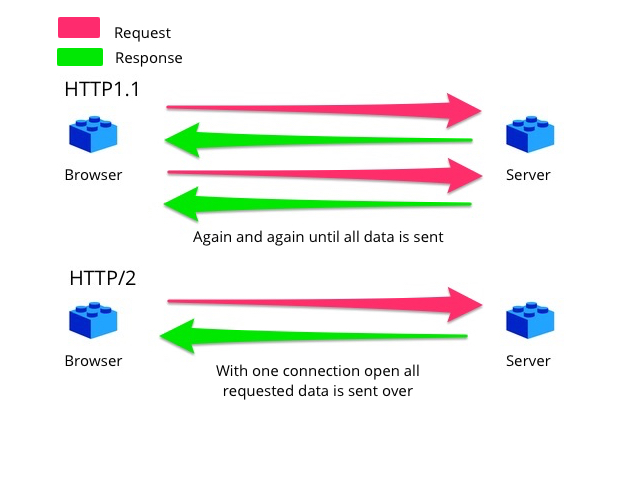
Optimization opportunities exist at every stage of a request

Image: Mozilla MDN

1. HTTP Request

Use HTTP/2 or SPDY

Image: Yoast

2. Web Server Software

  • Controlling how responses are handled
  • Switching to Nginx, Lighttpd, JAMstack
  • Caching server-side
  • Client-side caching
  • Clustering / Load-balancing
  • Brotli or GZip compression

3. Database

  • Optimizing storage (flatten database)
  • Reducing calls for data
  • Batching requests
  • Routinely export to JSON
  • Choosing an appropriate storage system
    GraphQL vs MariaDB vs MongoDB
  • Caching at DB level

4 + 5. Web App

  • Optimizing code (less loops!)
  • Unites/Joins using the database
  • Convert dynamic assets to static
  • Use asynchronous calls
    (avoid reloading the entire page)
  • Defer processing to client

6-7. Client-Side

  • Implement caching
  • Reduce CSS painting
  • Minimize HTTP requests
  • Minify + Uglify
  • Package files together
  • Required assets first, load JS later
  • Not all files are needed for each page
  • Progressive loading

For your Projects

  • Reduce CSS painting
  • Minimize HTTP requests
  • Minify: cssminifier.com
  • Reduce the number of frameworks
  • Package CSS + Package JS
  • Use a CDN for packages (jQuery, Font Awesome)
  • Defer JS (async)

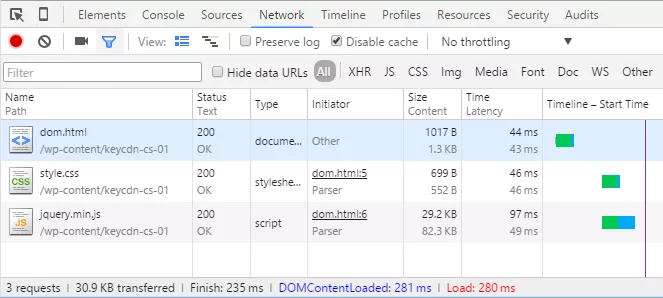
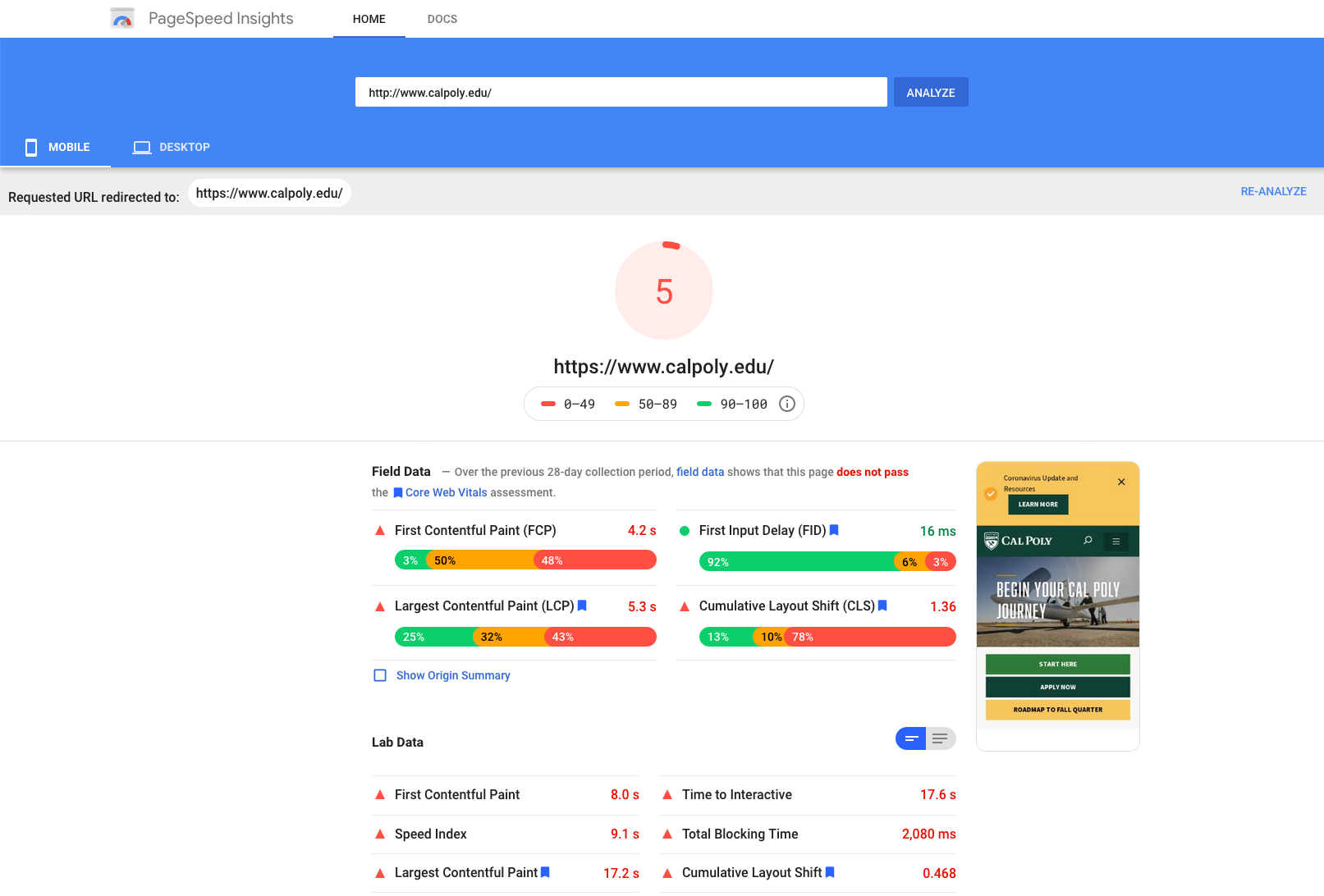
Measurement

Web Inspector

Google Page Speed

GTMetrix

GRC339 Week 6

By Am Sagarwala

GRC339 Week 6

Image formats, optimization, and analyzing page speed.

  • 330