Server-side Templating
What is it?
Server-side templating is when you use a view engine ( such as Handlebars ) to render your HTML without the need for front-end static files.

This allows you to easily pass data from your server to the view in the browser because all of your code stays on the back-end.
Handlebars.js
Handlebars.js is a compiler that takes any HTML and Handlebars expression and compiles them to a JavaScript function.
This derived JavaScript function then takes one parameter, an object—your data—and it returns a string with the HTML and the object properties’ values inserted into the HTML.
There are many templating engines, though handlebars.js is syntactically similar to HTML/Angular, which is what you will be using later in the curriculum.
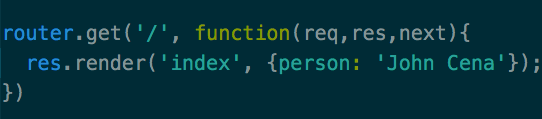
Express routing
Inside of the Handlebars.js
index.hbs file
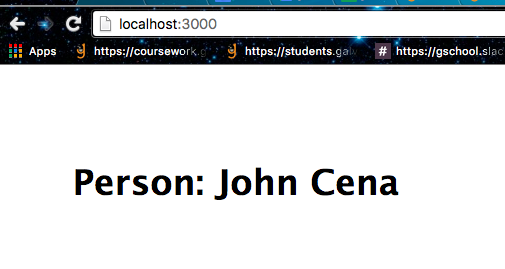
Output in the browser
In express.js you define routes that render certain handlebars.js files based on the URL and pass a key/value pair along when you render
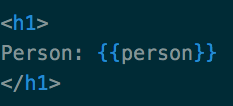
Then inside of the .hbs file you're rendering you can render that value by inserting the name of your value into double curly braces
EX: {{ person }}
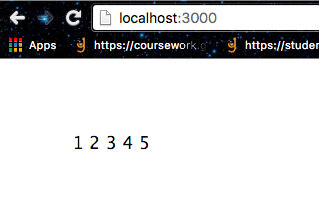
Then when you run your server and go to the route you created, you can see the value being properly rendered thanks to Handlebars.js
Iterations

First add an array when you render a HBS file
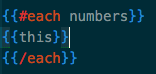
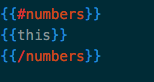
Then use the #each method and reference the array, you can refer to the current item in the #each statement as {{this}}
Then each item in the array is rendered in your handlebars template
Another way to iterate - this time with an array of objects (which is what you get from a database - future reference)
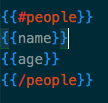
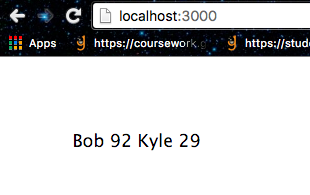

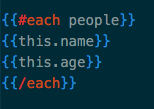
Alternative syntax
Nested resources
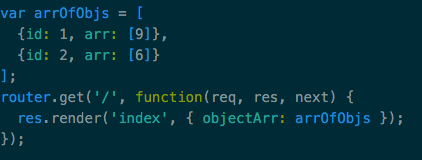
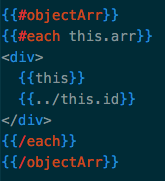
In this case we have an array of objects, and the objects in the array have another array as a property
If we want to iterate over the nested arrays with HBS we have to first iterate over the object array, then within that iteration, iterate again over the object's array.
If we want access to the outer object's id property from within the inner iteration, we can use ../ to refer to the outer scope
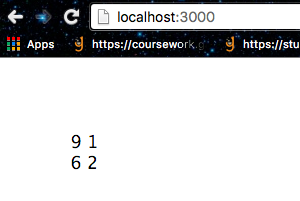
Then the output in the browser will be the inner array's items, and the outer object's id.
Validation - {{#if}}
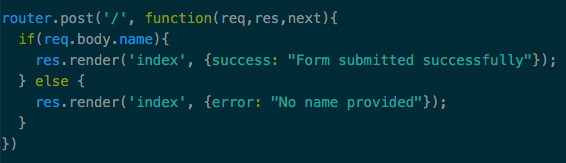
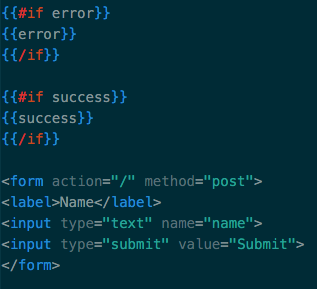
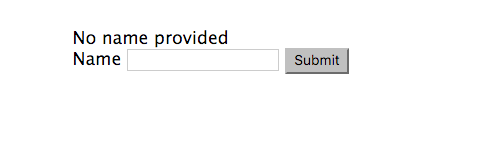
If the user submits without providing a name, the page is re-rendered with an error message
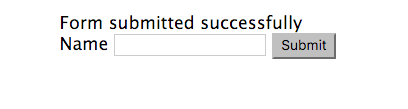
If they do provide a name, they get a success message
Let's try it out
Make sure you have the express-generator installed globally:
$ npm install -g express-generator
Make a new directory and cd into it, then run this command to generate an express application with handlebars and a .gitignore file:
$ express --hbs --git .
$ npm install
$ git init
Now run npm install to install all of the dependencies and run git init
Server-side Templating
By Akyuna Akish