










Alan Semenov
UX Lead at Enonic and blogger at WebAgility.com
Blogger @ WebAgility
Lead UX Developer @ Enonic
alan.semenov@gmail.com
www.enonic.com
www.webagility.com
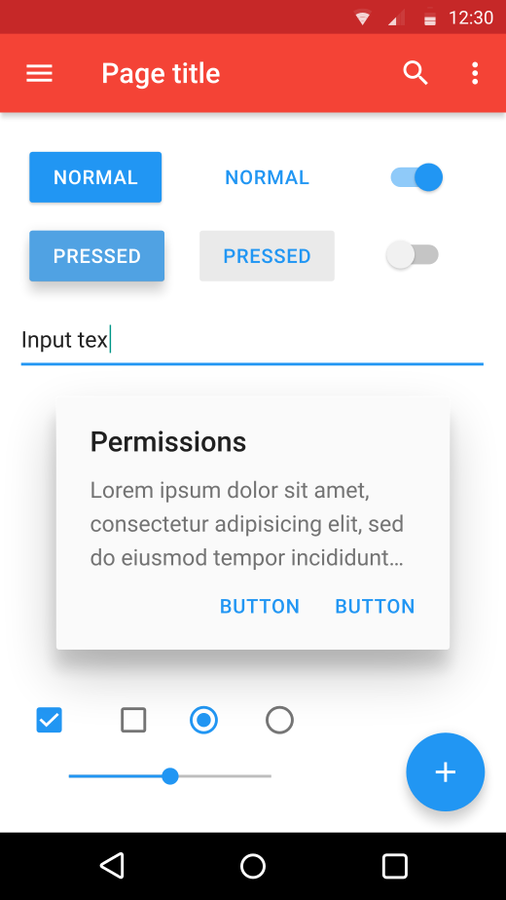
Typical UI components
The goal is to develop a system of design that allows for a unified user experience across all their products on any platform.
http://www.polymer-project.org
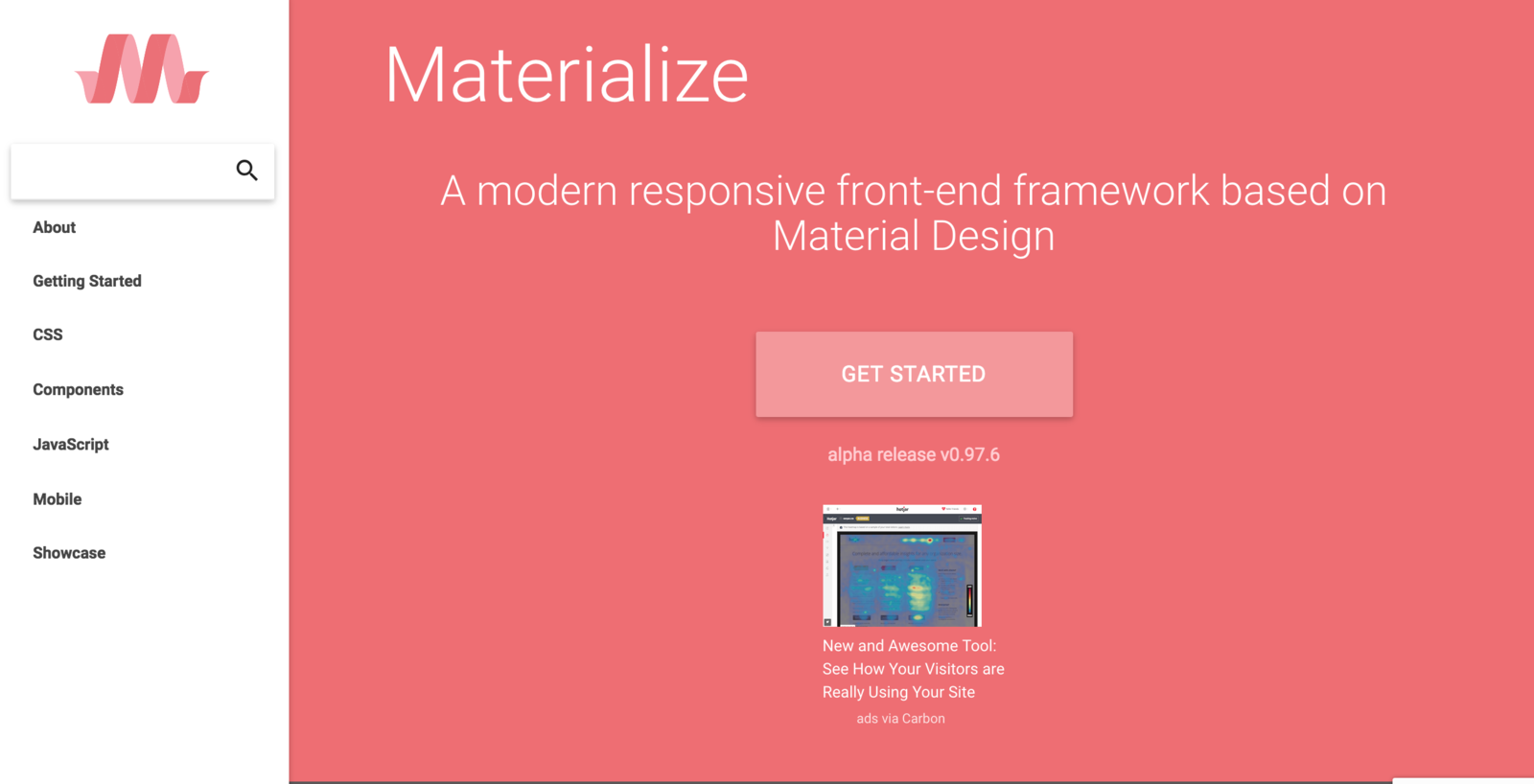
Materialize
materializecss.com
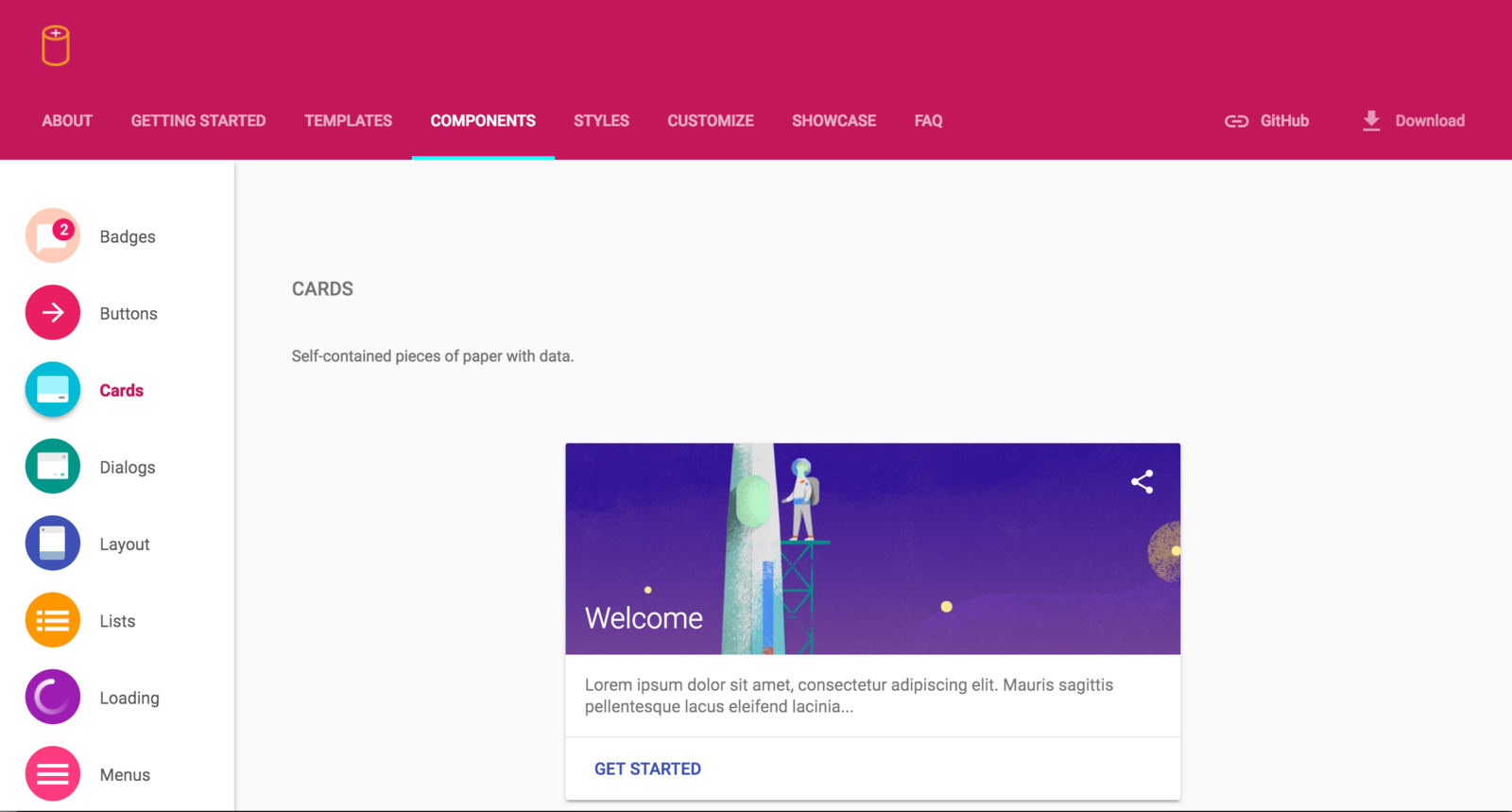
Material Design Lite
getmdl.io
Pros:
Cons:
Cons:
Pros:
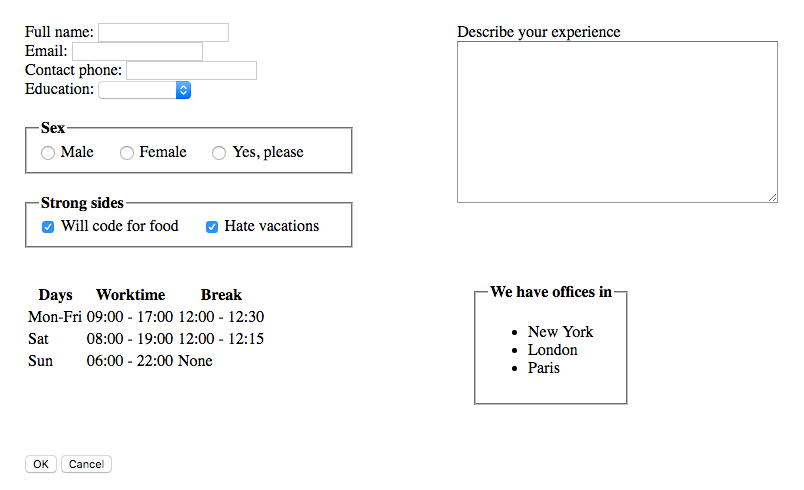
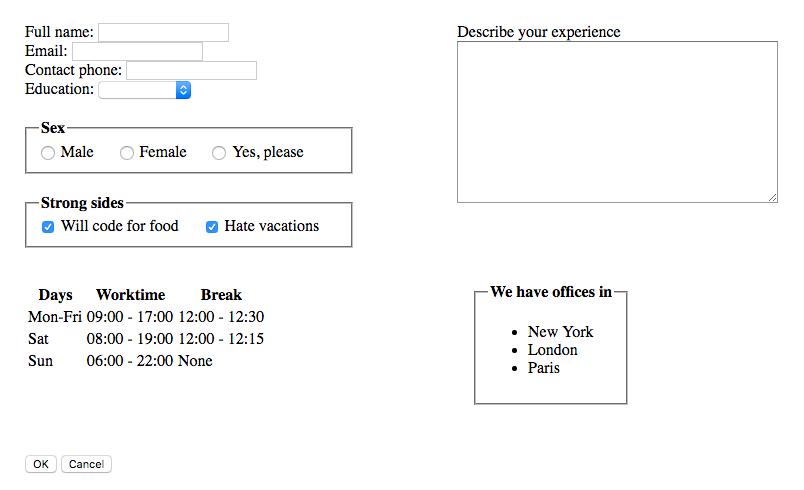
First things first - we need an ugly form
<!DOCTYPE html>
<html>
<head>
    <meta charset="utf-8"/>
    <meta name="viewport" content="width=device-width, user-scalable=no">
    <meta name="theme-color" content="#ffffff">

    <title>My ugly form</title>

    <style>
        form {
            padding: 20px;
        }
        .left-side {
            margin-right: 100px;
            display: inline-block;
        }
        .left-side div {
            display: block;
        }
        .left-side fieldset {
            margin: 20px 0;
        }
        .left-side fieldset > label {
            padding-right: 20px;
        }
        .right-side {
            vertical-align: top;
            display: inline-block;
        }
        .toolbar-section {
            width: 100%;
            margin-top: 50px;
        }
        .info-section {
            margin: 15px 0;
        }
        .info-section > * {
            display: inline-block;
            vertical-align: top;
        }
        .info-section table {
            margin-right: 200px;
        }
        .info-section ul li {
            padding: 0;
        }
    </style>
</head>
<body>
    <form method="POST">
    <div>
        <div class="left-side">
            <div>
                <label>Full name:</label>
                <input type="text" name="full_name" />
            </div>
            <div>
                <label>Email:</label>
                <input type="text" name="email" />
            </div>
            <div>
                <label>Contact phone:</label>
                <input type="text" name="phone" />
            </div>

            <div>
                <label>Education:</label>
                <select name="education">
                    <option value=""></option>
                    <option value="school">High school</option>
                    <option value="bachelor">Bachelor</option>
                    <option value="master">Master</option>
                    <option value="phd">PhD</option>
                </select>
            </div>

            <fieldset>
                <legend><b>Sex</b></legend>
                <label>
                  <input type="radio" id="list-option-1" name="sex" value="male" /> Male
                </label>

                <label>
                  <input type="radio" id="list-option-2" name="sex" value="female" /> Female
                </label>

                <label>
                  <input type="radio" id="list-option-3" name="sex" value="notsure" /> Yes, please
                </label>
            </fieldset>
            <fieldset>
                <legend><b>Strong sides</b></legend>
                <label>
                    <input type="checkbox" id="list-checkbox-1" checked />
                    <span>Will code for food</span>
                </label>
                <label>
                    <input type="checkbox" id="list-checkbox-2" checked />
                    <span>Hate vacations</span>
                </label>
            </fieldset>
        </div>
        <div class="right-side">
            <div>
                <label for="my-textarea">Describe your experience<br></label>
                <textarea rows="12" cols="50" name="description" id="my-textarea"></textarea>
            </div>
        </div>
    </div>
    <div class="info-section">
        <table>
          <thead>
            <tr>
              <th>Days</th>
              <th>Worktime</th>
              <th>Break</th>
            </tr>
          </thead>
          <tbody>
            <tr>
              <td>Mon-Fri</td>
              <td>09:00 - 17:00</td>
              <td>12:00 - 12:30</td>
            </tr>
            <tr>
              <td>Sat</td>
              <td>08:00 - 19:00</td>
              <td>12:00 - 12:15</td>
            </tr>
            <tr>
              <td>Sun</td>
              <td>06:00 - 22:00</td>
              <td>None</td>
            </tr>
          </tbody>
        </table>
        <fieldset>
            <legend><b>We have offices in</b></legend>
            <ul>
                <li>New York</li>
                <li>London</li>
                <li>Paris</li>
            </ul>
        </fieldset>
    </div>

    <div class="toolbar-section">
        <button type="submit" name="submit">OK</button>
        <button type="reset" name="reset">Cancel</button>
    </div>
    </form>

</body>Add references to CSS, JS-lib and icons to <head>
<!-- MDL references -->

<link rel="stylesheet" href="https://fonts.googleapis.com/icon?family=Material+Icons">

<link rel="stylesheet" href=“https://code.getmdl.io/1.1.3/material.indigo-pink.min.css">

<link rel="stylesheet" href=“https://rawgit.com/MEYVN-digital/mdl-selectfield/master/mdl-selectfield.min.css">

<script defer src="https://code.getmdl.io/1.1.3/material.min.js"></script>

<script defer src="https://rawgit.com/MEYVN-digital/mdl-selectfield/master/mdl-selectfield.min.js"></script>
Add this code to <head>
<script type="application/javascript">
    window.onload = function() {
        materializeControls();
    }

    function materializeControls() {
        materializeTextInputs();
    }

    function materializeTextInputs() {
        var label, parentEl;
        document.querySelectorAll('input[type="text"], textarea').forEach(function(control) {
            parentEl = control.parentElement;
            control.classList.add('mdl-textfield__input');
            if (parentEl.tagName !== 'DIV') {
                return;
            }
            parentEl.classList.add('mdl-textfield', 'mdl-js-textfield');
            label = parentEl.querySelector('label');
            if (label) {
                label.setAttribute('for', control.id || control.name)
                label.classList.add('mdl-textfield__label');
            }
        });
    }

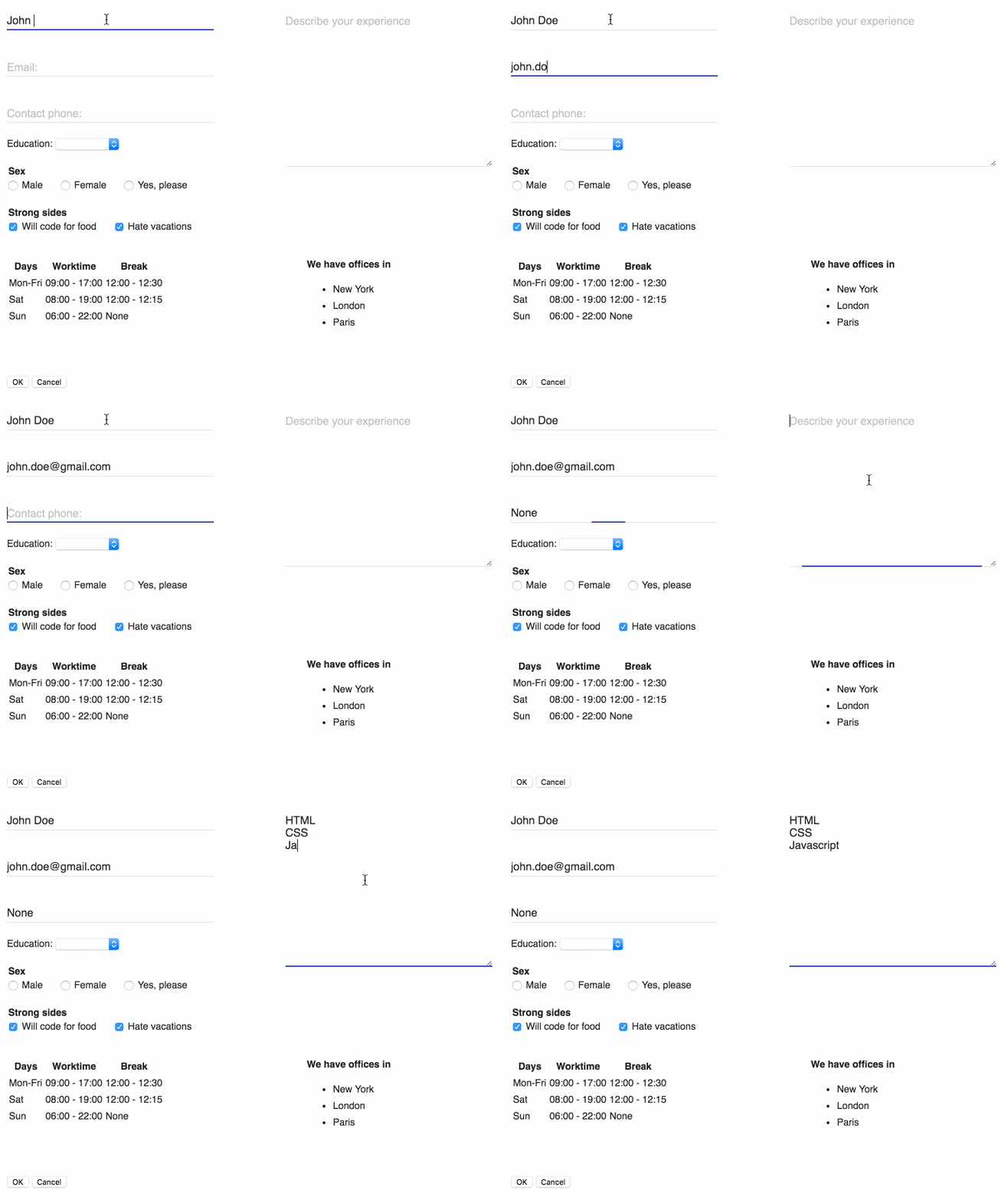
</script>Refresh the page and look at text inputs
function materializeSelects() {
    var label, parentEl;
    document.querySelectorAll('select').forEach(function(control) {
        parentEl = control.parentElement;
        control.classList.add('mdl-selectfield__select');
        if (parentEl.tagName !== 'DIV') {
            return;
        }
        parentEl.classList.add('mdl-selectfield', 'mdl-js-selectfield');
        label = parentEl.querySelector('label');
        if (label) {
            label.setAttribute('for', control.id || control.name)
            label.classList.add('mdl-selectfield__label');
        }
    });
}

function materializeControls() {
    materializeTextInputs();
    materializeSelects();
}<div class="mdl-selectfield--floating-label">
<label>Education:</label>
<select name="education">
…
</select>
</div>Add "mdl-selectfield--floating-label" to the wrapping <div>
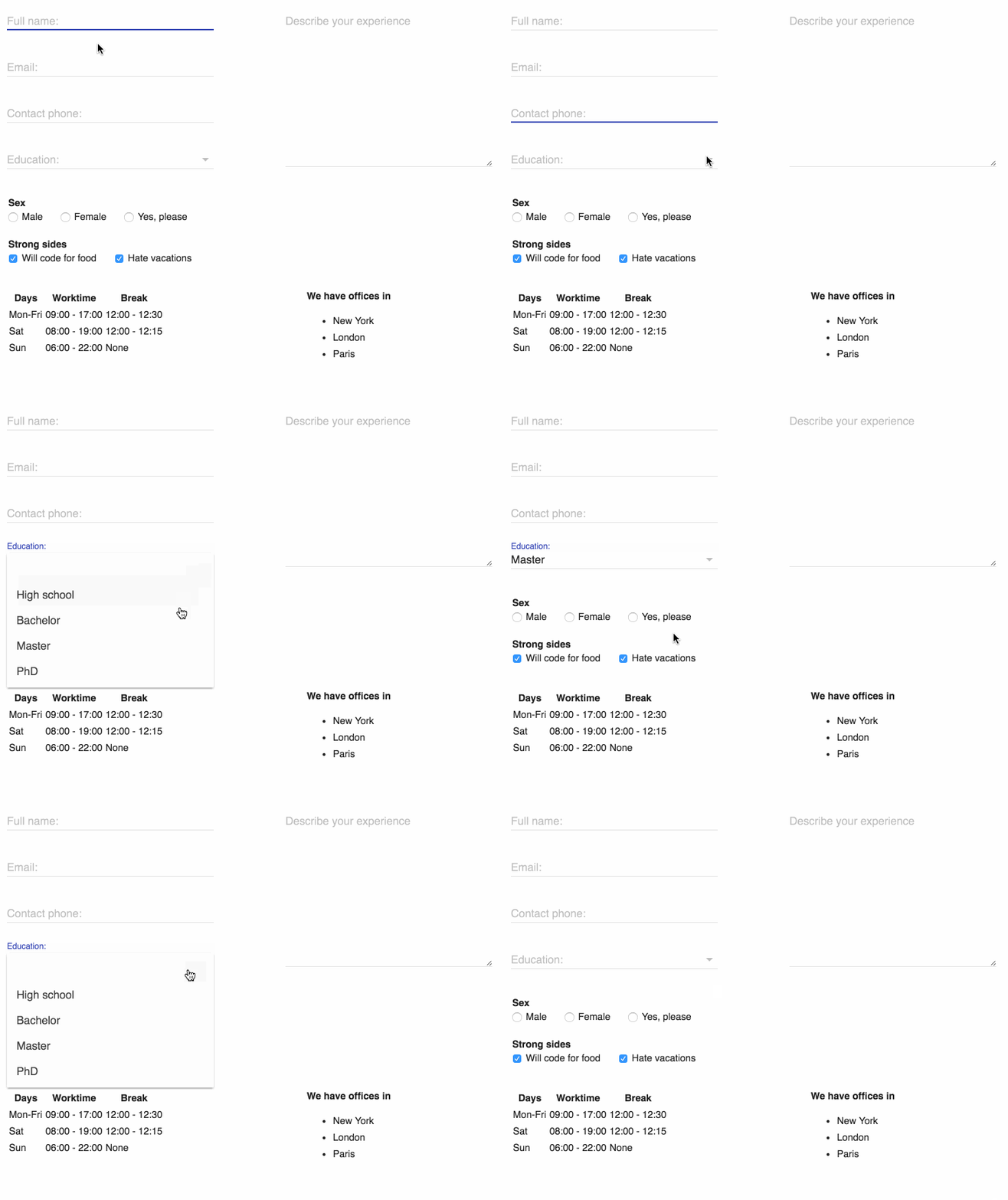
Refresh the page and look at <select>
function materializeRadioButtons() {
    var parentEl;
    document.querySelectorAll('input[type="radio"]').forEach(function(control) {
        parentEl = control.parentElement;
        control.classList.add('mdl-radio__button');
        if (parentEl.tagName == "LABEL") {
            parentEl.setAttribute('for', control.id || control.name)
            parentEl.classList.add('mdl-radio', 'mdl-js-radio', 'mdl-js-ripple-effect');
        }
    });
}

function materializeControls() {
    materializeTextInputs();
    materializeSelects();
    materializeRadioButtons();
}
Note 'mdl-js-ripple-effect'
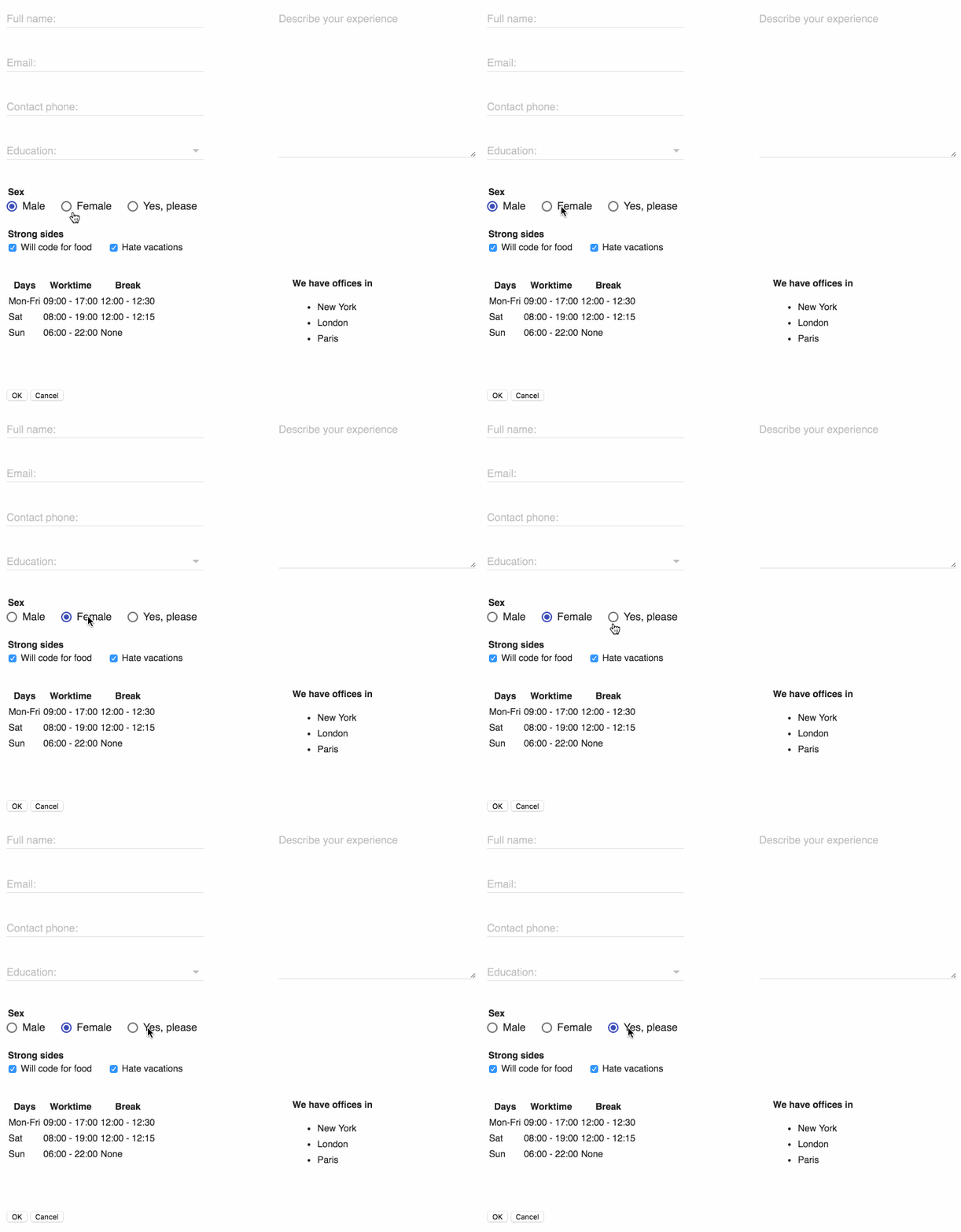
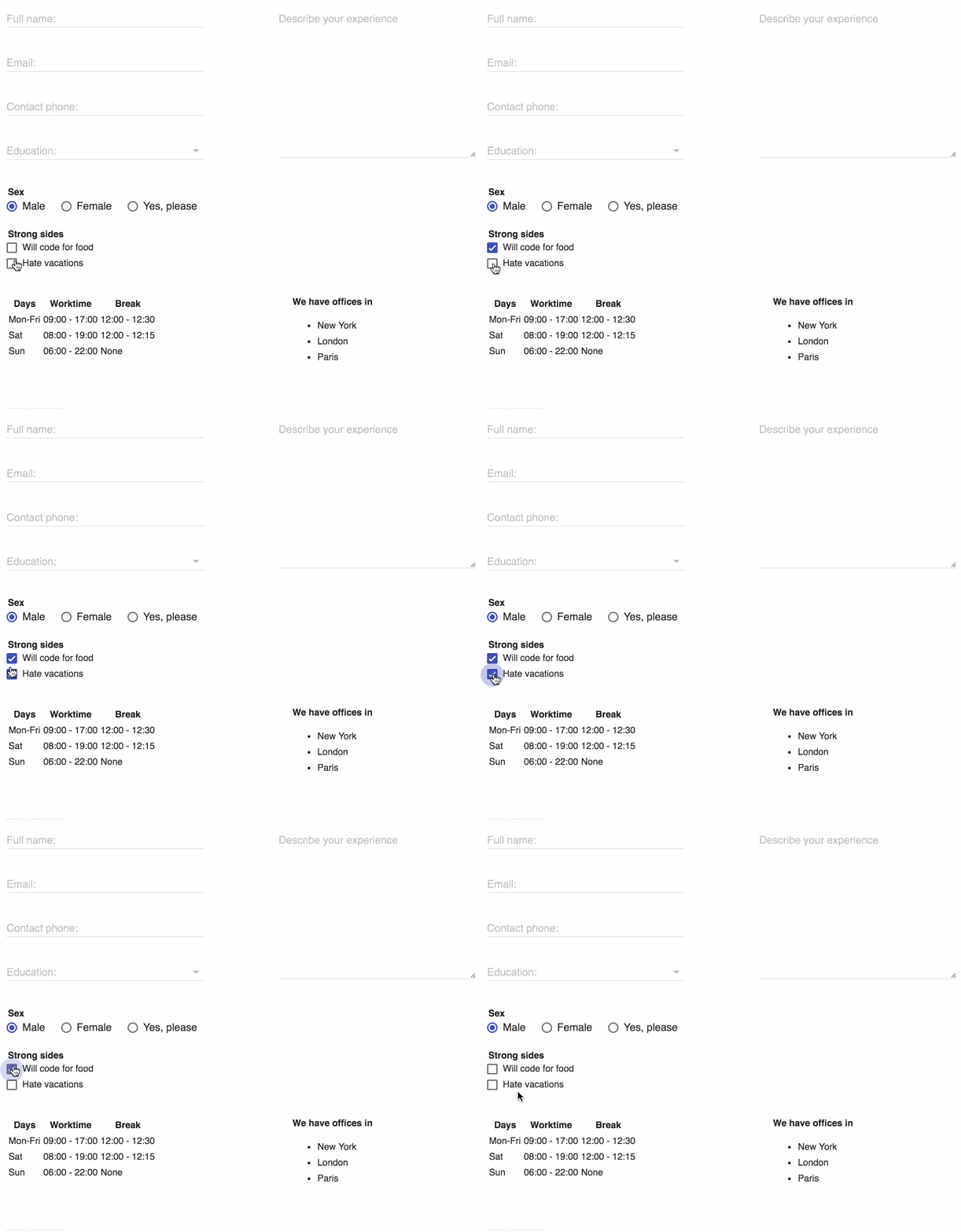
Refresh the page and click the radio buttons!
function materializeCheckboxes() {
    var parentEl;
    document.querySelectorAll('input[type="checkbox"]').forEach(function(control) {
        parentEl = control.parentElement;
        control.classList.add('mdl-checkbox__input');
        if (parentEl.tagName == "LABEL") {
            parentEl.setAttribute('for', control.id || control.name)
            parentEl.classList.add('mdl-checkbox', 'mdl-js-checkbox', 'mdl-js-ripple-effect');
        }
    });
}

function materializeControls() {
    materializeTextInputs();
    materializeSelects();
    materializeRadioButtons();
    materializeCheckboxes();
}
Exactly the same as for radio buttons - possible to reuse the same method
Refresh the page and click the check boxes!
function materializeTables() {
    document.querySelectorAll('table').forEach(function(table) {
        table.classList.add('mdl-data-table', 'mdl-js-data-table');
        table.querySelectorAll('th,td').forEach(function(cell) {
            cell.classList.add('mdl-data-table__cell--non-numeric');
        });
    });
}

function materializeControls() {
    materializeTextInputs();
    materializeSelects();
    materializeRadioButtons();
    materializeCheckboxes();
    materializeTables();
}
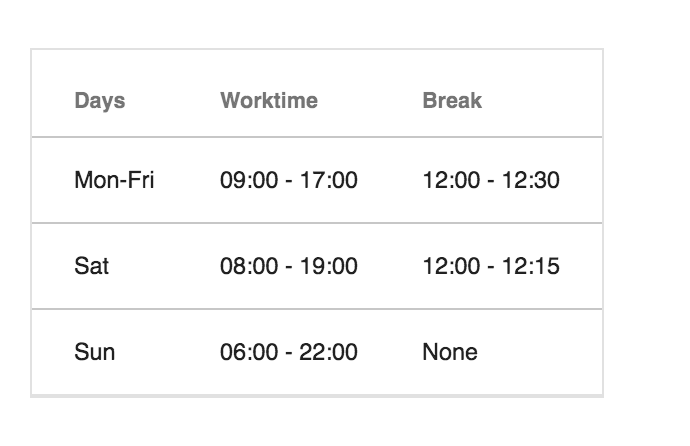
Possible to make rows selectable by applying just one class
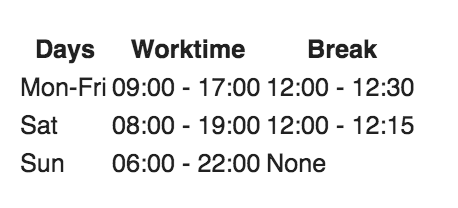
Refresh the page and look at the table
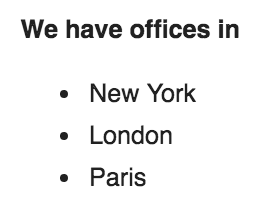
Before:
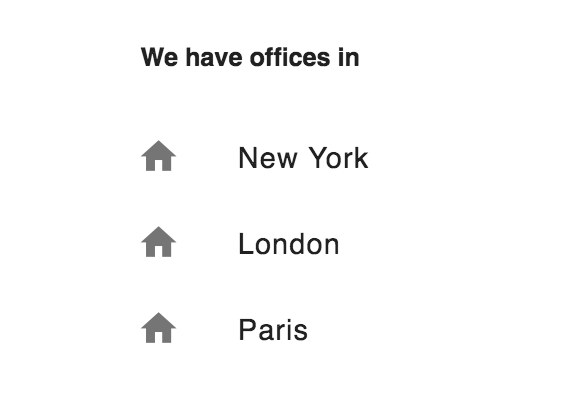
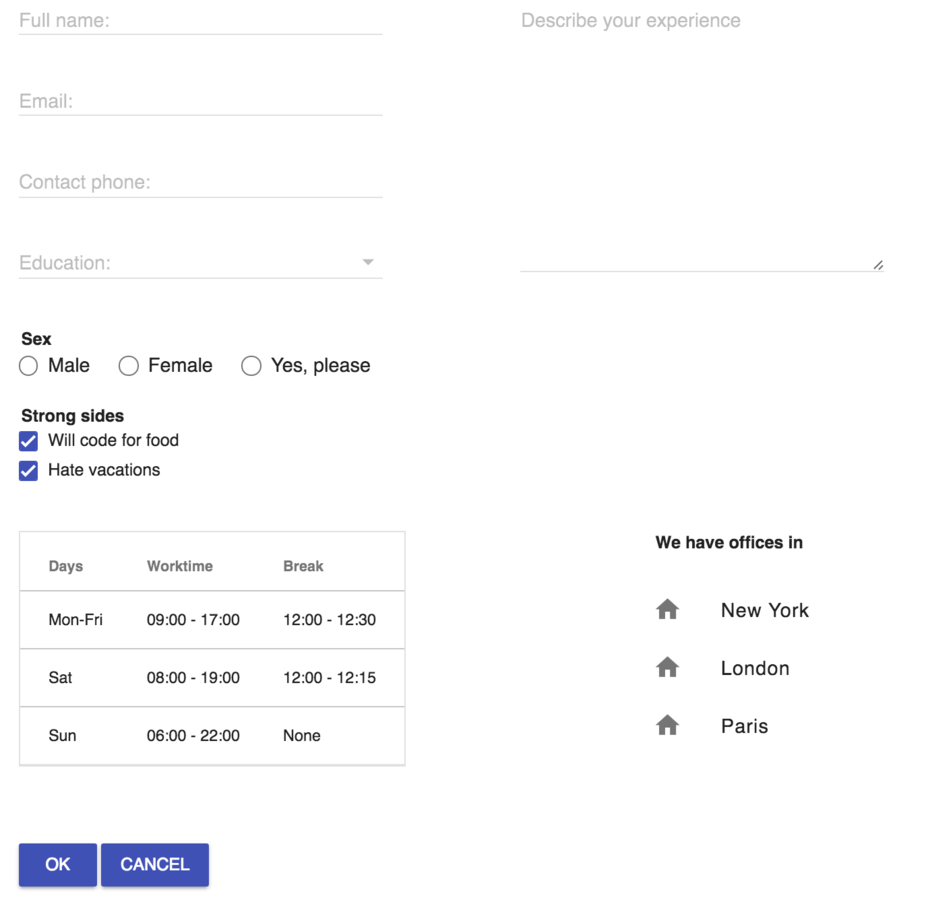
After:
function materializeLists() {
    document.querySelectorAll('ul').forEach(function(ulEl) {
        ulEl.classList.add('mdl-list');
        ulEl.querySelectorAll('li').forEach(function(liEl) {
            liEl.classList.add('mdl-list__item');
            liEl.innerHTML = "<span class='mdl-list__item-primary-content'>" +
                            "<i class='material-icons mdl-list__item-icon'>home</i>" +
                            liEl.innerText + "</span>";
        });
    });
}

function materializeControls() {
    materializeTextInputs();
    materializeSelects();
    materializeRadioButtons();
    materializeCheckboxes();
    materializeTables();
    materializeLists();
}
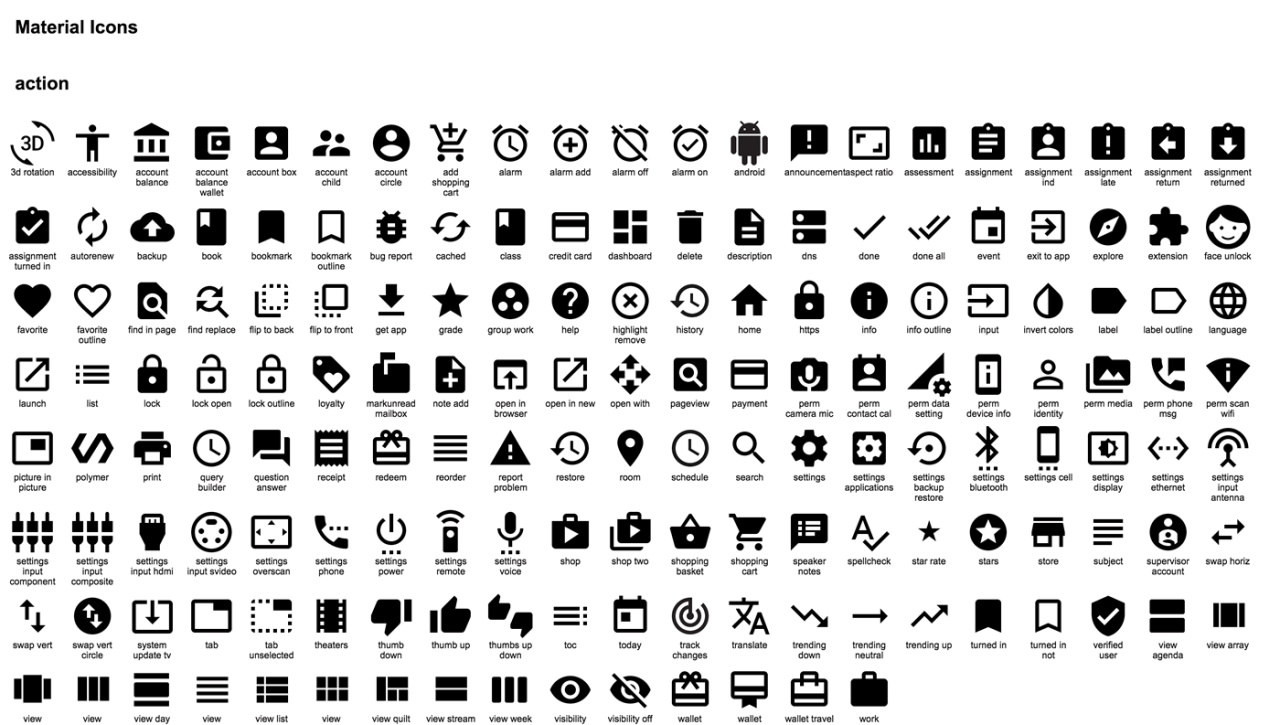
We will use Material Icons for the list
<link rel="stylesheet" href="https://fonts.googleapis.com/icon?family=Material+Icons">liEl.innerHTML = "<span class='mdl-list__item-primary-content'>" +
"<i class='material-icons mdl-list__item-icon'>home</i>" +
liEl.innerText + "</span>";Refresh the page and look at the table
Before:
After:
function materializeButtons() {
document.querySelectorAll('button').forEach(function(control) {
control.classList.add('mdl-button', 'mdl-js-button', 'mdl-button--raised', 'mdl-js-ripple-effect', 'mdl-button--colored');
});
}
function materializeControls() {
materializeTextInputs();
materializeSelects();
materializeRadioButtons();
materializeCheckboxes();
materializeTables();
materializeLists();
materializeButtons();
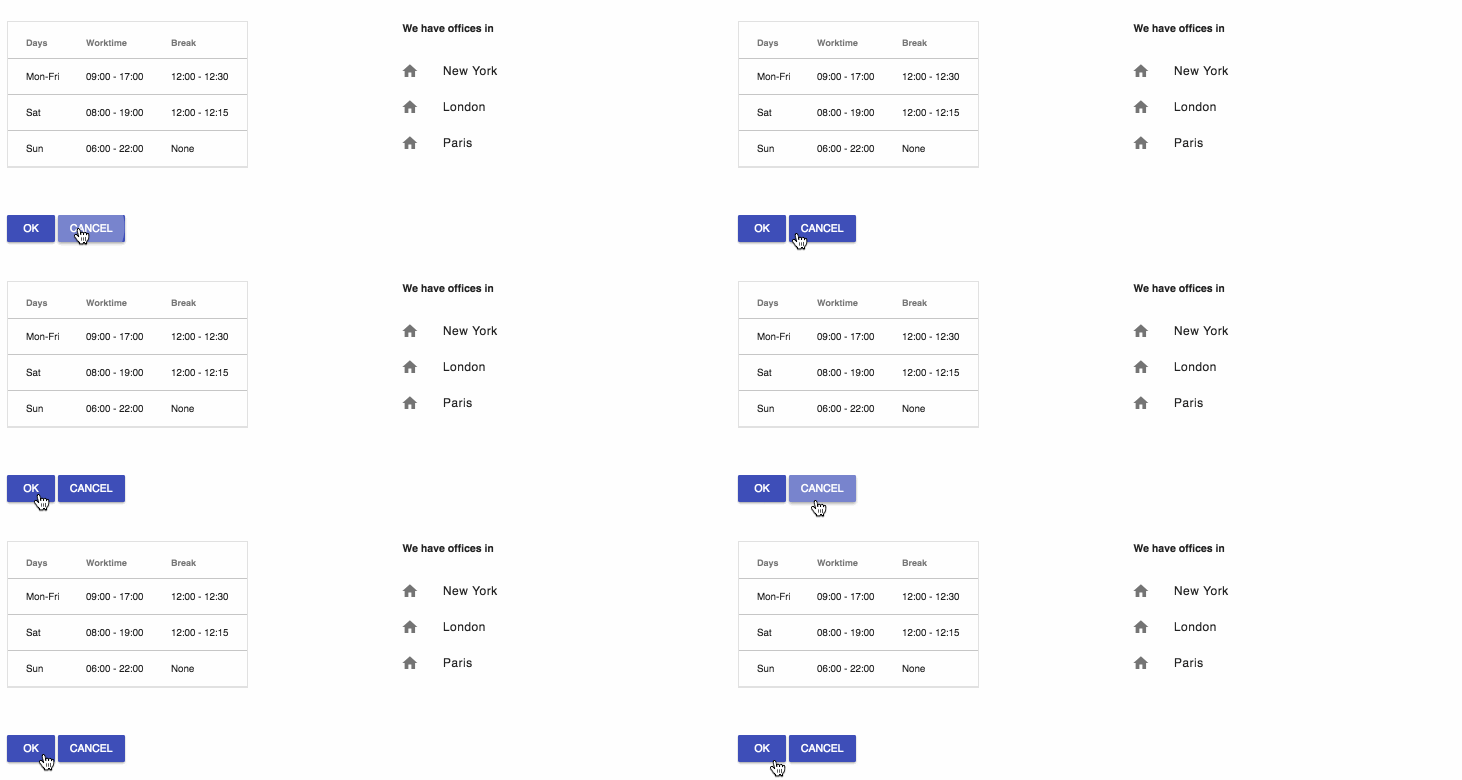
}Before...
...and After
<!DOCTYPE html>
<html>
<head>
<meta charset="utf-8"/>
<meta name="viewport" content="width=device-width, user-scalable=no">
<meta name="theme-color" content="#ffffff">
<title>My beautiful form</title>
<!-- MDL references -->
<link rel="stylesheet" href="https://fonts.googleapis.com/icon?family=Material+Icons">
<link rel="stylesheet" href="https://code.getmdl.io/1.1.3/material.indigo-pink.min.css">
<link rel="stylesheet" href="https://rawgit.com/MEYVN-digital/mdl-selectfield/master/mdl-selectfield.min.css">
<script defer src="https://code.getmdl.io/1.1.3/material.min.js"></script>
<script defer src="https://rawgit.com/MEYVN-digital/mdl-selectfield/master/mdl-selectfield.min.js"></script>
<style>
form {
padding: 20px;
}
.left-side {
margin-right: 100px;
display: inline-block;
}
.left-side div {
display: block;
}
.left-side fieldset {
margin: 20px 0;
}
.left-side fieldset > label {
padding-right: 20px;
}
.right-side {
vertical-align: top;
display: inline-block;
}
.toolbar-section {
width: 100%;
margin-top: 50px;
}
.info-section {
margin: 15px 0;
}
.info-section > * {
display: inline-block;
vertical-align: top;
}
.info-section table {
margin-right: 200px;
}
.info-section ul li {
padding: 0;
}
</style>
<script type="application/javascript">
window.onload = function() {
materializeControls();
}
function materializeControls() {
materializeTextInputs();
materializeSelects();
materializeRadioButtons();
materializeCheckboxes();
materializeTables();
materializeLists();
materializeButtons();
}
function materializeTextInputs() {
var label, parentEl;
document.querySelectorAll('input[type="text"], textarea').forEach(function(control) {
parentEl = control.parentElement;
control.classList.add('mdl-textfield__input');
if (parentEl.tagName !== 'DIV') {
return;
}
parentEl.classList.add('mdl-textfield', 'mdl-js-textfield');
label = parentEl.querySelector('label');
if (label) {
label.setAttribute('for', control.id || control.name)
label.classList.add('mdl-textfield__label');
}
});
}
function materializeSelects() {
var label, parentEl;
document.querySelectorAll('select').forEach(function(control) {
parentEl = control.parentElement;
control.classList.add('mdl-selectfield__select');
if (parentEl.tagName !== 'DIV') {
return;
}
parentEl.classList.add('mdl-selectfield', 'mdl-js-selectfield');
label = parentEl.querySelector('label');
if (label) {
label.setAttribute('for', control.id || control.name)
label.classList.add('mdl-selectfield__label');
}
});
}
function materializeRadioButtons() {
var parentEl;
document.querySelectorAll('input[type="radio"]').forEach(function(control) {
parentEl = control.parentElement;
control.classList.add('mdl-radio__button');
if (parentEl.tagName == "LABEL") {
parentEl.setAttribute('for', control.id || control.name)
parentEl.classList.add('mdl-radio', 'mdl-js-radio', 'mdl-js-ripple-effect');
}
});
}
function materializeCheckboxes() {
var parentEl;
document.querySelectorAll('input[type="checkbox"]').forEach(function(control) {
parentEl = control.parentElement;
control.classList.add('mdl-checkbox__input');
if (parentEl.tagName == "LABEL") {
parentEl.setAttribute('for', control.id || control.name)
parentEl.classList.add('mdl-checkbox', 'mdl-js-checkbox', 'mdl-js-ripple-effect');
}
});
}
function materializeButtons() {
document.querySelectorAll('button').forEach(function(control) {
control.classList.add('mdl-button', 'mdl-js-button', 'mdl-button--raised', 'mdl-js-ripple-effect', 'mdl-button--colored');
});
}
function materializeTables() {
document.querySelectorAll('table').forEach(function(table) {
table.classList.add('mdl-data-table', 'mdl-js-data-table');
table.querySelectorAll('th,td').forEach(function(cell) {
cell.classList.add('mdl-data-table__cell--non-numeric');
});
});
}
function materializeLists() {
document.querySelectorAll('ul').forEach(function(ulEl) {
ulEl.classList.add('mdl-list');
ulEl.querySelectorAll('li').forEach(function(liEl) {
liEl.classList.add('mdl-list__item');
liEl.innerHTML = "<span class='mdl-list__item-primary-content'>" +

                  "<i class='material-icons mdl-list__item-icon'>home</i>" +

                  liEl.innerText + "</span>";
});
});
}
</script>
</head>
<body>
<form method="POST">
<div>
<div class="left-side">
<div>
<label>Full name:</label>
<input type="text" name="full_name" />
</div>
<div>
<label>Email:</label>
<input type="text" name="email" />
</div>
<div>
<label>Contact phone:</label>
<input type="text" name="phone" />
</div>
<div class="mdl-selectfield--floating-label">
<label>Education:</label>
<select name="education">
<option value=""></option>
<option value="school">High school</option>
<option value="bachelor">Bachelor</option>
<option value="master">Master</option>
<option value="phd">PhD</option>
</select>
</div>
<fieldset>
<legend><b>Sex</b></legend>
<label>
<input type="radio" id="list-option-1" name="sex" value="male" /> Male
</label>
<label>
<input type="radio" id="list-option-2" name="sex" value="female" /> Female
</label>
<label>
<input type="radio" id="list-option-3" name="sex" value="notsure" /> Yes, please
</label>
</fieldset>
<fieldset>
<legend><b>Strong sides</b></legend>
<label>
<input type="checkbox" id="list-checkbox-1" checked />
<span>Will code for food</span>
</label>
<label>
<input type="checkbox" id="list-checkbox-2" checked />
<span>Hate vacations</span>
</label>
</fieldset>
</div>
<div class="right-side">
<div>
<label for="my-textarea">Describe your experience<br></label>
<textarea rows="12" cols="50" name="description" id="my-textarea"></textarea>
</div>
</div>
</div>
<div class="info-section">
<table>
<thead>
<tr>
<th>Days</th>
<th>Worktime</th>
<th>Break</th>
</tr>
</thead>
<tbody>
<tr>
<td>Mon-Fri</td>
<td>09:00 - 17:00</td>
<td>12:00 - 12:30</td>
</tr>
<tr>
<td>Sat</td>
<td>08:00 - 19:00</td>
<td>12:00 - 12:15</td>
</tr>
<tr>
<td>Sun</td>
<td>06:00 - 22:00</td>
<td>None</td>
</tr>
</tbody>
</table>
<fieldset>
<legend><b>We have offices in</b></legend>
<ul>
<li>New York</li>
<li>London</li>
<li>Paris</li>
</ul>
</fieldset>
</div>
<div class="toolbar-section">
<button type="submit" name="submit">OK</button>
<button type="reset" name="reset">Cancel</button>
</div>
</form>
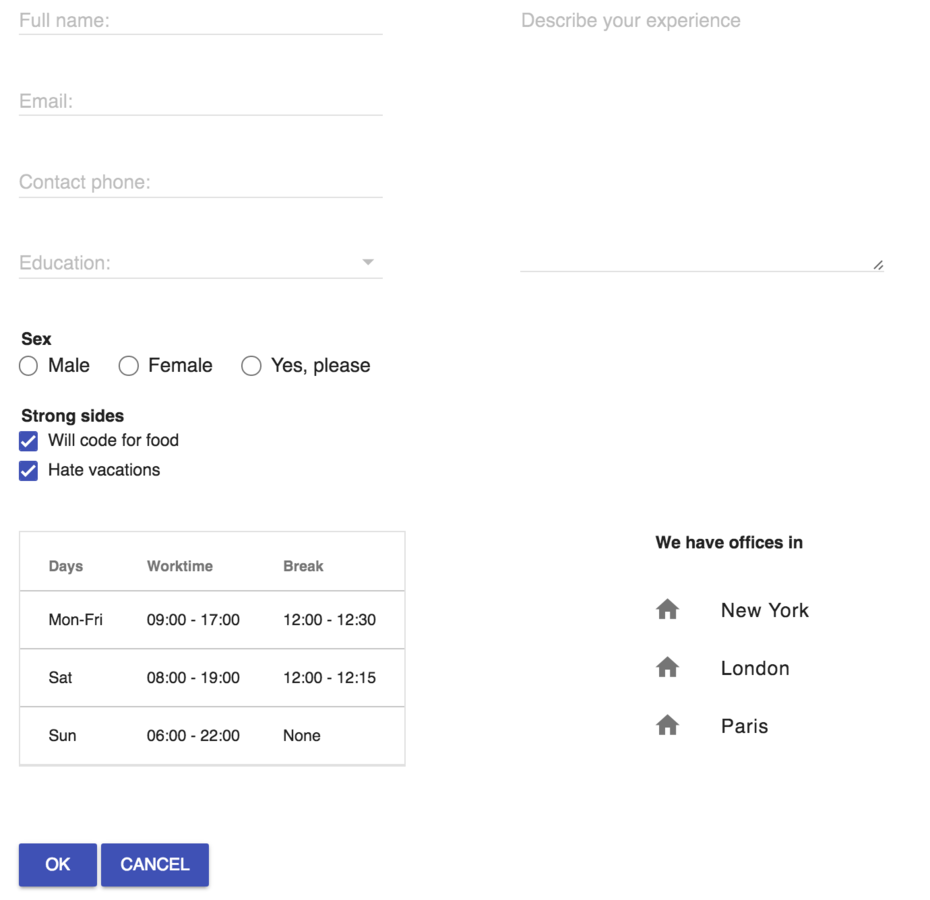
</body>PS. Una cerveza, por favor!
This presentation is available at:
Full article is available at:
http://webagility.com/posts/the-wonderful-story-of-an-ugly-form
By Alan Semenov
This presentation will explain how you can quickly apply Material Design guidelines to your existing web forms