Tracker.js
An event tracking pattern designed for transparency and high-availability.

Core Belief:
Everyone benefits from easy access to data regardless of technical skillset, job title, or prior context.
| Role | Need |
|---|---|
| Product Management | Wants to monitor health of cohorts, conversion rates of popular funnels |
| Design | Wants to discover new areas of opportunity to improve user experience |
| Engineering | Wants to monitor that a feature is being used and is working as designed. |
| Anyone else | Wants to make a data-driven decision. |
Problem 1:
As a company scales it becomes harder and harder to manage the context around a growing number of events, or what events exist in the first place.
Problem 2:
As we become more data-driven the reliability of event data needs to increase as well.
"Do you know the event name for when X happens?"
"What exactly are we tracking in app X?"
"I saw that X property was being sent with Y property, but it stopped sending a week ago, what happened?"
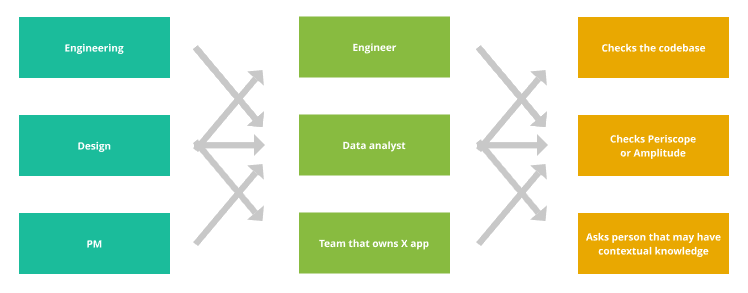
Every person asked increases time to get an answer and is a real business cost
but more importantly...
What we're trying to solve
Asks for Data
Stakeholders
People with context or ability to fulfill requests for data
Hard
Asks for Data
Easy
Easy
Easy
Easy
Easy
Easy
Hard
Hard
Easy
Easy
Complex data analysis takes longer to get and blocks asks for easy data.
Hard
Asks for Data
Easy
Easy
Easy
Easy
Easy
Easy
Hard
Hard
Easy
People with context or ability to fulfill requests for data (Periscope)
The ability to easily self-serve requests for data with Amplitude.
What we're not trying to solve
We will always need people who can crunch complex data and asks that require more complex analysis will increase as we scale.
We're not trying to create a catch-all solution. Instead, we're attempting to empower everyone by making it easier access data that's more straightforward.
✨Tracker✨
A two-part solution to scaling event tracking.
A centralized, auto-documenting dictionary of events to increase cross-team transparency.
A tracking client that validates against the event dictionary to ensure reliability.
Event Dictionary
What is the event dictionary?
Lists all the events in your project.
Lists all properties associated with those events
Lists all the expected types for those properties
Lists a description for all events and properties to provide context to external stakeholders.
A JSON file
{
  "namespace": "My App",
  "events": {
    "page viewed": {
      "description": "This event fires whenever...",
      "properties": {
        "url": {
          "description": "The url that the user...",
          "type": "string"
        },
      }
    }
  }
}
{
"namespace": "My App",
}Define your namespace
Name this similarly to how you would refer to you project to a non-technical stakeholder.
{
  "namespace": "My App",
  "events":{
    "page viewed": {
      "description": "This event is fired when..."
    }
  }
}
Defining Events
Event names are defined as keys, events can have descriptions that help provide context.
{
  "namespace": "My App",
  "events":{
    "page viewed": {
      "description": "This event is fired when...",
      "properties:": {
        "url": {
          "description": "The location of the page view"
        }
      }
    }
  }
}
Defining Properties
Properties are used to drill down into specifics about an event. Properties are used to segment similar events.
{
  "namespace": "My App",
  "events":{
    "page viewed": {
      "description": "This event is fired when...",
      "properties:": {
        "url": {
          "description": "The location of the page view"
        }
      }
    }
  }
}
Defining Properties
Properties can also be given descriptions to help provide context for generalized property names.
{
  "namespace": "My App",
  "events":{
    "page viewed": {
      "description": "This event is fired when...",
      "properties:": {
        "url": {
          "description": "The location of the page view",
          "type": "string"
        }
      }
    }
  }
}
Defining Property Types
Every property has an associated type. This is the type that we expect the value to be when sent.
"string""number""boolean""null"["string", "null"]Why are we changing the way we name events?
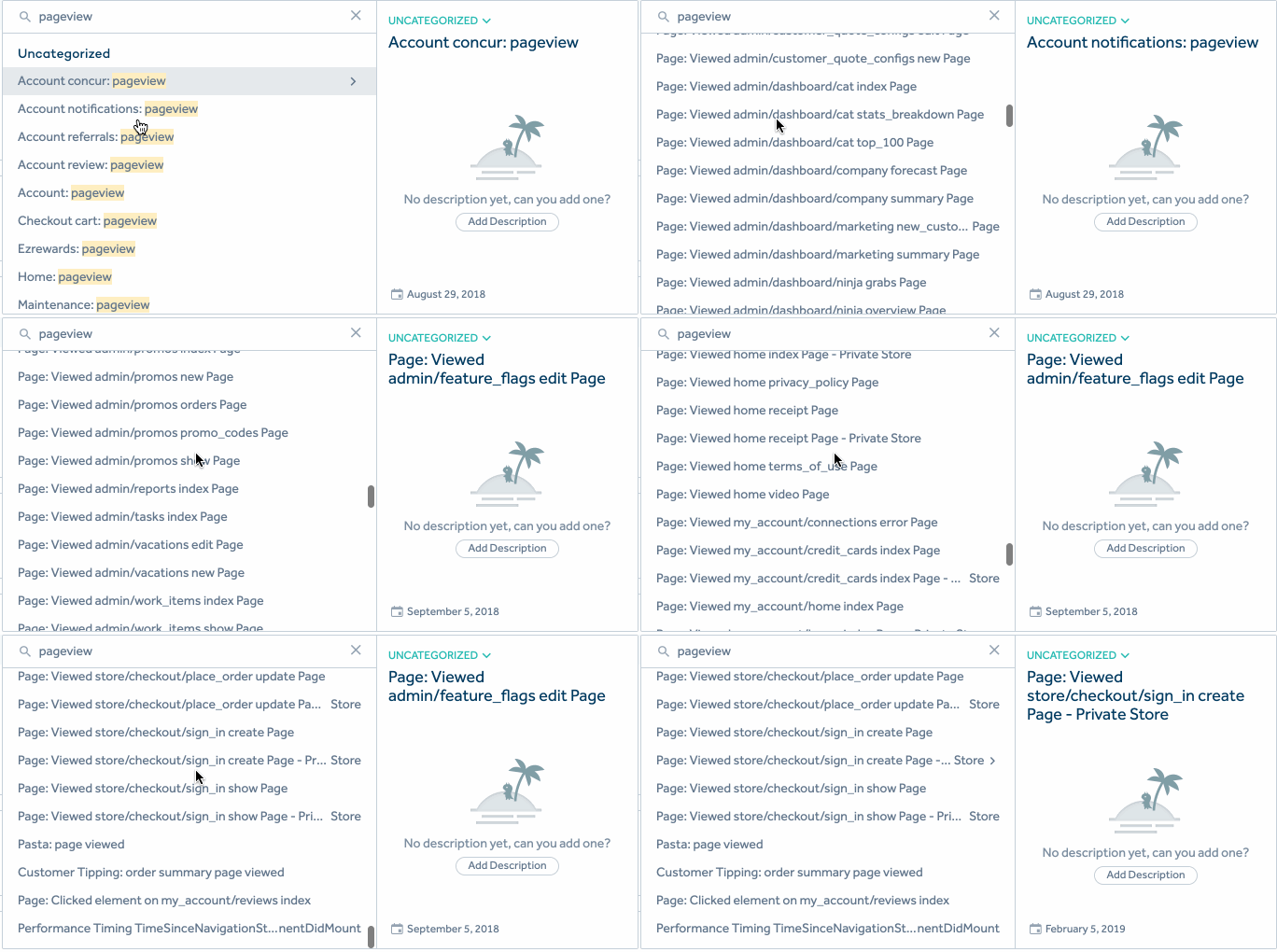
Event Name:
Page: Viewed store/checkout/hello/there
Segmentation
Old
Old
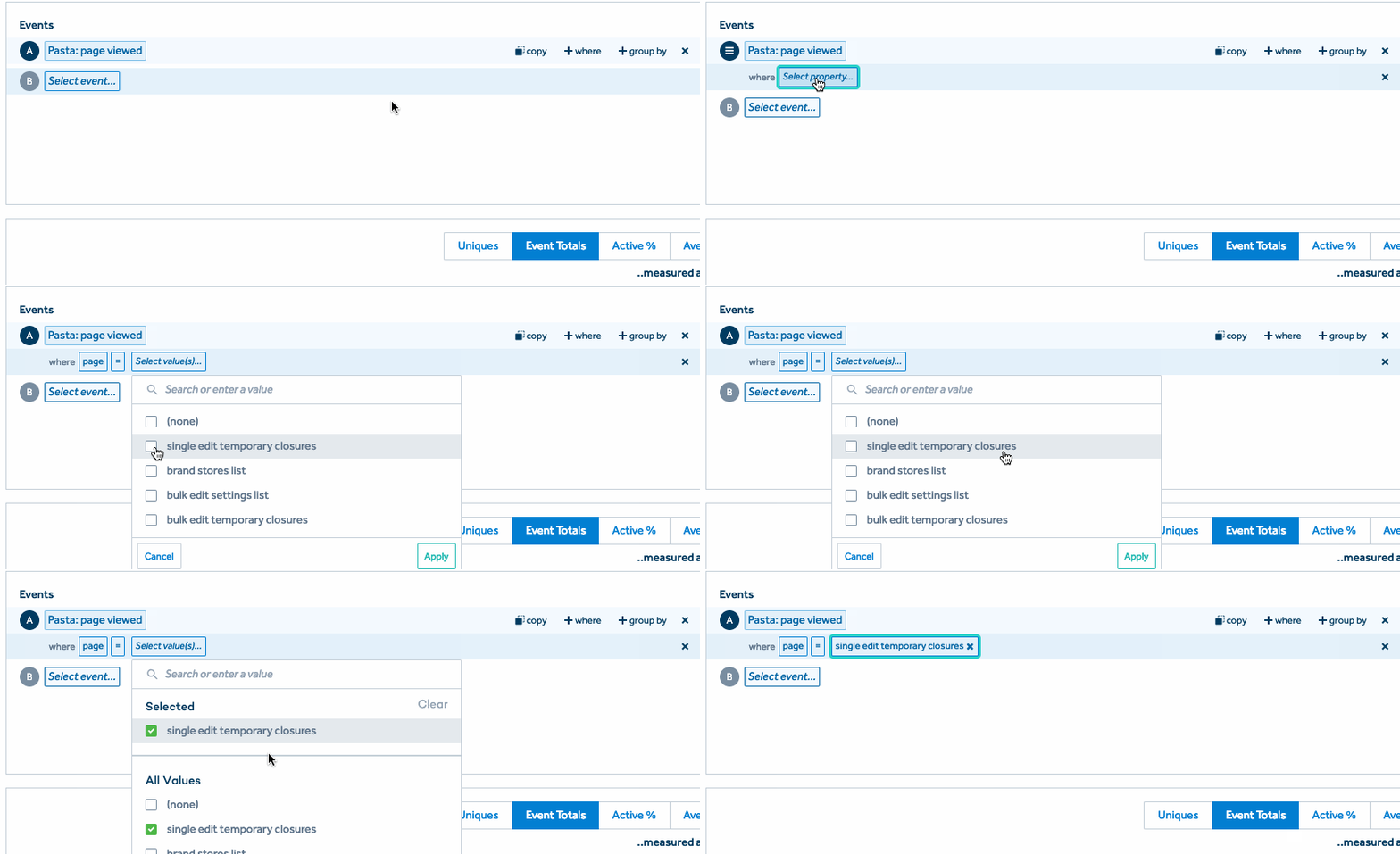
Event Name:
"page viewed"
Properties:
"page": "home"
"url": "https://hello.com"
Segmentation
New
New
Property segmentation helps keep down noise and makes getting a holistic perspective about an event faster.
Amplitude has a limit on # of total properties while the warehouse does not.
To get around this we only allow certain properties on events. If you find that none of the whitelisted properties fit your use case ping #event-tracking.
Disclaimer
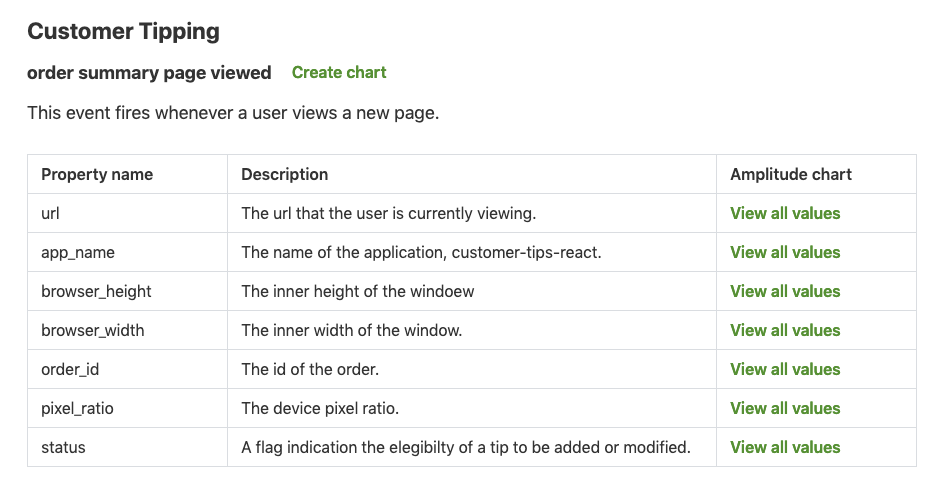
Auto-generated documentation
Since all events are static and pre-defined we can generate documentation for them.
{
  "namespace": "Customer Tipping",
  "events": {
    "order summary page viewed": {
      "description": "This event fires whenever...",
      "properties": {
        "url": {
          "description": "The url that the user is...",
          "type": "string"
        },
        "app_name": {
          "description": "The name of the application...",
          "type": "string"
        },
...
Customer Tipping
tracker.ezcater.net
The event dictionary also serves as the contract between engineers and stakeholders that rely on that data.
How do we enforce that contract?
tracker-js
The tracking client that goes integrates with the event dictionary pattern.
Validates events against the event dictionary at runtime to ensure that it is sent with the expected data.
Abstracts away implementation details of sending event data.
Runtime Validation
{
  "namespace": "My App",
  "events": {
    "page viewed": {
      "description": "This event fires whenever...",
      "properties": {
        "url": {
          "description": "The url that the user...",
          "type": "string"
        },
      }
    }
  }
}
import {createTracker} from '@ezcater/tracker-js';
import eventDictionary from './eventDictionary.json';
const tracker = createTracker(eventDictionary);
export default tracker;tracker.js
Tracker Singleton
import tracker from '../path/to/tracker';

tracker.track('page viewed', {
  url: window.location.origin
});
MyApp.js
{
  "namespace": "My App",
  "events": {
    "page viewed": {
      "description": "This event...",
      "properties": {
        "url": {
          "description": "The url...",
          "type": "string"
        },
      }
    }
  }
}
The event you track corresponds to an event defined in the event dictionary
import tracker from '../path/to/tracker';

tracker.track('page viewed', {
  url: window.location.origin
});
MyApp.js
{
  "namespace": "My App",
  "events": {
    "page viewed": {
      "description": "This event...",
      "properties": {
        "url": {
          "description": "The url...",
          "type": "string"
        },
      }
    }
  }
}
Properties also correspond to a defined property in your dictionary.
import tracker from '../path/to/tracker';

tracker.track('page viewed', {
  url: window.location.origin
});
MyApp.js
{
  "namespace": "My App",
  "events": {
    "page viewed": {
      "description": "This event...",
      "properties": {
        "url": {
          "description": "The url...",
          "type": "string"
        },
      }
    }
  }
}
The values of these properties are validated against the defined type.
What else does it validate?
Undefined Events
'No definition found for event
 "page viewed" in event dictionary.'
Undefined Properties
'No definition found for property "url" on
 event "page viewed" in event dictionary.'
Invalid Types
'Invalid value "123" for property "url",
 must be of type "string"'
Type validation avoids undefined values and helps build and maintain trust between your team and external stakeholders that rely on your data.
Incorrect events will throw an error. Your unit tests will break event if you don't write a test for it if the call to "track" is incorrect.
Technical Goodies
Send Beacon
A browser API that can make HTTP requests even if you close the tab or navigate away from the page.
Tracked events on elements like <a /> should not be dropped.
Track Anything
The tracking client is view-layer agnostic so you can track interactions on a React component or track calls to a vanilla JavaScript function.
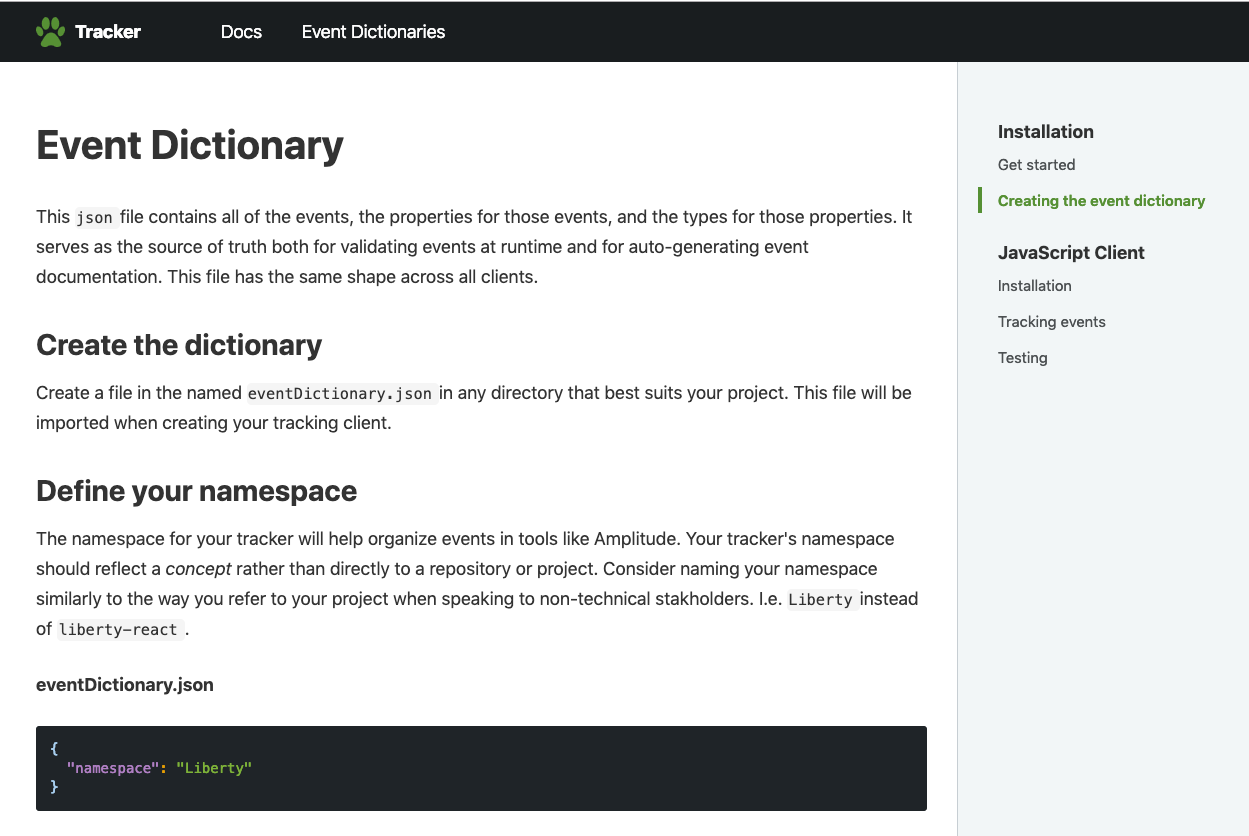
This is an ongoing project, we can support flexible use cases as they arise but the goal is having a centralized way to get data and share context about data as we scale.
New tracking clients for Ruby or Swift can be made as the project is adopted more.
Get Involved
Questions?
#event-tracking
Get Started Today
Thank you!
Tracker.js
By Alec Ortega