Webpack

Webpack is a static module bundler for modern JavaScript applications. When webpack processes your application, it internally builds a dependency graph which maps every module your project needs and generates one or more bundles.
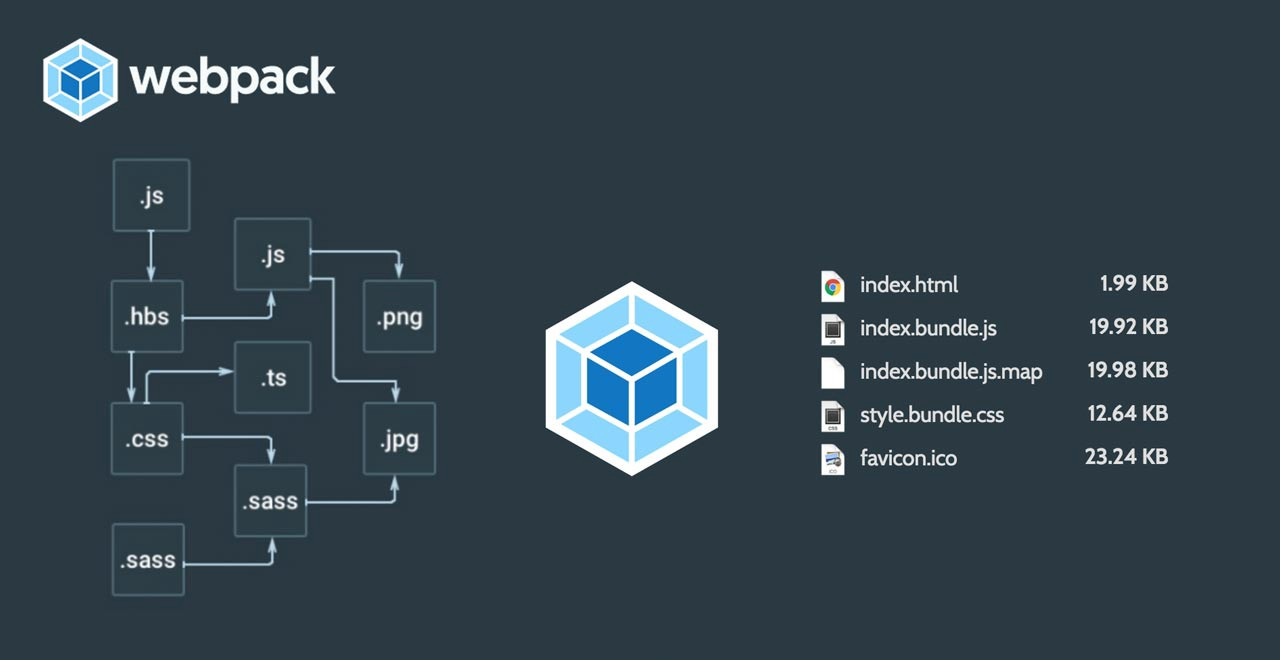
- helps you bundle your resources.
- watches for changes and re-runs the tasks.
- can run Babel transpilation to ES5, allowing you to use the latest JavaScript features without worrying about browser support.
- can transpile TypeScript and CoffeeScript to JavaScript
- can convert inline images to data URIs.
- allows you to use require() for CSS files.
- can run a development webserver.
- can handle hot module replacement.
- can split the output files into multiple files, to avoid having a huge js file to load in the first page hit.
- can perform tree shaking.
Installation
+
Basic setup
Install
npm install webpack webpack-cli --save-devAdd webpack.config.js file with basic config
const path = require('path');

module.exports = {
  entry: './path/to/my/entry/file.js',
  output: {
    path: path.resolve(__dirname, 'dist'),
    filename: 'my-first-webpack.bundle.js'
  }
};
Add script to package.json
"scripts": {
    "test": "echo \"Error: no test specified\" && exit 1",
    "build": "webpack"
},
Add index.html
Plugins
While loaders are used to transform certain types of modules, plugins can be leveraged to perform a wider range of tasks like bundle optimization, asset management and injection of environment variables.
HtmlWebpackPlugin
+ const HtmlWebpackPlugin = require('html-webpack-plugin');

  module.exports = {


    // previous code base


+   plugins: [
+     new HtmlWebpackPlugin({
+    	template: path.resolve(__dirname, 'src/index.html'),
+       inject: true, // Inject all files that are generated by webpack, e.g. bundle.js
+     })
+   ]
  };
Add styles/images/fonts
Loaders
Out of the box, webpack only understands JavaScript and JSON files. Loaders allow webpack to process other types of files and convert them into valid modules that can be consumed by your application and added to the dependency graph.
Loading CSS
  const path = require('path');

  module.exports = {
// previous code base
+   module: {
+     rules: [
+       {
+         test: /\.css$/,
+         use: [
+           'style-loader',
+           'css-loader'
+         ]
+       }
+     ]
+   }
  };
In order to import a CSS file from within a JavaScript module, you need to install and add the style-loader and css-loader to config
Loading CSS to its own styles.css file
  const path = require('path');

  module.exports = {
// previous code base
+   module: {
+     rules: [
+       {
+         test: /\.css$/,
+         use: [
-           'style-loader',
+           MiniCssExtractPlugin.loader, // instead of style-loader
+           'css-loader'
+         ]
+       }
+     ]
+   }
+   plugins: [
+     new MiniCssExtractPlugin(),
+   ],
  };
In order to import all CSS to one style css file you need mini-css-extract-plugin
Loading images
  const path = require('path');

  module.exports = {
// previous code base
     rules: [
//      ...
+       {
+         test: /\.(png|svg|jpg|gif)$/,
+         use: [
+           'file-loader'
+         ]
+       }
     ]
   }
  };
Loading fonts
  const path = require('path');

  module.exports = {
// previous code base
     rules: [
//      ...
+       {
+         test: /\.(woff|woff2|eot|ttf|otf)$/,
+         use: [
+           'file-loader'
+         ]
+       }
     ]
   }
  };
+ @font-face {
+   font-family: 'MyFont';
+   src:  url('./my-font.woff2') format('woff2'),
+         url('./my-font.woff') format('woff');
+   font-weight: 600;
+   font-style: normal;
+ }
Add to your style file:
Development
module.exports = {
   // previous code base

+  devServer: {
+   contentBase: path.join(__dirname, 'dist'),
+   port: 9000
+  },

  };
npm install webpack-dev-server --save-dev"scripts": {
"test": "echo \"Error: no test specified\" && exit 1",
"build": "webpack",
+ "start": "webpack serve"
},Hot module replacment
+ const webpack = require('webpack');

module.exports = {
   // previous code base

  devServer: {
   contentBase: path.join(__dirname, 'dist'),
   port: 9000,

+  hot: true
  },

  plugins: [

+  new webpack.HotModuleReplacementPlugin()
  ]
 };
module.exports = {
    // previous code base

+   devtool: 'inline-source-map',

  };
Webpack
By Aleh Lipski