web design
HTML & CSS
Alvaro Uribe
WE WILL BUILD a responsive website
Internet

Who can read html?

ME !!
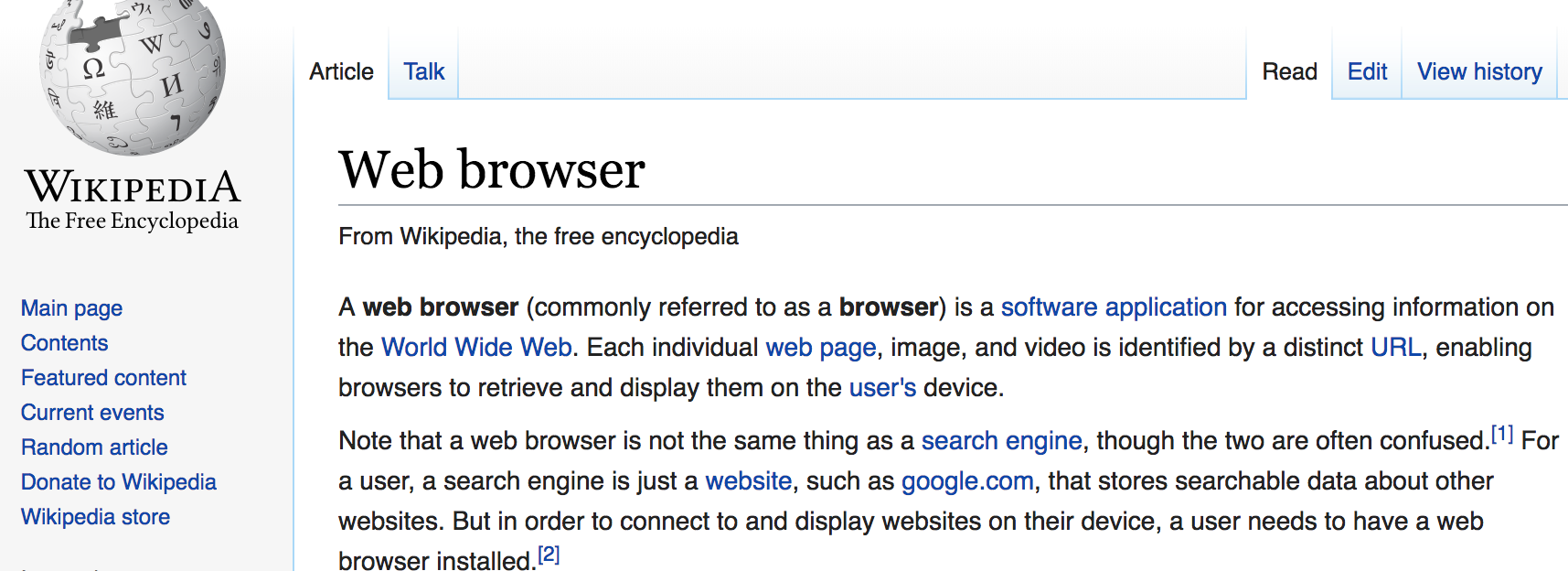
Web browsers
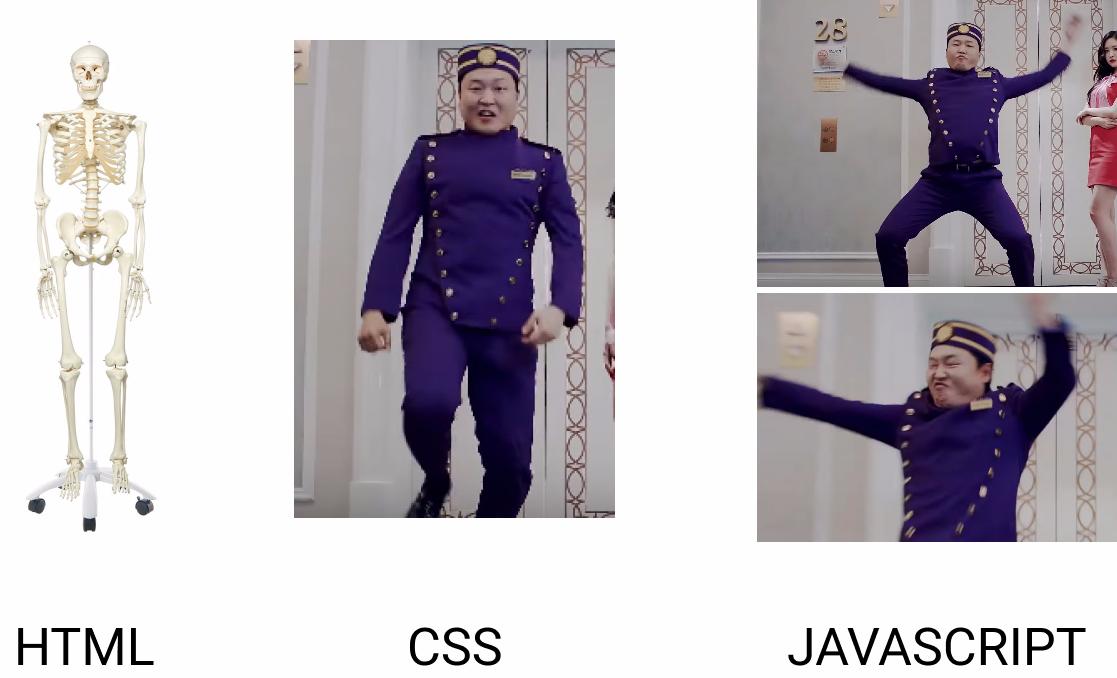
< HTML >
Introduction
HTML
HyperText Markup Language
HTML is a markup language used for structuring and presenting content on the World Wide Web.
It is the fifth and current version of the HTML standard.

HTML5
Colors, fonts, styles ?
First was introduces the inline styling for HTML
<div style="color: red;"> </div>
I am red
BLOCK TAGS
https://www.w3schools.com/html/html_blocks.asp
INLINE TAGS
https://www.w3schools.com/html/html_blocks.asp
HTML TAG Tips
- The HTML element is everything from the start tag to the end tag. don't forget to close them.
- HTML tags can be nested.
- The <html> element defines the whole document.
- The <body> element defines the document body.
- HTML elements with no content are called empty elements.
- W3C recommends to use lowercase tags.
CSS
Introduction
WHAT IS CSS?
CSS stands for Cascading Style Sheets
CSS describes how HTML elements are to be displayed on screen, paper, or in other media
CSS saves a lot of work. It can control the layout of multiple web pages all at once
External stylesheets are stored in CSS files
CSS Rules
- color
- width
- height
- margin
- padding
- border
- background
- font
- font-weight
- etc...
https://www.w3schools.com/css/default.asp

CSS Box Model

- Content - The content of the box, where text and images appear
- Padding - Clears an area around the content. The padding is transparent
- Border - A border that goes around the padding and content
- Margin - Clears an area outside the border. The margin is transparent
CSS selectors
In CSS, selectors are patterns used to select the element(s) you want to style.
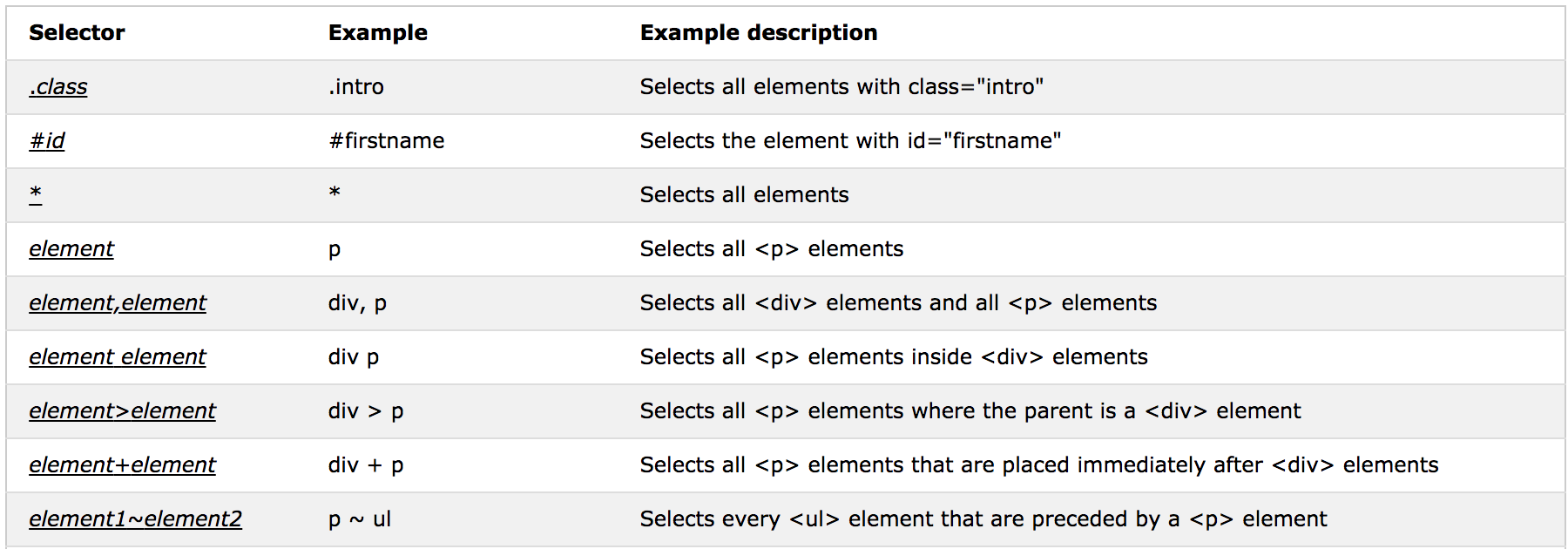
www.w3schools.com/cssref/trysel.asp
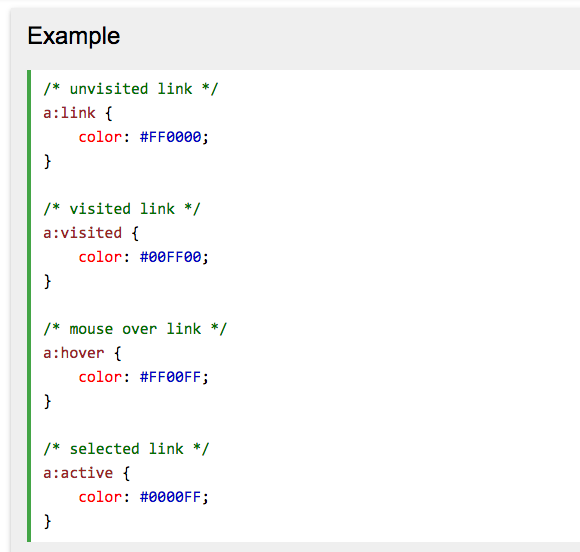
CSS Pseudo-classes
A pseudo-class is used to define a special state of an element.
For example, it can be used to:
- Style an element when a user mouses over it
- Style visited and unvisited links differently
- Style an element when it gets focus
Javascript
Too big for this course
Let's start
- Open your text editor
- Visual studio code
- Cursor
- Sublime Text
- Create the following structure
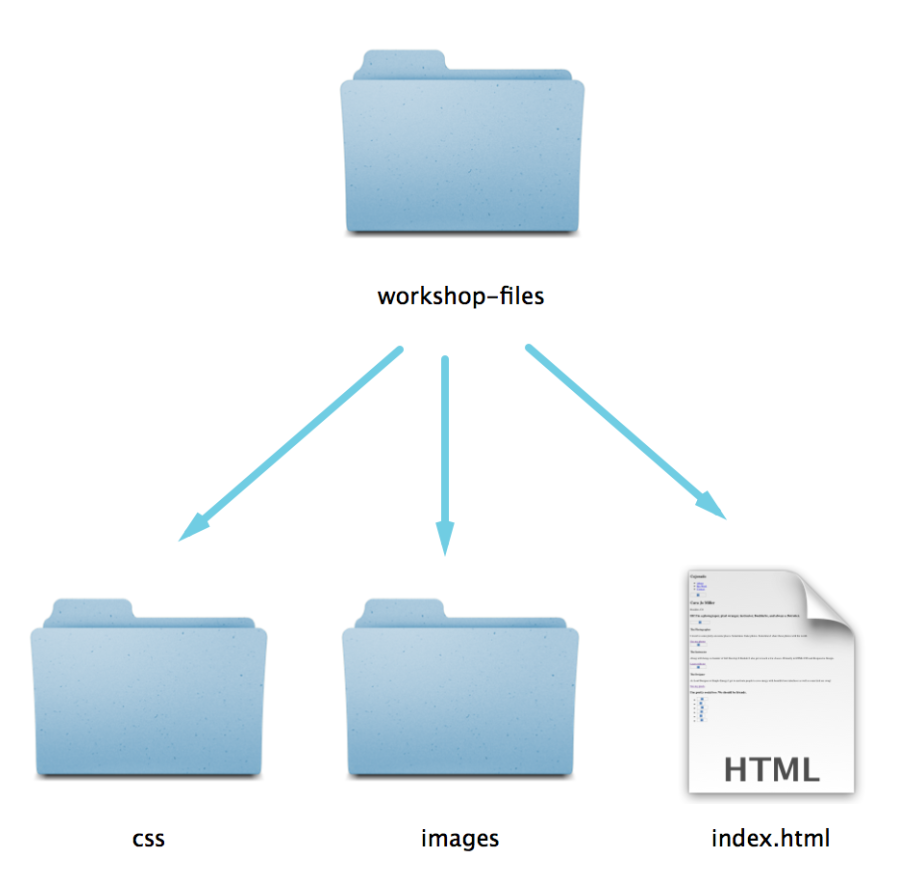
website
Create this in the Desktop Folder
html
TAGS, TAGS, TAGS...
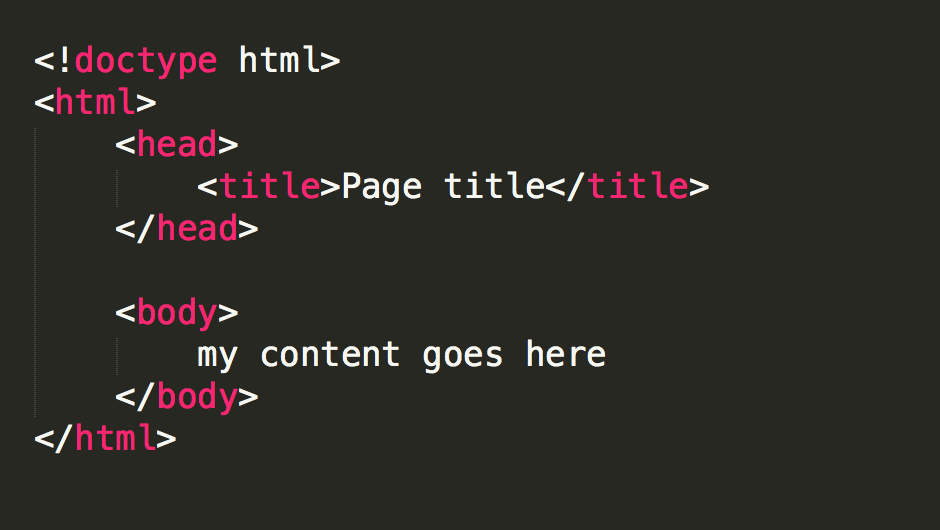
Why a reset.css
Even though HTML is the structure and CSS is the design, some HTML elements have default styles
Different browsers display these things differently.
A reset css file gets rid of these inconsistencies.
copy the content from here:
alvaro.glitch.me/reset.css
html5
- Add reset.css
- global.css
- Let's add some comments
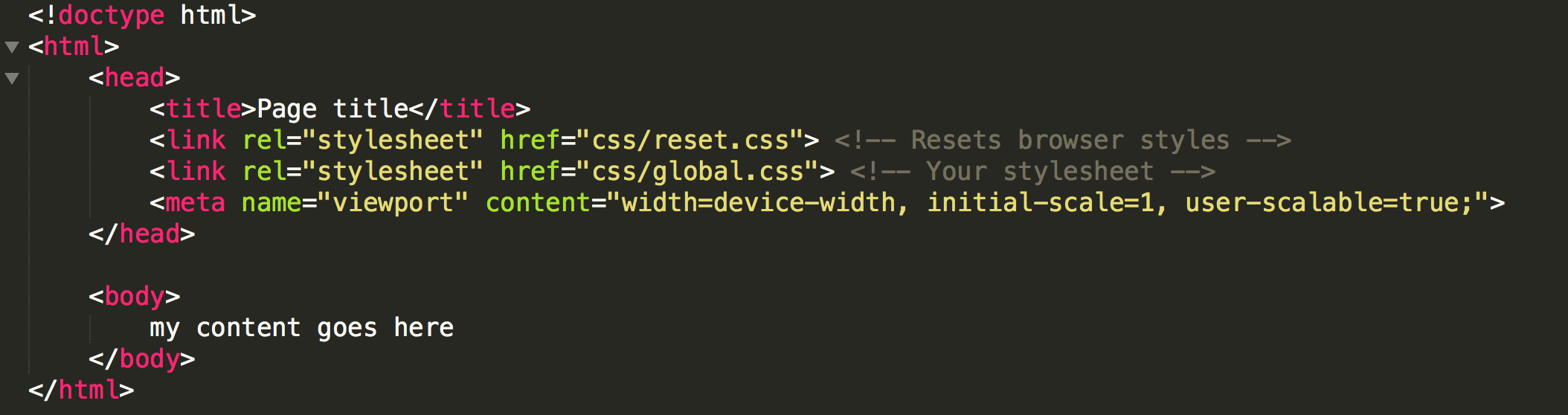
html5
- Lets add some structure
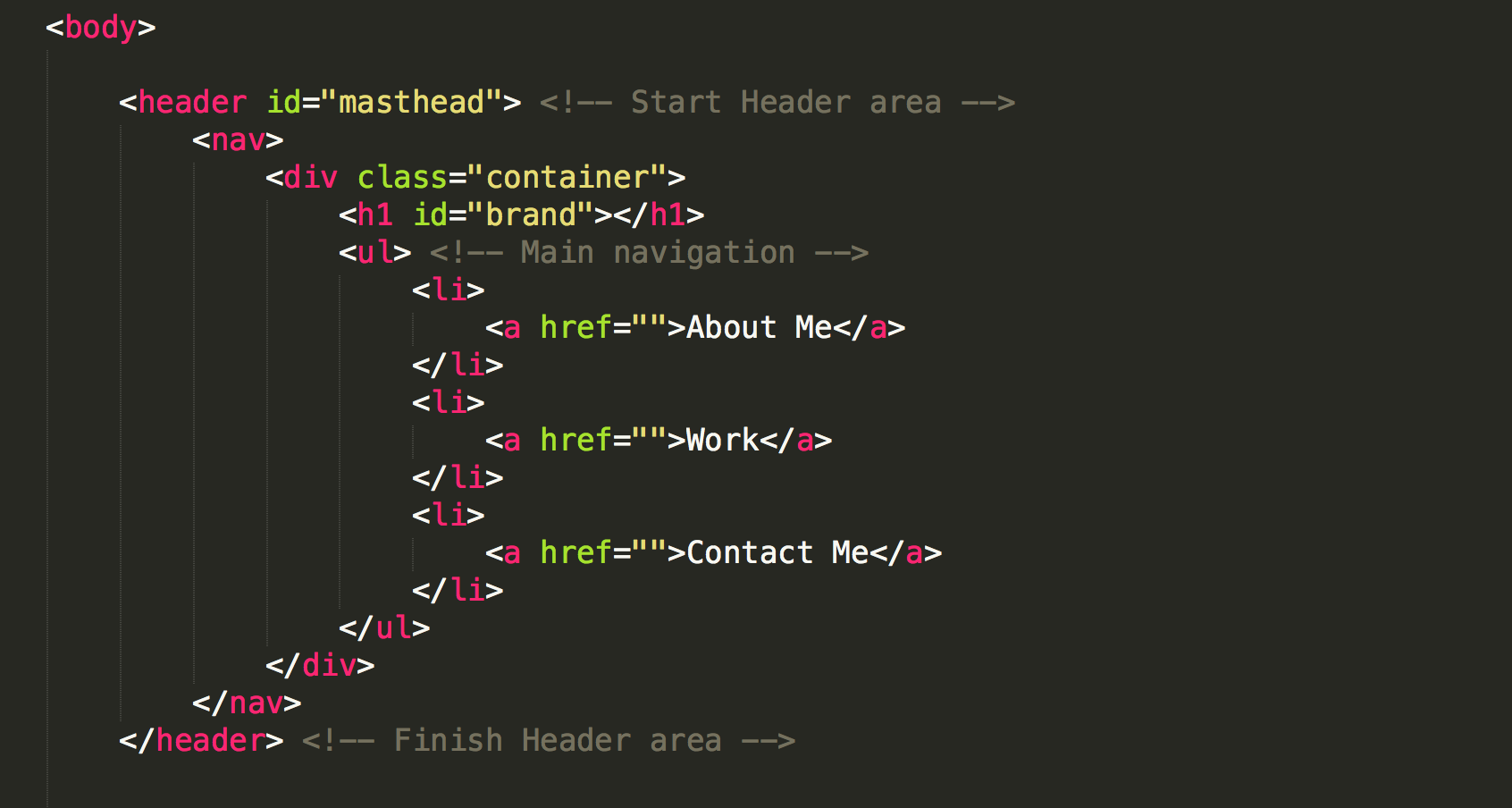
html5
- Lets add some structure
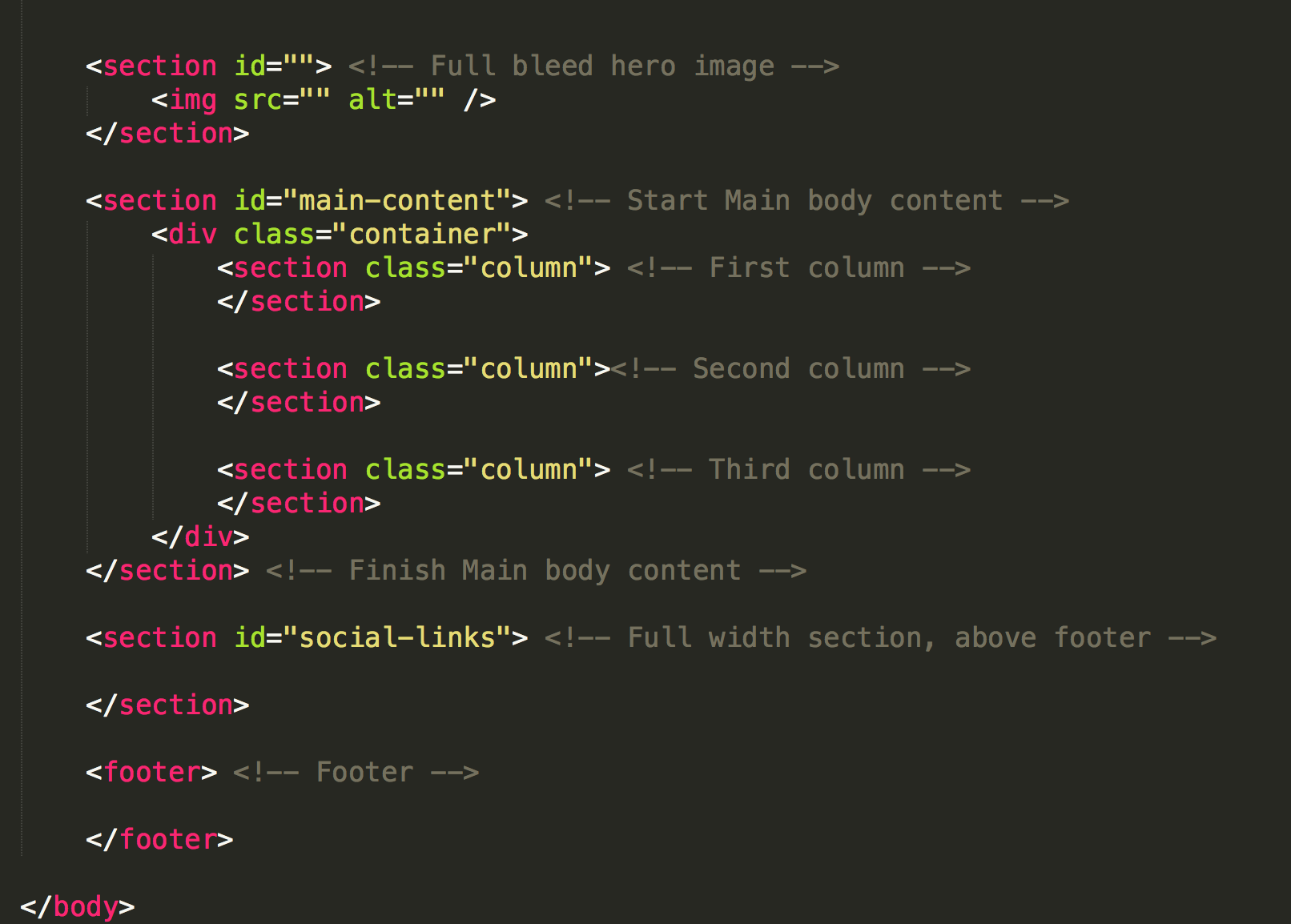
GLOBAL.css
@import url(http://fonts.googleapis.com/css?family=Lato|Bree+Serif);

body {color: #333;
    font-family: 'Lato', sans-serif;
    padding-top: 66px;
}
h1, h2, h3, h4, h5, h6 {
  font-family: 'Bree Serif', serif;
}
p {
    line-height: 20px;
}
nav {
    position: fixed;
    top: 0;
    left: 0;
    background: rgba(250, 250, 250, 0.8);
    border-bottom: 2px solid #ccc;
    height: 66px;
    width: 100%;
}
nav ul {
	float: right;
}
nav li {
    float: left;
    width: auto;
}
nav li a {
    padding: 25px 10px;
    display: block;
    text-decoration: none;
    color: #333;
}
nav li a:hover {
    background: #e5e5e5;
}
#brand {
	text-indent: -9000px;
    background: url(../images/z.png) no-repeat top left;
    background-size: 45px;
    height: 45px;
    width: 45px;
    float: left;
    margin: 10px;
}

.container {
    width: 100%;
    margin: 0 auto;
}

#hero {
	background: url(../images/zebra-hero.jpg) no-repeat top left;
	text-align: center;
	color: #fafafa;
	background-size: cover;
	height: 350px;
	padding: 25px 0;
}

#hero img {
	width: 150px;
	border-radius: 50%;
    xmargin-top: 30px;
}
#hero h2 {
    font-size: 400%;
    margin: 10px;
}
#hero span {
    border: 2px solid white;
    padding: 10px 20px;
    display: inline-block;
    margin-top: 10px;
    font-size: 150%;
}
#main-content{
    text-align: center;
    padding: 25px 0;
    overflow: hidden;
}
#main-content h3{
    font-size: 250%;
    margin: 20px 0;
}
.column {
    float: left;
    width: 30%;
    padding: 15px;
}
.column img {
    width: 70%;
    max-width:70%;
    border-radius: 50%;
    border: 5px solid #8a80c3;
    margin-bottom: 20px;
}
.column h4 {
    color: #8a80c3;
    font-size: 150%;
    margin-bottom: 15px;
}
.column .btn {
   border: 2px solid #8a80c3;
    padding: 10px 20px;
    display: inline-block;
    margin-top: 10px;
    font-size: 150%;
    text-decoration: none;
    color: #8a80c3;
}

#social {
    background: #8a80c3;
    color: #fafafa;
    padding: 25px 0;
    overflow: hidden;
    text-align: center;
    float: left;
    width: 100%;
    position: relative;
}
#social ul {
    clear:left;
    float:left;
    list-style:none;
    margin:0;
    padding:0;
    position:relative;
    left:50%;
    text-align:center;
}
#social li {
	display:block;
    float:left;
    list-style:none;
    margin:0;
    padding:0;
    position:relative;
    right:50%;
}
#social ul li img
{
    margin: 20px;
}
footer
{
    width: 100%;
    text-align: center;
}

@media only screen and (max-width: 901px)
{
    .column {
        padding: 10px;
    }
    #hero h2 {
        font-size: 200%;
    }
    #main-content h3{
        font-size: 150%;
    }
}

@media only screen and (max-width: 640px)
{
    .column {
        float: none;
        width: 100%;
        padding: 0px;
        margin: 0 0 40px 0;
    }
}
Safe Fonts
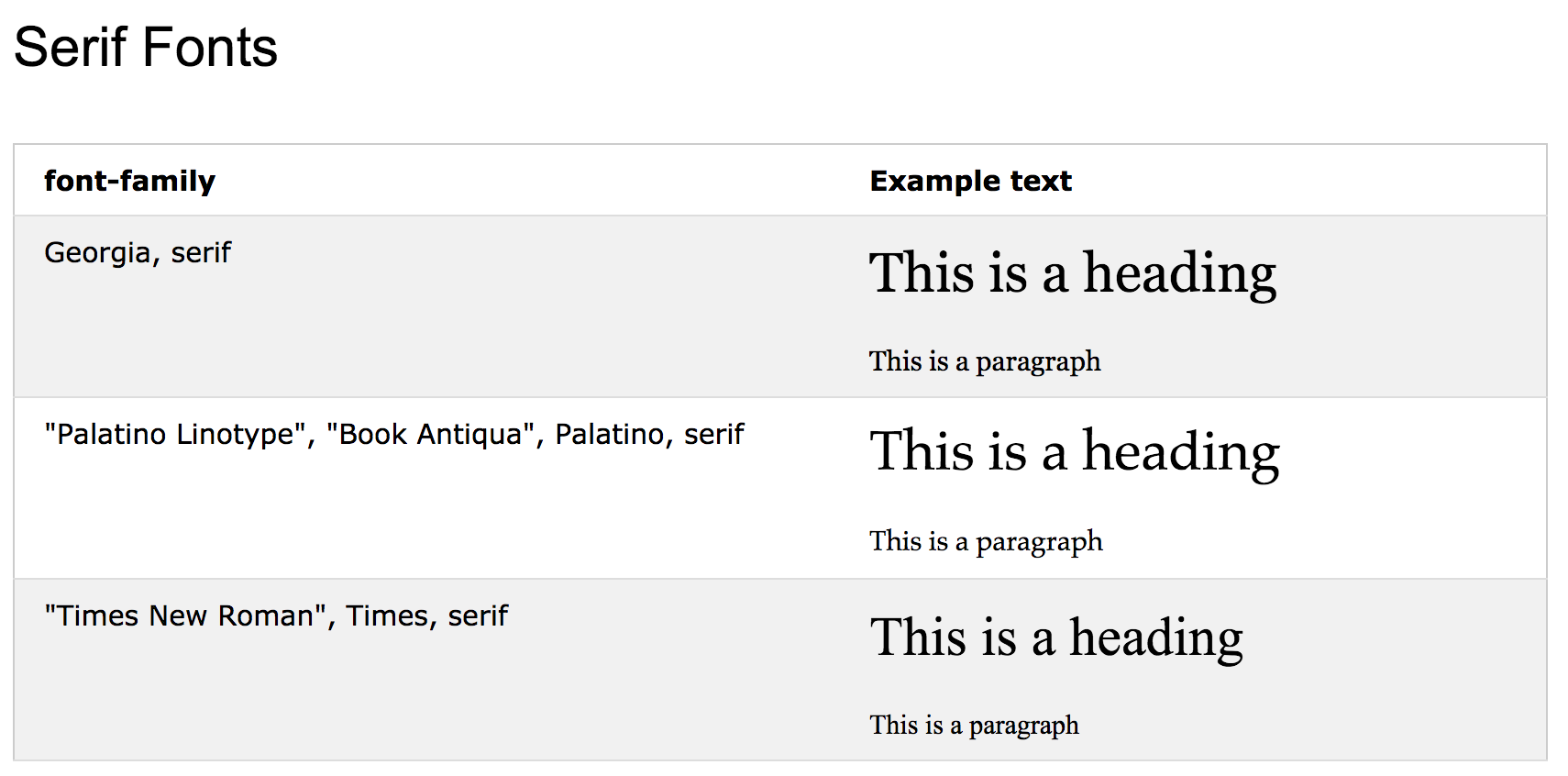
Safe Fonts
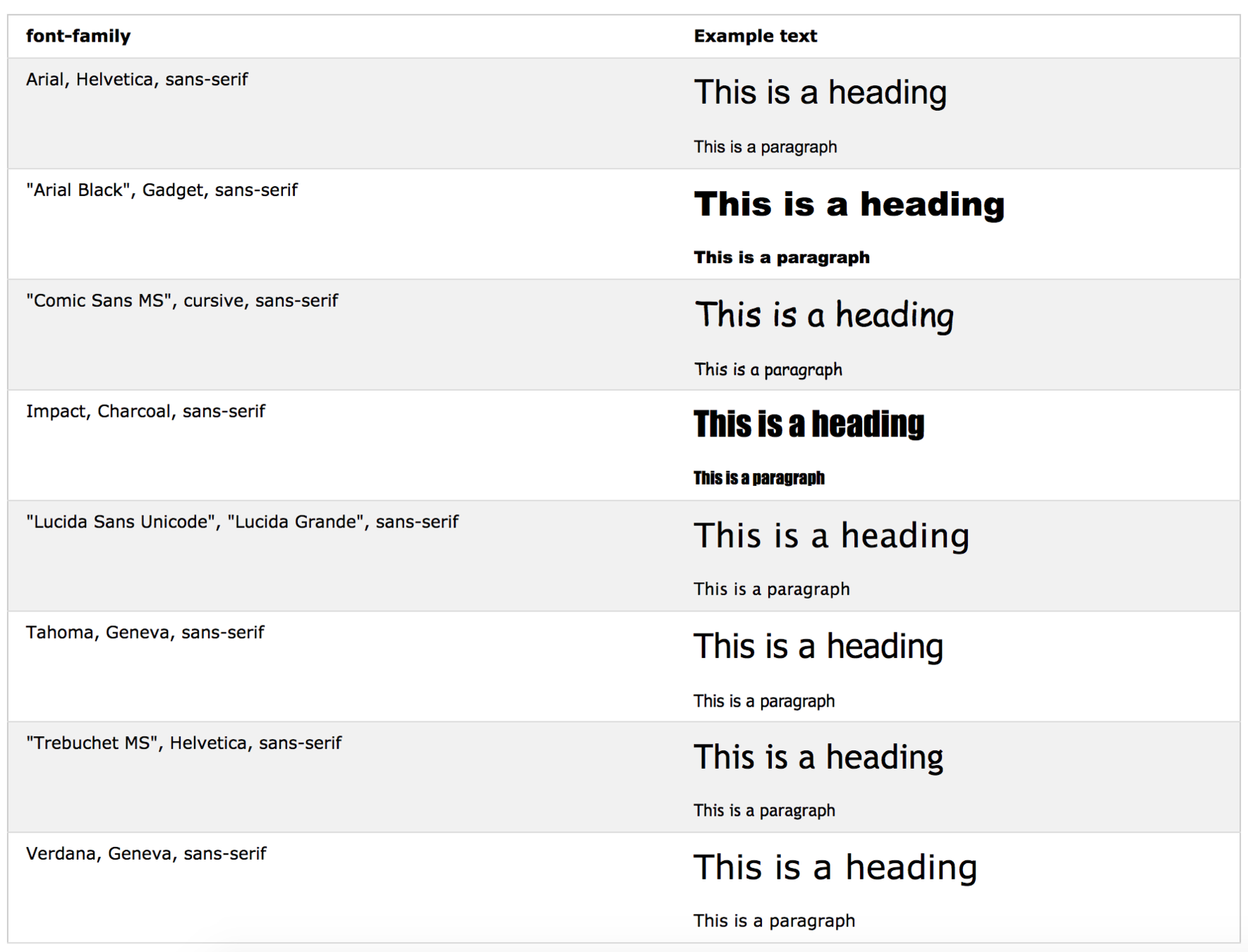

Safe Fonts
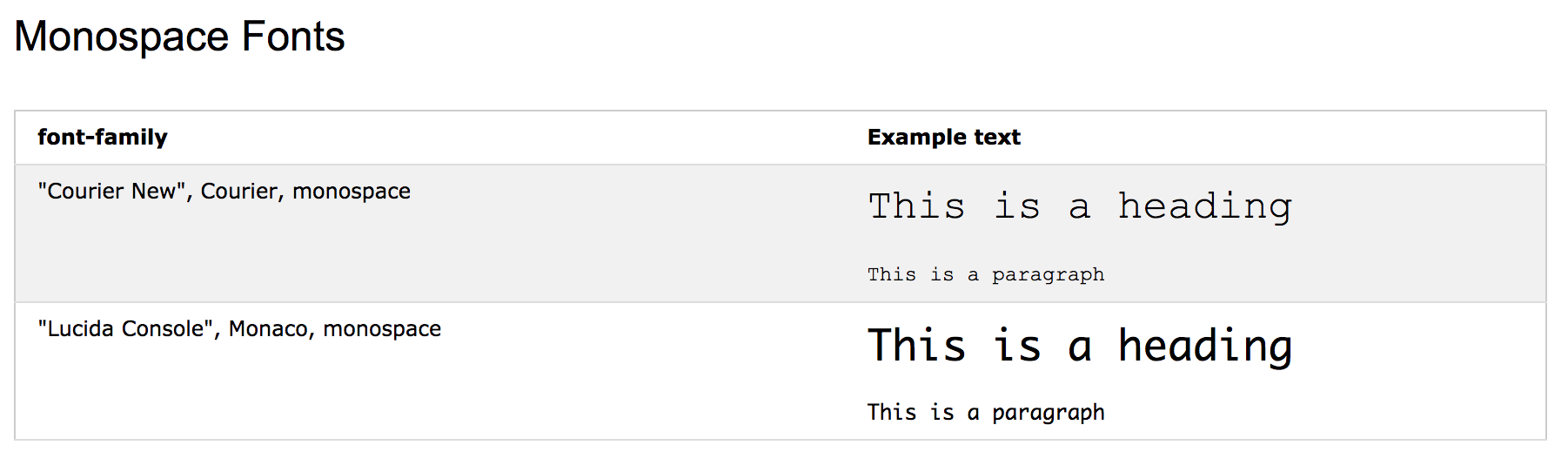
web design guidelines
-
Audience
-
Tone
-
Purpose
-
Select a color Palette
Generic family
- SERIF
- SAN SERIF
- MONOSPACE
- SCRIPT
fonts for each case
Serif Humanist
Journalism
Historic applications
Serif Transitional
Academics
Legals
Serif Modern
Art
Culture
Egyptian (Slab Serif)
Marketing
Promotions
~ SERIF ~
fonts for each case
Sans Serif Humanist
Government
Education
Finances
Sans Serif Transitional
Technology
Transport
Sans Serif Geometric
Science
Arquitecture
Script (adds humane value)
Bad for paragraphs
Bad for web
~ SANS SERIF ~
HOW TO MIX
It looks really good to mix to types of fonts. Here are some rules to use this
-
Do not mix 2 of the same category and same generic family
-
(e.i. 2 of humanist serif)
-
-
It gives harmony if we mix different 2 categories with different types.
-
(e.i. transitional serif con transitional san serif)
-
Color definition
Red: Heat - Passion - Excitement (tension - Speed - Energy)
Orange: Warmth - Vitality (Reliability - Playfulness)
Yellow: Optimism - Creativity (Sunshine - Happiness)
Green: Serenity - Health (Nature- Growth - Freshness)
Blue: Security - Truth - Stability (Loyalty - Reliability - Open Communication)
Purple: Spirituality - Inteligence - Wealth (Royal - Sentimental - Creativity - Sophisticated)
Pink: Youthful - Intensity (Energy, Fun, Excitement)
Brown: Durability - Class (Age - Stability - relaxation)
Black: Power - Drama (Serious - Bold - Strong)
White: Simplicity - Cleanliness (Youthful - Mild - Pure)
Google fonts
fonts.google.com
CSS TRANSITIONS
https://www.w3schools.com/cssref/css_animatable.asp
Interesting Sites
- http://htmlcheatsheet.com/
- https://www.w3schools.com
- webcoursesbangkok.com/blog/teach-html
- https://codepen.io
- https://codesandbox.io
- https://glitch.com
- https://unsplash.com/
- https://fontsinuse.com/
- https://www.fontsquirrel.com/
- https://validator.w3.org/
- https://www.w3schools.com/cssref/css_animatable.asp
- https://fontawesome.com/
- https://tools.pingdom.com
- https://www.mockupworld.co/
Videos about design
HTML CSS
By Alvaro Uribe