Build, Deploy, and Scale your Mobile Backend with Node.js and Modulus


Taron Foxworth
@anaptfox
Lead Sales Engineer
- Overview
- Generating a Mobile App with Telerik
- Building an API
- Deploying the API with Modulus
- Bridging the Gap
- What's Next?
Agenda
Overview
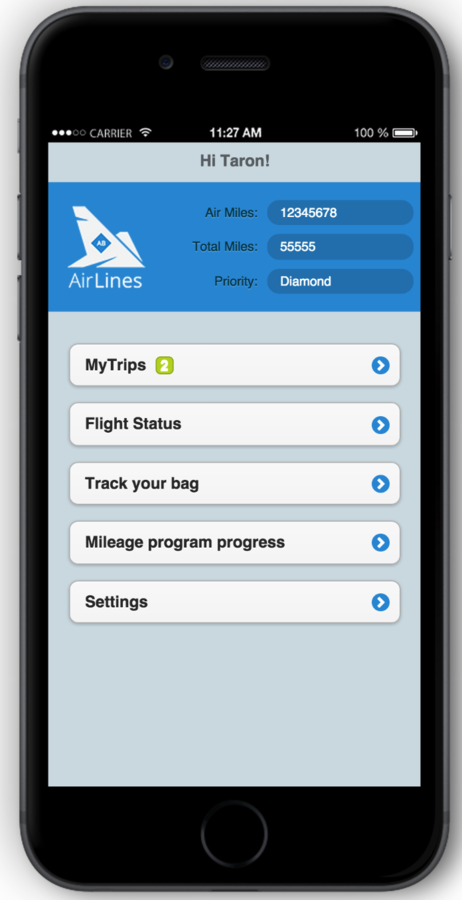
Login
Mobile App
View Trips
API
User API
Flight API
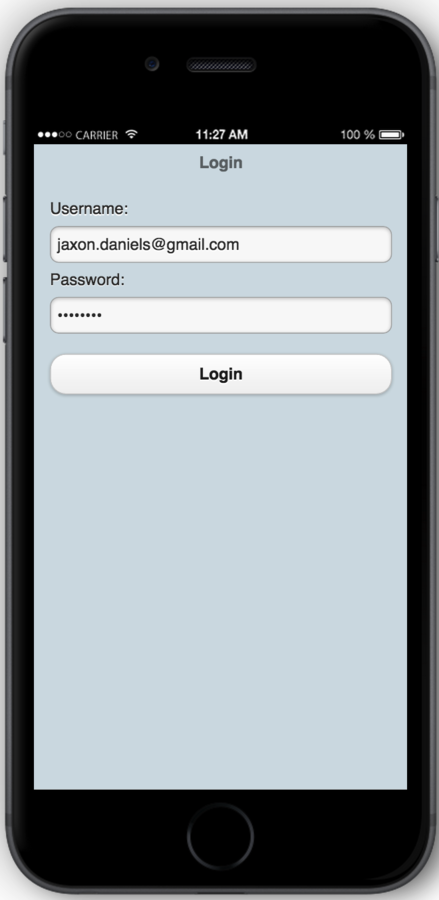
Airlines Application
Generating a Mobile App
index.html
var seatMapDrawing = new seatMapDrawing();
var airData = new airlinesData(2000);
var airlines = new airlinesApp();
airlines.run();
main.js
    _initHome = function(){
        if (!_login) {
	    	$.mobile.changePage("#logon", { transition: "flip" });
	    	$('#login').submit(function () {
	    		$(this).hide();
	    		_login = true;
	    		airData.logOn($('#userName').val(), $('#pwd').val(),_handleLogOn);
	    		return false;
	    	});
	    }
    },

    _handleLogOn = function (ff, success) {
		if (success) {
			_ffNum = ff;
			airData.getDataforFF(_ffNum,_handleDataForFF);
		}
     },
airlinedata.js
Building an API
Yeoman

sudo npm install -g yo bower grunt-cli gulpInstalling Yeoman
sudo npm -g install git+https://github.com/brianviveiros/generator-rest-express.git

mkdir mobile-backend && cd mobile-backend

yo rest-express

yo rest-express:resource flight
Scaffolding our App
var flight = require('../resources/flight.js');

app.post('/flights', flight.create);		// Create
app.get('/flights/:id', flight.get);		// Read
app.put('/flights/:id', flight.update);		// Update
app.del('/flights/:id', flight.delete);		// Delete
app.get('/flights', flight.list);	        // List
Our Rest API
{
    "cNum": "ABCDED",
    "timeToCheckIn": true,
    "currentSegment": 0,
    "segments": [
        {
            "from": "BOS",
            "to": "SEA",
            "departDate": "6/11/2012",
            "time": "4:00PM",
            "flightNum": "122",
            "seat": "5D",
            "gate": "A1"
        },
        {
            "from": "SEA",
            "to": "BOS",
            "departDate": "6/1/2012",
            "time": "5:00PM",
            "flightNum": "111",
            "seat": "5A",
            "gate": "C10"
        }
    ]
}
Add Flights
Deploying the API
Fix Mongo
// Connect to mongo
var mongoURL = 'mongodb://127.0.0.1/myApp';
mongoose.connect(process.env.MONGO_URL || mongoURL);
Fix CORS
var cors = require('cors');


app.use(cors());
Install Modulus
Create Project
Deploy
sudo npm i -g modulusmodulus deploymodulus project createSignup/ Login
modulus signup4 Simple Steps
Bridging the Gap
Bridging the Gap
getDataforFF = function(id, callback) {
	getAllFlights(function (data) {
        ffInfo.flights = data;
		callback(ffInfo);
	}, 'getting your data ...', this);
},
getAllFlights = function getAllFlights(func, text, thisObj) {
    $.mobile.loading('show', { theme: 'a', textVisible: true, text:text });
    $.get("http://teleriktalk-46134.onmodulus.net/flights", function( data ) {
      $.mobile.loading('hide');
	  func(data);
    });
}- Generating a user API
- Using that User API
- Testing
- Validation
What's Next?
Take the Survey
Win Prizes!
Build, Deploy, and Scale your Mobile Backend with Node.js and Modulus
By Taron Foxworth


