Clone a GitHub repository
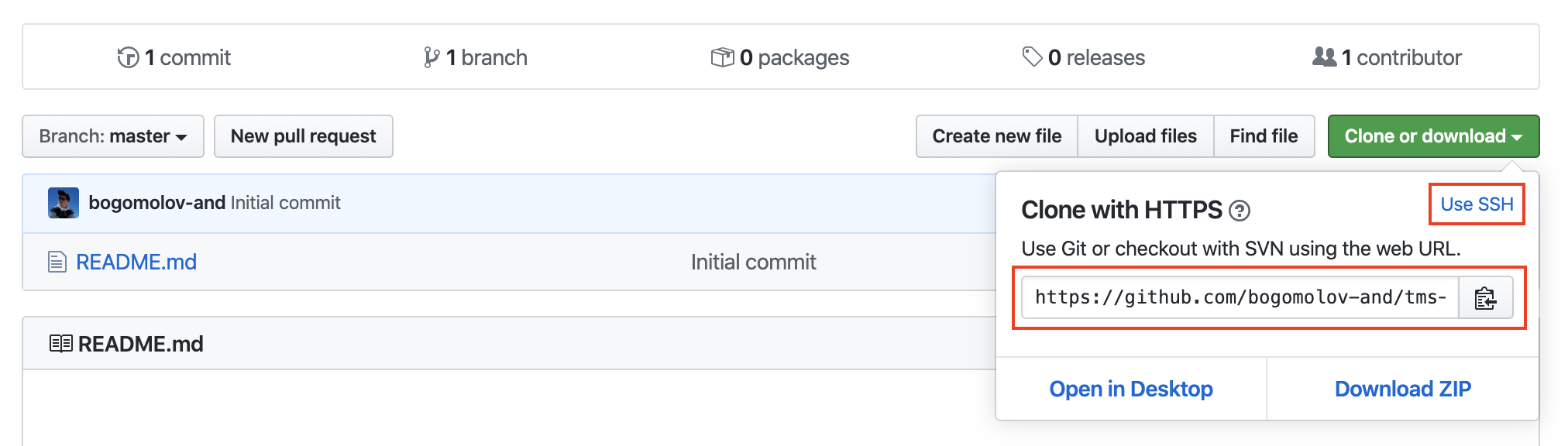
$ git clone <your_repo_uri>Generate ssh-key
$ cd ~/.ssh
$ ls
id_rsa    id_rsa.pub
check ssh keys
if there is no ssh key, you must generate it
$ ssh-keygen$ cat ~/.ssh/id_rsa.pub
ssh-rsa AAAAB3NzaC1yc2EAAAABIwAAAQEAklOUpkD...Show pub key
# Исключить все файлы с расширение .a
*.a

# Но отслеживать файл lib.a даже если он подпадает под исключение выше
!lib.a

# Исключить файл TODO в корневой директории, но не файл в subdir/TODO
/TODO

# Игнорировать все файлы в директории build/
build/

# Игнорировать файл doc/notes.txt, но не файл doc/server/arch.txt
doc/*.txt

# Игнорировать все .txt файлы в директории doc/
doc/**/*.txtKnowledge check
Display help information about Git
Create an empty Git repository or reinitialize an existing one
Clone a repository into a new directory
Knowledge check
git add
Add file contents to the index
git commit
Record changes to the repository
git status
Show the working tree status
Knowledge check
git branch
List, create, or delete branches
git checkout
Switch branches or restore working tree files
git merge
Join two or more development histories together
Knowledge check
git fetch
Download objects and refs from another repository
git pull
Fetch from and integrate with another repository or a local branch
git push
Update remote refs along with associated objects
Undoing things
$ git commit --amendAs an example, if you commit and then realize you forgot to stage the changes in a file you wanted to add to this commit, you can do something like this:
$ git commit -m 'initial commit'
$ git add forgotten_file
$ git commit --amend$ git tag v1.0.0Lightweight Tags:
$ git tag -a v1.0.1 -m 'my version 1.0.1'Annotated Tags:
$ git tag
// or
$ git tag -l "v1.8.5*"
Listing Your Tags:
$ git rebase master
$ git rebase --continue
$ git rebase --skip
$ git rebase --abort
$ git rebase --quit$ git cherry-pick bff42cb0 # with commit
$ git cherry-pick -n bff42cb0 # without commit
$ git cherry-pick --continue
$ git cherry-pick --abort
$ git cherry-pick --quitGIT
By Andrew Bogomolov