reproducible research with
R-Studio
Quantitative Methods - 22.05.24
Topics
What is reproducable research?
-
Reproducability:
- Being able to conduct the same study with the same data on your own device
What is reproducible research (RR)?
-
Replicability:
- Being able to conduct the same study again (with new data)
- Research that is both 'replicable' and 'reproducable'
- New research is based on previous research
- Determines how we interpret new data
- Determines which studies we conduct
- Reproducible Research ensures that we can confirm, verify and extend our results
Importance
Why is it important for you?
- Its practice for your future research
- BA/MA theses, term papers
- Reproducing research is a popular BA/MA thesis format
- Principles of it extend to all (team) projects, no matter the job
- You read papers
- You want them to be available & comprehensible
- You can learn more from them if they are more transparent
How do you make your research reproducible?
- Make your code and your data publicly available
- Upload your code and data where it is free to access (GitHub, OSF)
- Choose a free, platform-independent software to make your analysis
- The more documentation, the better reproducible your code
- e.g. with R Markdown, Jupyter Notebooks
making your code public
- You are probably not the only one!
- Keep in mind that most people (especially in academia/phil fak.) are not from the informatics department
'What if someone steals my code?'
- Publishing code lets you claim precedence, there is a date on your release and its clear what's yours
'What if I unkowingly have an error in my code?'
- Better to know and be able to re-evaluate your results
- Not publishing code that ends up containing an error seems more suspicious
'I feel embarrassed about my code.'
R-studio &
R Markdown
How does R Markdown help us?
- R-studio, R and Markdown are free
- Works on all operating systems
-
It makes documentation very easy
- Text blocks and code blocks in one document
- Can be exported to slides, pdf, html ......
- Allows to run code incrementally


Try it out!
https://pad.hhu.de/

https://github.com/hedgedoc/hedgedoc/blob/develop/docs/content/images/hedgedoc_logo_black.svg

Log in with uni credentials!
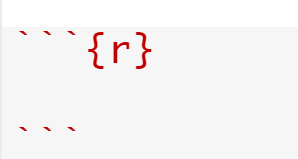
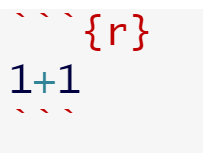
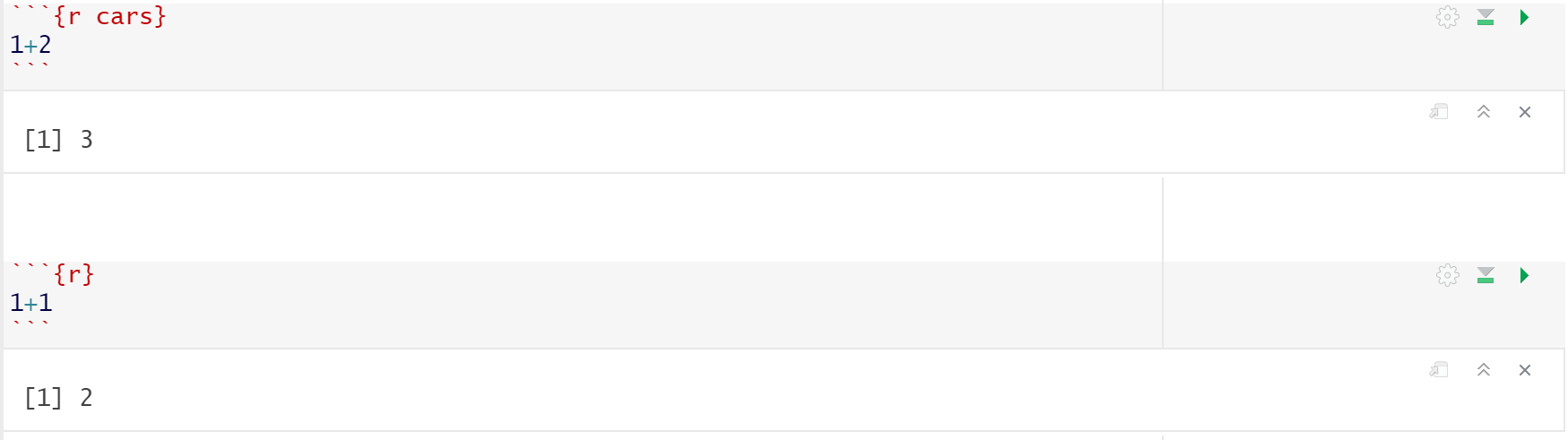
Code blocks
About codeblocks:
- Can be executed like in a script
- Information is stored over all blocks in the document
- Can take options to surpress output, load data, ...
# Heading 1
** bold text **
* italic text *
- bullet point 1
- bullet point 2
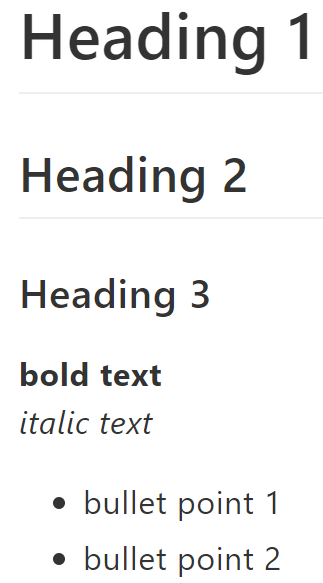
Markdown Formatting
Syntax
Output
## Heading 2
### Heading 3
Coding language for formatting text.
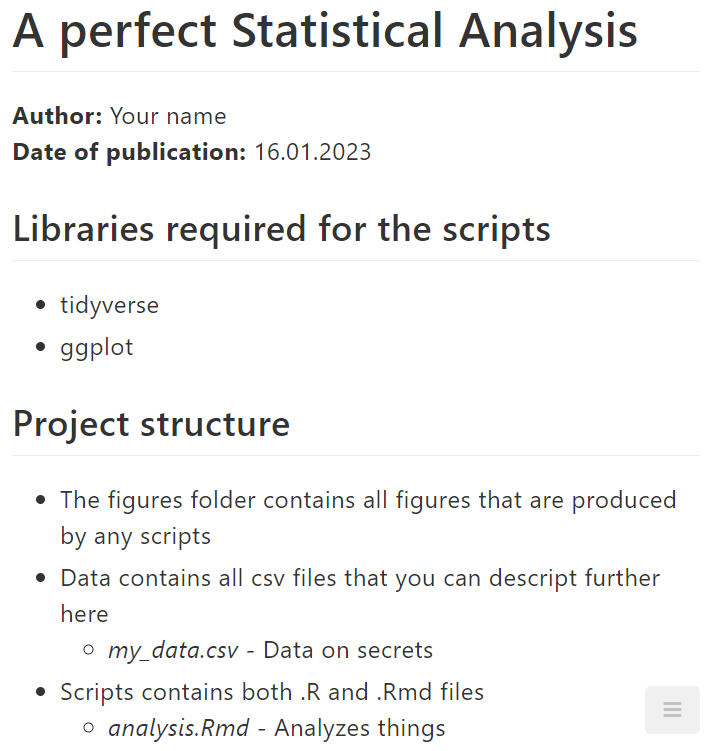
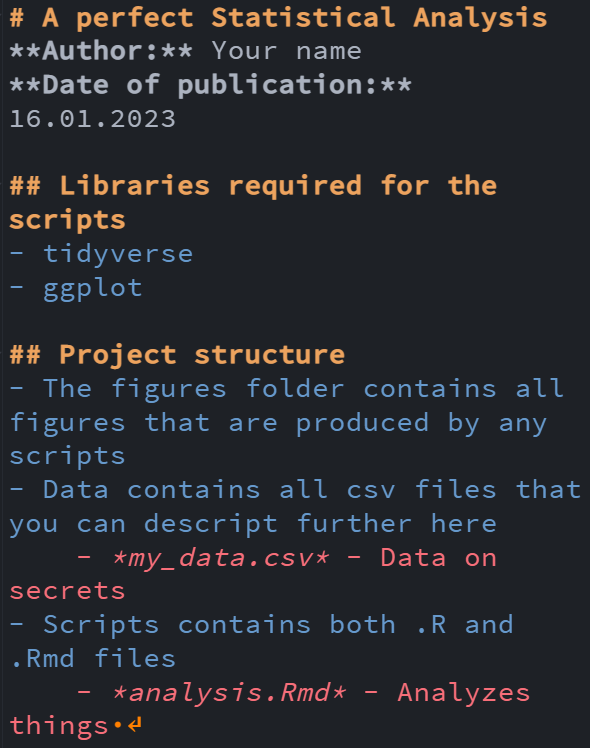
MARKDOWN file Example
Markdown in R-studio
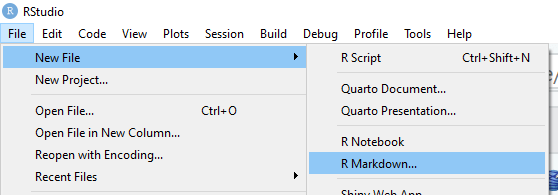
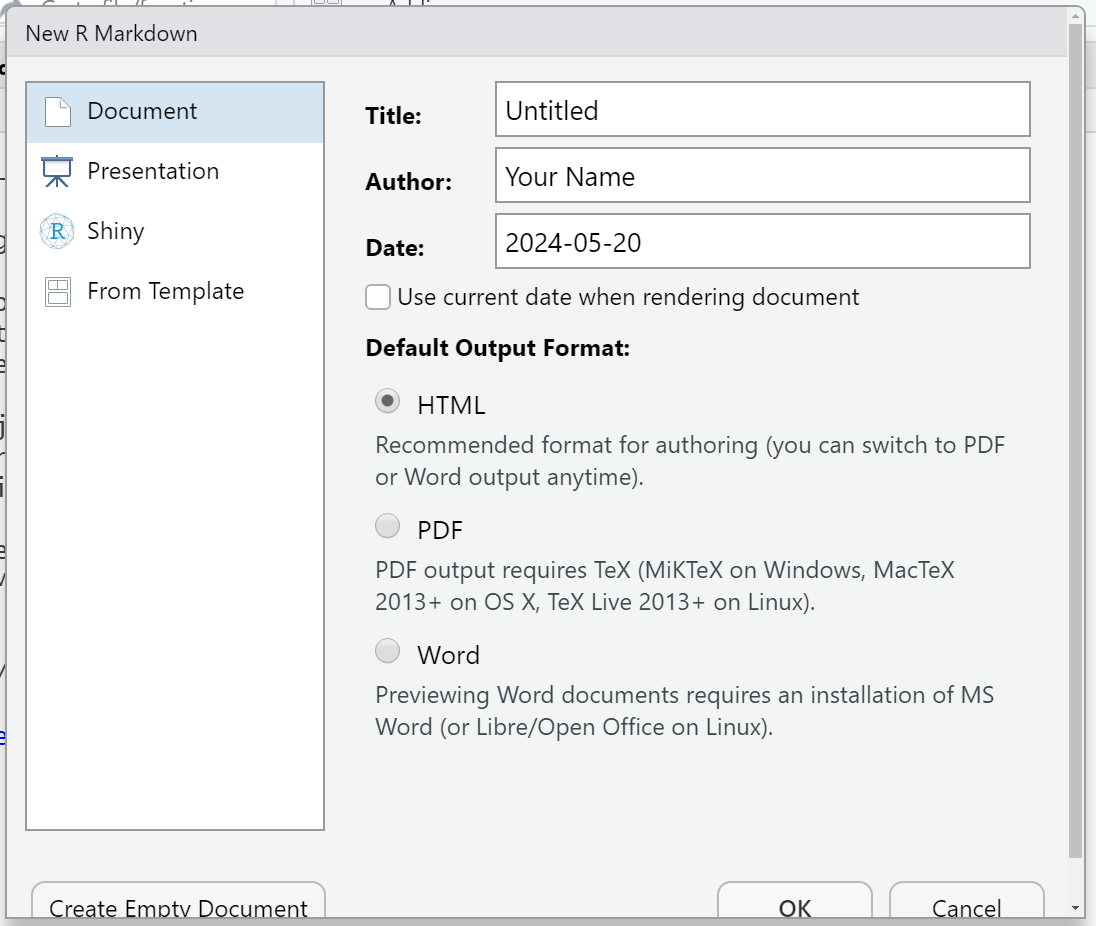
Structuring your
reproducible project
Folder Structure
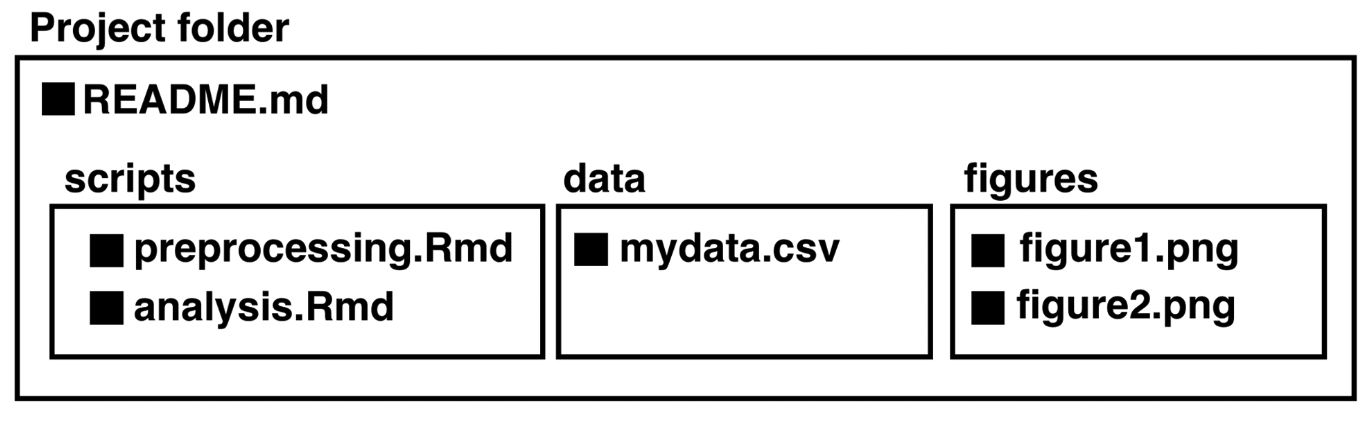
- A reproducible project starts at how you organize your files and folders
Let's look at this more in depth
/
/
/
README.md
- Helps reader/collaborator/future-you to understand your project better
- Describes folder structure
- Describes statistical analysis process
- ...
- File extension: '.md'
For example:
Open-science framework
(OSF)
- OSF is a web-based platform supporting collaborative research
- Facilitates transparency, reproducible, and collaboration in research.
- Project organization, version control, collaboration tools.
Introduction to OSF
- Step-by-Step Account Creation:
- Navigate to osf.io.
- Click "Sign Up" and complete the registration form.
- Verify your email address.
Creating an OSF account
- Creating a New Project on OSF:
- Click "Create Project" and fill in project details.
- Adding Components for Organization:
- Components are like folders for different aspects of your project (e.g., data, code, documentation).
- Project Visibility and Access Settings:
- Choose between public, private, or shared settings.
setting up a project
- Adding Files to OSF Project:
- Click "Add a Component" or "Upload" to add files.
- Uploading Existing scripts:
- Drag and drop or use the upload button.
- Creating new files on OSF:
- Use the online editor or upload from your local machine.
Uploading Projects
-
Overview of OSF's Online Editor:
- Accessible through the OSF platform.
- Allows real-time editing and collaboration.
-
Real-time Editing and Collaboration Features:
- Multiple collaborators can edit simultaneously.
- Changes are tracked in the history.
editing code online
-
Inviting Collaborators to Your Project:
- Add collaborators by their OSF usernames or email addresses.
-
Managing Permissions and Access Levels:
- Define read, write, or admin access for each collaborator.
- Ensure proper access to maintain project integrity.
collaborating on Osf
Checklist for your reproducible project
Self-explanatory [folder/file/variable] names

Documented & motivated code chunks in text
README.md file with instructions and infos
OSF.io repository (or other platforms like GitHub)
Resources for your reproducible project
TIME TO PRACTICE!
I need you all to open R-studio, we'll write up an Rmarkdown together!
Winter, B. (2019). Statistics for linguists: An introduction using R. Routledge.
Sources & References
https://1.bp.blogspot.com/-PdZAsi0OTDY/UQJe7noA9mI/AAAAAAAALJQ/lYqZkPmrZNQ/s1600/checkbox_unchecked.png
Thank you
Copy of Copy of Reproducible Research Python
By ansost22