聊聊 ESLint
冯博
2022.08.05
大纲
- 为什么需要 lint 工具?
- 前端 JS Lint 的历史
- 前端其它 Lint 工具
- ESLint 作者介绍
- 如何使用 ESLint
- ESLint 运行原理
- 如何编写 ESLint 插件
- ESLint 那些朋友们
为什么需要 Lint 工具?
import lodash from 'lodash'
let arr = ['a','b','c']
const index=lodash.findIndex(arr,'a')
console.log(index)
function checkEven(number){
  if(number%2==0){
      return true
  }
return false
}
checkEven(4)
import lodash from 'lodash'
let arr = ['a','b','c']
const index=lodash.findIndex(arr,'a')
console.log(index)
function checkEven(number){
if(number%2==0){
return true
}
return false
}
checkEven(4)import lodash from 'lodash'
let arr = ['a','b','c']
const index=lodash.findIndex(arr,'a')
console.log(index)
function checkEven(number){
if(number%2==0){
return true
}
return false
}
checkEven(4)import lodash from 'lodash'
let arr = ['a','b','c']
const index=lodash.findIndex(arr,'a')
console.log(index)
function checkEven(number){
if(number%2==0){
return true
}
return false
}
checkEven(4)import lodash from 'lodash'
let arr = ['a','b','c']
const index=lodash.findIndex(arr,'a')
console.log(index)
function checkEven(number){
if(number%2==0){
return true
}
return false
}
checkEven(4)import lodash from 'lodash'
let arr = ['a','b','c']
const index=lodash.findIndex(arr,'a')
console.log(index)
function checkEven(number){
if(number%2==0){
return true
}
return false
}
checkEven(4)
前端 JS Lint 的历史
JSLint

https://www.jslint.com/
这个是 JS lint 工具的鼻祖,创建于 2002 年,内置一套他们认为比较标准的规范,如何你认可他们的规范用起来就很爽,0 配置。但优点也成了它最大的缺点
- 没有配置文件
- 可配置的选项有限,很多规则不能关掉
- 不支持自定义规则
JSLint
https://www.jshint.com/
JSLint fork 版本,解决了 JSLint 不支持配置文件、不支持开启关闭规则

- 不支持自定义规则
- 没有插件机制
JSLint
https://www.jshint.com/
JSLint fork 版本,解决了 JSLint 不支持配置文件、不支持开启关闭规则
- 不支持自定义规则
- 没有插件机制
JSCS
代码样式检查,只捕获与代码格式化相关的问题,不对潜在的 bug 或错误进行检查。它内置了很多 preset,包括 Airbnb、Google 等代码样式规范。支持自定义规则、支持配置文件。该工具已并入 ESLint。
- 只负责样式检查,不检查代码潜在的 bug,比如:定义了但是未使用的变量、全局变量等

ESLint
Find and fix problems in your JavaScript code

- 机具灵活性,几乎所有的规则都可以开/关
- 易于扩展,大量好用的插件
- 抛出的错误很容易理解
- 超多规则,可以尽早发现代码中的潜在问题
- ESNext 支持度很高
- 支持自动修复一些简单问题
Standard JS
JavaScript 代码规范,自带 linter & 代码自动修正
- 无须配置。 史上最便捷的统一代码风格的方式,轻松拥有。
-
自动代码格式化。 只需运行
standard --fix从此和脏乱差的代码说再见。 - 提前发现风格及程序问题。 减少代码审查过程中反反复复的修改过程,节约时间。

前端其它 Lint 工具
CSS Lint
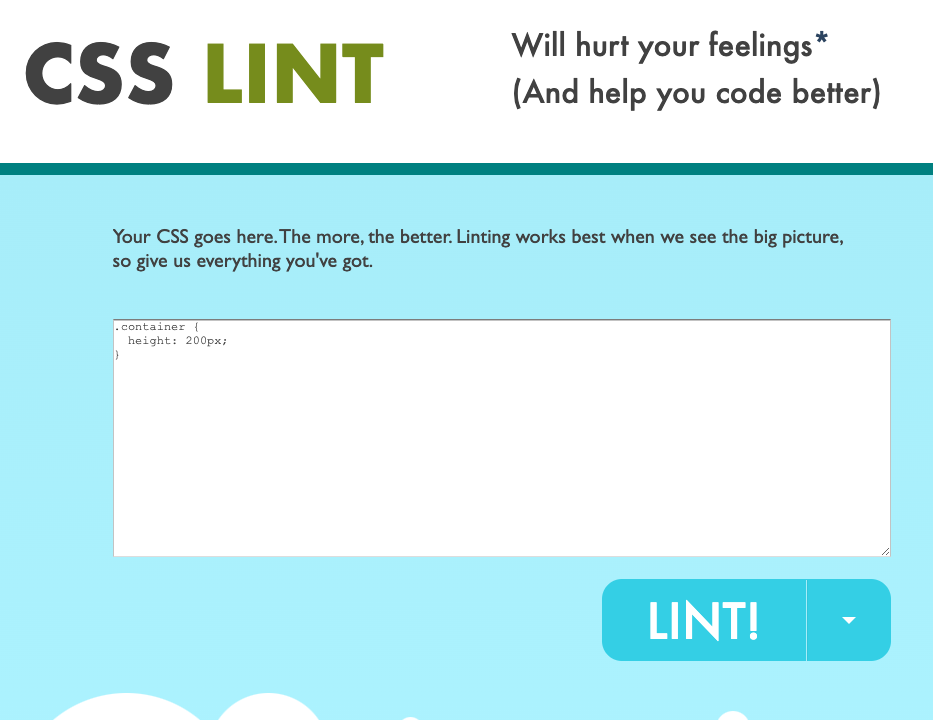
https://github.com/CSSLint/csslint
Style Lint
https://stylelint.io/

HTML Lint
https://github.com/htmlhint/HTMLHint

Dockerfile Lint
https://github.com/replicatedhq/dockerfilelint

Markdown Lint
https://github.com/DavidAnson/markdownlint

Java Check Style
https://checkstyle.sourceforge.io/

ESLint 作者介绍
Nicholas C. Zakas
美国人、著名程序员、作家

Nicholas C. Zakas 尼古拉斯•泽卡斯
那本很厚很厚的 JavaScript 高级程序设计就是他写的。但不幸的前两年患上了莱姆病 目前全职开源和写书。


如何使用 ESLint
// 安装
yarn add eslint -D
// 初始化配置
yarn create @eslint/config
// 上面会生成一个配置文件,.eslintrc.{js,yml,json}
// 执行命令,检测问题
yarn run eslint yourfile.js
module.exports = {
"root": true,
"env": {
"node": true,
"browser": true,
"es2021": true
},
"extends": [
"airbnb",
"plugin:react/recommended"
],
"parserOptions": {
"ecmaFeatures": {
"jsx": true
},
"ecmaVersion": "latest",
"sourceType": "module"
},
"plugins": [
"react"
],
"rules": {
"semi": ["error", "always"],
"comma-spacing": 2
}
};
module.exports = {
    "root": true,
    "env": {
        "node": true,
        "browser": true,
        "es2021": true
    },
    "extends": [
        "airbnb",
        "plugin:react/recommended"
    ],
    "parserOptions": {
        "ecmaFeatures": {
            "jsx": true
        },
        "ecmaVersion": "latest",
        "sourceType": "module"
    },
    "plugins": [
        "react"
    ],
    "rules": {
      "semi": ["error", "always"],
      "comma-spacing": 2
    }
};
1、根配置文件
2、ESLint v8.0 之前,根目录 ~/.eslintrc
module.exports = {
    "root": true,
    "env": {
        "node": true,
        "browser": true,
        "es2021": true
    },
    "extends": [
        "airbnb",
        "plugin:react/recommended"
    ],
    "parserOptions": {
        "ecmaFeatures": {
            "jsx": true
        },
        "ecmaVersion": "latest",
        "sourceType": "module"
    },
    "plugins": [
        "react"
    ],
    "rules": {
      "semi": ["error", "always"],
      "comma-spacing": 2
    }
};
运行环境设置
module.exports = {
    "root": true,
    "env": {
        "node": true,
        "browser": true,
        "es2021": true
    },
    "extends": [
        "airbnb",
        "plugin:react/recommended"
    ],
    "parserOptions": {
        "ecmaFeatures": {
            "jsx": true
        },
        "ecmaVersion": "latest",
        "sourceType": "module"
    },
    "plugins": [
        "react"
    ],
    "rules": {
      "semi": ["error", "always"],
      "comma-spacing": 2
    }
};
共享社区配置,相同规则后面的会覆盖前面的,extends 属性值可以省略包名的前缀eslint-config-
module.exports = {
"root": true,
"env": {
"node": true,
"browser": true,
"es2021": true
},
"extends": [
"airbnb",
"plugin:react/recommended"
],
"parser": "@typescript-eslint/parser",
"parserOptions": {
"ecmaFeatures": {
"jsx": true
},
"ecmaVersion": "latest",
"sourceType": "module"
},
"plugins": [
"react"
],
"rules": {
"semi": ["error", "always"],
"comma-spacing": 2
}
};
ESLint 默认的 parse 是 Espree, 只转换 js, 默认支持 ES6 的语法,要支持 TS 的话必须得用其它支持 TS 的 parser 来解析
module.exports = {
    "root": true,
    "env": {
        "node": true,
        "browser": true,
        "es2021": true
    },
    "extends": [
        "airbnb",
        "plugin:react/recommended"
    ],
    "parserOptions": {
        "ecmaFeatures": {
            "jsx": true
        },
        "ecmaVersion": "latest",
        "sourceType": "module"
    },
    "plugins": [
        "react"
    ],
    "rules": {
      "semi": ["error", "always"],
      "comma-spacing": 2
    }
};
解析器配置项
module.exports = {
    "root": true,
    "env": {
        "node": true,
        "browser": true,
        "es2021": true
    },
    "extends": [
        "airbnb",
        "plugin:react/recommended"
    ],
    "parserOptions": {
        "ecmaFeatures": {
            "jsx": true
        },
        "ecmaVersion": "latest",
        "sourceType": "module"
    },
    "plugins": [
        "react"
    ],
    "rules": {
      "semi": ["error", "always"],
      "comma-spacing": 2
    }
};
解析器ESLint 本身规则只会去支持标准的 ECMAScript 语法,但是如果我们想在 React 中也使用 ESLint 则需要自己去定义一些规则,这就有了 eslint-plugin-react配置项
module.exports = {
    "root": true,
    "env": {
        "node": true,
        "browser": true,
        "es2021": true
    },
    "extends": [
        "airbnb",
        "plugin:react/recommended"
    ],
    "parserOptions": {
        "ecmaFeatures": {
            "jsx": true
        },
        "ecmaVersion": "latest",
        "sourceType": "module"
    },
    "plugins": [
        "react"
    ],
    "rules": {
      "semi": ["error", "always"],
      "comma-spacing": 2
    }
};
"off"or0- 关掉该规则"warn"or1- 警告提醒"error"or2- 错误提醒
ESLint 运行原理
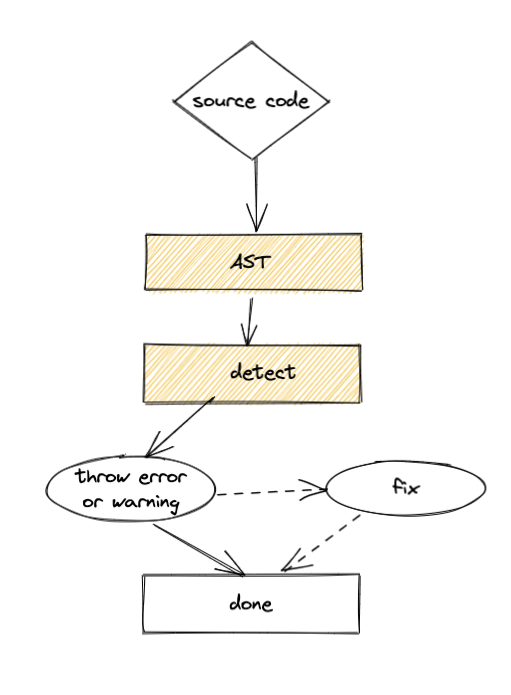
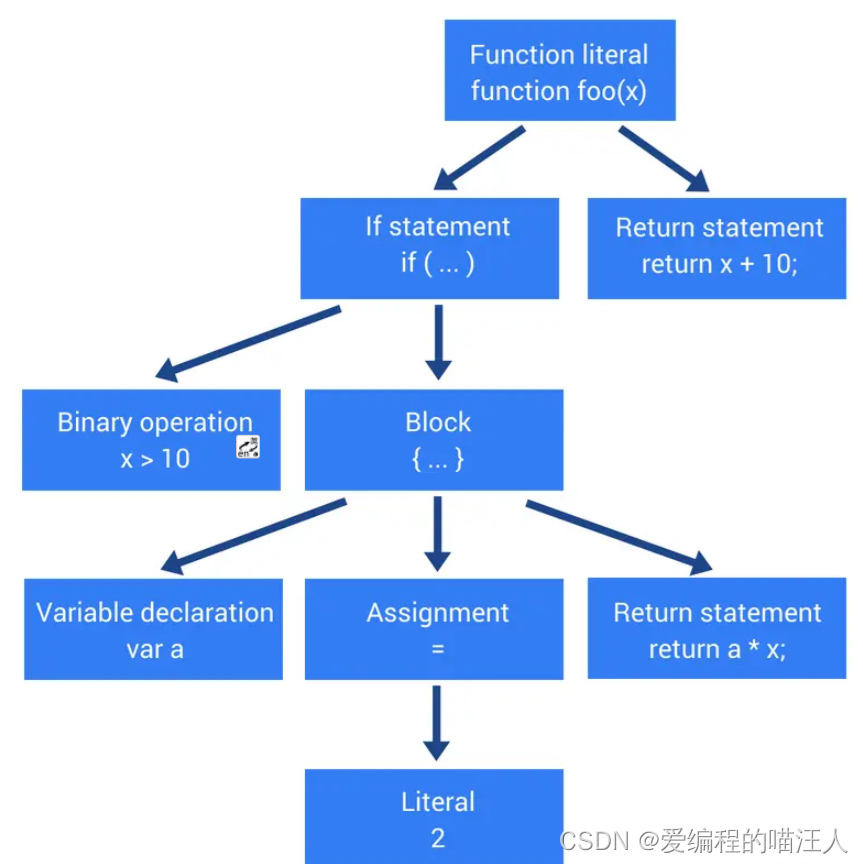
AST
Abstract Syntax Tree 抽象语法树

parser
- Espree
- Typescript
- babel-eslint
- flow-type
单个 rules 是怎么运行的?
// https://github.com/eslint/eslint/blob/caeb223c4f/lib/rules/no-debugger.js
module.exports = {
    meta: {
        type: "problem",

        docs: {
            description: "Disallow the use of `debugger`",
            recommended: true,
            url: "https://eslint.org/docs/rules/no-debugger"
        },

        fixable: null,
        schema: [],

        messages: {
            unexpected: "Unexpected 'debugger' statement."
        }
    },

    create(context) {

        return {
            DebuggerStatement(node) {
                context.report({
                    node,
                    messageId: "unexpected"
                });
            }
        };

    }
};
// https://github.com/eslint/eslint/blob/caeb223c4f/lib/rules/no-debugger.js
module.exports = {
meta: {
type: "problem",
docs: {
description: "Disallow the use of `debugger`",
recommended: true,
url: "https://eslint.org/docs/rules/no-debugger"
},
fixable: null,
schema: [],
messages: {
unexpected: "Unexpected 'debugger' statement."
}
},
create(context) {
return {
DebuggerStatement(node) {
context.report({
node,
messageId: "unexpected"
});
}
};
}
};如何编写 ESLint 插件
https://github.com/0xYootou/eslint-plugin-996
http://gitlab.in.chinawyny.com/front-end/infra/eslint-plugin-styled-no-color-value
ESLint 那些朋友们
VSCode Plugin for ESLint

Prettier

Husky
Husky 🐶
Lint-Staged
https://github.com/okonet/lint-staged

Lint-Staged

CI
谢谢
Talk about ESLint
By bo feng