readme.md
What is it?
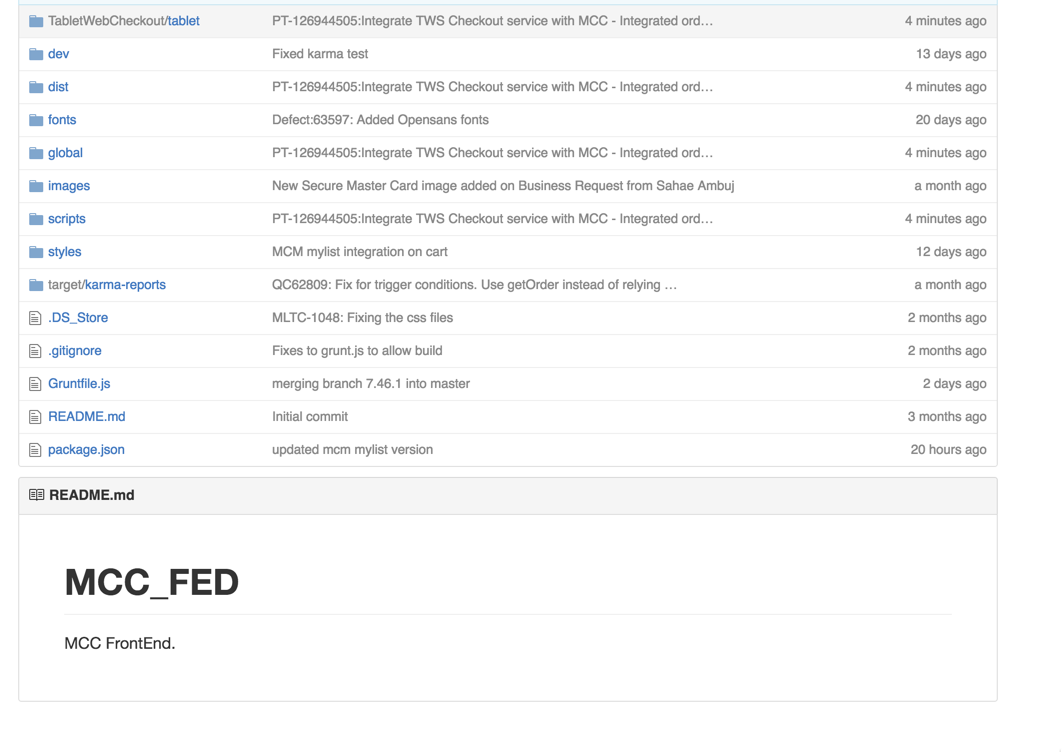
- Documentation inside your github repo
- If in root of repo, shows on main github page
- Uses markdown for formatting
Why have one?
- Answers the question "what is in this repo"
-
Lives with code
- Easier to keep up to date
- Easier to find
- Source controlled
- Your repo looks incomplete without one
- Promotes collaboration (i.e. forking)
- Ramp up - new team members, promiscuous pairing, haven't looked at in a while
What should it contain?

What should it contain?
- Description of the repo
- From a business perspective
- How it interacts with other repos/systems
- Architecture diagram
- Links to other related repos
- example: UI links to API repo
- How to setup
- How to build
- How to execute tests
- How to run locally and debug
- CI/CD
- What builds it and how
- Where does the build artifact get placed
- Where does it get deployed to (QA and PR)
- Reporting, Dashboards, Metrics, SLOs

How?
- Step 1: create a readme.md file at the root of your repo
- Step 2: commit to your git repo
- Step 3: push to github
- Step 4: refresh the github page

Wow, that's easy!
Tools
- Markdown documentation
- IntelliJ / IDEA products: Markdown plugin
- Preferences > Plugins > Install Jetbrains plugin... > Markdown support
-
Atom Markdown Preview
-
Preferences > Install > markdown-preview
-
- Mou
- Free beta: http://25.io/mou/ (note: doesn't work on Sierra)
Basic Markdown
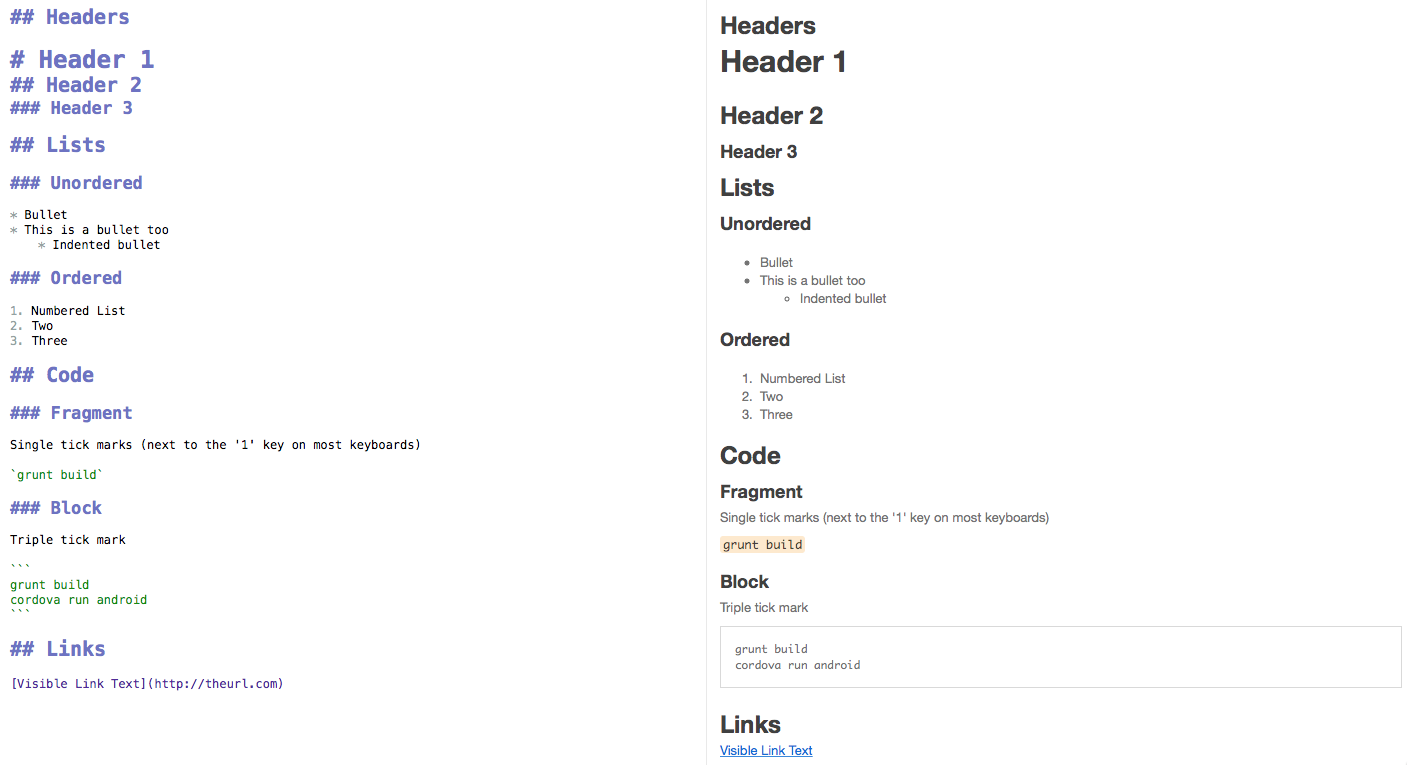
Examples
fin
readme
By bryanrosenbaum