
is not magic!
"We are better and happier developers when we understand our tools"
-Webpack: It's Not Magic | Naomi Jacobs | BuzzJS 2.0 2017
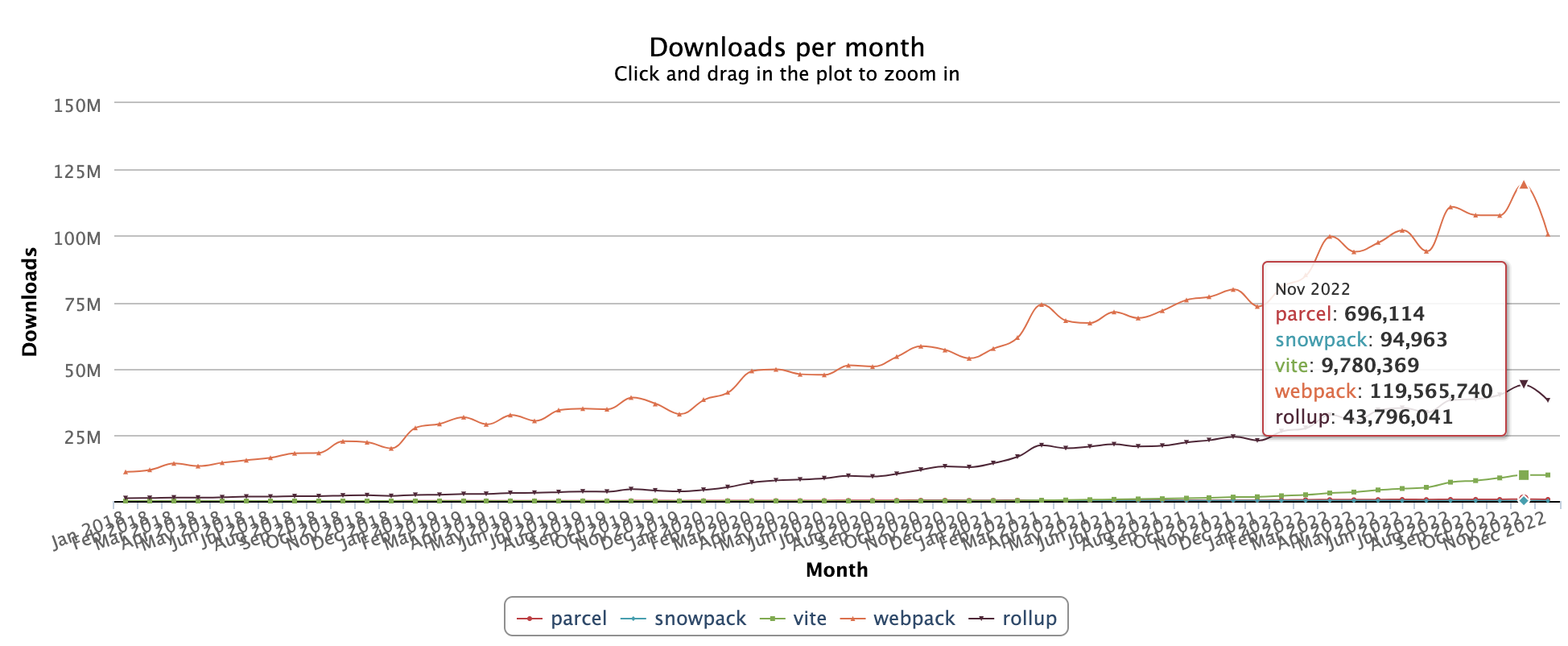
Why Webpack?
Jan 2018 - Dec 2022
https://npm-stat.com/
What is Webpack?
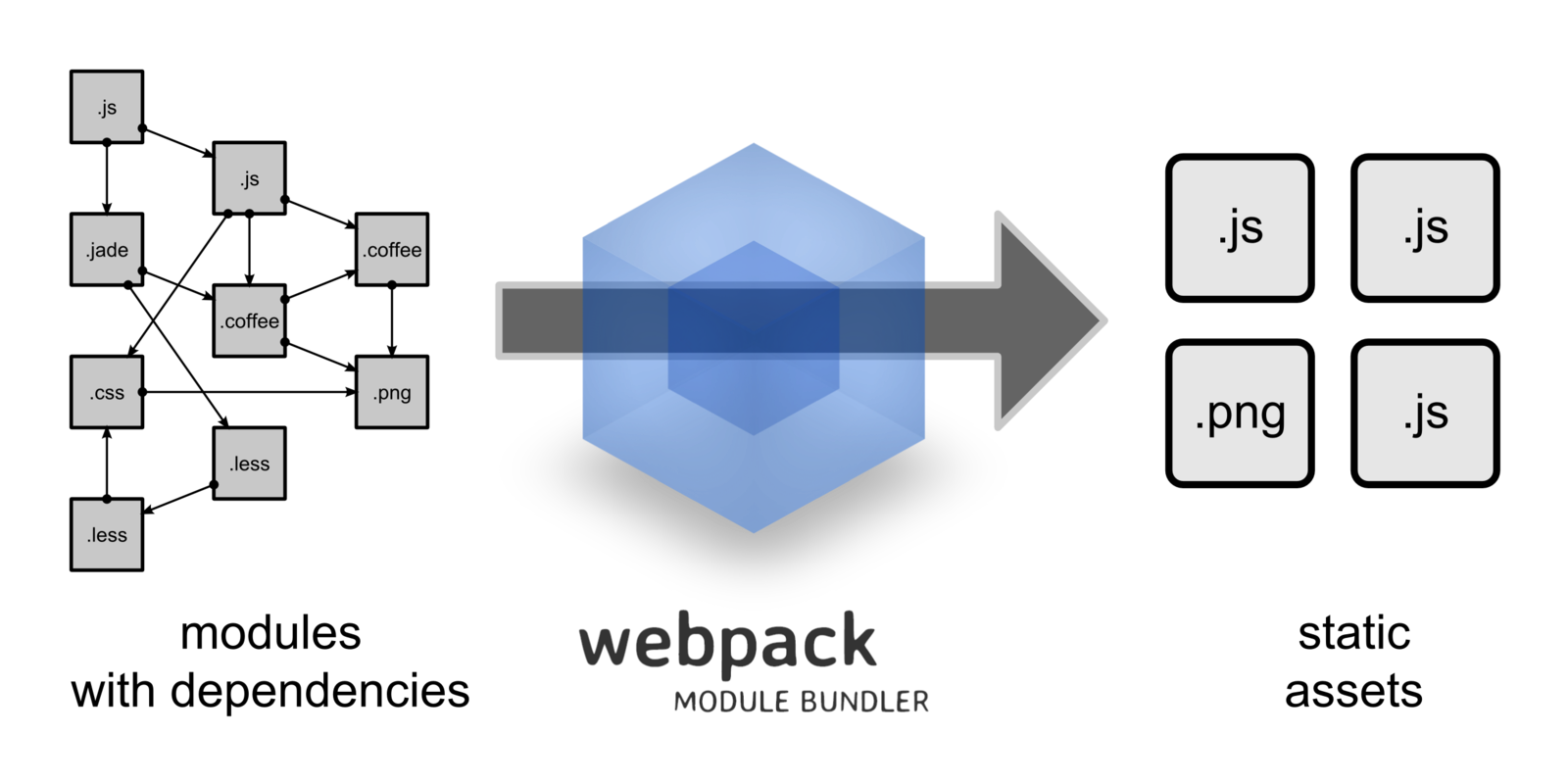
- Webpack is a module bundler that takes modules with dependencies and emits static assets representing those modules.

Stuff that is nice for you to write
Stuff that is nice for browser to read

Stuff that is nice for you to write
- Easy for humans to read
- Pretty formatting
- Readable variable names and methods
- Code is separated into multiple files and organized logically
- Other languages different from JS (ES6+, TypeScript, JSX, Vue)

Stuff that is nice for browser to read
- Old School JS (ES5), standardized JS
- Fewer requests (good for bad/mobile connections)
- Smaller Responses
- Whitespaces
- Pretty variable names
- Compressed Images

Problems that Webpack Solve
- Namespacing
- Variables declared outside of functions are global
- Optimization
- Uglification
- Minification (get rid of whitespaces)
- Sending code to browsers more efficiently
- Just one request needed to get the bundle.

Namespacing
(function() {
    var miScopedVarible = 10;
    var notGlobalVar = "I am not global";
}());
IIFE - Immediate Invoke Function Expression
Sending code to browsers more efficiently
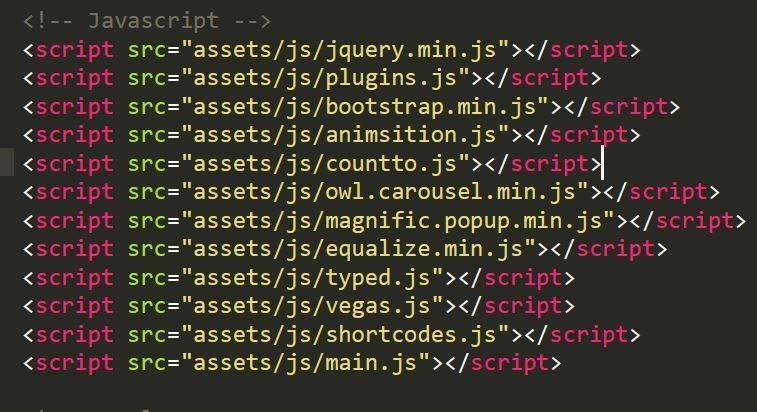
After Bundled***
<script src="bundle.js"></script>How I assumed Webpack worked

JS
webpack
main.js

How Webpack really works
- Webpack takes a path to a single starting file (Entry)
- Apply 4 steps:
- Find dependent files
- Apply Loaders
- Implement module system
- Create final asset
1. Find dependent files
- Make an array to keep track of the dependent files
- Start at entry file
- Look for dependency declarations (AMD, CommonJS, ES6...)
- For each
- Validate path
- Must lead to a file or npm module
- Add file to the array

Remember this!
[ entryModule, dependency1, dependency2, etc... ]2. Apply Loaders
- Apply user specific loaders.
- We can chain loaders
JSON Loader - https://github.com/webpack-contrib/json-loader
Loader: is a function that takes in source code, makes changes, and returns the new code.
function jsonLoader (source) {
    return "module.exports = " + JSON.stringify(source) + ";";
};
module: {
rules: [
{
test: /\.vue$/,
loader: "vue-loader",
include: /src/
},
{
test: /\.js$/,
loader: "babel-loader",
exclude: /node_modules/
},
{
test: /\.less$/,
use: [
{
loader: "style-loader"
},
{
loader: "css-loader"
},
{
loader: "less-loader"
}
]
}
]
}module: {
rules: [
{
test: /\.vue$/,
loader: "vue-loader",
include: /src/
},
{
test: /\.js$/,
loader: "babel-loader",
exclude: /node_modules/
},
{
test: /\.less$/,
use: [
{
loader: "style-loader"
},
{
loader: "css-loader"
},
{
loader: "less-loader"
}
]
}
]
}less-loader
css-loader
style-loader
style.less
less-loader
css-loader
style-loader
*.css
less-loader
css-loader
style-loader
*.js
3. Implement module system
- Wraps each file in a function (a loader)
- Passes two arguments
- module
- webpackRequire (more on this, later)
- Remember the array that was created in the first step?
- Replaces all instances of require("foo") with webpackRequire(indexOfFoo) (another loader)
// double.js
module.exports = function (x) {
    return x * 2;
};
// double.js
function (module, webpackRequire) {
module.exports = function (x) {
return x * 2;
};
}// main.js
var doubleMethod = require("./double.js");
console.log(doubleMethod(2)); // 4// main.js
function (module, webpackRequire) {
var doubleMethod = webpackRequire(1);
console.log(doubleMethod(2)); // 4
}4. Create final asset
- Must define the webpackRequire function
- Must have all our code ( entry file and dependencies)
- Must pull all together


The four core concepts
- Entry* : Tells webpack WHAT (files) to load for the browser
- Output* : Tells webpack WHERE and HOW to distribute bundles (compilations)
- Loaders : Tells webpack how to load files in your content base (extensions to load, even your own)
- Plugins : Is used to customize the webpack build process in a variety of ways.

Plugins construction
- Plugins are ES5 classes
- A plugin for webpack consists of
- A named JavaScript function.
- Defines apply method in it's prototype.
- Specifies webpack's event hook to attach itself.
- Manipulates webpack internal instance specific data.
- Invokes webpack provided callback after functionality is complete.
// A named JavaScript function.
function MyExampleWebpackPlugin() {

};

// Defines `apply` method in it's prototype.
MyExampleWebpackPlugin.prototype.apply = function(compiler) {
  // Specifies webpack's event hook to attach itself.
  compiler.plugin('webpacksEventHook', function(compilation, callback) {
    console.log("This is an example plugin!!!");

    // Invokes webpack provided callback after functionality is complete.
    callback();
  });
};
Using Plugins
var webpack = require('webpack')
// importing plugins that do not come by default in webpack
var ExtractTextPlugin = require('extract-text-webpack-plugin');

// adding plugins to your configuration
plugins: [
  // build optimization plugins
  new webpack.optimize.CommonsChunkPlugin({
    name: 'vendor',
    filename: 'vendor-[hash].min.js',
  }),
  new webpack.optimize.UglifyJsPlugin({
    compress: {
      warnings: false,
      drop_console: false,
    }
  }),
  new ExtractTextPlugin({
    filename: 'build.css'
  }),
  // compile time plugins
  new webpack.DefinePlugin({
    'process.env.NODE_ENV': '"production"',
  })
]
Webpack Config File
// webpack.config.js

var path = require("path");

module.exports = {
  entry: "./main.js",
  output: {
    path: path.resolve(__dirname, "dist"),
    filename: "bundle.js"
  }
};
// webpack.config.js
var path = require("path");
module.exports = {
entry: "./main.js",
output: {
path: path.resolve(__dirname, "dist"),
filename: "bundle.js"
},
module: {
rules: [{
test: /\.js$/,
use: ["babel-loader"],
exclude: /node_modules/
}]
}
};$ webpack
Thank You!

Webpack is not magic! 2023
By Cesar Guerrero Rincon