Content ITV PRO
This is Itvedant Content department
Perform Advanced Windows Tasks And Linux System Interaction
Business Scenario
Welcome!
You are working as a Security Analyst at SecureOps Systems, where your role is to monitor and manage Windows system security. You control background services, automate tasks using Task Scheduler, analyze registry entries for persistence mechanisms, and investigate system activities through Event Viewer logs. Through this hands-on lab, you ensure system stability, detect suspicious behavior, and maintain overall security of the organization’s systems.
Pre-Lab Preparation
Topic : Operating System Fundamentals
1) Basics of Operating Systems.
2) Windows OS fundamentals.
Task 1: Windows Security Monitoring & System Management
1
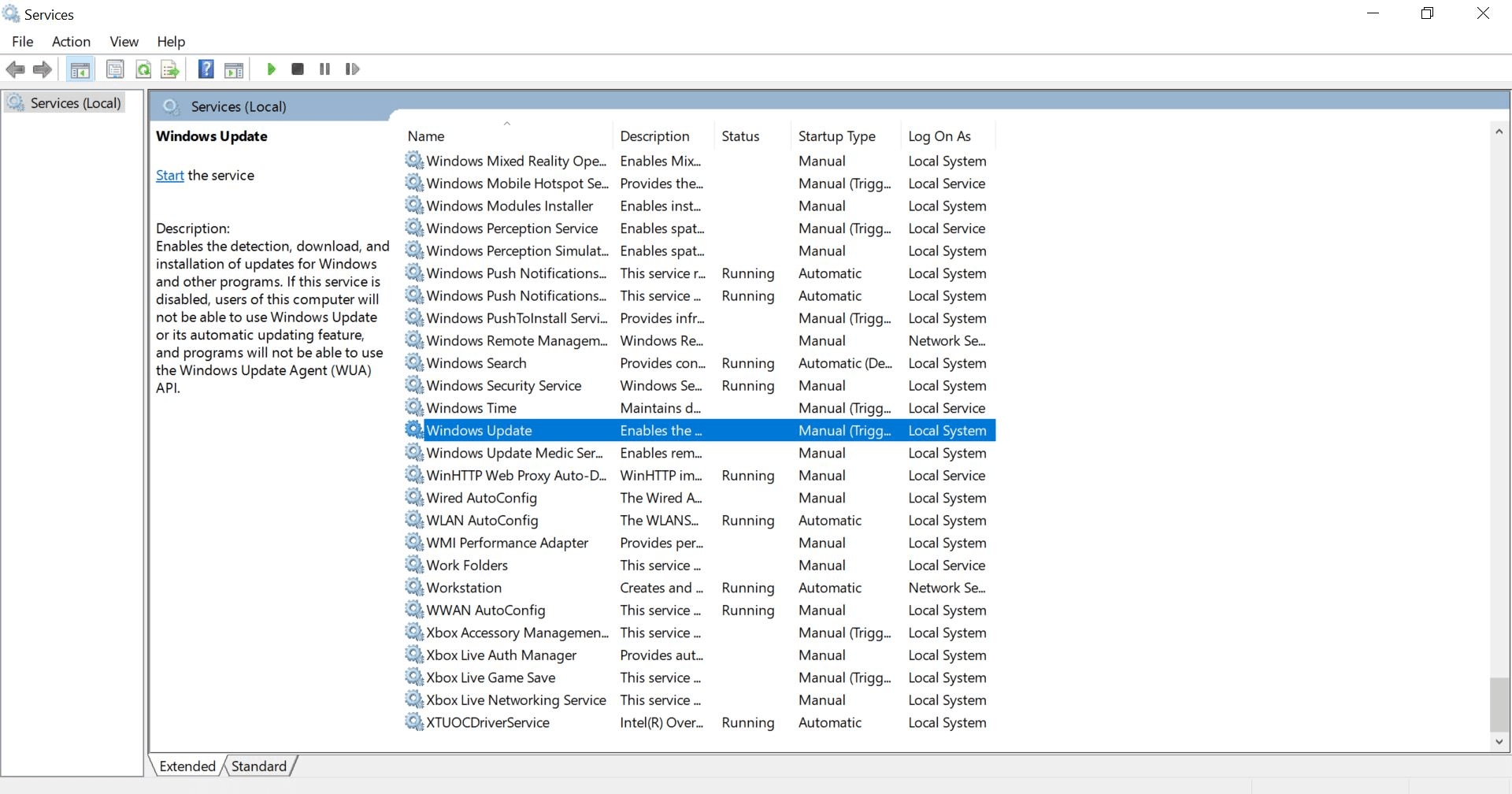
Services Management
Perform:
a
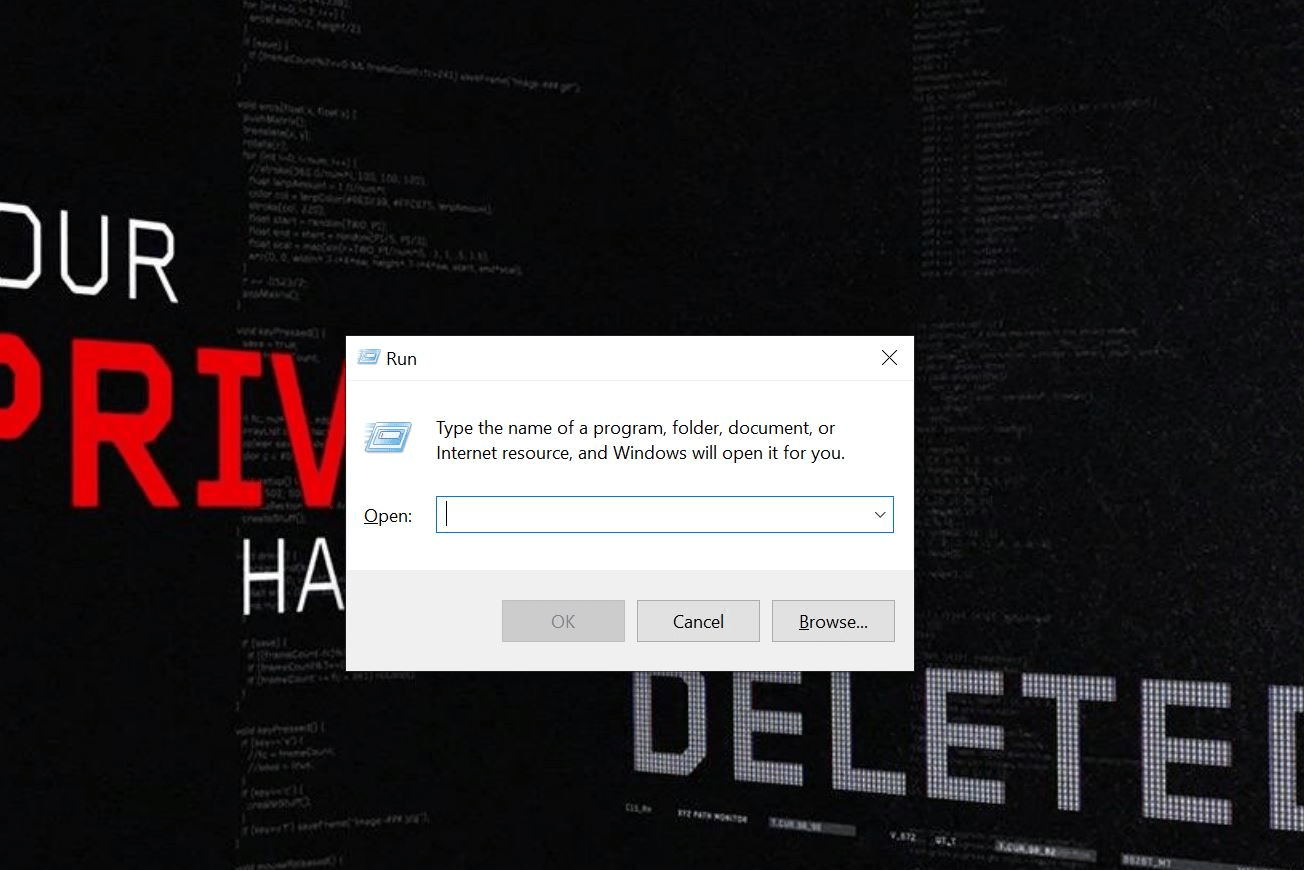
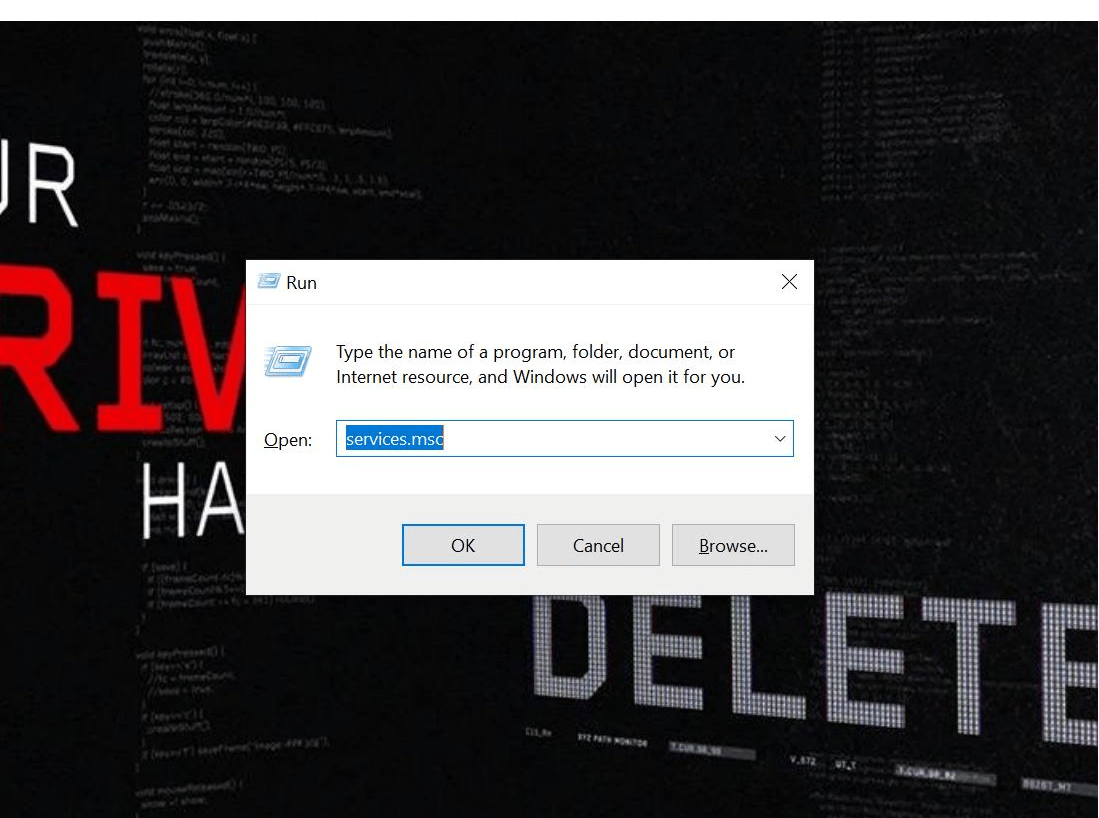
Open (perform windows+R)
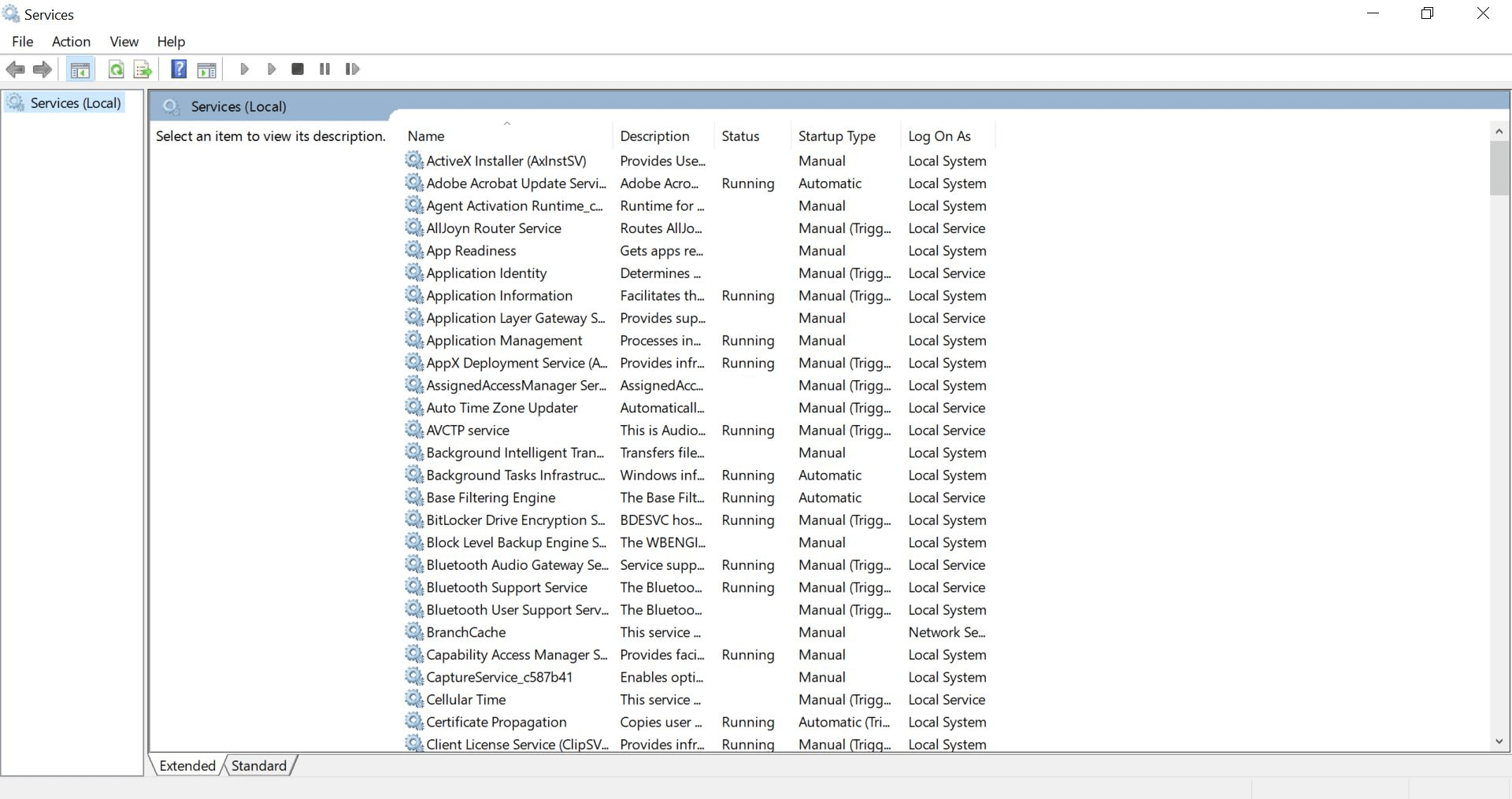
services.mscSelect a service (e.g., Windows Update)
b
Result:
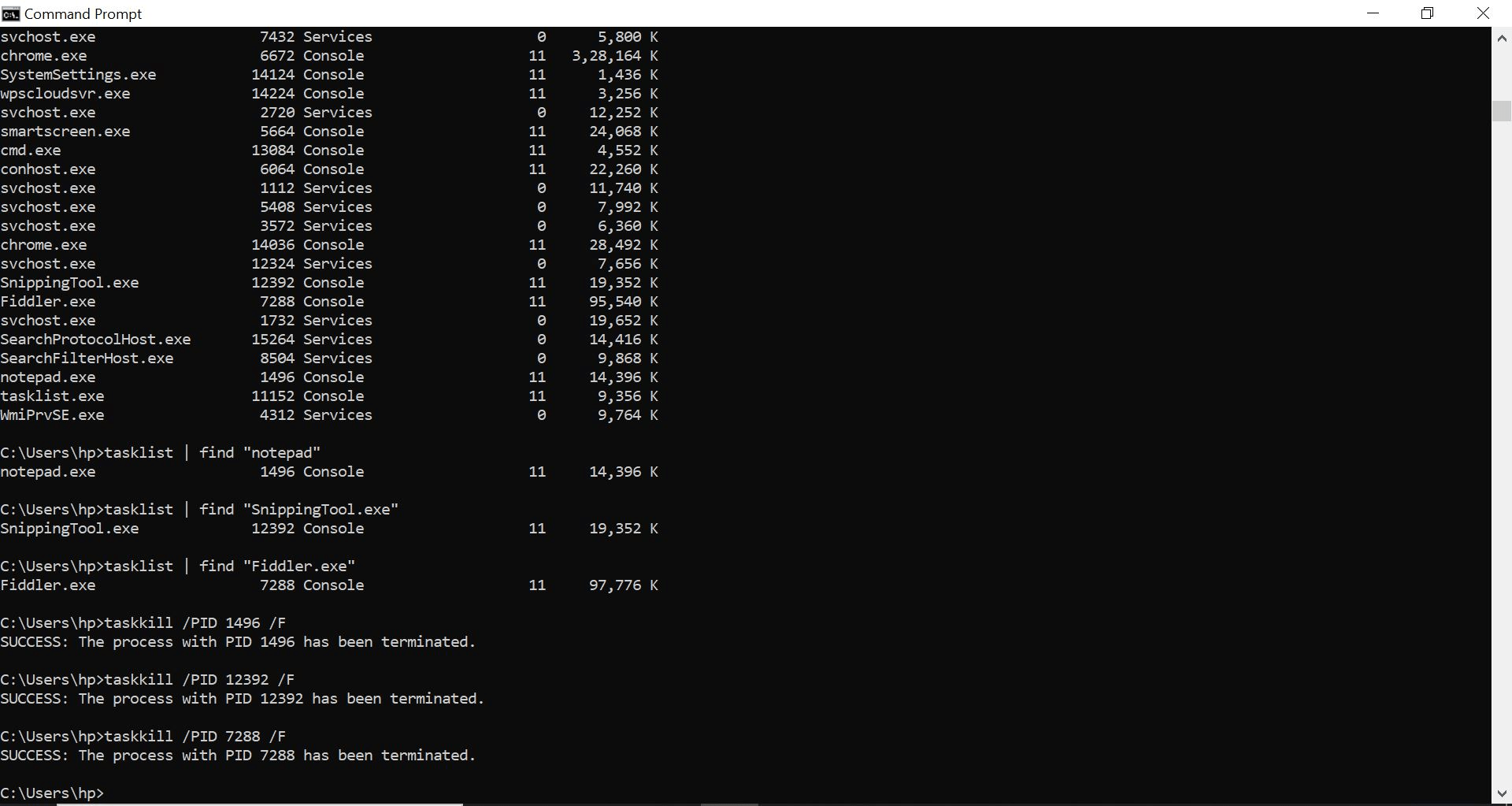
Able to view, start, and terminate processes
2
File System (NTFS) Operations
Perform:
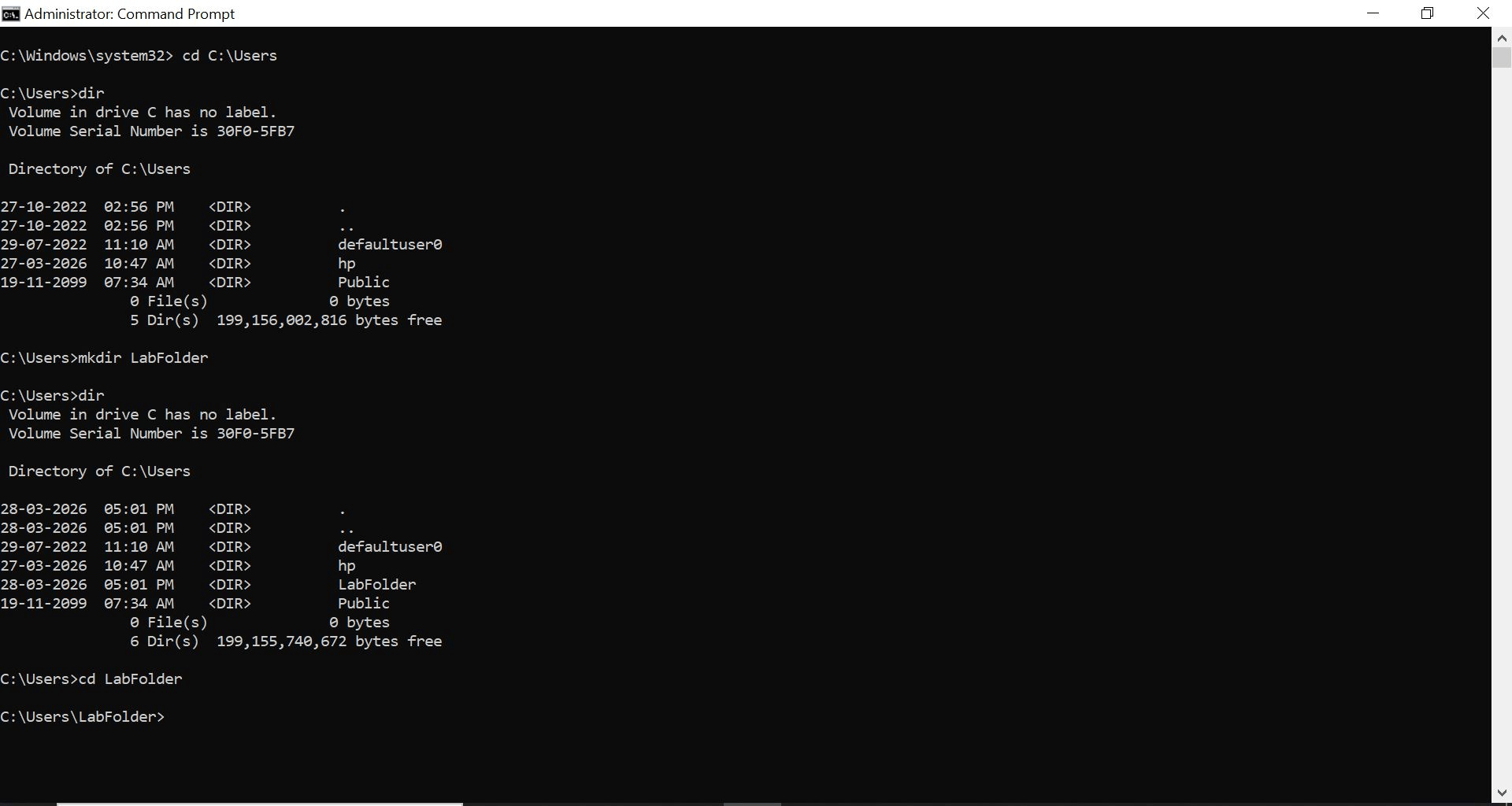
Navigate to user directory:
a
cd C:\Users dirCreate a folder
b
mkdir LabFolderThen For Open the folder Use
cd LabFolderCreate files:
c
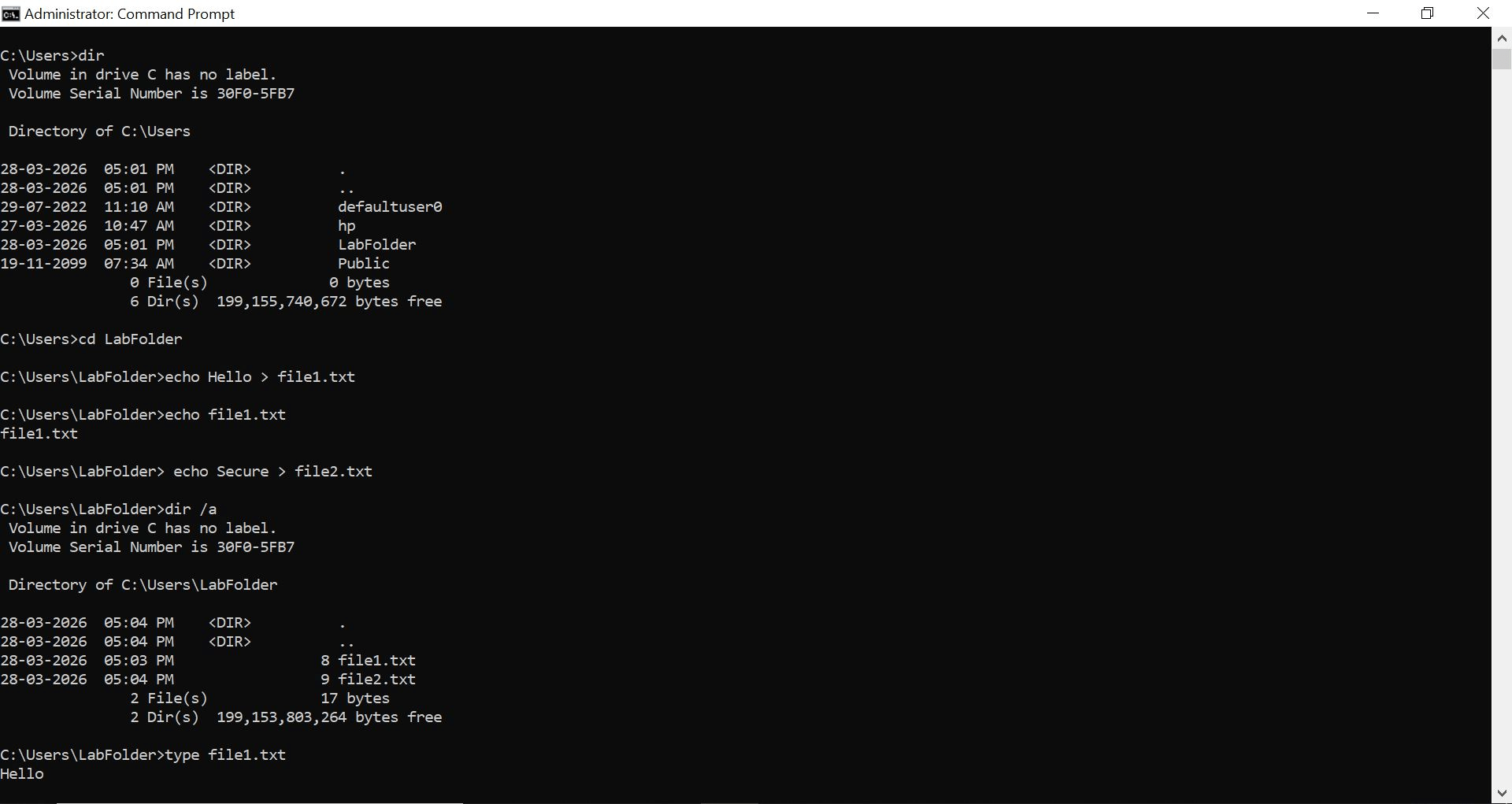
echo Hello > file1.txtecho Secure > file2.txt
View hidden/system files:
d
dir /a
To view the text files use :
e
file1.txt
3
File Permissions (NTFS Permissions)
Perform:
Check permissions:
a
icacls file1.txt
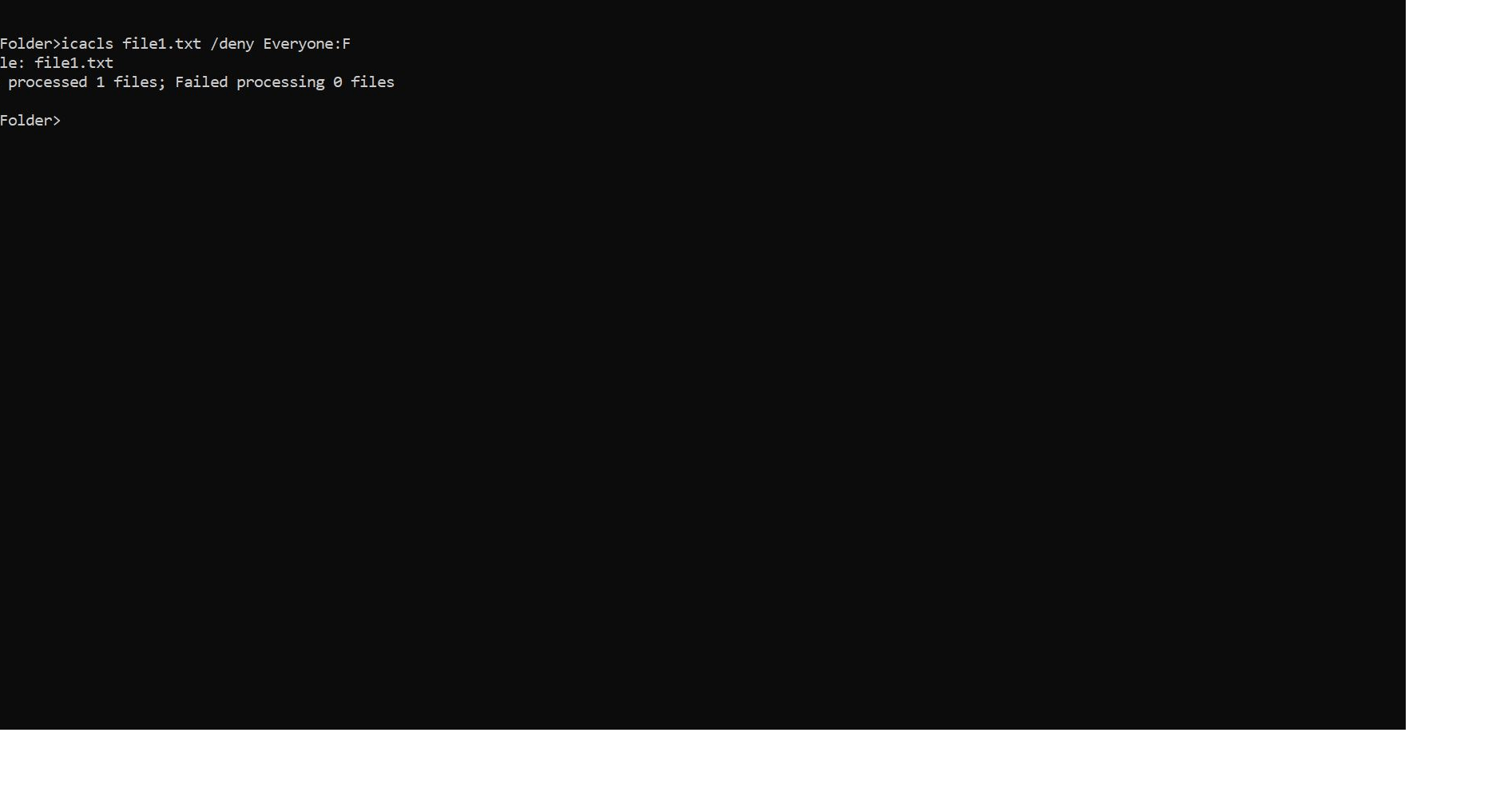
Deny access:
b
icacls file1.txt /deny Everyone:F
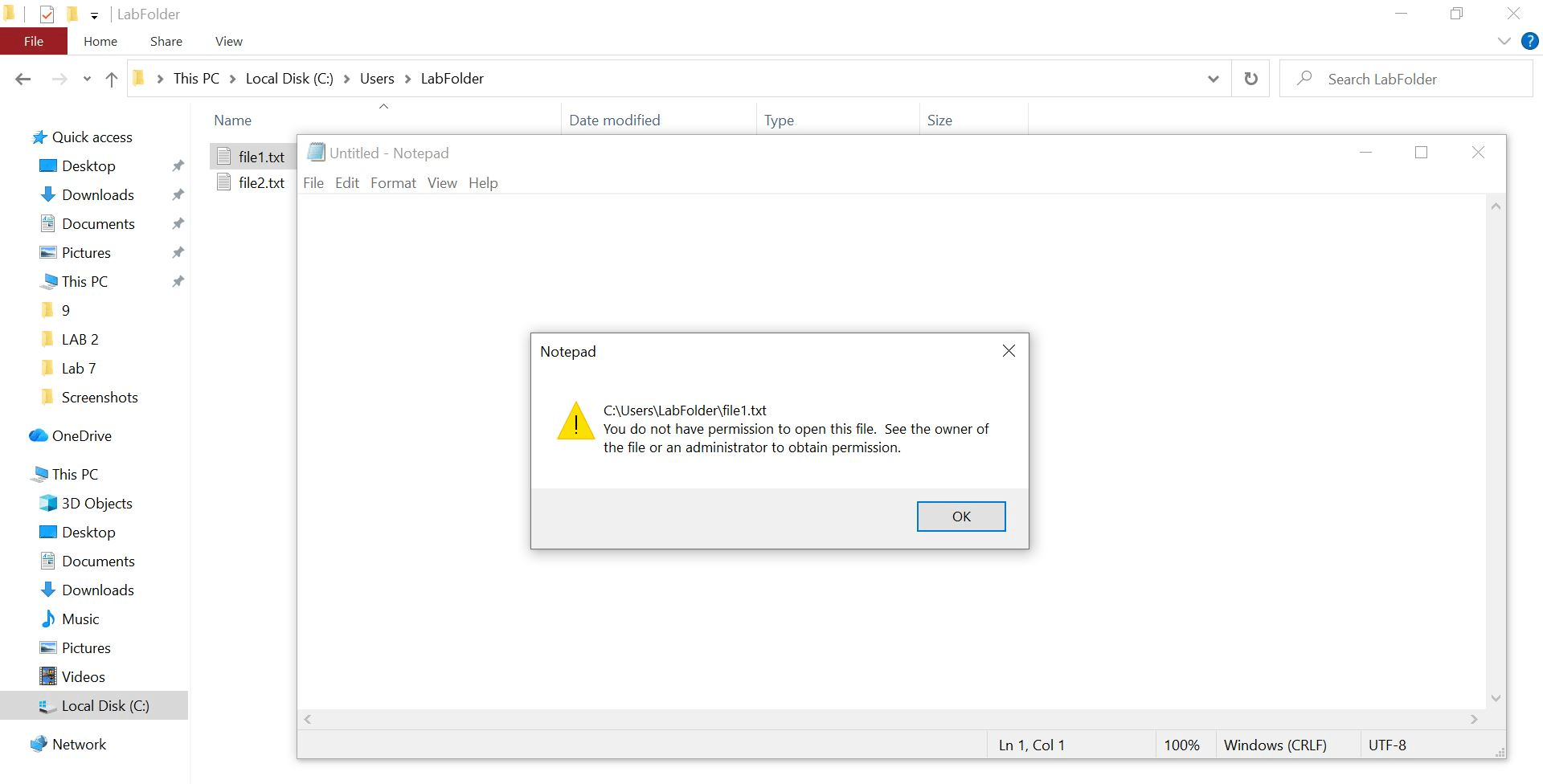
Verify restriction by opening file
c
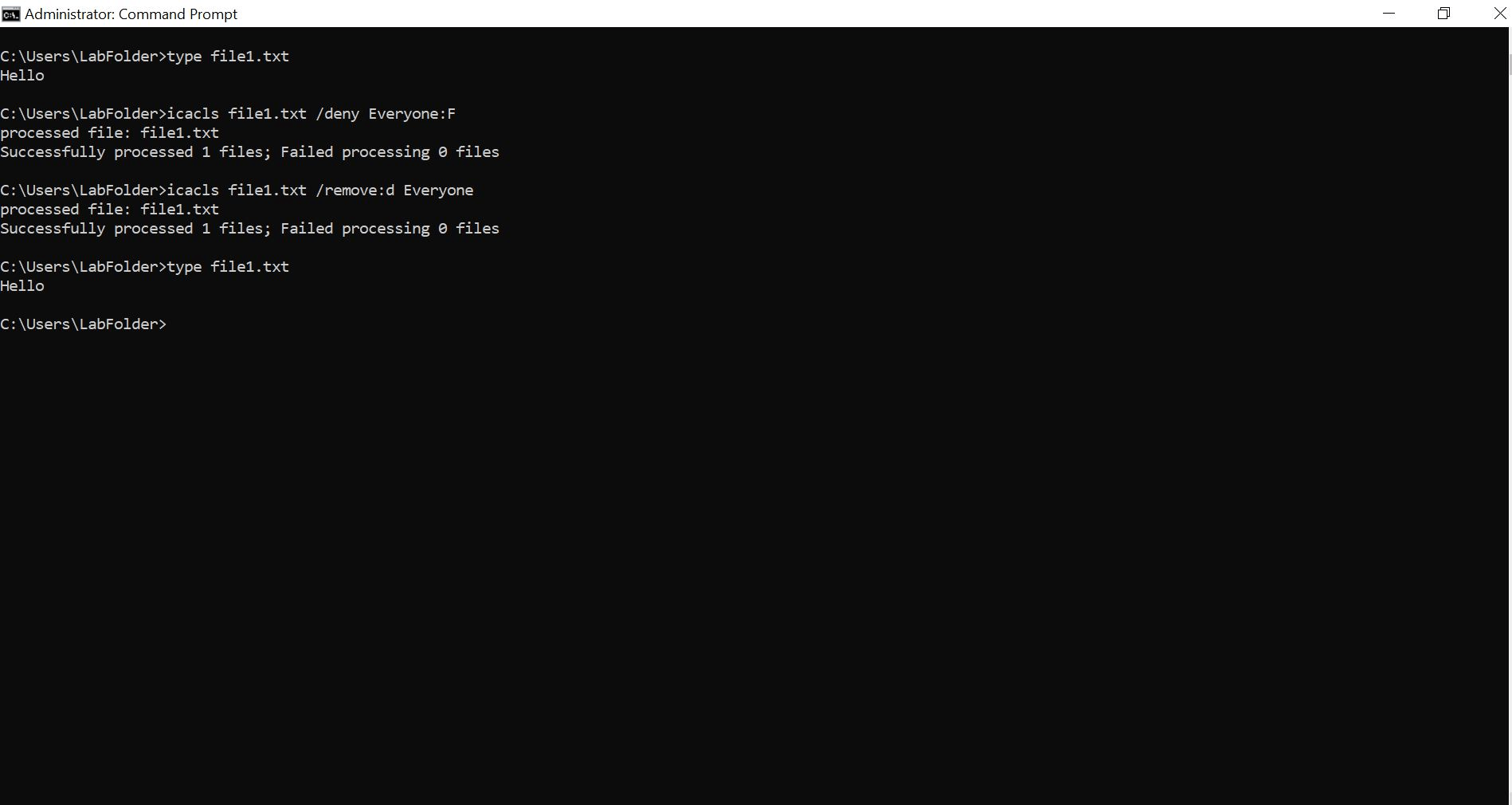
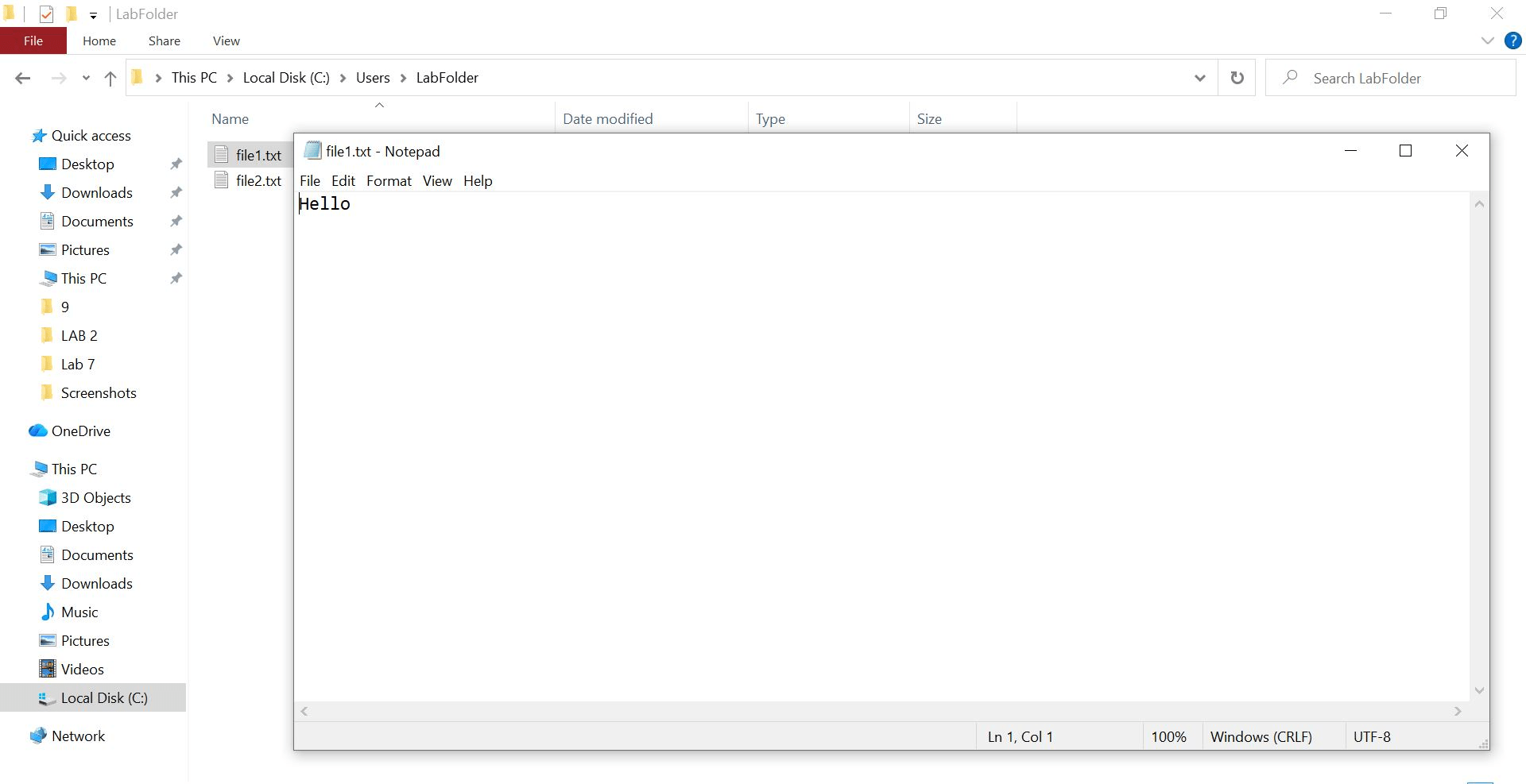
Restore permissions:
d
icacls file1.txt /remove:d Everyone
Result:
Control and test file access permissions
4
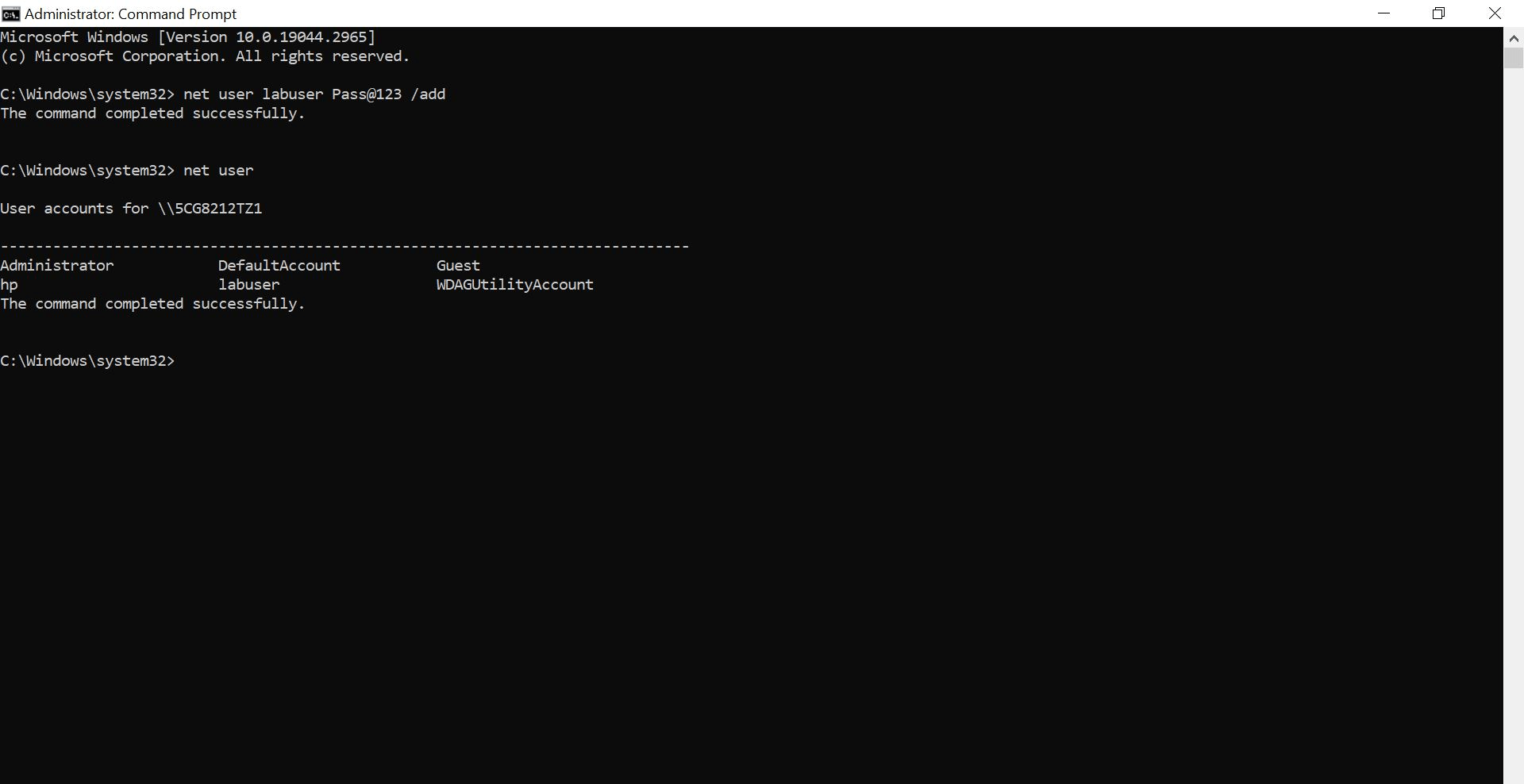
User Accounts & Privileges:
Perform:
Create a new user:
a
net user labuser Pass@123 /add
View all users:
b
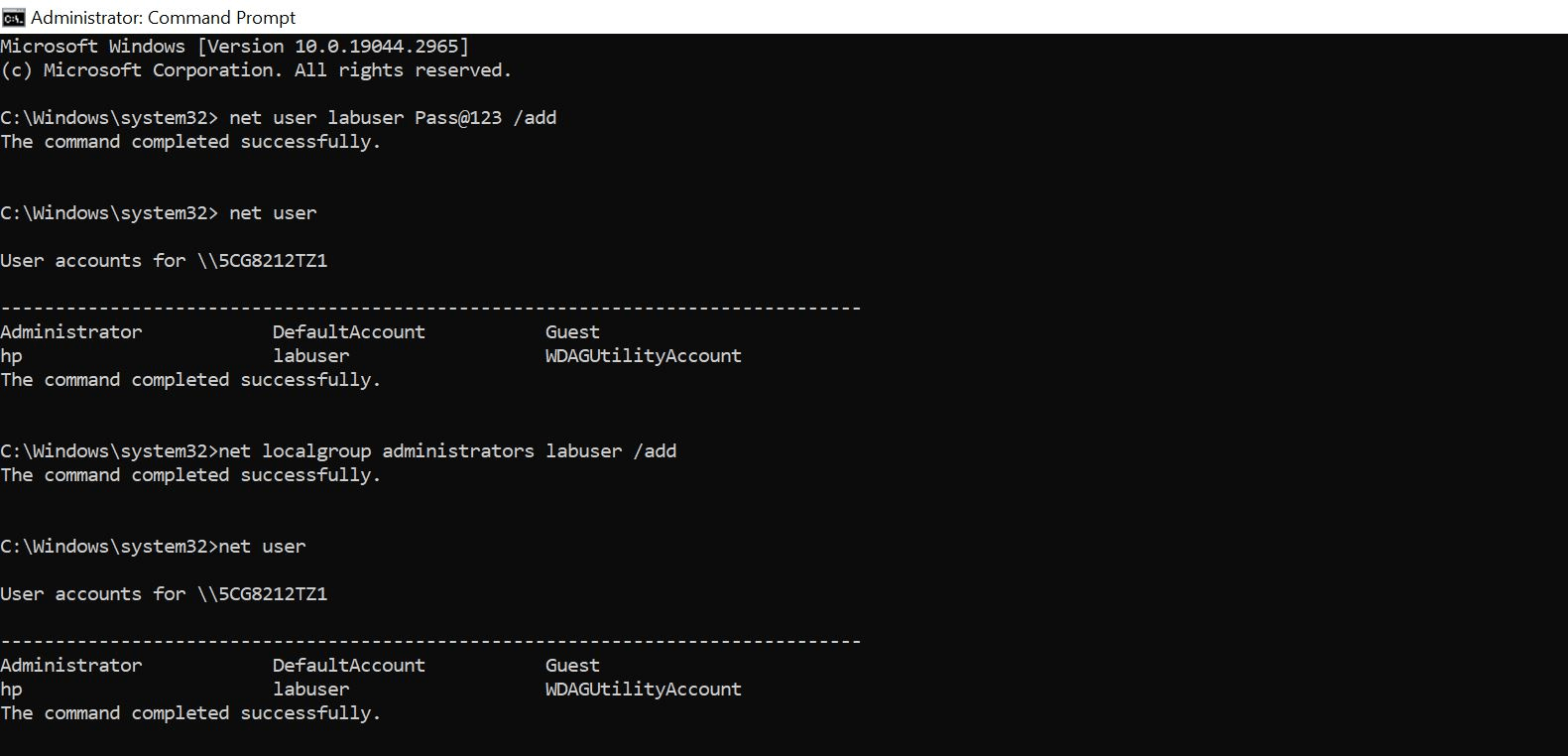
net userAdd user to admin group:
c
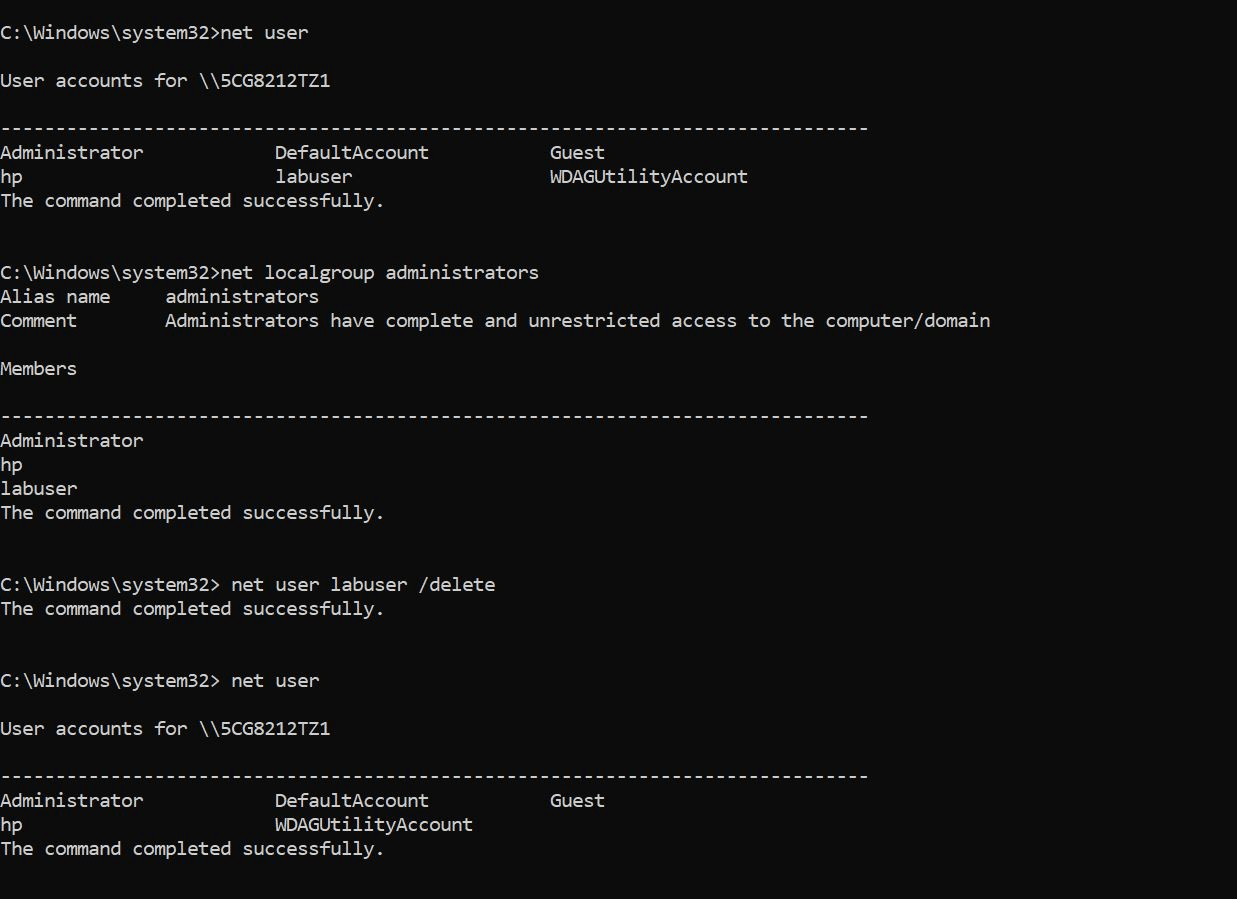
net localgroup administrators labuser /addVerify admin members:
d
net localgroup administratorsDelete user (cleanup):
e
net user labuser /deleteResult:
Manage users and privilege levels
5
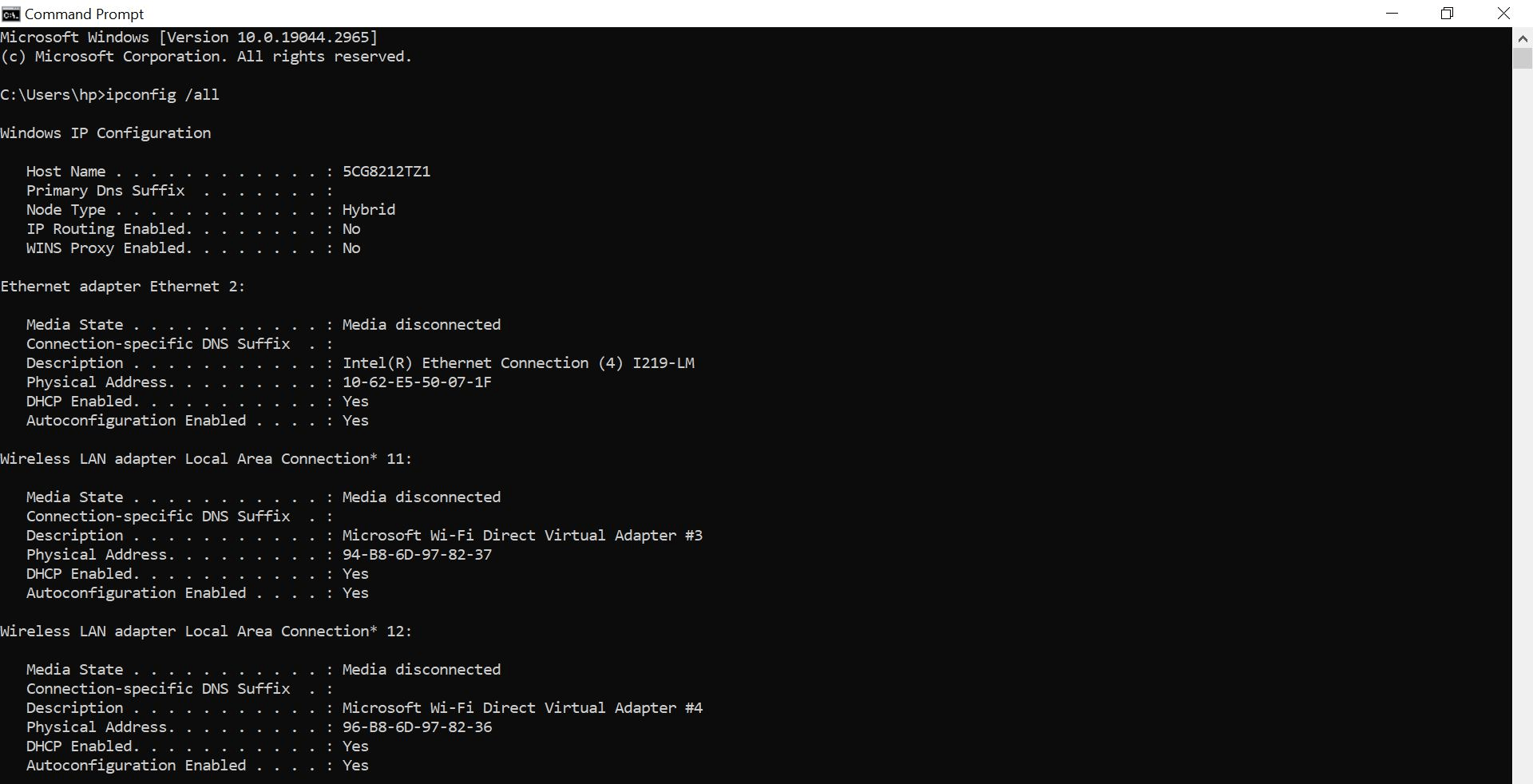
Networking Basics
Perform:
View IP configuration:
a
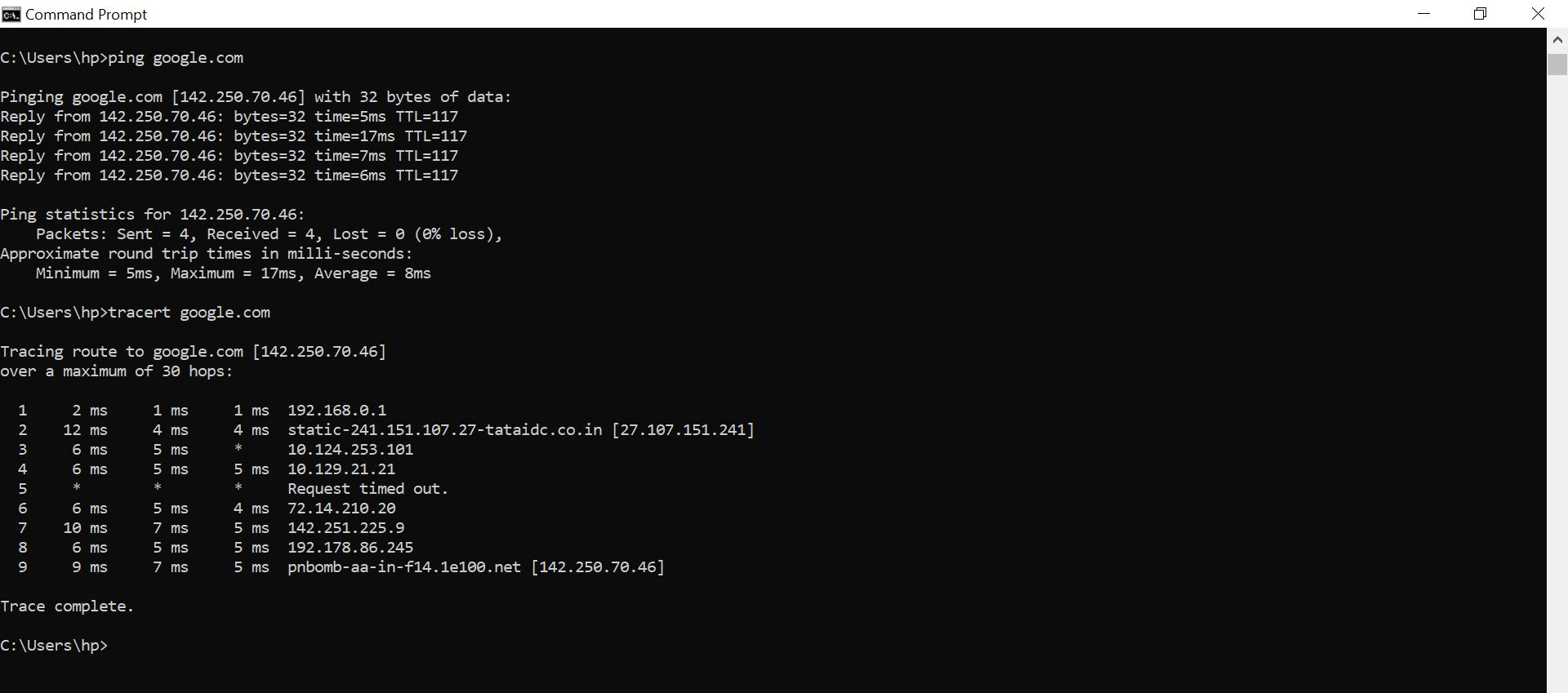
ipconfig /allTest connectivity:
b
ping google.comTrace route:
c
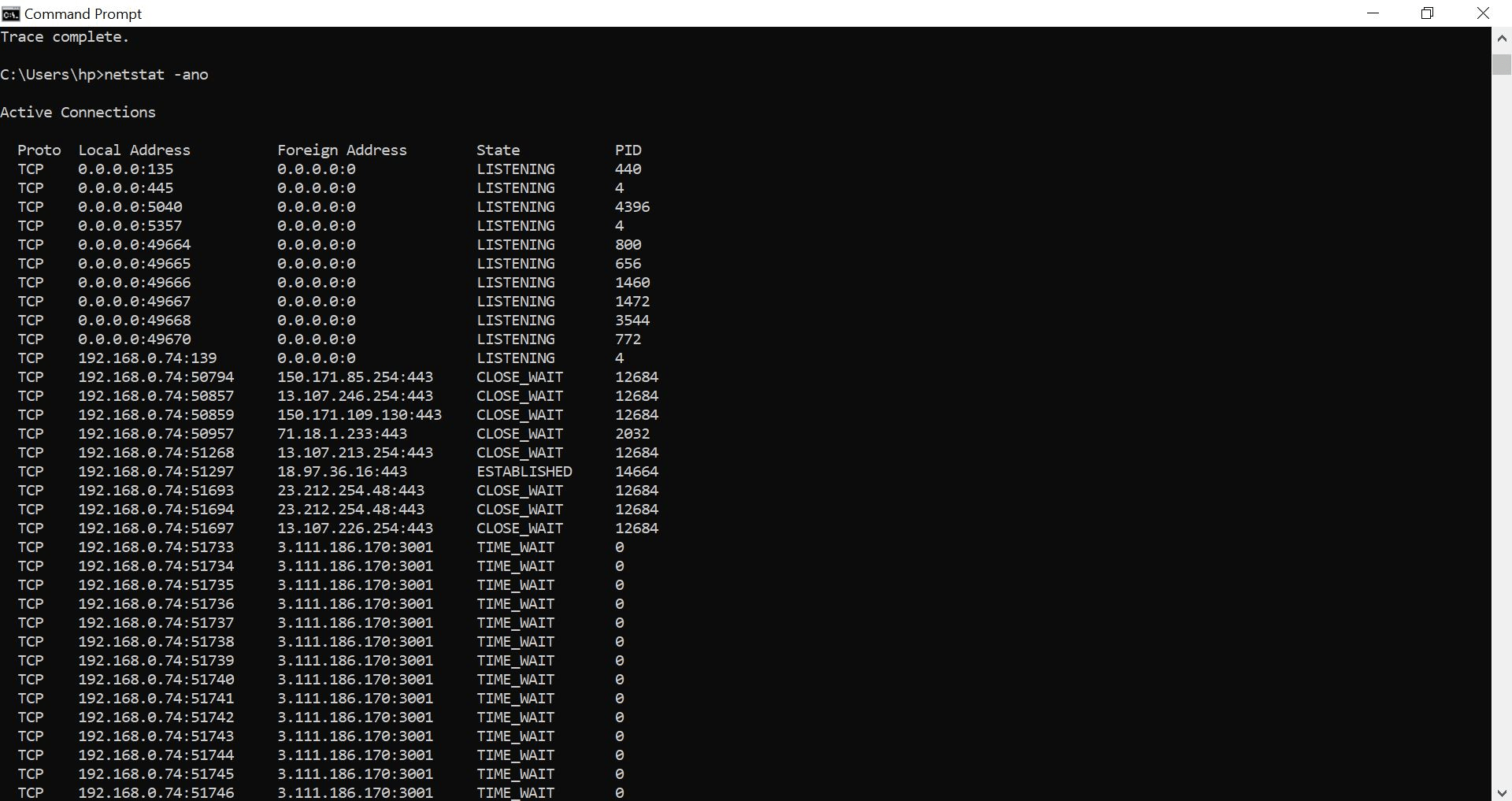
tracert google.comView active connections:
d
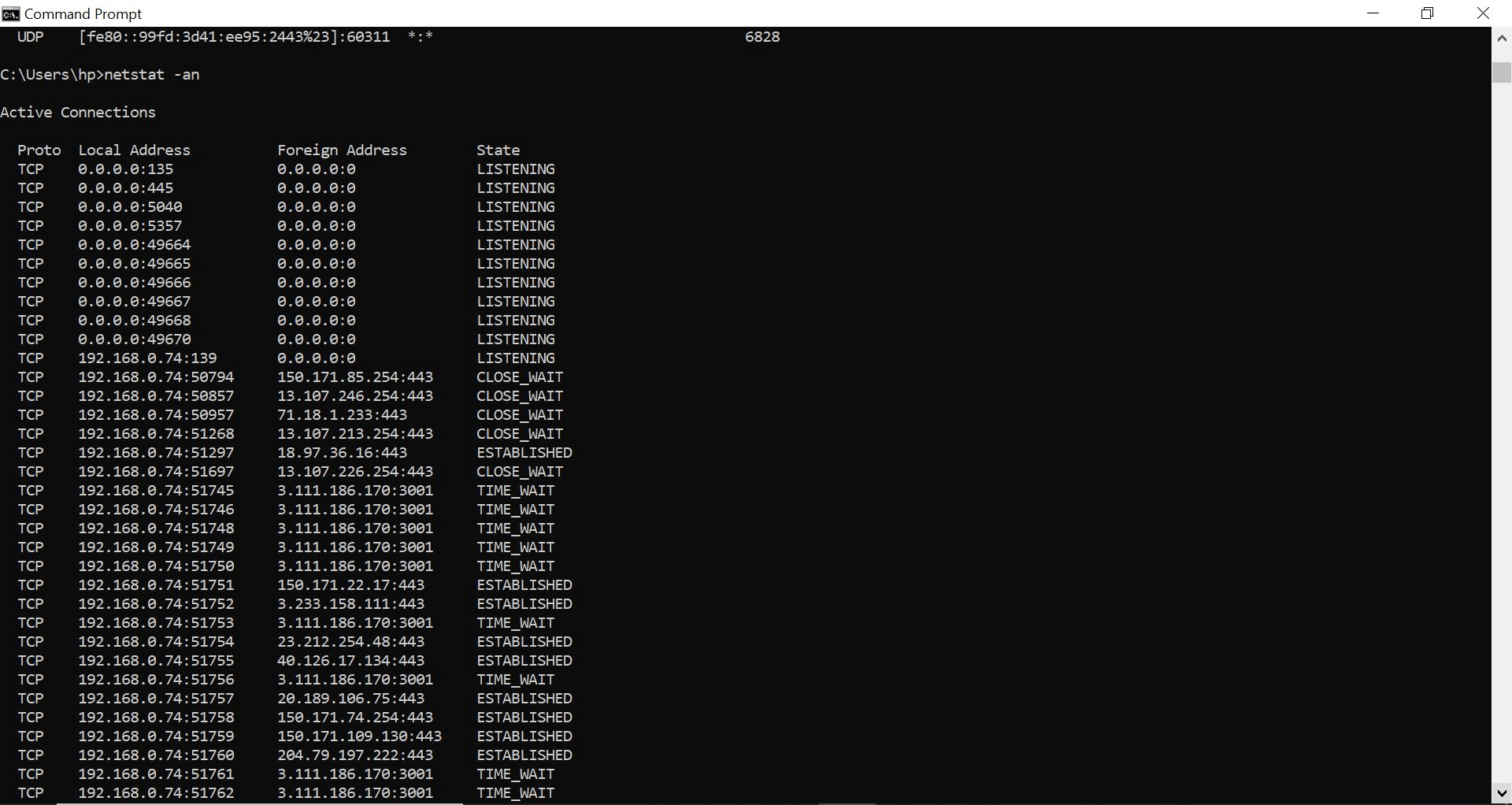
netstat -anoIdentify listening ports:
e
netstat -anActivity
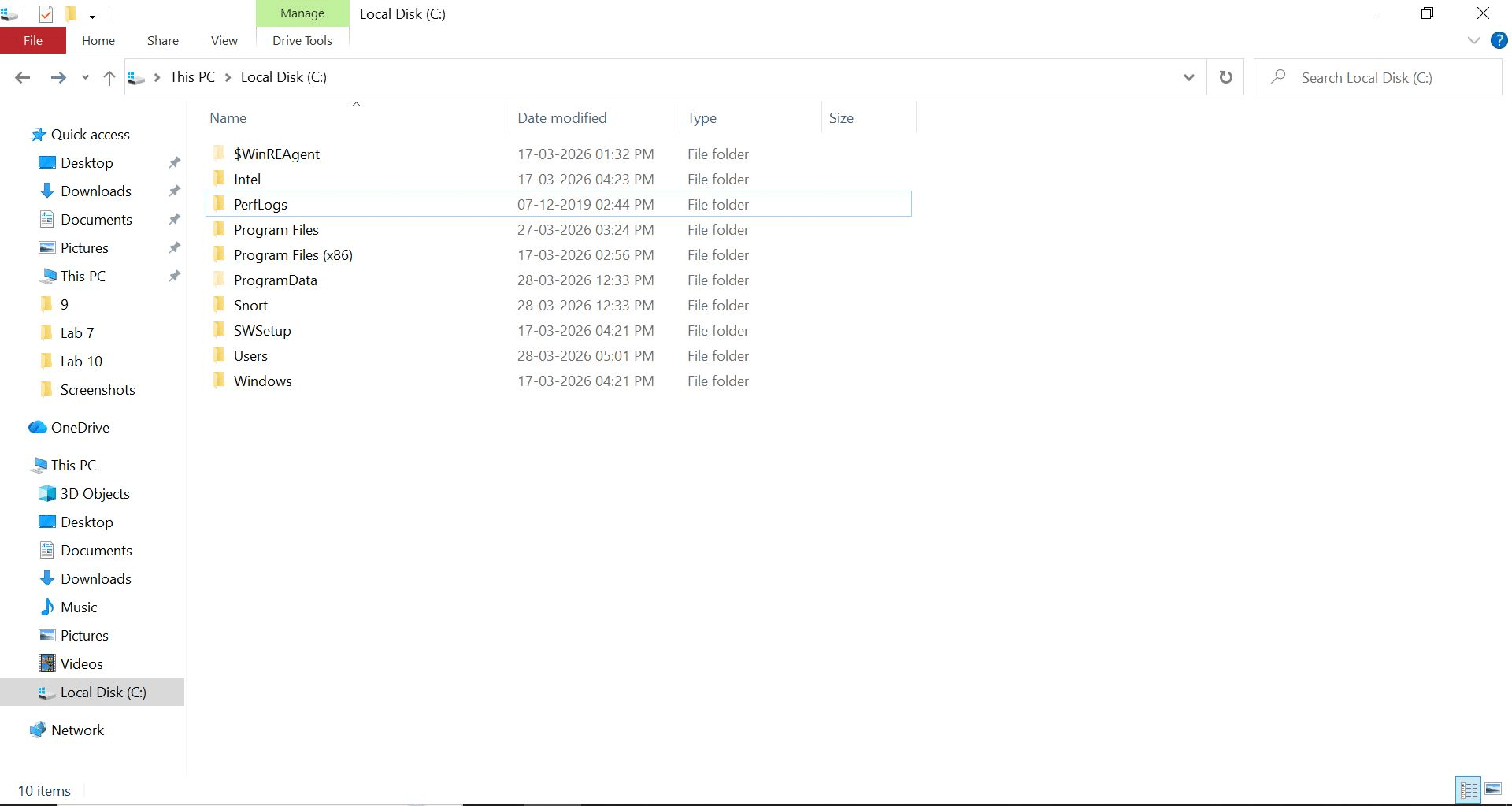
Windows File System – Folder Exploration
WinREAgent
Used during Windows Recovery and Update process
Helps in system repair and rollback
Intel
Contains Intel driver and installation files
Related to processor and hardware support
PerfLogs
Stores performance logs and system diagnostics data
Used for troubleshooting system performance
SWSetup
Contains software/driver installation files (mostly OEM)
Used for reinstalling drivers
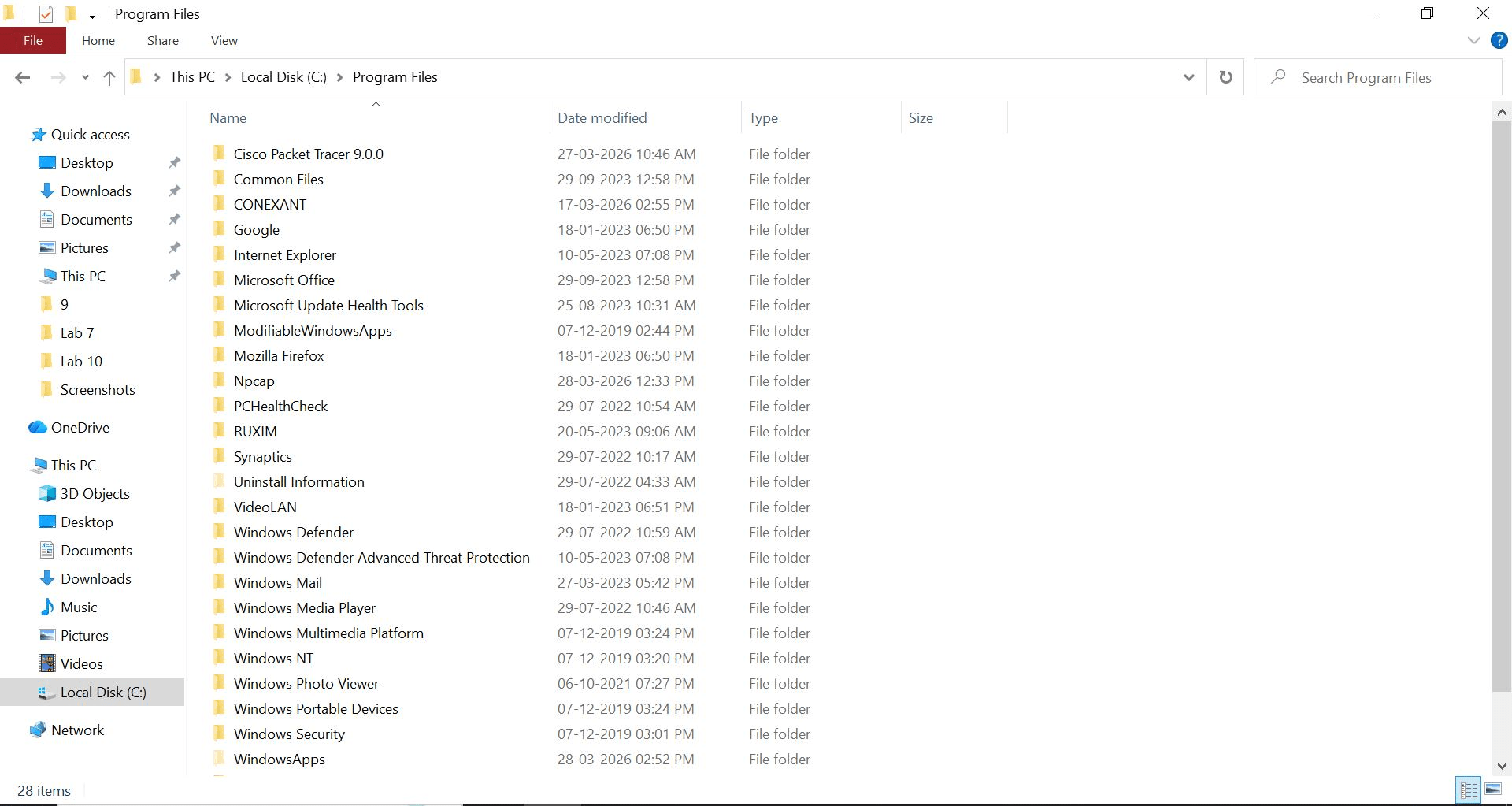
Program Files
Default folder for 64-bit installed applications
Example: Chrome, Ncap,Et
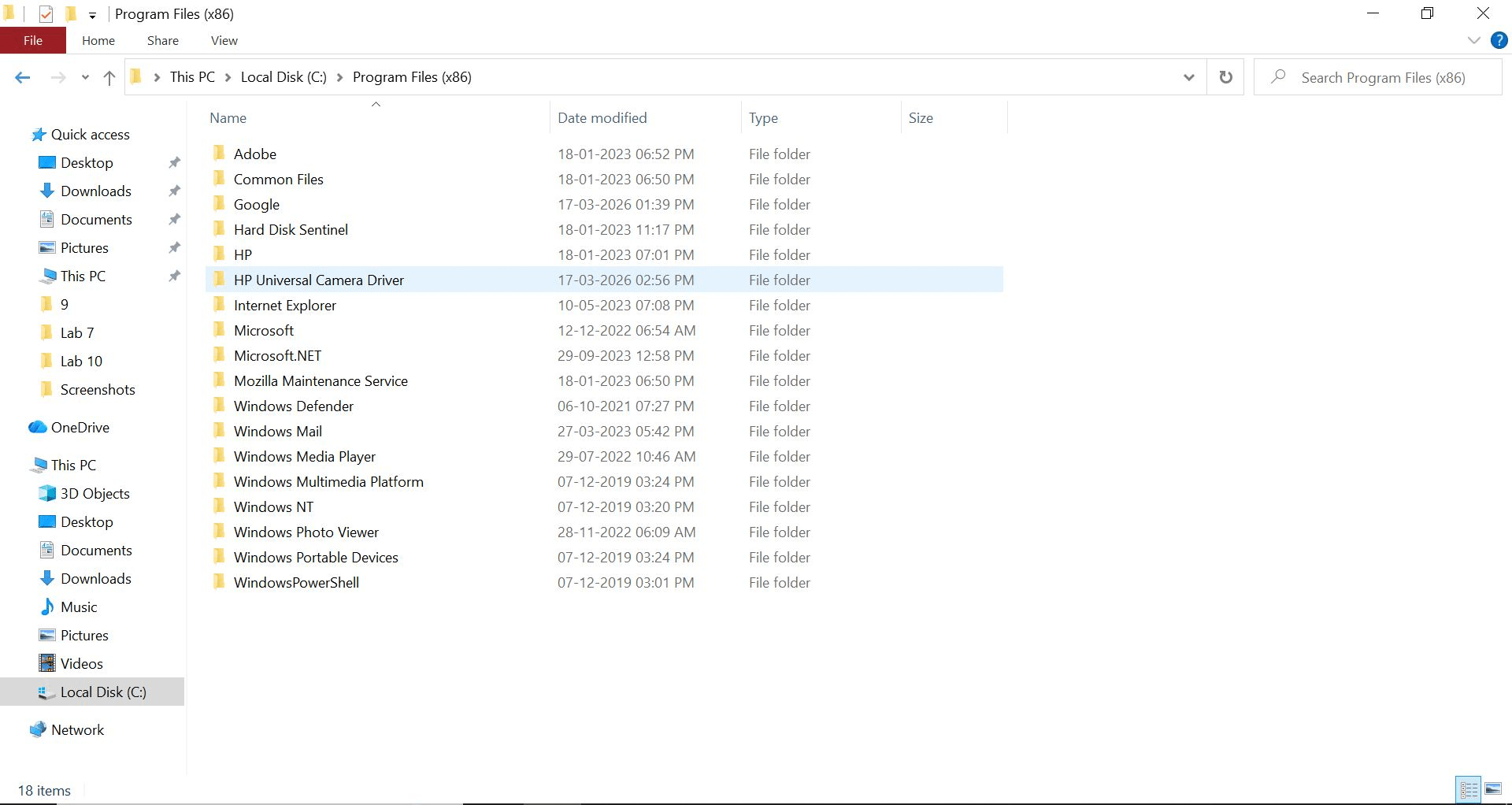
Program Files (x86)
Stores 32-bit applications on 64-bit Windows
Separate for compatibility
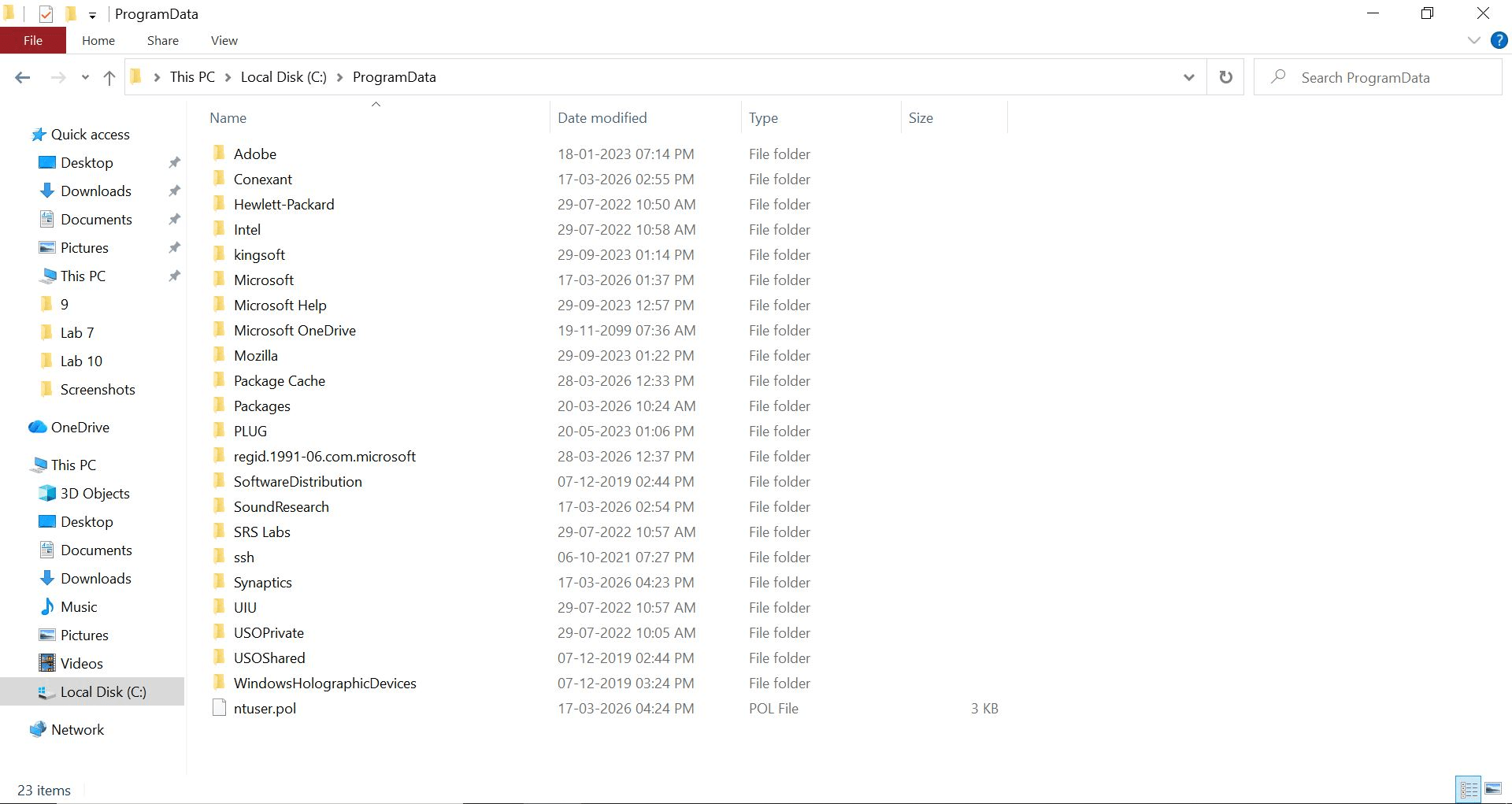
ProgramData
Hidden folder storing application data shared by all users
Used by software for configuration
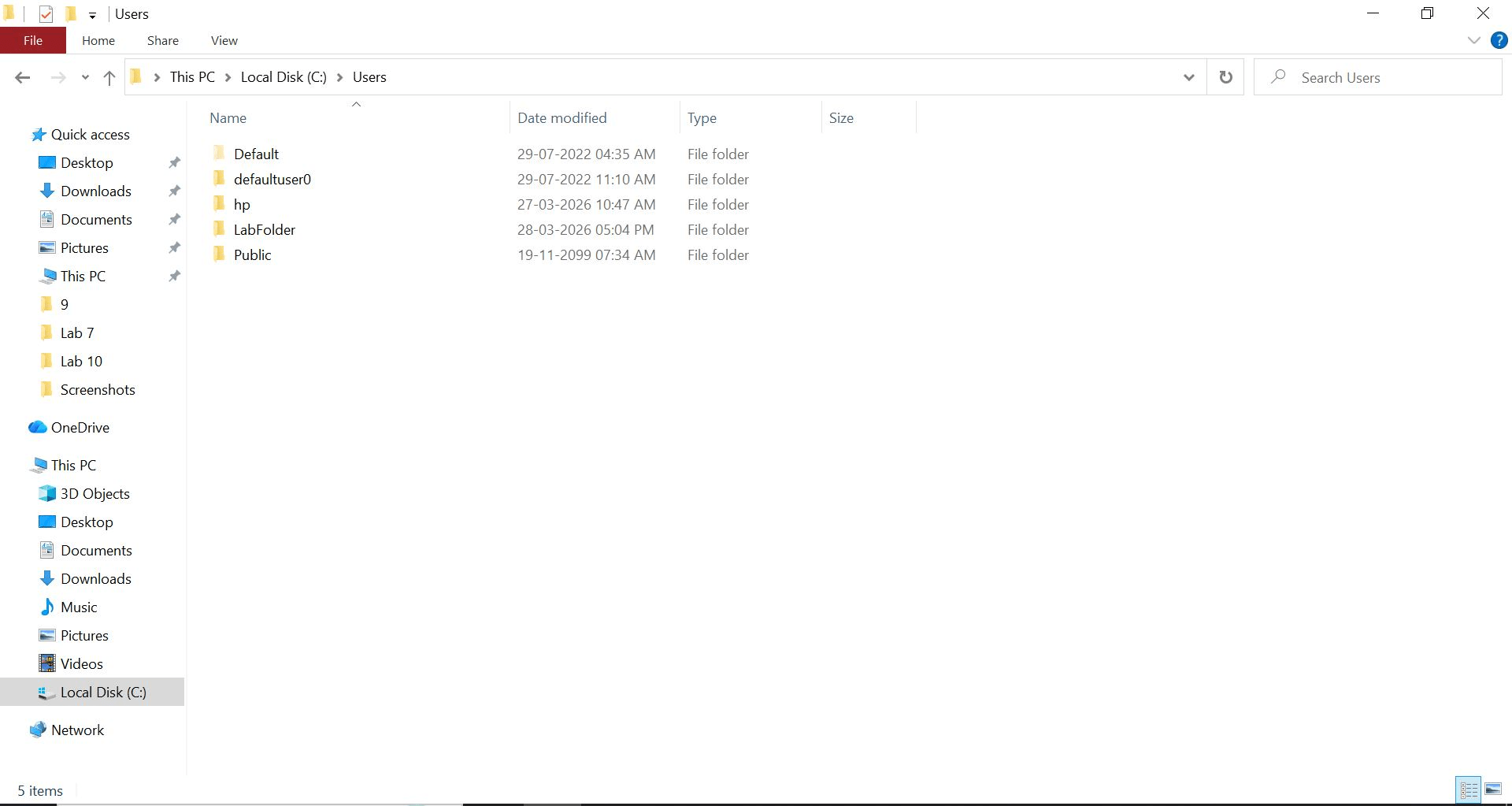
Users
Stores all user profiles
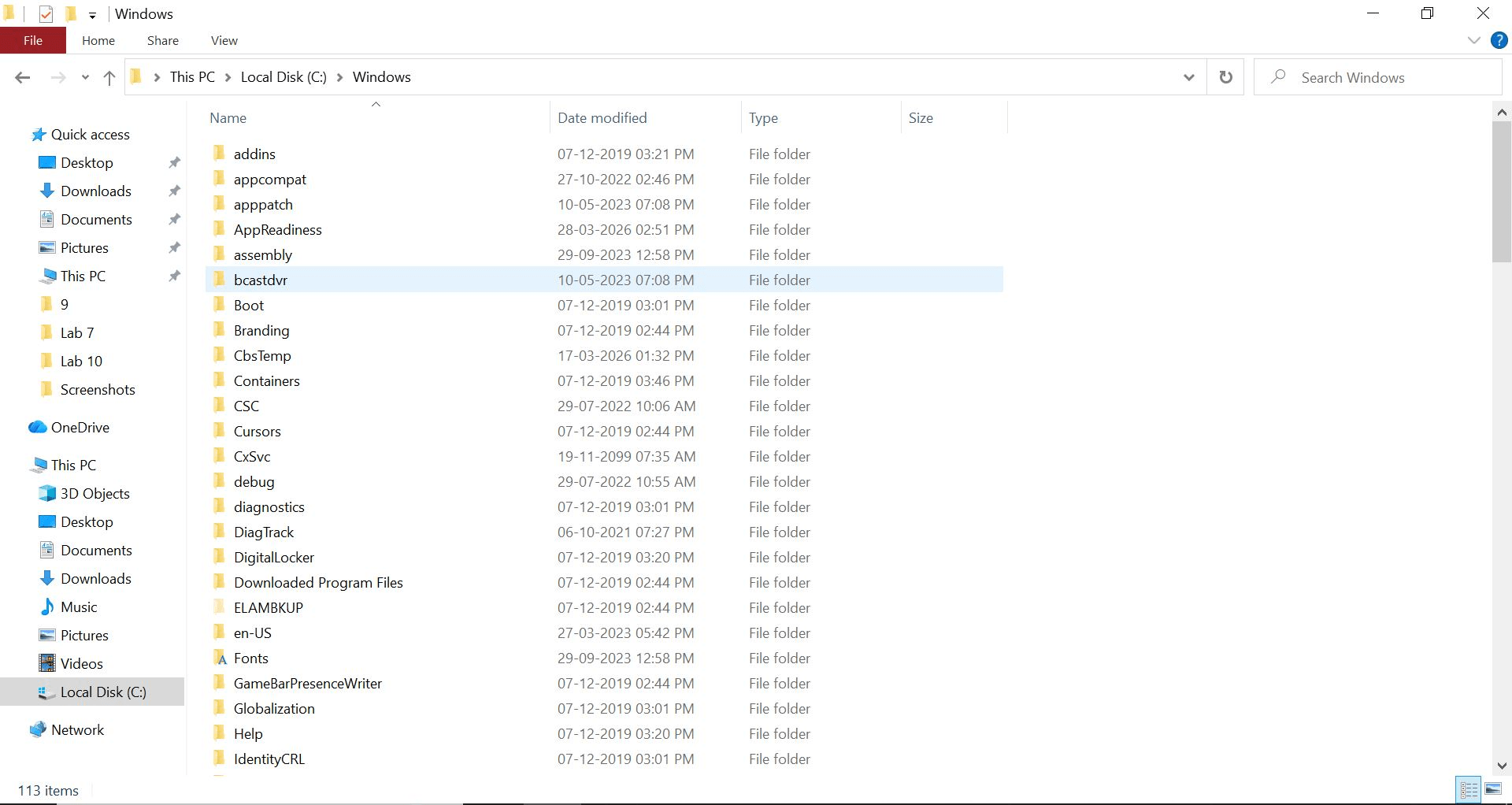
Windows
Most important folder
Contains Operating System files and system components
Do not modify manually
Windows
Most important folder
Contains Operating System files and system components
Do not modify manually
Great job!
You have successfully completed your lab on Windows System Administration and Security Fundamentals.
In this lab, you have: Managed processes and identified suspicious activity, Worked with the NTFS file system, Applied and tested file permissions, Managed users and privileges, Analyzed network connections and detected unusual activity.
You are now ready to move to the next stage of system administration and security management.
Checkpoint
Next-Lab Preparation
Topic : Operating System Fundamentals
1) Basics of Operating Systems
2) Windows OS fundamentals
By Content ITV