






Content ITV PRO
This is Itvedant Content department
Clean and Prepare Dataset for Analysis
Business Scenario
Welcome!
Today is your sixth day as a Junior Data Analyst at a retail analytics company.
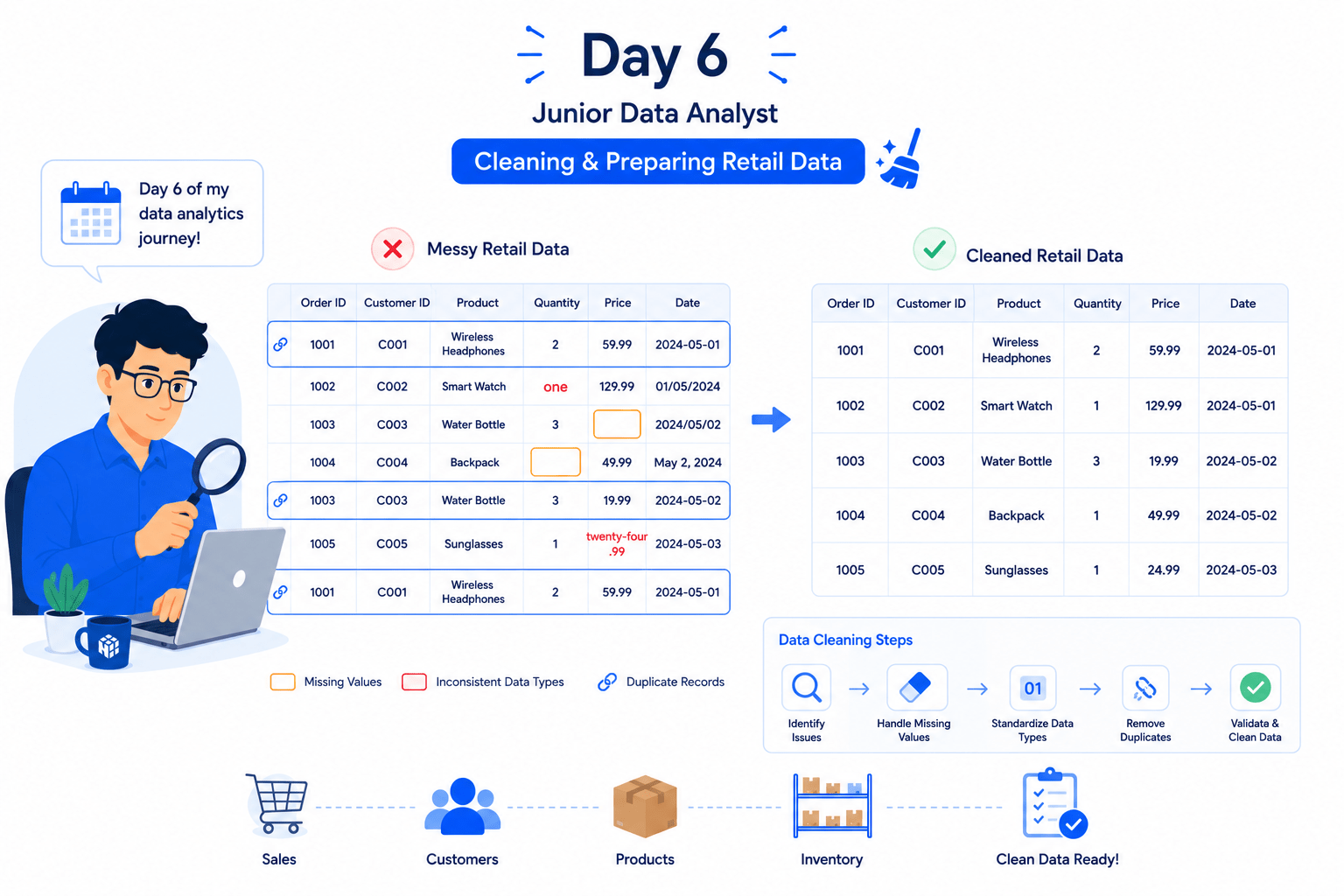
In real-world business environments, datasets often contain missing values, inconsistent data types, and duplicate records. Before performing analysis, data analysts must clean and prepare the data to ensure accurate and reliable results.
Data cleaning improves data quality, reduces errors, and helps organizations make better business decisions based on trustworthy information.
Pre-Lab Preparation
Click here to download previous lab file: DM LAB 5
git pull origin branchNameGit Pull
Click to download Dataset : Retail_Dataset
Topic: Data Manipulation with Pandas
1) Polishing Data: From Messy To Meaningful
Task 1: Fix data types
Retail datasets are collected from multiple sources such as billing systems, inventory software, supplier databases, and online stores. Sometimes numerical fields like Revenue, Unit Price, or Quantity Available may be stored as text instead of numbers.
When data types are incorrect:
To ensure accurate analysis, data analysts must identify and correct data types before performing calculations.
What are Data Types?
Data types define the kind of values stored in each column. Common data types include integers, floating-point numbers, strings, and dates.
Open Google Colab
1
2
Import Required Libraries
import pandas as pd
import numpy as np
3
Upload the Retail Dataset
4
Load Dataset Using Pandas
df = pd.read_csv("/content/Retail_Dataset_Modified.csv")

print("Dataset Loaded Successfully")
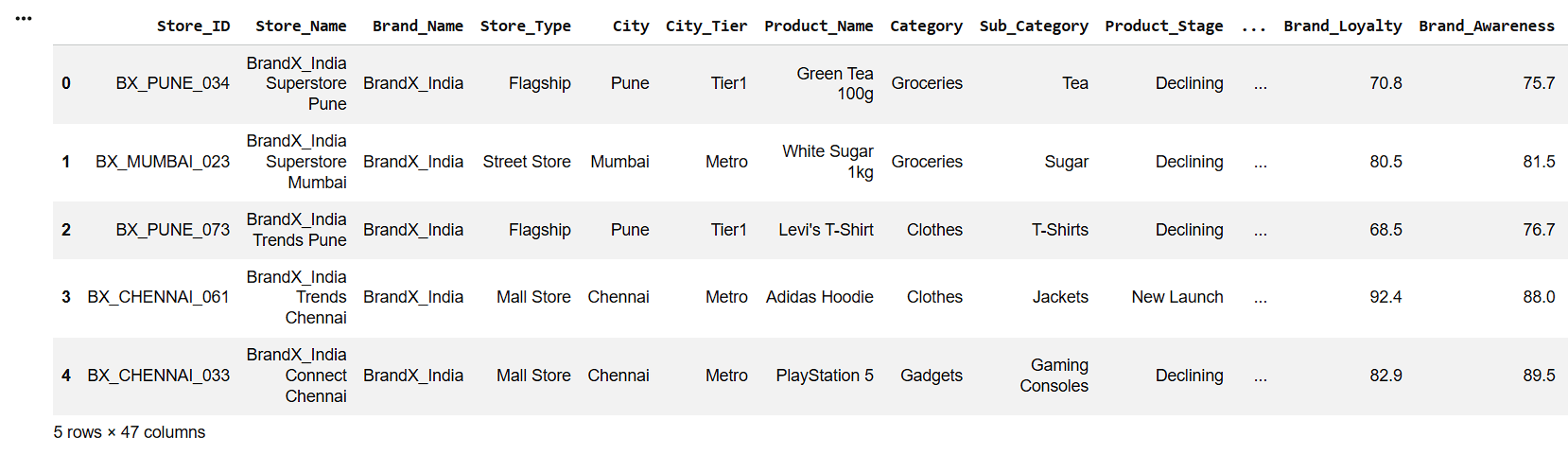
Display First Five Records
5
df.head()6
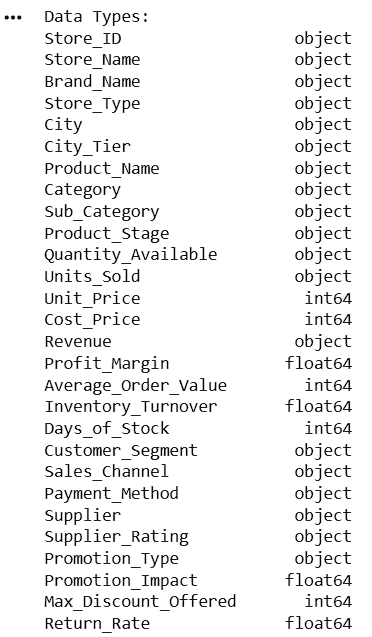
Display Data Types
print("Data Types:")
print(df.dtypes)
7
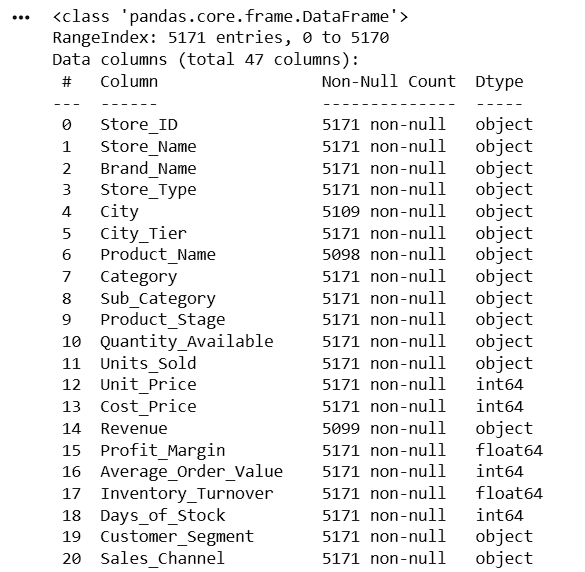
Check Dataset Information
df.info()After examining the dataset using df.dtypes, the following columns were found to have incorrect data types:
| Column Name | Current Data Type | Expected Data Type |
|---|---|---|
| Quantity_Available | object | float64 |
| Units_Sold | object | float64 |
8
Convert Quantity_Available to Numeric
| Column Name | Current Data Type | Expected Data Type |
|---|---|---|
| Revenue | object | float64 |
| Shipping_Cost | object | float64 |
df['Quantity_Available'] = pd.to_numeric(
    df['Quantity_Available'],
    errors='coerce'
)
Here,
pd.to_numeric()
errors='coerce'
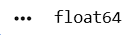
print(df['Quantity_Available'].dtypes)9
8
Convert Units_Sold to Numeric
df['Units_Sold'] = pd.to_numeric(
    df['Units_Sold'],
    errors='coerce'
)

print(df['Units_Sold'].dtypes)
10
Convert Revenue to Numeric
df['Revenue'] = pd.to_numeric(
    df['Revenue'],
    errors='coerce'
)

print(df['Revenue'].dtypes)
11
Convert Shipping_Cost to Numeric
df['Shipping_Cost'] = pd.to_numeric(
    df['Shipping_Cost'],
    errors='coerce'
)

print(df['Shipping_Cost'].dtypes)
12
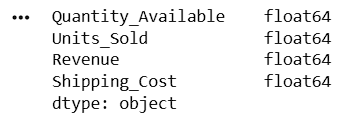
Verify Updated Data Types
print(df[['Quantity_Available',
          'Units_Sold',
          'Revenue',
          'Shipping_Cost']].dtypes)
Task 2: Handle missing values
In retail datasets, missing values can occur due to data entry errors, system failures, or unavailable information. Pandas provides several methods to identify and handle missing values.
What are Missing Values?
Missing values occur when information is unavailable for certain records. These values must be handled before analysis.
1
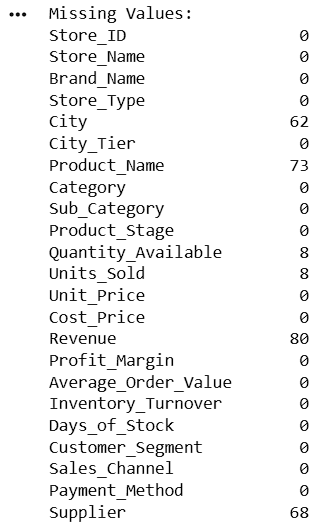
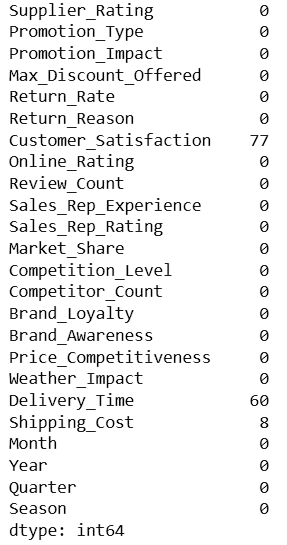
Check Missing Values
print("Missing Values:")
print(df.isnull().sum())
2
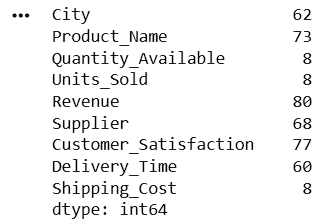
Display Columns Having Missing Values
missing_cols = df.isnull().sum()
print(
    missing_cols[missing_cols > 0]
)
To fill missing values, we used:
3
Fill Missing Values in City Using Mode
df['City'].fillna(
    df['City'].mode()[0],
    inplace=True
)
Here:
4
Fill Missing Values in Product Name Using Mode
df['Product_Name'].fillna(
    df['Product_Name'].mode()[0],
    inplace=True
)
5
6
df['Units_Sold'].fillna(
    df['Units_Sold'].mean(),
    inplace=True
    )
Fill Missing Values in Quantity Available Using Mean
df['Quantity_Available'].fillna(
    df['Quantity_Available'].mean(),
    inplace=True
    )
Fill Missing Values in Units Sold Using Mean
7
Fill Missing Values in Revenue Using Mean
df['Revenue'].fillna(
    df['Revenue'].mean(),
    inplace=True
    )
8
df['Supplier'].fillna(
    df['Supplier'].mode()[0],
    inplace=True
    )
Fill Missing Values in Supplier Using Mode
9
8
10
df['Customer_Satisfaction'].fillna(
    df['Customer_Satisfaction'].mean(),
    inplace=True
    )
Fill Missing Values in Customer Satisfaction Using Mean
Fill Missing Values in Delivery Time Using Mean
df['Delivery_Time'].fillna(
    df['Delivery_Time'].mean(),
    inplace=True
    )
11
Fill Missing Values in Shipping Cost Using Mean
df['Shipping_Cost'].fillna(
    df['Shipping_Cost'].mean(),
    inplace=True
    )
12
Verify Missing Values After Cleaning
print(df.isnull().sum())13
Display Dataset Information
df.info()Task 3: Remove Duplicates
Duplicate records can lead to incorrect calculations and misleading business insights.
What are Duplicate Records?
Duplicate records are repeated rows that can lead to inaccurate analysis and incorrect business insights.
2
1
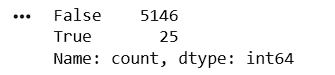
Count Duplicate Records
Display Duplicate Count
duplicates = df.duplicated().sum()

print(
    "Duplicate Records:",
    duplicates
)print(df.duplicated().value_counts())3
Remove Duplicate Records
drop_duplicates() is a Pandas function used to remove duplicate rows from a DataFrame.
df = df.drop_duplicates()4
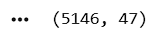
Verify Dataset Shape After Removing Duplicates
print(df.shape)5
Confirm No Duplicate Records Remain
print(
    "Remaining Duplicates:",
    df.duplicated().sum()
)
6
Display First Five Records
df.head()
Great job!
You have successfully completed your lab on Clean and Prepare Dataset for Analysis.
In this lab, you have: Fixed incorrect data types, Identified and handled missing values, Filled numerical and categorical missing data, Detected duplicate records, Removed duplicate entries, Prepared a clean dataset for analysis
You are now ready to move to the next stage of Junior Data Analyst.
Checkpoint
Git Push
git push origin branchNameNext-Lab Preparation
Topic: Data Manipulation with Pandas
1) Data Preparation Essentials
By Content ITV