Content ITV PRO
This is Itvedant Content department
Setup the Video Ad for Spice Garden
Business Scenario
You are working as a Digital Marketing Executive for Spice Garden Restaurant.
The restaurant owner wants to promote:
Restaurant ambience
Delicious food items
Family dining experience
Online food delivery
using video advertisements on YouTube and Google Video Network.
Your task is to create a promotional video advertisement and set up a Video Ads Campaign in Google Ads.
Pre-Lab Preparation
Topic : Video Ad
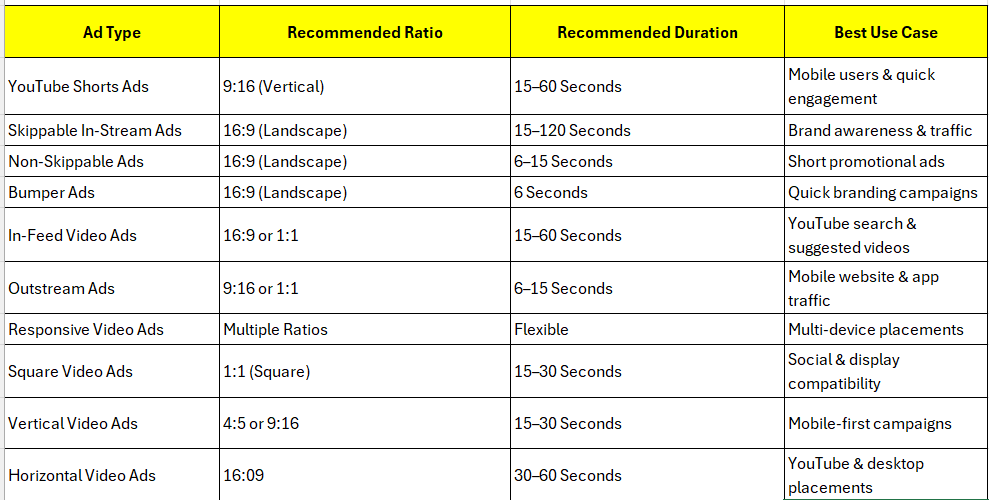
1) Types of Video Ad
2) Related Video for Ad
3) Audience Targeting
4) Topic & Placement Targeting
5) Ad Optimization
Task 1: Create a Youtube Video Ad
Task 2: Upload Video to YouTube
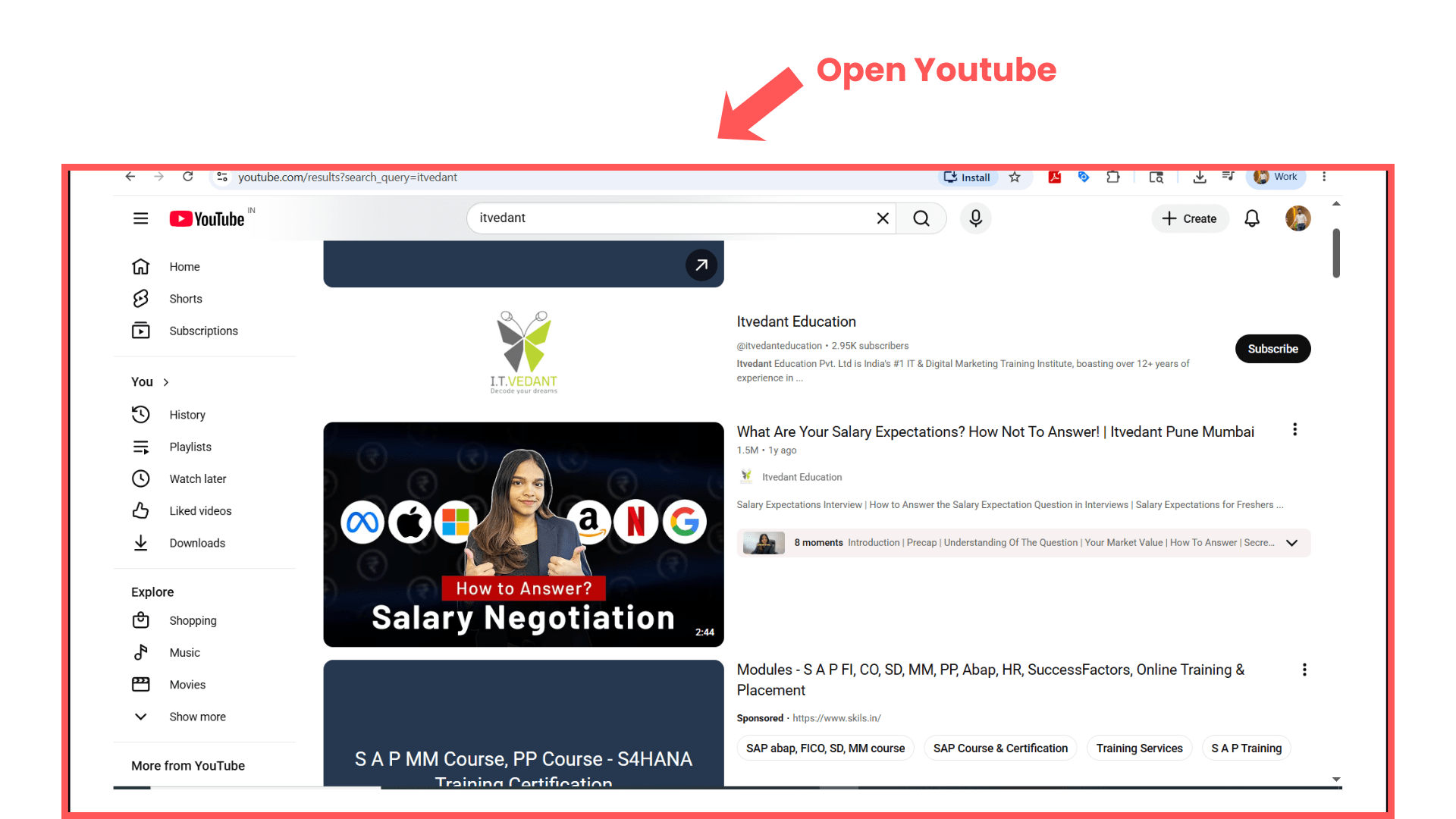
Open YouTube
1
Search:
YouTube
Open YouTube website.
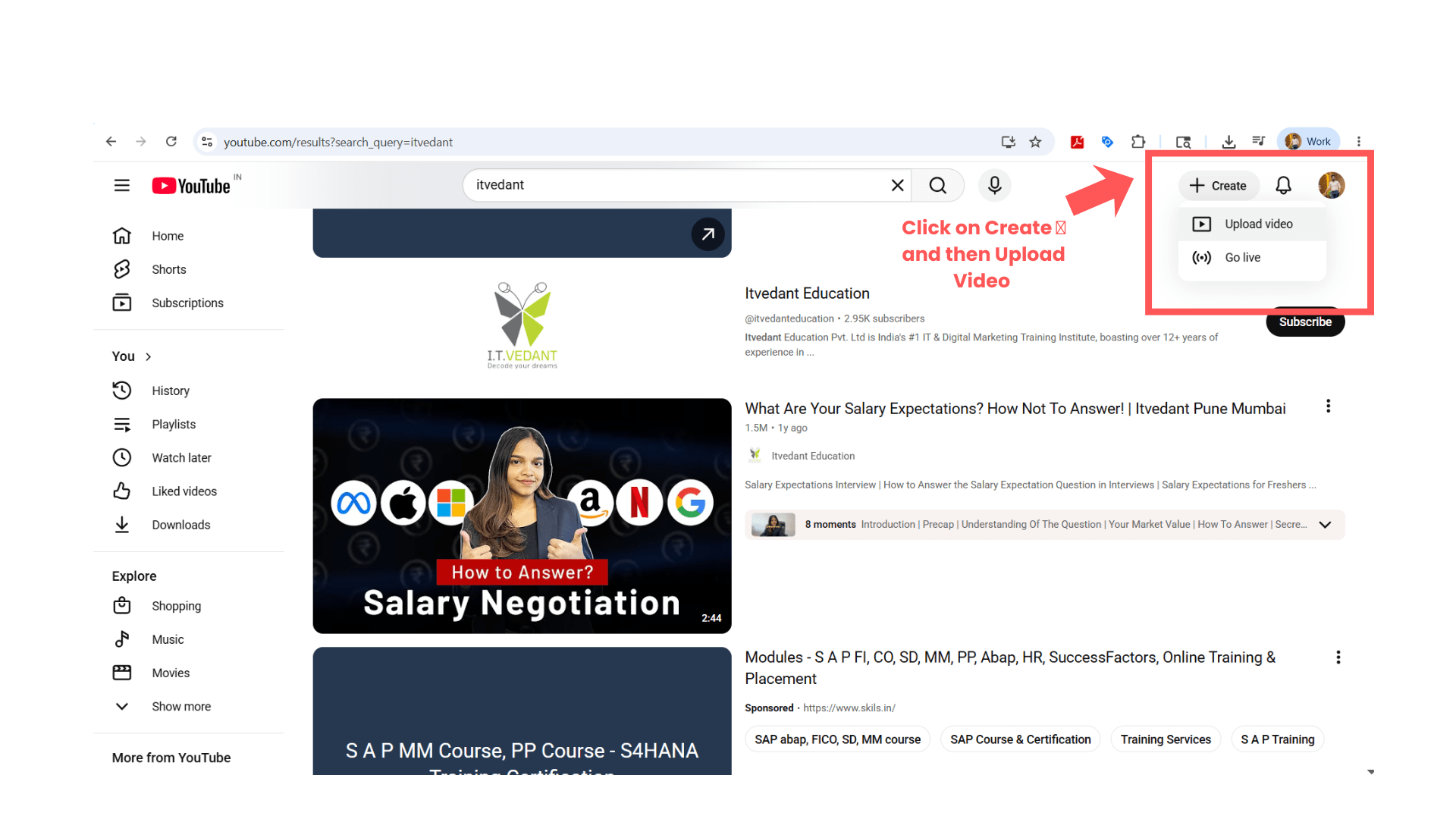
Upload Video
2
Click:
“Create”
Select:
“Upload Video”
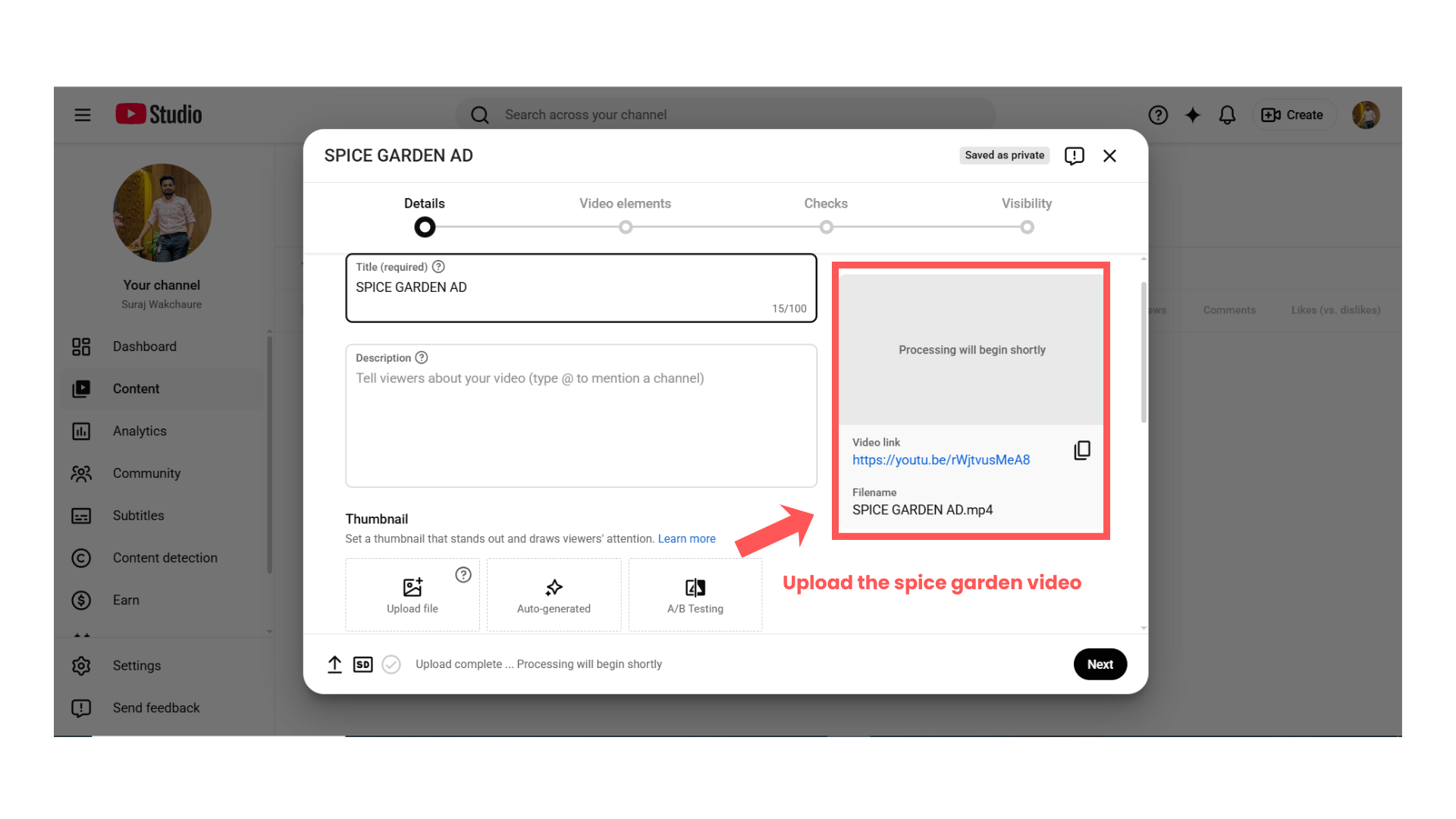
Select Video File
3
Upload downloaded Spice Garden video.
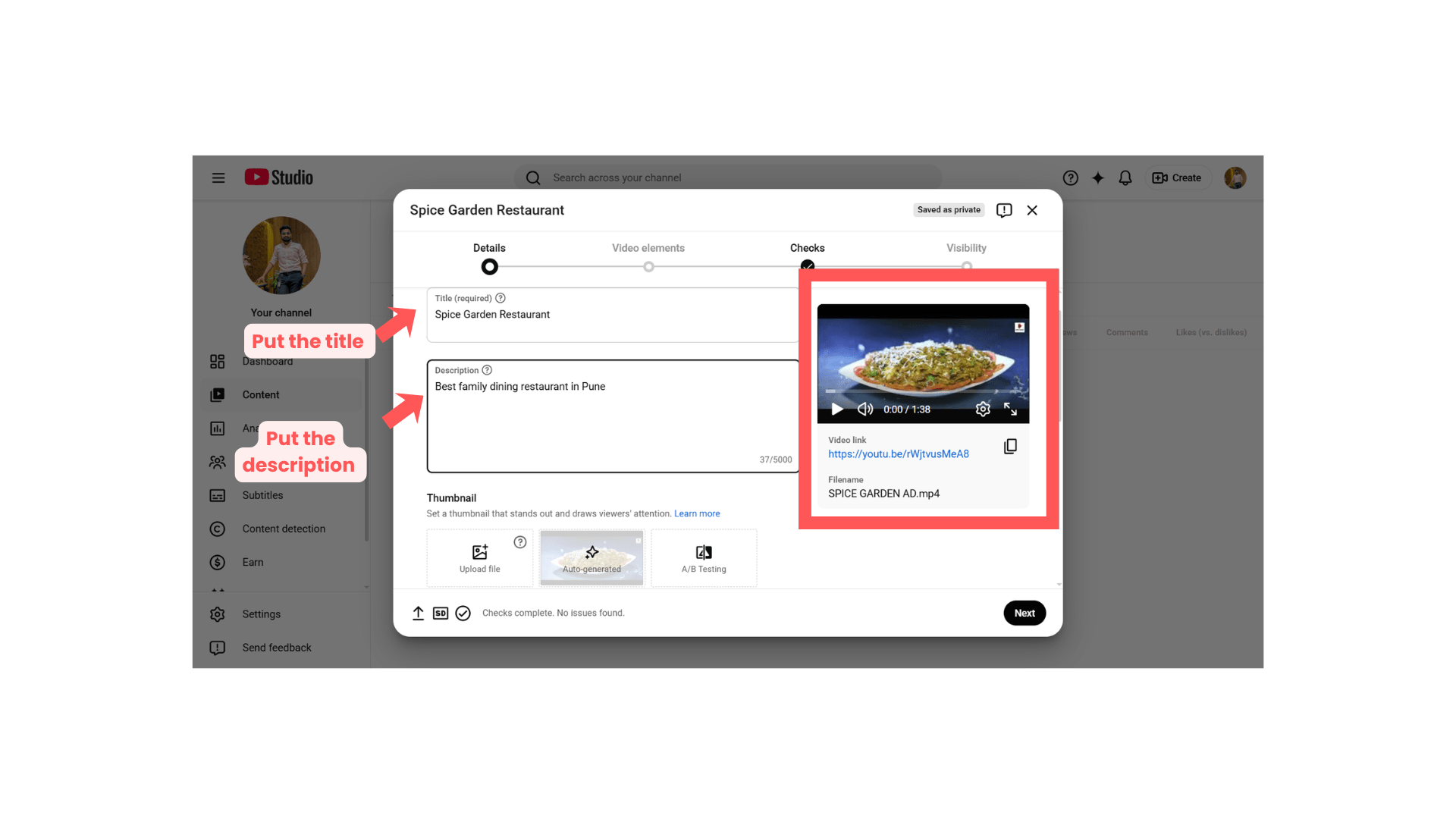
Enter Video Details
4
Fill details such as:
| Field | Sample Value |
|---|---|
| Title | Spice Garden Restaurant |
| Description | Best family dining restaurant in Pune |
| Audience | Not made for kids |
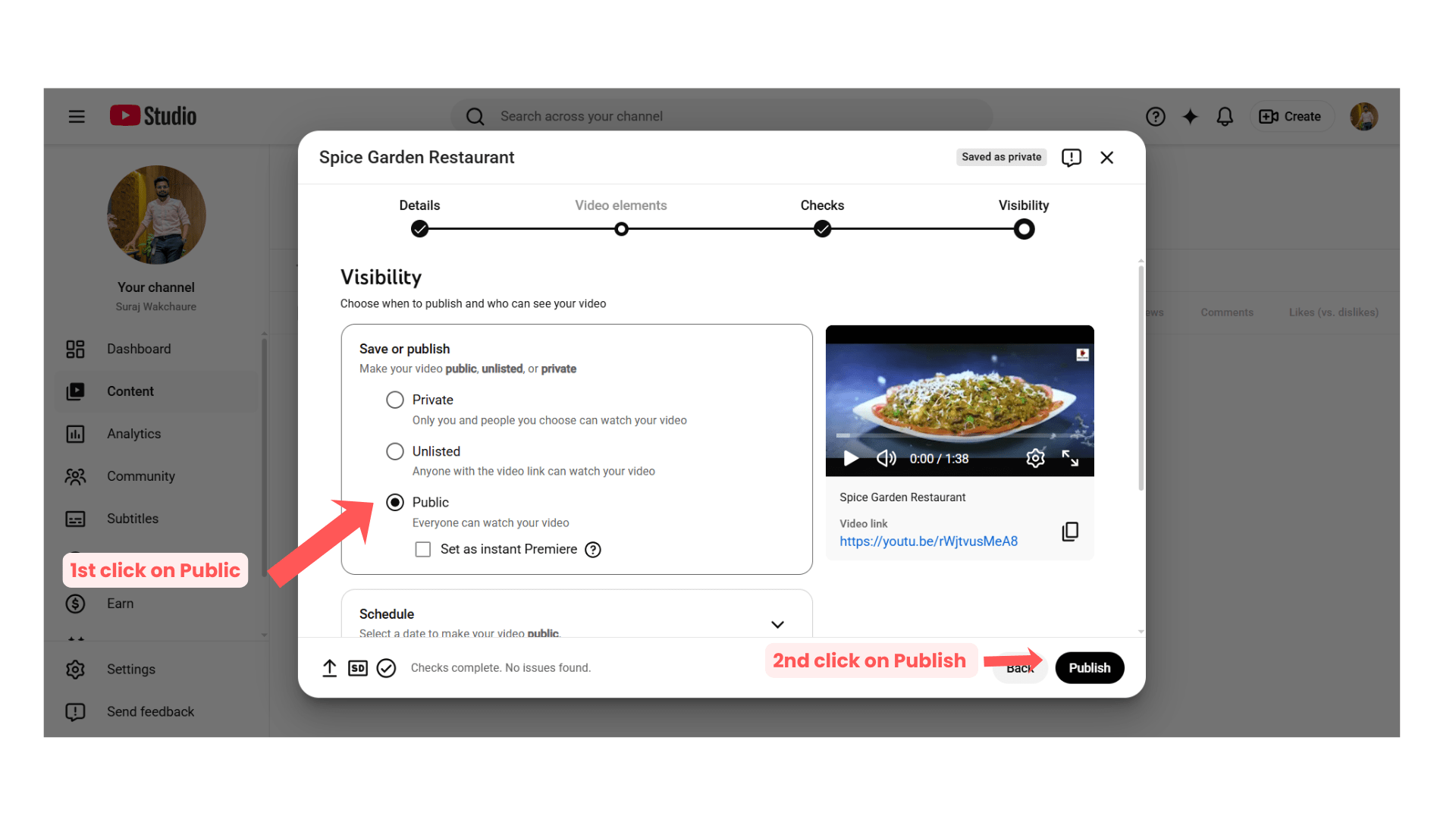
Publish Video
5
Set visibility:
“Public”
OR
“Unlisted”
Click:
“Publish”
Task 3: Create Video Ads Campaign in Google Ads
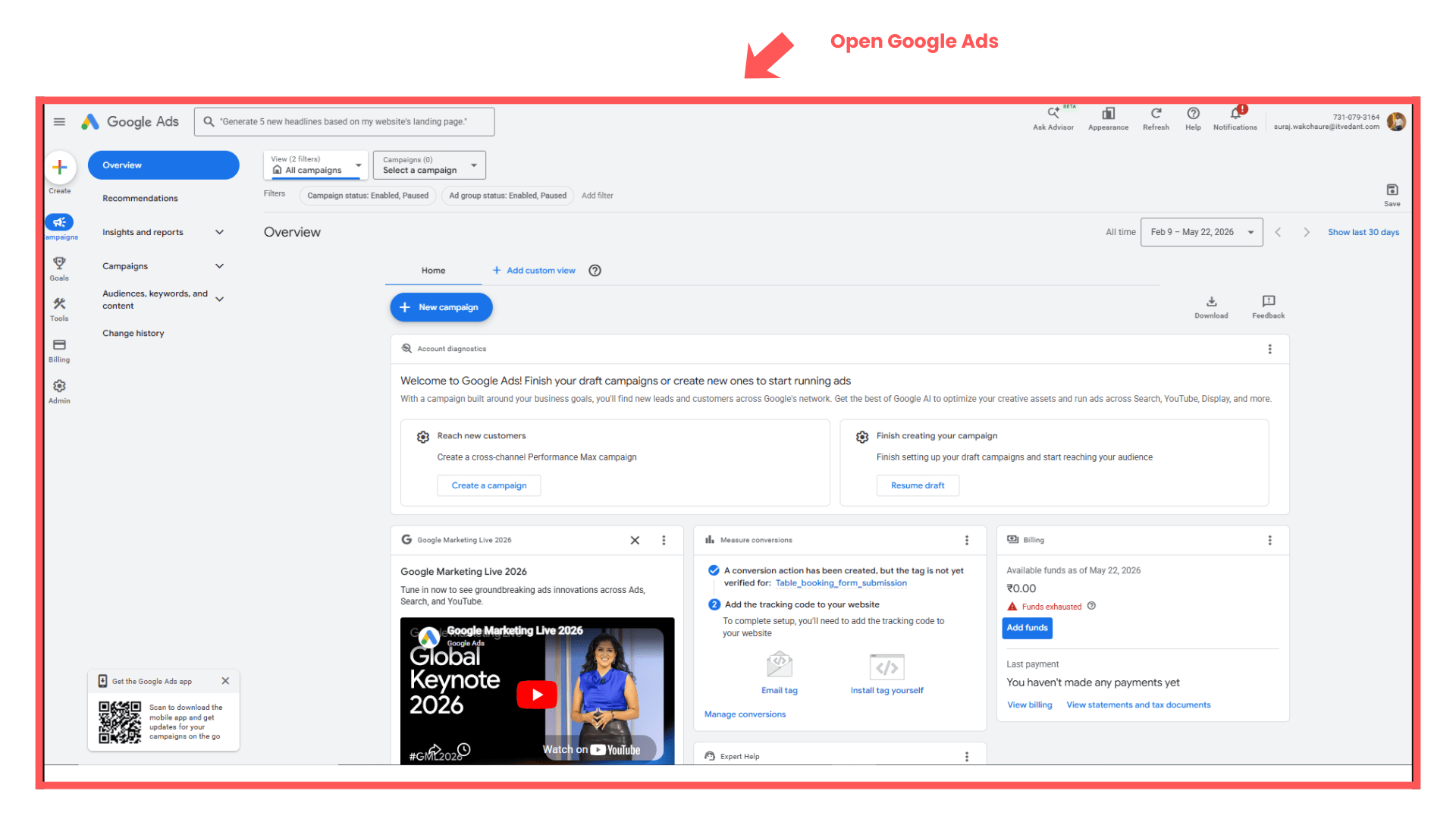
Open Google Ads Dashboard
1
Login to Google Ads account.
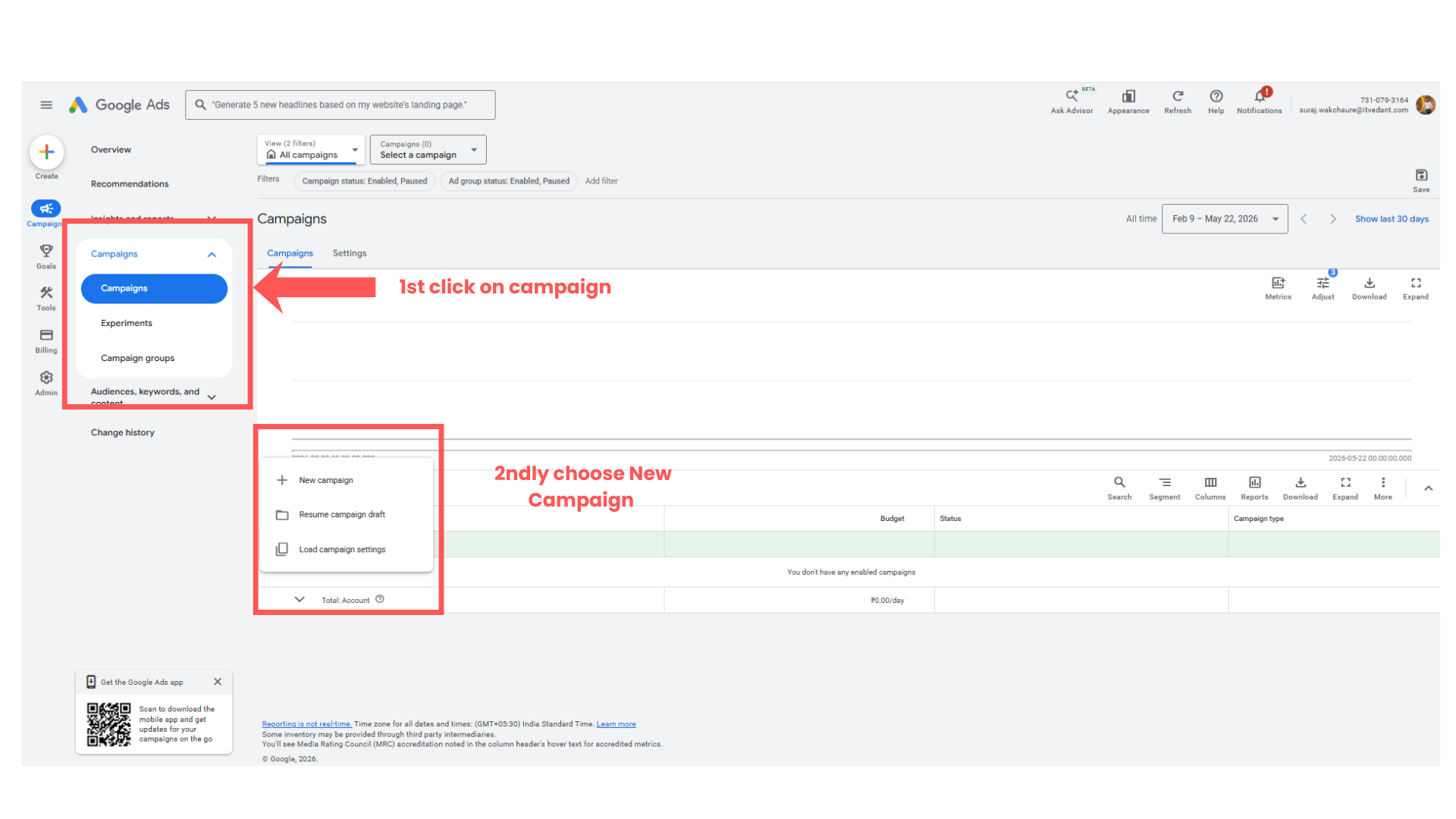
Create New Campaign
2
Click:
“Campaigns”
Click blue “+” button.
Select:
“New Campaign”
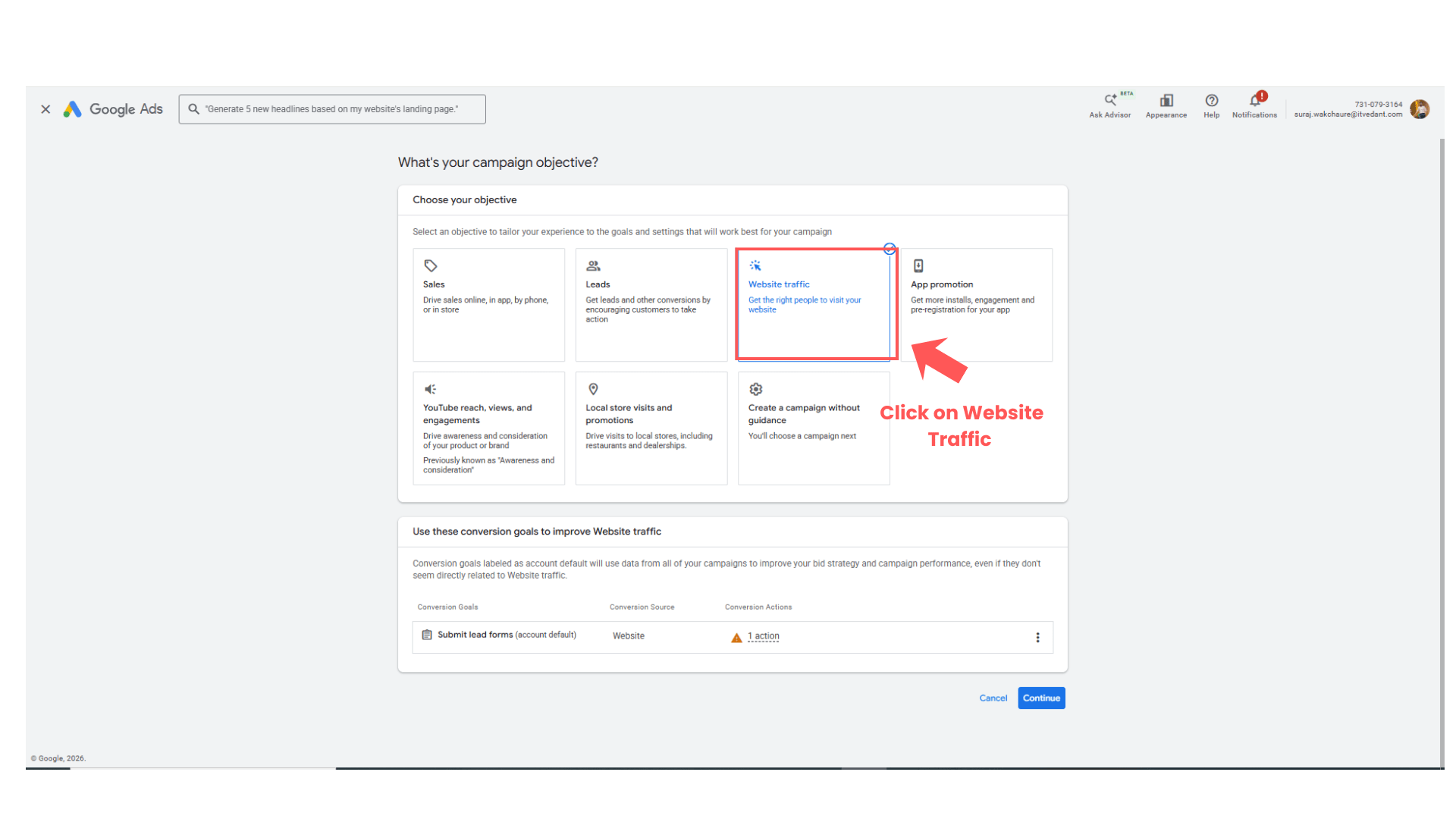
Select Campaign Objective
3
Choose:
Brand Awareness & Reach
OR
Website Traffic
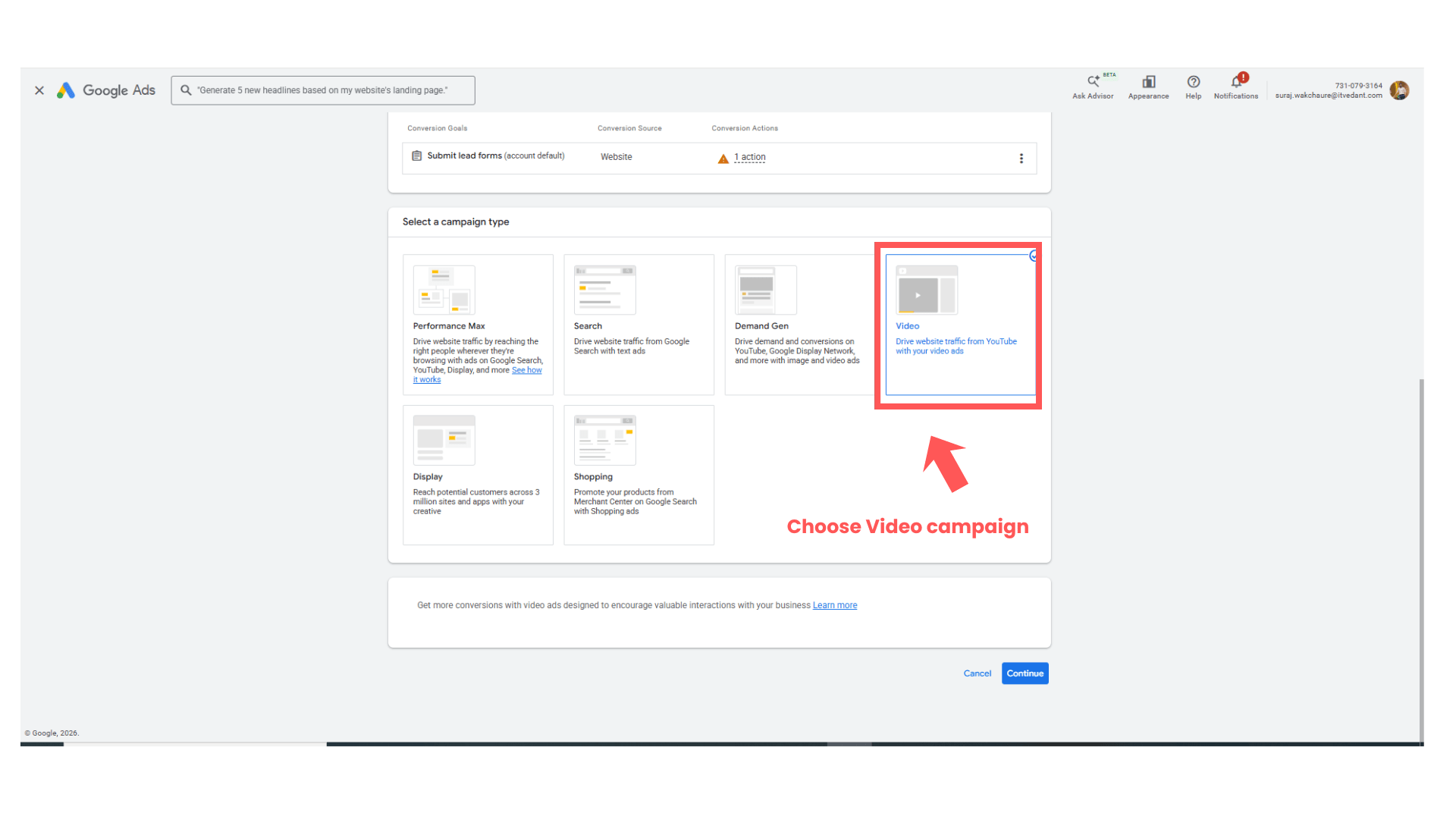
Select Video Campaign
4
Choose:
“Video”
Click:
“Continue”
Task 4: Configure Video Campaign
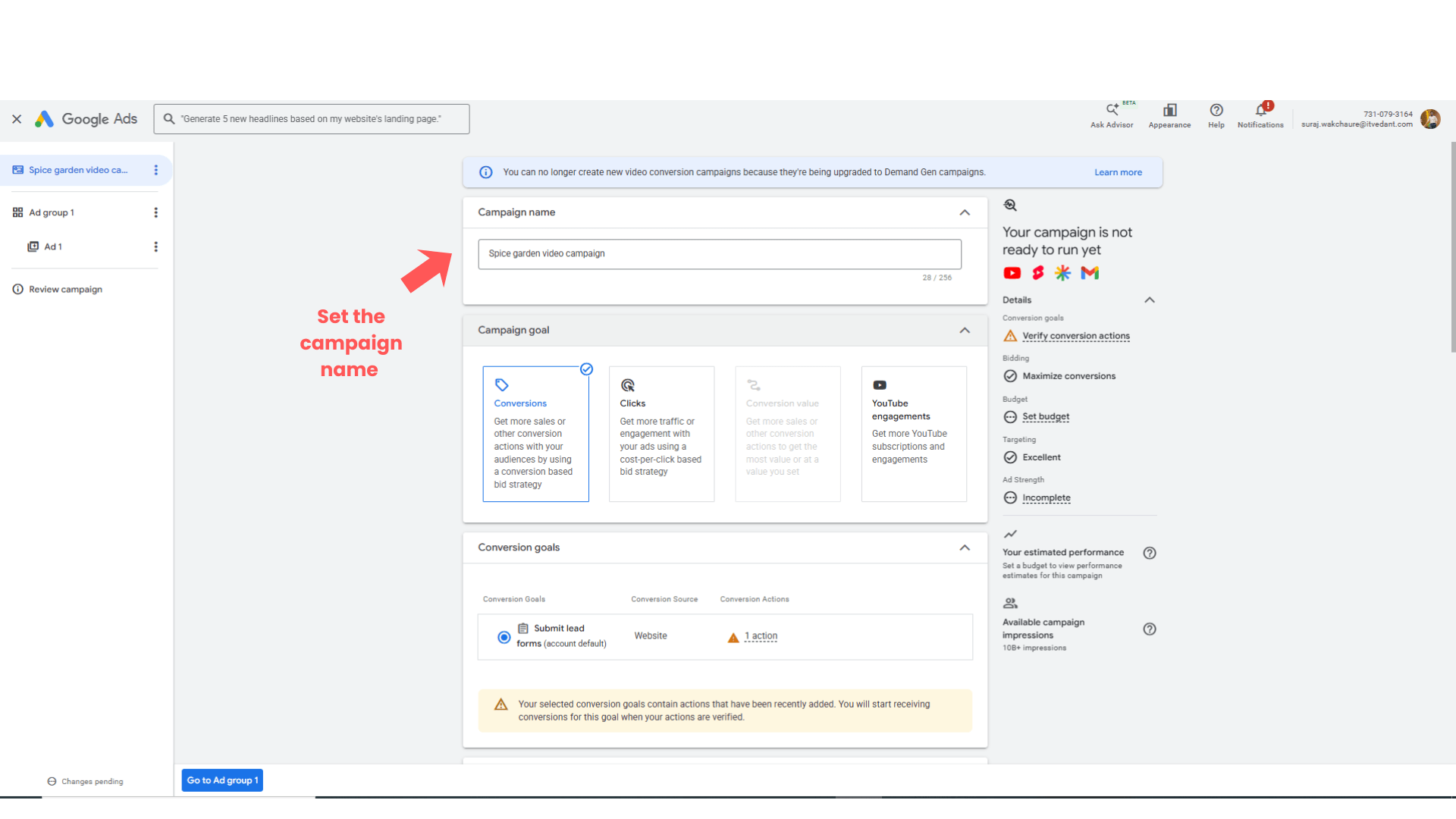
Enter Campaign Name
1
Enter:
Spice Garden Video Campaign
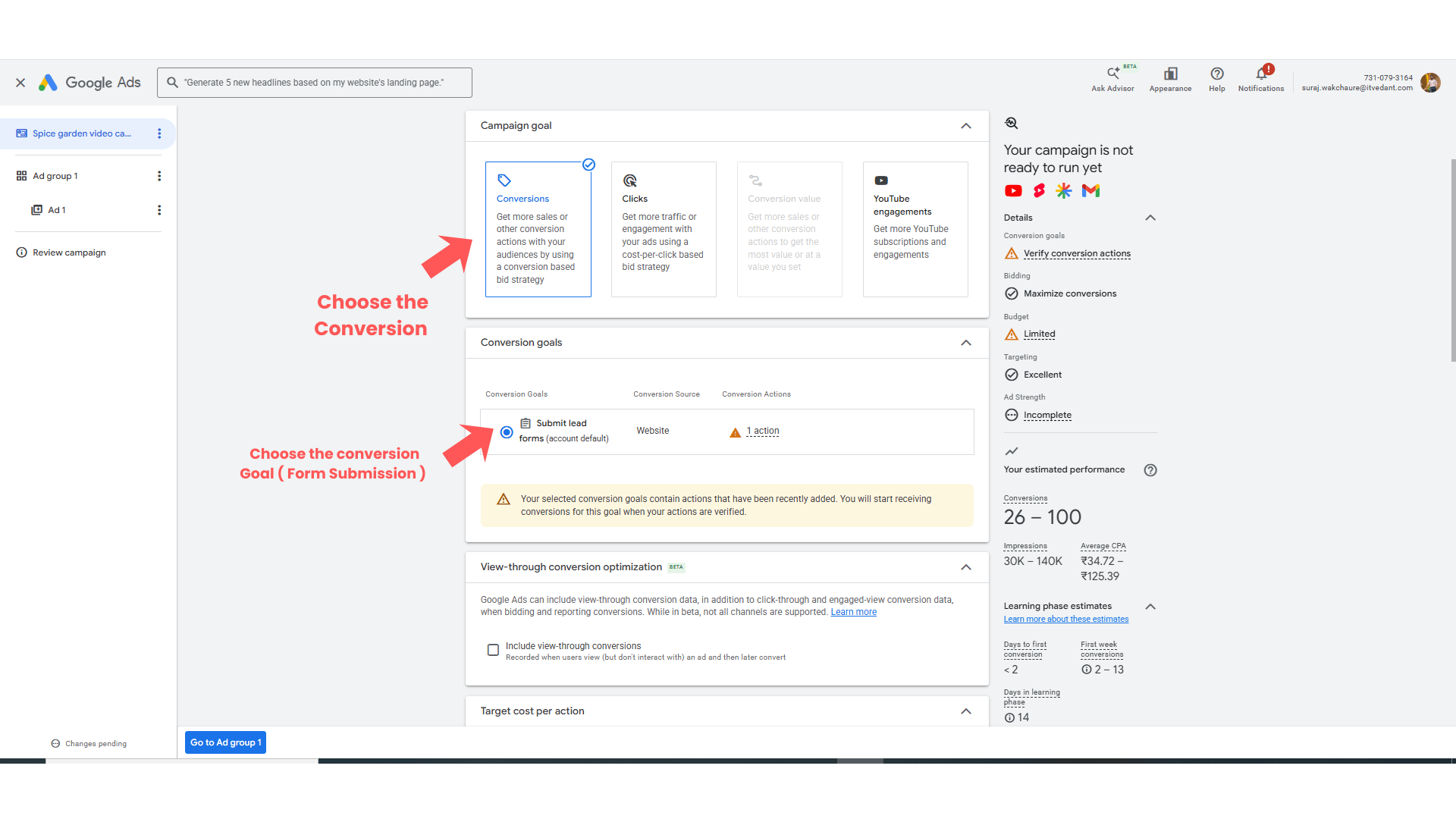
Select the conversion goal from the list
2
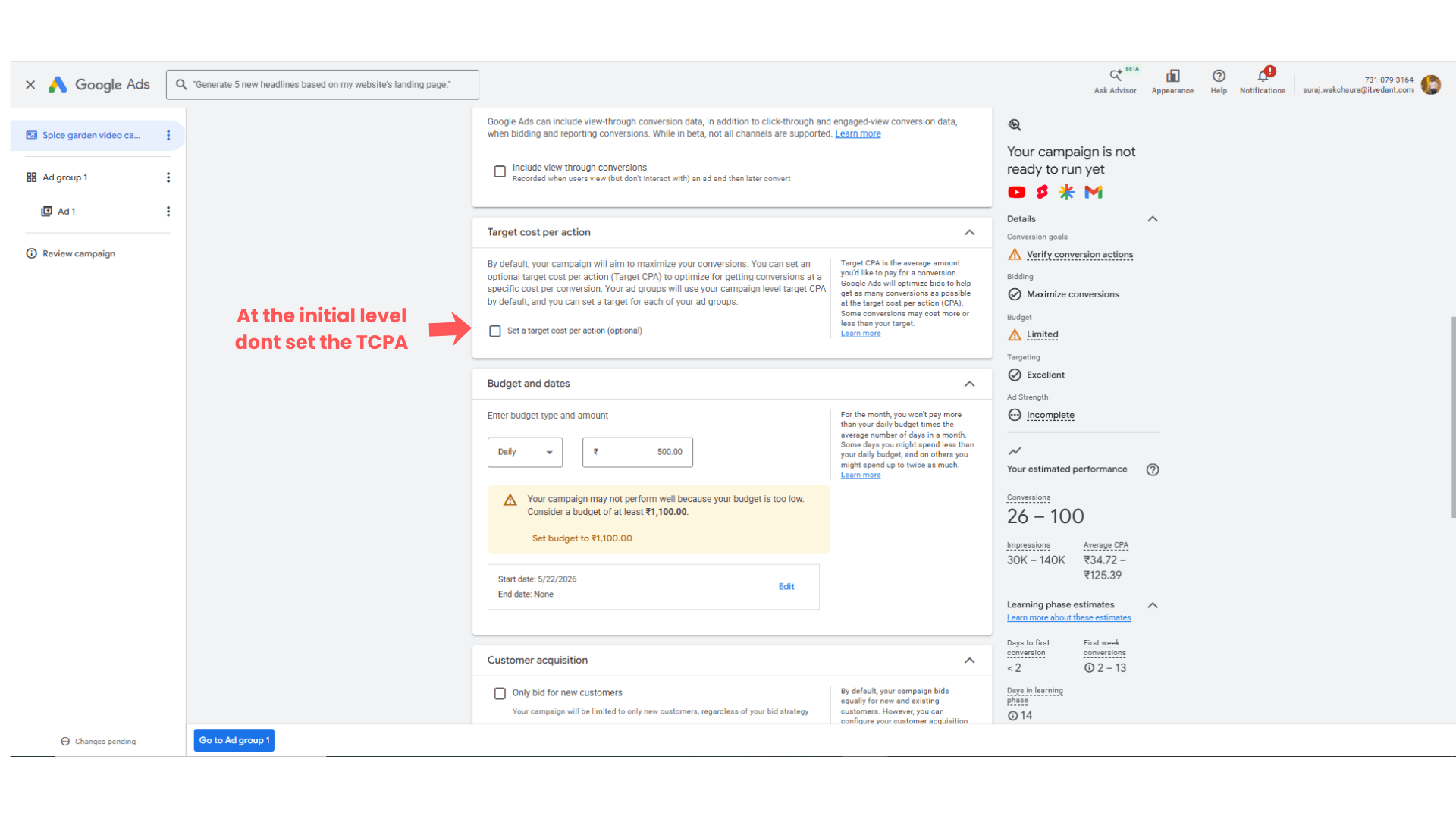
Target Cost Per Action setup
3
Keep it as it it.
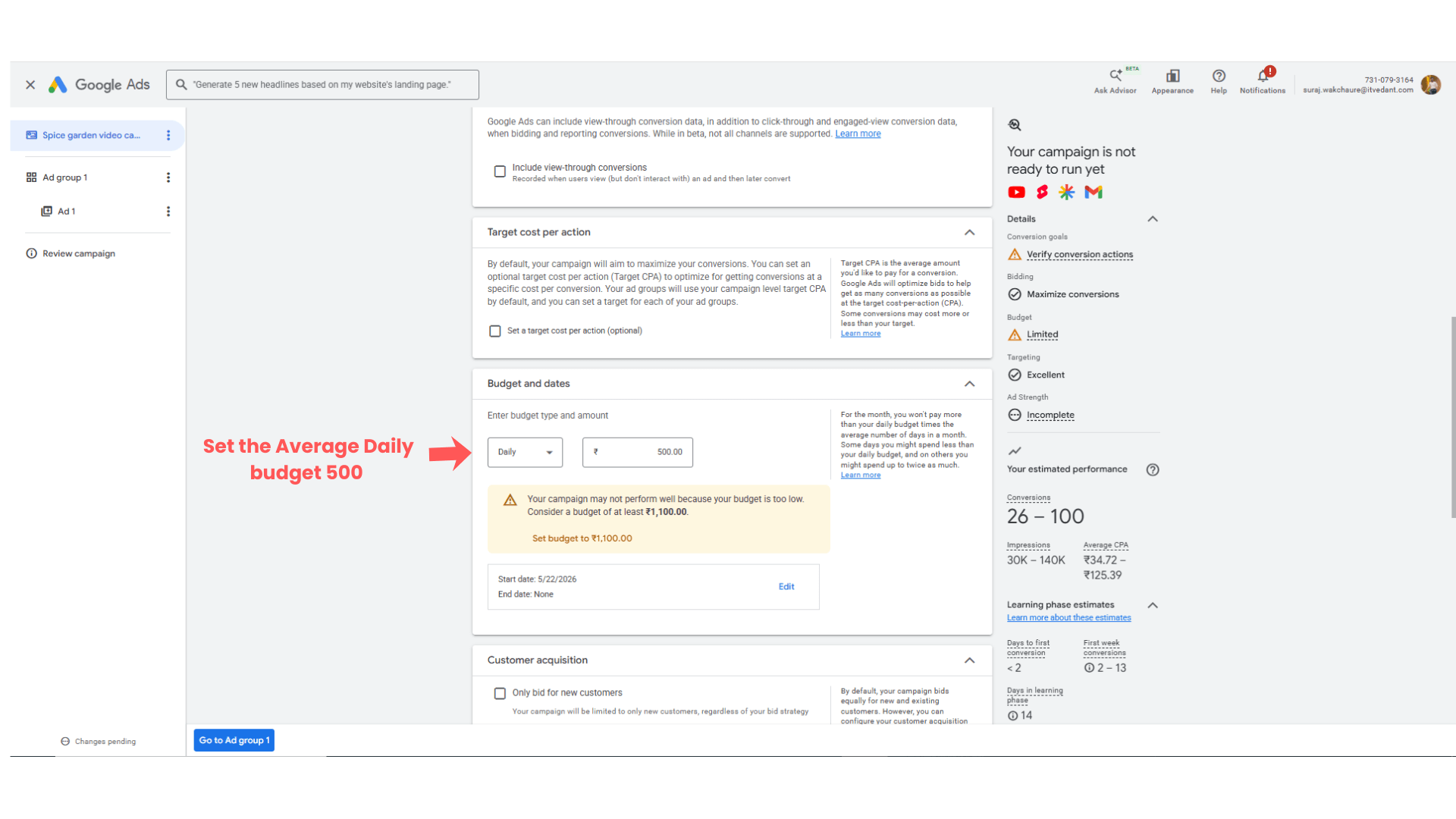
Select the budget and its duration
4
Set sample budget Rs 500
setup of customer acquisition cost option
5
At the campaign initial stage don’t setup the customer acquisition cost
Keep it as unchecked
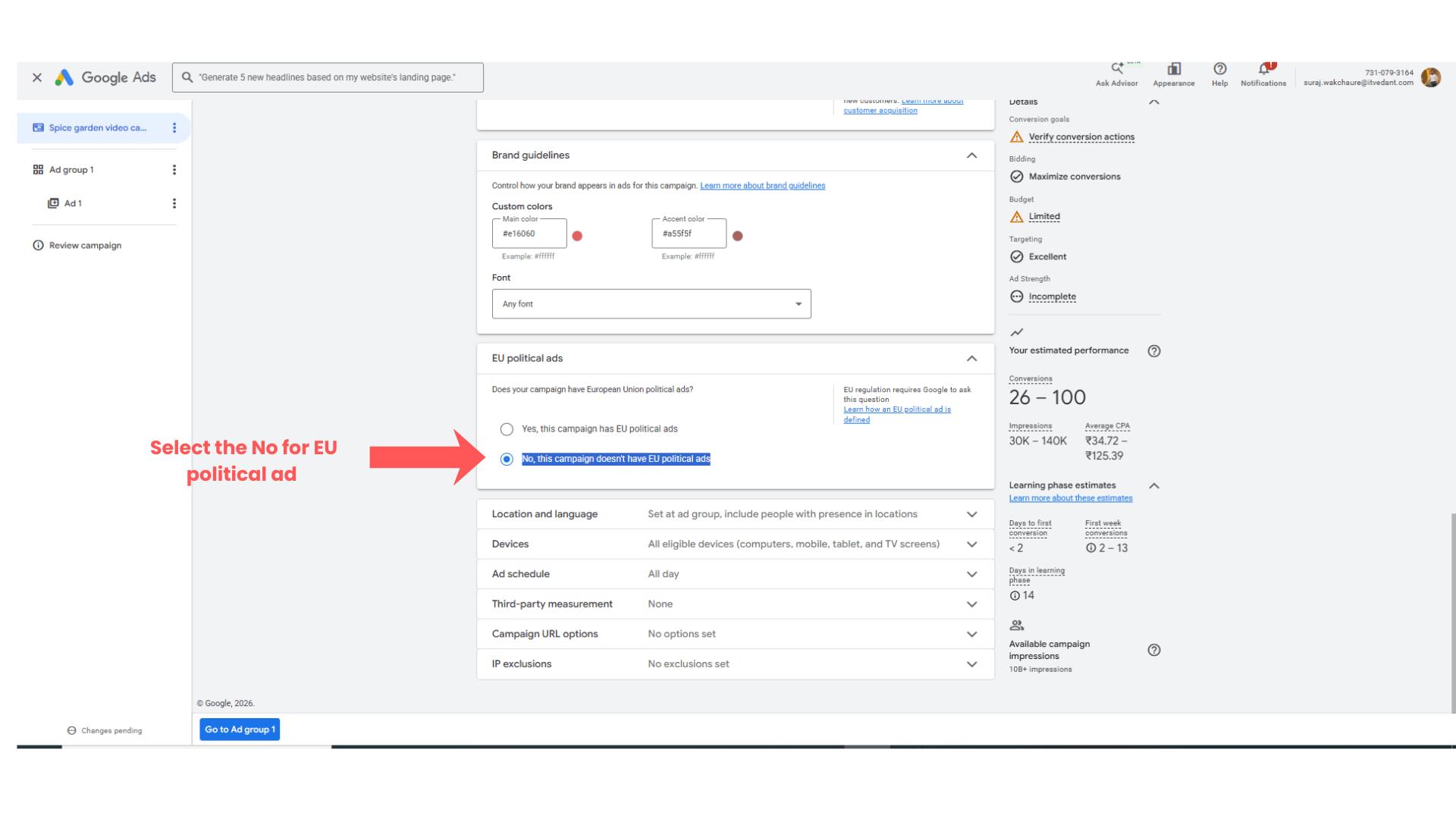
Setup of the EU political Ads CTA Examples:
6
Select the No, this campaign doesn't have EU political ads
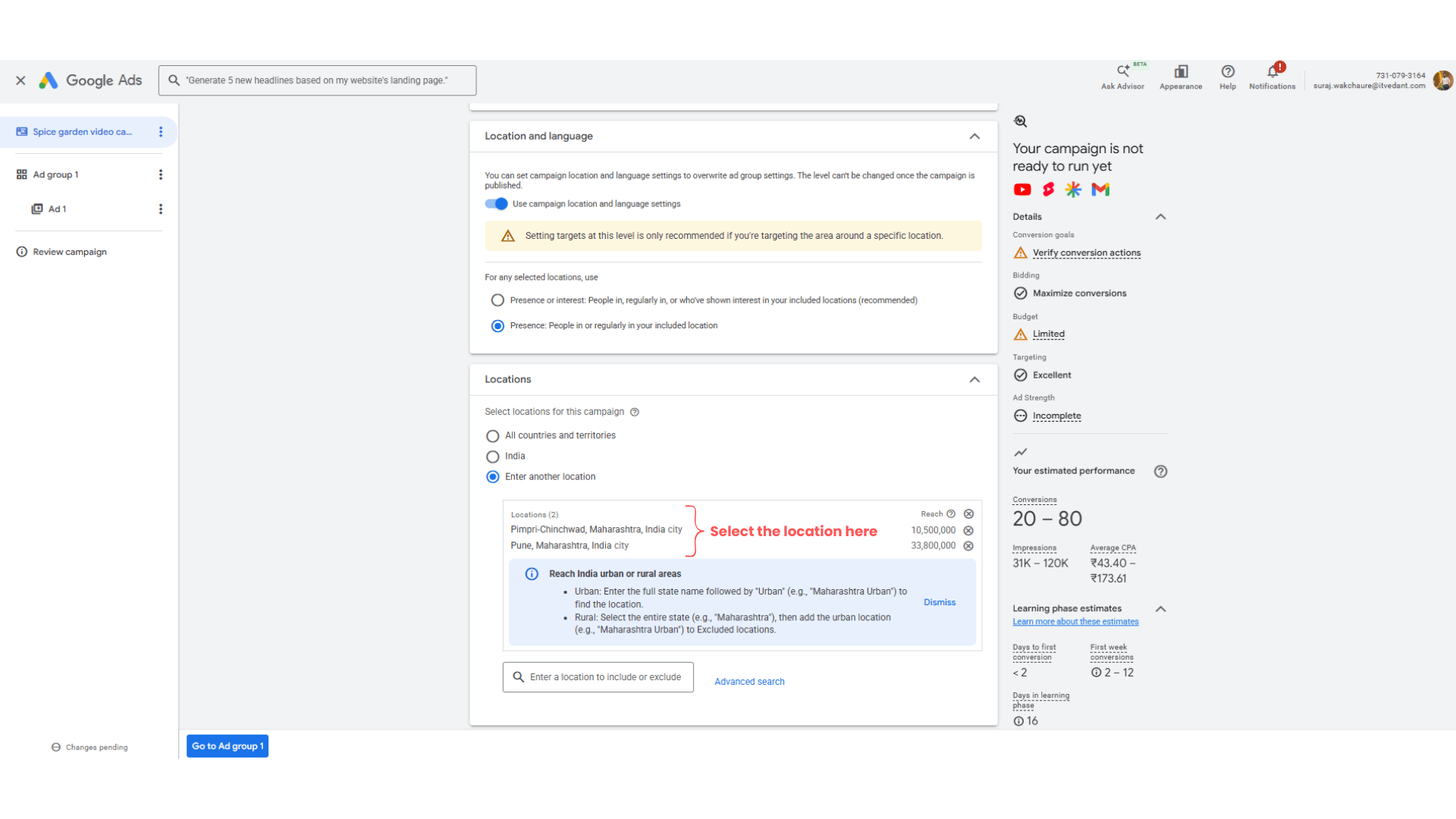
Setup of the Language and Location
7
Choose - Presence: People in or regularly in your included location
In the location select the required location as per your target audience.
Other setting setup
8
Imp note - keep all the remaining stuff as it is as mentioned above
Language - Hindi, Marathi or keep as it is
Devices - All eligible devices
Ad schedule - All Day
Third Party Measurement - None
Campaign url option - None
IP exclusions - No exclusion set
Click on → ‘Go to Ad Group’
Expected Outcome
After completing this LAB, learners will be able to:
Create promotional restaurant videos
Use Canva video editor
Upload videos to YouTube
Create Video Ads Campaigns
Configure audience targeting
Congratulations!
You have successfully completed the Campaign level setting for the Video Ad LAB for Spice Garden.
In this LAB, you learned how to:
Create promotional videos
Edit videos using Canva
Upload videos to YouTube
Configure Google Video Ads Campaigns
This knowledge will help you create engaging video marketing campaigns for businesses.
Checkpoint
By Content ITV