Content ITV PRO
This is Itvedant Content department
Design the Banner Ad
Business Scenario
You are working as a Digital Marketing Executive for Spice Garden Restaurant.
The restaurant owner wants attractive banner advertisements for Google Display Ads campaigns to promote:
Restaurant offers
Online food delivery
Family dining
Table reservations
Your task is to design professional banner ads for Spice Garden using an online design platform.
Pre-Lab Preparation
Topic : Display Ad
1) Responsive Display Ad
2) Audience Targeting
3) Device Targeting
4) Topic and Placement Targeting
5) Ad Optimization
Task 1: Access Canva Design Platform
Go to the visual studio code official website
1
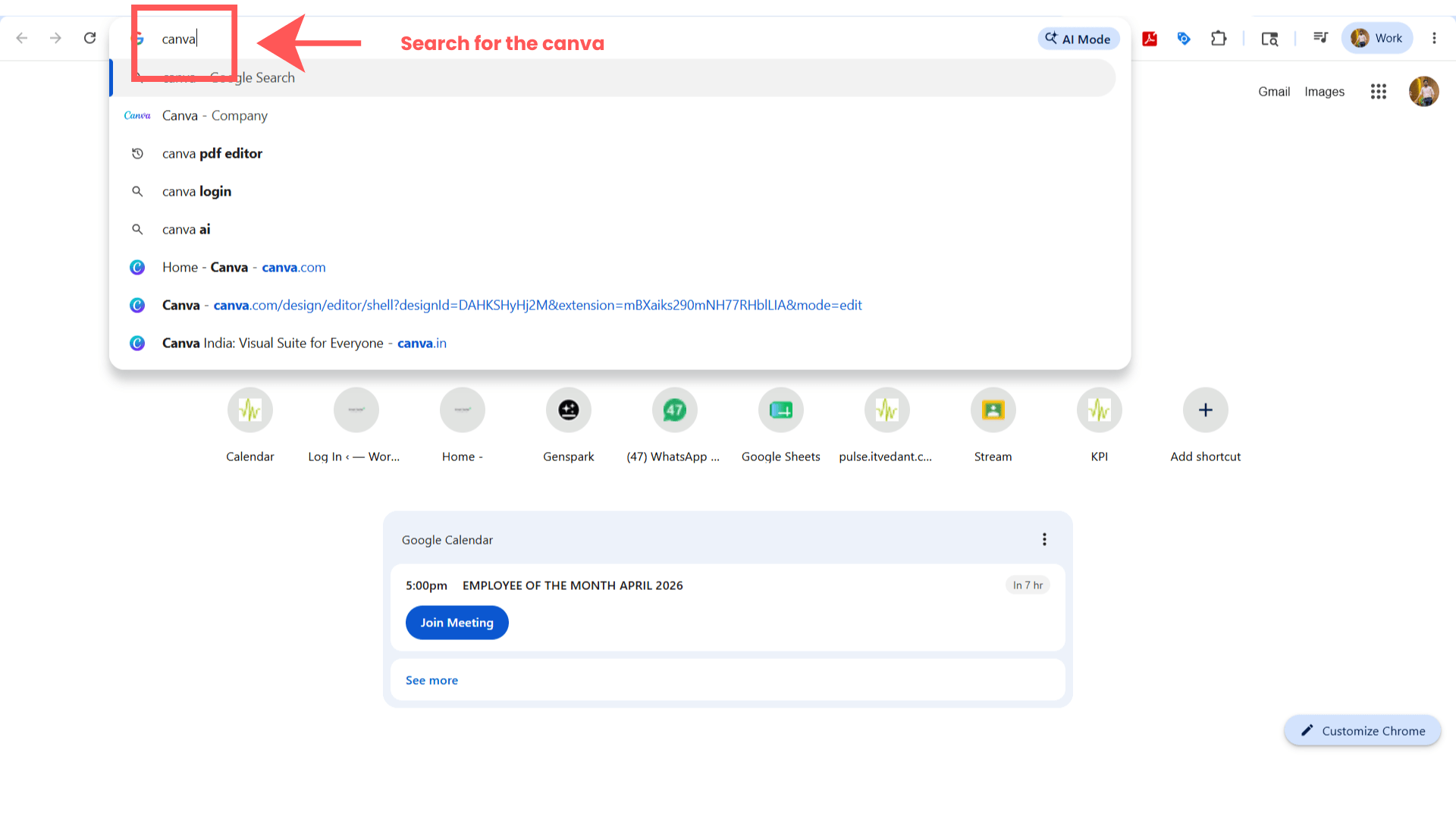
Launch Google Chrome browser.
Ensure internet connectivity is active.
Search for Canva
2
Search:
Canva
Open the official Canva website.
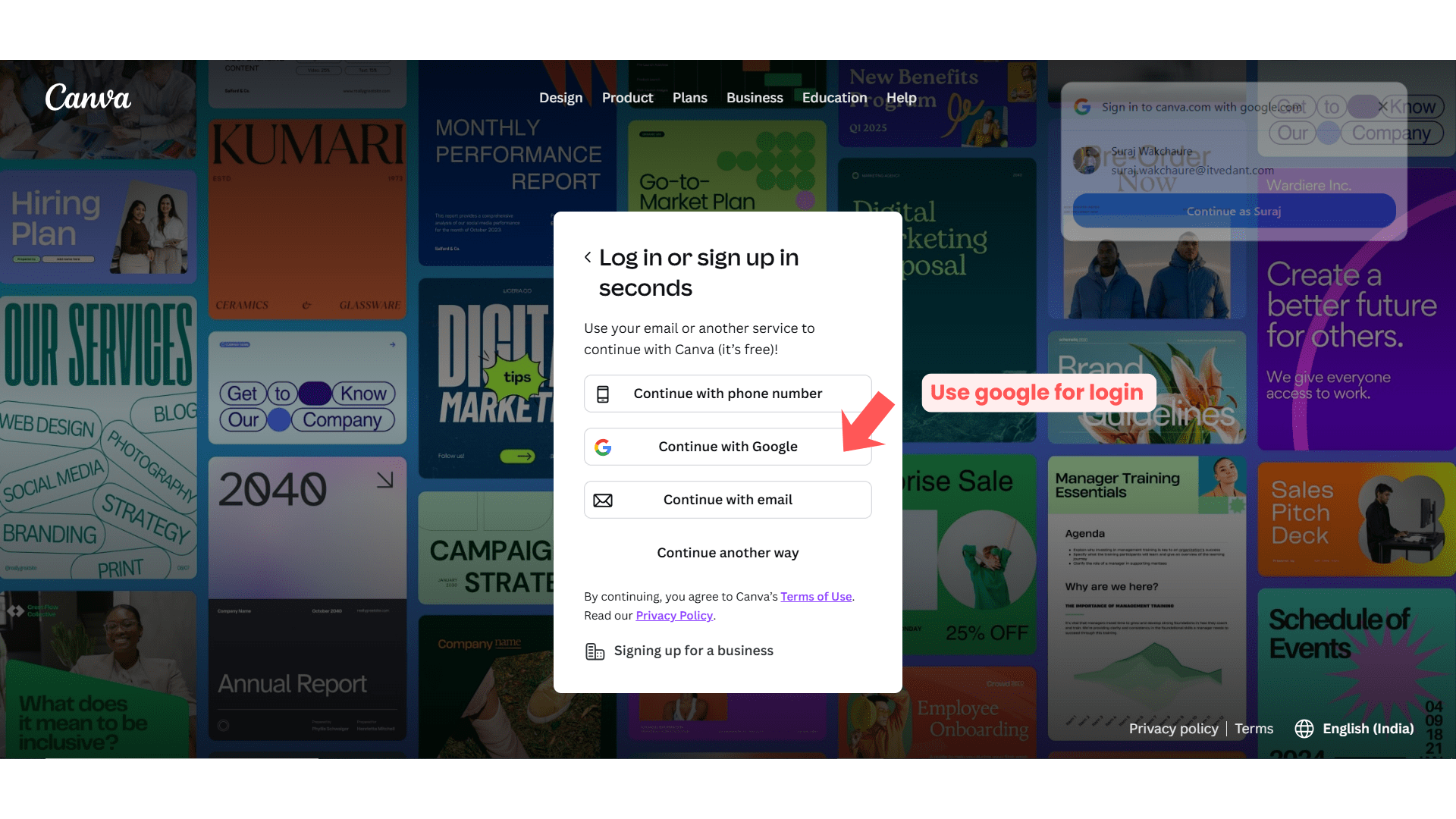
Login to Canva
3
Click:
“Login”
Sign in using Gmail account.
Task 1: Create Banner Design
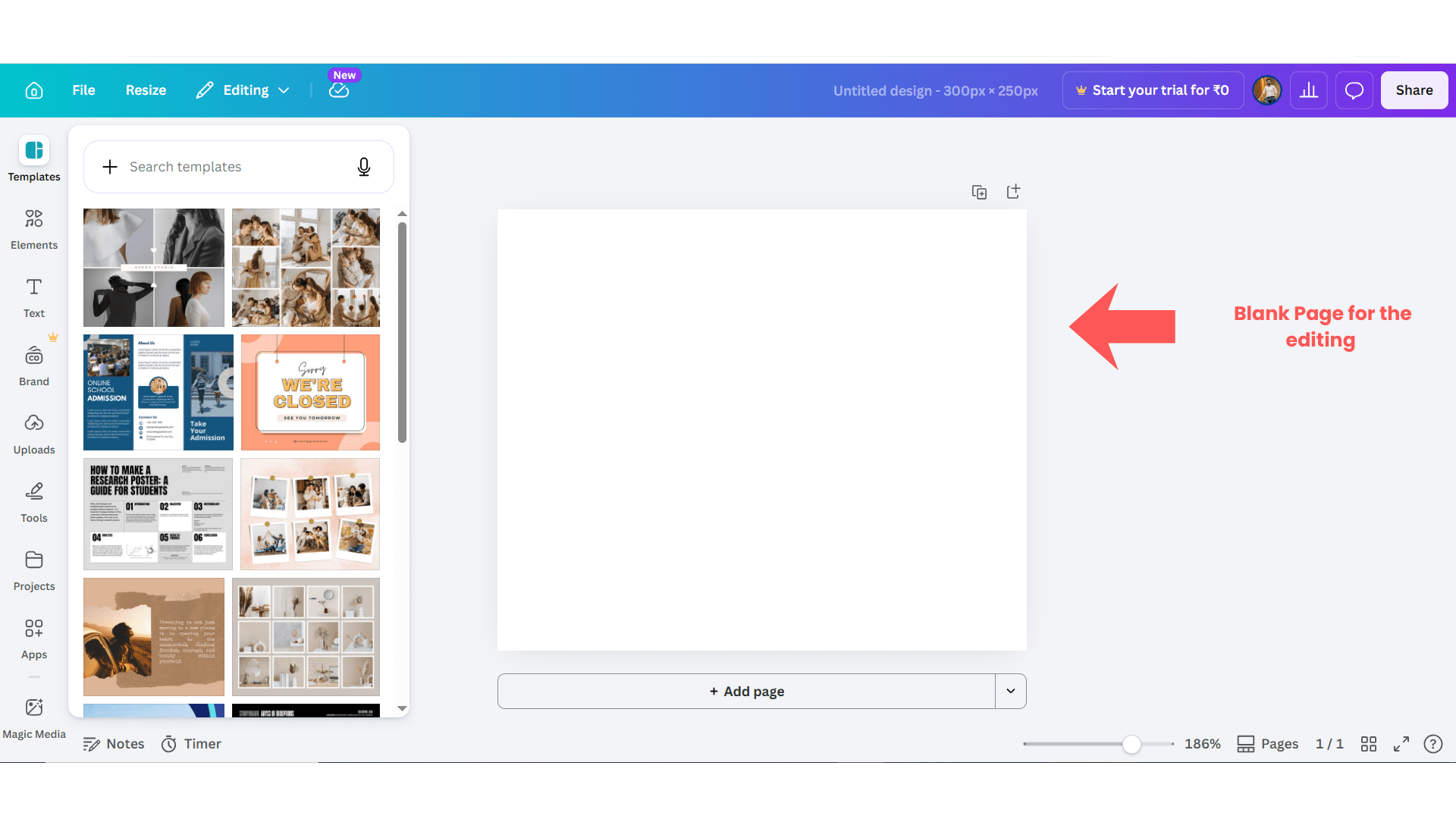
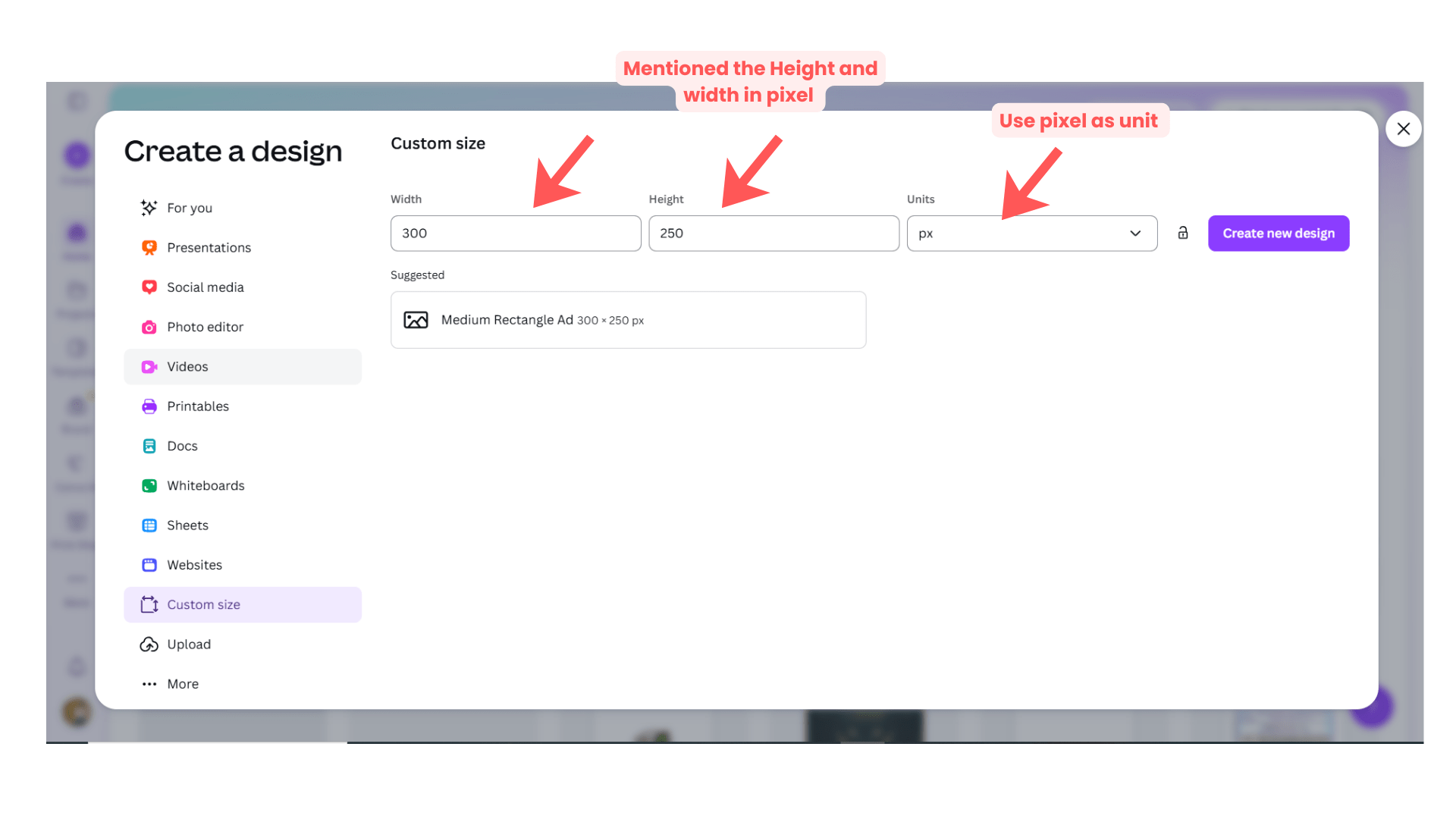
Create New Design
1
Click:
“Create a Design”
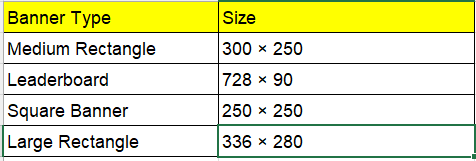
Search Banner Size
2
Search:
Google Display Ad
OR
Banner
Select appropriate banner size.
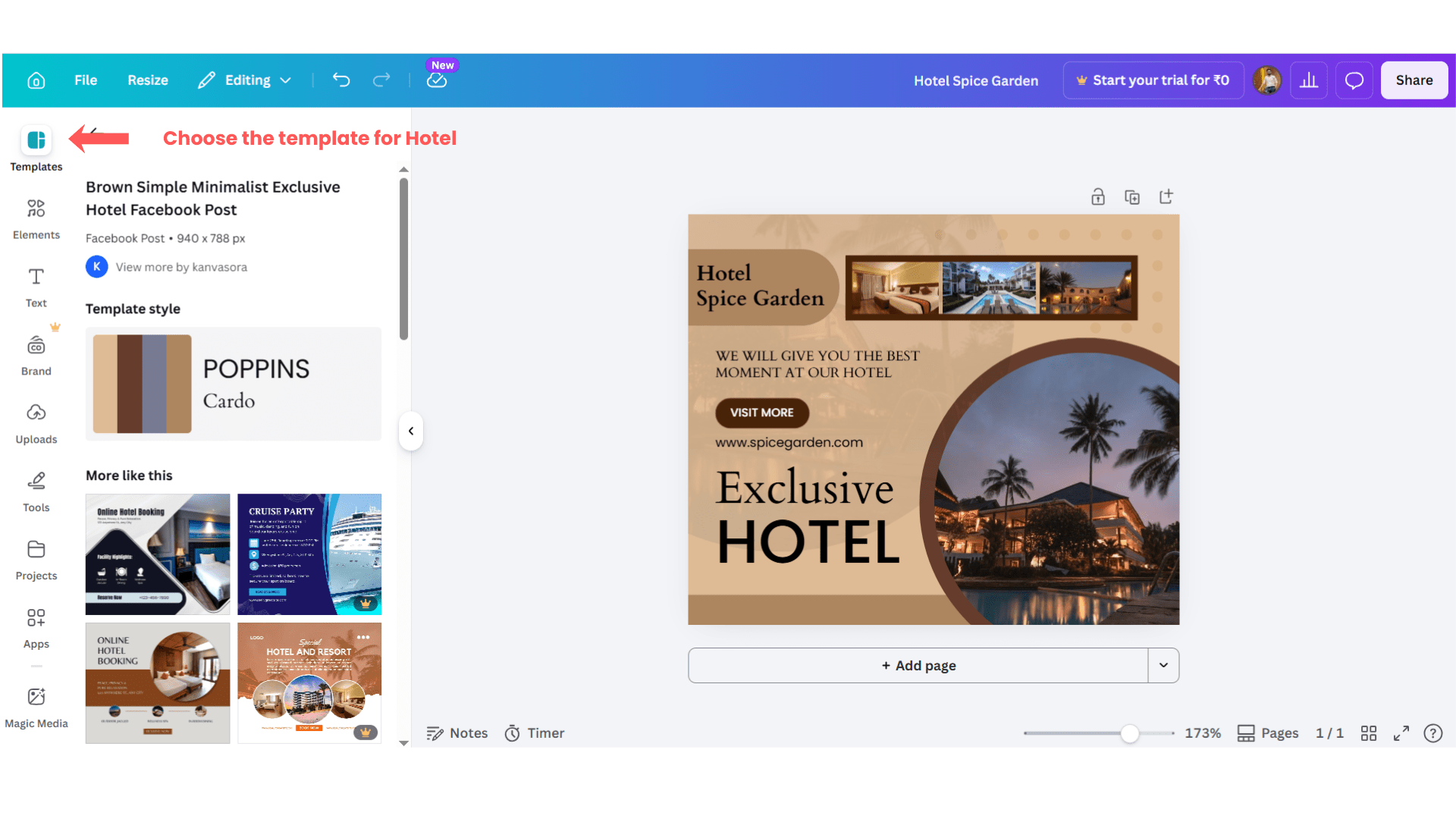
Select Banner Template
3
Choose a restaurant-related template.
Select modern and food-related designs.
Task 3: Customize Banner Design
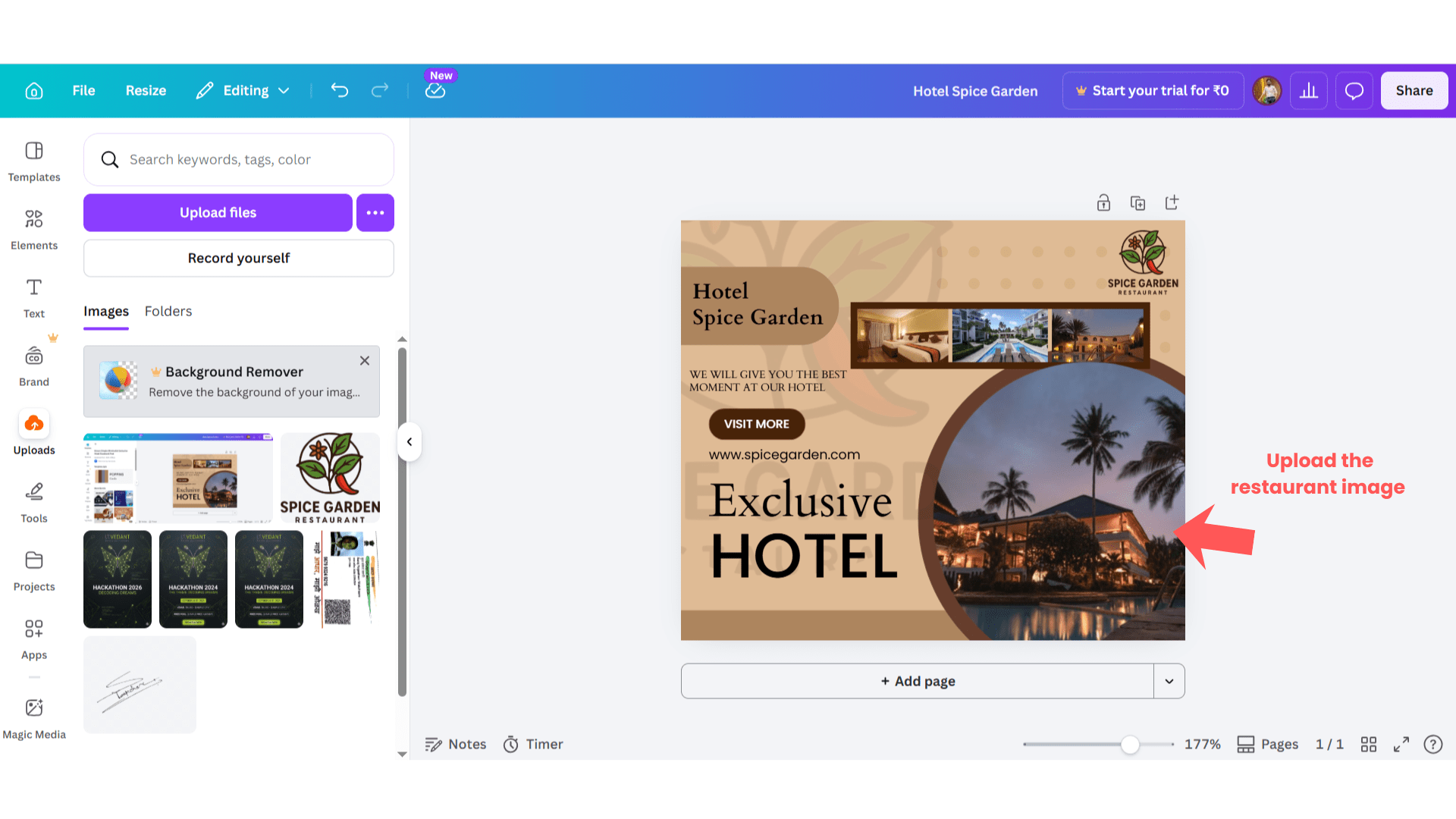
Upload Restaurant Images
1
Upload images such as:
Food dishes
Restaurant interiors
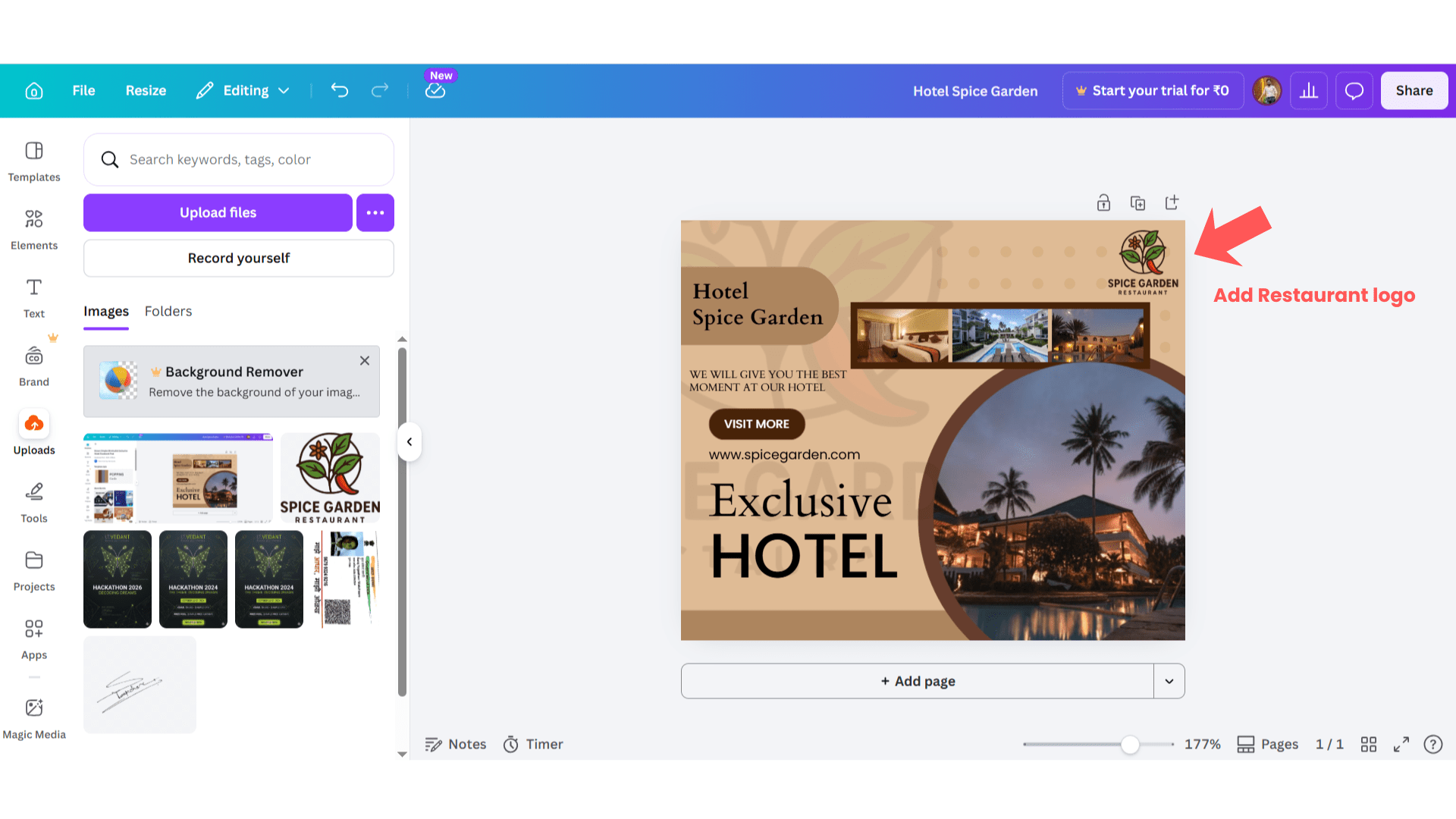
Add Restaurant Logo
2
Upload Spice Garden logo.
Adjust logo placement properly.
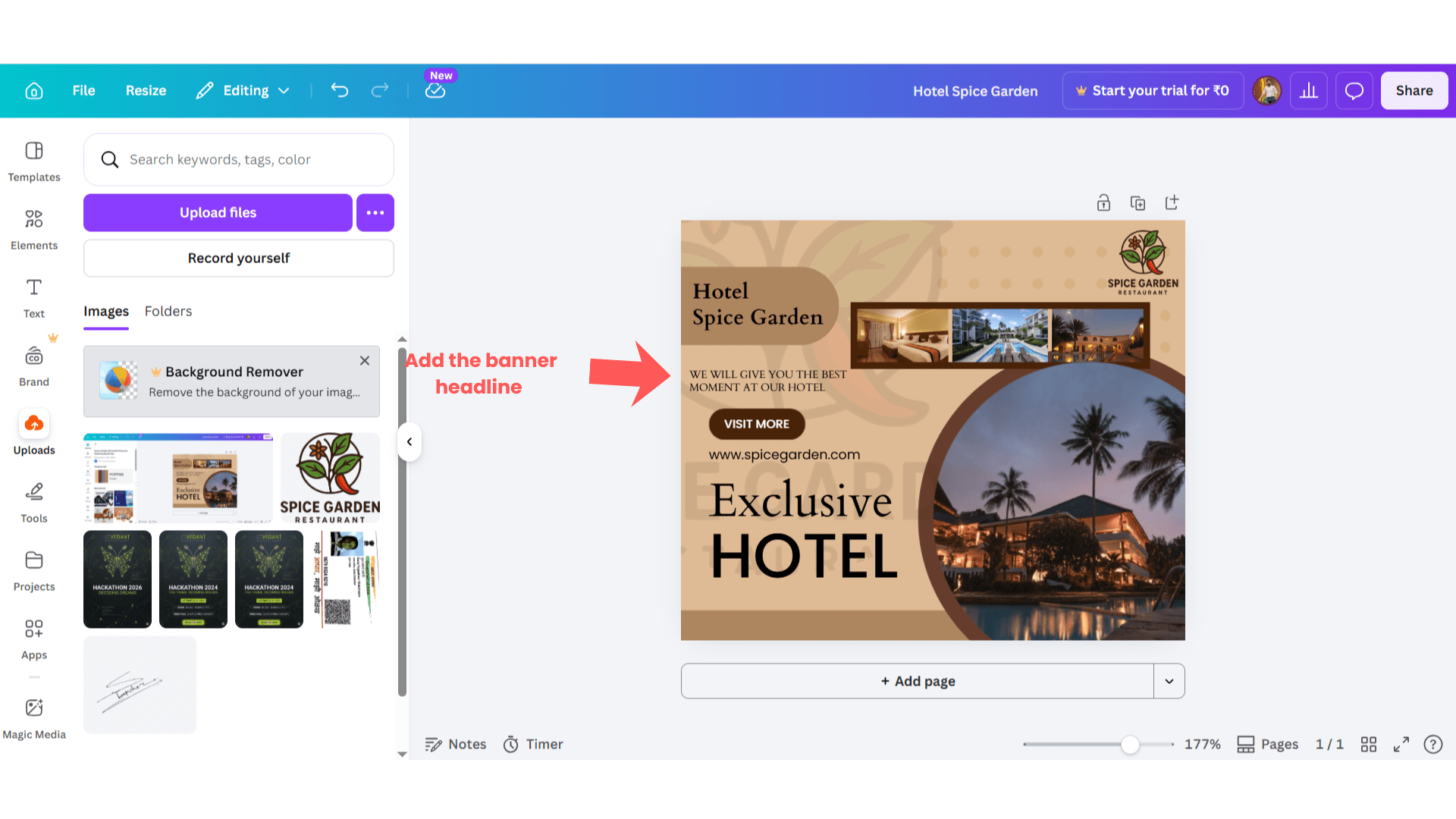
Edit Banner Headline
3
Add sample headlines such as:
Best Family Restaurant
Taste Delicious Food
Reserve Your Table
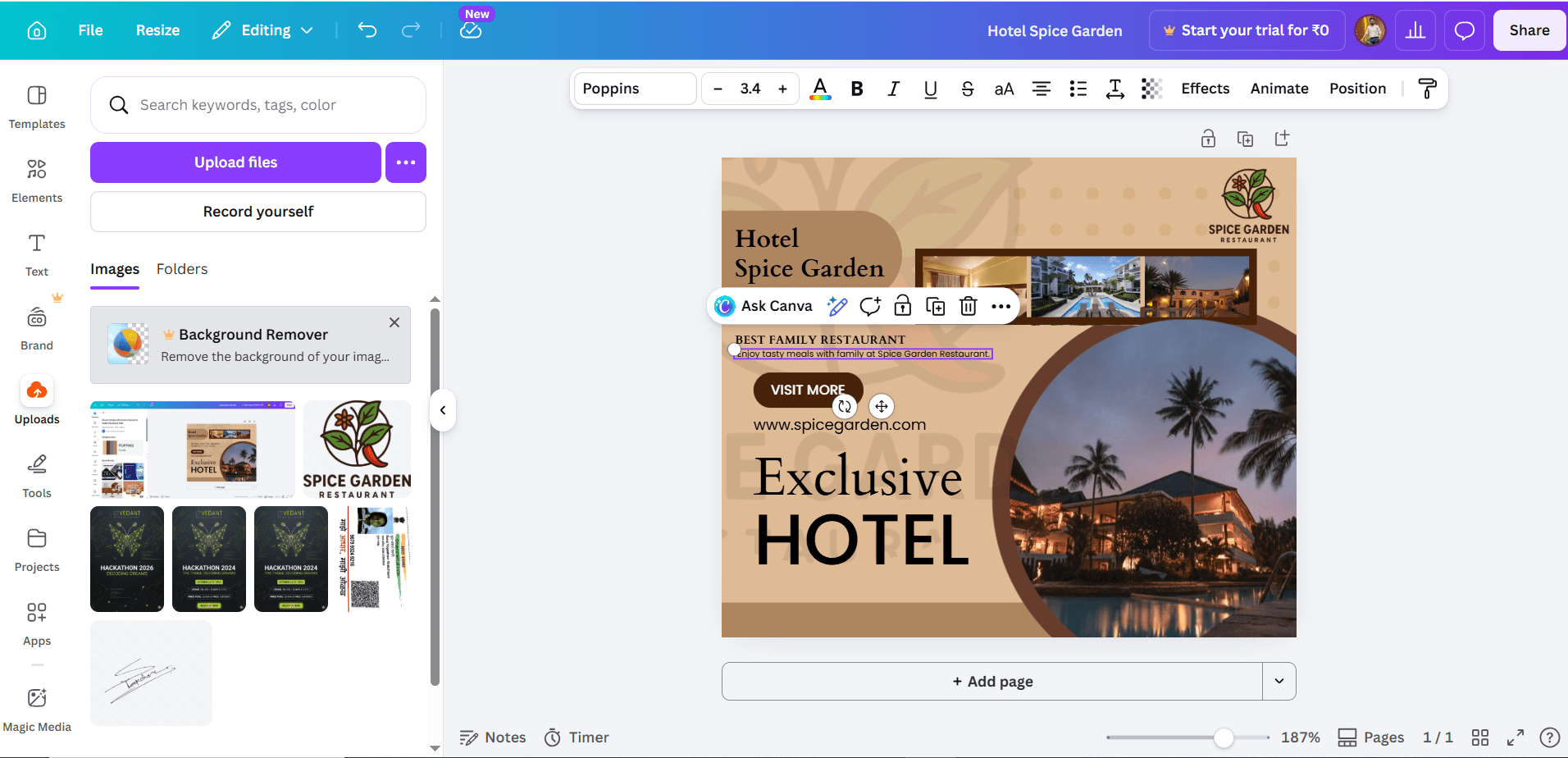
Add Banner Description
4
Add descriptions such as:
Enjoy tasty meals with family at Spice Garden Restaurant.
Order delicious food online with fast delivery service.
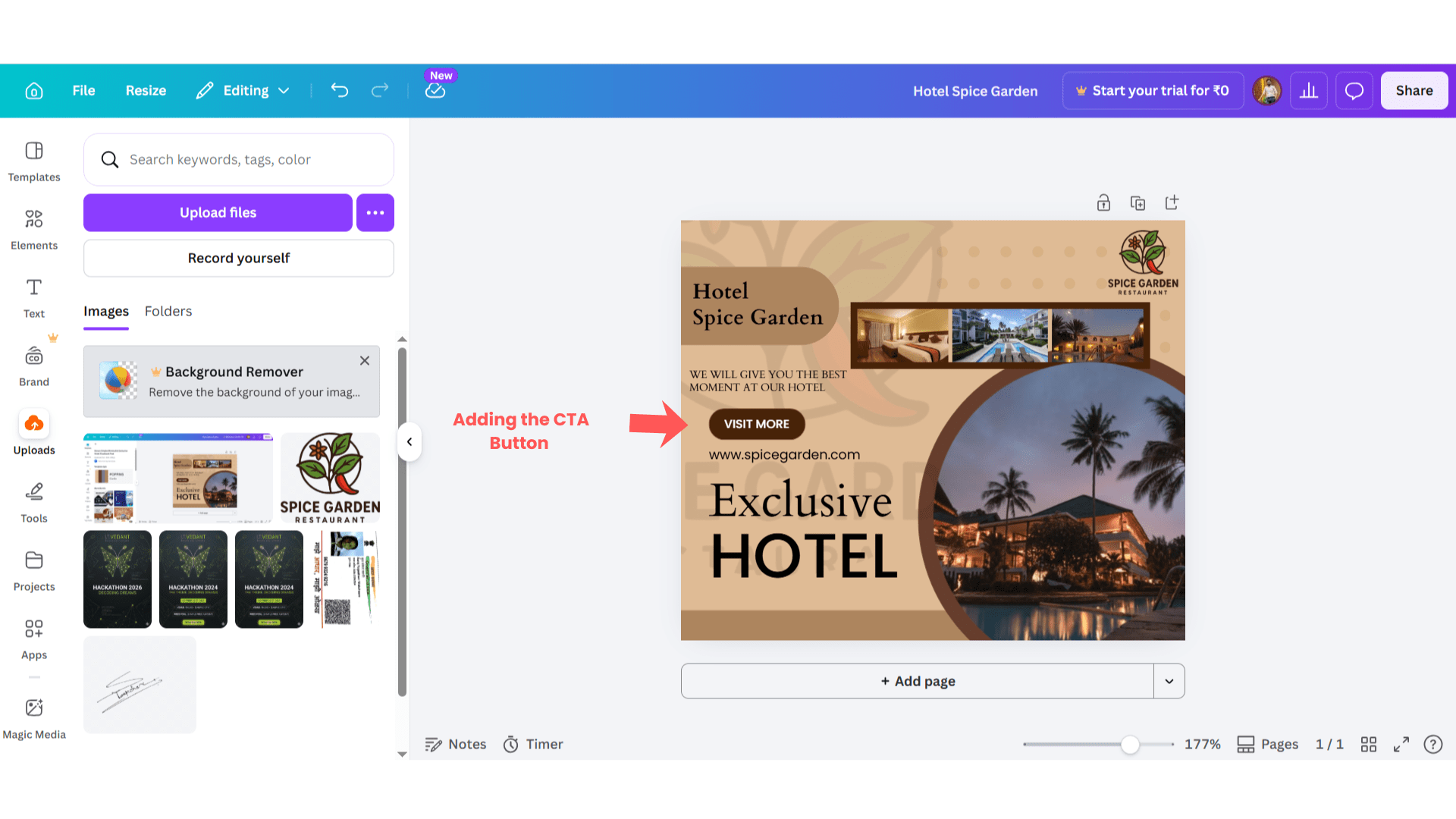
Add CTA Button Text
5
Use CTA examples such as:
Order Now
Book Table
Visit Now
Use CTA examples such as:
Order Now
Book Table
Visit Now
Learn More
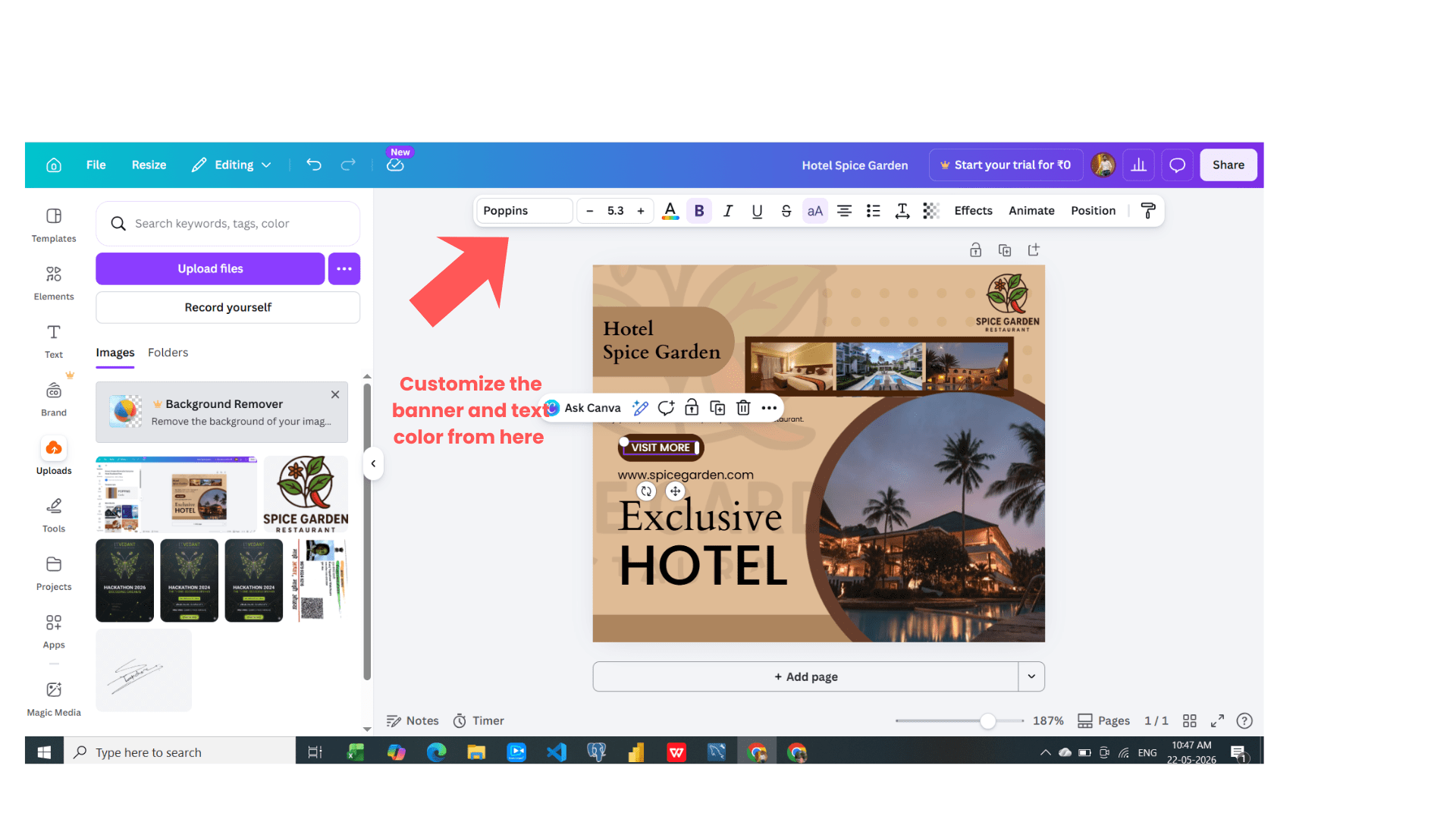
Customize Brand Colors
6
Use restaurant-related colors such as:
Red
Yellow
Orange
Black
Task 4: Finalize Banner Design
Review Banner Design
1
Check:
Text alignment
Image quality
CTA visibility
Logo placement
Overall design
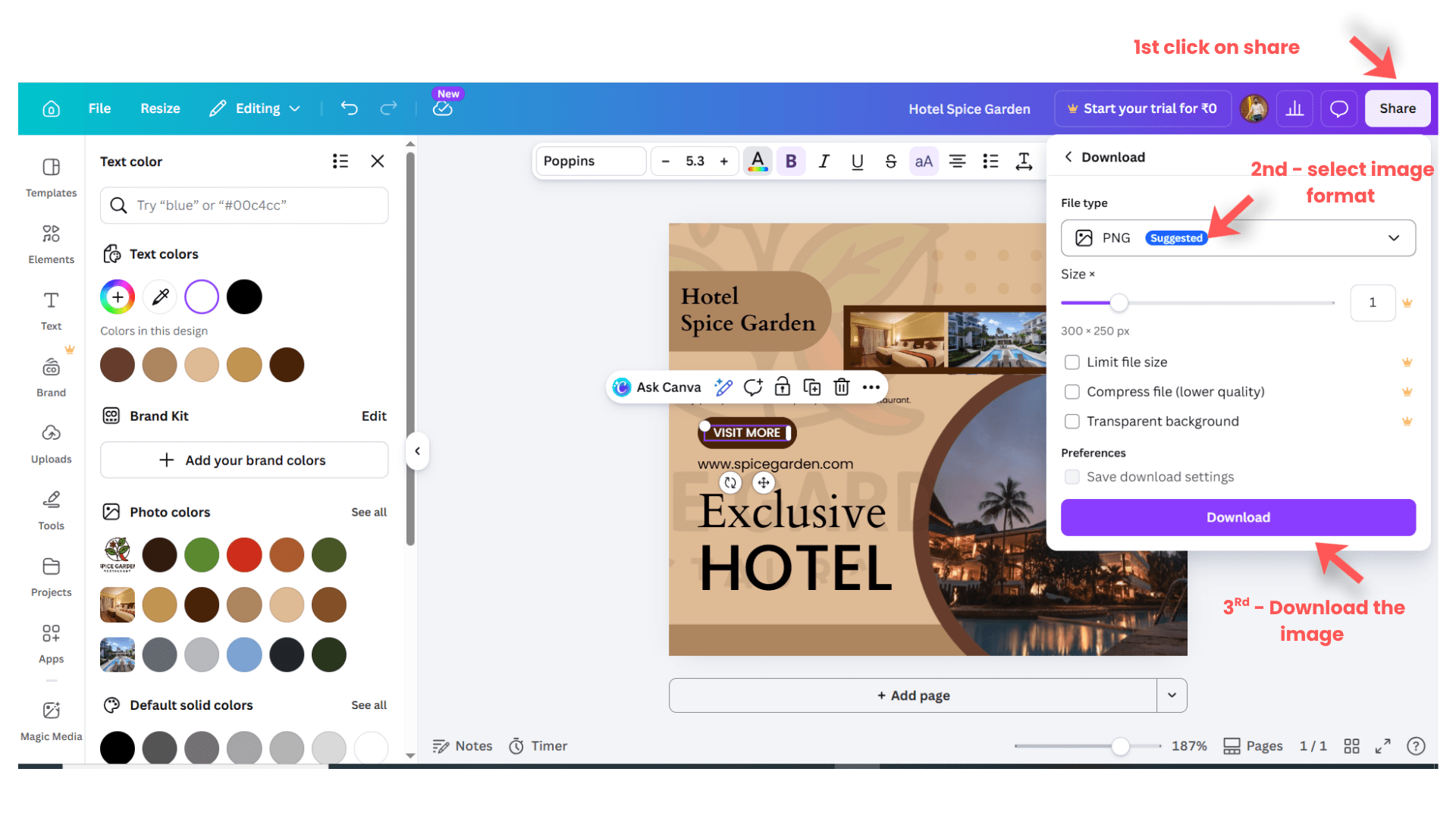
Download Banner
2
Click:
“Share”
Click:
“Download”
Select:
PNG
OR
JPG
Click:
“Download”
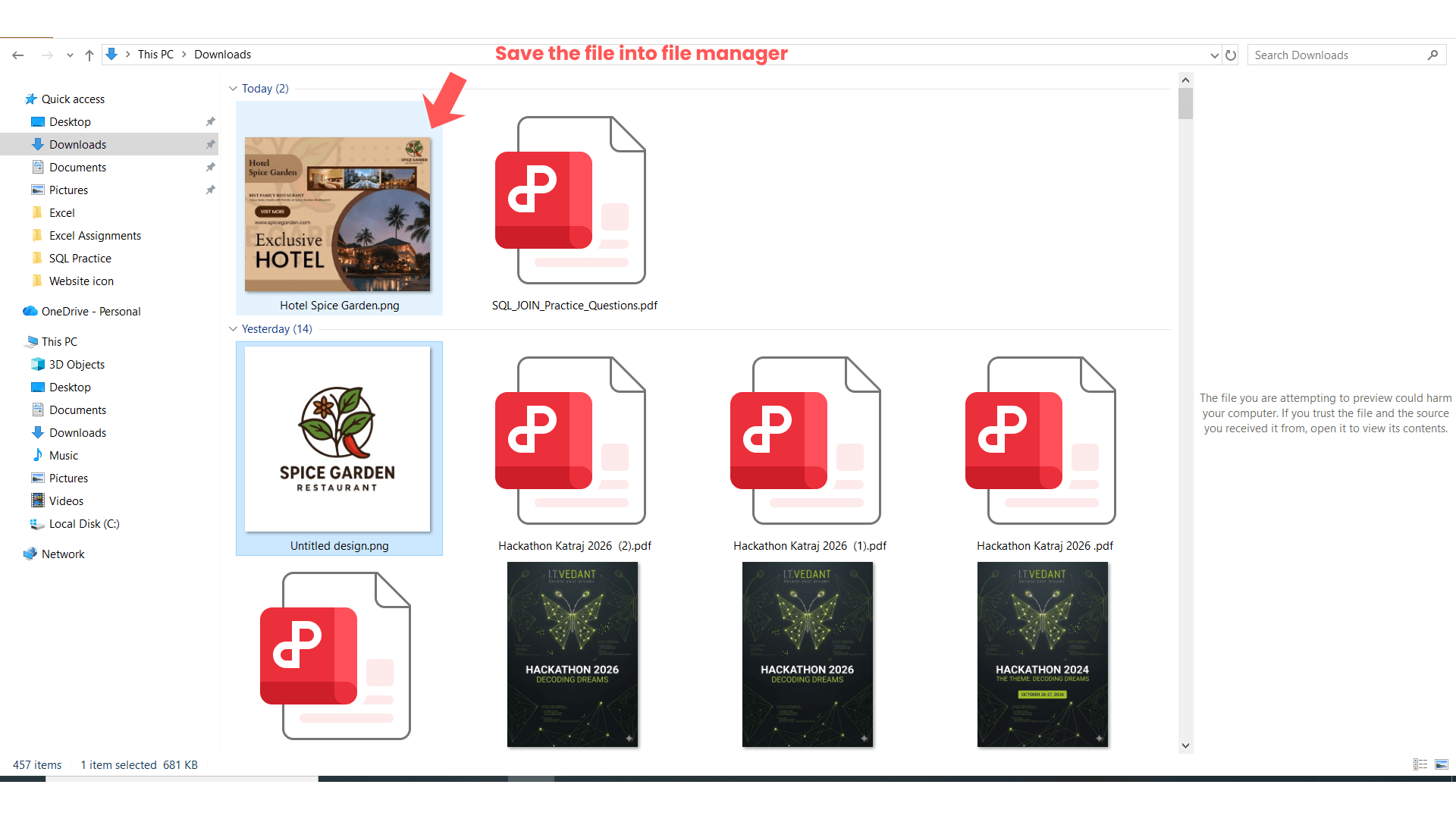
Save Banner Files
3
Save banners in a folder named:
Spice Garden Banner Ads
Task 5: Upload Banner into Google Ads
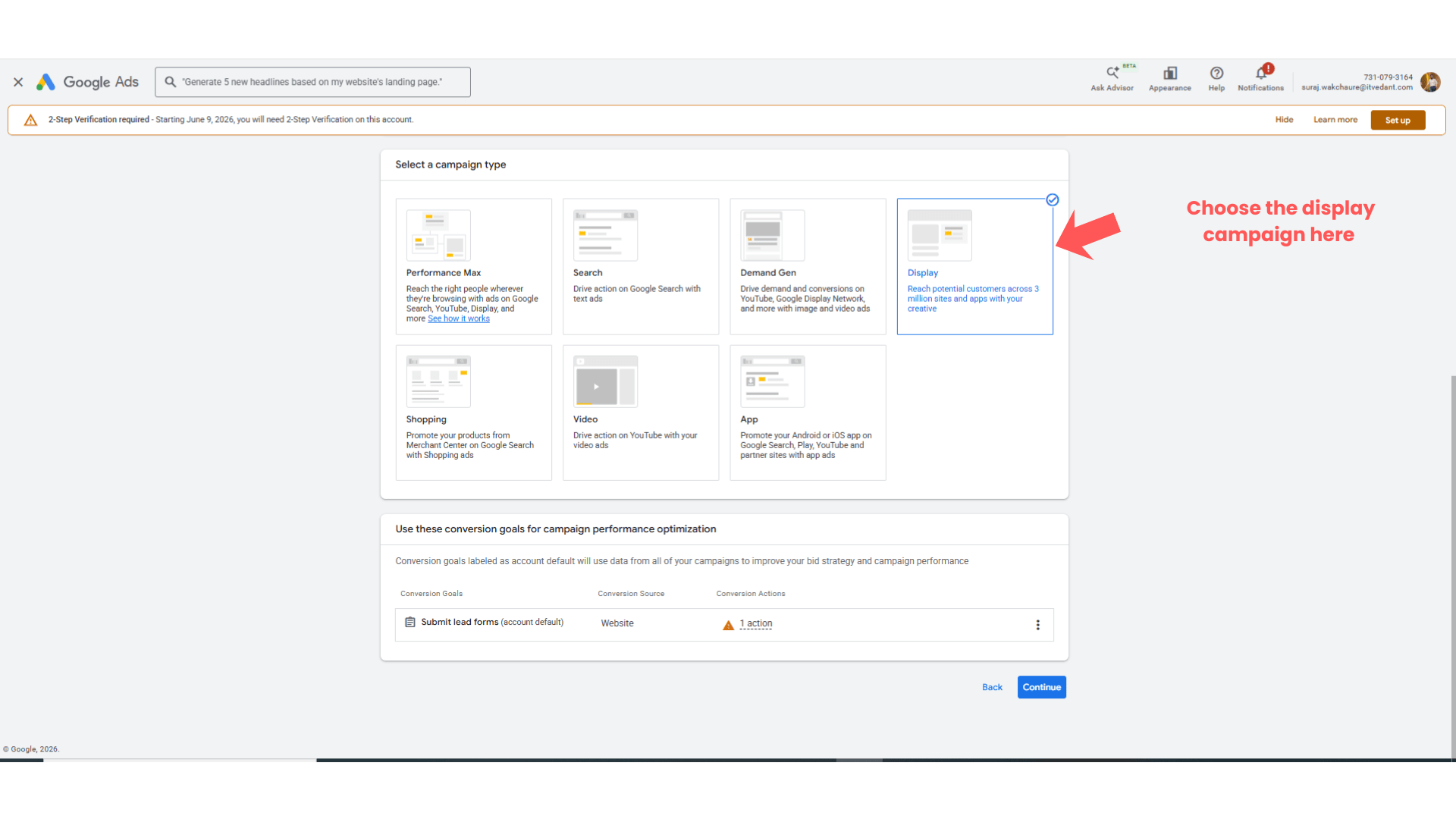
Open Google Ads Display Campaign
1
Login to Google Ads account.
Open Display Campaign.
Open Ad Creation Section
2
Navigate to:
Ads → Create Ad
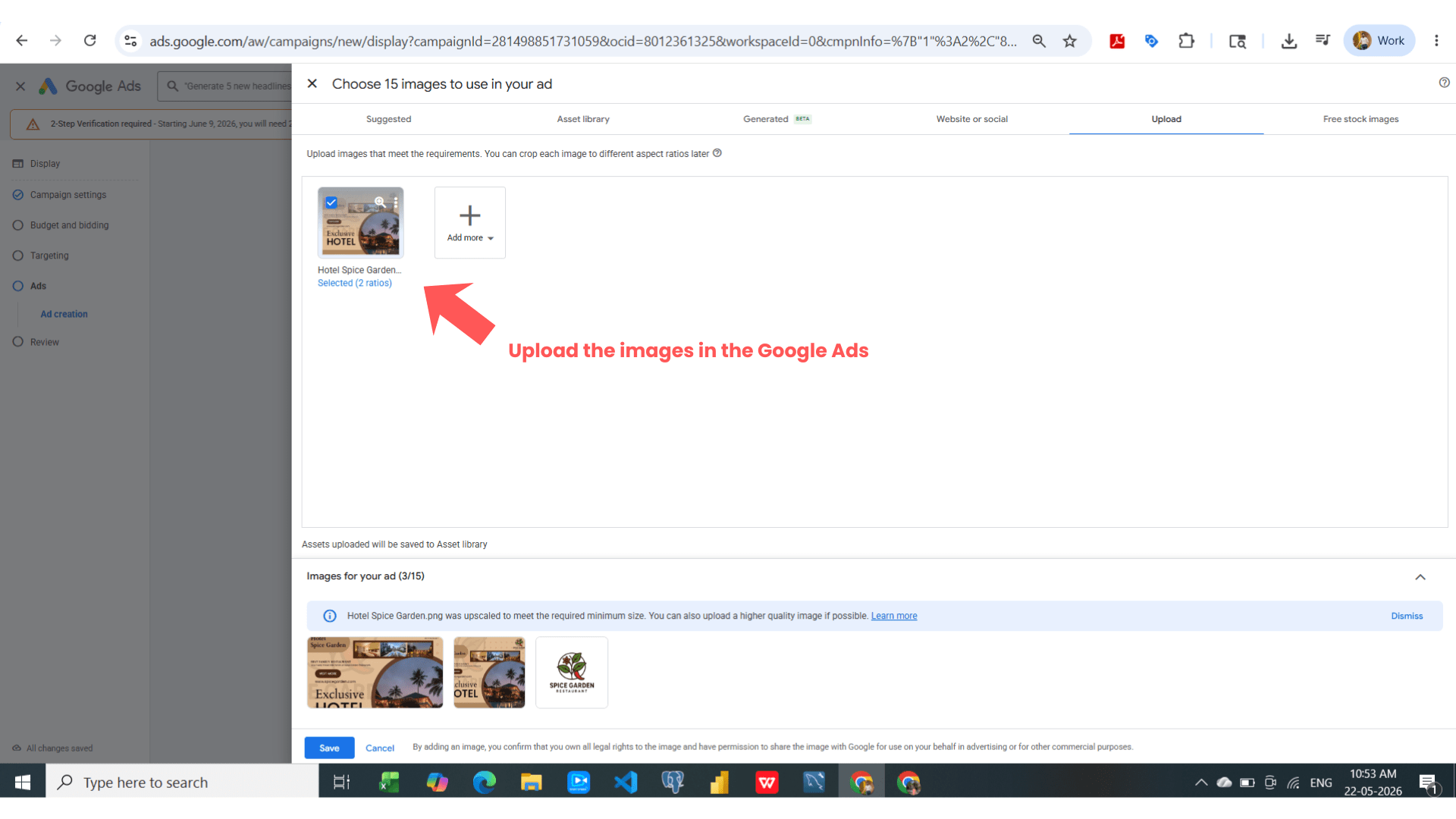
Upload Banner Creatives
3
Click:
“Upload Images”
Select downloaded banner files.
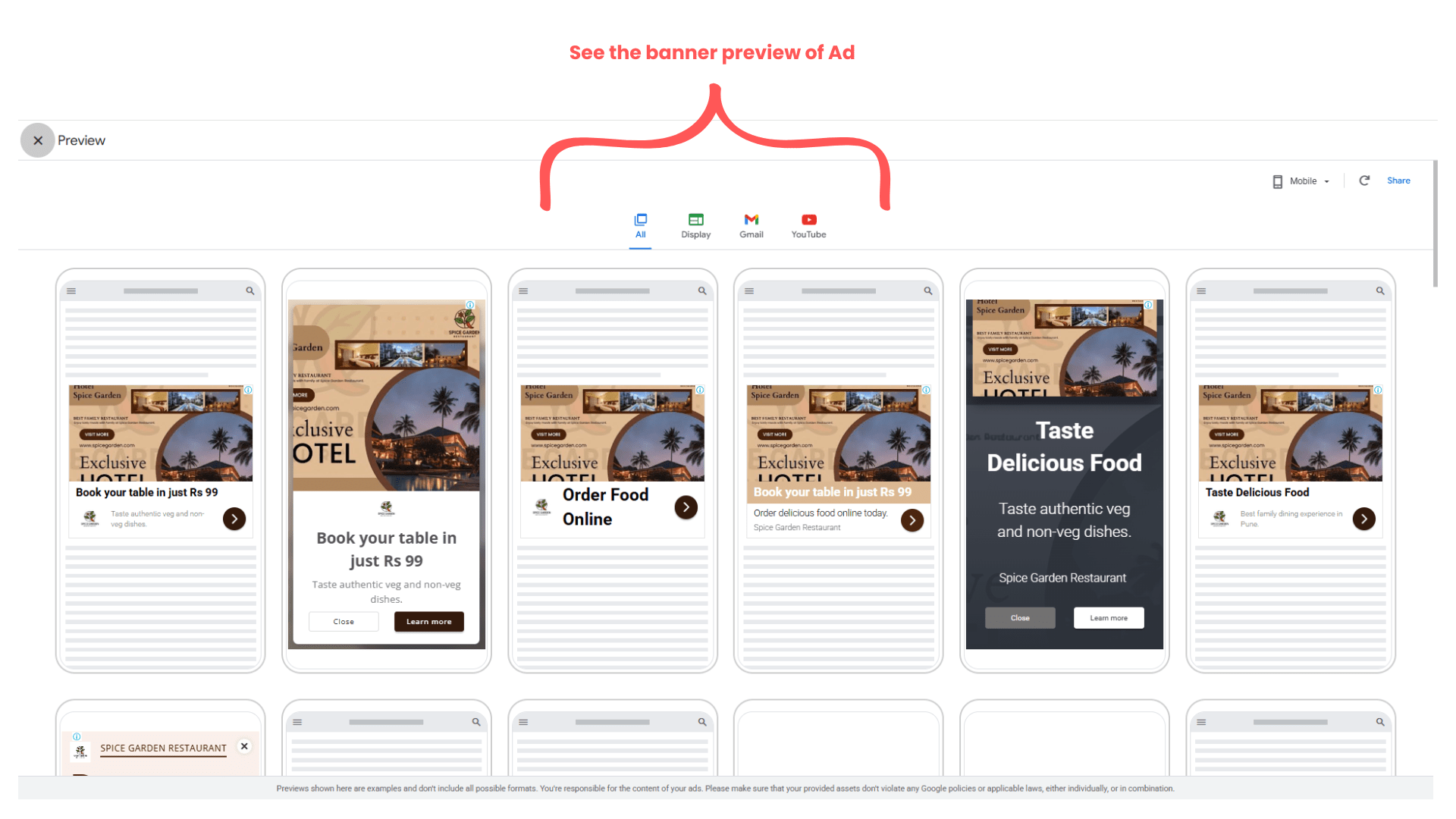
Preview Banner Advertisement
4
Review banner previews for:
Mobile devices
Desktop devices
Website placements
Expected Outcome
After completing this LAB, you will be able to:
Create banner advertisements
Use Canva for display ad design
Add branding elements
Create CTA-focused banners
Download and upload banner creatives into Google Ads
Congratulations!
You have successfully completed the Banner Ad Design LAB for Spice Garden.
In this LAB, you learned how to:
Create banner advertisements
Use Canva design tools
Checkpoint
Add restaurant branding elements
Design visually appealing display banners
Upload banner creatives into Google Ads
This knowledge will help you create professional display advertising creatives for businesses.
Next-Lab Preparation
Topic : Video Ad
1) Types of Video Ad
2) Related Video for Ad
3) Audience Targeting
4) Topic & Placement Targeting
5) Ad Optimization
By Content ITV