






Content ITV PRO
This is Itvedant Content department
Kubernetes Autoscaling for OpsMate Platform
Pre-Lab Preparation
Amazon EKS Cluster is running
kubectl is configured
Metrics Server can be installed
OpsMate image exists in Amazon ECR
Worker nodes are in Ready state
Understanding Kubernetes Autoscaling
What is Horizontal Pod Autoscaler (HPA)?
HPA automatically changes the number of Pods based on resource usage.
Example:
Low Traffic
2 Pods Running
High Traffic
8 Pods Running
Traffic Reduced
2 Pods Running Again
Task 1: Verify Cluster Connectivity
Verify cluster
kubectl cluster-info
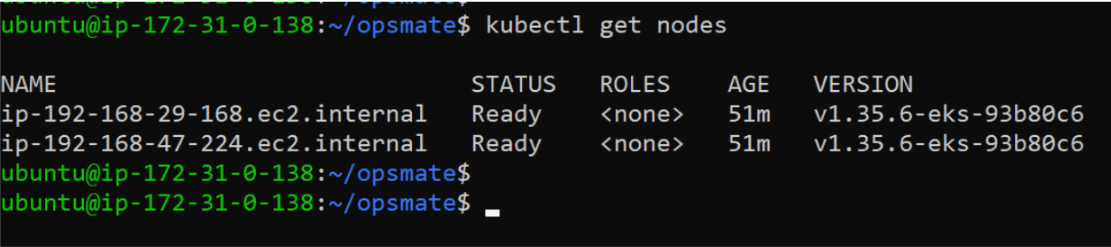
Verify nodes
kubectl get nodes
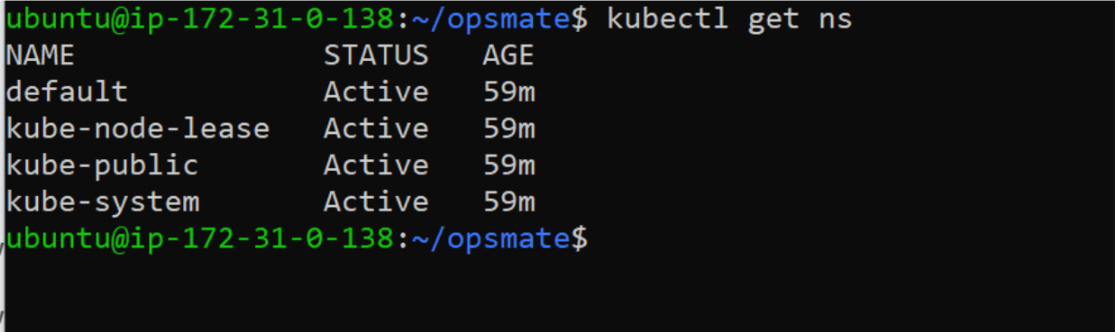
Check namespaces
kubectl get nsTask 2: Create OpsMate Namespace
Create OpsMate Namespace
kubectl create namespace opsmate
Set default namespace
kubectl config set-context --current --namespace=opsmate
Verify
kubectl config view --minify | grep namespaceTask 3 : Install Metrics Server
Why Metrics Server?
Kubernetes Autoscaler requires CPU and memory metrics.
Metrics Server collects:
CPU usage
Memory usage
Pod resource metrics
Without Metrics Server, HPA will not work.
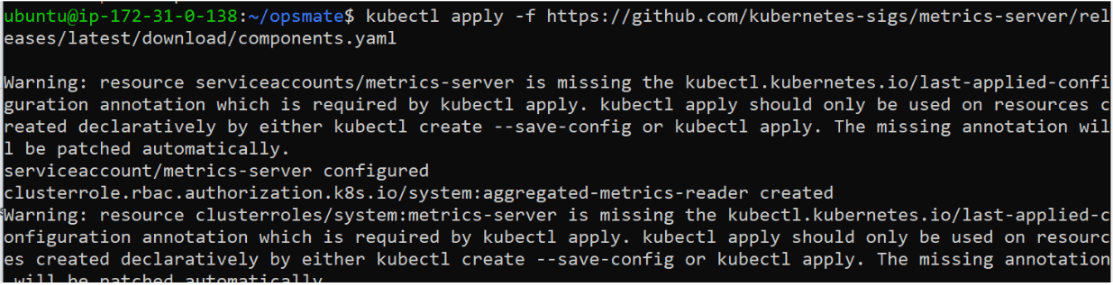
Install Metrics Server
kubectl apply -f https://github.com
/kubernetes-sigs/metrics-server/releases
/latest/download/components.yaml
Verify deployment
kubectl get deployment metrics-server -n kube-system
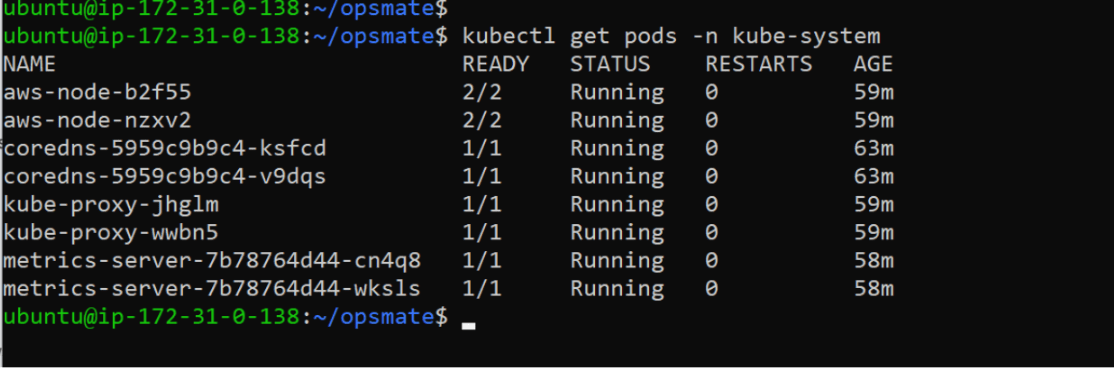
Verify Pods:
kubectl get pods -n kube-system
Task 4: Create OpsMate Deployment
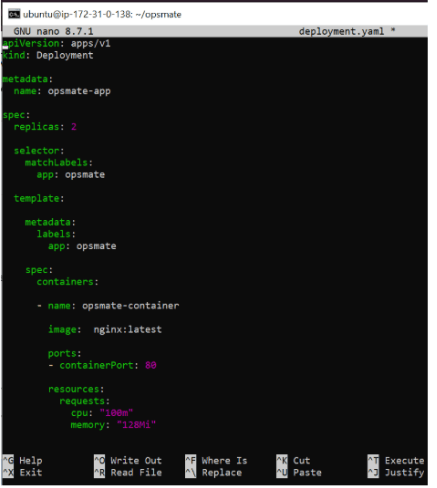
Create deployment file:
nano deployment.yamlApply deployment
kubectl apply -f deployment.yaml
Verify
kubectl get deploymentsVerify Pods
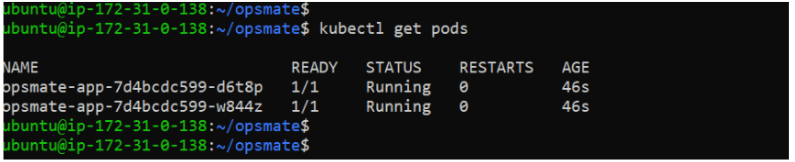
kubectl get pods
Task 5: Expose Application
Expose deployment
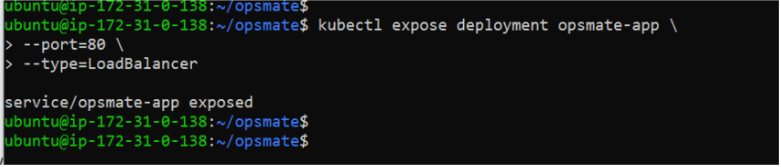
kubectl expose deployment opsmate-app \
--port=80 \
--type=LoadBalancer
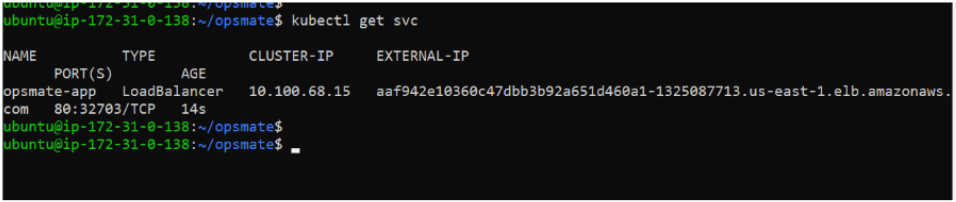
Verify Service
kubectl get svcVerify HPA
kubectl get hpa
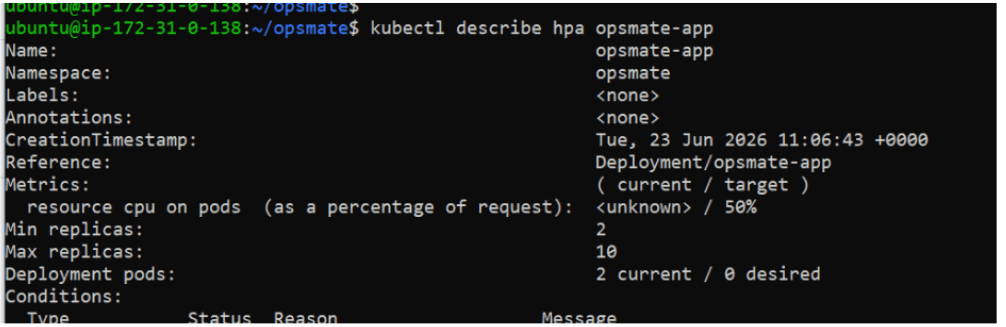
Describe Autoscaler
kubectl describe hpa opsmate-appTask 6: Generate Load for Autoscaling
Now we will simulate high traffic.
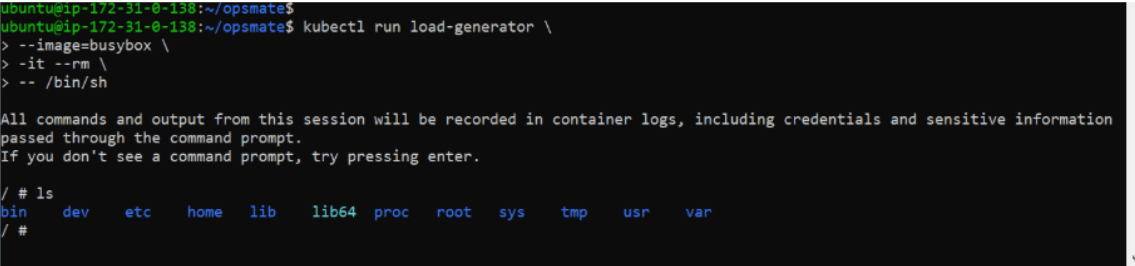
Create load generator Pod:
kubectl run load-generator \
--image=busybox \
-it --rm \
-- /bin/sh
Inside the container run:
while true; do wget -q -O- http://opsmate-app; done
This continuously sends requests to the application.
Keep this running for several minutes.
Open another terminal
Task 7: Monitor Autoscaling Behavior
Watch HPA activity
kubectl get hpa -wYou will notice:
TARGETS
70%
80%
95%
Task 8: Analyze Resource Optimization
Observe:
|
Situation |
Pods |
|
Normal Traffic |
2 |
|
Heavy Traffic |
Multiple |
|
Low Traffic Again |
Reduced |
This demonstrates:
Efficient resource management
Better application availability
Reduced infrastructure cost
Great job!
Installed Metrics Server
Deployed OpsMate application
Configured Kubernetes resource requests and limits
Enabled Horizontal Pod Autoscaler
Generated application load
Monitored scaling behavior
Observed automatic scale-up and scale-down
Optimized Kubernetes resource utilization
Checkpoint
By Content ITV