










Daniel de la Cruz Calvo
Software Engineer and professional mentor for developers.
About the speaker
A feature toggle is a technique for allowing a team to modify a system behaviour without modifying code
function calculationAlgorithm() {
    // current implementation lives here
}
function calculationAlgorithm() {
const useNewAlgorithm = false
// const useNewAlgorithm = true // UNCOMMENT TO WORK WITH THE NEW ALGORITHM
if (useNewAlgorithm) {
enhancedCalculationAlgorithm()
} else {
currentCalculationAlgorithm()
}
}
function enhancedCalculationAlgorithm() {
// new implementation lives here
}
function currentCalculationAlgorithm() {
// current implementation lives here
}after
before
function calculationAlgorithm() {
    if (featureIsEnabled('use-new-calculation-algorithm')) {
        enhancedCalculationAlgorithm()
    } else {
        currentCalculationAlgorithm()
    }
}function createToggleRouter(featureConfig){
return {
setFeature(featureName,isEnabled){
featureConfig[featureName] = isEnabled
},
featureIsEnabled(featureName){
return featureConfig[featureName]
}
}
}When should I use Feature Toggles?
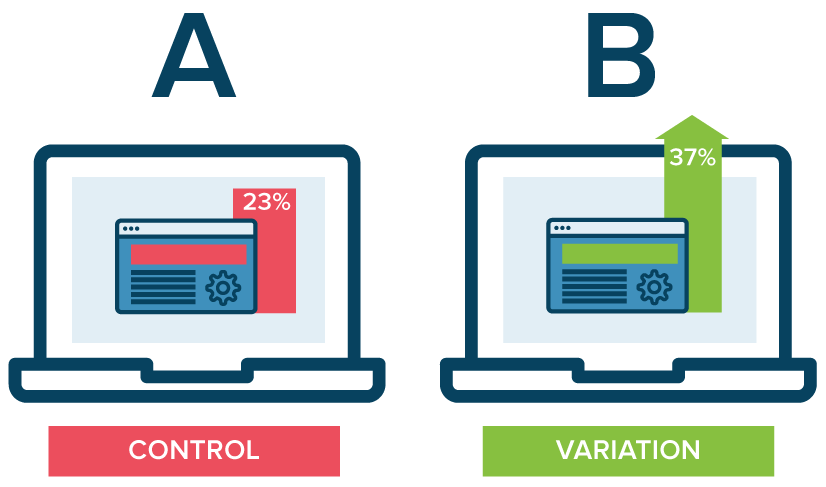
... and why should I use them?
vs
A Universal Javascript library to help you implement feature toggles
const Card = ({title, subtitle}) => (
  <div className='card'>
    <div className='card-title'>
      {title}
    </div>
    <p className='card-subtitle'>
      {subtitle}
    </p>
    <div className='card-action'>
      <a href='#'>This is a link</a>
    </div>
  </div>
)├── Card
│ ├── index.js
│ ├── Card-Default
│ │ └── index.js
│ ├── Card-Variation-A
│ │ └── index.js
│ └── Card-Variation-B
│ └── index.js
import { ToggleComponent } from 'react-feature-toggle'
import CardVariationA from './Card-Variation-A'
import CardVariationB from './Card-Variation-B'
import CardDefault from './Card-Default'

export default ToggleComponent(CardDefault, CardVariationA, CardVariationB)import Card from './Card'
const CardList = () => (
<div className='card-list'>
<Card title='First Card' subtitle='the first card description'/>
<Card title='Second Card' subtitle='the second card description' />
<Card title='Third Card' subtitle='the third card description' />
<Card title='Fourth Card' subtitle='the fourth card description' />
</div>
){
experiments: [{
Card: {
variations: [{
name: 'Card'
}, {
name: 'Card-Variation-A',
force: false,
props: {
title: 'Toggled title'
}
}, {
name: 'Card-Variation-B'
}]
},
...
]
}const toggles = experiments
.map(e => strategy(e))
.reduce(reducer)
/* console.log(toggles)
{
CardVariationA: {
props: {
title: 'Variation A title'
}
}
}
*/import { ToggleApp } from 'react-feature-toggle'
const MyToggledApp = ToggleApp(MyApp, toggles)
ReactDom.render(<MyToggledApp />, document.getElementById('main'))A strategy is something that only you can implement to decide which variation should be shown to the user, depending on the feature and your use case.
Some possible strategies could be based on:
import {Universal} from 'react-feature-toggle'

...

let markup = YourApp.renderToString();
markup = Universal.injectIntoMarkup({
  markup,
  toggles,
  name: 'cardToggles'
})<script>
window.cardToggles={CardVariationA:{props:{title:'Variation A title'}}};
</script>import { ToggleApp } from 'react-feature-toggle'
const MyToggledApp = ToggleApp(MyApp, toggles)
ReactDom.render(<MyToggledApp />, window.cardToggles)Assigns the toggles object to the application context, creating a new copy and returning the wrapped component
By Daniel de la Cruz Calvo
This talks describes the feature toggle technique, applied in Single Page Applications built with React.JS