









Daniel de la Cruz Calvo
Software Engineer and professional mentor for developers.
⚛🎣
I'm Dani
Software Engineer at
@d4nidev
delacruz.dev
Professional mentor for developers
🤔
*Or with render props
// withPokemons.js
function withPokemons(Component) {
  return class WithPokemons extends React.Component {
    state = {
      pokemons: [],
      loading: true
    };
    componentDidMount() {
      this.fetchPokemons();
    }
    fetchPokemons = async id => {
      this.setState({ loading: true });

      const response = await fetch("https://pokeapi.co/api/v2/pokemon");
      const parsed = await response.json();

      this.setState({
        pokemons: parsed.results,
        loading: false
      });
    };
    render() {
      return <Component {...this.props} {...this.state} />;
    }
  };
}// List.js
const List = ({ loading, pokemons }) => {
if (loading) {
return "Loading...";
}
return pokemons.map(pokemon => <div>{pokemon.name}</div>);
};
const ListWithPokemons = withPokemons(List);// withPokemons.js
function withPokemons(Component) {
return class WithPokemons extends React.Component {
state = {
pokemons: [],
loading: true
};
componentDidMount() {
this.fetchPokemons();
}
fetchPokemons = async () => {
this.setState({ loading: true });
const response = await fetch("https://pokeapi.co/api/v2/pokemon");
const parsed = await response.json();
this.setState({
pokemons: parsed.results,
loading: false
});
};
render() {
return <Component {...this.props} {...this.state} />;
}
};
}export default withNotifications(
withTheme(
withAuth(
withMouse(
withScroll(
withCurrentUser(
withLocalStorage(
withSettings(
withPokemons(List)
)
)
)
)
)
)
)
);// usePokemonsFetch.js
function usePokemonsFetch() {
const [pokemons, setPokemons] = useState([]);
const [loading, setLoading] = useState(false);
useEffect(() => {
setLoading(true);
fetch("https://pokeapi.co/api/v2/pokemon")
.then((response) => response.json())
.then(parsed => setPokemons(parsed.results))
.then(() => setLoading(false));
}, []);
return { pokemons, loading };
}// PokemonList.js
function PokemonList() {
const { pokemons, loading } = usePokemonFetch();
if (loading) {
return "Loading...";
}
return pokemons.map((pokemon) => <div>{pokemon.name}</div>);
}🤔
🙋♂️
show some code from enzyme
// accordion.js
import AccordionContents from './accordion-contents';

class Accordion extends React.Component {
  state = { openIndex: 0 }

  setOpenIndex = (openIndex) => this.setState({ openIndex })

  render() {
    const { openIndex } = this.state;
    const { items } = this.props;

    return (
      <div>
        {items.map((item, index) => (
          <AccordionContents open={index === openIndex}>
            <button onClick={() => this.setOpenIndex(index)}>
              {item.title}
            </button>
            {item.contents}
          </AccordionContents>
        ))}
      </div>
    )
  }
}
show some code from enzyme
test('setOpenIndex sets the open index state properly', () => {
  const wrapper = mount(<Accordion items={[]} />);
  expect(wrapper.state('openIndex')).toBe(0);
  wrapper.instance().setOpenIndex(1);
  expect(wrapper.state('openIndex')).toBe(1);
});

test('renders with the item contents', () => {
  const pokemons = [
    { title: 'Charmander', contents: 'Fire type lizard' },
    { title: 'Pikachu', contents: 'Electric type mouse'}
  ];
  const wrapper = mount(<Accordion items={pokemons} />)
  const child = wrapper.find('AccordionContents').props().childAt(1);
  expect(child).toBe(pokemons[0].contents);
});
// counter.js
class Counter extends React.Component {
state = { count: 0 };
increment = () => this.setState(({ count }) => ({ count: count + 1 }));
render() {
return (
<button data-testid='button-increment' onClick={this.increment}>
{this.state.count}
</button>
);
}
};// __tests__/counter.js
import { render, fireEvent } from '@testing-library/react'
import Counter from '../counter.js'
test('increments the counter', () => {
const { getByTestId } = render(<Counter />);
const button = getByTestId('button-increment');
expect(button.textContent).toBe('0');
fireEvent.click(button);
expect(button.textContent).toBe('1');
});// counter.js
function Counter() {
const [count, setCount] = useState(0);
const increment = () => setCount((current) => current + 1)
return (
<button data-testid='button-increment' onClick={incrementCount}>
{count}
</button>
);
};🌸
const Button = React.memo((props) => {
  // your component
}, arePropsEqual);

function arePropsEqual(prevProps, nextProps) {
  // compare props and return true if they are equal
}
// Will not change unless `a` or `b` changes
const memoizedCallback = useCallback(() => {
doSomething(a, b);
}, [a, b]);
return <NestedComponent onSomething={memoizedCallback} />🛹
function MyComponent() {
  const [name, setName] = React.useState('');

  return (
    <>
      <div>{name}</div>
      <input onChange={(ev) => setName(ev.target.value)} />
    </>
  );
}const [age, setAge] = useState(42);
const [name, setName] = useState('Mike Myers');
const [doctor, setDoctor] = useState({ name: 'Mike', surname: 'Myers', age: 42 });class Card extends React.Component {
state = { left: 0, top: 0, width: 100, height: 100 };
// ...
this.setState({ width: newWidth, height: newHeight });
}with this.setState()
function Card() {
  const [measures, setMeasures] = useState({
    left: 0,
    top: 0,
    width: 100,
    height: 100
  });

  // ...

  // Use object spread "...state" ensures you don't lose width and height
  setMeasures((current) => ({ ...current, width: newWidth, height: newHeight }));
}
with useState()
const [position, setPosition] = useState({ left: 0, top: 0 });
const [size, setSize] = useState({ width: 100, height: 100 });

// ...
setPosition({ left: e.pageX, top: e.pageY });
But not because of Hooks
You probably didn't need it earlier, neither
🛹
// Note: implementation is very simplified
const NotificationsContext = React.createContext({
  onError: noop
  onSuccess: noop
  onLoading: noop
});

const Notifications = ({ children }) => {
  const [notification, setNotification] = useState({ type: 'none', message: '' });

  const onError = (message) => setNotification({ type: 'error', message });
  const onSuccess = (message) => setNotification({ type: 'success', message });
  const onLoading = (message) => setNotification({ type: 'loading', message });

  return (
    <>
      <Success open={notification.type === 'success'} message={notification.message} />
      <Error open={notification.type === 'error'} message={notification.message} />
      <Loding visible={notification.type === 'loading'} />
      <NotificationsContext.Provider value={{ onError, onSuccess, onLoading }}>
        {children}
      </NotificationsContext.Provider>
    </>
  );
};// app.js
const App = () => (
<Notifications>
// ... your app's component tree
</Notifications>
);// some component in your tree
const { onError, onSuccess, onLoading } = useContext(NotificationsContext);
onLoading(true);
try {
await fetch(myApiEndpoint)
onSuccess('Success!');
} catch(err) {
onError(e.message);
} finally {
onLoading(false);
}🛹
<FormComponent
  onSubmit={handleSubmit}
  onSubmitComplete={handleSubmitComplete}
  onError={handleError}
  onFetchStart={handleFetchStart}
  onFetchEnd={handleFetchComplete}
/>function reducer(state, action) {
switch (action.type) {
case "ready":
return { ...state, notification: "none" };
case "submit_start":
return {
...state,
notification: "loading",
loading: true,
message: "Submitting..."
};
case "submit_complete":
return {
...state,
notification: "success",
loading: false,
message: "Saved!"
};
// ...
}
}
const [state, dispatch] = useReducer(reducer, initialState);

<FormComponent dispatch={dispatch} {...state} />useReducer
useContext
And stay at home!
By Daniel de la Cruz Calvo
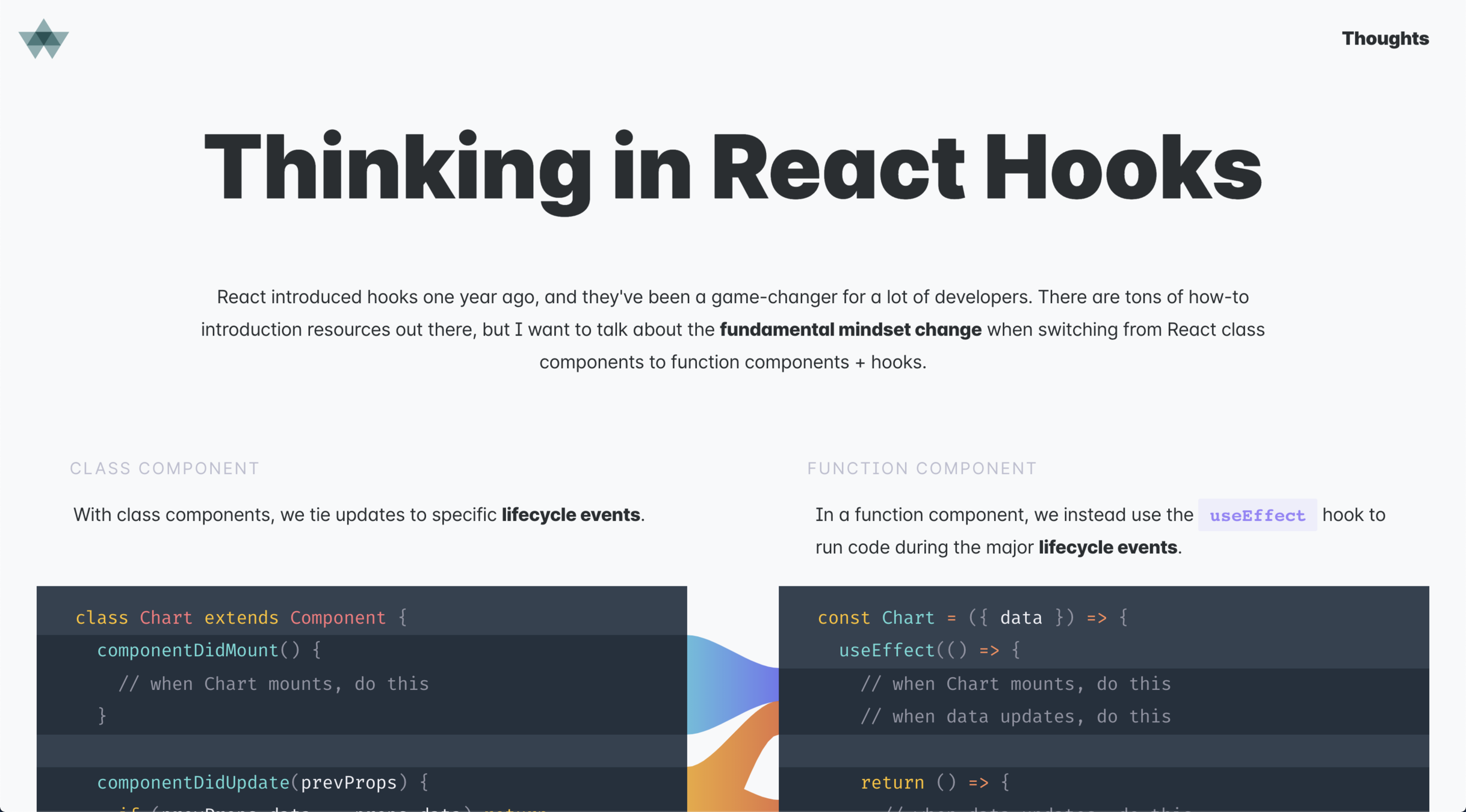
A talk about my experience with React Hooks, a year after I started using it. The talk is less focused on explaining how React or React Hooks work, and more on insights, tips and tricks based on what I've found while doing this transition from classes to hooks.