#Markdown
## Agenda
* What is Markdown
* Why Markdown
* Markdown Tooling
* New Docs Site
* Developer Survey
## History
* Started by John Gruber in 2004
* Meant to be plain text formatting AND text->html tool
* Different flavors popped up everywhere
 * Reddit
 * StackOverflow
 * Github
 * Slack
 * Bitbucket
* Tried to 'standardize' to CommonMark in 2014.
* Github Flavor is most common
## Examples
### Stacking
| Table Head 1 | Table Head 2              | Table Head 3 |
|:-------------|:--------------------------|:-------------|
| `code`       | [Link](http://google.com) | **bold**     |
### Unordered list with emphasis
* [`Code Link`](http://docs.com)
* __bold a bullet point__
* [](http://click_picture.com) - Picture with a link##Why Markdown?
* Just type
* No keyboard shortcuts
* Tons of tooling
* Extendable
* `code` examples
* Portable
* Plain text
* Understandable in text format
##Tooling
Markdown can be converted to about anything.
### Favorites
#### Github Atom
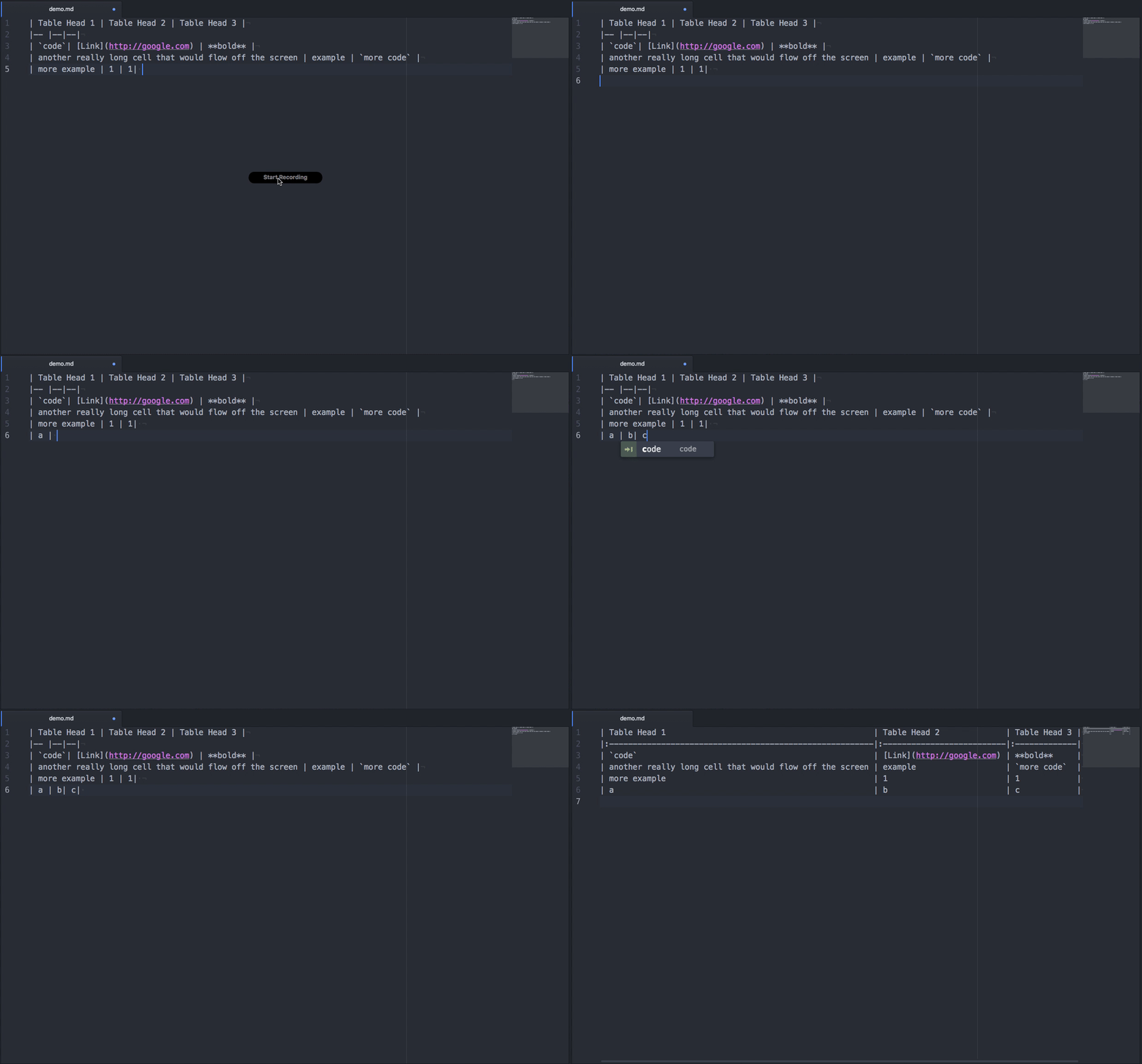
* [Markdown Table Formatter](https://atom.io/packages/markdown-table-formatter)
 * Makes awesome tables
* [Markdown Preview](https://github.com/atom/markdown-preview)
 * View what you're writing

#### Sublime Text
* [Markdown Extended](https://packagecontrol.io/packages/Markdown%20Extended)
 * Syntax Highlighting
* [Markdown Preview](https://packagecontrol.io/packages/Markdown%20Preview)
 * View what you're writing

#### Web
* [Markdown Here](http://markdown-here.com/)
 * Write markdown in gmail / forms and format it
* [Github Gists](https://gist.github.com/)
 * Sharable code snips / markdown

#### Ecosystem
* [Gitbook](https://www.gitbook.com)
 * Markdown CMS(ish)
* [Github](https://www.github.com)
 * Github
### Table Formatter
### Markdown Here

## Journey to Docs
### Started with wordpress
* Got bogged down with forms on forms on forms
* Design Changes somewhat difficult

### Requirements
* Display _our_ SDK works instead of generated code
* Write Markdown
* Extendable
* _'Triple'_ column view ( Index | Context | Code )
* Pretty(ish)

### Tried
* Slate
* Jekyll
* Gitbook
## Slate
### Liked
* Triple View Format by default
* Single page application
 * Load once, have everything
* Themeable
* Pretty well used throughout internets
* Write Markdown
* Swagger -> Slate
* RAML -> Slate

### Dislike
* Generally kind of slow
* Difficult to align ( Index | Context | Code ) effectively
* Easy to get lost within docs
* Not super pretty
## Gitbook
### Likes
* Eats Markdown -> Spits out Static HTML
* Written in node
* Extendable
* [Nunjucks](https://mozilla.github.io/nunjucks/) Templating
* Hostable in Github Pages
* Does Provide Hosting
* Bernard Approved
* Tons of plugins

### Dislikes
* Much more complicated than others
* Not SUPER WELL documented
* Docs aren't 100% updated for newer versions
### Flow
Create Overview
Builds Index
Generates Page
Applies Template
Applies Hooks
Generates Site
Plugins/Extensions can add anything to each step
### Contributing
## How to contribute
* All hosted on [Github](https://github.com/bandwidth)
 * [Dev.bandwidth.com](https://github.com/Bandwidth/bandwidth.github.io)
 * [Catapult Docs](https://github.com/Bandwidth/ap-docs)
 * [Iris Docs](https://github.com/Bandwidth/dashboard-docs)
 * [FAQ](https://github.com/Bandwidth/faq)

1. Clone Repo
2. Create New Branch
3. Make changes
4. Ensure runs and looks good `gitbook serve`
5. Open Pull Request to main branch
6. Once merged you'll update will be applied on next update
 * __YAY__
## UX/DX Team
## Ask for feedback
* How would you prefer for us to contact you for feedback?

## Developer Survey
* Will send out anonymous about Bandwidth and Developer Experience

## Open Line
* Please send any feedback to our team at any time :)

## Volunteer User Testing
* Let me know if you'd like to help make docs great again
Questions?

Markdown
By Daniel Tolbert