yiling
顯然是一顆水餃
水餃
相信大家都有吃過TLE
有些題目輸入、輸出量比較大
這個就派上用場了
#include<iostream>
using namespace std;

int main() {
	ios:sync_with_stdio(0);
    cin.tie(0);
    return 0;
}
在main()裡面加兩行
關閉iostream跟stdio同步
關閉自動flush(清空緩存區)
儲存另一個變數的記憶體地址
一種變數
每個變數會對應到一個記憶體位置
| 記憶體地址 | 值 | 變數型態 | 變數名稱 |
|---|---|---|---|
| 0x0001 | |||
| 0x0002 | 2 | int | n |
| 0x0003 | |||
| 0x0004 | |||
| 0x0005 | |||
| 0x0006 | a | char | c |
| 0x0007 | |||
| 0x0008 |
取某個變數的記憶體地址
#include<iostream>
using namespace std;

int main() {
	int n = 2;
    cout << &n;
}
會輸出一坨像是0x7ffccbbabeec
#include<iostream>
using namespace std;

int main() {
	int n = 2;
    int* ptr; //宣告一個指標
    ptr = &n; //將變數的位址指定給指標
    cout << ptr; //0x7ffccbbabeec
}
n:int
ptr:int 指標
資料型態* 變數名稱
顯然可以直接寫成int* ptr = &n;
| 記憶體地址 | 值 | 變數型態 | 變數名稱 |
|---|---|---|---|
| 0x0001 | |||
| 0x0002 | 2 | int | n |
| 0x0003 | |||
| 0x0004 | |||
| 0x0005 | |||
| 0x0006 | 0x0002 | int* | ptr |
| 0x0007 | |||
| 0x0008 |
int* ptr = &n;
取指標所指向變數的值
#include<iostream>
using namespace std;

int main() {
	int n = 2;
    int* ptr = &n;
    cout << *ptr; //2
}
第 6 行跟第 7 行的 * 是不同意思
一個是宣告指標,一個是取值
#include<iostream>
using namespace std;

int main() {
	int n = 2;
    int* ptr = &n;
    int** ptr_1 = &ptr;
    int*** ptr_2 = &ptr_1;
    cout << n << " " << ptr << " " << ptr_1 << " " << ptr_2;
}
的指標
的指標
同一位址,不同變數名稱
就像水餃曾經有個綽號叫10,兩個綽號都是指同一個人
其中一個改變另外一個也會跟著變
#include<iostream>
using namespace std;

int main() {
	int n = 2;
	int& ref = n;
	cout << ref; //2
}
要參考的變數型態& 變數名稱 = 要參考的變數
#include<iostream>
using namespace std;

int main() {
	int n = 2;
	int& ref = n;
	cout << ref << '\n'; //2

	ref += 5;
	cout << n << '\n'; //7

	cout << &n << '\n';
	cout << &ref << '\n'; //兩個一樣欸
}
ref + 5 發現 n 也跟著 + 5
有一樣的位址喔
基本上就是同一個東西
*是甚麼
&是甚麼
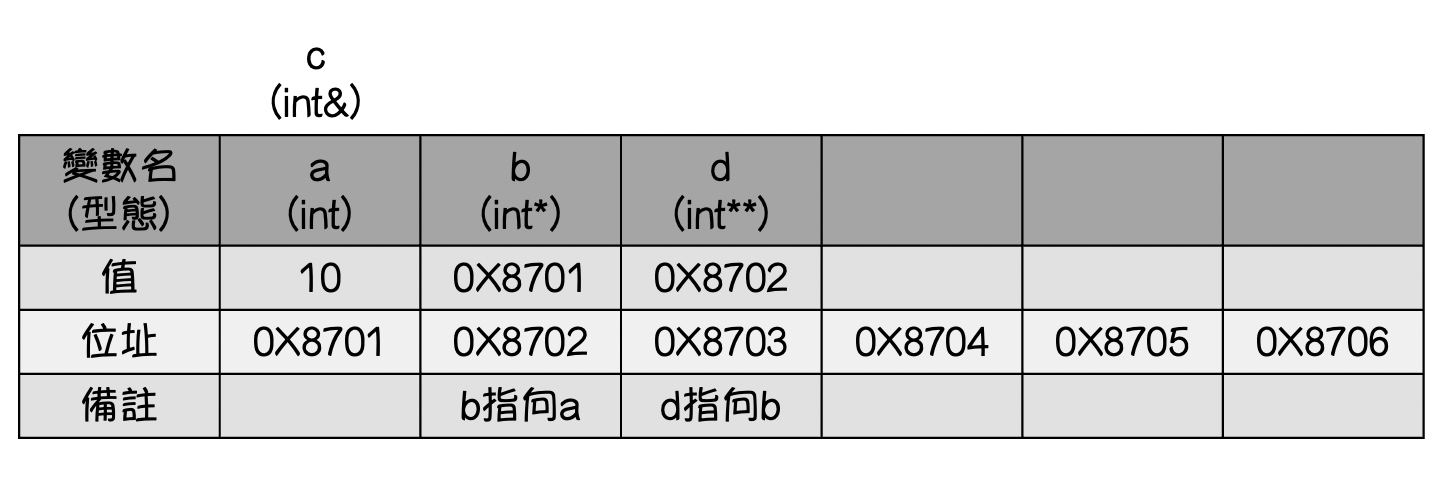
int a = 10;
int *b = &a;
int &c = a;
int **d = &b;
cout << a;
cout << &a;
cout << b;
cout << &b;
cout << *b;
cout << c;
cout << &c;
cout << *c;
cout << d;
cout << &d;
cout << *d;
cout << **d;
cout << &*d;下一屆學術你們知道該怎麼做了
二進制中的一位
binary digit
拿來存 1 跟 0 的單位
顧名思義加到2就進位
| value | 128 | 64 | 32 | 16 | 8 | 4 | 2 | 1 |
| 169 | 1 | 0 | 1 | 0 | 1 | 0 | 0 | 1 |
| 255 | 1 | 1 | 1 | 1 | 1 | 1 | 1 | 1 |
2⁰
2⁷
這樣是一個bit
8 個 bit 可以存 0 ~ 255 的所有數字
就 對很多個位元 做運算
位元運算子
| 中文 | 英文 | 符號 |
|---|---|---|
| 位元或 | bitwise or | | |
| 位元且 | bitwise and | & |
| 位元異或 | bitwise xor | ^ |
| 左移 | left shift | << |
| 右移 | right shift | >> |
好像在哪裡看過
| value_1 | 1 | 0 | 1 | 1 |
| value_2 | 0 | 0 | 1 | 0 |
| 結果 | 1 | 0 | 1 | 1 |
#include<iostream>
using namespace std;

int main() {
    cout << (1 | 1) << '\n'; //1
    cout << (1 | 0) << '\n'; //1
    cout << (0 | 1) << '\n'; //1
    cout << (0 | 0) << '\n'; //0
}
其中一個是 1 ,結果就是 1
| value_1 | 1 | 0 | 1 | 1 |
| value_2 | 0 | 0 | 1 | 0 |
| 結果 | 0 | 0 | 1 | 0 |
#include<iostream>
using namespace std;

int main() {
    cout << (1 & 1) << '\n'; //1
    cout << (1 & 0) << '\n'; //0
    cout << (0 & 1) << '\n'; //0
    cout << (0 & 0) << '\n'; //0
}
都是 1 ,結果才是 1
| value_1 | 1 | 0 | 1 | 1 |
| value_2 | 0 | 0 | 1 | 0 |
| 結果 | 1 | 0 | 1 | 1 |
#include<iostream>
using namespace std;

int main() {
    cout << (1 ^ 1) << '\n'; //0
    cout << (1 ^ 0) << '\n'; //1
    cout << (0 ^ 1) << '\n'; //1
    cout << (0 ^ 0) << '\n'; //0
}
兩個不相同,結果是 1
| 5 | 0 | 0 | 1 | 0 | 1 |
| 20 | 1 | 0 | 1 | 0 | 0 |
#include<iostream>
using namespace std;

int main() {
    cout << (5 << 2) << '\n'; //20
}
左移 n 就是乘 2 的 n 次方
左移 2
| 24 | 1 | 1 | 0 | 0 | 0 |
| 6 | 0 | 0 | 1 | 1 | 0 |
#include<iostream>
using namespace std;

int main() {
	cout << (24 >> 2) << '\n'; //6
}
右移 n 就是除以 2 的 n 次方
右移 2
一個自己定義好的程式碼區塊
讓你能多次呼叫相同的功能
#include <iostream>
using namespace std;

int bigger_one(int a, int b) {
	if (a > b) {
    	return a;
    }
    else {
    	return b;
    }
}

int main() {
    int m, n;
    cin >> m >> n;
    cout << bigger_one(m, n) << '\n';
    return 0;
}
要執行的東西寫成一個函式
需要的時候呼叫他
這樣如果需要重複用很多遍就不用一直複製貼上
C++有很多內建函式
用的時候引入函式庫
#include<iostream>
#include<cmath>
using namespace std;

int main() {
	cout << sqrt(4) << '\n';
	return 0;
}
引入cmath
呼叫cmath中的sqrt函式
int bigger_one(int a, int b) {
	if (a > b) {
    	return a;
    }
    else {
    	return b;
    }
}
回傳型別
函式名稱
參數
回傳值
回傳型別:這個函式最後得出的值並回傳的是什麼型別 e.g. int char string long long
void 代表不會回傳任何值
函式名稱:呼叫這個函式時用的名稱
參數:呼叫時傳入的變數,要加參數資料型態
回傳值:函式結束之後回傳的值,用 return 回傳值; 來結束函式
#include <iostream>
using namespace std;

void swap(int a, int b){
    int c = a;
    a = b;
    b = c;
}

int main() {
    int a = 1, b = 2;
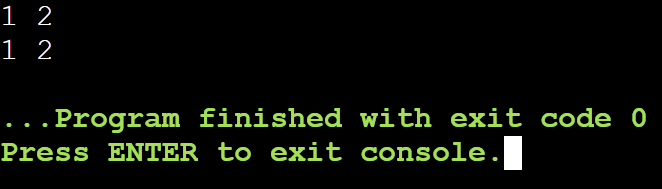
    cout << a << " " << b << '\n';
    swap(a, b);
    cout << a << " " << b;
}
欸奇怪沒有變欸
#include <iostream>
using namespace std;

void swap(int a, int b){
    int c = a;
    a = b;
    b = c;
}

int main() {
    int a = 1, b = 2;
    cout << a << " " << b << '\n';
    swap(a, b);
    cout << a << " " << b;
}
把 a, b 傳到 swap 函式裡
在 swap 裡交換了
main 裡面的 a, b 沒有被換到
相信大家都還記得指標跟參考
#include <iostream>
using namespace std;

void swap(int* a, int* b){
    int c = *a;
    *a = *b;
    *b = c;
}

int main(){
	int a = 1, b = 2;
	cout << a <<" "<< b << '\n';
	swap(a, b);
	cout << a <<" "<< b << '\n';
}
#include <iostream>
using namespace std;

void swap(int &a, int &b){
    int c = a;
    a = b;
    b = c;
}

int main(){
	int a = 1, b = 2;
	cout << a <<" "<< b << '\n';
	swap(a, b);
	cout << a <<" "<< b << '\n';
}
指標
參考
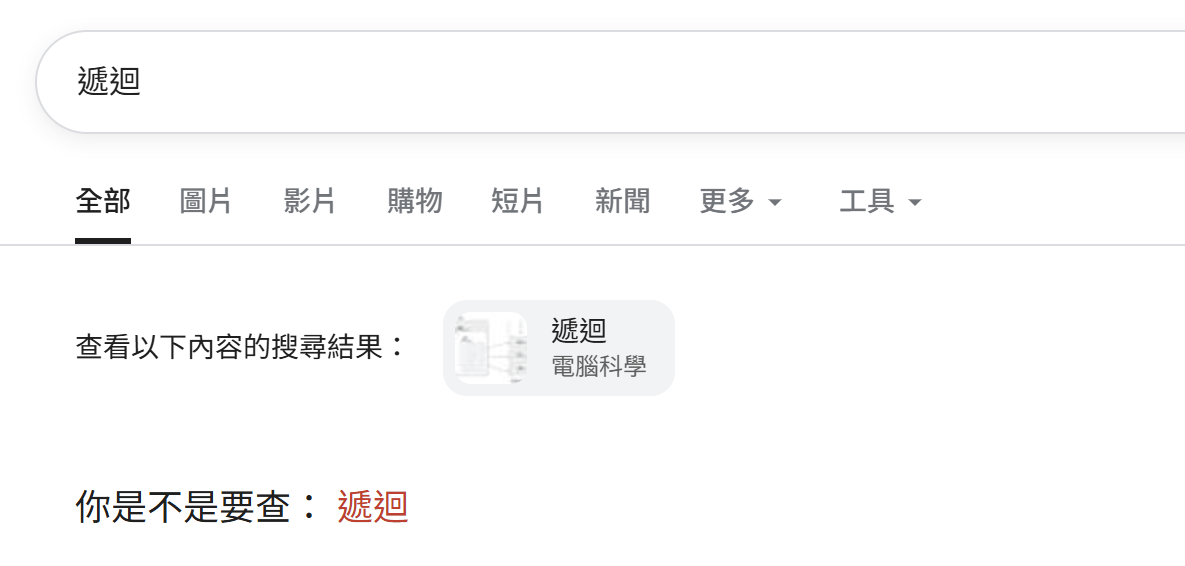
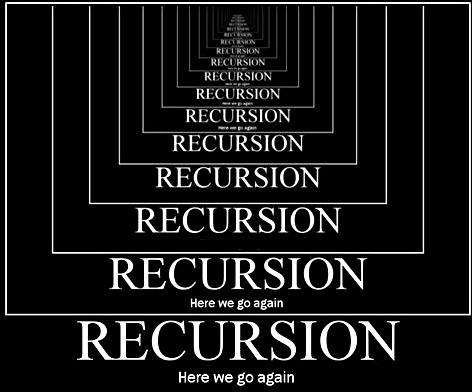
會自己呼叫自己的函式
像這張圖
費波那契數列
#include <iostream>
using namespace std;

int fibo(int n){
   if(n == 1) return 1;
   if(n == 2) return 1;
   return fibo(n - 1) + fibo(n - 2);
}

int main(){
   cout << fibo(3); //2
}
在 fibo 裡呼叫了 fibo 欸
邊界條件
沒有他的話
呼叫 fibo(1) 時
會繼續呼叫到 fibo(-1)
來模擬一下
fibo(4)
fibo(3)
fibo(2)
fibo(1)
return 1;
return 1;
return 2;
fibo(2)
return 1;
return 3;
班級、座號、姓名、綽號......
#include <iostream>
using namespace std;

struct person{
  string class_;
  string name;
  string nick_name;
  int seat_no;
};

int main(){
   person dumpling;
   dumpling.class_ = "win";
   dumpling.name = "yiling";
   dumpling.nick_name = "10";
   dumpling.seat_no = 17;

   cout << dumpling.name << '\n';
}#include <iostream>
using namespace std;
struct person{
string class_;
string name;
string nick_name;
int seat_no;
};
int main(){
person people[100]; //感覺很多人
}開陣列
#include <iostream>
using namespace std;

struct person {
    double height,weight;
    string gender;
    string interest, expertise, name;

   	float bmi(){
     	return weight / (height * height);
   	}
};

int main(){
    person dumpling;
    dumpling.weight = 100; //不可能是真的
    dumpling.height = 1; //也不可能是真的
 	cout << dumpling.bmi();
}
寫function
簡報很簡陋請見諒
By yiling
如果有奇怪的地方能因為這是凌晨兩點做的