Automated Tests with Splinter
The great Test-O-Matic
by Gopi
Table of contents
- why it's good to do atomated tests (why not)
- what is splinter
- about the Test-O-Matic
Why do we do automated tests?
We are not robots
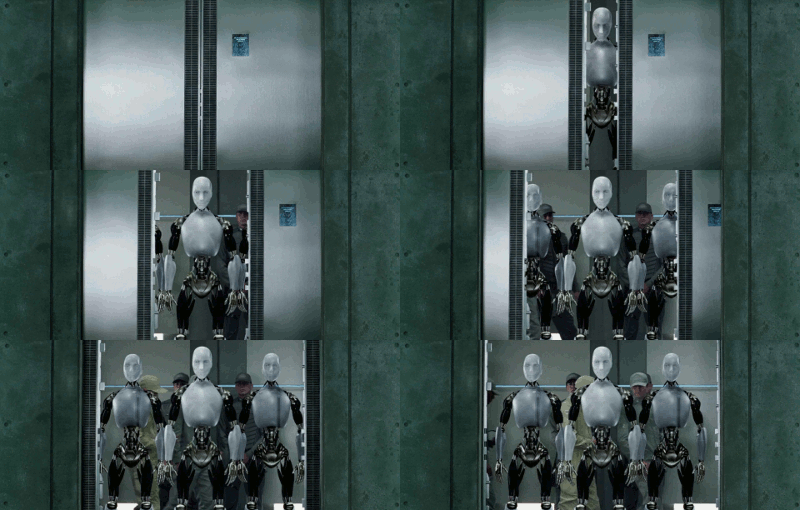
It's cool to control the machine

To make continuous integration

And also we are lazy as f***

Why do not we like them?
It mostly fail without any software bug
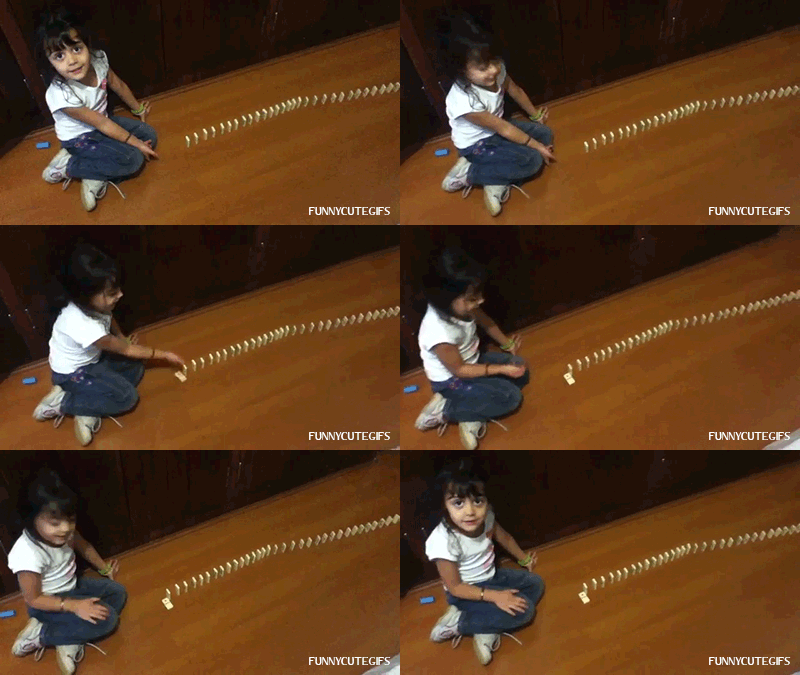
It can make bigger fail on prodaction
And sometimes it's faster to do by hand

Splinter

Splinter
Splinter is an open source tool for testing web applications using Python.
It lets you automate browser actions, such as visiting URLs and interacting with their items.
Splinter
from splinter import Browser

with Browser() as browser:
    # Visit URL
    url = "http://www.google.com"
    browser.visit(url)
    browser.fill('q', 'splinter - python acceptance testing for web applications')
    # Find and click the 'search' button
    button = browser.find_by_name('btnG')
    # Interact with elements
    button.click()
    if browser.is_text_present('splinter.cobrateam.info'):
        print "Yes, the official website was found!"
    else:
        print "No, it wasn't found... We need to improve our SEO techniques"
Why use Splinter?
Splinter is an abstraction layer on top of existing browser automation tools such as Selenium, PhantomJS and zope.testbrowser.
Splinter
Features
- simple api
- multi webdrivers (chrome webdriver, firefox webdriver, phantomjs webdriver, zopetestbrowser, remote webdriver)
- css and xpath selectors
- support to iframe and alert
- execute javascript
- works with ajax and async javascript
Why use Splinter?
For example fill out a form in Selenium:
elem = browser.find_element.by_name('username')
elem.send_keys('janedoe')
the equivalent code in Splinter:
browser.fill('username', 'janedoe')Splinter
Basic browsing and interactions
- Browser and navigation
- Finding elements
- Mouse interactions
- Interacting with elements and forms
- Verify the presence of texts and elements in a page, with matchers
- Cookies manipulation
Splinter
Browser and navigation
from splinter import Browser
browser = Browser()
browser = Browser('chrome')
browser = Browser('firefox')
browser = Browser('zope.testbrowser')b = Browser(user_agent="Mozilla/5.0 (iPhone; U; CPU like Mac OS X; en)")
b = Browser("firefox", profile="C:\Users\IEUser\AppData\Roaming\Mozilla..")Splinter
Browser and navigation
browser.visit('http://cobrateam.info')
browser.visit('http://username:password@cobrateam.info/protected')
browser.back()
browser.forward()
browser.reload()browser.title
browser.html
browser.urlSplinter
Finding elements
browser.find_by_css('h1')
browser.find_by_xpath('//h1')
browser.find_by_tag('h1')
browser.find_by_name('name')
browser.find_by_id('firstheader')
browser.find_by_value('query')
first_found = browser.find_by_name('name').first
last_found = browser.find_by_name('name').last
second_found = browser.find_by_name('name')[1]Range and indexes
links_found = browser.find_link_by_text('Link for Example.com')
links_found = browser.find_link_by_partial_text('for Example')
links_found = browser.find_link_by_href('http://example.com')
links_found = browser.find_link_by_partial_href('example')
Finding links
divs = browser.find_by_tag("div")
within_elements = divs.first.find_by_name("name")
Chaining find of elements
Splinter
Mouse interactions
browser.find_by_tag('h1').mouse_over()Mouse over
browser.find_by_tag('h1').mouse_out()Mouse out
browser.find_by_tag('h1').click()Click
browser.find_by_tag('h1').double_click()Double Click
browser.find_by_tag('h1').right_click()Right Click
draggable = browser.find_by_tag('h1')
target = browser.find_by_css('.container')
draggable.drag_and_drop(target)
Drag and drop
Splinter
Interacting with elements in the page
browser.fill('query', 'my name')
browser.attach_file('file', '/path/to/file/somefile.jpg')
browser.choose('some-radio', 'radio-value')
browser.check('some-check')
browser.uncheck('some-check')
browser.select('uf', 'rj')
Interacting with forms
browser.find_by_css('h1').first.valueGet Value of element
browser.click_link_by_href('http://www.the_site.com/my_link')
browser.click_link_by_partial_href('my_link')
Clicking links
browser.find_by_css('h1').first.visible
browser.find_by_css('.content').first.has_class('content')
Verifying elements
Splinter
Verify the presence of texts and elements in a page
browser.is_text_present('splinter') # True
browser.is_text_present('splinter', wait_time=10) # True, using wait_time
browser.is_text_not_present('text not present') # True
browser.is_text_not_present('text not present', wait_time=10) # True, using wait_time
Checking the presence of text
browser.is_element_present_by_css('h1')
browser.is_element_present_by_xpath('//h1')
browser.is_element_present_by_tag('h1')
browser.is_element_present_by_name('name')
browser.is_element_present_by_id('firstheader')
browser.is_element_present_by_value('query')
browser.is_element_present_by_value('query', wait_time=10)

browser.is_element_not_present_by_css('h6')
browser.is_element_not_present_by_xpath('//h6')
browser.is_element_not_present_by_tag('h6')
browser.is_element_not_present_by_name('unexisting-name')
browser.is_element_not_present_by_id('unexisting-header')
browser.is_element_not_present_by_id('unexisting-header', wait_time=10)
Checking the presence of elements
Splinter
Cookies manipulation
It’s possible manipulate cookies using cookies attribute from a Browser instance.
#create cookie
browser.cookies.add({'whatever': 'and ever'})

#Retrieve all cookies
browser.cookies.all()

#Delete a cookie
browser.cookies.delete('mwahahahaha') #deletes the cookie 'mwahahahaha'
browser.cookies.delete('whatever', 'wherever') #deletes two cookies

#Delete all cookies
browser.cookies.delete() #deletes all cookies
Splinter
Frames, alerts and prompts
with browser.get_iframe('iframemodal') as iframe:
    iframe.do_stuff()
#or
with browser.get_iframe(1) as iframe:
    iframe.do_stuff()
Using iframe
Handling alerts and prompts
alert = browser.get_alert()
alert.text
alert.accept()
alert.dismiss()

prompt = browser.get_alert()
prompt.text
prompt.fill_with('text')
prompt.accept()
prompt.dismiss()
Splinter
Window handling
browser.windows # all open windows
browser.windows[0] # the first window
browser.windows[window_name] # the window_name window
browser.windows.current # the current window
browser.windows.current = browser.windows[3] # set current window to window 3

window = browser.windows[0]
window.is_current # boolean - whether window is current active window
window.is_current = True # set this window to be current window
window.next # the next window
window.prev # the previous window
window.close() # close this window
window.close_others() # close all windows except this one
You can manage multiple windows (such as popups) through the windows object
QRS Test-O-Matic
QRS Test-O-Matic
test cases
- RSS
- API
- Import
- AC
- MediaDB
- VCMS
- 10k
- Export
- GenReg
- SI
- Predict
QRS Test-O-Matic
RSS
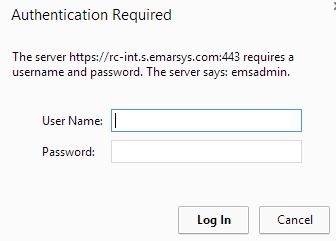
The biggest problem was double authentication on emstools
Solution
b = Browser("firefox", profile="C:\Users\IEUser\AppData\Roaming\Mozilla..")QRS Test-O-Matic
API
QRS Test-O-Matic
Import
brow.find_by_id('main-menu-list-manager').mouse_over()
brow.find_by_id('main-menu-sub-item-data-import').click()

brow.find_by_id('newImport').click()
brow.attach_file('list',folder+"import_qrs.csv")

brow.find_by_css('.select2-choice').click()
brow.find_by_id('s2id_autogen14_search').fill('E-Mail')

#...

brow.find_by_id('submitButton').click()
QRS Test-O-Matic
AC
1. Precondition: create HTML camp.
table = brow.find_by_css('.htmlarea') # Find the html part
table.find_by_css('.button')[18].click()
brow.fill('ta','<html><body>'+htmlcampname+'</body></html>')
brow.execute_script("javascript:if(document.getElementById('auto_autotl_y').checked) {document.workform.allow_auto_autotl.value='y'}; CheckChanges(); isLaunched();")
2. Schedule a recurring program
brow.find_by_css('div.node').double_click()
fivemoremin = datetime.datetime.now() + datetime.timedelta(minutes=5)
brow.select('hourOfRecurrence',str(fivemoremin.hour).zfill(2))
brow.select('minuteOfRecurrence',str(fivemoremin.minute).zfill(2))
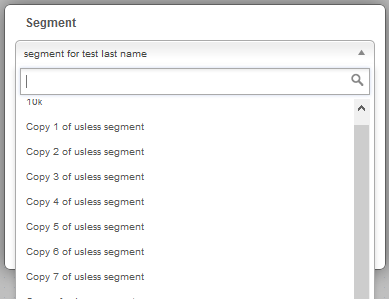
3. Create blank program
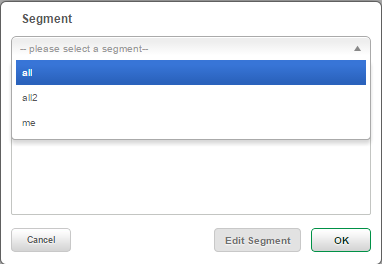
QRS Test-O-Matic
MediaDB
- window handling
brow.windows.current = brow.windows.current.next
mainpage = brow.windows.current.prev
- keep original filename
filename = glob.glob(folder+'rename*.png')[0]
renamed = 'rename_'+str(timename)+'.png'
os.rename(filename,folder+renamed)
brow.attach_file('fd-file',folder+renamed)
- Multiple file upload
brow.attach_file('fd-file',folder+"Media_db_1.docx")
brow.attach_file('fd-file',folder+"Media_db_2.doc")
brow.attach_file('fd-file',folder+"Sad_face.gif")
brow.attach_file('fd-file',folder+"jusztin.jpg")
brow.attach_file('fd-file',folder+"Splinter_tf.png")
brow.find_by_css('.upload-button').click()
QRS Test-O-Matic
VCMS
sel = iframe.find_by_xpath("//select[@name='template']/option[text()='Test (mobile ready)']").value
iframe.select('template',sel)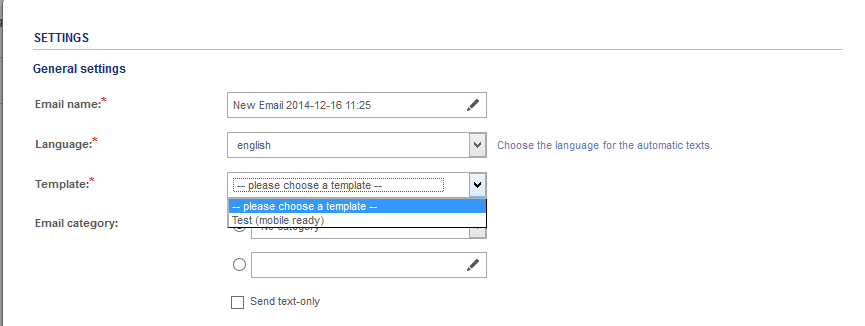
- Find template on every env
- select segment
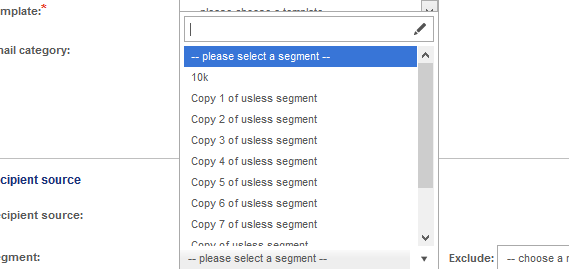
iframe.find_by_id("s2id_autogen1_search")
            .fill('segment for test last name')
iframe.find_by_css(".select2-result-label").click()
QRS Test-O-Matic
VCMS
- Click draft button for section
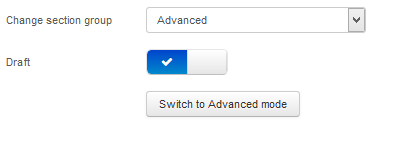
<div id="section_status" class="bootstrap-switch switch-small js-btn-stickit-switch pull-left has-switch" data-off-label="<i class='icon-remove'></i>" data-on-label="<i class='icon-ok icon-white'></i>" data-animated="false">
  <div class="switch-off">
    <input type="checkbox">
    <span class="switch-left switch-small">
    <label class="switch-small"> </label>
    <span class="switch-right switch-small">
  </div>
</div>
div3 = brow.find_by_id('section_status')
div3.find_by_css('.switch-small')[1].click()QRS Test-O-Matic
GenReg
Open a mail and click on GenReg, and NEWS registration forms link, and do registration
- find today's mail on gmail
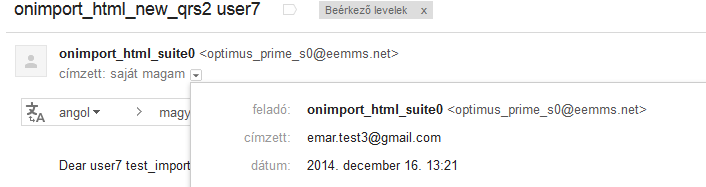
YM = datetime.datetime.now().strftime('%Y. %B')
day = datetime.datetime.now().strftime('%d.')
today = str(YM)+' '+str(day).lstrip('0')
brow.find_by_css('.ajy').click()
if(brow.is_text_present(today.lower())):
Links
Splinter:
http://splinter.cobrateam.info/en/latest/
https://github.com/cobrateam/splinter
QRS Test-O-Matic:
https://emarsys.jira.com/wiki/pages/viewpage.action?pageId=115999027
Thank you!
Any questions?

(except this :) )
CD reggeli
By Gábor Opitzer