CREATING A
GOOGLE DRIVE
PRESENTATION
 When we click Create, there will be different choices of which type of document we would like to create. In this lesson, we will be making presentations, so click on
Presentation
after clicking on Create.
When we click Create, there will be different choices of which type of document we would like to create. In this lesson, we will be making presentations, so click on
Presentation
after clicking on Create.
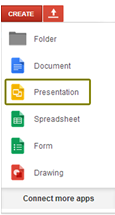

To start creating a document in Google Drive
we need to
click on Create found on the left side in the main menu.

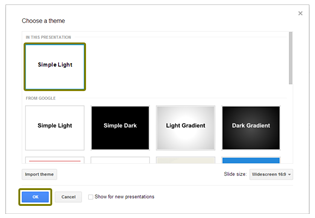
CHOOSING
A THEME

INSERTING AND
DELETING SLIDES
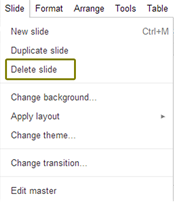
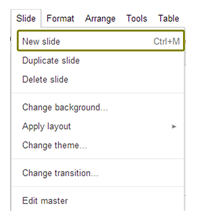 To delete a slide in a presentation, just follow this simple steps. Slide > Delete Slide or select a slide and click Delete in our keyboard.
CHOOSING A
SLIDE BACKGROUND
Title
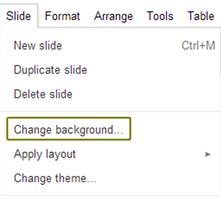
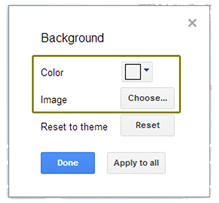
 Or from the Menu Bar > Slide > Change Background
There are two options with which we can change our background. They are Color and Image.
Or from the Menu Bar > Slide > Change Background
There are two options with which we can change our background. They are Color and Image.
Or from the Menu Bar > Slide > Change Background
There are two options with which we can change our background. They are Color and Image.
Or from the Menu Bar > Slide > Change Background
There are two options with which we can change our background. They are Color and Image.


creating a google drive presentation
By Jane Hernandez